What Is a 3D Printer Heated Bed? A Parent's Safety and Quality Guide
A heated bed is the plate a print is built on, warmed on purpose and held at a set temperature. It keeps the bottom of the model stuck down while the rest goes up. That's the job.
For a parent the second question matters more. Depending on the plastic, that plate runs from about 30 C to over 100 C. Hot looks like cold. So a child needs a way to tell, and something to do while they wait.
Quick Answer: Heated Bed Basics for Parents
The short version
Six questions. Detail follows below.
|
Parent question |
Short answer |
|
Does every printer have one? |
Almost every current FDM printer does. Some PLA-only budget kits skip it. |
|
How hot does it get? |
50 to 60 C for PLA. Around 100 C or higher for ABS and ASA. |
|
Is it dangerous? |
Hot enough to burn on contact. Much less of an issue behind a closed door. |
|
Does PLA need one? |
Not always. It helps on wide flat parts, and it forgives beginner mistakes. |
|
What wears out first? |
The removable sheet on top, usually long before the heater underneath. |
|
Best surface for a family? |
A PEI-coated flexible steel sheet. It cools, it flexes, the part pops off. |
Review Verdict for Families
A heated bed is valuable when it makes the first layer more repeatable for the materials and project sizes the family actually uses. It is not a quality score by itself. A moderate, stable temperature on a compatible surface can outperform a hotter bed with uneven control, poor guarding, or confusing removal instructions.
Best fit for a beginner PLA workflow: a machine with a documented preset, controlled access to hot parts, a removable surface that seats consistently, and clear cool-down guidance. Best fit for broader materials: a printer whose official nozzle, bed, enclosure, and ventilation specifications support those materials together.
The parent review should weigh five things: contact protection, temperature stability, first-layer consistency, surface compatibility, and what the child or adult must touch during removal and maintenance. Maximum temperature matters only after those basics are sound.
What a Heated Bed Actually Does
The layers under the plate
Four things, stacked. A heating element. An aluminum plate that spreads heat sideways. A temperature sensor. Then the removable surface the plastic actually touches.
Aluminum spreads it. The metal moves heat well and stays flat under load. The sensor reports back to the controller, which cycles the heater on and off to hold whatever number the slicer asked for.
Heater and top sheet do different jobs. One sets temperature. The other decides how hard the print grips, and how easily it lets go.
Why the first layer decides the whole print

Everything above the first layer depends on it staying put. If the base lifts or peels, the model above goes crooked. Or off entirely.
Warmth buys time. Fresh plastic is soft. A warm plate keeps it that way a moment longer, long enough to press into the surface and hold.
Heat is one input among several. Nozzle height, a clean plate, level, first-layer speed. All of it counts. Temperature just happens to be easiest to change.
Heated bed against an unheated plate
An unheated plate sits at room temperature. It relies on grip alone, from tape, a glue stick, or a textured sheet doing the holding, and small PLA models often print fine like that.
Size is where it breaks down. A long flat edge contracts as it cools and pulls at the corners. Nothing warm slows that. So an unheated machine narrows what you can print. It doesn't stop you.
|
TIP Clean the plate before you touch the temperature. Oil from one fingertip stops a print sticking in that spot, and no amount of extra heat fixes it. Isopropyl alcohol on a lint-free cloth solves more first-layer problems than any setting change. |
How Hot Does a 3D Printer Bed Get?
Bed temperature by filament

The spool label wins. It beats any table, including this one, because pigments and additives shift the usable window. Same material, two suppliers, two different plates. Use these numbers only when the label is missing.
|
Material |
Bed temp |
Heated bed needed? |
Home and family note |
|
PLA |
50 to 60 C |
Optional, helps a lot |
The material to use with kids. Plant-based, low odor, lowest emissions of the common filaments |
|
PETG |
70 to 85 C |
Recommended |
Tougher than PLA. Bonds hard to smooth plates, so removal needs care |
|
ABS |
95 to 110 C |
Required |
Needs an enclosure and good ventilation. Not a children's material |
|
ASA |
95 to 110 C |
Required |
Same handling as ABS, fussier about drafts |
|
Polycarbonate |
100 to 120 C |
Required |
At the ceiling of what consumer plates reach. Adults only |
|
Nylon |
70 to 100 C |
Required |
Dry filament matters more than plate temperature here |
|
TPU, flexible |
30 to 50 C |
Optional |
Slow the first layer instead of adding heat |
Consumer plates usually stop between 100 C and 120 C. Above that the limit isn't the heater at all. It's the build surface, and the magnets holding a flexible sheet down against it.
Why those numbers track the plastic, not the printer
Every range above sits near its plastic's glass transition temperature. That's the point where a rigid polymer turns rubbery. NIST describes it as the property that sets use and processing temperature for polymers, in its review of glass transition measurement and physics. A bed setting is doing exactly that.
PLA turns over around 60 C and PLA plates run 50 to 60 C, while ABS turns over near 105 C and ABS plates run 95 to 110 C. Not a coincidence.
Above that point the base creeps slightly and lets its shrinkage stress out. Below it, the stress goes into the bond with the plate. The corner usually wins.
What that number means for a child's hands

A 100 C plate looks identical to a cold one. Skin starts taking damage above roughly 44 C. A review of the human contact burn injury model puts the threshold there. Between 44 C and 51 C, each extra degree halves the exposure time needed to kill the top layer of skin. At PLA temperatures a child has seconds. Not at ABS temperatures.
NIOSH lists hot surfaces among the standing hazards of 3D printing, next to moving parts and ultrafine particles, in its bulletin on safe 3D printing. The nozzle runs hotter than the plate. So treat the whole print area as one no-touch zone. Simpler to teach.
|
SAFETY Print finished does not mean safe to touch. Metal holds heat after the job ends. Teach the child to read the bed temperature on the screen or in the app, then wait for it to fall under about 40 C. Cooling also releases most parts on its own, which removes the reason to pull at anything. |
A Parent's Five-Part Heated-Bed Review
1. Access and Guarding
Inspect every moment when a hand can reach the bed: starting a print, checking the first layer, opening an enclosure, removing a failed job, flexing the plate, cleaning, and maintenance. A door or cover reduces accidental contact only when the workflow does not require frequent reaching around it. NIOSH recommends guards or enclosures as controls for hot components, alongside training and other safety measures.
2. Temperature Control and Display
The interface should show target and current temperature clearly and identify when removal is safe. Review whether the printer detects sensor faults, stops heating when required, and provides model-specific instructions for an abnormal reading. A high advertised maximum does not show how evenly or accurately the normal working range is controlled.
3. Plate Seating and First-Layer Repeatability
Remove and reinstall the build plate only as the manual directs, then compare two small first-layer patterns. Uneven lines after reseating may point to debris, poor registration, an invalid mesh, or mechanical movement rather than inadequate heat. Repeatable seating matters because families handle flexible plates often.
4. Surface and Material Compatibility
Match the surface, adhesive or release method, bed temperature, and cleaning procedure to the exact filament. PETG can bond much more aggressively to some smooth surfaces than PLA, while other materials need higher temperature and enclosure control. Follow both the printer and material guidance; a surface that grips one polymer safely can be damaged by another.
5. Cooling and Part Removal
Review who removes the part, how the plate is handled, and what the display must show first. Cooling often reduces adhesion and makes removal safer. Forcing a warm part can bend the print, damage a coating, or bring hands close to the nozzle and bed. A child-friendly workflow ends with a clear wait state, not just a finished-print notification.
Heated Bed Safety Rules That Work in a Family Home
Five rules a child can actually remember
Short rules beat warnings. These five cover most of what goes wrong near a warm plate.
- Hands stay out while the machine is running, even when the nozzle is over on the far side of the plate.
- Wait for the number. The part comes off when the plate is cool, not when the printer beeps.
- Smells, grinding, error messages, a loose wire: tell an adult. Don't investigate.
- Nothing on top. Paper, fabric and toys stay clear of the vents too.
- Nobody opens a panel mid-print for a look. Ask first.
Where an enclosure changes the risk
A door is a physical barrier. Barriers beat instructions. On an open frame, the nozzle, plate, belts and moving head are all within reach. A younger child needs an adult in the room for that.
App control adds a second layer. A print that starts on a phone gets watched on a phone, which removes the reason to open the chamber halfway through. Enclosure plus app. That pairing holds up with kids under about ten.
Air quality sits next to heat
Melting plastic gives off ultrafine particles, and volatile organic compounds along with them. NIOSH research on additive manufacturing hazards found that filament material and even color shift VOC emission rates. Desktop filament printers emit respiratory irritants. PLA sits at the low end. Low is not zero.
EPA puts ventilation first for indoor VOC control, and notes indoor levels often run above outdoor ones. Open a window. Long jobs especially. Or pick a machine with filtration. Either way, keep the printer out of a small closed bedroom while it runs.
|
EDITORIAL NOTE None of this is a health claim about a specific machine. It's the standard order of controls: remove the hazard where you can, engineer around what's left, then set house rules. A PLA-only enclosed printer handles the first two steps for you. |
|
ENCLOSED. PLA ONLY. RUN FROM AN APP. THAT IS THE WHOLE SHORT LIST FOR A FIRST FAMILY PRINTER. Everything after that is preference. You can compare kid-friendly 3D printers by age and safety across the AOSEED range, laid out by age fit, enclosure, and how much of the work a child can do alone. |
Do You Need a Heated Bed for PLA?
When bed heat earns its place
Wide bases, long straight edges, boxes, signs, school models. Those lift first. A plate at 50 to 60 C holds the bottom steady while the print grows. It also forgives a rough first layer while a beginner learns where the nozzle should start.
Fewer failed starts. For a child that's the whole benefit, because two failures in a row ends the session.
When it barely matters
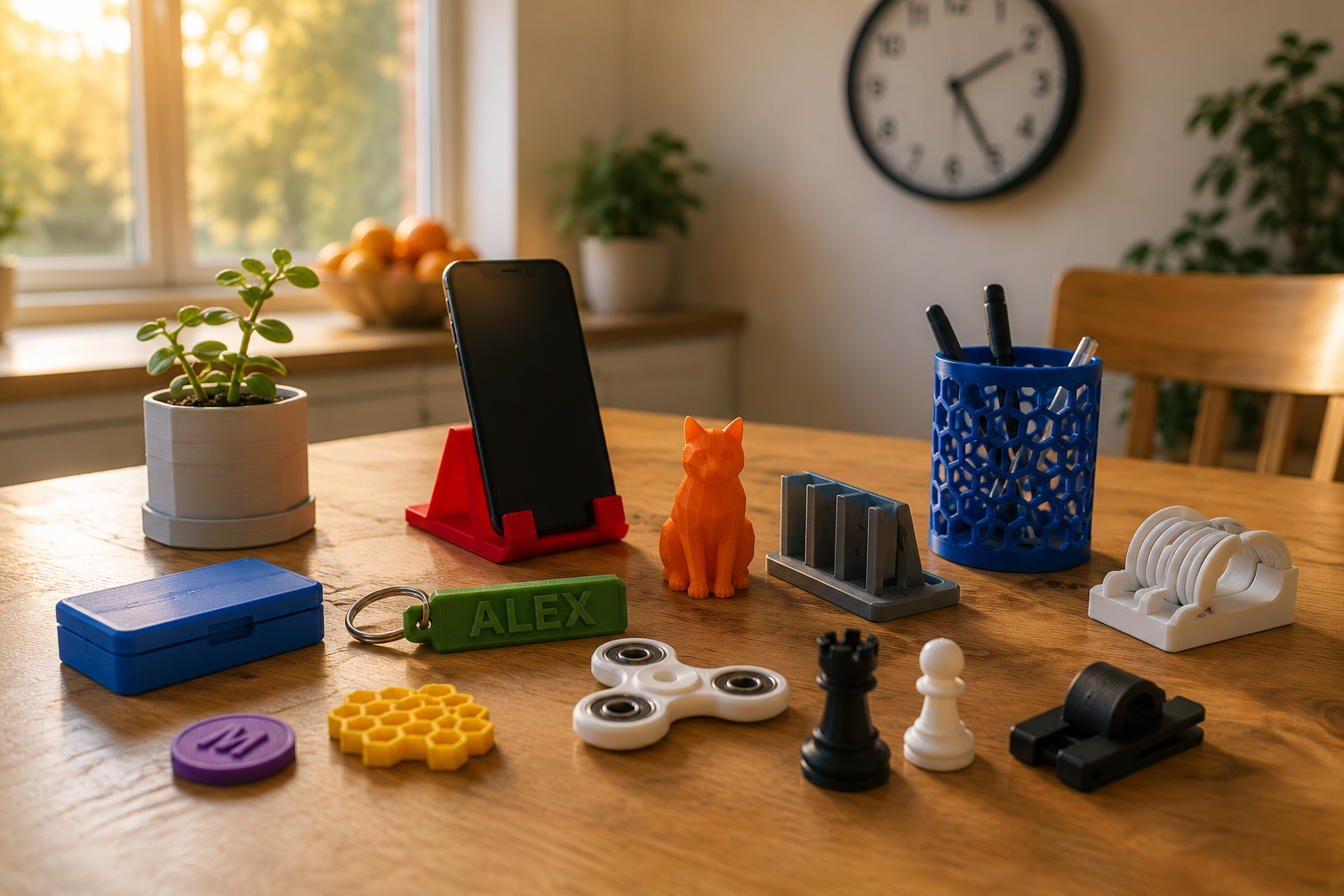
A small figure with a broad flat base sticks to a clean textured sheet without much heat. Game pieces, keyring tags, little animals. Most of a first month lives there.
So the model decides, not the material, which means you ask how wide and how flat the bottom is first. Then ask about temperature.
What to tune before temperature
Cleanliness, then nozzle height, then heat. In that order. Pushing the plate up 10 C to force a stubborn print gives you a squashed rounded base. Or a part welded on hard enough to damage the sheet coming off.
When Bed Temperature Is the Problem, and When It Is Not
Symptoms and their real causes
Most first-layer complaints get blamed on the plate. Half aren't. Height, level, or plain dirt on the surface explains a good share of what people call a temperature problem.
|
Symptom |
Usual cause |
Is bed temperature the fix? |
|
First layer looks like round spaghetti instead of flat ribbons |
Nozzle starting too high |
No. Adjust the Z offset |
|
Part detaches in the first ten layers |
Plate too cool, or skin oil on the surface |
Sometimes. Clean it first, then add 5 C |
|
Corners lift after twenty or more layers on ABS |
Cold room air or a draft |
No. Enclose the printer |
|
Base bulges outward, often called elephant's foot |
Plate too hot, or nozzle too close |
Yes. Drop 5 C and recheck height |
|
Print welds itself on and will not release |
Smooth surface plus a strong-bonding filament |
No. Use a release layer or a textured sheet |
|
Only one corner of the first layer fails |
Plate not level, or slightly warped |
No. Re-run leveling and check the sheet |
How to tune in five degree steps
Test on a square. Never a full model.
- Start at the temperature printed on the spool, in the middle of the range if it gives you one.
- Wipe the plate. Isopropyl alcohol, before every test, no exceptions.
- Print a 20 mm single-layer square. Ninety seconds of printing tells you what a six hour model would have told you the hard way.
- Look across that layer. Lines should sit merged, no gaps and no ridges.
- Corner lifting? Add 5 C. Bulging or welded on, drop 5 C instead.
- Write it down. Brand, color, and the value that worked.
One change per test. Two at once teaches you nothing.
Choosing a Family Printer: What to Check on the Spec Sheet
Five specs that matter more than the headline number
Maximum plate temperature is the number on the box. It rarely decides anything. What decides is whether a child gets a usable print without needing help.
- Bed temperature only high enough for the filament you'll actually use, rather than the maximum printed on the box.
- Automatic leveling. It removes the fiddliest step from a child's session.
- A removable flexible plate. The part then comes off away from the machine, which keeps hands well clear of anything still warm.
- A readable temperature display, so “is it cool yet” has a real answer.
- Replacement sheets you can still buy. The surface wears out first.
Skip the arms race. A machine that only runs PLA gains nothing from a 120 C plate. It gains a hotter surface a child can reach.
Where the two AOSEED models sit

For a beginner-focused printer, check whether the manufacturer limits use to PLA, encloses the print area, and automates bed levelling. Those choices reduce setup decisions but do not remove the need for adult supervision around heat.
For a first machine, most families get further with a fully enclosed starter printer that skips the setup fiddling than with a bigger plate they never fill.
For projects that need materials such as ABS, choose a model whose official specifications include the required heated-bed range and enclosure. Follow the material supplier's ventilation and temperature guidance.
|
Spec |
X-MAKER JOY |
X-MAKER |
|
Age positioning on the live page |
Ages 4 to 12 |
Ages 9 to 16 |
|
Build volume |
120 x 120 x 120 mm |
150 x 150 x 150 mm |
|
Filament |
PLA only |
PLA and ABS |
|
Enclosure |
Fully enclosed |
Fully enclosed |
|
Control |
App over Wi-Fi, LED indicator |
3.5 inch touchscreen, Wi-Fi, USB, SD |
|
Print speed |
120 to 300 mm/s |
120 to 300 mm/s |
|
Layer range |
50 to 300 microns |
50 to 300 microns |
|
Live price, 12 August 2026 |
From $219.00 |
From $329.00 |
When to Buy More Bed Heat, and When to Skip It
Go for the higher-temperature machine when
- An older child or a teen wants ABS or ASA parts that have to survive real use outdoors.
- Prints run large and flat, and corner lift has already cost you a few finished jobs.
- Garage or workshop. Ventilation and adult oversight come with the space.
- One machine has to cover several materials across classroom or homeschool work, where the projects change every term.
Stay with the simpler PLA setup when
- Toys, games, school models. That’s the print list.
- The machine sits in a bedroom, a study, or on a shared family desk where somebody is always walking past.
- You want the child running prints on their own sooner rather than later, without an adult standing over the machine.
- Nobody in the house wants to manage filament drying, enclosures, or draft control.
A First-Layer Quality Test You Can Run
Set Up One Controlled Test
Use a clean plate, the printer's current approved profile, dry filament, and a simple one-layer pattern that reaches the center and several outer areas. Record material, plate type, nozzle temperature, bed temperature, room conditions, and whether a fresh leveling routine was used. Keep every other setting unchanged while reviewing bed heat.
Read the Pattern by Area
Lines that stay round and separate suggest the nozzle may be too high or the surface may not be holding the material. Heavily flattened or translucent lines, ridges pushed between passes, or scraping suggest the nozzle may be too close. A good center with weak corners can point to temperature loss, contamination, plate seating, or geometry; it does not automatically mean the entire bed needs more heat.
Change Temperature in Small Steps
If the profile and nozzle gap are already credible, adjust bed temperature in small increments within the filament and printer guidance. Reprint the same pattern and let the plate cool normally before removal. Stop when adhesion is reliable without an enlarged base, soft detail, difficult release, or a surface temperature beyond the approved workflow.
Know When Heat Is Not the Fix
If one region remains different after cleaning, reseating, and a valid leveling routine, inspect the plate and mechanics. If the whole pattern changes with a new spool, review moisture and material profile. If odor, smoke, a runaway reading, a damaged cable, or a sensor error appears, stop the machine and follow the manufacturer's shutdown and support instructions rather than continuing the test.
Review takeaway: the best heated bed is the one that produces a repeatable first layer at the lowest approved temperature that meets the material's needs, while keeping hot surfaces controlled through the complete family workflow.
Conclusion

A heated bed improves first-layer adhesion and helps control warping, but hotter is not automatically better.
Match the bed range to the filament, keep the print area a no-touch zone until it cools, and choose a simpler PLA setup when higher-temperature materials are not part of the plan.
FAQs
Does a 3D Printer Need a Heated Bed?
It depends on the material and the size of the print. PLA can often print on an unheated or mildly heated surface, while materials that shrink more as they cool usually benefit from controlled bed heat. Use the filament maker's range and the printer's limits rather than assuming every job needs the maximum setting.
What Is the Purpose of a Heated Bed in 3D Printing?
A heated bed mainly controls the first layer and the way the lower part of a print cools.
- Keep the first layer attached while the part is being built.
- Slow uneven cooling that can lift corners or warp the base.
- Create a repeatable surface temperature for first-layer calibration.
How Hot Does a 3D Printer Bed Get?
Common desktop settings range from mild heat for PLA to much higher temperatures for materials such as ABS, but there is no single correct number. Read the filament label, use the printer's approved range, and start with the material profile supplied by the manufacturer. Treat the bed as hot until the display and surface have cooled.
Do I Need a Heated Bed for PLA?
Not always.
- If a small PLA print already adheres cleanly, extra bed heat may add little value.
- If corners lift or the room is cool, a modest heated-bed setting may improve consistency.
- If the first layer is squashed or spreads outward, check levelling and nozzle distance before adding more heat.
What Happens If the Bed Is Too Hot?
An overheated bed can reduce quality instead of improving adhesion.
- The bottom layers can spread outward, creating elephant's foot.
- Small features near the base may soften or lose detail.
- Removal can become difficult and may damage the surface if the part is forced off while warm.
What Type of Build Surface Is Best?
Choose by material and maintenance needs. A removable spring-steel sheet is convenient for frequent use; PEI-coated surfaces work with many common filaments when used as directed; glass is flat but may need a release method and careful handling. Check the printer and filament guidance before adding adhesives or replacing the original plate.
Sources
- National Institute for Occupational Safety and Health, “Safe 3D Printing is for Everyone, Everywhere”
- National Institute for Occupational Safety and Health, “3D Printing (Additive Manufacturing)”
- National Institute of Standards and Technology, “The Glass Transition: Its Measurement and Underlying Physics”
- United States Environmental Protection Agency, “Volatile Organic Compounds' Impact on Indoor Air Quality”
- PLOS ONE via PubMed Central, “Methodology and Applicability of the Human Contact Burn Injury Model: A Systematic Review”
- Recheck product specifications, age guidance, and availability on the official manufacturer pages before publication.


Further reading
Art Gifts for Kids: Supplies, Kits and Ways to Turn Drawings Into Objects
Gift Ideas for Boys Who Love to Build, Invent and Take Things Apart

Experience Gifts for Kids: Activities, Classes and Maker Projects to Do Together