

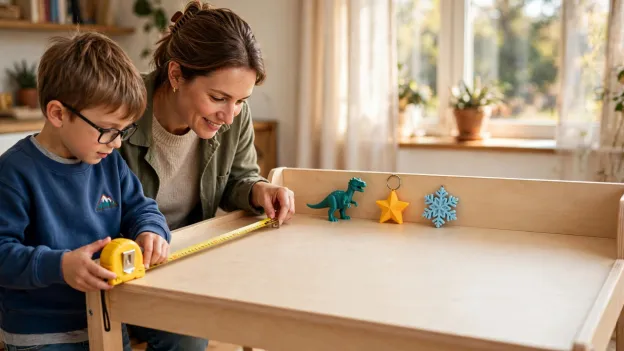
Mini 3D Printers for Kids: What Fits on a Desk and What It Can Print
According to their makers, the six mini 3D printers for kids here range from 19 cm to 38 cm wide, and the largest object each can print ranges from 75 mm to 180 mm. Those two numbers decide where the printer sits and what your child can make.
We lined them up on desk footprint, maximum print size, and published noise, using specs from each maker’s own site on 24 October 2026. For the AOSEED X-MAKER JOY, we’ve also mapped which kids’ projects fit its 120 mm print area and which ones need splitting.
Mini 3D Printers for Kids Compared: Footprint, Print Size and Noise
We’ve listed outer size as width, then depth, then height, in millimeters and the way each maker gives it. All of it was checked on October 24, 2026.
|
Printer |
Outer size (mm) |
Print size (mm) |
Published noise |
Best for |
|
AOSEED X-MAKER JOY |
About 290 × 270 × 310 (not yet on AOSEED’s US page) |
120 × 120 × 120 |
No dB figure; listed as a quiet, compact design |
Ages 4 to 12 who want an enclosed printer |
|
Toybox Alpha Four |
About 191 × 197 × 241 (7.5 × 7.75 × 9.5 in) |
75 × 80 × 90 |
None published |
The smallest desks and tiny toys |
|
ENTINA Tina2C |
200 × 165 × 252 |
100 × 100 × 100 |
50 dB (no mode stated) |
A very small footprint |
|
ENTINA Tina2S |
About 210 × 210 × 290 (from ENTINA’s comparison table) |
100 × 105 × 100 |
Conflicting on its own page |
Small prints with a heated bed |
|
Bambu Lab A1 mini |
347 × 315 × 365 |
180 × 180 × 180 |
Under 48 dB in Silent Mode |
Older kids with an adult nearby |
|
Original Prusa MINI+ |
380 × 330 × 380 (without spool holder and power supply) |
180 × 180 × 180 |
None published; silent stepper drivers |
Teens who want to tinker |
Noise figures are each maker’s own claims under its own conditions, not a side by side test, so they can’t be ranked against each other.
What Makes a 3D Printer “Mini”?
Two different measurements get called “size”, and mixing them up is an easy mistake to make. One is how much desk the machine covers. The other is how big an object it can print.
Footprint vs Print Size
Footprint is the outer width and depth of the machine. Print size, or build volume, is the box inside it where the object gets made. On a small 3D printer for kids, the print area is often only about half the outer width, sometimes less.

So a 120 mm print area can’t make a solid 150 mm cube in one piece, however the model is turned. Our parent’s guide to choosing a small 3D printer for kids covers the other checks, like age, safety and the app.
Smaller Doesn’t Always Mean Quieter
Noise comes from cooling fans, motors and the parts that move during a print. A small machine still has all of those. Of the six here, only two makers publish a decibel figure, and one of them applies only in a special silent mode.
The 6 Best Mini 3D Printers for Kids
They’re in order from the most kid focused to the most hobby focused. For each printer we’ve noted the desk space it takes, what fits on its plate and anything the maker says about noise, and then who we think it suits.
|
A QUICK SIZE CHECK BEFORE YOU BUY Two printers can look alike on a desk and still print very different sizes. Compare AOSEED’s compact 3D printers for kids by print area as well as outer size. |

1. AOSEED X-MAKER JOY: Best Enclosed Mini 3D Printer for Ages 4 to 12
The compact X-MAKER JOY is made for ages 4 to 12, and it’s the only printer of the six that its maker describes as fully enclosed. Kids pick or make a model in the AOSEED app, send it over Wi-Fi, and watch through the built in camera.

Its print area is a 120 mm cube, about 4.7 inches each way. That’s room for a name tag, a snowflake ornament, a small animal or a phone stand. There’s no heated bed, which leaves one less hot surface for small hands.
AOSEED describes it as a quiet, compact design but doesn’t publish a decibel figure, so we can’t compare its noise with the others. A parent loads the filament and lifts prints from the plate once they’ve cooled.
2. Toybox Alpha Four: The Smallest One on the Desk
Going by Toybox’s own figures of 7.5 × 7.75 × 9.5 inches, roughly 191 × 197 × 241 mm, the Alpha Four takes up less desk space than anything else here. It levels its own bed, and kids send prints from a phone, tablet or web browser.
The catch is a 75 × 80 × 90 mm print area. Rings, charms and small figures fit, while bigger models need shrinking or printing in parts. Toybox doesn’t publish a noise figure or a recommended age.
3. ENTINA Tina2C: A Very Small Footprint With a 100 mm Plate
At 200 × 165 × 252 mm, the Tina2C is the shallowest machine in the group. ENTINA markets it as a compact 3D printer for kids and beginners, with automatic bed leveling, a small screen and app control.
Its 100 mm print cube suits palm sized projects like keychains and small figures. ENTINA lists it at 50 dB but doesn’t say which mode that applies to. There’s no heated bed, and the nozzle reaches up to 245 °C.
4. ENTINA Tina2S: Small Prints With a Heated Bed
The Tina2S prints 100 × 105 × 100 mm, almost the same as the Tina2C, but it adds a heated bed that reaches 60 °C and Wi-Fi printing through the PoloPrint Cloud app. ENTINA’s comparison table puts it at about 210 × 210 × 290 mm.
Its noise is harder to pin down. The product page lists 50 dB in one place, while its own FAQ says quiet printing isn’t listed for this model. ENTINA recommends adult supervision for younger users.
5. Bambu Lab A1 mini: Bigger Prints for Older Kids
The A1 mini is the first step up in print size, with a 180 mm cube, which fits a medium organizer or a larger toy in one go. It calibrates itself and can be run from a touchscreen or Bambu’s app.
It’s also much bigger on the desk, at 347 × 315 × 365 mm, and its bed moves front to back while it prints, so it needs clear space around it. Bambu lists under 48 dB in Silent Mode.
The bed heats to 80 °C and the nozzle to 300 °C, so we’d keep this one for older kids with an adult close by.
6. Original Prusa MINI+: For Teens Ready to Tinker
Prusa lists the MINI+ at 380 × 330 × 380 mm, not counting the spool holder or power supply, with the same 180 mm print cube as the A1 mini. It’s more of a hobby machine, run from a screen with a knob and Prusa’s own slicer software.
Prusa mentions silent stepper drivers but no decibel figure. Wi-Fi is an optional add on, and an enclosure is sold separately. It suits a teen who wants to learn print settings, not a young child picking toys from an app.
What Can Kids Print on the X-MAKER JOY’s 120 mm Plate?
Most first projects fit easily. The sizes below are typical examples, so check the model’s own dimensions in the app before printing.
Projects That Fit in One Print

• A name keychain, about 60 × 25 × 5 mm
• Snowflake ornaments around 80 mm across
• Small animals or figures up to about 75 mm tall
• A desk nameplate around 100 mm long
• Phone stands, if the model stays under 120 mm on every side
Projects That Need Splitting or Resizing
A 160 mm nameplate won’t fit straight across. If it’s thin enough, it might squeeze in from one corner to the other, because a 120 mm plate measures about 170 mm on the diagonal, though there won’t be much room left at the edges.
Bigger things, like a costume helmet or a big castle, get printed in a few sections and then glued or clipped together. That part tends to go down well with kids, and they learn how pieces fit together along the way.

When a Bigger Printer Makes Sense
If your child keeps hitting the 120 mm limit on most projects rather than the odd one, a bigger print area makes sense. In AOSEED’s range, that’s the X-MAKER with its 150 mm print cube, made for ages 9 to 16.
How Much Desk Space Does a Mini 3D Printer Need?
More than its outer size. You’ll need room for the filament spool, the power cable and a hand reaching in to take prints out, plus space on all sides if the bed slides back and forth.

We’d put it on a firm, level surface rather than a wobbly shelf, out of reach of toddlers when it isn’t in use. UL’s Chemical Insights team also suggests a well ventilated spot and limiting time sitting right next to a printer while it runs.
How Loud Are Mini 3D Printers?
Where makers publish a figure, these six sit around 48 to 50 dB, with fans humming and motors whirring as the parts move. Faster printing tends to make more noise than slower printing.
What the Decibel Numbers Mean
Under 48 dB, the A1 mini’s Silent Mode figure, sits a little above a refrigerator, which Utah State University Extension puts at 40 decibels. Normal conversation is around 60. These are each maker’s own numbers, measured their own way, so a 2 dB gap between brands doesn’t mean much.
How to Keep Printing Noise Down
A rubber mat under the printer, a quiet mode if it has one, and a room with a door that closes all help. Our guide to making a 3D printer quieter at home has more ideas, and we’d still skip printing overnight in a child’s bedroom.

How to Choose the Best Mini 3D Printer for Your Child
We’d start with what your child wants to make and only then go and measure the desk. Here’s how the six sort out.
For Younger Kids Who Want Easy Toy Printing
Look at the X-MAKER JOY or the Toybox Alpha Four. The JOY gives a bigger print area and an enclosed design, while the Alpha Four takes less space but prints smaller. The AAP’s advice on buying safe toys is to go by the age recommendation on the box, too.
For the Smallest Desks
Compare outer sizes as well as print areas. The Alpha Four and the Tina2C are the narrowest here, and both print well under 120 mm.
For Older Kids Who Want Bigger Projects
The A1 mini and the Prusa MINI+ both print up to 180 mm, but they need up to twice the desk depth of the smallest printers, and neither comes enclosed as standard, so their hot parts call for supervision.
If Noise Is a Worry in Your House
We’d look for a printer whose maker actually documents a quiet mode, rather than going on one headline number, and we’d work out where it’ll live before buying.
An enclosure helps keep little hands away from hot parts, and our guide to open vs enclosed printers for kids explains the other differences.
Final Thoughts on Mini 3D Printers for Kids
The best mini 3D printer for kids is the one whose print area matches what your child actually wants to make, on a desk you actually have. For most families with kids 4 to 12, a 120 mm enclosed printer like the X-MAKER JOY covers the projects they’ll start with.
If you’d like to see how the app, the model library and the printers work together, take a look around AOSEED’s 3D printing world for kids.
FAQs
What is the best mini 3D printer for kids?
It depends on age and projects. For ages 4 to 12, the AOSEED X-MAKER JOY pairs a 120 mm print area with an enclosed design. Older kids who want bigger prints may be ready for a 180 mm printer with an adult nearby.
How small is a mini 3D printer?
The ones here run from about 19 to 38 cm wide on the outside. Their print areas are much smaller, from 75 mm to 180 mm, and you’ll need extra room around the machine for the spool and cables.
What can kids make with a mini 3D printer?
Keychains, ornaments, small figures, name tags, puzzle pieces and desk organizers are all common first projects. Bigger pieces can be printed in parts and put together.
Is a 120 mm print size big enough for kids?
For most first projects, yes. A 120 mm cube fits toys, ornaments, nameplates and small stands, while larger single pieces need resizing or printing in sections.
Are mini 3D printers noisy?
Some hum more than others. Where makers give a number, it’s around 48 to 50 dB here, which is quieter than normal conversation at 60 to 70 dBA, according to NIDCD. Each maker measures its own way, though.
Will a mini 3D printer fit on a desk?
Yes, as long as you measure first. Take the outer size, add a bit for the spool and the cables, leave space for the bed if it slides, and then find a spot that’s firm and level.
Are mini 3D printers safe for kids?
With an adult nearby, they can be. Nozzles get very hot, so enclosed designs help, and small printed parts should stay away from kids under 3, since CPSC’s small parts rules ban them in toys for that age.
Is a mini 3D printer better than a regular one for beginners?
Often, for kids. It takes less space and suits small first projects, and NIOSH’s 3D printing safety questions favor PLA, the plastic most mini printers use. The catch is a smaller print area that some kids outgrow.


Further reading

3D Printed Puzzles for Kids by Age: 9 Projects From Shape Boards to Puzzle Boxes

15 Easy STEM Activities for Kids Using Things You Already Have

Is a 3D Printer a Good Gift for a Kid? A 10 Point Christmas Checklist for Age, Cost, and Space


