

Best 3D Printer for Kids (2026)
Updated November 2026
The best 3D printer for kids depends on age. For ages 4 to 8, choose a fully enclosed printer run from a kids' app, such as the AOSEED X-MAKER JOY. For ages 9 to 14, an enclosed printer with a larger build volume and a touchscreen, such as the AOSEED X-MAKER, gives room to grow. Open frame hobby printers suit teens 14 and up with their own workspace. Whatever you choose, use PLA filament.
Quick answer by age
|
Age |
Best printer type |
Example |
Adult role |
|
4 to 8 |
Enclosed kids app printer |
X-MAKER JOY |
Present for setup, filament and removing prints |
|
9 to 13 |
Enclosed printer with touchscreen and larger build volume |
X-MAKER |
Nearby at first, then on call |
|
14 and up |
Enclosed or open frame hobby printer |
X-MAKER, Bambu Lab A1 Mini |
Safety briefing, then mostly independent |
We built this guide from what parents actually ask before buying: is it safe, can my child use it alone, and will it still get used in six months. The six printer types below cover every kids 3D printer on the market, from toy printers to hobby machines, and the checklist at the end helps you test any model before you pay.

How We Compared Kids 3D Printers
We grouped printers by type rather than ranking single models, because the right choice changes with age. Each type was judged on the same six criteria: age fit, enclosure, app and model library, filament, total cost of ownership, and after sales support. We drew on manufacturer specifications, published reviews and the questions parents ask most in search, and we updated the guide in November 2026 to reflect current models.
What to Look For in a Kids 3D Printer
Six criteria separate a printer that becomes a family hobby from one that ends up in a closet. Check each one against your child's age.
|
Criterion |
What good looks like |
Why it matters |
|
Age fit |
The maker states an age range that includes your child |
Controls, build size and supervision needs change a lot between 6 and 14 |
|
Enclosure |
Hot nozzle and moving parts behind a closed door |
The nozzle runs above 200°C; an enclosure is the main safety barrier |
|
App and model library |
Tablet or phone app with ready to print models and simple design tools |
Kids print on their own instead of waiting for an adult to slice files |
|
Filament |
PLA, ideally tested for heavy metals and emissions |
PLA prints at low temperatures with very little odor |
|
Price and running cost |
Clear printer price, standard filament, no required subscription |
Proprietary refills or paid model libraries add up over a year |
|
Support and warranty |
At least a 1 year warranty and spare parts sold by the brand |
Nozzles and build plates wear out; you want replacements, not a new printer |
For a breakdown of what printers and filament really cost, see how much a 3D printer costs.

6 Types of Kids 3D Printers Compared
|
Type |
Typical age |
Enclosure |
Kids app |
Examples |
|
1. Enclosed kids app printer |
4 to 12 |
Full |
Yes |
X-MAKER JOY, Ugee Funbox |
|
2. Enclosed kids printer with touchscreen |
9 to 16 |
Full |
Yes |
X-MAKER |
|
3. Toy style mini printer |
5 to 9 |
Partial |
Yes, basic |
Toybox |
|
4. Enclosed beginner printer |
10 and up with an adult |
Full |
No |
Flashforge Adventurer 3 Lite, Entina Tina2C |
|
5. Open frame hobby printer |
14 and up |
None |
No |
Bambu Lab A1 Mini |
|
6. Resin printer |
Adults only |
Varies |
No |
Not recommended for kids |
A 3D pen is not a printer, but many families start there, so we cover it at the end of this section.
1. Enclosed Kids App Printer (Best for Ages 4 to 12)
These printers are designed for children first. Everything runs from a tablet or phone app: the child browses models, personalizes them and taps print. The printer has no screen or buttons to press by accident, and the hot parts stay behind a closed door.
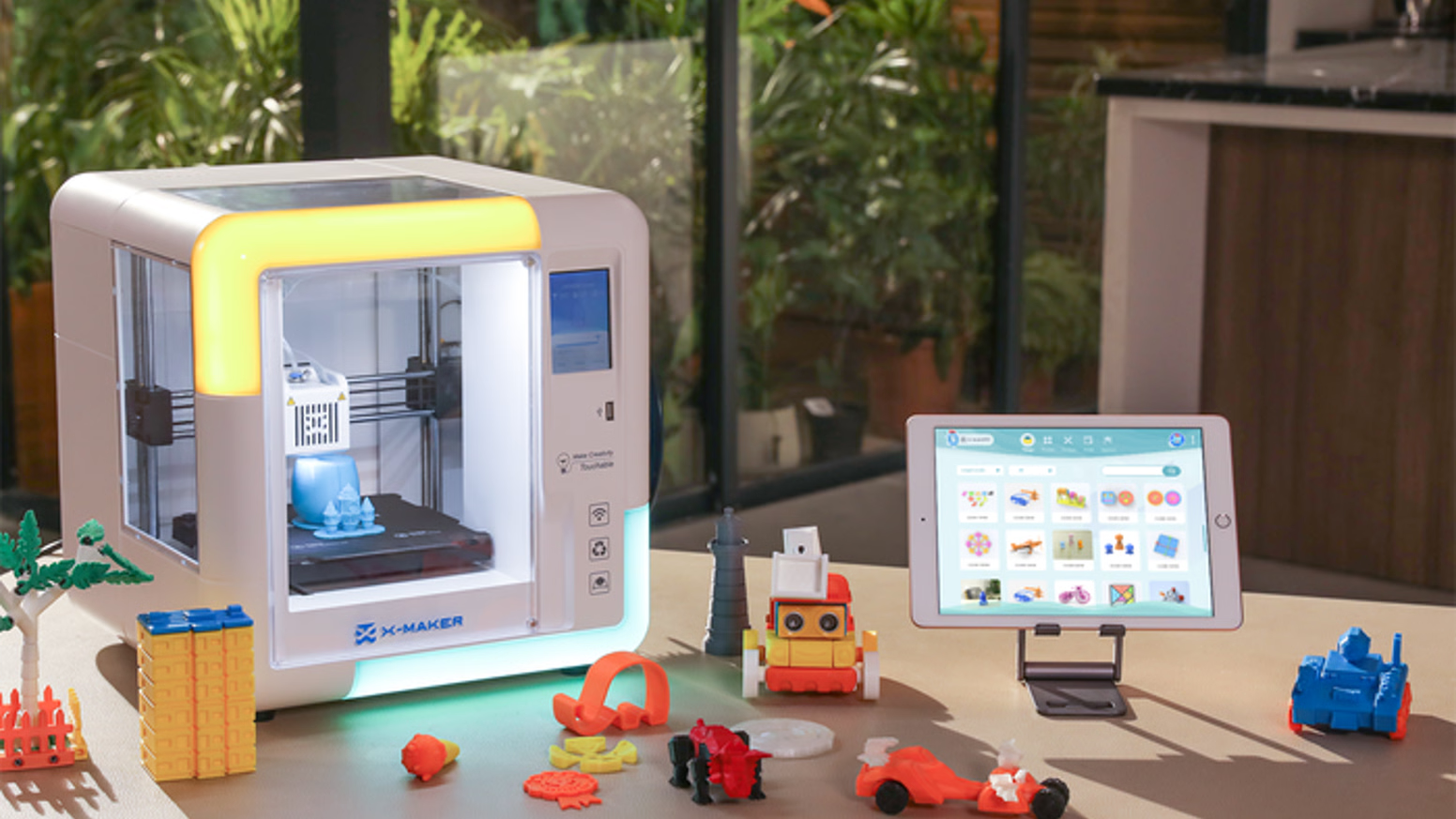
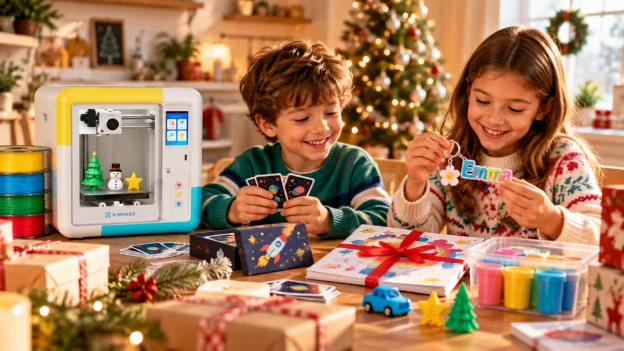
The X-MAKER JOY is our pick in this group. It prints PLA only, has a 120 × 120 × 120 mm build volume and connects to the free AOSEED app with 12,000+ models. AI Doodle turns a sketch into a model, AI MiniMe turns a photo into a figure, and a built in camera lets kids watch the print from the app. There is no subscription. Ugee Funbox is another enclosed printer built for this age group.
Independent reviewers agree this format works for young kids. stlDenise3D calls the X-MAKER JOY "a great, kid friendly printer".
Setup takes about half an hour: unbox, place the printer on a stable table, connect it to home Wi-Fi in the app and load the included PLA. Official AOSEED PLA is third party tested for heavy metals and VOC emissions, and every printer includes a 1 year warranty and 30 day returns.
Best for: first time families and children who want to print toys the same day the box arrives.
2. Enclosed Kids Printer With Touchscreen (Best for Ages 9 to 16)
Older kids want more control and bigger projects. This type keeps the enclosure and the kids app, then adds a touchscreen on the printer and a larger build volume.
The X-MAKER has a 150 × 150 × 150 mm build volume, a 3.5 inch touchscreen with a child lock and supports PLA and ABS, although PLA is still the right material for kids. It uses the same app, models and AI tools as the X-MAKER JOY, so a child can move up without learning a new system.
Best for: STEM keen kids who want multi part builds, school projects and creation kits that move. See how the two compare in our X-MAKER JOY vs X-MAKER comparison.
3. Toy Style Mini Printer (Ages 5 to 9)
Toy printers such as Toybox focus on simplicity: pick a design in the app and print. They work well for very young children, but most have a small build area, a partly open frame and their own filament refills, so kids tend to outgrow them within a year or two.
Check the cost of refills before you buy. On printers that only accept their own filament, a year of regular printing can cost noticeably more than standard PLA.
Best for: children under 8 who mainly want small toys and figures.
4. Enclosed Beginner Printer (Ages 10 and Up With an Adult)
Printers such as the Flashforge Adventurer 3 Lite and Entina Tina2C are compact, beginner friendly machines made for general home use. They are a good fit when a parent wants to share the hobby. The trade off for kids is software: preparing a print usually means a desktop slicer, so a child needs an adult to set up most jobs.
Many of these printers have a full enclosure and auto leveling, so safety is close to a kids printer. What they lack is a library built for children and design tools a 10 year old can use without help, which is why kids often stop printing once the included sample files run out.
Best for: families where a parent will run the printer alongside the child.
5. Open Frame Hobby Printer (Ages 14 and Up)
Open frame printers such as the Bambu Lab A1 Mini are fast, accurate and popular with hobbyists. They are excellent for teenagers with their own desk or maker space. In a shared family room, the exposed nozzle and moving bed make them a poor choice for younger children.
Best for: teens ready to learn slicing software. Our guide to 3D printers for teens covers this age in detail.
6. Resin Printer (Not for Kids)
Resin printers produce very fine detail, but liquid resin irritates skin and eyes, and every print needs gloves, ventilation and a wash and cure step. They do not belong in a home with young children. If your teen is interested in miniatures, start with a filament printer and revisit resin once they can follow chemical safety steps on their own.
What About a 3D Pen?
A 3D pen lets kids draw in plastic by hand. It is a low cost way to test interest, but there is no model library and no repeat printing. Compare options in the best 3D pens for kids.

Best 3D Printer by Age
|
Age |
Recommendation |
Read more |
|
6 year old |
An enclosed kids app printer, with an adult present every session |
X-MAKER JOY |
|
8 year old |
An enclosed kids app printer; most 8 year olds print alone after a few sessions |
|
|
10 year old |
Enclosed kids printer; choose a larger build volume for STEM projects |
|
|
14 year old |
Enclosed touchscreen printer or an open frame hobby printer in their own space |
3D printers for teens |

How to Choose a 3D Printer for a Beginner
If no one in the family has used a 3D printer, the setup experience matters more than any spec on the box. Beginner families rarely struggle with the hardware itself; they struggle with preparing files, a first layer that does not stick, or not knowing what to print next. These five points decide whether the first week goes well.
|
Beginner need |
What to check |
|
Printing in minutes, not hours |
Preloaded models and one tap printing from an app |
|
No slicing software to learn |
The app prepares the print; no desktop software required |
|
Reliable first layers |
A magnetic build plate and preset print settings |
|
Clear help when something fails |
Video guides, an online help center and spare parts from the brand |
|
Short first projects |
Keychains and small figures that print in 20 to 40 minutes |
A small first print keeps kids motivated. See how long a 3D print takes for 15 common projects.

What Kids Make in the First Three Months
The model library and design tools matter as much as the hardware, because they decide whether the printer is still used after the first month. This is the typical path on an app led kids printer.
|
When |
What kids print |
What they learn |
|
Week 1 |
Keychains, name tags, small animals and game pieces |
How a print builds layer by layer, and why the first layer matters |
|
Month 1 |
AI Doodle and AI MiniMe creations, gifts for friends and grandparents |
Scale, color choices and simple customization |
|
Month 3 and on |
Creation kit cars, robots and music boxes, plus school projects |
How printed parts fit with motors, gears and mechanisms |
If a printer has no library or design tools, most kids stop after the first few downloads. Ask how often new models are added before you buy.
Common Mistakes Parents Make
|
Mistake |
What happens |
Better choice |
|
Buying a hobby printer for a young child |
The child needs an adult for every print and loses interest |
An enclosed kids app printer until about age 12 |
|
Choosing on print speed alone |
Speed rarely limits kids; setup and failed prints do |
Prioritize the app, presets and support |
|
Ignoring filament costs |
Proprietary refills can cost more over a year than the printer |
Standard 1.75 mm PLA from the brand or the open market |
|
Skipping the placement plan |
The printer ends up in a closed bedroom without airflow |
A stable surface in a ventilated shared room |
|
Starting with a long project |
A six hour first print fails or bores the child |
A 20 to 40 minute keychain or small figure |
Buying a 3D Printer for Kids: Checklist Before You Buy
Run through these ten questions before you order. A printer that passes all ten is a safe choice for a family home.
|
# |
Question |
Pass if |
|
1 |
Is my child inside the stated age range? |
Yes, with room to grow |
|
2 |
Is the printer fully enclosed? |
Hot parts sit behind a closed door |
|
3 |
Does it print PLA? |
PLA is the default material |
|
4 |
Is the filament tested? |
Third party tests for heavy metals and emissions |
|
5 |
Can my child start a print from an app? |
No computer or slicer needed |
|
6 |
How many ready to print models are included? |
Thousands, with new ones added regularly |
|
7 |
Is there a subscription? |
Not required to print |
|
8 |
Where will it sit? |
A stable surface in a ventilated room |
|
9 |
What does the warranty cover? |
At least 1 year, with spare parts available |
|
10 |
Can it be returned? |
A clear return window, such as 30 days |
For safety details, read is 3D printing safe for kids and which 3D printing materials are safe for kids' toys.
FAQs
Q: What is a good 3D printer for children?
A fully enclosed printer that runs from a kids' app and prints PLA. The AOSEED X-MAKER JOY suits ages 4 to 12, and the X-MAKER suits ages 9 to 16.
Q: How old should a kid be for a 3D printer?
Children as young as 4 can pick a model and press print with an adult present. Most 8 year olds run prints on their own after a few sessions, and from about 10 kids start designing their own models.
Q: Should I get my 7 year old a 3D printer?
Yes, if it is an enclosed printer with a kids' app. A 7 year old can choose and customize models; an adult should load filament and remove prints.
Q: Are kids 3D printers worth it?
They are worth it when the printer comes with a model library and design tools, because that is what keeps kids printing after the first month. Look for an app with new models added regularly.
Q: Is a 3D printer safe for kids?
An enclosed printer using PLA in a ventilated room is safe for home use with supervision. Avoid open frame printers for young children and never use resin printers around kids.
Q: Do kids 3D printers need a subscription?
Not always. AOSEED printers include the free app, 12,000+ models and AI design tools with no subscription; filament is the only ongoing cost.
The Bottom Line
Match the printer type to your child's age first, then check the enclosure, the app and the filament. For most families with kids under 12, an enclosed kids app printer is the safest place to start. Browse all AOSEED 3D printers for kids to compare models side by side.



Further reading

3D Printed Puzzles for Kids by Age: 9 Projects From Shape Boards to Puzzle Boxes

15 Easy STEM Activities for Kids Using Things You Already Have

Is a 3D Printer a Good Gift for a Kid? A 10 Point Christmas Checklist for Age, Cost, and Space


