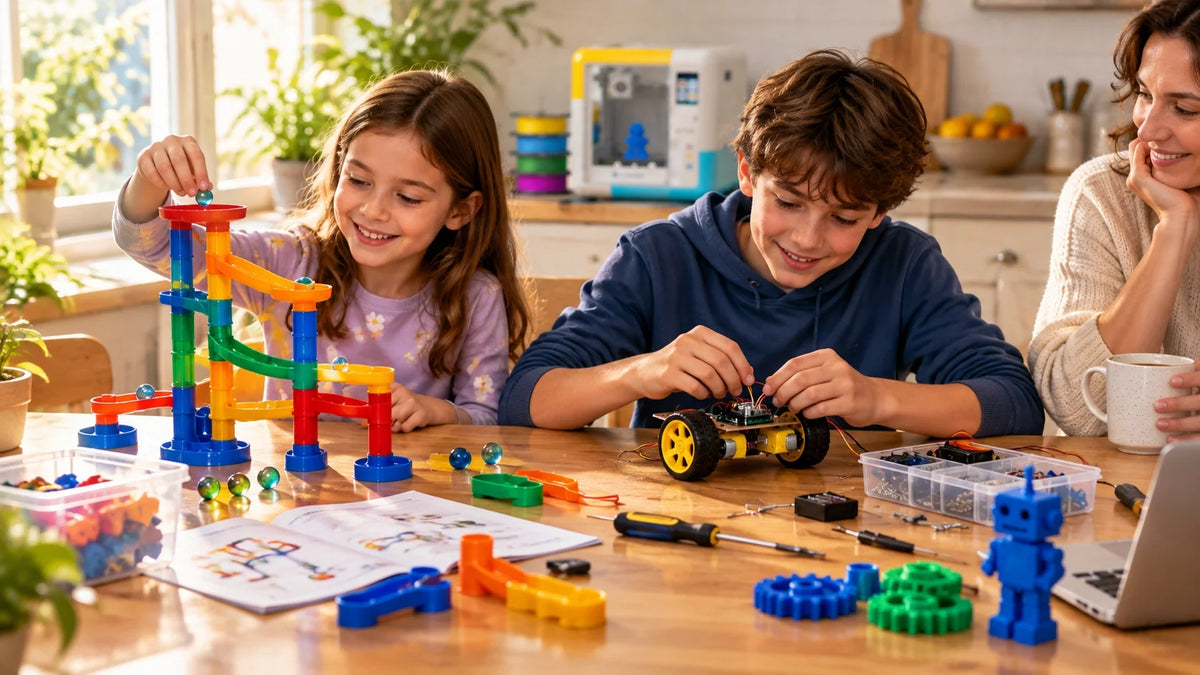
STEM Kits for Kids: How to Choose by Age, Skill and Replay Value
A STEM kit earns its price on day two, not day one. Unboxing is always fun. After that, the kit either hands your child a new problem to solve or it goes back on the shelf.
The age on the box is a fair start. It is not everything. Reading level, hand control, patience, past experience and your own free time all change how hard a kit feels. Check those, then look at what the kit offers after the first build.
Quick pick: where to start by age
|
Age |
Start with |
Skip for now |
Adult role |
|
3 to 5 |
Large gears, sealed magnetic tiles, big block sets, simple sorting and measuring sets |
Loose small parts, text manuals, chemistry |
Sit alongside, read aloud, keep small parts put away |
|
6 to 8 |
Marble runs, simple machines, arrow card coding robots, snap circuits |
Slow crystal growing, dense booklets |
Set up, then step back after the first model |
|
9 to 12 |
Robotics with sensors, circuit kits, microscopes, mechanical models, a guided kids' 3D printer |
Single model kits with no second project |
Check safety steps, help only when stuck |
|
13 and up |
Microcontrollers, breadboard electronics, CAD and 3D printing, advanced robotics |
Kits with one fixed path and heavy hints |
Approve tools and power, review finished work |
|
Key takeaways • Treat the box age as a floor for safety, then adjust for reading, hands and patience. • Pick the main activity your child already enjoys: building, testing, wiring, coding or collecting. • Run the three session test. No clear second session means weak replay value. • Add batteries, devices, refills and subscriptions before comparing prices. |
What Counts as a STEM Kit?
STEM Kits, STEM Toys and Science Kits Are Not the Same
STEM stands for science, technology, engineering and math. One kit does not need all four. A circuit set leans on science and engineering, while a coding robot mixes technology with logic and measurement.
The difference is structure. A STEM kit brings a set project, parts and instructions. A STEM toy, like a tub of blocks, is looser. A science kit is a STEM kit built around a question and a test.
|
Format |
What the child mostly does |
Replay pattern |
|
STEM kit |
Follows a set project, then changes it |
Depends on project count and whether parts reset |
|
STEM toy (blocks, tiles, puzzles) |
Builds freely and sets their own goals |
Usually high, with no fixed end point |
|
Science kit |
Runs an experiment and records what happens |
Limited by consumables unless refills are cheap |
The Seven Main Types of STEM Kits
Two boxes that both say STEM can create very different afternoons. Sort by activity. That means whatever your child will spend most of the session doing.
|
Kit type |
Main activity |
Often suits a child who |
|
Science and experiment |
Testing, observing, measuring |
Asks why about everything |
|
Engineering and construction |
Building structures, vehicles and machines |
Takes toys apart to see inside |
|
Circuits and electronics |
Connecting power, switches, lights and motors |
Loves buttons and switches |
|
Robotics |
Building plus motors, sensors and control |
Wants things to move and react |
|
Coding and programming |
Arranging instructions for a device |
Enjoys rules, patterns and sequences |
|
Math and logic |
Puzzles, patterns, spatial challenges |
Plays quietly and likes a stretch |
|
Earth, space and nature |
Collecting, comparing, recording |
Brings rocks and leaves home |
Many products mix types. A robot kit is often half construction, so know which half your child will enjoy.
How to Choose a STEM Kit by Age
Ages 3 to 5: Big Pieces, Fast Results

Preschoolers need a result within a minute or two. Large gears, sealed magnetic tiles, chunky blocks and simple sorting or measuring sets all work. So does a ramp.
Cheap is fine here. The American Academy of Pediatrics notes that blocks, puzzles and shape sorters build hand coordination and problem solving, and that expensive electronics are not needed for healthy development. Skip loose small parts, long written steps and chemicals. Curiosity is not readiness.
Ages 6 to 8: First Sequences and Simple Machines
Around this age a child can follow a longer sequence and explain a simple cause. Marble runs teach slope and speed. Gear and pulley sets show how one part moves another. Arrow card coding robots teach order and loops, and a wrong turn shows the mistake instantly.
Look for early wins. A motor that spins in the first ten minutes makes the next steps make sense. Save week long crystal projects for patient kids.
Ages 9 to 12: Longer Builds and Real Troubleshooting
Upper elementary kids can manage longer builds, record results and find simple faults before calling for help. Good fits: robotics with sensors, circuit sets with motors and buzzers, mechanical models, microscopes and one variable experiments.
Design tools start to click here too. A guided kids' 3D printer lets a child customize a part, print it and test it. Experience still matters. A beginner of 10 often gets more from a simple, well explained robot than from a system that assumes coding knowledge.
Ages 13 and Up: Real Tools, Fewer Hints
Teens can take on microcontrollers, breadboard electronics, CAD, 3D printing and programmable robots. Instructions get longer and hints get fewer. That is the point.
Check the tools and power. Soldering irons, hot glue, blades and exposed connections each need a safety plan, even for a capable teen.
|
Age labels are also safety limits A fast learner is not a reason to ignore the age on the box. That number can reflect small parts, magnets, batteries or chemicals, not just difficulty. The U.S. Consumer Product Safety Commission tells families to follow age guidance and safety information on toy packaging and to choose toys that match each child's interests and abilities. |
How to Match a STEM Kit to Your Child's Skill Level

Reading Load: Check One Instruction Page
Find a sample instruction page before you buy. Short steps, labeled diagrams and pictures of the half built model lower the bar. Dense paragraphs turn a good kit into an adult project.
For a child still building reading skills, picture instructions decide a lot. Do they build alone? Or watch you?
Hand Control and Part Size
Tiny screws, thin wires and stiff connectors ask a lot of small fingers. Bigger isn't always easier, since a large part that needs a hard pinch frustrates just as fast. Snap connectors, magnetic joins and preassembled modules help.
Patience and Session Length
Some kits give a result in five minutes. Others need forty steps or several days. Neither is better. Match how your child likes to work, and check that long builds have clear stopping points.
Previous Experience
A 9 year old who has built three robots may be ready for more than a 12 year old beginner. Read the first project in the manual. If it assumes your child knows circuits, gear ratios or coding, it is not a beginner kit. Boxes can be wrong.
How Much Adult Help You Can Give
Be honest here. Reading a tricky paragraph aloud is light help. Building the mechanism and debugging every step means the kit is really yours. That can still be a great family project. Buy it as one.
|
Skill signal |
Look for in the kit |
Red flag |
|
Early or struggling reader |
Picture diagrams, color coding, few words per step |
Text heavy booklet with small drawings |
|
Still building fine motor control |
Snap or magnetic connectors, larger knobs |
Tiny screws, thin wires, small nuts |
|
Short attention span |
A result within 10 minutes, natural stopping points |
One long build that must be finished in one sitting |
|
Some past experience |
Harder final projects, fewer hints later on |
Every project copies the same pattern |
|
Limited adult time |
Independent first project, a clear troubleshooting page |
Adult must handle every step or tool |
|
Hold back on fixing. The American Academy of Pediatrics explains that a little friction in play helps children become confident problem solvers. Try "Which part changed?" or "What could you test first?" before you reach for the screwdriver. |
How to Judge Replay Value Before You Buy
The Three Session Test

Picture three sessions before you pay. First, your child learns the parts. Second, they change one feature and compare. Third, they try a design, route or experiment of their own.
Now picture session two. Nothing comes to mind? Then it is a single project purchase. Fine for a gift, weak value if you expected months of use.
Reusable Parts vs. Consumables
Construction pieces, circuit boards, motors, sensors and coding robots reset and go again. Many experiment kits use up their powders or crystal mix in one run. Not always a problem. Count the complete trials in the box and check whether refills are cheap or come from the kitchen, like baking soda and vinegar.
Difficulty Ladders That Change the Thinking
A good ladder moves from copying, to changing, to creating. Later challenges remove hints or set open goals. Fifty extra pieces is not a harder challenge. A new problem is.
Flip to the last projects in the manual. They show where the kit ends up.
Expansion, Refills and Replacement Parts
Pieces get lost. Wheels crack. Before buying an expensive kit, ask three questions:
• Can common parts be bought separately?
• Do expansion sets work with this exact model, not just the same brand?
• Is the growth path included in the box, or does every next step cost extra?
Where a Kids' 3D Printer Fits
A kids' 3D printer is a different kind of STEM kit. It does not ship with one project. It makes the parts for the next one. Print a car body, test how it rolls, redesign the wheels, print again. That is the engineering design loop at kid scale.
For younger families, an easy 3D printer for younger kids such as the AOSEED X-MAKER JOY keeps that loop simple. It is recommended for ages 4 to 12, prints PLA inside an enclosed build area, and runs from a guided app with one tap printing. Kids start with prebuilt models from a steadily updated Toy Library, then grow into themed mini apps and simple design tools. The parent handles setup and a few check ins.
|
AOSEED: A STEM KIT THAT KEEPS MAKING THE NEXT PROJECT Replay value is where a printer earns its spot on the desk. The Toy Library, guided design apps and creation kits for RC cars, music boxes and toy customization give a child something new after every finished print. Families deciding between a starter model and a bigger STEM machine can compare kids' 3D printers side by side, including age fit, build size and how much design control each one offers. |
Coding, Circuit and Robotics Kits: What to Check

Assembly, Sequencing or Real Coding?
Boxes blur these three. Assembly means putting parts together so something works. Sequencing means arranging moves in order, like arrow cards for a floor robot. Coding means writing instructions in a named programming system.
A robot that drives after you build it is not a coding kit. Check the listing. It should name the coding method. If it only says "learn to code," ask what the child actually programs.
Circuits: Can Your Child Test One Part at a Time?
A circuit can fail from a loose joint, a backward part, a weak battery or a wiring slip. Beginner kits make each easy to check. Hidden electronics look impressive but teach less. Use only the power source the manufacturer lists.
Apps, Accounts and Subscriptions
Before buying a connected kit, check:
• Which phones, tablets or computers the app supports, and whether school devices allow it
• Whether projects still run offline
• Whether an account or paid plan is required, and what stops working without one
• What data it collects, such as voice, photos or location, and whether you can delete it
• Whether saved projects can be exported if the app ever shuts down
In the U.S., the Children's Online Privacy Protection Act (COPPA) sets rules for online services, connected toys included, that collect personal information from children under 13.
Safety Checks for Any STEM Kit

Small Parts
Products meant for children under 3 cannot contain small parts that create a choking risk. For older ages, CPSC rules require choking hazard warning labels on toys with small parts. Think beyond one child. Younger siblings find loose screws fast, so keep parts in a lidded box.
Magnets
Strong magnets are a serious hidden risk in building sets. If a child swallows more than one, they can attract each other inside the body and damage the stomach or intestines. Check tiles for cracks or rattling pieces. Suspect a swallowed magnet? Get medical help now.
Button and Coin Batteries
Toys with button or coin batteries must have a closure that needs a screwdriver, coin or tool to open. CPSC warns that a swallowed button battery can burn through a child's throat or esophagus in as little as two hours. Keep spares out of reach.
Chemicals, Heat and Tools
Read the full instructions first. Look for eye protection, ventilation, skin warnings and disposal steps. Never combine kit chemicals. Glue guns, soldering irons, blades and 3D printers each need their own work area.
|
Before the first session Read the manual yourself, mark the steps that need an adult, and confirm batteries, tools and safety gear are in the box. Finding a missing part halfway through is the fastest way to lose a child's interest. |
Are STEM Kits Worth the Money?
Cost Per Project
Divide the full cost by the number of projects your child will realistically finish. A $60 kit used for 12 real projects works out to $5 each. A $25 kit used once costs $25 for a single afternoon.
It won't measure learning. It does make repeat use visible.
Hidden Costs to Add Up
|
Cost item |
Where it hides |
Ask before buying |
|
Batteries and chargers |
"Batteries not included" in small print |
Which type, and how many per project? |
|
Tools |
Screwdrivers, pliers, tweezers |
Are they in the box? |
|
Devices |
Tablet or computer for the app |
Does it run on what we already own? |
|
Consumables and refills |
Experiment powders, crystal mix, filament |
What does a refill cost, and who sells it? |
|
Replacement parts |
Custom gears, sensors, motors |
Can single parts be ordered? |
|
Subscriptions |
Premium app levels or project packs |
What stops working if we cancel? |
A simple rule: if required extras add more than about a third to the sticker price, compare other options.
When Paying More Makes Sense
A higher price is fair when it buys durable parts, clearer optics, reliable sensors, repair support or more projects. Be wary when it mostly pays for a licensed character, lights or a big box.
Common Mistakes When Choosing STEM Kits
Buying Too Hard
If you read, build, wire and debug everything, your child becomes the audience.
Buying Too Easy
Repeating one action gets old. Usually within a week.
Buying the Label Instead of the Interest
A builder may ignore a chemistry set. A puzzle fan may not care about robots. Start with what your child already picks up without being asked.
Forgetting Setup and Cleanup
A kit with 400 loose parts and no trays lives in the closet. Storage matters. Look for cases, labeled bags and a ten minute setup.
When to Choose a Structured Kit vs. an Open Build System
Choose a structured kit when:
• Your child is new to the topic and needs a clear first win
• You want a specific skill covered, like a first circuit or a first program
• Sessions are short and need obvious stopping points
• It is a gift for a one weekend project, and that is the plan
Choose an open, rebuildable system when:
• Your child already changes the instructions without being asked
• You want months of use from one purchase, not one model
• Siblings of different ages will share it
• You want parts, apps or refills that grow with new skills, such as a building system, a robot with sensors, or a kids' 3D printer
Conclusion
The right STEM kit for kids starts with the age label and ends with your child. Check reading load, hand control, patience and experience. Then run the three session test and add up the full cost.
Replay value decides it. A kit your child can rebuild, change and push further will outlast a flashier box that gets used once.
If your child is ready to design parts instead of only assembling them, AOSEED's toy creation ecosystem pairs a guided printer with an app, a Toy Library and creation kits. The X-MAKER JOY is the gentler start for ages 4 to 12 at $239. The X-MAKER, at $359 for ages 9 to 16, adds a larger 150 mm build area and room for bigger STEM projects.
FAQs
What Are Some Good STEM Kits for 10-Year-Olds?
Beginner robotics with sensors, circuit sets with motors, mechanical building kits, microscopes and structured experiments suit most 10 year olds. A guided kids' 3D printer fits children who like designing.
Experience matters more than age. A first timer does better with snap circuits than loose breadboard parts, while a child who has built robots may be ready for sensors and simple programs.
Practical tip: pick a kit with at least two difficulty levels.
What Age Is Appropriate for Science Kits?
Science kits exist for almost every age from 3 up, so follow the exact kit's age grade first.
Young children do well with observation, sealed magnets and simple cause and effect. From about 8, kids can handle measured experiments, and teens can use real reagents with supervision. The label also reflects hazards like small parts and chemicals.
Practical tip: read the experiment list and warnings, not just the topic on the box.
What Is a Good Programming Kit for a 12-Year-Old?
Choose a kit where the child writes or arranges real commands and sees what they control, such as a programmable robot or a microcontroller board with sensors.
Some "coding" kits are only assembly or remote control. A stronger kit lets your child change instructions, find errors and test again, then adds loops, conditions and sensors.
Practical tip: confirm the coding interface and supported devices before you order.
What Are Some Good STEM Toys for a 7-Year-Old Child?
Marble runs, simple machine sets, arrow card coding robots, beginner snap circuits, logic puzzles and open building systems all work well at 7.
Kids this age can follow longer sequences but still need an early result. The AAP notes that plain blocks and puzzles build problem solving, so no screen or big price is needed. What matters is that your child steers the outcome.
Practical tip: choose something they can rebuild alone the next day.
Are STEM Kits Worth the Money?
Yes, when the activity fits your child's interests and the parts support repeat use. Price alone says little.
Add batteries, tools, devices, refills, replacement parts and subscriptions, then divide by the projects your child will realistically finish. Reusable parts can carry dozens of projects. Many experiment kits need new supplies every run.
Practical tip: list what your child could do on day two. An empty list means keep looking.
What Is a Good STEM Kit for a 12-Year-Old?
Robotics, electronics, microcontrollers, engineering builds, microscopes, sensors and design projects like CAD and 3D printing all suit 12 year olds.
A beginner gets more from a well explained circuit or robot kit than from a system that assumes programming. Experienced kids may want sensors, longer builds and fewer instructions. Look for a path from copying to changing to creating.
Practical tip: check the final projects in the manual.
What Is the Best Age to Start STEM?
There's no set age. Toddlers already practice STEM when they stack, sort, pour and test what rolls.
Formal electronics or coding can wait until reading, patience and hand control catch up. The AAP points to blocks and puzzles as strong early problem solving tools. Experiments fit around 6 to 8, circuits and robotics around 9 to 12, and real tools later.
Practical tip: start with what your child enjoys, then add one new challenge.
What Are the Different Types of STEM Kits?
The main types are science and experiment, engineering and construction, circuits and electronics, robotics, coding, math and logic, and Earth, space and nature kits.
The label matters less than what your child does. Engineering kits center on building, science kits on testing, circuit kits on connections and coding kits on instructions. Robotics often mixes several.
Practical tip: pick the category your child already enjoys, then compare difficulty, safety and replay value.






Further reading

Thanksgiving STEM Activities for Kids: Table Projects and Simple Engineering Challenges

Halloween STEM Activities for Kids: Spooky Builds That Teach Real Science

STEM Crafts for Kids: Build, Decorate and Test