3D Printers for Kids – Safe, Easy & AI-Powered.

Explore AOSEED's collection of kids' 3D printers designed for children, beginners, and families. More than a standard 3D printer, AOSEED creates a complete toy-making experience with app-controlled printing, child-friendly enclosed safety, quiet operation, eco-friendly materials, and professional-quality printing. Combined with AI-powered creation tools and a rich library of reviewed toy models, kids can safely turn imagination into custom toys while learning creativity, design thinking, and STEM skills at home.

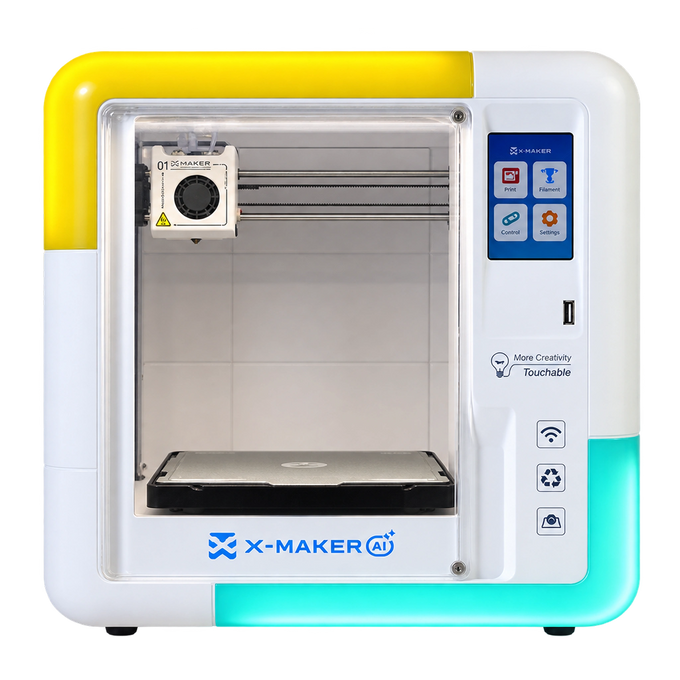
X-MAKER

Age Group

9-16

Focus

Geared towards slightly older users, offering a balance between ease of use and some advanced features.

Design Tools

Offers a wider range of design tools, including advanced features for creating your own unique models.

Print Settings

Provides detailed control over print settings, enabling customization of print quality and speed preferences.

Print Preview Screen

Yes

Support Filament

PLA/ABS

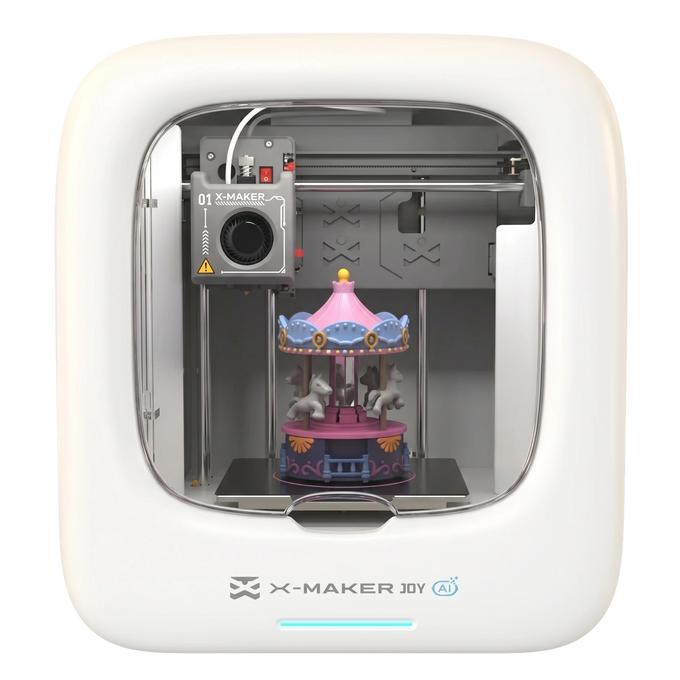
X-MAKER JOY

Age Group

4-9

Focus

Prioritizes extreme ease of use and offers a simplified, user-friendly interface specifically designed for younger users.

Design Tools

Offers a curated selection of kid-friendly design tools specifically designed for intuitive creation.

Print Settings

Provides simplified print settings with presets for optimal results. User has less control over individual parameters.

Print Preview Screen

No

Support Filament

PLA

AOSEED APP

Your Creative Command Center

Your All-in-One Hub for 3D Printing Education Fun

AOSEED's easy-to-use software helps kids explore premium parent-approved models, customize ideas, and print their own toys with simple guided tools...

AOSEED X-MAKER 3d Printer Software

X-MAKER App

AOSEED gives kids a rich, creative ecosystem with 8,000+ reviewed and original toy models, 18 gamified modeling apps, 4 AI modeling apps, 2 kid-friendly 3D design tools, and hundreds of guided tutorials. It helps children explore 3D printing safely, creatively, and step by step.

See What Parents Are Saying!

See All Reviews

AOSEED FAQ

1. What is the best 3D printer for kids?

+

The best 3d printer for kids should be safe, beginner-friendly, easy to set up, and simple enough for children to start printing without feeling overwhelmed. A kid-friendly printer should also include sample models, guided tools, and a workflow that still allows adult supervision.

For families comparing models, the 3D Printer for Kids collection is a good place to start.

2. Is a kid-friendly 3D printer safe for young kids?

+

A kid-friendly 3D printer can be safe when the print area is enclosed, the setup is simple, and parents guide the first few prints. Adult supervision is still needed because the nozzle, heated bed, and other hot surfaces can reach high temperatures.

Parents should look for PLA filament support, stable placement, clear controls, and a design that prevents kids from touching hot parts while the printer works.

3. Why is AOSEED different from other kids' 3D printers?

+

AOSEED combines kid-friendly hardware with a complete creative ecosystem. Beyond safe enclosed printing, simple app control, quiet operation, and eco-friendly materials, children also gain access to 8,000+ reviewed toy models, AI-powered creation tools, gamified design apps, beginner-friendly 3D modeling software, and hundreds of learning tutorials.

Instead of simply printing objects, kids can continuously design, customize, and create new toys while building creativity, STEM knowledge, and real design skills over time.

4. Which AOSEED 3D printer is better for younger kids or older kids?

+

If the child is just starting, JOY is the easier first step. If they already enjoy building, designing, or problem-solving, AOSEED X-MAKER is the stronger long-term choice.

5. How easy is the easy setup process?

+

Easy setup matters because most kids want to and start printing quickly, instead of spending a whole weekend on a kit version. A semi-assembled printer with app guidance, Wi Fi, sample models, and user-friendly features makes the first print feel less overwhelming.

A good beginner setup should help the child choose a model, load filament with adult help, confirm the print, and wait until the model cools before removing it.

6. What can kids make with 3D printing?

+

Kids can use 3d printing to make new toys, animals, cars, puzzle pieces, room decor, game parts, school projects, and simple gifts. Starting with a few sample models helps most kids build confidence before creating their own toys from scratch.

For more ideas, visit 3D Printing Ideas for Kids.

7. How does 3D printing support STEM learning?

+

3d printing supports STEM learning by turning ideas into real objects that kids can touch, test, and improve. It helps children understand spatial awareness, design thinking, problem-solving, and how small changes affect the final print.

A simple learning path usually looks like this:

  1. Imagine or choose a model.
  2. Print and observe the result.
  3. Find what worked or failed.
  4. Adjust the design and try again.

8. Why choose AOSEED X-MAKER for creative learning?

+

AOSEED X-MAKER is a solid choice for older kids who are ready to move beyond extremely basic toy printing. It offers more advanced features, stronger design tools, reliable prints, and a smoother path into STEM concepts.

It works well for kids who want to customize models, make school projects, explore more models, and learn how design choices affect high-quality prints.

9. How does the X-MAKER App help with 3D printing?

+

The X-MAKER App helps kids browse models, customize designs, manage print settings, and start printing without relying only on a USB stick. This makes 3d printing more approachable for beginners because the workflow is guided rather than completely open-ended.

The app is especially useful for:

  • Finding sample models
  • Managing Wi Fi printing
  • Editing simple designs
  • Helping kids start printing with less confusion

Learn more on the X-MAKER App page.

10. How does AOSEED compare with other 3D printers for beginners?

+

Different 3D printers are designed for different users. Some focus on speed, multi-color printing, or advanced technical features, while AOSEED focuses on kid-friendly design, guided projects, easy-to-use tools, and a safe, creative learning experience for families.

For parents, the most important question is not simply which printer is faster, but whether their child can enjoy the creative process, build confidence, and learn safely with appropriate adult supervision.

11. What if the first print fails?

+

Failed prints are normal in 3d printing, even with the best 3d printers. For kids, a failed print can become a useful problem-solving moment instead of just a mistake.

Before trying again, check whether the filament was loaded correctly, the model stuck to the bed, the print was too large for a first test, and the child waited long enough before touching the finished model.

12. Do AOSEED printers support reliable and high-quality prints?

+

Reliable prints depend on the printer, filament, model quality, setup, and how well the first print is prepared. Features like guided setup, app support, sample models, auto bed leveling, and beginner-friendly controls can make the process easier for kids.

For parents, the goal is not only top-notch print quality on day one. A better goal is helping kids understand how the printer works and improve their results over time.

13. What should parents check before buying a 3D printer for kids?

+

Before buying a 3d printer for kids, parents should check age fit, safety design, PLA filament support, app tools, model library, easy setup, Wi Fi connection, print size, and adult supervision needs.

X-MAKER JOY is better for younger users who need a super kid-friendly starting point, while X-MAKER is better for older kids who want more creative control, STEM learning, and room to grow into advanced features.

Enhance Your 3D Printing Experience

Explore Our Wide Range of Consumables and Accessories for Every Project. Elevate your printing journey with our range of accessories, making it the most safe 3D printer experience possible.

AOSEED

Join the AOSEED Community

Connect, Share, and Grow with Fellow 3D Printing Enthusiasts

About Us

AOSEED: Where Creativity Takes Seed

Learn More About Our Mission and Vision. Innovating Your Creative Journey with Cutting-Edge 3D Printing Technology

Discover More About Us