

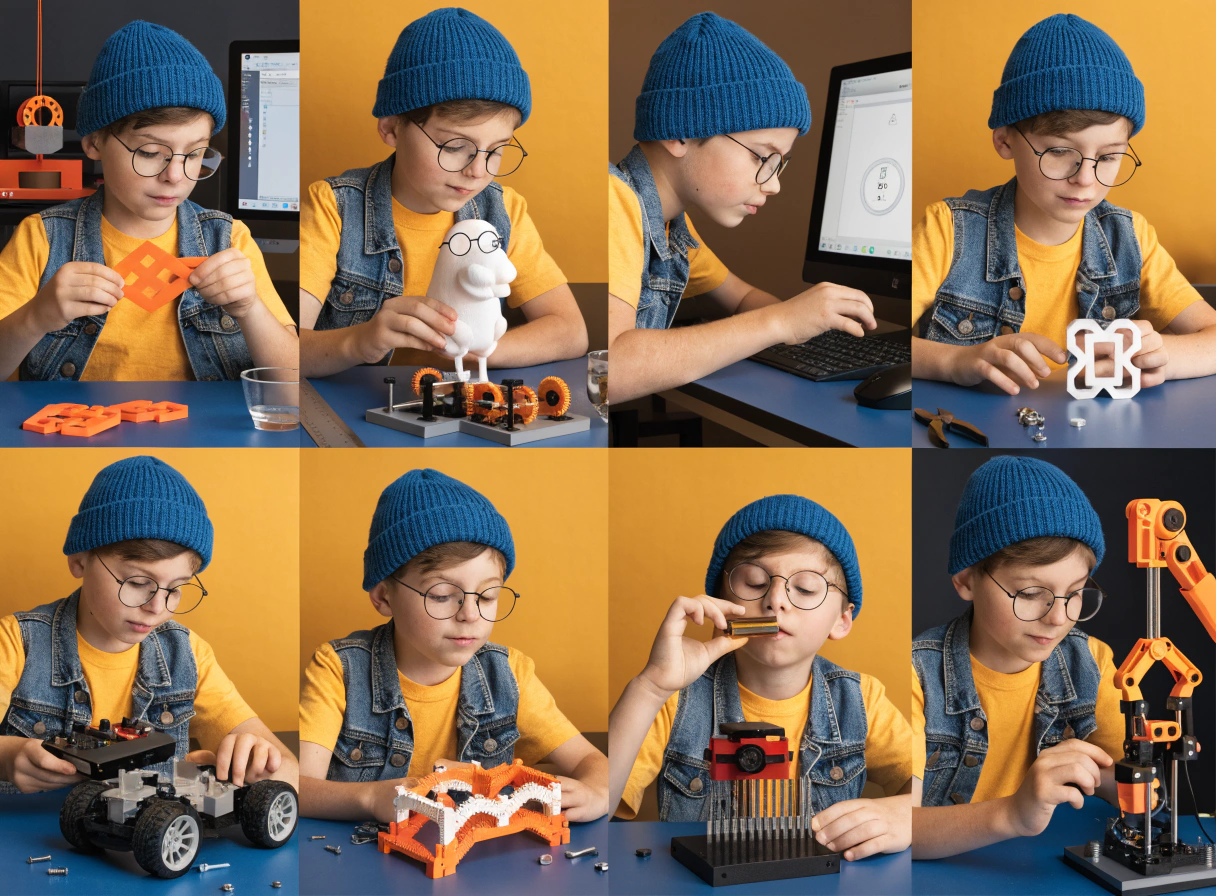
Best 3D Printer for a 10 Year Old (2026): What They Can Do Alone
The best 3D printer for most 10 year olds is a fully enclosed printer they can run from an app or touchscreen, with room to grow into design. Our pick is the AOSEED X-MAKER AI+, built for ages 9 to 16. If your child is new to 3D printing or mainly wants to print toys, the X-MAKER JOY AI+ (ages 4 to 12) is the simpler choice. Both print PLA, include the free AOSEED app with 20,000+ models and need no subscription.
Independent reviewers agree on the format. Tom's Hardware calls the AOSEED X-Maker "a great starter 3D printer for kids".
Why 10 Is a Good Age for a First 3D Printer
Most 10 year olds can read on screen instructions, follow a sequence of steps and wait an hour for a result without losing interest. They also start asking how things work, not just what they are. A 3D printer fits that stage: the child chooses or designs an object, watches it build and holds the result the same afternoon. When a print fails, they can usually see why, a part too thin or a base too small, and try again. That loop of design, test and fix is the main reason parents buy a printer at this age.
What a 10 year old still lacks is patience for setup and troubleshooting. That is why the printer type matters more than print speed or resolution: the right one lets the child do the fun parts alone and leaves the rare repairs to an adult.
What a 10 Year Old Can Do Alone, and Where Adults Help
Ten is the age when most kids move from watching a print to running one. The table shows what a typical 10 year old handles after the first two or three sessions on an enclosed, app based printer.
|
Task |
Alone? |
Notes |
|
Browse and pick a model in the app |
Yes |
20,000+ ready to print models, sorted by theme |
|
Create a model with AI Doodle or AI MiniMe |
Yes |
Sketch or photo to printable model, no design software |
|
Start a print |
Yes |
From the app, or the touchscreen on X-MAKER AI+ |
|
Watch progress and stop a print |
Yes |
Built in camera shows the print in the app |
|
Remove a finished print |
Yes, after it cools |
Flex the magnetic build plate; no scraper needed |
|
Load or change filament |
After 2 or 3 times with an adult |
Feed 1.75 mm PLA until it comes out of the nozzle |
|
First setup and Wi-Fi |
Adult |
About 30 minutes, once |
|
Clear a clog or fix a failed print |
Adult |
Follow the in app guide; spare nozzles are sold separately |
Keep the printer on a stable table in a shared room with airflow, not a closed bedroom, and agree on one rule: the door stays closed while printing.

9, 10 or 11 to 12: Which Printer Fits?
|
Age |
Best fit |
Why |
|
9 |
X-MAKER JOY AI+ for first timers; X-MAKER AI+ for patient builders |
JOY is the easier start; X-MAKER covers the next seven years |
|
10 |
X-MAKER AI+ |
Bigger build volume and touchscreen; still easy enough to run alone |
|
11 to 12 |
X-MAKER AI+ |
Kids start designing their own parts and need the extra space |
For younger children, see the best 3D printer for an 8 year old. For 13 and up, read our guide to 3D printers for teens.
Our Pick for Age 10: AOSEED X-MAKER AI+
The X-MAKER AI+ is built for ages 9 to 16, so a 10 year old starts near the beginning of its range instead of the end. The fully enclosed body keeps the hot nozzle behind a closed door. The 3.5 inch touchscreen with a child lock lets kids start, pause and check prints without a phone, which matters in homes where tablets have time limits. The 150 mm build volume fits school projects, larger figures and creation kit parts that the smaller printers cannot.
Software is where it earns its keep. The free AOSEED app includes 20,000+ ready to print models, AI Doodle for turning sketches into models and AI MiniMe for turning photos into figures, plus basic design modules for building shapes from scratch. A built in camera shows the print from another room. There is no subscription; filament is the only running cost, and it uses standard 1.75 mm PLA.
Put it on your shortlist if: your child likes building, asks how things work, or will want to design their own parts within a year.
Simpler Option: X-MAKER JOY AI+
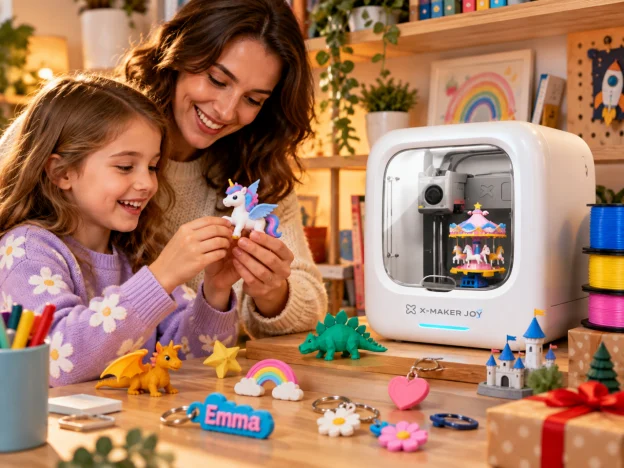
The X-MAKER JOY AI+ covers ages 4 to 12 and runs entirely from the app, with no screen on the printer. It has the same AI tools, model library and camera, a 120 mm build volume and PLA only. For a 10 year old who mainly wants to print toys and gifts, or a family with younger siblings who will share it, JOY is the easier and lower cost choice.

X-MAKER AI+ vs X-MAKER JOY AI+ for a 10 Year Old
|
|
X-MAKER AI+ |
X-MAKER JOY AI+ |
|
Ages |
9 to 16 |
4 to 12 |
|
Build volume |
150 × 150 × 150 mm |
120 × 120 × 120 mm |
|
Controls |
3.5 inch touchscreen with child lock, plus app |
App only, no screen |
|
Filament |
PLA (recommended) and ABS, 1.75 mm |
PLA, 1.75 mm |
|
Camera |
Yes |
Yes |
|
Connection |
Wi-Fi and USB drive |
Wi-Fi |
|
AI tools and model library |
AI Doodle, AI MiniMe, 20,000+ models |
Same |
|
Everyday price |
$389 |
$269 |
|
Choose it if |
Your child wants to design and build for years |
Your child mainly prints toys or is new to 3D printing |
A 10 year old will use either printer comfortably. The X-MAKER AI+ costs $120 more at everyday prices and lasts until 16, so it is usually the better value for this age. For a full side by side, see X-MAKER JOY vs X-MAKER.
Other Printers Parents Consider
These four come up most often in reviews and parent forums. Each can work, but each asks something different of a 10 year old.
|
Printer |
Good for |
Less suited to a 10 year old because |
|
Toybox |
Ages 4 to 8 who want one tap toy printing |
Very small build volume; most 10 year olds outgrow it within months |
|
Bambu Lab A1 Mini |
Teens 12+ with their own workspace |
Open frame with an exposed hot nozzle; software made for adult hobbyists |
|
Flashforge Adventurer 3 Lite |
Families where a parent runs each print |
Enclosed, but no kids app or design tools; the child depends on an adult |
|
Elegoo Centauri Carbon |
Older, patient kids who want a large build volume |
Hobbyist setup and slicing software; more to learn before the first print |
For how these printer types compare across all ages, see our guide to the best 3D printer for kids.

What a 10 Year Old Prints in the First Month
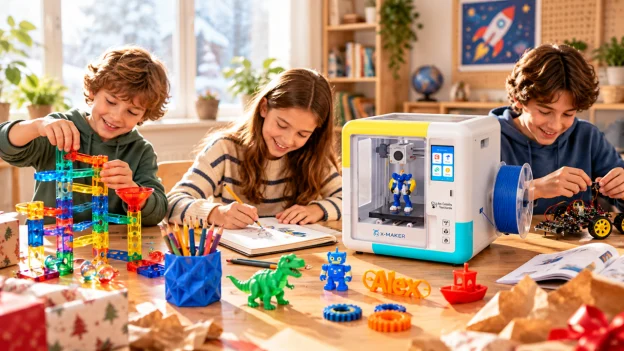
A quick first win keeps a 10 year old coming back. These eight projects take a child from printing to designing in about four weeks.
|
Week |
Project |
What they learn |
|
1 |
Name keychain |
How a print builds layer by layer |
|
1 |
AI Doodle creature from their own sketch |
Turning a drawing into a 3D object |
|
2 |
AI MiniMe figure of a family member |
Scale and detail |
|
2 |
Phone or tablet stand |
Measuring and fit |
|
3 |
Gear set that turns |
How parts move together |
|
3 |
Bridge model, then a stronger second version |
Testing, failing and improving a design |
|
4 |
Working whistle |
Air flow and hollow shapes |
|
4 |
Creation kit car with printed parts and a motor |
Combining printed parts with mechanics |
Most of these print in under an hour. For timing by project, see how long a 3D print takes.
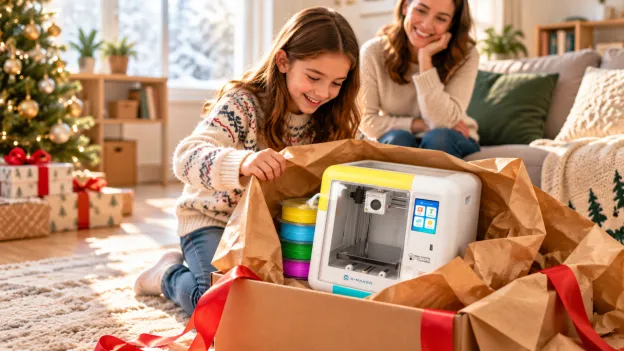
Buying a 3D Printer as a Gift for a 10 Year Old
|
Holiday pricing: November 20, 2026 to January 5, 2027 X-MAKER AI+: $319 (everyday price $389) | X-MAKER JOY AI+: $230 (everyday price $269). Prices drop automatically; no code needed. |
|
Check |
What to do |
|
What is in the box |
Both printers ship with PLA filament and tools, so printing can start on day one |
|
Extra filament |
Add a 4 color PLA set for variety; bundles with filament cost less than buying separately |
|
Delivery |
Order by early December and check the delivery estimate at checkout |
|
Setup before the big day |
Set up Wi-Fi and the app the night before, then rewrap; the child can print within minutes |
|
Warranty and returns |
1 year warranty and 30 day returns |
If you are still deciding between a printer and other ideas, see our gifts for 10 year olds who love to make things.
FAQs
Q: Should a 10 year old have a 3D printer?
Yes, if it is a fully enclosed printer with a kids' app. Most 10 year olds can choose, customize and start prints on their own after a few sessions. An adult should handle first setup and help with clogs or failed prints.
Q: Is a 3D printer suitable for an 11 year old?
Yes. At 11, most kids have the patience for longer prints and start designing their own parts. A printer with a larger build volume, such as the X-MAKER AI+ (ages 9 to 16), gives them room to grow.
Q: What can a 10 year old do with a 3D printer?
Print toys, keychains and gifts from a model library, turn drawings and photos into models with AI tools, and build working projects such as gear sets, whistles and creation kit cars.
Q: Can my 10 year old design their own 3D models?
Yes. AI Doodle and AI MiniMe in the AOSEED app create models from sketches and photos. After a few months, many 10 year olds move on to free browser tools such as Tinkercad.
Q: What is the best filament for a 10 year old?
PLA. It prints at low temperatures with very little odor. AOSEED PLA is third party tested for heavy metals and VOC emissions. Avoid resin printers at home with children.
Read more about which 3D printing materials are safe for kids' toys.
The Bottom Line
For most 10 year olds, the X-MAKER AI+ is the printer they can run alone today and still use at 16. Choose the X-MAKER JOY AI+ for a first timer who mainly wants to print toys. Compare both in our kids 3D printer collection.


Further reading

Christmas Gifts for 8 Year Olds (2026): 15 Picks by Interest

Christmas Gifts for 7 Year Olds (2026): 15 Picks for Girls and Boys

Christmas Gifts for 6 Year Olds (2026): 15 Picks They Will Play With


