

Best 3D Printer for an 8-Year-Old Beginner
My son turned eight in January. He had been asking about 3D printing since he saw a robot figure at a science fair. I spent about two weeks going down a research rabbit hole trying to figure out what was actually suitable for a child versus what just happened to show up when I searched 'kids 3D printer'.
The results were all over the place. Some articles recommended open-frame hobbyist printers. Others suggested machines costing as much as a family holiday. This guide is what I wish I had found when I started.
It covers the five printers that genuinely come up in parent discussions — what each one actually does, real limitations, and who it is right for. I will also cover materials, 3D pens, and the questions parents most often ask before buying.
All of the printers from AOSEED and the other brands below are evaluated against three criteria: Is it safe in a family home? Will my child use it independently? And will it still be interesting in six months?
|
8+ Recommended age |
$269–$399 Price range covered |
5 Printers reviewed |
30 min Avg. setup time |
Best 3D Printer Options for an 8-Year-Old Beginner
Five printers come up most consistently when parents research this category. Each has a different strength, a real limitation, and a specific child it is right for.
AOSEED X-MAKER JOY

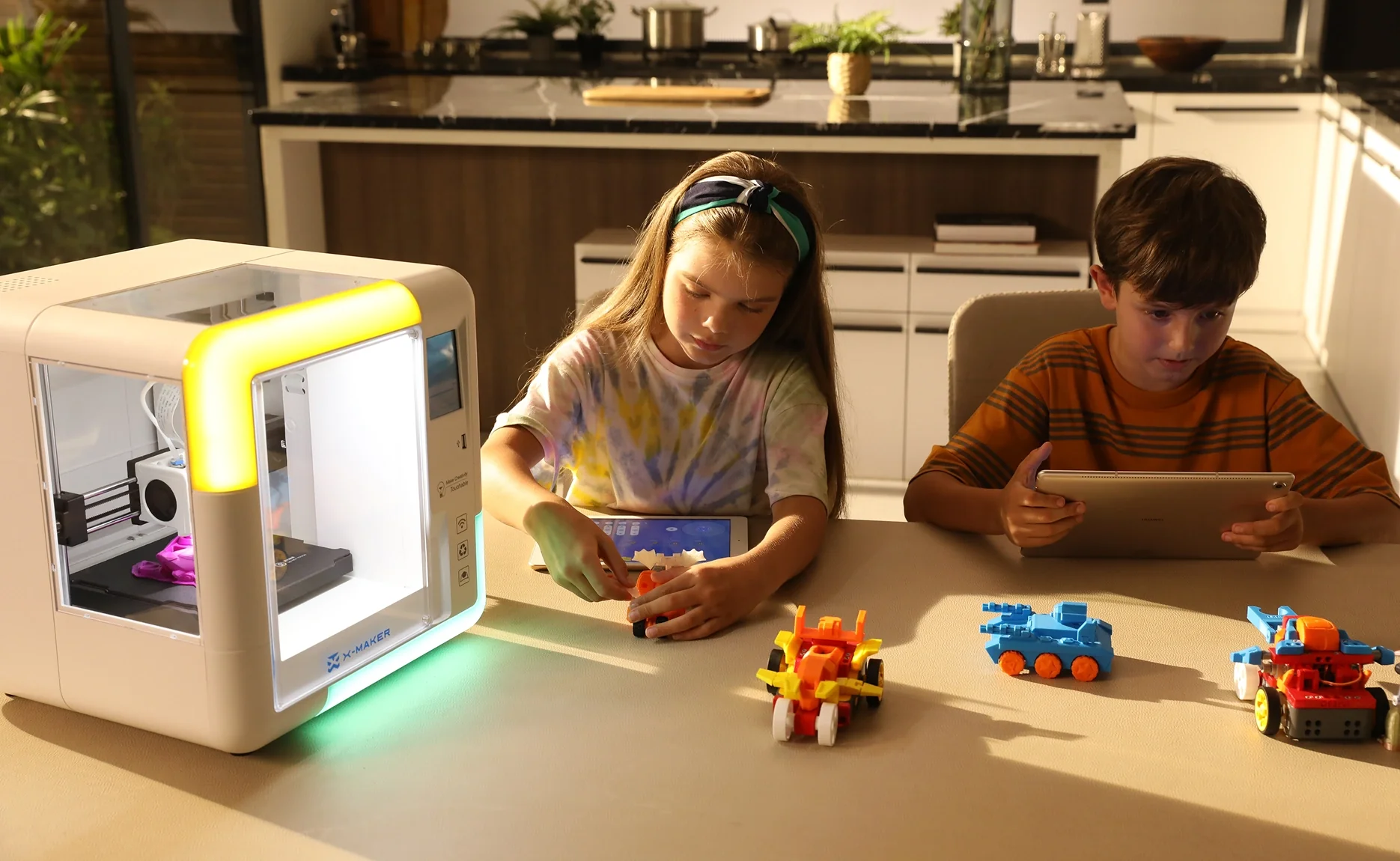
The AOSEED X-MAKER JOY is the only printer in this comparison built specifically for young children in family settings — not a hobbyist machine adapted for kids, not a simplified adult product. It was designed from the start for an 8-year-old to use independently in a shared home.
The app does most of the work. Children browse thousands of models, personalize using AI design tools, and tap print. The printer handles the rest wirelessly. A built-in timelapse camera lets the child watch their toy being made layer by layer. The door safety sensor pauses the print automatically if the enclosure is opened mid-session.
What makes it stand out is the creation kit ecosystem — printed parts that combine with mechanical components to build RC cars, robots, and music boxes. The object the child prints becomes something that works, not just something that sits on a shelf.
|
Why It Works for an 8-Year-Old |
Parent Benefit |
|
Fully enclosed — door sensor pauses print if opened |
Child is safe without constant supervision |
|
App-led one-press printing from tablet or phone |
Child prints independently after first session |
|
AI MiniMe turns a photo into a printable toy |
Child personalizes models without design experience |
|
Weekly Toy Library updates — thousands of models |
Always a next project — no blank-page boredom |
|
Creation kits: RC cars, robots, music boxes |
Printed objects become working toys, not display pieces |
|
Specification |
Details |
|
Target Age |
4 – 12 years |
|
Build Volume |
120 × 120 × 120 mm |
|
Layer Resolution |
0.1 – 0.4 mm |
|
Print Speed |
Up to 300 mm/s |
|
Filament |
PLA (standard) / PETG / ABS |
|
Enclosure |
Fully enclosed with door safety sensor |
|
Camera |
Built-in (timelapse + remote monitoring) |
|
Connectivity |
WiFi + USB |
|
AI Features |
AI MiniMe / AI Doodle / MiniMakie |
|
One-Press Print |
Yes — from tablet or phone app |
|
Price (approx.) |
$249 (was $339) |
|
✓ Reasons to Buy |
✗ Reasons to Avoid |
|
Only printer in this class built specifically for young children |
120mm build volume limits larger single-part prints |
|
Fully enclosed with door sensor — safest for an 8-year-old at home |
No touchscreen on the printer — controlled entirely through app |
|
Built-in camera — child watches their toy appear layer by layer |
Primarily optimized for PLA — advanced materials suit the X-MAKER |
|
AI design tools let children personalize without design experience |
|
|
Creation kits turn prints into working RC cars, robots, music boxes |
|
|
Toy Library with weekly updates — sustained engagement over months |
|
|
One-press printing — child operates independently from day one |
|
✓ Best For First-time families, gift buyers, and children aged 4 to 12 who want to print and play from day one. The safest and most child-independent option in this comparison. |
ToyBox Alpha Two

ToyBox has been in this category longer than most competitors, and the simplicity is genuine. The app is extremely basic by design — select a design, tap print, done. For a 6-year-old who wants to print a simple vehicle or character figure, this works as advertised.
The limitations that come up most often in parent discussions are the build volume — just a 76mm cube, very small — and the proprietary filament. You are tied to their 'Printer Food' rolls, which cost more per gram than standard PLA and void the warranty if you use third-party filament.
The design is also semi-open rather than fully enclosed. Hot components are partially covered but not in a sealed chamber, which means more supervision is needed than the marketing suggests for a home with an 8-year-old.
|
Specification |
Details |
|
Target Age |
5 – 9 years |
|
Build Volume |
76 × 76 × 76 mm — small |
|
Layer Resolution |
~0.2 mm |
|
Print Speed |
~60 mm/s |
|
Filament |
Proprietary PLA only (Printer Food rolls) |
|
Enclosure |
Semi-open — partial cover only |
|
App Library |
~500 models — includes licensed characters |
|
Connectivity |
WiFi |
|
One-Press Print |
Yes |
|
Price (approx.) |
~$169 |
|
✓ Reasons to Buy |
✗ Reasons to Avoid |
|
Genuinely the simplest setup — unbox, connect, print |
Smallest build volume in this comparison — 76mm cube |
|
Licensed characters appeal to younger children (5–7) |
Proprietary filament only — higher cost, no third-party options |
|
Lightweight and compact — easy to move around the home |
Semi-open design requires more supervision than fully enclosed models |
|
No slicing knowledge required |
Content library updates infrequently — engagement drops quickly |
|
No growth path when the child outgrows it |
|
✓ Best For Very young children (ages 5 to 7) who want immediate one-click toy printing. Likely to be outgrown within a year or two. |
Flashforge Adventurer 3 Lite

The Flashforge Adventurer 3 is a classroom and family staple. It is fully enclosed, compact enough for a bedroom desk, and has solid build quality. A removable nozzle system makes maintenance straightforward for parents who want to stay involved in the printing process.
The limitation for an 8-year-old is the interface. The companion app and slicing workflow require more adult involvement than the X-MAKER JOY's app-first approach. Most children aged 8 will need a parent to help set up each print rather than running sessions independently.
It is a better fit for a family where a parent wants to be part of the hobby, or for a classroom setting where a teacher manages the print workflow and children focus on the design and output side.
|
Specification |
Details |
|
Target Age |
8+ years — with adult guidance |
|
Build Volume |
150 × 150 × 150 mm |
|
Layer Resolution |
0.1 – 0.4 mm |
|
Print Speed |
Up to 180 mm/s |
|
Filament |
PLA / ABS |
|
Enclosure |
Fully enclosed |
|
Interface |
Color touchscreen + companion app |
|
Camera |
Not included |
|
Connectivity |
WiFi + USB |
|
Price (approx.) |
~$250 – $300 |
|
✓ Reasons to Buy |
✗ Reasons to Avoid |
|
Fully enclosed — appropriate for family home use |
Not designed for children — interface requires adult involvement |
|
Removable nozzle makes maintenance easier for parents |
No dedicated kids app or guided Toy Library |
|
Compact footprint — fits on a bedroom desk or bookshelf |
More setup involvement than app-led alternatives |
|
Solid print quality — good surface finish |
No creation kit ecosystem — prints are static display models only |
|
Good classroom track record — reliable hardware |
No AI design tools |
|
✓ Best For Families where a parent will be actively involved in the printing process. Or older children aged 10 and up who want a more traditional printer feel. |
Bambu Lab A1 Mini

Tom's Hardware rates the Bambu Lab A1 Mini as its top recommendation for kids, and the hardware earns that spot. It is fast and reliable, print quality is excellent, and the MakerWorld content library is large and free. The kids 3D printer guide from Tom's Hardware covers this model in detail if you want an independent second opinion.
The significant limitation for this comparison is the open frame. There is no full enclosure. The build plate and nozzle are exposed during printing. For a home with younger siblings or pets nearby, this is a real concern that Tom's Hardware acknowledges in their own review.
For a 12-year-old with their own room and genuine technical interest, the A1 Mini is excellent value. For an 8-year-old in a shared family home, it is simply the wrong category of printer.
|
Specification |
Details |
|
Target Age |
12+ years — dedicated workspace required |
|
Build Volume |
180 × 180 × 180 mm |
|
Layer Resolution |
0.05 – 0.35 mm |
|
Max Print Speed |
500 mm/s |
|
Filament |
PLA / PETG / ABS + more |
|
Enclosure |
Open frame — no full enclosure |
|
App / Library |
MakerWorld + Bambu Handy app |
|
Multicolor |
Yes — with optional AMS Lite add-on |
|
Connectivity |
WiFi + app |
|
Price (approx.) |
~$299 (~$459 with AMS Lite) |
|
✓ Reasons to Buy |
✗ Reasons to Avoid |
|
Excellent print quality — professional-level output |
Open frame — hot nozzle and build plate fully exposed during printing |
|
Fastest printer in this comparison |
Not recommended for 8-year-olds or shared family spaces |
|
Large MakerWorld library with pre-sliced files |
No dedicated kids app or child-focused content |
|
Optional multicolor printing at this price point |
Adult-oriented software — steeper learning curve |
|
Active community and strong support resources |
No creation kit ecosystem |
|
✓ Best For Children aged 12 and over with their own workspace. Not recommended for 8-year-olds or shared family settings. |
Prusa Mini+

The Prusa Mini+ is a robust and respected printer in the maker community. It is reliable, produces consistently high-quality results, and has strong support through Prusa's documentation and active community forums. For a 14 or 15-year-old with genuine interest in 3D printing as a long-term hobby, it is an excellent investment.
For a first-time 8-year-old, it is the wrong starting point. The open frame, required maintenance, absence of a kids' app, and steep learning curve combine to make this a printer that only an involved adult will end up using in a family setting.
|
Specification |
Details |
|
Target Age |
12+ years — advanced hobby use |
|
Build Volume |
180 × 180 × 180 mm |
|
Layer Resolution |
0.05 – 0.25 mm |
|
Print Speed |
Up to 200 mm/s |
|
Filament |
PLA / PETG / ASA / Flex + more |
|
Enclosure |
Open frame — no enclosure |
|
Interface |
LCD touchscreen |
|
Bed Leveling |
Automatic (SuperPINDA probe) |
|
Connectivity |
USB + optional WiFi (Prusa Connect) |
|
Price (approx.) |
~$399 |
|
✓ Reasons to Buy |
✗ Reasons to Avoid |
|
High-quality reliable print results long-term |
Open frame — not suitable for younger children |
|
Strong community and documentation |
Most expensive option in this comparison |
|
Magnetic removable build surface — easy print removal |
Regular maintenance required — not plug-and-play |
|
Ideal for teens wanting serious projects or engineering study |
No kids app, no guided library, no creation kits |
|
Open-source with huge third-party support |
Steep learning curve — needs adult involvement for younger users |
|
✓ Best For Older teens aged 13 and up with genuine long-term interest in 3D printing as a technical hobby. Not appropriate for 8-year-olds. |
Side-by-Side Comparison: All 5 Printers
|
X-MAKER JOY |
ToyBox |
Flashforge |
Bambu Mini |
Prusa Mini+ |
|
|
Best Age |
4–12 ✓ |
5–9 |
8+ (adult) |
12+ |
12+ |
|
Enclosure |
Full ✓ |
Semi |
Full ✓ |
Open ✗ |
Open ✗ |
|
Kids App+Lib |
Yes ✓ |
Basic |
No |
No |
No |
|
One-Press |
Yes ✓ |
Yes |
Partial |
App |
No |
|
Creation Kits |
Yes ✓ |
No |
No |
No |
No |
|
AI Design |
Yes ✓ |
No |
No |
No |
No |
|
8-Yr-Old Ready |
Yes ✓ |
With sup. |
Adult help |
No ✗ |
No ✗ |
|
Price |
$249 |
~$169 |
~$275 |
~$299 |
~$399 |
Best 3D Printing Pens for 8-Year-Olds
A 3D printing pen is worth knowing about if you are not ready to commit to a full printer. It works like a hot glue gun — heated filament pushed through a small nozzle, cools and hardens quickly as you draw. Children create in three dimensions freehand, with no screen or software needed.
The appeal is low cost and zero setup. The limitation is that everything is freehand — no model library, no app, no repeat printing. A fun tool for a creative child, not a replacement for a printer when they want to make specific things.
1. 3Doodler Start+ Essentials 3D Pen

|
Specification |
Details |
|
Target Age |
6+ years |
|
Material |
Non-toxic low-temp plastic strands |
|
Temperature |
Low-temp — no burn risk on skin contact |
|
Safety |
No exposed hot tip — tip is insulated |
|
Charging |
USB |
|
Price (approx.) |
~$29 – $39 |
|
✓ Reasons to Buy |
✗ Reasons to Avoid |
|
Designed specifically for children — no burn risk |
Freehand only — no model library or repeat printing |
|
Very low price — good starter before committing to a printer |
Limited creative scope compared to a full printer |
|
No setup required — out of the box and creating immediately |
Strands provided are finite — refills add ongoing cost |
|
Non-toxic materials included |
Output quality depends entirely on child's manual skill |
2. MYNT3D Junior 3D Pen

|
Specification |
Details |
|
Target Age |
8+ years |
|
Material |
PLA and ABS filament compatible |
|
Temperature |
Adjustable — variable speed control |
|
Safety |
Auto-sleep feature after 5 minutes idle |
|
Connectivity |
USB charging |
|
Price (approx.) |
~$35 – $50 |
|
✓ Reasons to Buy |
✗ Reasons to Avoid |
|
Variable speed control — good for children building confidence |
Hot nozzle tip — adult supervision recommended |
|
Compatible with standard PLA filament — lower ongoing cost |
Higher learning curve than the 3Doodler Start+ |
|
Auto-sleep reduces risk if left unattended |
Output looks rougher than printer results — lower satisfaction for detail-focused children |
|
Better for ages 8 and up than entry-level pens |
No library or guided content — entirely freehand |
What Material Is Best for 3D Printing Toys for Kids?

Material choice affects safety, durability, and what the child can make. Two materials cover almost every family use case.
|
Material |
What It Is |
Safety |
Best For |
Watch Out For |
|
PLA Filament |
Plant-based plastic, derived from cornstarch |
Non-toxic, low odor, safe for ages 6+ |
First prints, toys, animals, gifts, everyday projects |
Softens above ~60°C — not for parts near heat |
|
PETG Filament |
Polyethylene terephthalate glycol — tougher than PLA |
Low fumes, safe for home use |
Active play objects, outdoor use, parts needing strength |
Slightly harder to print — better for older children 10+ |
⚠ Always Avoid Resin for KidsResin printers use photosensitive chemicals that are skin and eye irritants. They require gloves, eye protection, and a chemical wash-and-cure station. Resin printing is not appropriate for home use around children under 16. Every printer in this guide uses FDM filament — the correct and safe choice for family settings. |
What an 8-Year-Old Can Actually Make

This is the question parents forget to ask. A printer with a great app and a weak content library runs out of ideas within weeks. A printer with a content ecosystem keeps children creating for years.
|
Stage |
When |
What the Child Is Making |
|
1 |
First week |
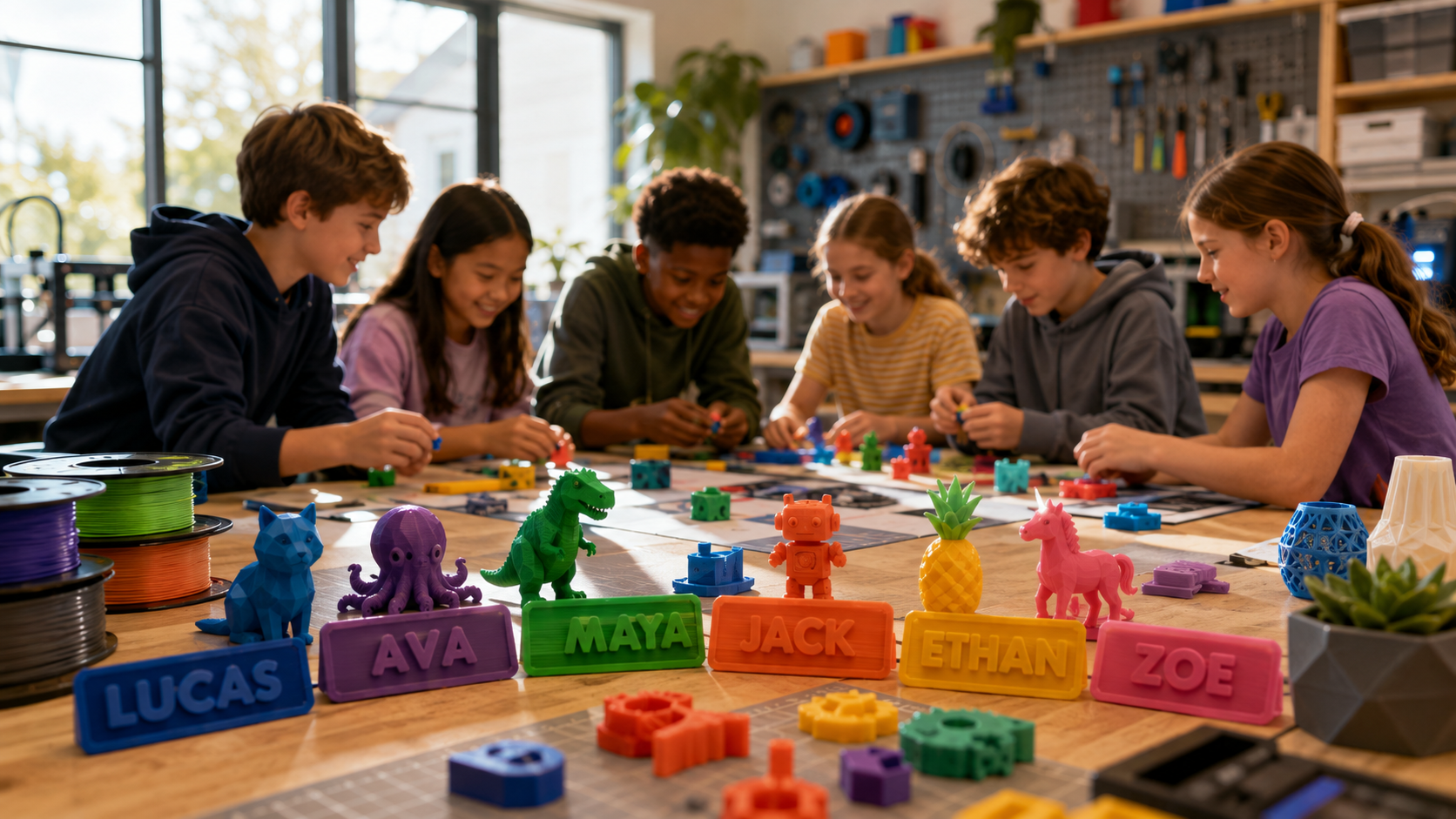
Quick wins: keychains, small animals, figurines, name tags. Customize with a name or color. Print in 20 to 40 minutes. Hold the object before lunch. |
|
2 |
Month one |
Animals by interest, seasonal builds, game pieces, personalized gifts for siblings and grandparents. The Toy Library is what keeps the ideas flowing. |
|
3 |
Month three+ |
Creation kits: a motor turns a printed frame into an RC car. A music mechanism turns a box into something that plays a tune. AI tools generate custom models from a photo or typed word. |
The AOSEED Toy Library adds new models weekly. A child who printed a T-rex last weekend finds a new spaceship or robot this week. That cycle of fresh ideas is what distinguishes a printer that lasts from one that collects dust after month one.
💡 The Content Library Is as Important as the HardwareThe single biggest reason 3D printers get shelved after a few months is blank-page boredom. The child runs out of things to print. Before you buy, check not just how many models are available but how often new ones arrive. A library that updates weekly keeps a child printing. One that updated six months ago will be exhausted in weeks. |
Getting Started in Under 30 Minutes

Parents often worry that setup will be a weekend project. For a well-designed family printer, it really is not.
|
Step |
Action |
Time Needed |
|
1 |
Unbox the printer and place on a stable desk or table with WiFi access |
2 min |
|
2 |
Download the companion app on your tablet or phone |
1 min |
|
3 |
Connect the printer to your home WiFi using the in-app guide |
3 min |
|
4 |
Load the included PLA filament spool — app walks you through step by step |
5 min |
|
5 |
Run the included test print to verify everything works correctly |
15–20 min |
|
6 |
Hand the tablet to your child — let them browse the library for their first real project |
Their time |
The most common first-print issue is a failed first layer — the model does not adhere properly to the build plate. If this happens, check that the plate is clean and level. Both are quick fixes, and working through them together with your child is a useful first lesson in troubleshooting.
Key Considerations When Choosing a 3D Printer for an 8-Year-Old

Most spec comparisons are aimed at adults. Layer height and extrusion multipliers tell you nothing about whether a printer will work in a family home. These four criteria tell you everything you need to know.
Safety Features
The nozzle on a standard 3D printer runs above 200°C during printing. On an open-frame printer — which covers most budget models — that nozzle is fully accessible. For an 8-year-old, the minimum requirement is a fully enclosed design. Tom's Hardware's kids 3D printer guide consistently rates enclosure as the first safety filter for family buyers.
|
Safety Feature |
What to Look For |
Why It Matters |
|
Fully enclosed design |
All hot parts sealed inside a chamber |
Child cannot touch nozzle or moving parts during printing |
|
Door sensor |
Print pauses automatically if enclosure opens |
Prevents accidents when younger siblings approach |
|
Non-toxic PLA filament |
Plant-based, biodegradable, low odor |
No harmful fumes at normal home use temperatures |
|
Auto shut-off |
Printer stops if an error or jam is detected |
Prevents overheating if left unattended |
|
Silent mode |
Reduced noise during print sessions |
Comfortable in shared bedrooms and living rooms |
|
⚠ Open-Frame Printers: Check Before You Buy Many well-reviewed printers on Amazon and general electronics sites are open-frame models designed for adult hobbyists. The nozzle and build plate are fully exposed during printing. This is not appropriate for a shared family space with an 8-year-old nearby. Always verify the enclosure design before purchasing. |
Ease of Use
For an 8-year-old, the app is the real product. The printer hardware gets the attention, but if the software requires a laptop and adult slicing knowledge, only adults will end up using it.
|
What to Look For |
Why It Matters |
|
App runs on tablet or smartphone |
Child can browse and print without needing a laptop |
|
One-press printing — tap and go |
Child operates independently without adult help every session |
|
Built-in model library |
Removes the blank-page problem — always something to print |
|
Auto bed leveling |
Single most common failure point — automation prevents frustration |
|
WiFi connectivity |
No cables, no USB setup, no adult needed to transfer files |
Durability
A kids' 3D printer is going to be opened, closed, loaded, and used repeatedly over months. The build quality needs to hold up. Check for all-metal frames rather than plastic chassis where possible, removable build plates that can be flexed to pop prints off cleanly, and a replaceable nozzle system that parents can service without sending the printer away.
Customer support matters more for kids' printers than for adult models. A responsive support team and clear video tutorials make the difference between a problem that takes 10 minutes to fix and one that shelves the printer for a week.
Educational Potential
The best kids' printers come with structured learning resources — creation kits, guided project libraries, and design tools that grow with the child. 3D printers for classrooms from LearnByLayers gives a clear picture of how 3D printing integrates into structured STEM learning, which is useful context whether you are buying for home or school use.
For an 8-year-old, educational value looks like this: printing a gear mechanism teaches how engines work. Scaling planet models teaches proportion. Assembling a creation kit teaches mechanical thinking. The learning is embedded in the making, not added on top of it.
Conclusion
For an 8-year-old in a family home, the X-MAKER JOY is the right call. It is the only printer in this comparison built specifically for this situation — enclosed, app-led, child-independent, and backed by a content system that keeps going past month one.
If your child is closer to 5 or 6 and you want minimum complexity, Toybox works well for that age, but expect to outgrow it quickly. If you have a 10 or 11-year-old who wants a more traditional printer feel and you will be involved in the printing process, the Flashforge Adventurer 3 is solid. For teenagers and dedicated setups, the Bambu A1 Mini is excellent hardware.
Involve your child in the decision. Ask them what they want to make. A child who had input in choosing the printer is more invested in using it. Start with one project from the library, have the second one chosen before the first one finishes, and the printer becomes a fixture in family life rather than a seasonal novelty. Compare current pricing and models at AOSEED 3D printers for kids for a side-by-side overview before you decide.
FAQs
Can an 8-year-old use a 3D printer?
Yes. Age 8 is a good entry point for independent use with a well-designed kids' printer. Children at this age can navigate tablet apps, follow step-by-step guides, and understand basic safety rules. With a fully enclosed printer and an app-led workflow, most 8-year-olds are running their own print sessions after two or three guided attempts. Adult supervision is still recommended for loading filament and removing prints until they are comfortable with those steps.
Should a 12-year-old have a 3D printer?
Absolutely. By 12, most children are ready for more creative control — designing their own models, experimenting with settings, and working on STEM projects. The AOSEED X-MAKER is designed for ages 9 to 16 and offers a larger build volume, a 3.5-inch touchscreen, and expanded material options. A 12-year-old who has used the X-MAKER JOY at a younger age will step up to that level naturally.
Is the Bambu A1 Mini good for kids?
For teenagers with their own dedicated workspace, yes. For 8-year-olds in a shared family home, no. The open frame design leaves the nozzle and build plate exposed during printing. Tom's Hardware recommends it for elementary-aged children with light supervision, but that review context assumes a dedicated maker space. In a shared living room or bedroom with younger siblings nearby, an enclosed printer is the safer choice.
Is Flashforge kid-friendly?
The Adventurer series is fully enclosed, which is a real safety advantage over open-frame hobbyist printers. It is a classroom favorite for that reason. The limitation is the software — it requires more adult involvement than app-led printers, and most 8-year-olds will need a parent to manage the print setup. It is a good choice for families where the parent wants to be involved, less suitable for a child who wants to print independently.
What is the best 3D printer for an 8-year-old for STEM projects?
For an 8-year-old, the X-MAKER JOY creation kits and guided design apps give a strong STEM foundation — the child designs something, prints it, and assembles it into a working object. For older children aged 10 and up wanting more depth, the X-MAKER adds a larger build volume and more advanced materials. For teens ready to learn slicing software, the Bambu A1 Mini delivers professional-level output.
What size filament does an 8-year-old's printer use?
Standard 1.75mm PLA filament. Most family-oriented printers use this as their primary material. PLA is plant-based, non-toxic, and biodegradable — the correct choice for children. You are not locked into proprietary filament with most family printers, which keeps the ongoing cost of printing reasonable.
How long does a print take?
Small models like rings, keychains, and simple animals take 20 to 40 minutes. Medium models such as action figures or small vehicles take 1 to 3 hours. Larger educational models can take longer. For a first session with an 8-year-old, always choose something under an hour — the immediate reward of holding the finished object is what builds enthusiasm for longer future projects.
What can kids make with a 3D printer?
Far more than most parents expect. Simple models like keychains, animals, and game pieces are the starting point. From there, children move to customized gifts — personalized nameplates, small boxes, jewelry. With creation kits, they build working objects: RC cars, robots, music boxes, and carousels. For STEM projects: gear systems, bridge models, articulated mechanisms, and scaled planet sets. The content library and the child's growing skills are the only real limits.
Sources
- Tom's Hardware — Best 3D Printers for Kids and Teens, Best 3D Printers for Kids and Teens, 2026.
- Reddit r/3dprinter — Best 3D Printer for Kids, Best 3D Printer for Kids Discussion, 2026.
- Flashforge Blog — 2025 Best 3D Printers for Kids, 2025 Best 3D Printers for Kids, 2025.
- AOSEED Blog — How to Choose the Best 3D Printer for Kids, How to Choose the Best 3D Printer for Kids, 2026.
- PCMag — Best 3D Printers 2026, Best 3D Printers 2026, 2026.
- Busy Mommy Media — Best 3D Printers for Kids, Best 3D Printers for Kids, 2025.
- STLDenise3D — Best 3D Printers for Kids, Best 3D Printers for Kids 2025, 2025.



Further reading

Thanksgiving STEM Activities for Kids: Table Projects and Simple Engineering Challenges

Halloween STEM Activities for Kids: Spooky Builds That Teach Real Science

STEM Crafts for Kids: Build, Decorate and Test



