3D Printing Safety Contract for Students: 12 Rules to Review and Sign
A classroom 3D printing safety contract should settle three things before a student sends a file: what students may do alone, which steps require an adult, and what action stops the job immediately. The core rules are simple. Use approved files and materials, keep hands away from hot and moving parts, never defeat guards, report damage or unusual odor, wait for adult permission before removal, and leave the area clean.
The contract does not replace the printer manual, a ventilation plan, district policy, or active supervision. Its value is consistency: every student reviews the same before-print, during-print, and after-print boundaries, then signs a record that the rules were discussed. Teachers still control machine setup, maintenance, material approval, tools, and exceptions.
The 12 rules below are written for filament printers in classrooms and makerspaces. Review them aloud, demonstrate the stop-and-report routine, adapt the wording to the machine and age group, and revisit the contract after long breaks, equipment changes, or a safety incident. A copy-ready signature block appears near the end.
Contract at a Glance
Three stages. A clear split of who owns what. Students should be able to recite their column.
|
Stage |
What the Student Does |
What Stays With the Teacher |
|
Before printing |
Ask permission, look the machine over, clear the bench. |
Approving the file, the filament, the time slot, and the slicer settings. |
|
During printing |
Watch from the set distance. Report anything unusual. |
Deciding whether to pause, cancel, or cut power. |
|
After printing |
Wait for cooldown, lift the part, wet-clean the bench, wash hands. |
Hotend work, stuck prints, build-plate repair, anything behind a panel. |
Why a Signed Contract Beats a Verbal Reminder
A rule only helps if the student already knows it. Timing does the work. Shouting it across a room during a failed print is too late. Reviewing the list before anyone gets printer access gives the class one shared set of expectations, which is easier to enforce than a memory of what was said in September.
The signature is the second half of the value. Not a formality. It shows every student reviewed the same rules and had a chance to ask questions. It does not replace supervision, and it does not replace the printer manual. Treat it as the floor, not the ceiling.
|
Review the rules at the machine, not at a whiteboard. Point at the actual nozzle, build plate, moving axes, power switch, and the spot where students should stand. Seeing the parts makes written rules stick. |
Before Printing: The Student Safety Check

A short check catches most problems before the machine heats up. Four items. Thirty seconds. Run it every job.
|
Check |
What to Confirm |
If It Fails |
|
Permission |
A teacher approved this file, this filament, and this time slot. |
Stop. Ask first. |
|
Machine condition |
No loose wires, cracked build surface, or filament wrapped around moving parts. |
Report it. Do not correct it yourself. |
|
Ventilation |
The printer is in its approved location, vents clear, filtration running. |
Tell the teacher. Never move the machine to another room. |
|
Work area |
No food, drinks, backpacks, or loose paper near the printer. |
Clear the bench before you start. |
The 12 Rules Students Review and Sign

Read these aloud. Order matters. Demonstrate each one at the printer. Collect signatures after questions, not before.
Rules 1 to 4: Permission, Files, and Materials

- Use the printer only with teacher permission. Starting, pausing, restarting, and unloading all count as printer use. No exceptions.
- Print only approved files. A model being available to download does not make it appropriate for a school machine.
- Use the filament assigned to the project. Do not swap spools because another one is closer or a nicer colour.
- Do not load filament brought from home. Different materials need different temperatures and different air controls.
Rules 5 to 8: Heat, Motion, and Reporting

- Assume hot. Treat the nozzle and build plate as hot until a teacher confirms otherwise. A quiet printer is not a cool printer.
- Keep hands, hair, sleeves, lanyards, jewellery, and tools out of the machine while anything is moving.
- Never open, modify, or repair the printer. Report the fault. Panels and wiring belong to trained staff.
- Report smoke, a burning smell, grinding, sparks, or an error you have not been trained on. Report it straight away.
Rules 9 to 12: Cleanup and Judgment

- Wait for the cooldown step before removing a print. Cooling helps. It also loosens most parts from the plate.
- Use scrapers and cutters only after instruction. Push the tool away from your hands and body.
- Clean the bench using the wet method, bin waste in the right container, then wash your hands.
- Stop and ask when you are unsure. Ask a teacher. Another student sounding confident is not permission.
|
Rule 7 is the one that gets broken with good intentions. A student sees a lifting corner or a stray strand and reaches in to help. Make it explicit: noticing a problem earns credit, fixing it does not. |
Filament, Fumes, and Classroom Air

Heating thermoplastic releases two things worth managing: ultrafine particles and volatile organic compounds. Chamber testing across five desktop printers and up to nine filaments measured the specific compounds and how much of each came off, and the differences between materials were large (Azimi et al., 2016). NIOSH also reports that filament material and colour both shift VOC emission rates, and that filament printers emit respiratory irritants. Colour matters too. That is the part most schools miss.
|
Factor |
PLA |
ABS |
|
Typical nozzle temperature |
Around 200 C |
Around 240 C |
|
Main VOC measured |
Lactide |
Styrene |
|
Measured emission rate |
Roughly 4 to 5 micrograms per minute |
Roughly 10 to 110 micrograms per minute |
|
Common school position |
Widely permitted |
Often restricted to a vented enclosure, or banned outright |
|
Student handling |
Standard contract rules apply |
Teacher-led sessions only |
Those rates come from controlled chamber work, not from a measurement of your room. Ranking, not prediction. Use them to rank materials, not to predict a classroom figure.
For students the instruction stays short: use the approved material, and leave air decisions to adults. Adults own that. Ventilation and filtration are facilities calls. Nobody should switch off an exhaust fan, block a vent, or relocate a printer to a smaller room because the bench was needed.
Crowding matters too. University guidance advises users not to gather around a running printer, which is exactly what a curious class does during a first layer. Set a viewing distance. Let them look briefly. Then send them back to their desks.
Hot Surfaces and Moving Parts Students Must Not Touch

Two hazards students meet directly are heat and motion. The nozzle has to melt plastic, so the metal around it stays hot during a print and for a while after. Heated beds on classroom machines run warm enough to cause a real burn, and some go to 110 C for ABS work. Neither surface announces itself. No warning light.
Motion is quieter. Toolheads travel fast, and the pinch points sit at belts, pulleys, lead screws, and corner brackets. A printer resumes its path without warning from a student point of view. That is the whole argument for keeping hands outside the machine while it runs, and for pausing through the screen rather than reaching in.
|
If a student touches a hot part, tell the teacher immediately and follow the school first-aid procedure. Do not hide it because the mark looks small. Students should not apply creams or other treatments on their own. |
Cleanup, Waste, and Hygiene
Cleanup is part of the job, not an optional last step. Same every time. Failed prints, purge lines, support pieces, and loose filament go in the container the teacher assigns. Bin them properly. Scraps do not go on the floor.
- Clean work surfaces by a wet method. Dry sweeping and blowing put fine particles back into the air.
- Clean the build plate only with the approved method for that machine. The wrong pad or solvent damages some surfaces.
- Return scrapers and cutters to their storage spot. No sharp tools left under paper or mixed with filament offcuts.
- Wash hands after handling filament, supports, or finished parts. Do it before eating or touching your face.
What the School Keeps on File
Students sign a contract. Staff keep records, which is a separate obligation. Under the OSHA Hazard Communication Standard, employers must hold a safety data sheet for each hazardous chemical in use and keep it readily accessible during every work shift, alongside employee information and training (29 CFR 1910.1200). Filament and resin suppliers publish those sheets. Print them out. File them where the printer lives, and review them once a year.
NIOSH publishes guidance written specifically for schools, libraries, and makerspaces rather than factories, which is the closer fit for a classroom programme (NIOSH Publication 2026-103). Worth reading before a purchase order goes in, because control recommendations are cheaper to design in than to retrofit.
Keep two more records. Keep the dated safety-training roster with the signed agreements. Keep a print log, so an unusual smell or a damaged plate can be traced to a session and a material.
What Makes a Classroom Printer Easier to Supervise
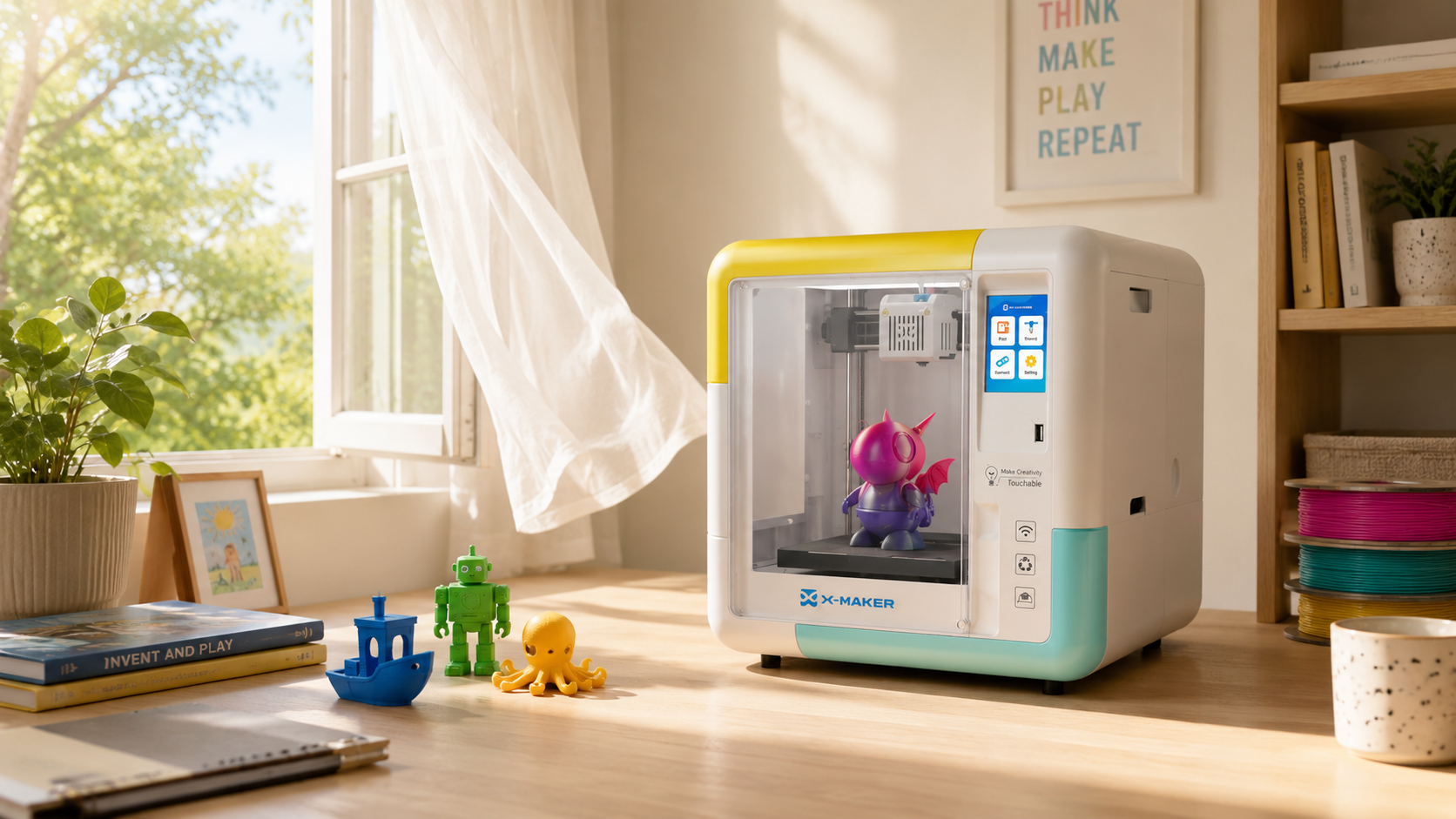
Hardware choices decide how much supervision a lesson needs. Guidance from university safety offices favours enclosed models where possible, partly because enclosure reduces the particle plume reaching the user, and partly because a closed door is a physical barrier between a student and a hot nozzle.
For a school bench, compare enclosure, access to hot and moving parts, supported materials, start and stop controls, noise, maintenance, and the level of adult supervision the workflow requires. A closed door can reduce accidental contact, but it does not replace training, ventilation, or the printer manual.
- Enclosed chamber and a magnetic plate mean fewer reasons to reach toward the hotend.
- One-touch start shortens the window where a student stands over the machine.
- Under 50 dB keeps a print from taking over the room during a lesson.
- PLA by default, ABS behind a teacher decision, matching most district policies.
|
AOSEED BUILDS ENCLOSED, APP-GUIDED 3D PRINTERS FOR KIDS, FAMILIES, AND CLASSROOMS. COMPARE KID-FRIENDLY ENCLOSED PRINTERS BY AGE AND CONTROL LEVEL |
When to Widen a Student’s Access, and When to Hold It
Age is a weak test on its own. Behaviour is better. What a student may do should follow demonstrated habits, and it should move in both directions.
Widen access when the student:
- Asks before touching controls, every time, without being prompted.
- Reports a fault instead of trying to solve it.
- Waits out the cooldown even when the class is packing up.
- Uses the scraper in the direction they were shown, with the free hand clear.
- Cleans the bench and stores tools without a reminder.
Hold access when the student:
- Reaches into the build area to nudge a print or a stray strand.
- Swaps filament or changes settings on their own initiative.
- Treats a burning smell or a new grinding sound as normal.
- Leans in close to a running machine after being given a viewing distance.
- Takes over another student’s job without asking a teacher.
A careful ten-year-old often earns more access than a careless fifteen-year-old. Grade level sets a starting point. Behaviour sets the rest.
The Signature Block You Can Copy

Wording below is deliberately plain, so students can read it without help. It records a review. It does not transfer responsibility to a child.
|
Student agreement: I have reviewed the 12 3D printing safety rules with my teacher. I understand the printer has hot surfaces, moving parts, electrical components, and materials that need careful handling. I will use the printer only with permission, follow teacher instructions, use only approved files and materials, keep my hands away from hot and moving parts, keep my work area clean, and report problems straight away. If I am unsure, I will stop and ask before continuing. |
|
Signatory |
Printed Name |
Signature |
Date |
|
Student |
____________________ |
____________________ |
____________ |
|
Teacher or instructor |
____________________ |
____________________ |
____________ |
|
Parent or guardian (if school policy requires) |
____________________ |
____________________ |
____________ |
Repeat the review at the start of each year, term, or new makerspace programme. Keep signed copies in the same binder as the safety data sheets.
Conclusion
A safety contract is useful only when it matches the printer manual, material safety information, classroom policy, and supervision plan.
Review the rules before access, keep signed records, and retrain whenever equipment, materials, room conditions, or procedures change.
FAQs
What Are the Core Safety Rules for 3D Printing?
- Use the printer only with teacher or trained-adult permission.
- Keep hands away from the nozzle, build plate, belts, gears, and moving carriage.
- Use only approved files, settings, and materials.
- Report unusual smells, sounds, smoke, damage, or failed motion immediately.
- Wait for the machine and part to cool before removal or cleanup.
- Follow the printer manual, material safety information, and school policy.
Is 3D Printing Safe for Kids?
It can be appropriate with age-matched tasks, trained adult supervision, approved materials, ventilation, and controls that limit contact with heat and motion. If any of those conditions are missing, restrict the child to design work and handling fully cooled parts until the setup is corrected.
Can a Seven-Year-Old Use a 3D Printer?
A seven-year-old can take part, but the role should be limited by readiness and the machine. They may choose or edit a model and observe a print; an adult should handle setup, material loading, error recovery, hot parts, and maintenance. If the child cannot follow a stop-and-report rule every time, they are not ready for independent access.
What Age Is Best for a 3D Printer?
There is no universal best age. Readiness depends on the printer, the task, the room, training, supervision, and the student's consistency with safety rules. Increase access by demonstrated competence: design first, then supervised setup, then limited operation, rather than by birthday alone.
Is It Safe to Sit in a Room with a 3D Printer?
It depends on the material, printer, ventilation, room size, number of machines, and time spent nearby.
- Use approved filament and temperatures.
- Place the printer where room ventilation meets the applicable guidance.
- Keep people away from the exhaust path and unnecessary close observation.
- Stop the job and leave the area if there is smoke, a strong unusual odour, or equipment malfunction.
How Can a School Use a 3D Printer Indoors More Safely?
- Review the printer manual and the safety data information for each material.
- Choose a stable location and confirm the ventilation plan with the responsible school staff.
- Train students on permission, no-touch zones, reporting, cooling, and cleanup.
- Keep a print log, inspection schedule, and signed training record.
- Reassess the setup when materials, equipment, room use, or operating hours change.
Sources
- National Institute for Occupational Safety and Health, “Approaches to Safe 3D Printing: A guide for makerspace users, schools, libraries, and small businesses”
- National Institute for Occupational Safety and Health, “3D Printing (Additive Manufacturing)”
- Occupational Safety and Health Administration, “1910.1200 Hazard Communication”
- Rochester Institute of Technology Environmental Health & Safety, “3-D Printer Safety”
- Azimi, Zhao, Pouzet, Crain and Stephens, Environmental Science & Technology, 2016, “Emissions of Ultrafine Particles and Volatile Organic Compounds from Commercially Available Desktop Three-Dimensional Printers with Multiple Filaments”


Further reading
Kids' 3D Design Apps and Privacy: 15 Questions Parents Should Ask
3D Printing Safety Contract for Students: 12 Rules to Review and Sign
3D Printing for Libraries: 18 Program Ideas With One Printer