

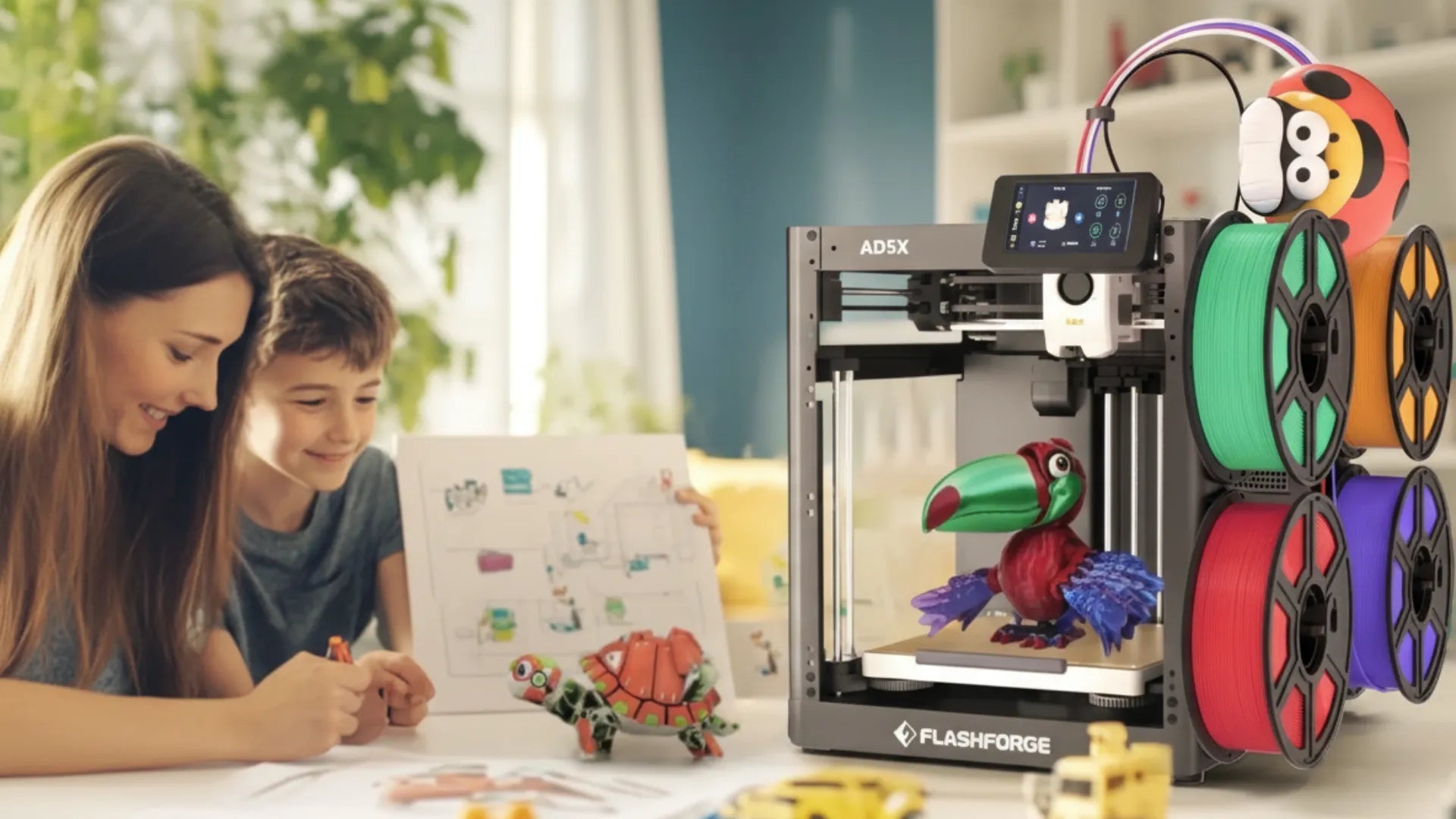
Best 3D Printer for Kids: What Parents Should Actually Compare

A few months ago, a parent in our school WhatsApp group sent a message at 10 pm. She had bought a 3D printer as a birthday surprise for her 9-year-old. Cheap open-frame model that looked impressive in the photos. The nozzle was exposed and hot. The software was built for adult hobbyists. Her son gave up after one failed print. The printer was in the garage.
She asked: 'Did I just waste £150?'
Kind of. Not because 3D printers are bad for kids — they can be genuinely brilliant for the right family. The problem is that most people compare the wrong things. Speed, build volume, filament types — useful specs if you are an engineer. Not useful if you are buying for a 10-year-old.
What actually matters is safety, ease of use, and whether it stays interesting past week one. AOSEED builds printers specifically around those three questions. If you want to browse the full range before reading, AOSEED 3D printers for kids show all current models with age guidance side by side. But read this first — it helps you understand what you are actually comparing.
Three criteria filter out most of the noise. Is it safe to have young children at home? Can a child use it without needing adult help every five minutes? And will it still be interesting in six months? Hold those in mind as you read the options below.
Best 3D Printer Options for Kids (Aged 4 to 12)
Five printers come up most often when parents research this category. Below is an honest look at each one — specifications, reasons to buy, and reasons to avoid — based on real family use rather than benchmark tests.
1. ToyBox 3D Printer

|
Specifications |
Details |
|
Technology |
FDM (Fused Deposition Modeling) |
|
Build Volume |
76 × 76 × 76 mm — small |
|
Build Platform |
Pre-loaded designs — no external files needed |
|
Interface |
Simple touchscreen — child-friendly |
|
Bed Leveling |
Automatic |
|
Connectivity |
USB, WiFi |
|
Best Age |
6 to 9 years — beginner / younger children |
|
Approx. Price |
~$169 |
|
✓ Reasons to Buy |
✗ Reasons to Avoid |
|
Extremely easy setup — working in minutes |
Very small build volume — limits what can be printed |
|
Pre-loaded models — zero friction for a first print |
Library updates are infrequent — blank-page problem sets in early |
|
Kid-friendly interface — no assembly required |
No guided design app or AI tools |
|
Partial enclosure — no exposed hot nozzle |
Engagement tends to drop after the first few weeks |
|
Good price point for a first purchase |
Not designed to grow with a child past age 9 |
The ToyBox 3D Printer is designed specifically for younger kids, with a focus on simplicity and speed to first print. Pre-loaded designs mean a child can start printing in minutes. The intuitive interface and partial enclosure make it one of the safer budget options.
The main limitation is scale — the 76mm build volume is quite small, and the content library does not refresh with the regularity that keeps children engaged week after week. A solid starter. Not designed to last past the first year.
2. AOSEED X-MAKER JOY

|
Specifications |
Details |
|
Technology |
FDM (Fused Deposition Modeling) |
|
Build Volume |
120 × 120 × 120 mm — medium, family-sized |
|
Build Platform |
Heated bed, PEI surface — strong first-layer adhesion |
|
Interface |
App-controlled — iOS and Android, WiFi connected |
|
Bed Leveling |
Automatic |
|
Connectivity |
WiFi, App control — no laptop required |
|
Best Age |
4 to 12 years — guided, beginner-friendly |
|
✓ Reasons to Buy |
✗ Reasons to Avoid |
|
Fully enclosed — safe for ages 4 and up |
App-only control — no physical touchscreen on printer |
|
App-led workflow — child prints independently |
Higher price than basic beginner models |
|
AI design tools: AI MiniMe, AI Doodle, MiniMakie |
120mm build volume — smaller than X-MAKER |
|
1,500+ models with weekly library updates |
Requires WiFi connection to operate fully |
|
Built-in timelapse camera — child watches toy being made |
|
|
Creation kits — printed parts become working toys |
|
|
Silent mode — comfortable in shared living spaces |
The AOSEED X-MAKER JOY is built around one goal: keeping a child engaged from first print to hundredth print. Setup is fast. The app does most of the work. The fully enclosed design means a 4-year-old can stand next to it safely.
AI-assisted features let younger children personalize models without any design experience. And a model library that updates every week means there is always a reason to come back to the printer rather than set it aside. Best fit for first-time families, younger children, and gift buyers who want something that works out of the box.
3. AOSEED X-MAKER

|
Specifications |
Details |
|
Technology |
FDM (Fused Deposition Modeling) |
|
Build Volume |
150 × 150 × 150 mm — larger for bigger builds |
|
Build Platform |
Heated bed, PEI surface — strong adhesion for PETG |
|
Interface |
3.5-inch LCD touchscreen + App control |
|
Bed Leveling |
Auto-leveling |
|
Connectivity |
USB, WiFi, App control |
|
Best Age |
9 to 16 years — STEM, creation kits, advanced projects |
|
✓ Reasons to Buy |
✗ Reasons to Avoid |
|
Fully enclosed — same safety design as X-MAKER JOY |
Higher price — a bigger investment upfront |
|
3.5-inch touchscreen for direct hands-on printer control |
More capability than a young child under 9 needs |
|
Larger 150mm build volume — handles complex builds |
Setup takes slightly more time than the JOY |
|
PETG support alongside PLA for more durable parts |
Requires more engagement to use to its full potential |
|
Same weekly Toy Library and AI design tools |
|
|
Creation kits for robots, RC cars, and more |
The AOSEED X-MAKER is the step-up for children aged 9 to 16 who want more creative control — bigger builds, more complex models, STEM project work, and creation kit assemblies that produce working mechanical toys. The 3.5-inch touchscreen gives older children hands-on control of the printer directly, and the 150mm build volume handles projects that would be impossible on the JOY.
It supports the same guided app and weekly Toy Library, so the content ecosystem stays rich at every level. Ideal for school projects, STEM learning, and families who want a printer that stays relevant over multiple years.
4. Bambu Lab A1 Mini

|
Specifications |
Details |
|
Technology |
FDM (Fused Deposition Modeling) |
|
Build Volume |
180 × 180 × 180 mm — medium-large |
|
Build Platform |
Heated bed — multi-surface compatible |
|
Interface |
Touchscreen with app support |
|
Bed Leveling |
Auto-leveling |
|
Connectivity |
USB, WiFi, App control |
|
Best Age |
10+ years — older children and adults |
|
Approx. Price |
~$299 |
|
✓ Reasons to Buy |
✗ Reasons to Avoid |
|
Fast print speeds — good for impatient older children |
Open-frame design — nozzle exposed during printing |
|
Solid print quality and precision |
No dedicated kids' app or model library |
|
App control for remote operation and monitoring |
Software has a learning curve for new users |
|
Large build volume for bigger projects |
Not designed for children who want guided creation |
|
Good for teens and adults with some experience |
Requires more adult involvement to set up and manage |
The Bambu Lab A1 Mini is fast, accurate, and genuinely impressive hardware. It is popular with adult makers and older teens who already understand the basics of 3D printing. For a parent buying for a younger child, the open-frame design is the main concern — the heated nozzle is exposed during prints. There is no dedicated kids' app, no model library, and the software expects the user to know what they are doing. A strong printer for the right user. Not the right starting point for a child who wants to browse, tap, and print independently.
5. Prusa Mini+

|
Specifications |
Details |
|
Technology |
FDM (Fused Deposition Modeling) |
|
Build Volume |
180 × 180 × 180 mm — medium-large |
|
Build Platform |
Heated bed, magnetic removable surface |
|
Interface |
LCD touchscreen |
|
Bed Leveling |
Automatic (SuperPINDA probe) |
|
Connectivity |
USB, WiFi (optional add-on) |
|
Best Age |
12+ years — older children, teens, advanced projects |
|
Approx. Price |
~$399 |
|
✓ Reasons to Buy |
✗ Reasons to Avoid |
|
High-quality build — reliable for long-term use |
Open-frame design — not suitable for younger children |
|
Excellent print quality for school projects |
More expensive than most beginner options |
|
Strong customer service and active community |
Requires regular maintenance — not plug-and-play |
|
Magnetic removable print surface — easy print removal |
No kids' app or guided model library |
|
Ideal for children aged 12 and up wanting serious projects |
Steep learning curve for first-time users |
The Prusa Mini+ is a robust and well-respected printer in the maker community. It is reliable, produces consistently good results, and has strong support through Prusa's documentation and community forums. For an older teen interested in 3D printing as a serious hobby or for school engineering projects, it is an excellent long-term investment.
For a first-time family with younger children, the open-frame design, required maintenance, and steep learning curve make it the wrong starting point. It earns its price over time. It does not earn it on week one.
Quick Side-by-Side Comparison
|
ToyBox |
X-MAKER JOY |
X-MAKER |
Bambu A1 Mini |
Prusa Mini+ |
|
|
Target Age |
6–9 |
4–12 ✓ |
9–16 ✓ |
10+ |
12+ |
|
Enclosure |
Partial |
Fully enclosed ✓ |
Fully enclosed ✓ |
Open frame |
Open frame |
|
Kids App |
Basic |
AI-assisted ✓ |
AI-assisted ✓ |
3rd-party |
None |
|
Model Lib. |
~500 |
1,500+ weekly ✓ |
1,500+ weekly ✓ |
None |
None |
|
Build Vol. |
76³ mm |
120³ mm |
150³ mm |
180³ mm |
180³ mm |
|
Price |
~$169 |
$249 |
$369 |
~$299 |
~$399 |
Why 3D Printing is Perfect for Kids

A 3D printer is not a passive toy. It is a creative tool that asks something of the child every time they use it. That asking — that active involvement — is why it works as a learning and development activity in a way that most screens don't.
Fostering Creativity
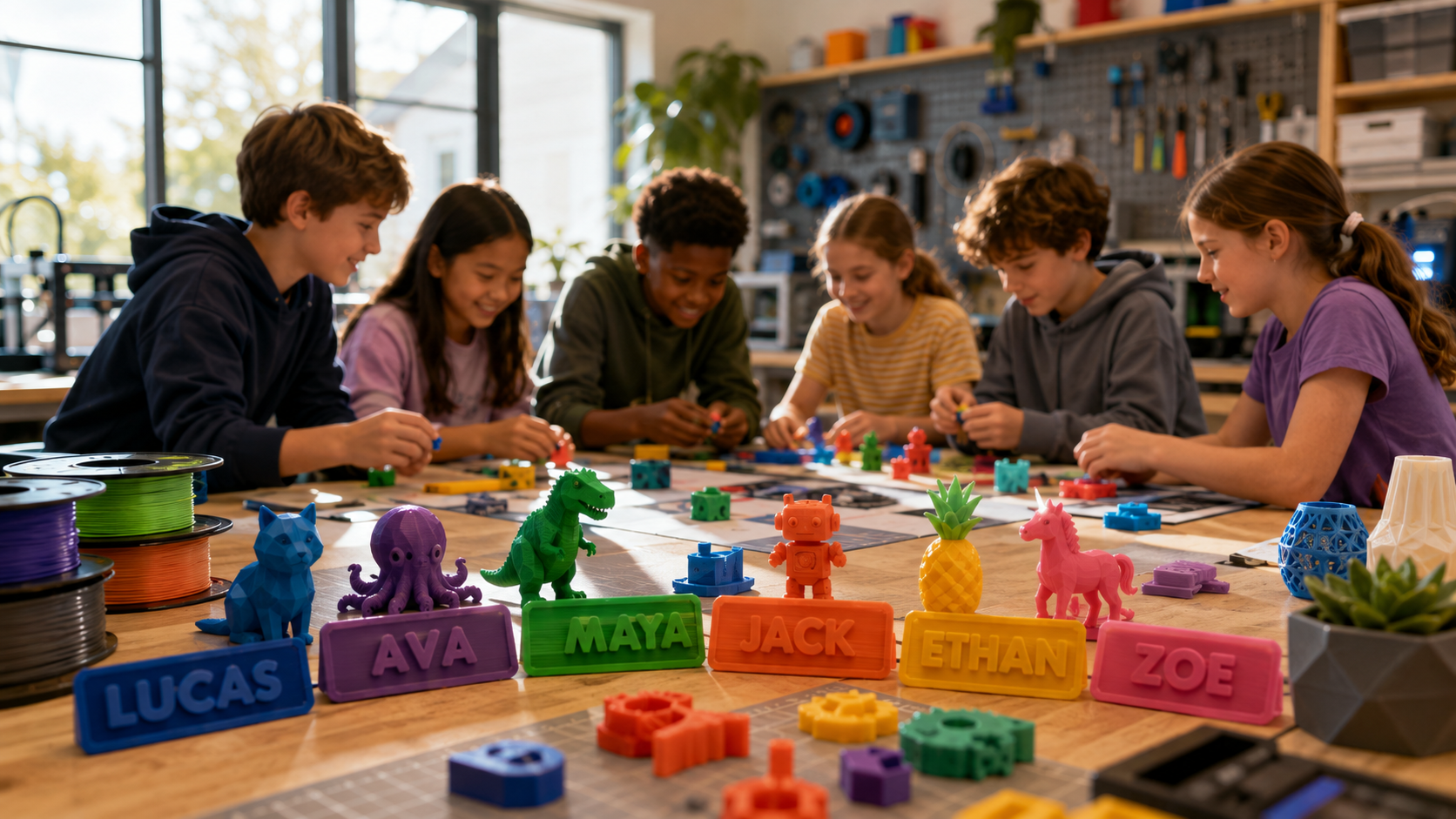
3D printing lets children take something they imagined and make it real. That is a genuinely different experience from drawing or playing with existing toys. The child designs a name tag, sees it print, holds it, and knows that object would not exist without them. That ownership of a created object is a strong motivator to create again.
The AOSEED Toy Library supports this by keeping the idea pipeline full — new models every week across animals, vehicles, seasonal builds, puzzles, and gift ideas. A child who always has a next project to make keeps coming back to the printer rather than setting it aside after the first month.
Hands-On STEM Learning

Every printed object is a small lesson in physics, engineering, or design. A child who prints a gear mechanism understands transmission. A child who prints fraction blocks understands equivalence by testing it rather than reading about it. A child who troubleshoots a failed print practices the scientific method without a lesson plan.
The learning is embedded in the making process. It does not need to be explained. It happens because the child is doing something real and paying attention to whether it works.
Building Skills
3D printing builds spatial thinking — the ability to visualize objects in three dimensions and understand how changes to a design affect the final result. It builds patience, because a print takes time and the child has to wait. It builds persistence, because a first failed print teaches that trying again is part of the process.
These skills carry into school projects, STEM subjects, and creative confidence that lasts well beyond the first few prints.
Key Factors to Consider When Choosing a 3D Printer for Kids

Once you have looked at the options, five factors determine whether a printer will work in a real family home rather than just in a product review.
Safety Features
The single most important physical feature is whether the printer is fully enclosed. An open-frame printer leaves the heated nozzle — which reaches above 200°C during printing — and all moving parts fully exposed. In a home with young children, that is a real hazard. Tom's Hardware's kids 3D printer guide consistently flags enclosure as the first safety consideration for family buyers.
|
Safety Feature |
What to Look For |
Why It Matters |
|
Enclosure |
Fully enclosed — all hot parts inside a sealed chamber |
Children cannot touch the nozzle or moving parts during a print |
|
Auto-pause |
Print stops when enclosure door opens mid-print |
Prevents accidents if a younger child opens the door |
|
Filament material |
PLA as the default — plant-based, non-toxic, low odor |
No harmful fumes at normal home use temperatures |
|
Silent mode |
Reduced operating noise during print sessions |
More comfortable in shared living spaces and bedrooms |
|
Certifications |
CE, FCC, or equivalent product safety marks |
Independently verified product safety standards |
Ease of Use
For a child to use a printer independently, three things need to be true. The setup needs to be simple enough that a parent is not required every session. The app or interface needs to be designed for a child, not an adult hobbyist. And the printing process itself needs to be guided — the child selects a model, taps print, and the printer handles the rest.
One-press printing is the clearest signal of a genuinely child-friendly workflow. If the child has to configure settings, adjust sliders, or manage a slicing software interface before each print, the printer will be used a few times and then avoided. If they tap one button and wait, they will keep coming back.
Size and Space Considerations
A kids' 3D printer needs to live somewhere accessible — a desk in the child's room, a kitchen counter, a study table. Most family-oriented models are compact enough for this. The build volume is the more relevant size consideration: a 76mm cube limits what can be printed, while a 120 to 150mm cube handles the full range of typical kids' projects from keychains and figurines to small mechanical assemblies.
Weight is also worth checking. A printer that can be moved easily between rooms is more likely to be used regularly than one that needs to stay in one fixed spot.
Durability and Reliability
A kids' 3D printer is going to be opened, closed, loaded, and unloaded repeatedly by a child. It needs to handle that without becoming temperamental. The best indicator of durability is not the spec sheet — it is real-world parent reviews from people who have used the printer for six months or more, not just the first few weeks.
Customer support matters more for kids' printers than for adult models. When something goes wrong — a clogged nozzle, a failed first layer, a WiFi connection issue — a parent needs to be able to resolve it without deep technical knowledge. Clear video tutorials and responsive support make a genuine difference to the family experience.
Educational Value
A printer that comes with structured learning resources — lessons, project guides, curriculum integration — provides more long-term value than one that ships with hardware alone. 3D printers for classrooms from LearnByLayers gives a useful perspective on how 3D printing integrates into structured learning, which is worth reading if you are buying for a school or homeschool context.
For home use, the educational value is more organic — it comes from the projects the child chooses and the questions those projects raise. The printer's role is to make good projects consistently accessible, which comes back to the content library and app quality.
Conclusion: Choose the Best 3D Printer for Your Kids

The right 3D printer for a child is not the one with the best specs. It is the one that gets used after month one. That means an enclosed design the parent trusts, an app the child can use without adult help, and a content system that keeps generating reasons to come back.
For families with children aged 4 to 12, start with the X-MAKER JOY — guided, safe, and built around the family use case from the ground up. For older children aged 9 to 16 who want STEM projects and creation kit builds, the X-MAKER gives them the room and the tools to grow.
For parents buying their first printer: involve your child in the decision. Ask them what they want to make. A child who had input in choosing the printer is more invested in using it. Start with a short first session, pick one project from the library, and have the second one chosen before the first one finishes. That pipeline — always a next project ready — is the single most effective way to make a 3D printer a fixture in family life rather than a seasonal novelty.
FAQs
What are the best 3D printing projects for beginners?
For the easiest starting projects: a personalized name tag or keychain, a small animal figurine from a curated library, or a simple spinning top. These print in 15 to 45 minutes, require no supports, produce a single piece with no assembly, and give the child something immediately usable. For a printer with a built-in library, browse the animals and vehicles section first — models there are tested to print cleanly on the first attempt.
How do I set up my 3D printer for the first time?
For most modern kids' printers, setup takes 20 to 30 minutes. Unbox the printer, connect to your home WiFi network, download the companion app on a phone or tablet, and follow the app's guided setup for a test print. AOSEED uses one-press printing — once the printer is connected and filament is loaded, the child selects a model in the app and taps print. If anything goes wrong during first setup, the Learning Center has step-by-step video tutorials for every common issue.
Can my child create 3D prints without adult supervision?
Yes — with the right printer and the right age. For children aged 6 and up with an app-led, enclosed printer, the full experience of browsing, selecting, and printing is achievable independently after two or three guided sessions. The adult role is loading the filament and removing the finished print from the build plate for younger children. By ages 8 to 9, most children can handle both steps themselves. The key is that the printer's interface is designed for a child, not an adult hobbyist.
What is the best material for 3D printing toys for kids?
PLA is the safest and most widely used choice for children. It is plant-based, non-toxic, and biodegradable. Most kids' printers use PLA as the standard filament. Avoid printers that require resin — those materials involve photosensitive chemicals that are not safe for home use around kids.
How do kids' 3D printers work?
They use FDM — fused deposition modeling. Thin plastic filament is heated and pushed through a small nozzle, building up the shape layer by layer from the bottom. The child picks or designs a model in the companion app, taps print, and the printer builds it automatically. No understanding of the mechanics required.
What are the different types of 3D printers?
The three main types are FDM, resin, and SLS. For children at home, FDM is the only appropriate option. Resin printers use photosensitive chemicals that are unsafe around kids. SLS printers are industrial equipment. Every kids' printer mentioned in this article uses FDM.
What is the best 3D printer app for kids?
The best apps give children a model library to browse independently, beginner-level guided design tools, and a direct WiFi connection to the printer — all without needing a laptop. AOSEED's app includes AI-assisted features that let younger children personalize models without prior design experience. It works on iOS and Android.
Sources
- Tom's Hardware — Best 3D Printers for Kids and Teens, Best 3D Printers for Kids and Teens, 2026.
- STLDenise3D — Best 3D Printers for Kids, Best 3D Printers for Kids, 2025.
- SelfCAD — 6 Best 3D Printers for Kids, 6 Best 3D Printers for Kids, 2024.
- AOSEED — 3D Printing Safety and Materials for Kids, 3D Printing Safety & Materials for Kids' Toys, 2025.
- Sovol3D — Complete Guide to Safe 3D Printed Toys, Fun & Safe 3D Printed Toys Guide, 2025.
- Reddit — Best 3D Printer for Kids Discussion, Best 3D Printer for Kids Community Discussion, 2024.
- Parents.com — Best 3D Printers for Kids, Best 3D Printers for Kids, 2025.
- BusyMommyMedia — Bambu Lab A1 Mini for Beginners and Kids, A1 Mini for Kids and Beginners, 2025



Further reading

Thanksgiving STEM Activities for Kids: Table Projects and Simple Engineering Challenges

Halloween STEM Activities for Kids: Spooky Builds That Teach Real Science

STEM Crafts for Kids: Build, Decorate and Test



