

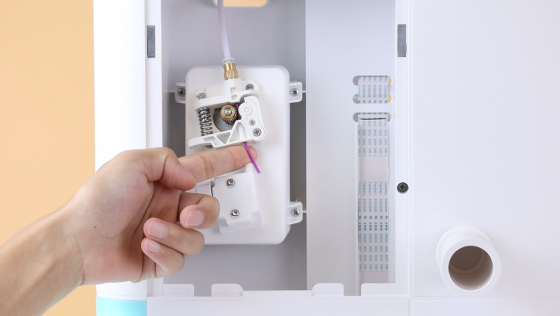
Filament Detection
This video is a guide to the filament detection and how to unload and load filaments. Pliers are needed in this demonstration.
Filament Detect function allows the printer to detect when the filament runs out. Click OK. Setting-Filament-Unload. Use pliers to cut the filament first while the nozzle is heating up, then pull the rest out of the detector and wait for auto unloading.
Once the auto unloading begins, pull the filament aside to facilitate unloading.
Then load the filament. Click Load.
Note that Filament Detect is turned on by default.
Watch the video below. You’ll find it out!









Further reading

Thanksgiving STEM Activities for Kids: Table Projects and Simple Engineering Challenges
Thanksgiving dinner takes hours to cook. Most kids are bored within the first one.
A bag of cranberries, a box of toothpicks, a roll of foil and a few balloons can change that. Give those supplies ...

Halloween STEM Activities for Kids: Spooky Builds That Teach Real Science
Halloween hands kids a stack of ready made science questions. Why does a pumpkin foam over? Why do ghosts melt faster with salt? How much candy can a cotton swab bridge hold?
The 16 activities belo...

STEM Crafts for Kids: Build, Decorate and Test
Pick crafts kids can test, not just finish. Build it, make it theirs, measure what it does, then change one thing and try again.
A paper helicopter takes five minutes to fold. Timing ten drops, tri...

STEM Games for Kids: Logic, Math and Building Games to Play Together
Give a seven year old a worksheet and you get ten minutes of sighing. Give the same kid 20 sticks of spaghetti, some tape and a marshmallow, then say the tallest tower wins. Different afternoon.
ST...


