

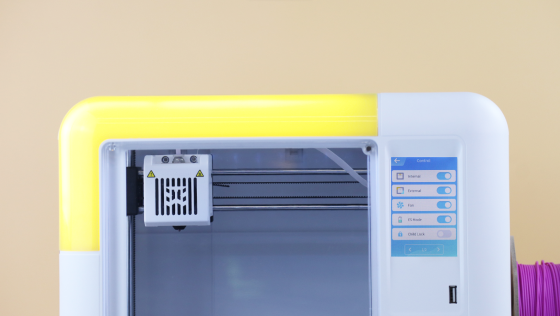
Printer Lighting
This video is a guide to turn on or off the lights of your printer.
Simply go to Setting-Control-Internal/External. Note that when restarting your printer, the lights will reset to their default state: on.
Watch the video below. You’ll find it out!



Further reading

Thanksgiving STEM Activities for Kids: Table Projects and Simple Engineering Challenges
Thanksgiving dinner takes hours to cook. Most kids are bored within the first one.
A bag of cranberries, a box of toothpicks, a roll of foil and a few balloons can change that. Give those supplies ...

Halloween STEM Activities for Kids: Spooky Builds That Teach Real Science
Halloween hands kids a stack of ready made science questions. Why does a pumpkin foam over? Why do ghosts melt faster with salt? How much candy can a cotton swab bridge hold?
The 16 activities belo...

STEM Crafts for Kids: Build, Decorate and Test
Pick crafts kids can test, not just finish. Build it, make it theirs, measure what it does, then change one thing and try again.
A paper helicopter takes five minutes to fold. Timing ten drops, tri...

STEM Games for Kids: Logic, Math and Building Games to Play Together
Give a seven year old a worksheet and you get ten minutes of sighing. Give the same kid 20 sticks of spaghetti, some tape and a marshmallow, then say the tallest tower wins. Different afternoon.
ST...


