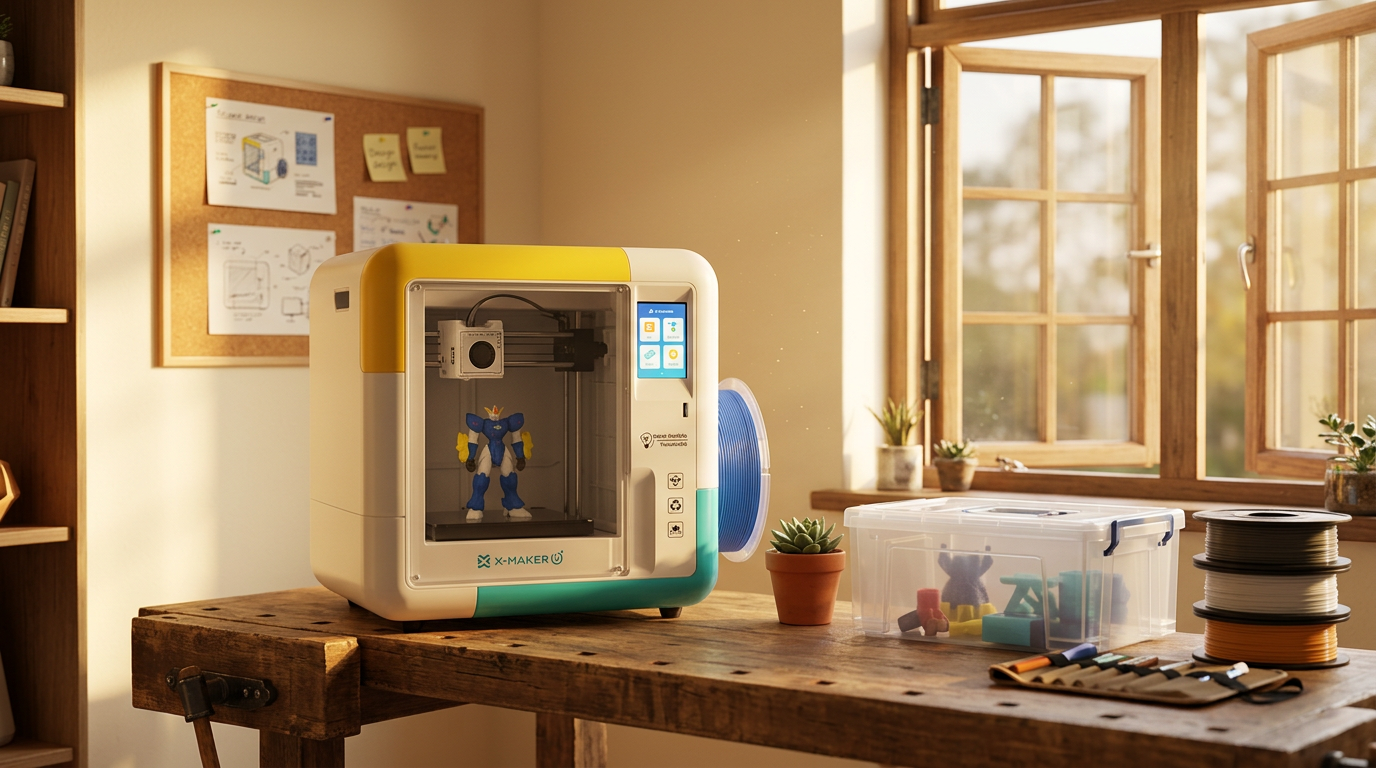
Where to Put a 3D Printer at Home: 9 Placement Rules
Where should you put a 3D printer at home? Choose a low-traffic room with good airflow, a stable table, nearby power, and enough space for filament, tools, and maintenance. Placement affects air quality, print results, noise, and how safely the printer can operate around children and pets.
The best place for a 3D printer at home is a low-occupancy room with stable temperature and humidity, a rigid level surface, reliable power, and ventilation or source control that follows the printer and filament makers’ instructions. A dedicated workshop, climate-controlled garage, or spare room can work when it meets these conditions.
Best Places to Put a 3D Printer at Home by Room Type
|
If your home has… |
Put it here |
Because |
|
A workshop or garage bay |
Dedicated workshop |
Full separation, room for exhaust and tools |
|
A dry, insulated garage |
Climate-controlled garage |
Isolation plus easy outdoor venting |
|
One unused bedroom |
Spare room |
Steady temps, a door that shuts, a window |
|
A dry basement |
Basement |
Cool, quiet, away from bedrooms |
|
Only an office |
Home office, printer enclosed |
Power and desk already there |
|
A studio apartment |
Vented corner by a window |
Keeps fumes and noise out of the sleeping area |
Where Should You Put a 3D Printer at Home?

The Short Answer
Use a ventilated, low-traffic room. You want control over four things: temperature, humidity, access, and noise. A workshop is usually best. A dry garage, spare room, basement, or well-ventilated office can all work.
Keep it away from beds, sofas, stoves, heaters, curtains, and unstable shelves. Match the room to the printer, too. An open FDM machine and a resin printer need different things.
Best Location at a Glance
A dedicated workshop wins on separation. It keeps printing away from sleeping, eating, and living space, and it leaves room for an enclosure, exhaust duct, tools, spare parts, and finishing work.
A climate-controlled garage is second, if it stays dry and doesn't run hot or cold. Indoors, a spare room is the strongest pick. It needs a window, a door that shuts, and low foot traffic.
|
Room |
Overall fit |
Main strength |
Main watch-out |
|
Dedicated workshop |
Best |
Full separation from living space |
Needs climate control + safe wiring |
|
Climate-controlled garage |
Strong (if dry) |
Isolation + easy outdoor exhaust |
Temperature swings, humidity, dust |
|
Spare room |
Best indoor |
Stable temps, closing door, window |
Protect floor; not while occupied |
|
Basement |
Good (if dry) |
Cool, quiet, isolated |
Humidity and ventilation |
|
Home office |
Acceptable |
Existing power and desk |
Don’t sit beside an open printer |
|
Laundry / utility |
Limited |
Closing door, hard floors |
Heat, moisture, lint, crowded circuits |
|
Bedroom / living room |
Last resort |
None to speak of |
Noise, emissions, fabrics, traffic |
Best Choice for FDM Printers
FDM printers suit a spare room, workshop, or controlled garage. The key is space for an enclosure or local exhaust. That matters most with ABS, ASA, nylon, polycarbonate, or filled filaments.
NIOSH has found that filament printers can give off ultrafine particles and VOCs while they run. How much comes down to the printer, the filament, the temperature, even the color and the conditions in the room. And PLA isn't off the hook, it puts out particles too (CDC/NIOSH); (PubMed).
Best Choice for Resin Printers
Resin printers need their own corner. Good airflow, wipeable surfaces, room to wash and cure. Keep resin, dirty tools, and solvents clear of food, kids, pets, sunlight, sparks, and open flame.
Wear chemical-resistant gloves for any contact with liquid resin or coated parts. Read the safety data sheet, too. Handling and ventilation rules differ by brand and formula (Formlabs).
Best Option for Small Homes and Apartments
In a small home or apartment, place the printer in a low-traffic area on a rigid, level surface. Keep it away from beds, sofas, kitchens, and HVAC return vents. An open window alone may not provide reliable ventilation because airflow changes with wind, window size, and room layout. Use source capture, filtration, or outdoor exhaust as recommended by the printer and filament manufacturers.
Shelves or a narrow cabinet hold tools and sealed filament boxes. A rolling cart works if space is tight. Lock the wheels once it's placed, and check it won't wobble at speed.
Rule 1: Choose a Room With Good Ventilation
Why Ventilation Comes First
Printing, cleaning, curing, maintenance: most stages put something into the air. The goal isn't to freshen the whole house. It's to catch emissions at the printer, where they start.
NIOSH points to a handful of controls that help here: enclosed ventilated racks, local exhaust, sending the air outdoors. Which one makes sense really depends on your printer, your material, the enclosure, the room, and how many machines you've got running at once (CDC/NIOSH).
Enclosure, Ventilation, and Filtration Do Different Jobs
An enclosure places a barrier around the printer and helps contain emissions near their source. A cover by itself does not remove particles or gases from the room. For stronger source control, use a ventilated enclosure or local exhaust system that captures emissions and sends them outdoors or through a suitable filtration unit. NIOSH recommends controls such as ventilated enclosures and local exhaust ventilation based on the printer, material, room, and frequency of use.
HEPA filtration targets airborne particles. Activated carbon can reduce some gases and VOCs, but performance depends on the amount of carbon, airflow, sealing, and timely filter replacement. An open window may improve air exchange, but it should not be presented as a universal solution because airflow varies by room and weather conditions
Ventilation Requirements for FDM Printers

FDM printers melt plastic right at the nozzle, and that sends out ultrafine particles along with a mix of organic compounds. ABS has come up with higher styrene emissions across several studies. PLA smells a lot milder, but don't let that fool you, it still gives off particles and compounds (PubMed); (PubMed).
Run the lowest nozzle temperature that still gets you reliable parts, staying inside whatever range the filament maker gives. And the higher-emission materials really belong in an enclosed printer with proper exhaust, not sitting out on a desk beside the bed.
Ventilation Requirements for Resin Printers
With resin, the print is only part of it. Pouring, pulling parts, washing, wiping spills, handling used solvent. Any of that can release vapors and put chemicals on your skin.
So keep both the printer and the wash station somewhere the air actually moves. Formlabs also says to store your IPA away from heat, sparks, and flame, and to keep the containers closed, since it evaporates quickly (Formlabs).
Window Exhaust vs. Room Ventilation
An open window can lower indoor levels. Results depend on wind, temperature, window size, and the printer's distance from it. Put the machine across the room and emissions drift through your living space before they reach the window.
A ducted enclosure is better. It captures air at the source and pushes it outside. Seal gaps around the window insert so nothing flows back in, and keep the outdoor outlet clear of doors, windows, and air intakes.
HEPA and Activated Carbon Filters
HEPA and carbon are really doing two different jobs. HEPA catches the particles, while activated carbon soaks up some of the gases and odors. One filter won't handle both unless the system has separate particle and carbon stages built in.
How well any of it works depends on the sealing, the airflow, how much carbon is in there, the state of the filter, and what's actually coming off your prints. Change the filters on the schedule the maker gives, and don't assume a little desktop purifier is doing the same job as venting outdoors.
Rule 2: Use a Heavy, Wobble-Free Surface
Why the Surface Matters
A printer changes direction thousands of times per job. A flimsy table can't keep up. It shakes, adds noise, and leaves ghosting or shifted layers on the part.
Press down on each corner. If it twists, it's the wrong table. You want one that stays steady with the printer, filament system, tools, and enclosure all loaded on top.
Best Tables and Workbenches for a 3D Printer

Skip the folding table. A heavy workbench, rigid desk, or reinforced cabinet holds up better. Metal shop benches and solid wood work well if the legs don't rock.
Check the tabletop depth before buying a stand. The printer often needs room behind or beside it for the bed, spool holder, cable chain, waste chute, door, or material system.
How Much Weight the Surface Should Support
Add it up: printer, enclosure, filament system, loaded spools, tools, anything else on the table. Then pick a surface rated well above that total, not one that just meets it.
Weight isn't everything, though. A table can hold the load and still flex enough to shake at speed.
Ways to Reduce Printer Vibration
Start basic. Tighten loose hardware, level the feet until every leg touches the floor. A solid wall behind the table helps, if it doesn't block airflow or movement.
On some desktop printers, a dense paving stone over a thin vibration pad adds mass. Keep the base level, use a pad that won't wobble, and stay within the table's rating.
Clearance Around Moving Printer Parts
Measure the printer at its widest running position, not the shipped frame. A moving bed can reach well past the listed footprint.
Leave room to open doors, pull build plates, load filament, reach the switch, and service the toolhead. Nothing sits in the travel path: no cords, curtains, shelves, or stray tools.
Rule 3: Maintain a Stable Room Temperature and Avoid Drafts
Then confirm that the remaining sections continue in order as Rules 4 through 9. Update the table of contents, internal anchors, and any HowTo or structured-data step numbers to match the corrected sequence.
Keep the 3D Printer Room Temperature and Humidity Stable
Why Stable Temperatures Help
Steady conditions help the first layer stick and keep cooling even. A sudden draft cools one side of a part faster than the other. That's when corners lift and layers split.
There's no single right number. It depends on the printer and material. Follow the manual instead of forcing one target onto every machine.
Recommended Room Conditions
A normal climate-controlled room suits many desktop printers. Resin machines can be fussier. Prusa lists 64°F to 89°F for its SL1 and SL1S (Prusa Research).
Check the manual for your exact model. Electronics, resin chemistry, bed adhesion, and enclosure temperatures all behave differently outside the approved range.
|
Before you trust a room: measure its temperature and humidity across several days, the hottest afternoon, the coldest night, and the most humid stretch, instead of checking just once. |
Keep the Printer Away From HVAC Vents
Don't park an open printer under an AC vent or beside a forced-air heater. Air across the bed cools the print unevenly and carries emissions into other rooms.
Ceiling fans cause trouble too, especially with tall or warp-prone prints. Use gentle room airflow for ventilation, not a strong draft across the build area.
Problems With Hot or Cold Garages
Garages swing hard: freezing overnight, baking by afternoon. Cold brings printer errors and poor adhesion. Heat stresses electronics, softens stored filament, and shortens resin shelf life.
Track the garage for several days before moving a printer out there. Any heating or cooling has to follow fire codes and the maker's limits. Never point a space heater at the printer or resin storage.
Protect Resin From Direct Sunlight
UV-curable resin reacts to light. Direct sun can cure or degrade material in an open vat or clear bottle, and it warms the printer's insides.
Store resin in its approved opaque container, upright and sealed. Formlabs recommends a cool, dry, ventilated spot out of direct sun, and gives 50°F to 77°F as the preferred storage range for many resins (Formlabs).
Rule 4: Control Humidity Around the Printer
Why Humidity Is a Filament Problem
Humidity is mostly a filament and storage problem. Many printing plastics pull water from the air. How fast and how much depends on the material.
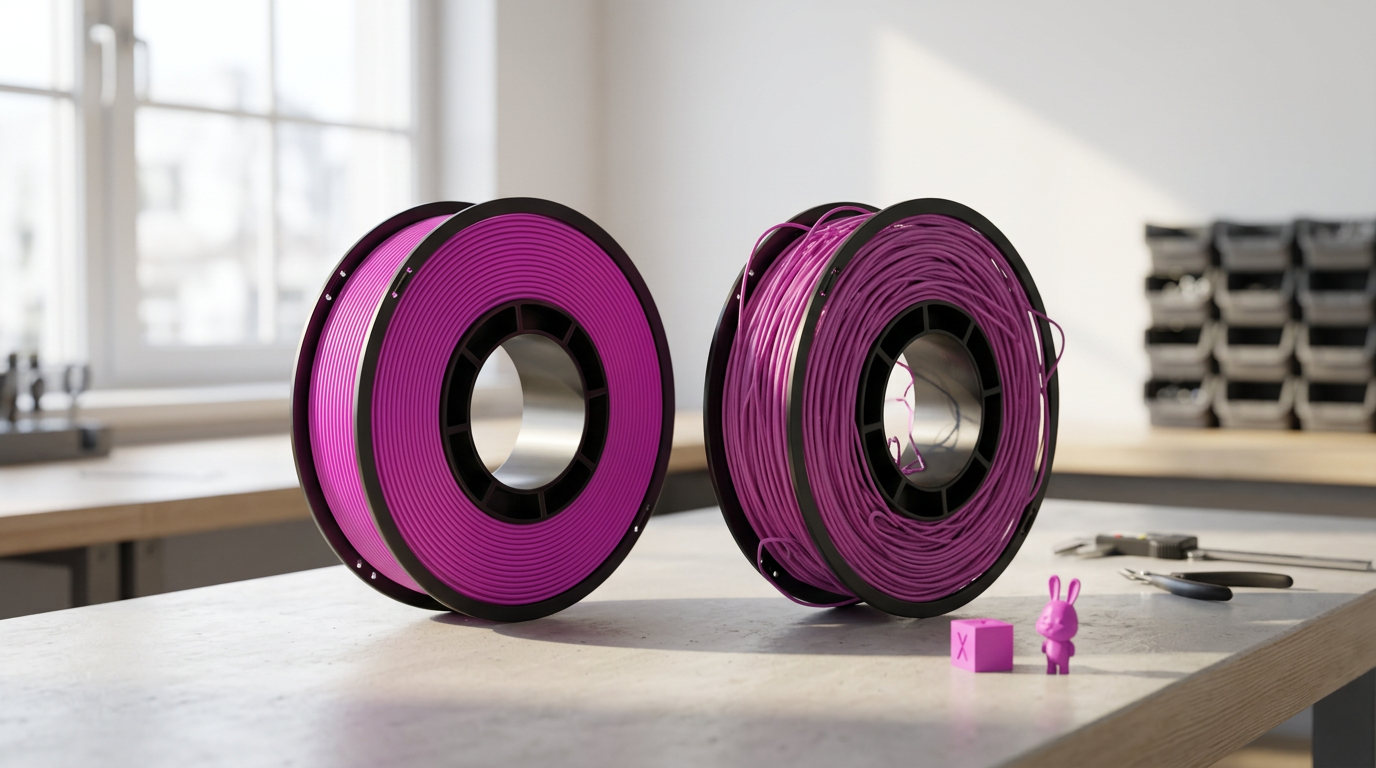
A damp spool shows it: popping sounds, surface defects, weak extrusion, stringing, a rough finish. Drying the room helps a little. Sealed storage protects unused spools far better.
How Humidity Affects Filament
Nylon, TPU, PVA, BVOH, PETG, and polycarbonate need tighter moisture control than plain PLA. Water in the filament flashes to vapor as it hits the hot end.
Prusa's dry-box guidance puts the ceiling below 30% relative humidity for PLA, ABS, and ASA, and below 20% for several touchier materials. Those are Prusa's own numbers, not universal limits for every brand (Prusa Research).
When a Basement Is Too Damp
Watch for a musty smell, condensation on the walls, or a history of leaks or flooding. Any one of those makes a basement a bad spot. Moisture reaches filament, metal parts, electronics, cardboard spools, tools, and stored paper.
Run a hygrometer through the wet and dry seasons. Keep the printer off the floor and away from plumbing, floor drains, sump gear, and exterior walls that sweat.
Filament Dry Boxes and Airtight Storage

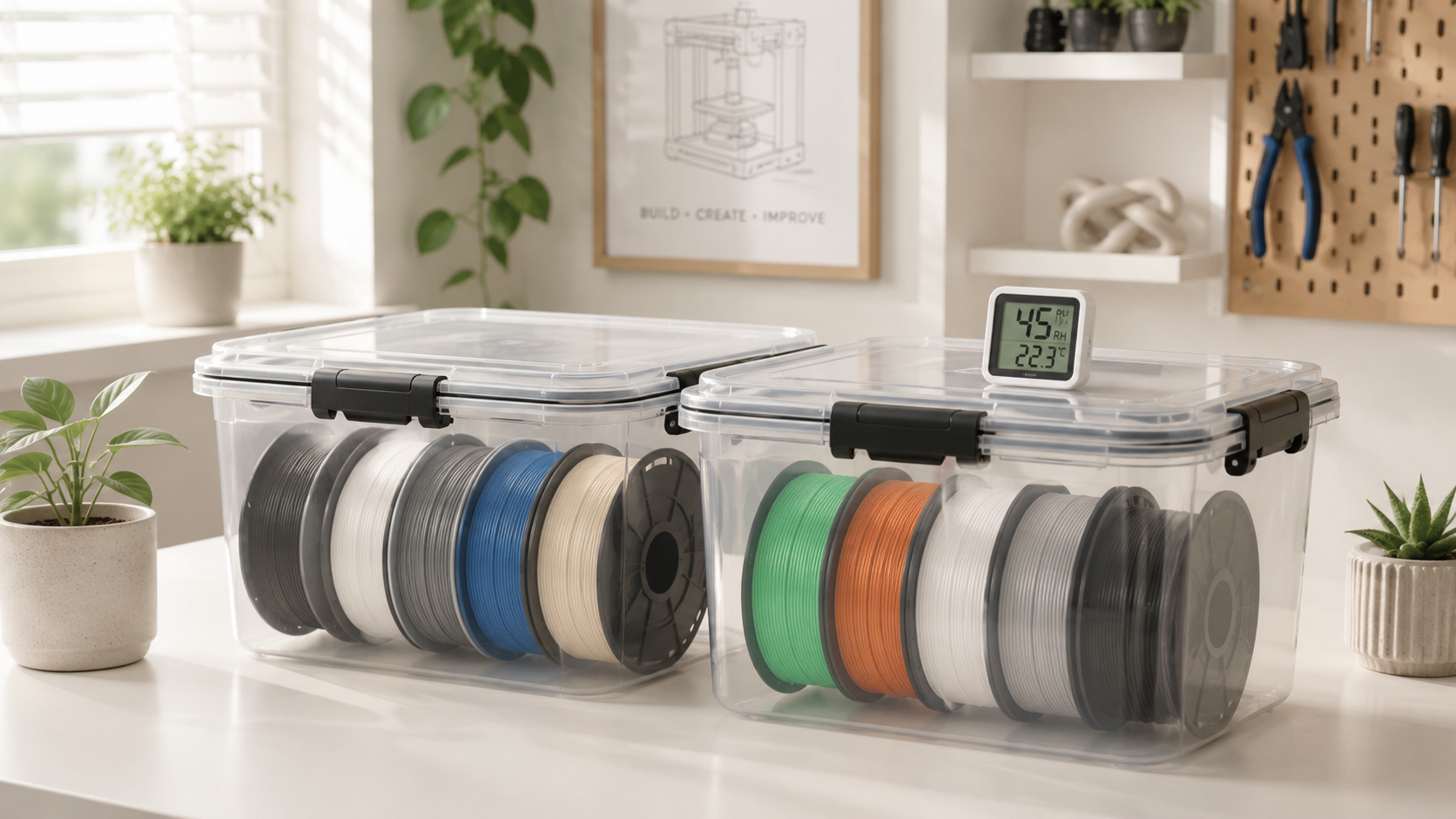
Store opened spools in sealed containers or dry boxes with rechargeable desiccant. Drop in a hygrometer so you can tell when the seal fails or the desiccant needs recharging.
A box slows fresh moisture. It won't revive a soaked spool. For that, dry the filament at the maker's temperature and time, then move it back to sealed storage.
Using a Dehumidifier in the Printing Room
A dehumidifier steadies a basement or garage. It's not a substitute for sealed storage. Size it for the room, and set it where its airflow won't blow across an open printer.
Empty the tank before it overflows, or run a proper drain line if the model takes one. Keep water, hoses, and condensation clear of outlets and printer electronics.
Rule 5: Place the Printer Away From Living Areas
Why Separation Helps
A print can run for hours, throwing off motor noise, vibration, light, odors, and airborne emissions the whole time. A separate space cuts the disruption and limits who breathes the printer's air. NIOSH lists particles, organic compounds, solvents, heat, moving parts, electrical risks, and noise among the hazards across the stages of 3D printing (CDC/NIOSH).
Why Bedrooms Are a Poor Choice
A bedroom keeps the printer next to someone for hours, overnight included. Fans, stepper motors, material changers, and vibration can all wreck sleep.
Use another room if one is free. If there isn't, enclose and exhaust the setup, print only while the room is empty, and follow the printer and material safety instructions.
Why Living Rooms Can Be Disruptive
Living rooms are busy and open onto the rest of the house. Noise, smells, bright displays, moving parts, everyone nearby shares them.
Open shelving leaves the printer within reach of guests, kids, and pets. A separate room with a door gives you more control over access and sound.
Keep Printers Out of Food Preparation Areas
Never on a kitchen counter, and never beside food storage. Printing throws off particles, scraps, support dust, resin drips, lubricant residue, and dirty tools.
Resin makers warn against eating or drinking in the work area at all. Keep wash containers, resin tools, and printing waste fully apart from dishes and cooking surfaces (Formlabs).
When a Home Office Can Work
An office works if the printer is enclosed, ventilated, stable, and a few feet from your desk. Think occasional printing, not all-day production.
Don't spend a full workday next to a printer venting into the room. An exterior exhaust path and a door that closes make the office a stronger option.
Rule 6: Restrict Access for Children and Pets
A 3D printer should sit inside a clear child-and-pet exclusion zone. Use a room with a door that closes, a securely latched enclosure or cabinet, or a fixed barrier that children and pets cannot bypass. Do not rely on placing the printer on a high shelf. Children may climb, and cats can reach many elevated surfaces.
FDM printers contain hot surfaces and moving parts that can burn skin or trap fingers, hair, and clothing. Resin printing also involves liquid resin, solvents, and contaminated tools that require controlled storage and handling.
Child and Pet Safety Checklist
- ☐ The printer is behind a closed door, secure latch, enclosure, or fixed barrier.
- ☐ The hot end, heated bed, moving axes, cords, and spool cannot be reached.
- ☐ Cutters, scrapers, resin, solvents, desiccant, and cleaning supplies are locked away.
- ☐ Failed prints, supports, broken clips, and loose pieces go directly into a lidded waste bin.
- ☐ Detachable toy parts are checked for breakage and choking risk before play.
- ☐ An adult inspects the area before allowing children or pets back inside.
What Makes a Printer Risky Around Kids
Hot surfaces, moving parts, live electronics, sharp tools, small pieces: a lot packed into one machine. A resin setup adds liquid chemicals and solvents on top.
Use a room that closes, a locked enclosure, or a physical barrier. Cabinets should latch firmly too, so kids and pets can't reach resin, cutters, scrapers, desiccant, or failed parts.
Hot Nozzles and Heated Beds
FDM nozzles run well past boiling, and heated beds stay hot after a print ends. A young child won't grasp that a still machine can still burn.
Keep hands off until the display confirms things have cooled. A spoken warning isn't enough when a door, enclosure, or barrier can block the contact outright.
Moving Printer Components
Belts, fans, gears, bed mechanisms, toolheads, any of them can grab a finger, hair, a loose sleeve, or pet fur. Some machines move on their own during startup, calibration, loading, or a remote command.
Keep enclosure doors shut while it runs, on machines built for that. Tie back long hair, and don't reach into the build area until motion stops.
Resin and Solvent Exposure
Liquid photopolymer resin can irritate skin or set off an allergic reaction, depending on the product and exposure. Formlabs tells users to wear nitrile or neoprene gloves and wash exposed skin with soap and water, not alcohol (Formlabs).
Keep resin and solvent in labeled original containers unless the maker says otherwise. Never pour them into drink bottles, food jars, or anything unmarked.
Doors, Gates, and Enclosures

A locking room is the strongest control. It walls off the whole work area at once. A safety gate helps with toddlers, but it won't stop a climber or a cat.
An enclosure cuts direct contact and helps with airflow, as long as it still meets the machine's cooling needs. Check that the enclosure suits the machine before you buy one.
|
BUILT ENCLOSED FROM THE START: placement gets easier when the hardware already handles it. AOSEED's kid-friendly 3D printers ship with enclosed builds, cool-touch surfaces, and sub-50 dB operation, so the machine fits a shared room instead of demanding a workshop. |
Rule 7: Keep the Printer Away From Fire Hazards
Place the printer on a stable surface with the clearance required by its product manual. Keep curtains, paper, cardboard, sawdust, aerosols, fuels, solvents, and other flammable materials outside that clearance zone.
Plug the printer into a properly grounded wall outlet that matches the manufacturer’s instructions. Do not connect power strips or extension cords to one another. Improperly used or overloaded extension cords can overheat and create a fire risk.
Make sure the home has working smoke alarms installed and maintained according to NFPA guidance and local fire requirements. Follow the printer manual rather than creating printer-specific smoke-alarm placement rules.
Stop using the printer if you find a damaged cable, scorched connector, exposed wire, smoke, or a repeated heating error. Damaged 3D-printer wiring has been linked to electrical shock and fire hazards.
Where the Fire Risk Comes From
Heaters, motors, wires, connectors, a power supply, all running for hours. Most jobs finish fine. But bad wiring, a damaged cord, a failed component, or nearby fuel raise the stakes if something goes wrong.
Give the printer clear space and check it on a schedule. Spot a scorched connector, loose terminal, cracked cable, odd smell, or a repeating heating error, and stop using it.
Materials to Keep Away From the Printer
Curtains, cardboard, loose paper, aerosol cans, fuel, paint thinner, sawdust: keep all of it away from the printer. Don't stack boxes against the power supply, the vents, or a heated enclosure.
|
Flammable solvents: IPA and similar solvents need extra care. Store them closed and away from heat, sparks, flames, and any electrical work that could throw a spark (Formlabs). |
Safe Outlet and Power-Strip Use

Use a grounded outlet that matches the printer's voltage and current. Don't daisy-chain power strips, and don't run the machine off a damaged, undersized, or permanently installed extension cord.
The CPSC is blunt: overloaded power strips and extension cords are a serious fire hazard. It recommends using extension cords only temporarily, matching three-wire cords to three-prong equipment, replacing worn cords, and choosing products with recognized testing labels (U.S. CPSC).
Smoke Detection Near the Printer
Install working smoke alarms and test them to local code and the maker's directions. A detached garage or closed workshop often needs its own detector, so an alarm reaches the living area.
Don't mount one where normal printing fumes will set it off constantly, at least not before checking local rules. For an awkward workshop layout, call a licensed electrician or fire-safety pro.
Monitoring Long Prints Safely
Watch the first layers in person, then check back through a long job. A camera catches spaghetti failures, detached parts, and odd movement. It can't smell overheating or fix a fault.
Only use remote shutdown once the system is properly rated, configured, and tested. A cheap smart plug is not a safety system.
Rule 8: Plan Space for Materials and Post-Processing
Plan the Whole Workflow
The printer is one piece of the workspace. You also need room for filament, resin, build plates, nozzles, gloves, scrapers, cutters, wash containers, curing gear, spare parts, and waste.
Map the workflow before you settle on a room. The test: can you load, print, remove, clean, inspect, and store parts without tracking contamination through the house?
Filament and Resin Storage
Keep filament sealed with desiccant, out of heat and direct sun. Resin stands upright in approved containers, within the temperature range on the label or safety data sheet.
Never sit resin above the printer, where a leak drips onto electronics. A shallow chemical-resistant tray catches small spills, when the resin maker allows one.
Tool and Spare-Part Organization
Give sharp and hot tools a fixed home. Flush cutters, scrapers, needles, blades, soldering irons, none of it should sit loose on the printer table.
Labeled drawers or bins hold nozzles, socks, belts, bearings, lubricants, screws, and cleaning supplies. In a house with kids, make it locked storage.
Resin Washing and Curing Space
A resin station needs separate zones: dirty parts, washing, drying, support removal, final cure. Set out towels, gloves, and cleanup supplies before you open the printer.
Cap the wash container between uses. Work over a surface you can clean, not carpet, unfinished wood, or fabric.
Waste and Failed-Print Storage
Failed parts, supports, purge lines, empty spools, they pile up fast. Sort them by material if a local program takes clean 3D-printing waste.
Liquid resin, half-cured resin, and solvent with dissolved resin in it should never go down household drains. Follow local waste rules and the product safety data sheet for disposal (Formlabs).
Rule 9: Compare Each Room Before Deciding
A room name does not tell you whether it is safe for a 3D printer. Score each space for ventilation, climate, power, access control, and storage before moving the machine.
D Printer Room Placement Scorecard
Give each category 0, 1, or 2 points:
- 0: The room does not meet the requirement.
- 1: The room partly meets it or needs an upgrade.
- 2: The room meets it without major changes.
Score the Result
- 13–16 points: Best fit. The room needs few or no placement changes.
- 9–12 points: Conditional. Fix the weak categories before installing the printer.
- 0–8 points: Poor fit. Choose another room if possible.
Hard-Fail Conditions
Do not place the printer in the room when any of these conditions are present, even if the total score is high:
- The room is used as a bedroom.
- The printer would sit on a kitchen counter, dining surface, or other food-preparation area.
- The room has visible leaks, damp walls, standing water, or water-damaged outlets.
- The printer, cart, cord, or storage cabinet would block a door, hallway, stairway, or emergency exit.
- The setup depends on an overloaded outlet, damaged receptacle, or daisy-chained power strips.
A dedicated workshop often scores highest because it separates printing from sleeping and living areas. A climate-controlled garage or spare room can also work, but only when it passes the same scorecard and has no hard-fail condition.
Score Rooms, Not Labels
A label like “garage” or “office” doesn't make a room safe. What matters is the score across the board: ventilation, temperature, humidity, access control, electrical service, stability, storage, and daily use.
Rank the options before anything moves. A spare room with outdoor exhaust beats a freezing garage. A dry basement beats a crowded office.
Dedicated Workshop: Best Overall
A workshop gives the cleanest separation from sleeping, eating, and living space. It has the footprint for a big bench, an enclosure, exhaust, a material cabinet, tools, and finishing gear.
It still needs climate control and safe wiring. A dusty woodworking shop needs extra printer protection, kept clear of sawdust, solvents, and sparks.
Climate-Controlled Garage: Best for Isolation
A garage keeps noise and clutter out of the living space. There's usually room for shelving, a workbench, and a direct outdoor exhaust run.
It has to hold the printer's operating range, though. Check humidity, insects, dust, vehicle fumes, water leaks, and temperature swings first.
Spare Room: Best Indoor Option
A spare room usually gives steady indoor temperatures, a door that closes, and a window. It's fine for hobby printing, as long as guests aren't using it mid-print.
Shield the floor and furniture from scraps, tools, and resin. Move the printer, or stop the print, before anyone sleeps in there.
Basement: Best With Humidity Control
Basements are isolated and often cooler than the floors above. Thick walls and distance from bedrooms keep the noise down.
Ventilation and moisture are the catch. Vent outdoors where needed, watch the relative humidity, and keep gear above any flood line.
Home Office: Acceptable With Ventilation
An office is a practical fallback when there's no shop. It probably has power, shelves, a desk, and stable temperatures already.
Don't set the printer on the same flimsy desk as your monitor or laptop. Put distance between it and your seat, and vent the enclosure outdoors when the setup needs it.
Laundry or Utility Room: Limited but Workable
A laundry room has a door and easy-clean hard floors. It's still a weak pick, because washers and dryers add heat, moisture, lint, vibration, and crowded circuits.
Never tie a 3D-printer exhaust into a dryer vent unless a qualified pro confirms it meets code and equipment specs. Keep the printer clear of sinks, hoses, drains, and detergent spills.
Bedroom or Living Room: Last Resort
Bedrooms and living rooms put more people in range of noise, light, odors, and emissions. They're also full of fabrics, electronics, and furniture that crowd the machine.
Only go here when nothing safer exists. An enclosed, exhausted, stable, access-controlled station takes the edge off some risks. It won't turn a busy living space into a workshop.
How to Set Up a 3D Printer in a Small Home
Start With One Compact Station
Small apartments rarely have a garage, basement, or spare room. So the job is one compact station that handles airflow, vibration, access, and storage without blocking a door or walkway.
Pick one spot and run the whole workflow there. Carry uncured resin, dirty tools, or open solvent between rooms and you're inviting a spill.
Use a Ventilated Corner With an Enclosure
Find a corner near an exterior window, away from the bed, sofa, kitchen, and main air return. Set the printer on a rigid cabinet or bench that fits its full range of motion.
Use an enclosure built for the printer, or one with proper heat and airflow controls. Check first whether the power supply or electronics must sit outside the heated box.
Add Vertical Storage for Supplies
Build up when floor space is tight. Add shelves above or beside the station, keeping heavy items away from anywhere they could fall onto the printer. Leave moving parts, vents, enclosure doors, and exhaust ducts clear.
Sealed bins for filament, closed drawers for tools. Resin and solvents go below eye level, in a secure cabinet with secondary spill containment.
Schedule Printing During Low-Activity Hours
Print when the room is quiet, but not when you can't check on it. In a studio, daytime beats overnight.
Set up the job so you can watch the first layers and check progress. If you'll be out for most of a long print, hold off.
Vent the Enclosure Directly Outdoors
Keep the duct short and smooth. Long or sharply bent hoses choke airflow. Support it so it can't tug on the enclosure or fall into the printer.
Match the fan to the airflow, temperature, and chemicals involved. Aim the discharge where air won't loop back through another window or reach the neighbors.
Use a Camera for Remote Monitoring
A camera lets you check a print from across the room, or across town. Point it at the build plate and display without blocking movement or airflow.
Lock it down with a strong password and current firmware. Treat it as a convenience, not a stand-in for safe placement, checks, smoke detection, or a shutdown plan.
Home 3D Printer Placement Checklist
How to Use This Checklist
Run this before the printer comes in. A room that fails several items needs upgrades or drops off the list.
Recheck it after adding an enclosure, material system, wash station, or second printer. Each one changes airflow, load, storage, and power.
Ventilation and Airflow Check
The room needs a path for clean air in and dirty air out. Outdoor exhaust should catch emissions at the printer, not across the room. Check that:
- The enclosure and fan match the printer and material.
- Exhaust does not return through a nearby opening.
- Filters are sealed and easy to replace.
- HVAC vents do not blow across the print.
- Resin and solvent containers remain closed when not in use.
Table and Clearance Check

Press each corner and fix any rock. Measure the printer with the bed extended, doors open, and material system attached. Confirm that:
- The surface is flat, rigid, and correctly rated.
- Cables cannot touch moving or hot parts.
- The power switch remains easy to reach.
- Doors and build plates can be removed.
- Shelves cannot drop objects onto the machine.
Temperature and Humidity Check
Track temperature and humidity over several days, not one reading. Cover the hottest afternoon, coldest night, and wettest stretch. Confirm that:
- Conditions remain within the printer’s approved range.
- Direct sunlight cannot reach resin or the printer.
- Open prints are protected from drafts.
- Filament is stored in sealed dry containers.
- Equipment is protected from leaks and flooding.
Electrical and Fire-Safety Check
Inspect the outlet, plug, cord, and power supply before the first print. Replace damaged parts, don't tape over them. Confirm that:
- The outlet is grounded and properly rated.
- Power strips are not daisy-chained or overloaded.
- Cords do not run under rugs or across walkways.
- Flammable materials are stored away from heat.
- Working smoke detection covers the printer area.
Child and Pet Safety Check
Watch how kids and pets move through the room before deciding the printer is out of reach. Cats clear high shelves. Toddlers open cabinets. Confirm that:
- The room or enclosure can be secured.
- Resin, solvents, tools, and desiccant are locked away.
- Hot and moving parts cannot be touched.
- Small printed pieces cannot become choking hazards.
- Pet hair cannot enter fans or motion systems.
Storage and Workflow Check
Walk it end to end, from loading material to tossing waste. No step should put dirty tools on food surfaces or carry open chemicals through the living area. Confirm that:
- Filament and resin have suitable storage.
- Clean and contaminated tools stay separate.
- Finished parts have a drying or cooling area.
- Resin washing and curing have dedicated space.
- Failed parts and chemical waste have labeled containers.
When to Use a Separate Room, and When a Corner Will Do
Give It a Separate Room When
- You print ABS, ASA, nylon, polycarbonate, or filled filament.
- You run resin, with washing, curing, and solvent storage.
- Prints run overnight or for many hours at a stretch.
- Young kids or pets share the floor space.
- The only indoor option is a bedroom.
A Vented Corner Is Enough When
- You print PLA in short, supervised sessions.
- The machine is enclosed and vents outdoors.
- The table is rigid and away from walkways.
- Filament stays sealed in dry boxes.
- Room temperature and humidity hold steady.
Conclusion
The best place comes down to a short list: a dedicated workshop, a climate-controlled garage, a spare room, or another low-traffic space that holds its temperature. Wherever it lands, the printer needs a heavy table near safe power, with clearance to move, load material, service the machine, and pull finished parts.
Ventilation should carry emissions outdoors or capture them at the machine. NIOSH recommends controls like printer enclosures, local exhaust, and particle filtration to cut exposure to the ultrafine particles and chemicals some printing releases (CDC/NIOSH).
The right room depends on the printer and material. FDM users fight drafts, filament moisture, noise, and emissions. Resin users need room for gloves, washing, curing, solvent storage, and waste, with resin and IPA kept in a ventilated area away from sun, flames, food, kids, and pets (Formlabs).
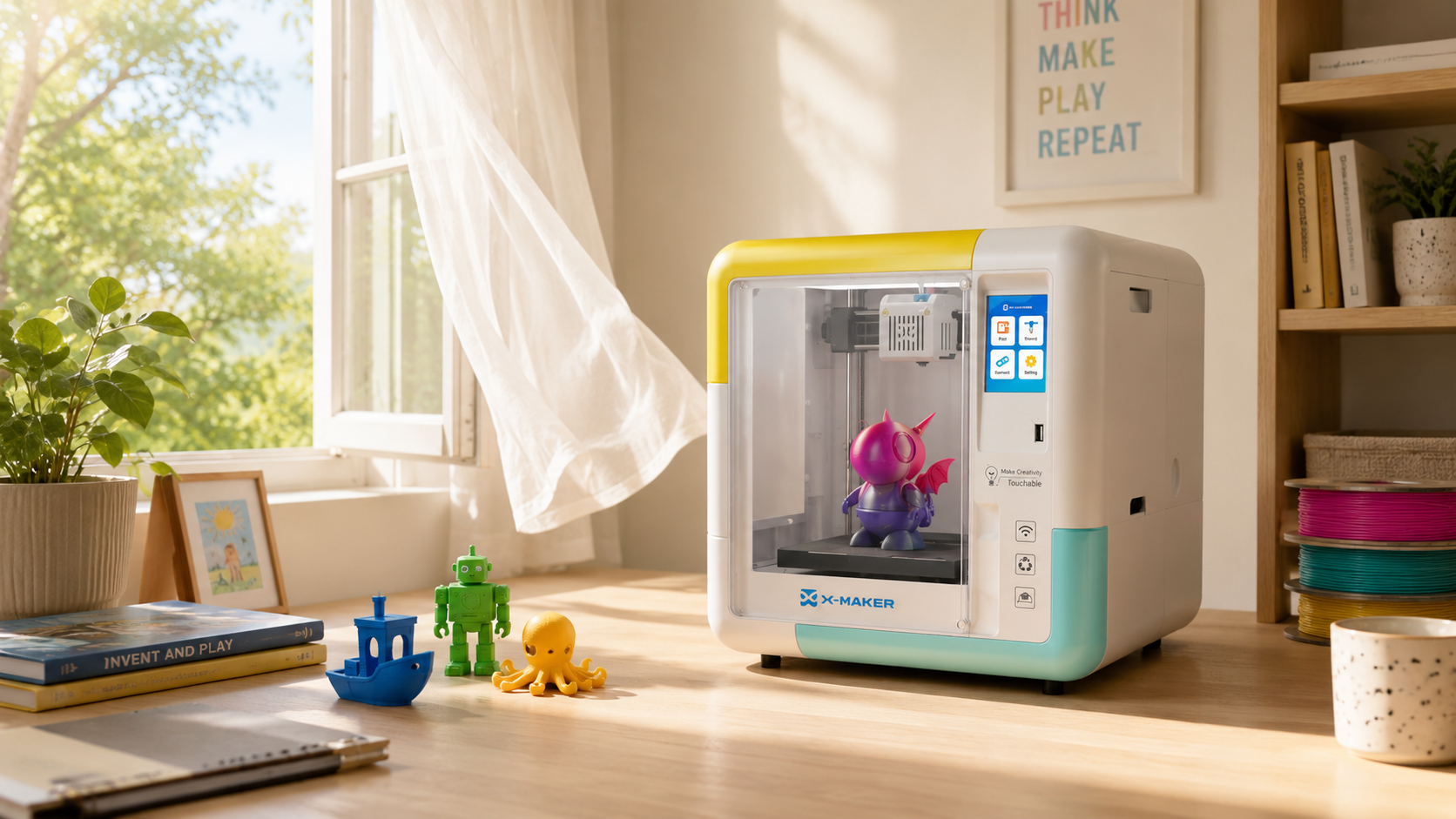
Don't pick a room on convenience alone. Weigh ventilation, temperature, humidity, table stability, electrical safety, household traffic, and storage first. Hardware helps here. The X-MAKER runs enclosed and under 50 dB at $369, so a spare room or a quiet corner works without building a workshop first. See the full range on AOSEED’s family-friendly 3D printing platform.
FAQs
Where Is the Best Place to Set Up a 3D Printer?
A ventilated workshop, dry garage, or spare room nobody sleeps in. That combination beats almost anywhere else, since it keeps noise, scraps, and odors away from where you live. Some FDM printers release ultrafine particles and VOCs while running, so NIOSH leans on source controls like enclosures and local exhaust that vent outdoors (CDC/NIOSH). Score each room for airflow, temperature, humidity, table stability, and access before you move anything in. The most convenient room is rarely the best one.
Is It Safe to Have a 3D Printer Inside Your House?
Yes, within reason. Just don't treat it like a desk gadget humming away next to your bed. Give it real airflow, grounded power, limited access, and safe material handling. Filament printers can throw off ultrafine particles and VOCs depending on the machine and temperature, and uncured resin and its solvents can irritate skin, so keep both clear of kitchens, kids, and pets (CDC/NIOSH); (Formlabs). A separate room with a door that closes, plus an enclosure vented outdoors, covers most of the risk.
Is It Safe to Be in the Same Room as a 3D Printer?
For a while, sure. Walking in and out is fine. Parking beside an open machine for hours isn't, especially in a small, stuffy room. One workplace study saw far higher emissions in a small unventilated room than in a large ventilated office, though real exposure shifts with the printer, material, and airflow (PubMed). An enclosure with local exhaust catches particles before they spread. Check long jobs with a camera and drop in now and then instead of camping beside the printer.
Is It Okay to Keep a 3D Printer in a Garage?
Often, yes. A garage works well when it stays dry, secure, and inside the printer's rated temperature range, and it keeps noise and clutter out of the house. The catch is swings in temperature, humidity, dust, and fumes. Some resin machines, like Prusa's SL1 and SL1S, only want 64–89°F and hate cold or direct sun (Prusa Research). Log the garage's temperature and humidity across a few days, hottest afternoon and coldest night included, before you trust it with a printer.
Where Should a 3D Printer Be Stored?
Somewhere clean, dry, and shaded. Keep it away from water, big temperature swings, and knocks. For longer storage, power down, unplug, clear out loose material, clean the build area, and follow the maker's steps. Filament goes in sealed containers with desiccant, since many plastics pull moisture straight from the air, and a dry box slows new moisture but won't rescue an already-soaked spool (Prusa Research). Keep the original box and foam too, in case you ever have to move it.
How Much Does It Cost to Run a 3D Printer for One Hour?
Electricity use depends on the printer’s measured average wattage, print time, and local utility rate. Use your electricity bill rather than a generic national average:
Estimated cost = average watts ÷ 1,000 × print hours × electricity rate per kWh
For reference, the EIA reported an average U.S. residential rate of 18.44 cents per kWh for May 2026, in data released on July 23, 2026. Local rates may differ widely.
Do 3D Printers Run Up an Electricity Bill?
Not much on its own. One hobby printer adds a modest amount. Stack up frequent long jobs, though, plus dryers, chamber heaters, exhaust fans, and curing lamps, and it climbs faster than people expect. A 100-watt printer over 100 hours uses 10 kWh, about $1.65 at the national average; a 250-watt machine runs closer to $4.13 for the same time (U.S. EIA). Failed prints burn power and filament both, so a stable setup and dialed-in settings quietly cut your running cost.
Is It Worth Having a 3D Printer at Home?
Depends how much you'll use it. Prototypes, replacement parts, organizers, models, school projects, and it earns its keep fast. Expect a couple of novelty prints a year and it won't. Budget for more than the machine, too: space, ventilation, tools, spare nozzles or dry boxes, and for resin, gloves, wash, and curing gear. There's a learning curve around leveling, moisture, and slicer settings, so tinkerers get more from it than people who just want a part on demand. Before you buy, write down five things you'd actually print in the next three months.
Sources
- CDC/NIOSH, “Approaches to Safe 3D Printing”
- CDC/NIOSH, “Safe 3D Printing Is for Everyone, Everywhere”
- PubMed, “Review of VOC Emissions From Desktop 3D Printers”
- Formlabs, “Safety With Formlabs Resin Products”
- U.S. Consumer Product Safety Commission, “CPSC Warns Consumers About Faulty Extension Cords, Power Strips and Surge Protectors”


Further reading
AI vs CAD for Kids: Which Design Path Fits Each Age?

AI-Generated 3D Models for Kids: 9 Printability Checks Before You Print

How to Fund a Classroom 3D Printer: Grant Budget and Proposal Checklist