

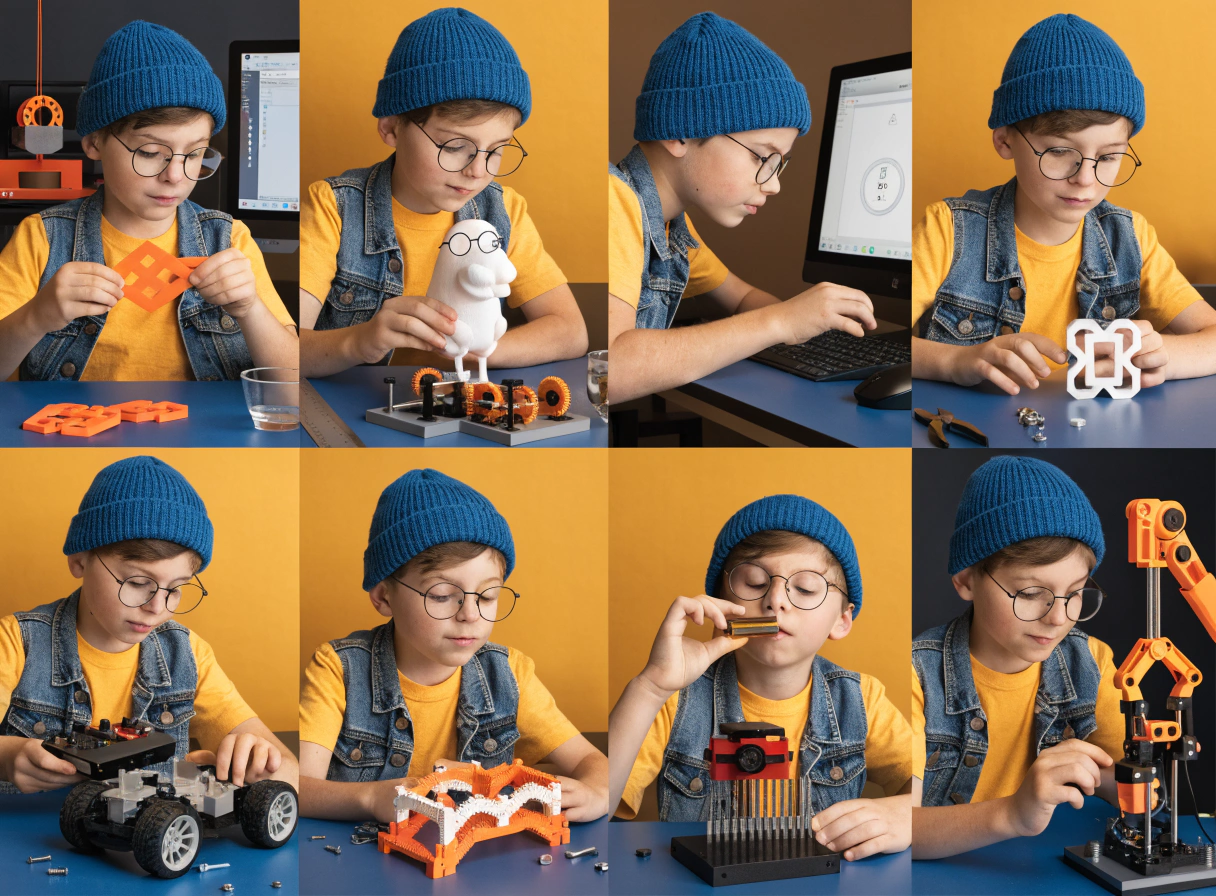
Best 3D Printer for a 10-Year-Old Who Loves STEM
Something shifts around age ten. The questions get better. Our daughter stopped asking 'what is that?' and started asking 'how does that work?' She watched a video about bridge engineering and spent three days building a suspension bridge from cardboard. It held a small book.
That was when we started thinking seriously about a 3D printer. Not as a toy — as a design tool. One that could take her ideas from a sketchbook into something she could actually test, break, fix, and improve.
Ten is a genuinely interesting age for this. Children at this stage can follow multi-step processes, start learning basic 3D modeling, and take real ownership of a project from concept to finished object. This guide covers the five printers most discussed by parents at this age, what each one actually does, and who it is right for.
At AOSEED, the AOSEED X-MAKER was built precisely for this transition — between 'fun first printer' and 'serious maker tool'. This guide covers whether it is right for your child, and how it compares to the alternatives parents typically consider at this age.
|
10+ Target age range |
5 Printers compared |
$269–$399 Price range covered |
30 min Avg. setup time |
💡 Why Age 10 Is the Design Thinking Sweet SpotSTEM educators identify ages 9 to 12 as a critical window for design thinking development. Children at this stage can reason about cause and effect, understand that things can be redesigned and improved, and engage in systematic problem-solving. A 3D printer gives this natural curiosity a physical outlet. The question is not whether to introduce 3D printing at this age — it is which printer provides enough depth to match their developing abilities. |
Best 3D Printers for a 10-Year-Old Beginner Who Loves STEM
Five printers come up most consistently when parents discuss this age group and STEM use. Each has a different strength, a real limitation, and a specific child it is right for.
ToyBox 3D Printer

ToyBox earns its popularity through genuine simplicity. The app is extremely basic by design — select a design, tap print, done. For a 6-year-old who wants to print a licensed character or a simple vehicle, it works as advertised.
For a 10-year-old with STEM interests, the limitations appear quickly. The build volume is just 76mm cube — too small for meaningful mechanical builds. The proprietary filament locks you into their 'Printer Food' rolls, which cost more per gram than standard PLA and void the warranty if you use third-party spools.
The content library, while large with licensed characters, does not update with the regularity needed to hold a curious 10-year-old's attention month after month. And once a child outgrows Toybox, the models cannot be exported to another printer — you lose everything when you upgrade.
|
Specification |
Details |
|
Target Age |
4 – 9 years (marketed as 4–12) |
|
Build Volume |
76 × 76 × 76 mm — smallest in the category |
|
Layer Resolution |
~0.2 mm |
|
Print Speed |
~60 mm/s |
|
Filament |
Proprietary PLA only (Printer Food rolls) |
|
Enclosure |
Semi-open — partial cover only |
|
App Library |
~500 models — includes licensed characters |
|
Model Export |
No — locked to Toybox ecosystem |
|
Connectivity |
WiFi — smartphone/tablet app |
|
Price (approx.) |
~$169 |
|
✓ Reasons to Buy |
✗ Reasons to Avoid |
|
Genuinely the simplest setup — unbox, connect, print in minutes |
76mm build volume — too small for STEM or mechanical builds |
|
Licensed characters (DC, Cartoon Network) for younger children |
Proprietary filament only — higher cost with no third-party options |
|
One-click printing with zero configuration |
Models cannot be exported — locked into ecosystem forever |
|
Lightweight and compact — easy to move around the home |
Semi-open design — not fully enclosed, needs more supervision |
|
A 10-year-old STEM enthusiast will outgrow it within a year |
|
✓ Best For Children aged 4 to 9 wanting immediate one-click toy printing. Not the right tool for a 10-year-old with STEM interests. |
AOSEED X-MAKER

The X-MAKER is built for exactly the age this article covers. It starts where younger-child printers end — with a larger build volume, a touchscreen for direct machine control, and AI-assisted design tools that genuinely support creative growth rather than just template selection.
The creation kit ecosystem is what makes it a STEM tool rather than just a toy factory. Printed parts combine with motors, gears, and mechanical components to build RC cars, robots, carousels, and music boxes. The child does not just print an object — they engineer one. A 10-year-old working through a creation kit is learning the same iterative design principles that engineers use in professional practice.
Precision at 0.05mm means designed parts actually fit together. The expanded material range lets the child experiment with stronger materials as their skills grow. The touchscreen gives direct control over the machine without always needing a phone.
|
Why It Works for a 10-Year-Old STEM Learner |
Parent Benefit |
|
Fully enclosed with door sensor — safest for family home use |
Child is safe without constant supervision |
|
App-led one-press printing from tablet or phone |
Child prints independently after first session |
|
AI MiniMe and AI Doodle — model creation without design skills |
Child personalizes models from day one |
|
Weekly Toy Library updates — thousands of models |
Always a next project — no blank-page boredom |
|
Creation kits: RC cars, robots, music boxes |
Printed objects become working toys and STEM builds |
|
0.05mm precision — designed parts actually fit together |
Real engineering results, not just decorative prints |
|
Specification |
Details |
|
Target Age |
9 – 16 years |
|
Build Volume |
150 × 150 × 150 mm |
|
Layer Resolution |
0.05 – 0.4 mm — best precision in this category |
|
Print Speed |
Up to 300 mm/s |
|
Filament |
PLA / PETG / ABS — standard 1.75mm spools |
|
Enclosure |
Fully enclosed with door safety sensor |
|
Interface |
3.5-inch touchscreen + companion app |
|
AI Features |
AI MiniMe / AI Doodle / MiniMakie |
|
Creation Kits |
Robots, RC cars, music boxes, and more |
|
One-Press Print |
Yes — from tablet or phone app |
|
Connectivity |
WiFi + USB |
|
Price (approx.) |
$369 (was $509) |
|
✓ Reasons to Buy |
✗ Reasons to Avoid |
|
Best precision in the kids category — 0.05mm for engineering builds |
Higher price point than some alternatives |
|
Creation kits turn printed parts into working mechanical objects |
150mm build volume limits very large single-part prints |
|
Touchscreen for direct machine control — child independence from day one |
May have more features than a 10-year-old who only wants toy printing needs |
|
AI design tools make model creation accessible without CAD experience |
|
|
Supports PETG for stronger functional prints as skills develop |
|
|
Thousands of library models with weekly updates — years of engagement |
|
✓ Best For 10-year-olds with genuine STEM curiosity who want to design, engineer, and build — not just print. Grows with the child through secondary school and beyond. |
Bambu Lab A1 Mini

The Bambu Lab A1 Mini earns top marks in hardware reviews, and the performance deserves them. It is fast, print quality is excellent, and the MakerWorld content library is large and free. For a technically capable teenager with their own workspace, it is a strong recommendation.
The limitation for a 10-year-old in a family home is the open frame. There is no enclosure. The nozzle and build plate are fully accessible during printing. Tom's Hardware's kids 3D printer guide recommends it for elementary-aged children 'with light supervision,' but that context assumes a dedicated maker space — not a shared family bedroom or living room.
There is also no dedicated kids app, no guided toy-design workflow, and no creation kit ecosystem. For a 10-year-old who wants to design and build rather than download files, this is a real limitation.
|
Specification |
Details |
|
Target Age |
12+ years — dedicated workspace required |
|
Build Volume |
180 × 180 × 180 mm |
|
Layer Resolution |
0.05 – 0.35 mm |
|
Max Print Speed |
500 mm/s |
|
Filament |
PLA / PETG / ABS + more |
|
Enclosure |
Open frame — NO enclosure |
|
App / Library |
MakerWorld + Bambu Handy app — adult-oriented |
|
Kids Design App |
No |
|
Multicolor |
Optional with AMS Lite add-on |
|
Price (approx.) |
~$299 (~$459 with AMS Lite) |
|
✓ Reasons to Buy |
✗ Reasons to Avoid |
|
Excellent print quality — professional-level output |
Open frame — nozzle and build plate exposed, not safe for shared family spaces |
|
Fastest printer in this comparison |
No dedicated kids app or child-focused design tools |
|
Large MakerWorld library with pre-sliced files |
No creation kit ecosystem — prints are standalone objects only |
|
Optional multicolor printing unique at this price |
Adult-oriented software with steep learning curve for a 10-year-old |
|
Strong community and support resources |
|
✓ Best For Children 12 and over with their own dedicated workspace. Not recommended for 10-year-olds in shared family settings. |
Flashforge Adventurer 3 Lite

The Flashforge Adventurer 3 is a classroom and family staple for one main reason: it is fully enclosed. That gives it a safety advantage over open-frame options and makes it a popular choice for home and classroom environments.
The limitation for an independent 10-year-old is the interface. The companion app and slicing workflow require more adult involvement than an app-first printer. A child who wants to sit down and print on their own will need a parent to help configure each session, at least until they develop confidence with the software.
It is a good choice for families where the parent wants to stay actively involved in the printing process. For a child who wants full independence, the app-led alternatives are better suited.
|
Specification |
Details |
|
Target Age |
8+ years — with adult guidance |
|
Build Volume |
150 × 150 × 150 mm |
|
Layer Resolution |
0.1 – 0.4 mm |
|
Print Speed |
Up to 180 mm/s |
|
Filament |
PLA / ABS — standard spools |
|
Enclosure |
Fully enclosed |
|
Interface |
Color touchscreen + companion app |
|
Kids Design App |
No — adult-oriented slicing software |
|
Camera |
Not included |
|
Price (approx.) |
~$250 – $300 |
|
✓ Reasons to Buy |
✗ Reasons to Avoid |
|
Fully enclosed — appropriate for family home use |
Not designed for children — software requires adult involvement |
|
Removable nozzle makes maintenance easier for parents |
No dedicated kids app or guided content library |
|
Compact footprint — fits on a bedroom desk |
No creation kit ecosystem or AI design tools |
|
Solid print quality and classroom track record |
Prints are static display models — no working mechanical builds |
|
Strong reliability for regular home use |
|
✓ Best For Families where a parent will be actively involved in the printing process. Or older children aged 11+ who want a traditional printer feel. |
Prusa Mini+

The Prusa Mini+ has a specific appeal for STEM enthusiasts: the kit version is a STEM project in itself. Assembling the printer teaches how it works at a mechanical level — which is a meaningful educational experience for a mechanically curious teenager.
For a 10-year-old, it is too much too soon. Even the semi-assembled version requires more setup than most beginner families expect, and the PrusaSlicer software is designed for experienced users. It is also an open-frame design, which presents the same family-home safety concerns as the A1 Mini.
|
Specification |
Details |
|
Target Age |
14+ years — advanced hobby use |
|
Build Volume |
180 × 180 × 180 mm |
|
Layer Resolution |
0.05 – 0.25 mm |
|
Max Print Speed |
Up to 200 mm/s |
|
Filament |
PLA / PETG / ASA + more |
|
Enclosure |
Open frame — NO enclosure |
|
Interface |
LCD touchscreen + PrusaSlicer software |
|
Assembly |
Semi-assembled or DIY kit option |
|
Support |
24/7 support — best in category |
|
Price (approx.) |
~$429 – $549 |
|
✓ Reasons to Buy |
✗ Reasons to Avoid |
|
Kit assembly teaches printer mechanics — genuine STEM experience |
Open frame — not appropriate for 10-year-olds in shared family spaces |
|
Excellent print quality and hardware durability |
Complex assembly requires significant adult involvement |
|
Outstanding 24/7 support — best in the category |
PrusaSlicer software — steep learning curve for new users |
|
Strong community and massive online resource library |
No kids app, no design ecosystem, no creation kits |
|
Open-source with huge third-party modification support |
Most expensive option in this comparison |
|
✓ Best For STEM-passionate teenagers 14 and up who want to learn printer mechanics and are ready for adult-level software. Not for 10-year-olds. |
Side-by-Side: All 5 Printers at a Glance
|
ToyBox |
X-MAKER |
Bambu Mini |
Flashforge |
Prusa Mini+ |
|
|
Best Age |
4–9 |
9–16 ✓ |
12+ |
8+ adult |
14+ |
|
Enclosure |
Semi |
Full ✓ |
Open ✗ |
Full ✓ |
Open ✗ |
|
Kids App |
Basic |
AI tools ✓ |
No |
No |
No |
|
Creation Kits |
No |
Yes ✓ |
No |
No |
No |
|
STEM Growth |
Limited |
Strong ✓ |
Yes, basic |
Limited |
Yes, advanced |
|
10-Yr-Old |
Too young |
Yes ✓ |
No ✗ |
Adult help |
No ✗ |
|
Price |
~$169 |
$369 |
~$299 |
~$275 |
~$429+ |
Key Features to Look for in a 3D Printer for Kids

Once you have looked at the options, four criteria determine whether a printer will actually work in a family home rather than just in a product review.
Safety Features
The nozzle on a standard 3D printer runs above 200°C during printing. On an open-frame printer, that nozzle is fully accessible. For any child under 12, the minimum requirement is a fully enclosed design. Tom's Hardware's kids 3D printer guide consistently identifies enclosure as the first safety filter for family buyers.
|
Safety Feature |
What to Look For |
Why It Matters |
|
Fully enclosed design |
All hot parts sealed inside a chamber |
Child cannot access the nozzle or moving parts during printing |
|
Door sensor |
Print pauses automatically if enclosure opens |
Prevents accidents when a younger sibling approaches |
|
Non-toxic PLA filament |
Plant-based, biodegradable, low odor |
No harmful fumes at normal home use temperatures |
|
Auto shut-off |
Printer stops if an error is detected |
Safe if left unattended during a long print session |
|
Silent mode |
Reduced noise during printing |
More comfortable in shared bedrooms and living rooms |
Ease of Use
For a 10-year-old to use a printer independently, three things need to be true. The app must run on a tablet or phone. The printing process must be guided, with a library the child can browse without adult help. And auto bed leveling must handle calibration automatically — manual leveling is the most common frustration point for new users.
|
Feature |
Why It Matters for a 10-Year-Old |
|
App runs on tablet or smartphone |
Child browses and prints without needing a laptop or adult to set up files |
|
One-press printing |
Child operates independently — tap and go, no configuration needed |
|
Built-in guided design tools |
Child can modify and create models, not just download templates |
|
Auto bed leveling |
Removes the most common calibration failure — first prints succeed reliably |
|
WiFi connectivity |
No cables, no USB setup, no adult needed to transfer files each session |
Durability and Build Quality
A kids' 3D printer will be opened, loaded, and used repeatedly over months. All-metal frames hold up better than plastic chassis. Removable build plates that flex to release prints are important — sharp scrapers in a child's hands are a hazard.
Customer support matters more for kids' printers than for adult models. Clear video tutorials and a responsive support team mean that a failed print or minor issue gets fixed in 10 minutes rather than shelving the printer for a week.
Educational Value
The best STEM-focused printers come with structured project pathways — creation kits, guided design tools, and content that grows with the child's skills. The best 3D printers guide from All3DP provides useful context on how different printer categories serve different educational goals, which is worth reading before you make a final decision.
Real STEM engagement happens when the child encounters a problem, designs a solution, tests it, discovers it does not quite work, and tries again. Look for design tools, creation kit extensions, and enough precision that designed parts actually fit together. Without those, you are buying a toy factory, not a STEM tool.
What Are the Benefits of 3D Printing for Kids?

A 3D printer is not a passive toy. It is a creative tool that asks something of the child every time they use it. That active involvement is why it works as a learning activity in a way that most screens don't.
|
Creativity and Problem Solving |
STEM Learning |
Real-World Applications |
|
Children visualize their ideas, test them physically, and discover that things can be redesigned and improved. Each iteration builds creative confidence. |
Engineering, technology, and math principles become tangible. A child who prints a gear system understands mechanical advantage. One who builds a bridge model understands load and force. |
3D printing gives children experience with the design cycle used in real engineering — design, test, fail, adjust, improve. That habit of mind is one of the most valuable skills STEM education can build. |
The AOSEED Toy Library keeps the creative pipeline full — new models every week across animals, vehicles, seasonal builds, puzzles, and gift ideas. A 10-year-old who printed a T-rex last weekend finds a new gear mechanism or RC car chassis this week. That cycle of fresh ideas is what distinguishes a printer that stays in regular use from one that collects dust after month one.
What a 10-Year-Old STEM Enthusiast Can Actually Build

A printer is only as interesting as what it can make. Here is what the progression actually looks like for a STEM-curious 10-year-old over the first few months.
|
Stage |
When |
What the Child Is Building |
|
1 |
First month |
Quick wins: keychains, animal figurines, geometric puzzles. Use AI Doodle to type a word and watch it generate a model. Modify an existing design — change a name, adjust the size, add a feature. |
|
2 |
Months 2–3 |
Design and engineering: custom components in guided design apps, first parts that fit together with a second part, gear sets, bridge models, working whistles. Beginning to understand tolerance and precision. |
|
3 |
Month 3+ |
Creation kits: RC car chassis with electronics, music box mechanism that plays a tune, articulated robot arms and grabbers. The child is doing real engineering — learning tolerance, mechanical advantage, and iterative design. |
|
⚠ The Difference Between STEM and Just Printing Many printers marketed as STEM tools are really just printers with educational templates to download. That is not STEM learning — it is consumption. Real STEM engagement happens when the child encounters a problem, designs a solution, tests it, finds it does not quite work, and tries again. Look for design tools, creation kit extensions, and enough precision that designed parts actually fit together. |
Conclusion
The right 3D printer for a 10-year-old STEM enthusiast is the one that grows with their curiosity. For this age, that means an enclosed design the parent trusts, a guided app the child can use independently, and enough design depth to take them from printing toys to engineering functional objects.
|
Printer |
Best For |
Skip If... |
|
ToyBox |
Ages 4 to 9 wanting simple one-click toy printing |
Your child is 10+ with STEM interests |
|
AOSEED X-MAKER |
10 to 16-year-olds wanting design tools, creation kits, and STEM growth |
Your child only wants to print pre-made toys |
|
Bambu Lab A1 Mini |
Teenagers 12+ with their own dedicated maker workspace |
Your child is under 12 or in a shared family space |
|
Flashforge Adventurer |
Families where the parent will be actively involved in printing |
Your child wants to print independently |
|
Prusa Mini+ |
STEM-passionate teenagers 14+ who want to learn printer mechanics |
Your child is under 14 or new to 3D printing |
Involve your child in the decision. Ask them what they want to make. A child who chose the printer is more invested in using it. Start with one session, pick one project, and have the second one chosen before the first one finishes. Browse the full current range at AOSEED 3D printers for kids for age guidance and current pricing before you decide.
FAQs
What is the best 3D printer for a 10-year-old?
For a 10-year-old with STEM interests, the AOSEED X-MAKER is the strongest recommendation. It is designed for ages 9 to 16, fully enclosed for safety, and includes creation kits and design tools that give the child room to grow from printing toys into designing and engineering functional objects. For a child who just wants simple toy printing, a lower-priced beginner model is worth considering first.
Is a 3D printer good for an 11-year-old?
Eleven is a particularly good age for 3D printing. Children at this stage have the patience for multi-hour prints, the digital literacy to navigate design apps, and the problem-solving instinct to figure out why a print failed and how to fix it. An 11-year-old is genuinely ready for a full-featured printer's design tools, creation kits, and more complex builds.
Can a 7-year-old use a 3D printer?
Yes, with the right printer and adult involvement. A 7-year-old can select models from a library and tap print, but needs a fully enclosed printer and adult supervision for loading filament and removing prints. The AOSEED X-MAKER JOY is designed for ages 4 to 12 with exactly this use case in mind. For fully independent use, most children are ready around age 9 to 10.
What is the best material for 3D printing toys for kids?
PLA is the right default for children of any age. It is plant-based, non-toxic, biodegradable, and produces minimal odor at standard printing temperatures. For active-play objects that need more durability, PETG is a good step up — stronger and more impact-resistant than PLA. Always avoid resin printers for home use with children — the photosensitive chemicals require gloves, eye protection, and a chemical wash-and-cure station.
What is the age limit for 3D printers?
There is no legal age limit. The practical lower limit is around 4 to 5 for supervised use with a fully enclosed printer, rising to around 9 to 10 for independent use with a well-designed family printer. The upper limit does not really exist — 3D printing scales from a young child's first toy to professional engineering work. The printer you choose determines which end of that spectrum your child can reach.
Can my 10-year-old design their own 3D models?
Yes — this is one of the most exciting things about modern kids' printers. App-based guided design tools let children create their own shapes without CAD experience. AI tools like AI Doodle generate printable models from typed words or phrases. AI MiniMe turns photos into 3D toys. As confidence grows, free browser-based tools like Tinkercad open up more complex modeling. A 10-year-old with a few months of printing experience can design basic functional objects from scratch.
What STEM projects can a 10-year-old do with a 3D printer?
The range is wider than most parents expect. Simple starts include geometric puzzles, bridge models, and gear sets. From there: working whistles, lever mechanisms, and scaled planet models. With creation kits: RC cars, music boxes, and articulated robots. For school projects: architectural models, historical artifacts, biology models, and mechanical demonstrations. A 10-year-old who designs a gear train that actually turns — and figures out why the gear ratio matters — has done more hands-on physics than most classroom lessons cover.
How do I keep my child interested in 3D printing long term?
Three things sustain engagement: a content library that keeps updating so there is always something new to discover, design tools that grow with the child's skills so they are never stuck at the same level, and projects that produce something they can actually use or play with. Creation kits are particularly good for this — when a child builds a working RC car from printed parts, they want to race it, improve it, and build a better one.
Sources
- Tom's Hardware — Best 3D Printers for Kids and Teens, Best 3D Printers for Kids and Teens, 2026.
- Reddit — Kid-Friendly Beginner 3D Printer Discussion, Kid-Friendly Beginner 3D Printer, 2026.
- STL Motherhood — Top 3D Printers Perfect for Kids, Top 3D Printers Perfect for Kids, 2025.
- AOSEED Blog — How to Choose the Best 3D Printer for Kids, How to Choose the Best 3D Printer for Kids, 2026.
- PCMag — Best 3D Printers 2026, Best 3D Printers 2026, 2026.
- Parents.com — Best 3D Printers for Kids, Best 3D Printers for Kids, 2025.
- Busy Mommy Media — Best 3D Printers for Kids 2025, Best 3D Printers for Kids 2025, 2025.



Further reading

Thanksgiving STEM Activities for Kids: Table Projects and Simple Engineering Challenges

Halloween STEM Activities for Kids: Spooky Builds That Teach Real Science

STEM Crafts for Kids: Build, Decorate and Test



