

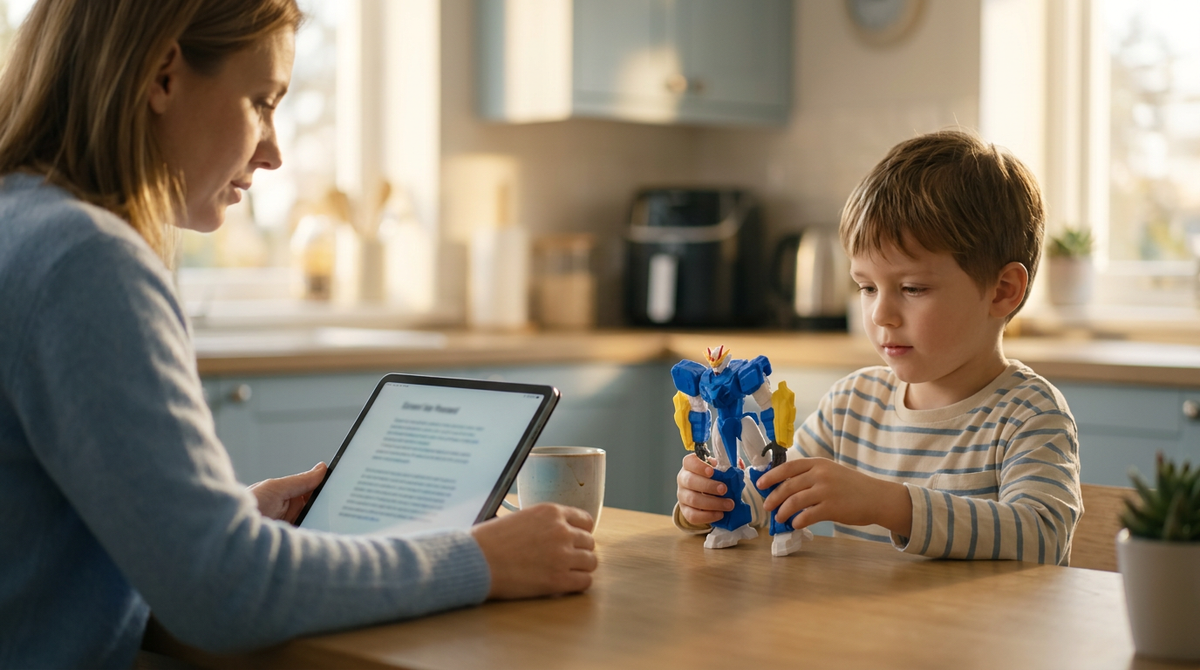
Kids' 3D Design Apps and Privacy: 15 Questions Parents Should Ask
Before a child creates a 3D design app account, a parent should be able to answer 15 questions about collection, consent, visibility, sharing, retention, and deletion. The first five checks are the most urgent: use the child's real age, confirm who controls the account, make new designs private by default, disable permissions the project does not need, and find the account-deletion route before uploading anything.
A child-friendly interface is not a privacy guarantee. A design app may store names, birthdates, parent emails, device identifiers, voice or image inputs, model files, classroom records, comments, and public gallery posts. Home and school accounts can follow different consent and access rules, so read the registration screen, children's privacy notice, sharing settings, and school agreement separately.
The checklist below works for browser CAD, school platforms, AI model generators, and the app bundled with a printer. It tells you where to look, what a usable answer sounds like, and which red flags justify leaving a feature off. Recheck the settings after major updates, account migrations, or a change from home to school use.
IMAGE 1 · Type A · Recraft · 16:9 · Hero, above H1
The 15 questions at a glance
|
Question Set |
What It Settles |
Where To Look First |
Time |
|
1 to 4 |
What the app takes, both typed and automatic |
Registration screen, plus the "information we collect" section |
3 min |
|
5 to 7 |
Who approves the account, and who can change settings later |
Children's privacy notice, parent or moderator page |
2 min |
|
8 to 10 |
Who can see the designs, and whether strangers can comment |
Sharing settings on one new test project |
2 min |
|
11 to 12 |
Whether data is sold, and which vendors receive it |
Search the policy for sell, advertising, profiling |
1 min |
|
13 to 15 |
How long data is kept, and what survives deletion |
Retention and deletion sections, then the help centre |
2 min |
Why App Privacy Matters Before the First Design
Two questions get collapsed into one. Parents ask whether an app is private. The useful split is what the service collects, and what other people can see.
An app can protect an account well and still offer a public gallery a nine-year-old can post to in two taps. Both answers matter. Neither is on the box.
|
Two questions, not one What does the service collect? Account fields, device identifiers, uploads, usage data. What can other people see? Designs, usernames, comments, profile photos. An app can score well on the first and poorly on the second. Check them separately. |
What a Design App Can Hold Besides Models
A saved model is one record among several. Autodesk's Children's Privacy Statement, the version effective April 2026, says a child registering for Tinkercad may provide a username, password, birthdate, and a parent or guardian email address.
More arrives automatically. Operating system, IP address or device identifier, browser type, how often the child opens each part of the service. Cookies do that work.
So the model file is the small part.
Home Accounts and School Accounts Are Not the Same
The setup decides the controls. A child registering at home usually goes through a parent-consent flow. The same child in a classroom may join with a nickname and a class code, teacher as moderator, no separate account created at all.
Printer-bundled apps behave differently again. Families choosing a first printer built around a guided design app should ask whether the child needs an account of their own, or whether a parent account drives the printing while the child works inside it. Ask before setup. Not after.
IMAGE 2 · Type B · Gemini · 4:3 · Home vs school accounts, product anchor section
Questions 1 to 4: What Data Does the App Collect?

Everything going in. What a child hands over, what the app takes on its own, and whether any of it is surplus.
1. What Does My Child Have to Type In?
Read the registration screen before typing into it. Full name, birthdate, email, school, location, photograph, parent email. Then separate required from optional. Write both lists down.
A nickname and a class code let a school collect far less. Ask whether that option exists.
2. What Gets Collected Without Anyone Typing It?
IP address. Device identifier. Browser, operating system, and how often each part of the app gets opened. It hides under headings like automatically collected information, cookies, analytics, or persistent identifiers.
Automatic collection is not public sharing. Four things still matter. What is taken, why, who receives it, how long it stays. Ask all four.
3. Does It Want the Camera, the Microphone, or Photos?
Some apps ask for more than a keyboard. Reference images, profile pictures, textures, augmented-reality previews, voice input. Autodesk says Tinkercad may access a device camera for its AR feature, and that Autodesk does not collect or receive that camera imagery.
Check the policy and the device permission separately. Unused feature, permission off.
Voice deserves the same look. Printer apps now take spoken commands from children as young as four, which means audio leaves the room. Decide on that separately.
4. Is Any of It Unnecessary?
One plain question. Can your child use the core design tools without handing over details unrelated to designing?
Autodesk states it will not require a child or student to provide more data than is reasonably necessary. Hold every app to that line. A modelling exercise needs an identifier. Not a home address.
|
Data Type |
Why An App May Need It |
When To Push Back |
|
Username and password |
Saves work to the right account |
Never needed alongside a young child's real full name |
|
Birthdate |
Decides whether children's privacy rules apply |
Enter the real age. Inflating it removes the protections |
|
Parent or guardian email |
Runs the consent and moderator flow |
Fine for consent. Not fine as a default marketing list |
|
Device and network identifiers |
Keeps the service running and secure |
Push back where the policy also permits profiling or ad targeting |
|
Photos and uploads |
Reference images and profile pictures |
Optional in most design tools. Leave blank for young children |
|
Location or school name |
Class rosters and regional settings |
Rarely needed at home. Ask why on a personal account |
IMAGE 3 · Type A · Recraft · 4:3 · Questions 1 to 4, after the data table
Questions 5 to 7: Who Approves the Account, and Who Can Change It?

Consent is where an adult decides instead of a child. For children under 13 in the United States, the FTC's COPPA Rule generally requires covered operators to get verifiable parental consent before collecting personal information, with limited exceptions written into 16 CFR Part 312.
5. Is Verifiable Parental Consent Required?
A birthdate box is not consent. What matters is what the app does once it works out the user is a child.
Autodesk says it seeks parent or guardian consent where law requires it, and may ask the adult to open a moderator account. Approval to use a service and permission to publish are two decisions. Do not sign one and assume the other. They are rarely presented together.
6. Can a School Approve Access Instead?
Sometimes. Autodesk says an Education Provider may consent to student data collection where applicable law allows it, and that it expects providers to notify parents first. The FTC keeps separate guidance for schools and operators in its COPPA FAQ, because school-based consent carries its own conditions.
Ask the teacher one question. Individual accounts, class seats, single sign-on, or nicknames?
7. Who Can Change the Settings Later?
Defaults drift. Someone can make a project public, switch off a safety mode, or connect a new service, and it matters whether that someone is you.
Tinkercad names parents, guardians, and educators as moderators, and Autodesk says only the moderator can disable Safe Mode. Makers Empire puts the sharing level in the school's hands. Two models. Know which one you are in. Check the password too.
|
Consent is not publishing permission Approving an account allows the service to collect what its notice describes. Switching on a public gallery is a separate decision, usually made later, often by the child. Settle both at signup, while the policy is still open in front of you. |
IMAGE 4 · Type A · Recraft · 4:3 · Questions 5 to 7, consent and moderator control
Questions 8 to 10: Who Can See Your Child's Designs?

A 3D model carries more than creative skill. Children put their names on things, rebuild the school badge, model their street. Visibility earns the same attention as the account fields.
8. Are New Designs Private by Default?
Check the default. Do not assume it. Autodesk says Safe Mode is enabled by default for newly created child accounts, restricts access to public content, and keeps a child's designs private while it is active.
Other apps land elsewhere. Make one throwaway test project and look at its audience before your child saves anything personal. Defaults vary by app.
9. Can Your Child Publish to a Public Gallery?

Public galleries trade feedback for exposure. A published model can be copied, downloaded, or reposted. Autodesk warns that third parties may already hold copies of anything posted publicly. Makers Empire describes a ladder. Class only, whole school, other schools, public community gallery.
Decide whether the feedback is worth that audience. For most young children it is not.
|
THE LIBRARY YOUR CHILD BROWSES IS A PRIVACY SETTING TOO AOSEED'S LIVE PAGES DESCRIBE A PARENT-APPROVED LIBRARY OF 8,000+ REVIEWED TOY MODELS PLUS GUIDED DESIGN TOOLS, WHICH IS A DIFFERENT STARTING POINT FROM AN OPEN UPLOAD FEED. RUN ALL 15 QUESTIONS ON IT ANYWAY, INCLUDING THE IN-APP CAMERA, THE TIME-LAPSE SHARING, AND THE VOICE INPUT. COMPARE KID-FRIENDLY PRINTER AND APP SETUPS BEFORE YOU BUY. |
IMAGE 5 · Type B · Gemini · 4:3 · Questions 8 to 10, alongside the brand callout and category anchor
10. Can Other Users Comment on Their Work?
Comments add people, not just visibility. Makers Empire says users can moderate comments left on their own designs, and publishes an acceptable-content policy plus its Maker Promise: no violent designs or weapons, no bad language or bullying, be respectful. In the three months after that promise launched, it reported flagged designs falling 53% and moderated users dropping 83%.
Rules help. They do not screen every post before it appears. The SOLIDWORKS Apps for Kids terms say plainly that user content may not be pre-screened, and describe a flag mechanism for reporting it.
A child who wants to model a keychain needs none of it.
Questions 11 to 15: Sharing, Retention, and Deletion

Privacy carries on after a child loses interest. Who else receives the data, how long it sits there, what you can actually remove.
11. Is Child Data Sold or Used for Advertising?
Search the policy for four words: sell, advertising, profiling, targeted. Autodesk states it does not sell children's or students' personal information. Neither it nor its providers will use that information for advertising, or to profile a child outside permitted authorisation or law.
Recheck at signup. Policies get rewritten.
12. Which Third Parties Receive the Data?
Not selling and not sharing are different claims. Hosting, analytics, authentication, and security vendors normally receive something. School products add more. Makers Empire lists login integrations including Google Classroom, Schoology, Clever, Apple, and Microsoft.
You do not need to recognise every vendor. You do need named categories and a published list. Autodesk publishes one for its children's applications. Categories are enough.
13. How Long Is the Data Kept?
Look for a rule, not a mood. Autodesk says child information from Tinkercad is generally kept while the account stays active. After 24 consecutive months of inactivity, its processes are designed to delete or de-identify that data, unless legal or safety obligations require keeping it.
That is usable. "As long as necessary", with no example, is not.
14. Can You Review, Correct, or Delete It?
Find the process before you need it. Autodesk says Tinkercad moderators can request access to or deletion of data tied to a child's account, and can refuse further collection. School records work differently: the U.S. Department of Education explains under FERPA that qualifying parents can inspect education records, ask for amendments, and control some disclosure.
Which route applies depends on the account. School account, ask the school.
15. What Survives After Deletion?
Rarely everything, and rarely at once. Autodesk says information may persist in backups or archival systems for a limited period, for business continuity, legal, or security reasons. It also cannot remove copies other users made of anything posted publicly.
Which is why the sharing decision is the one to get right early. Deletion will not undo it.
|
Question |
Where The Answer Usually Lives |
What A Good Answer Looks Like |
|
11 |
Sections headed selling, advertising, or profiling |
A flat statement that child data is not sold and not used for ad profiling |
|
12 |
Service providers, vendors, or subprocessor list |
Named categories plus a published third-party list you can open |
|
13 |
Data retention |
A stated period or a rule tied to inactivity, with an example |
|
14 |
Your rights, parental controls, moderator settings |
A route you can complete yourself, not only an email address |
|
15 |
Deletion, backups, archival copies |
Honest limits, including what public posts leave behind |
IMAGE 6 · Type A · Recraft · 4:3 · Questions 11 to 15, retention and deletion
What COPPA and FERPA Actually Cover
Two acronyms do a lot of work in app marketing. Neither configures your child's sharing settings.
What COPPA Requires
It applies to commercial online services directed to children under 13. General-audience services that knowingly collect personal information from a child that age are covered too. Duties follow. Notices, verifiable parental consent, data security, retention, deletion.
Treat it as a floor. Two covered apps can still offer wildly different sharing controls.
What a Safe Harbor Seal Means
COPPA lets industry groups submit self-regulatory programs to the FTC for approval, and an operator following an approved program is treated as complying with the rule. Autodesk states Tinkercad is certified as COPPA compliant through the kidSAFE Seal Program. Check the certifier, not just the badge: the FTC publishes the current list of approved organisations on its COPPA Safe Harbor Program page.
Certification proves participation. It does not pick your settings.
Where FERPA Fits for School Accounts
FERPA covers education records at schools receiving Department of Education funding. Inspect records, seek amendment, control some disclosure. It is not an app safety certification. Different law, different job.
Districts often layer a data privacy agreement on top. Makers Empire says it can sign the individual agreements schools and districts require, naming Denver Public Schools and the Los Angeles Unified School District. Autodesk describes signed agreements as part of certain K-12 offerings. Ask your school for its approved-app policy.
Privacy Red Flags Worth a Second Look

No single sign condemns an app. Several together should slow you down.
- Settings buried three menus deep. Visibility and deletion controls should be findable inside a minute.
- Public sharing switched on out of the box. Check the first new project, not your memory of an older version.
- Required fields with no connection to designing anything.
- "Trusted partners", with no categories named and no vendor list published.
- Signup takes one tap and deletion takes a support ticket.
- Retention language with no example and nothing about inactive child accounts.
- Open comments or messages between children and unknown users.
- No stated rule about who may turn a safety mode off.
One flag is a question. Four is an answer.
IMAGE 7 · Type A · Recraft · 4:3 · Privacy red flags section
When to Turn a Feature On, and When to Leave It Off
Turn it on when:
- The child needs feedback from a named class, and the audience can be capped at that class.
- A teacher requires a shared gallery for work that will be assessed.
- You hold the moderator account, and the password is yours rather than the child's.
- Importing one reference photo is genuinely what the project needs.
Leave it off when:
- Your child is under 10 and the sharing option reaches past the classroom.
- Comments can arrive from accounts outside the school with no reporting control.
- Camera, microphone, or location access is requested for a feature nobody uses.
- You cannot find the deletion process, or cannot tell who can switch the setting back.
|
Editorial note Recheck after every major app update, account migration, or change of school. Five minutes beats months of unwanted exposure, and features change more often than policies get read. |
Conclusion

Choose a design app only after checking what it collects, who controls the account, what is public by default, which third parties receive data, and how deletion works.
Recheck the privacy policy and school agreement whenever the app, account type, permissions, or sharing features change.
FAQs
Is Tinkercad Safe for Children?
It can be appropriate when the current child-account settings, moderator controls, sharing defaults, and privacy terms meet the family's or school's requirements. Do not rely on the product name alone. Review the latest children's privacy statement, keep the adult moderator account secure, and confirm whether designs, comments, photos, or classroom activity can become public.
What Age Is Tinkercad Good For?
There is no single age that fits every child. A younger learner may use basic shapes with adult guidance, while an older learner may manage measurements and more complex models. If the child cannot understand account sharing or follow the adult's privacy rules, keep the account adult-managed and restrict publishing features.
Is Makers Empire Safe for Kids?
Evaluate it through the school's current configuration and the provider's latest privacy and safety documents. If a school account controls sharing, confirm whether work is visible only within a class, across the school, or publicly. Also check comment moderation, parent or school consent, third-party services, retention, and the process for deleting a student's data.
What Is the Best 3D Design Software for Kids?
The best fit balances modelling capability with privacy, account control, and a workflow the child can finish.
- The interface matches the child's reading and spatial skills.
- The account is controlled by a parent, guardian, or school.
- Designs are private by default and publishing is optional.
- Camera, microphone, photo, and location access can be limited.
- Files export in a format the intended printer workflow can inspect.
Is There CAD Software for Kids?
Yes. The right category depends on age, goals, privacy requirements, and how much adult or teacher support is available.
- Block- and shape-based tools for early learners
- Browser CAD with measurements and constraints for older children
- Sculpting or drawing-to-3D tools for visual exploration
- AI-assisted tools for ideas, followed by manual editing and print checks
Which Privacy Settings Should Parents Check First?
- Confirm who owns and can recover the account.
- Set new designs and profiles to the most private available default.
- Review camera, microphone, photo, contacts, Bluetooth, and location permissions.
- Disable public galleries, comments, and direct interaction unless they are needed and supervised.
- Find the retention and deletion controls and record how to contact the provider.
- For school use, confirm the district-approved agreement and who handles parent requests.
Sources
- Federal Trade Commission, “Children's Online Privacy Protection Rule (COPPA)”.
- Federal Trade Commission, “COPPA Safe Harbor Program”.
- Federal Trade Commission, “Complying with COPPA: Frequently Asked Questions”.
- Electronic Code of Federal Regulations, “16 CFR Part 312, Children's Online Privacy Protection Rule”.
- U.S. Department of Education, “Family Educational Rights and Privacy Act (FERPA)”.






Further reading

Gifts for 10-Year-Olds Who Love to Make Things: 10 Picks That Last Past January

Building Toys for 10-Year-Olds Who Have Outgrown Basic Sets

Unique Gifts for Kids Who Have Everything: 12 Make and Keep Ideas


