3D Printing for Kids and Schools: Best Beginner Printers by Age
A kid draws a keychain in a browser app before breakfast and holds the finished thing before lunch. That short loop, idea to object in an hour, is what makes 3D printing stick where a worksheet doesn't. The catch is that the right machine and a little supervision do most of the work. The wrong machine ends up in a closet by week two.
This guide compares the best printers by age and setting, then covers safety, materials, project ideas, classroom use, and cost. Start with the quick-pick table, then read the section that best fits your child.
|
Who it's for |
Look for |
Why |
|
Ages 5 to 8 |
Enclosed, one-button, app-guided |
Hides slicing; keeps fingers off the hot end |
|
Ages 8 to 12 |
Self-calibrating, big model library |
Ready in ~20 min; grows into design |
|
Teens 13+ |
Enclosed, handles PETG and tougher |
Functional parts and bigger builds |
|
Classrooms |
Enclosed, filtered, simple screen |
Safety barrier + shared-room air + many hands |
Is 3D Printing Safe and Worthwhile for Kids?

The worthwhile part
A child who designs an object, watches it print, then fixes the parts that failed is practising spatial reasoning, patience, and a build-test-improve loop. Few screen-adjacent activities end with a real thing in a kid's hand. This one does. That's the appeal. The making is active, not passive.
The safety part
The safety picture splits by technology. Printing PLA on an FDM machine in a ventilated room sits in roughly the same risk box as a hot glue gun. The nozzle and bed get hot enough to burn, the moving parts are slow, and PLA emissions are low. Resin is different, and it waits for the teen years. More on that below.
Best 3D Printers for Kids by Age

Ages 5 to 8: keep it to one button
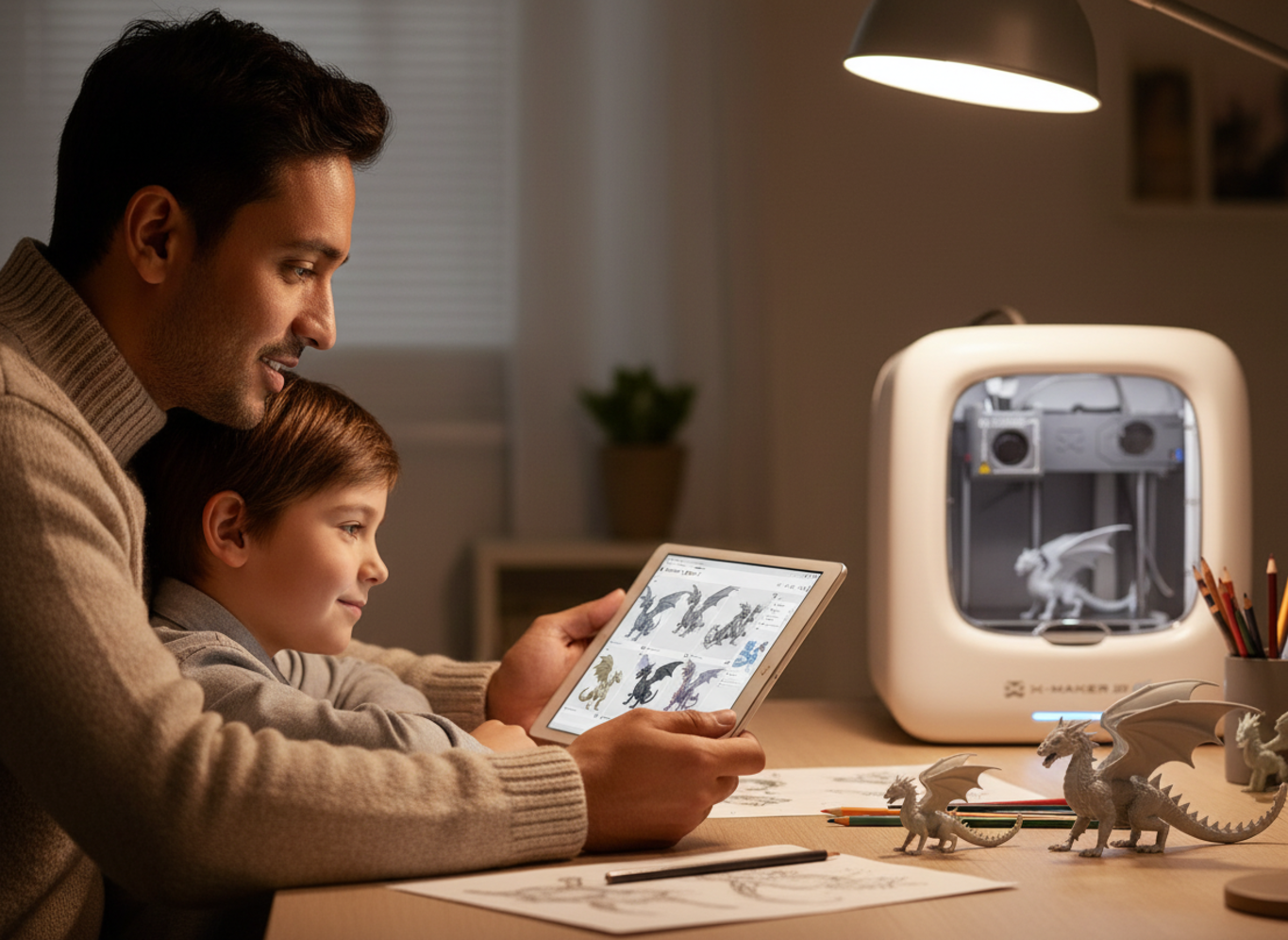
Little kids need a machine that hides the technical steps. A child taps once and a toy appears, usually from a catalogue of ready-made models, sometimes from a drawing in a kid-friendly app. Build areas are small and you'll outgrow them. For a five-to-eight-year-old, that's fine. Most of what they make fits in a palm. An enclosed design matters most here because it keeps fingers away from the hot end. This is the bracket AOSEED built an easy starter printer built for younger kids for, with the app doing the guiding and a grown-up handling setup.
Ages 8 to 12: the sweet spot
This is where most families land. A printer that self-calibrates and prints within about twenty minutes of unboxing, paired with a big library of free models tuned for it, keeps a kid engaged through the first weeks. Download a file, get a finished figure in an hour or two, then start editing. The one thing to watch on an open-frame machine is the exposed bed and nozzle, so an adult handles part removal until the kid respects the heat every time.
Ages 13 to 16: More Room to Grow
Older kids want functional parts, bigger builds, and eventually stronger materials. An enclosed machine earns its price here. The door contains heat and noise, and the closed chamber handles tougher filament down the road. A guided app underneath keeps the jump from toy-making to real design work from feeling like a cliff.
|
Age |
What they can do |
Supervision |
|
Under 5 |
Watch and choose what to print. Not operating the machine. |
Adult runs everything; child away from the hot end. |
|
6 to 8 |
Press start on a print an adult prepared. Pick models. |
Direct supervision. No contact during the print. |
|
9 to 12 |
Run their own prints once an adult slices the file. Design in Tinkercad. |
Periodic check-ins. Adult confirms the bed cooled. |
|
13 and up |
Run an FDM printer start to finish. Resin only with full PPE. |
Light oversight for FDM. Continuous for resin. |
How to Choose a 3D Printer for a Child

What actually predicts whether it gets used
A few factors matter more for a child than for an adult buyer. The first one outranks every number on a spec sheet.
- Prints out of the box. Auto-leveling and pre-tuned profiles decide whether a printer gets used or abandoned. A kid quits fast if the first session is an hour of bed-leveling.
- Enclosed or open frame. An enclosure is a physical barrier around the hot end, runs quieter, and handles more materials. Open-frame is cheaper and fine for PLA with supervision.
- A big model library. Before a kid designs their own parts, the fun is printing things they recognise. One-click access keeps a young maker going.
- Footprint and noise. The printer needs a home that isn't a bedroom, on a stable surface, quiet enough to run in a shared room.
- Support and spare parts. Kids are hard on hardware. A nozzle swap should be a five-minute errand, not a project.
Supervision and Safety for Young Makers
Heat is the main hazard
The nozzle runs near 200C. The bed around 60C. Both burn on contact. Federal guidance is blunt about the physical risks. NIOSH lists hot surfaces, moving parts that catch hair or fingers, and ultrafine particles among the hazards worth controlling, and its 40-page guide for schools, libraries, and makerspaces builds the whole safety plan around a hierarchy of controls.
|
The one rule that does the most work Closed door, or hands behind a marked line, while the printer is moving. Nobody reaches in before the bed cools. An enclosure makes this almost automatic, which is why enclosed machines suit younger and shared use. It doesn't replace an adult in the room. |
Air and small parts
Ventilation matters less for PLA than for engineering plastics, but a room that isn't a bedroom is still the right call for any regular printing. Small printed parts are a choking hazard for younger siblings, so finished prints shouldn't sit within a toddler's reach. The American Academy of Pediatrics keeps a plain list of small items and toy parts to keep away from young children, and printed gears and figures belong on it.
What about resin for teens?
Resin prints far finer detail than FDM, which tempts teenagers into miniatures. It's also genuine chemical handling. Uncured resin irritates skin and airways and can cause a permanent sensitisation reaction with repeated exposure, the cleanup runs on isopropyl alcohol, and the waste counts as hazardous. So resin waits until 13 at the earliest, and even then only with full PPE, external ventilation, and an adult present for the whole workflow. If there's any doubt a teen follows the routine every time, stay with FDM.
Safest 3D Printing Materials for Kids

Why PLA wins
PLA is the answer for almost every kid project. It prints cool. It barely warps. It works with prebuilt profiles, so a beginner gets clean layers without fiddling. It's plant-derived, but that label doesn't make any PLA safe to chew or use with food. Pigments and additives vary between brands.
PLA isn't emission-free either. Studies comparing common filaments found higher particle and chemical output from ABS than PLA under tested conditions, and separate work on the chemical makeup of consumer-printer emissions is the reason ventilation still matters with the gentler material. Buy plain PLA from a known maker, run the lowest approved temperature that gives strong layers, and keep air moving.
|
Material |
Good for |
Kid verdict |
|
PLA |
Toys, models, name tags, most first projects |
Yes. The default. Lower temp, forgiving, clean. |
|
PETG |
Brackets, holders, parts that get dropped |
Fine for older kids after PLA. Hotter bed. |
|
ABS |
Durable, heat-resistant parts |
Skip for kids. Higher emissions, needs an enclosure. |
|
Resin |
Fine-detail miniatures |
Teens only, with PPE and ventilation. |
Project Ideas by Age Group

Start small, start personal
The fastest way to lose a kid is a four-hour print of something they didn't choose. Let the first wins be quick. Free libraries cover most of the early stuff, so a child holds a finished object before any design work begins. A steady stream of print-and-play ideas is what turns a machine into a habit.
|
Stage |
Projects that land |
Why it works |
|
Ages 5 to 8 |
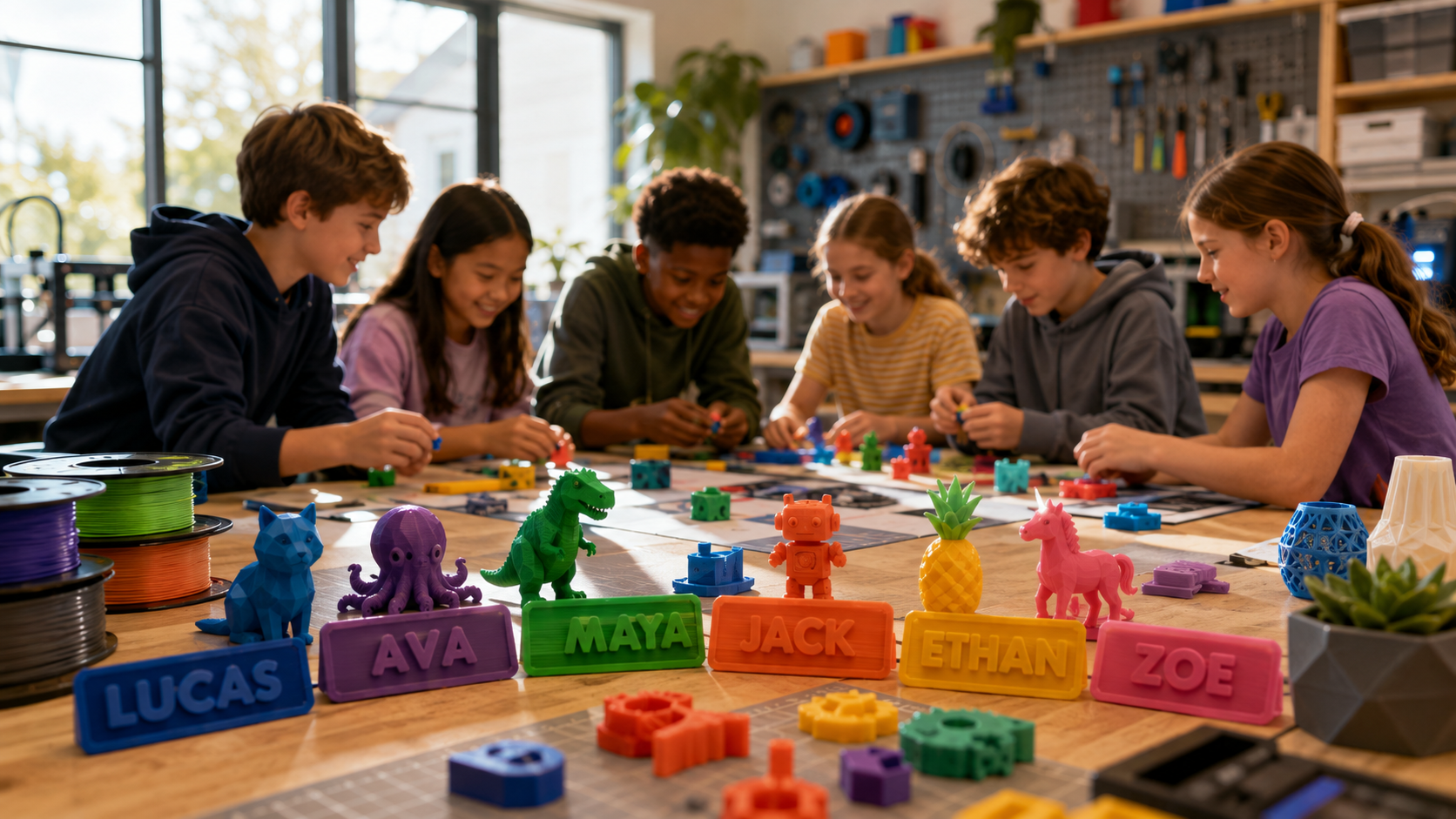
Name keychains, cookie cutters, simple animals, print-in-place toys |
Quick prints; toys come out already moving, no assembly |
|
Ages 9 to 12 |
Board-game pieces, phone stands, desk organisers, a first nameplate |
Designing starts to click; parts solve a small real problem |
|
Teens |
Functional fixes, cosplay props, model kits, parametric CAD |
Motivation shifts from novelty to usefulness |
What 3D Printing Teaches
Skills that outlast the toy
The learning is real and it spans subjects. Designing a part teaches measurement and spatial reasoning. Watching a first attempt fail and fixing it teaches the iterative loop at the heart of engineering. Slicing sneaks in tolerance and support without naming them. The wait teaches patience.
In class these map onto hands-on science and engineering standards. A balloon-powered car a student designs, prints, and races teaches force and motion better than any diagram. The tool is a way into the concept, not the concept itself.
Using 3D Printing in the Classroom
Hardware and software
A classroom changes three things: many hands share each machine, the room has compliance rules a home doesn't, and the budget comes from somewhere specific. The hardware answer is an enclosed, filtered, simple-interface printer, because the door is a safety barrier and the filter handles shared-room air. NIOSH is clear that filtration isn't a substitute for ventilation, so facilities staff should sign off on placement first. A closet is not a print lab. The software is the easy part, and it's free. Tinkercad is the de facto classroom tool, gentle enough for a nine-year-old, with a step up to parametric CAD for older students.
The logistics that catch new teachers
|
One printer will not keep up with thirty students Separate design from printing. Kids design on laptops during the lesson, the teacher batches files and runs them overnight. A shared queue with a clear naming rule stops the pile-up, and a rotating print-captain role lets students start jobs and clear the cooled bed. Plan for one printer per five or six students if you want prints finished inside a class block. |
Home vs classroom, side by side
|
Factor |
Home setup |
Classroom setup |
|
Users per machine |
One or two kids, adult on hand |
20 to 30 students sharing a queue |
|
Frame |
Open-frame fine with supervision |
Enclosed and filtered preferred |
|
Priority |
Price and fun features |
Reliability, service, filtration |
|
Workflow |
Print on demand |
Design in class, batch and print later |
|
WHY FAMILIES START WITH AOSEED AOSEED builds around the two questions parents actually ask: is it safe, and will it still get used. The printers are enclosed and PLA-first, and the app plus Toy Library give a kid a next thing to make long after the novelty fades. Browse the kid-friendly 3D printers grouped by age to match the machine to your child, from a first toy-maker to a STEM-ready build station. |
When to Buy Now, and When to Wait
Buy the printer now if
- Your kid already asks to make things, and you want a fast first win with almost no setup.
- You have a stable, ventilated spot that isn't a bedroom.
- You want one machine that grows from ready-made toys into real design.
Wait, or start smaller, if
- You're not sure the interest is real. Test it first with a free browser tool or a library makerspace.
- The only free space is a bedroom or an unventilated closet.
- The child is under five. Choose and watch for now, and operate the machine yourself.
Costs for Families and Schools
What you'll actually spend
For a family, a capable first setup runs roughly $200 to $350: the printer, a few rolls of PLA, and a basic toolkit. Consumables are cheap, with a kilogram of PLA around $20 to $25 and lasting through dozens of small prints. For a classroom the maths is per-station plus shared accessories, so a set of three to five enclosed printers is a four-figure line item before filament.
Running cost surprises people by being tiny. A printer averaging 0.12 kilowatts for two hours at $0.16 per kilowatt-hour uses about four cents of power. The real spend is filament and the parts that wear out, nozzles and build plates, not the meter.
The Takeaway
Match the machine to the child
The best printer isn't the fastest or the priciest. It's the one that matches the child's age, the workspace, and how much adult help is on hand. Young kids do best with simple controls. A parent runs the workflow. Older ones grow into CAD, slicing, and their own troubleshooting. Schools should weigh enclosures, filtration, reliable parts, and a clear system for thirty student files.
For most families the starting point is the same: an FDM printer running PLA, in a ventilated shared room, with each project beginning from a quick test print. If you want the easiest on-ramp for a younger child, the AOSEED X-MAKER JOY lands at around $269, prints out of the box, and comes with the app and model library that keep a kid coming back. It's a sensible first machine, and it sits inside a wider system of safe, simple 3D printing for families that grows as the child does. Get the habits right, and the rest is just deciding what to make next.
FAQs
What is the most user-friendly 3D printer for kids?
For a five-to-eight-year-old, a one-button machine with a kid-focused app and a ready-made model catalogue is the easiest start, because it hides slicing entirely. For most kids aged 8 to 12, a self-calibrating printer that's ready in about twenty minutes wins instead, since it pairs simple setup with room to grow into design. Match the printer to the child you actually have, and pick the one they can succeed with using the least troubleshooting.
What is the best 3D printer for schools?
An enclosed, filtered, simple-interface machine. The enclosure is a physical barrier around the hot end for a room full of curious hands, the filter helps with shared air, and a clean touchscreen keeps a class moving without an adult at every step. Ask for an education quote that bundles spare nozzles, build plates, filters, and training, not just the bare printer.
Are 3D printers safe for kids to use?
FDM printing with PLA is low-risk and comparable to a hot glue gun: supervise the hot parts, keep the room ventilated, and keep small prints away from toddlers. NIOSH recommends controls like ventilation, enclosures, and filtration, and treats these as heated workshop tools, not ordinary toys. Resin is a separate category and isn't appropriate for children.
What is the safest 3D printer filament for kids?
PLA, without much competition. It prints cooler, warps less, and works with default profiles, so kids get clean results fast. It shouldn't be called harmless or emission-free, though. Studies report higher emissions from ABS than PLA, and ventilation still matters with either. Buy plain PLA from a known brand and run the lowest temperature that gives strong layers.
Should I get my 7-year-old a 3D printer?
A seven-year-old can enjoy it, but the adult stays the operator. The kid chooses models, picks colours, makes simple designs, and watches the object appear. A child-focused machine cuts the technical steps, while a standard hobby printer leaves the hot nozzle and bed exposed. Test the interest first with a free tool like Tinkercad or a library makerspace before buying.
Which printer is best for school students?
For an individual older-elementary or middle-school student, a self-calibrating machine with enough build space covers most projects. For a shared classroom, an enclosed filtered printer is the better call. High-school engineering students may need an enclosure that handles PETG or reinforced materials, with the teacher approving each material by temperature and ventilation needs.
What is the best 3D printer for beginners in 2026?
The strongest beginner pick removes the two things that frustrate first-timers: manual bed leveling and long calibration. Look for a printer that arrives assembled, self-levels, and reaches a first print in about twenty minutes, with a build area around 180mm and support for PLA and PETG. An open frame is the main drawback for homes with very young kids, where an enclosed machine is worth the extra cost.
How much does it cost to run a 3D printer for 1 hour?
Usually a couple of cents of electricity, but the exact figure depends on the machine's power draw and your local rate. Use average kilowatts times hours times your rate per kilowatt-hour. A printer at 0.12kW for one hour at $0.16 per kWh runs about two cents. Filament, failed prints, and worn nozzles cost far more than the power, so budget for material and spare parts.
Sources
- CDC / NIOSH, “Safe 3D Printing Is for Everyone, Everywhere”
- CDC / NIOSH, “Approaches to Safe 3D Printing: A Guide for Makerspaces, Schools, and Libraries”
- National Library of Medicine (PubMed), “Particle Emissions From Fused Deposition Modeling 3D Printers: Evaluation and Meta-Analysis”
- National Library of Medicine (PubMed), “Chemical Composition and Toxicity of Particles Emitted From a Consumer-Level 3D Printer”
- American Academy of Pediatrics, “Choking Prevention for Children”
- Autodesk Tinkercad, “Free Browser-Based 3D Design for Beginners and Classrooms”



Further reading

Thanksgiving STEM Activities for Kids: Table Projects and Simple Engineering Challenges

Halloween STEM Activities for Kids: Spooky Builds That Teach Real Science

STEM Crafts for Kids: Build, Decorate and Test