47+ Best 3D Printing Ideas for Kids in 2026
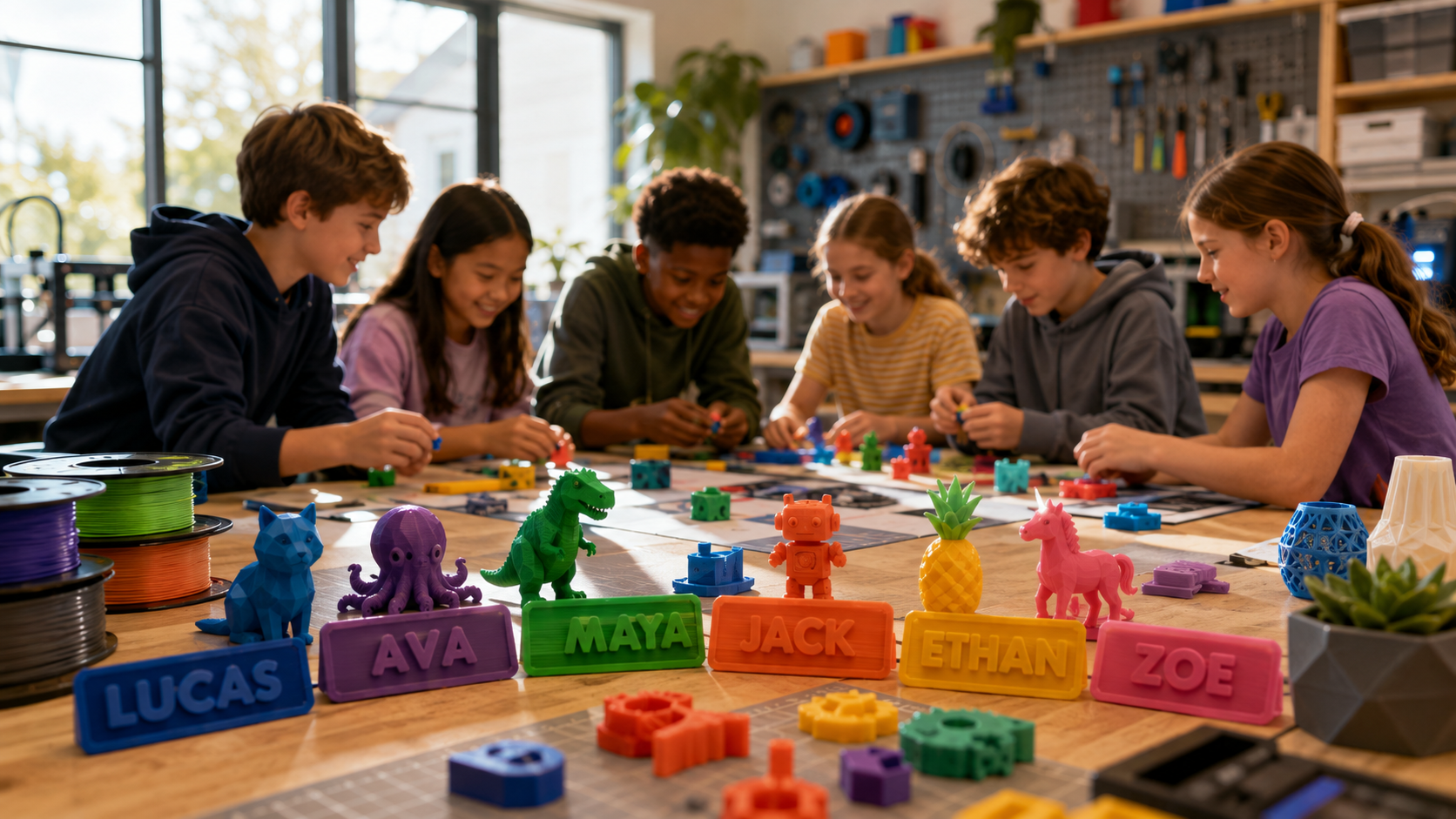
A 3D printer turns a child’s drawing into something they can hold, test, and improve. These 3D printing projects for kids include classroom tools, simple science models, toys, gifts, and useful objects for home.
The best first projects are often easy 3D prints for kids that finish quickly and work without complex supports. Start with a small design, learn from each test, and move to larger builds as the child gains confidence.
Below are 49 project ideas sorted by age and skill level, with realistic print times, safety checks, and simple ways to fix common first-print problems.
Below are 49 projects sorted by age and skill, with honest print times, the safety checks that actually matter, and fixes for the failures every family hits in the first month.
Quick Pick: Match a 3D Printing Idea to Your Child
Skip the scroll if you want something printing in the next hour.
|
Child's Age |
Skill Level |
Print Time |
Start Here |
|
4 to 6 |
First print ever |
20 to 45 min |
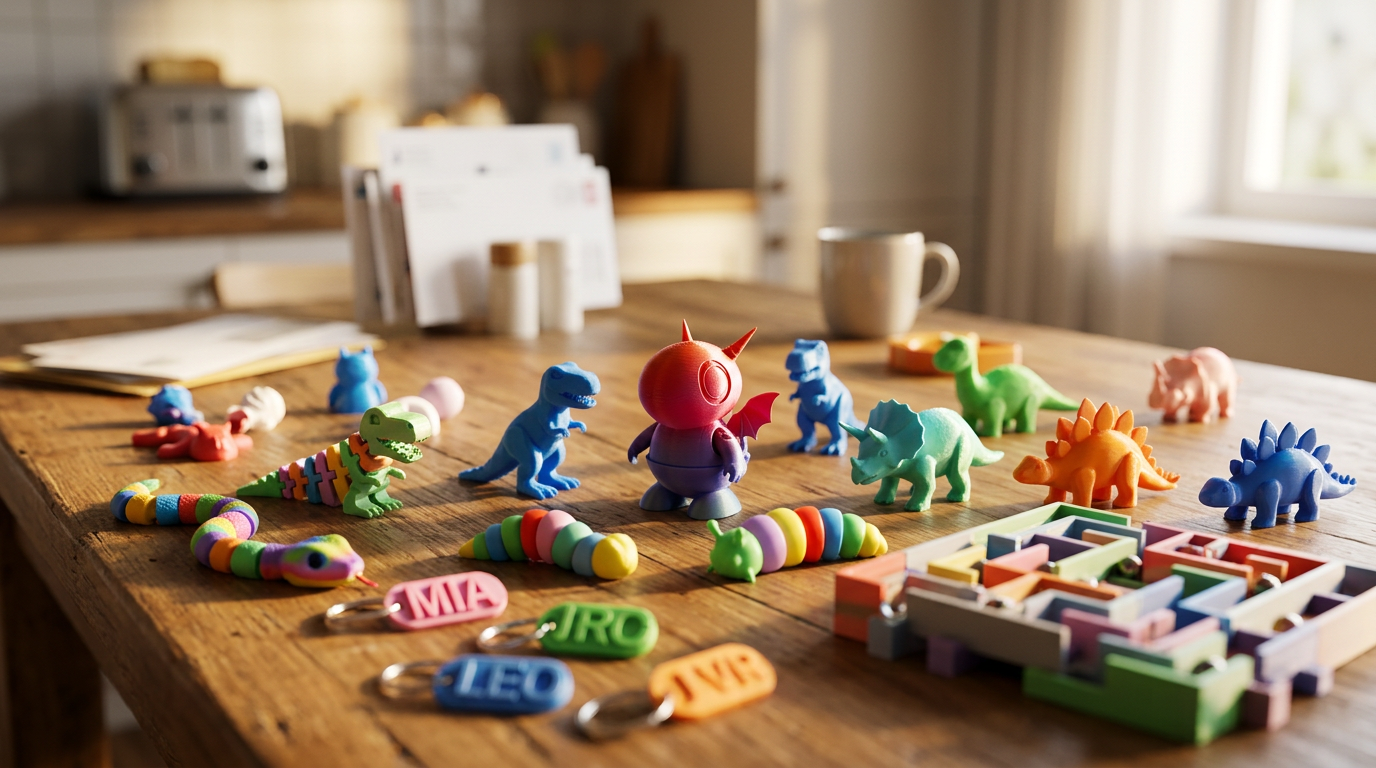
Personalized name tag or backpack zipper pull |
|
6 to 8 |
Second or third print |
1 to 2 hr |
Mini dinosaur, custom buttons, snowflake decorations |
|
7 to 10 |
Comfortable with the slicer |
2 to 4 hr |
Flexi Rex, articulated octopus, Morf worm fidget |
|
9 to 12 |
Can level a bed and swap filament |
3 to 6 hr |
Marble maze, mini basketball game, paint palette |
|
10 to 14 |
Ready to design, not just download |
4 to 8 hr |
Walking penguin automata, night-light with a circuit |
|
12 to 16 |
Multi-part builds and assembly |
8 hr plus |
Classroom prize capsule machine, custom minifigure set |
Print times assume 0.2 mm layer height and 15 percent infill on a standard desktop FDM printer.
How to Choose the Right 3D Printing Project for a Child

Start With Age, Not With the Model Gallery
Younger kids want big shapes, bright colors, moving parts, and a print that ends before they lose interest. Name tags, chunky dinosaurs, pencil toppers, and simple puzzles deliver all four.
Older kids can handle automata, circuits, and models with a dozen fitted pieces. Age labels on downloadable files are marketing, not a safety rating. Inspect the finished object yourself for sharp edges and pieces that pull loose.
Check Print Time Before You Promise Anything
Your slicer estimates time and filament use before the print starts. Read it. A small tag finishes inside an hour, while a detailed automaton can run most of a school day.
This matters more when several kids share one machine. Dropping infill or scaling a model down saves material, but thin walls and tiny joints snap under normal play.
Ready-Made STL Files for Kids or Custom Designs?
STL files for kids let a child start printing without learning 3D modeling first. They work well when the main goal is printer setup, color choice, painting, or assembly.
For a simple customization step, download an easy model and add a name, hole, symbol, or pattern using Tinkercad for beginners. The child gets an early print while learning how small design changes affect size, shape, and function.
Custom designs hand over control of size, text, shape, and function. There is a useful middle step most families skip: download a simple model, then add a name, a hole, or a pattern in beginner design software. The child gets ownership without a modeling course.
Look for Support-Free and Low-Fail Models
Support-free models save material and cut cleanup. They also remove the moment where a seven-year-old snaps a fin off while yanking support away with pliers.
Search for files tagged print in place, no supports, or beginner friendly. Then read the designer's notes. Some models need a brim, a specific layer height, or joint clearance that only works on a well-calibrated machine.
|
Parent tip: Before a long print, run the same model at 25 percent scale as a test. Ten minutes now beats six hours of wasted filament and a disappointed kid. |
Easy 3D Printing Ideas for Kids and Beginners
These use clear shapes and forgiving settings. Print them in one color, then decorate later with paint pens or acrylics.
1. Personalized Name Tag

The easiest possible introduction to 3D design. Your child picks the text, the font, the background shape, and the color. Nothing complicated underneath.
Add a hole and it becomes a keychain or zipper pull. Use thick lettering so each character stays attached through printing and a school year of use.
2. Name Pencil Topper

A school supply turned custom object. Kids place their name, initials, or a short word across a small base that slides onto a pencil end.
Measure the pencil first. Print one short test piece, because an opening that is barely too small cracks the moment it gets pushed on.
3. Simple Keychain

Several design skills in one twenty-minute project. Combine a basic shape, raised text, an icon, and a ring hole.
Keep the ring area thicker than the decorative parts. Thin loops snap inside a backpack.
4. Mini Dinosaur

Fast, collectible, endlessly repeatable. Kids pick species, assign colors, and build a small prehistoric set over a few weeks.
Choose a model with thick legs and a wide stance for the first attempt. Long tails, narrow ankles, and tiny teeth need supports or slower settings.
5. Flexi Rex

A print-in-place dinosaur made from linked body sections. It bends and wiggles straight off the plate. No pins, no glue, no assembly.
This one doubles as a printer test. Clean gaps between moving pieces mean your machine is dialed in. Do not force a stiff joint, because pressure breaks the link rather than freeing it.
6. Articulated Octopus

Separate moving sections inside every arm. The motion is smooth enough that it ends up on a desk as a fidget object rather than in a toy box.
Pick a version designed to print flat without supports. Watch the first layer closely. One loose arm segment ruins the whole print.
7. Spiral Vase

A bold shape from a simple process. Vase mode prints many designs as one continuous outer wall, which is fast and uses very little filament.
Treat the result as a holder for pencils, craft stems, or dried flowers. It will not hold water reliably unless the model was designed and tested for it. Silk and translucent filaments make these look far more expensive than they are.
3D-Printed Toys and Fidget Ideas
Moving toys hold attention long after the printer stops. They also show a child how hinges, flexible links, and elastic parts behave under real use.
8. Morf Worm Fidget Toy

Connected sections that twist into loops, waves, letters, and shapes. Kids invent positions the designer never planned.
Print it at the designer's recommended scale first. Shrinking an articulated model closes the gaps between parts and fuses the joints solid.
9. Squishy Fidget D20

A twenty-sided die built from printed panels held by elastic cord. It snaps back after every squeeze and makes a clicky sound kids love.
Better suited to older children who can follow an assembly sequence. Check the knots regularly. Loose cord means panels come off during play.
10. Articulated Goose

A flexible neck, a silly posture, and a permanent spot on someone's desk. Kids name it. That is usually the point.
White filament gives the familiar look, though bright colors make it more personal. Clean stringing from between the joints before handing it over.
11. Flexible Pug Toy

Linked sections create a wiggling body. The rounded shape and squashed face make this a friendly first animal print.
Facial detail disappears if you print it too small. Keep the original scale for copy one, then test smaller versions once you know the joints work.
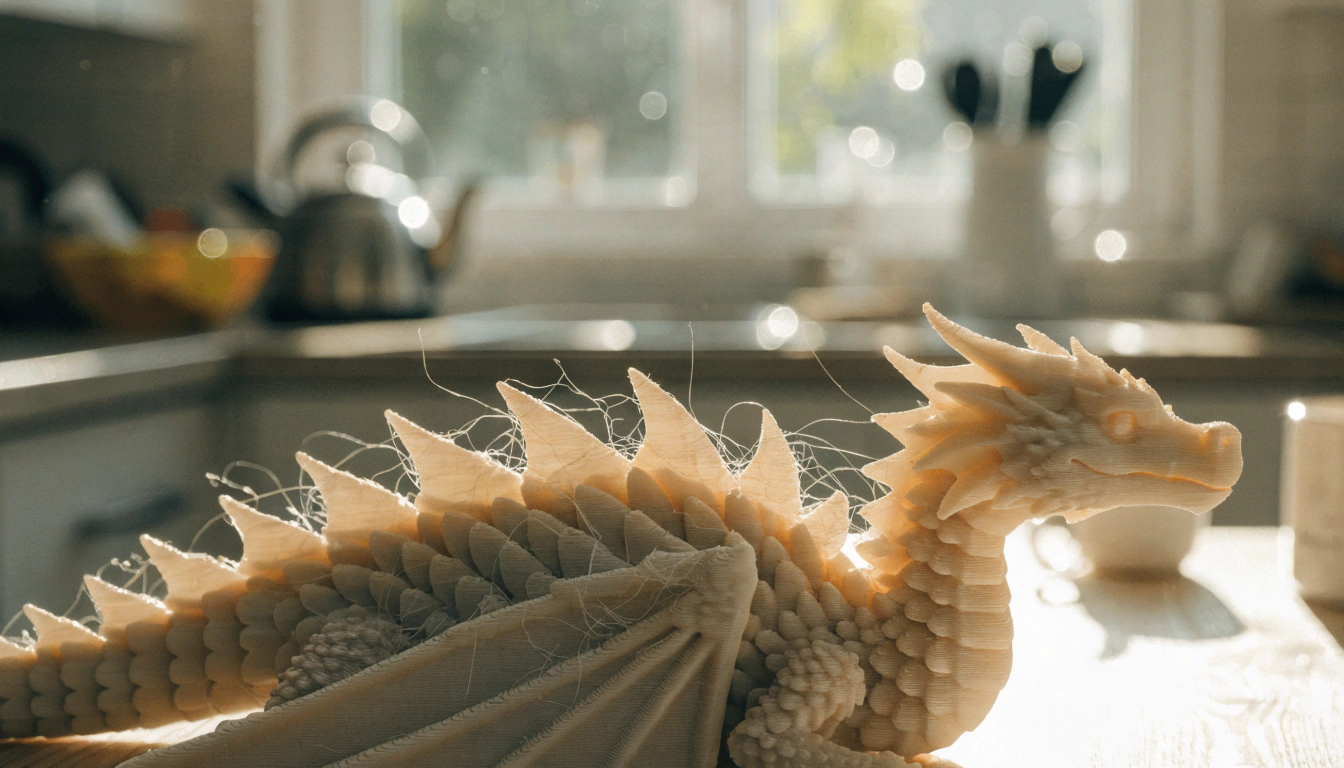
12. Cute Flexi Dragon

More detail than most articulated animals. Wings, horns, scales, and a long tail give kids plenty to paint.
Start with a support-free version that has thick decorative parts. Thin horns turn sharp or break during rough play, so smooth or trim any damaged points.
13. Airless Star Ball

An open geometric shell instead of a solid surface. It looks striking and uses a fraction of the material a solid ball would.
Treat it as a light indoor play object. Printed ribs crack under hard kicks and repeated outdoor impact. It is not sports equipment.
14. Mini Trash Can With Moving Wheels

A hinged lid, rolling wheels, and a small storage space. Kids fill it with erasers, beads, and tiny toy parts within a day.
Print the bin and moving pieces in contrasting colors. Test the wheels and lid before play, then clear any loose strands around the axles.
|
What makes these stick: Every project in this section produces something a child can move, carry, or fidget with. Static models get admired once. Moving ones come back out next week. |
STEM 3D Printing Projects for Kids

These connect a finished print to a real idea. The child predicts, builds, tests, then changes the design based on what actually happened.
15. Walking Penguin Automata

Turn a crank and the penguin waddles. The mechanism inside introduces cams, axles, friction, and repeated motion without a single worksheet.
Print the mechanical pieces with consistent settings so they fit. Let the child assemble in order and work out which piece controls which movement.
16. Moving Excavator Automata

Connected links raise and lower the arm. It shows how several small movements combine into one larger action.
Ask your child to compare the printed mechanism against a real excavator. A drop of suitable lubricant helps a tight pivot, though sanding the right contact point usually solves it.
17. Roaring T-Rex Automata

The jaw opens and the head moves when the crank turns. A favorite dinosaur plus a visible mechanical system.
Use different filament colors for the frame, the dinosaur, and the moving links. The mechanism becomes far easier to study during assembly.
18. Mars Space Shuttle

Start with a ready-made model or let your child design one. Either way the conversation is about cargo space, landing feet, crew areas, and shape.
The craft does not need to copy a real spacecraft. Value comes from asking why each feature exists and what problem it solves.
19. Night-Light With a Simple Circuit

A decorative printed shell around a low-voltage LED. Kids design openings that throw stars, names, or animals onto a bedroom wall.
An adult selects and connects the electrical parts, especially where wires, batteries, or soldering are involved. Use only a cool, low-voltage light source that fits safely inside the housing.
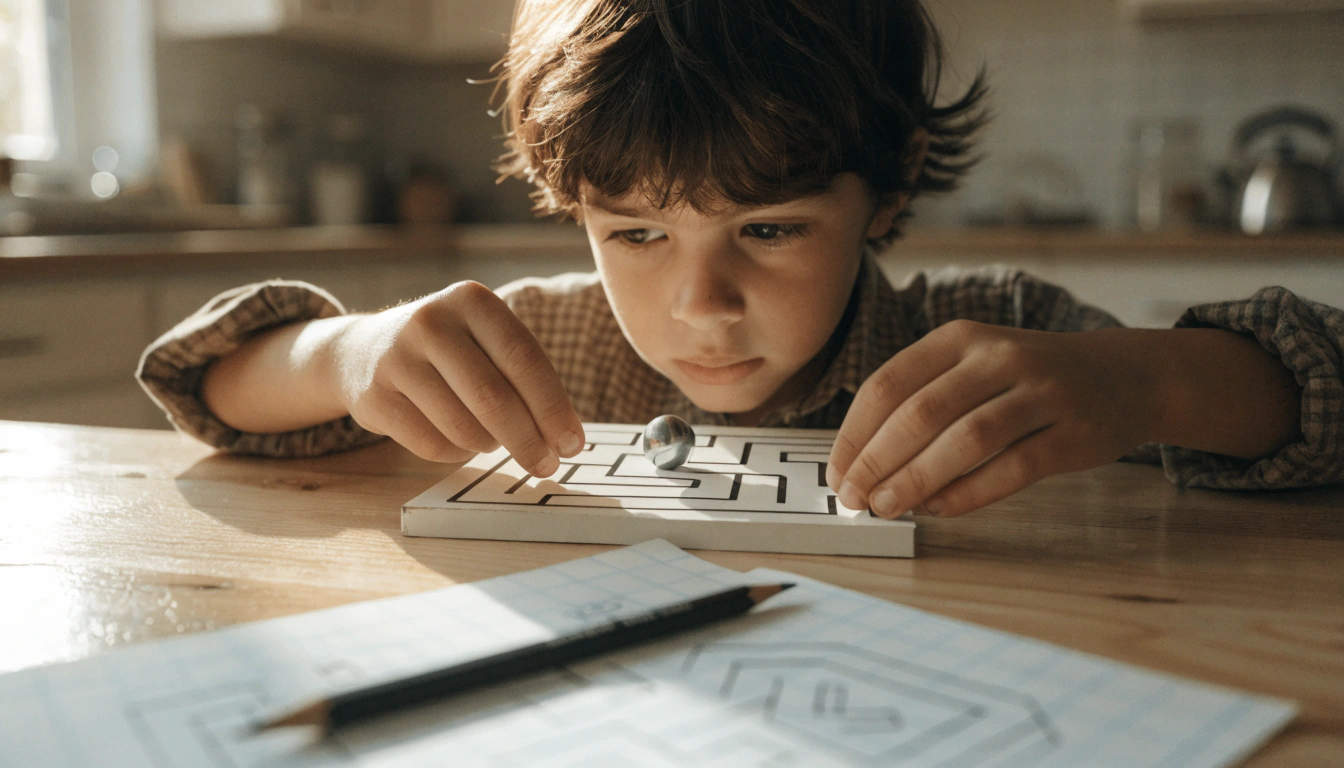
20. Marble Maze

Kids design a route with walls, turns, traps, and a finish point. Then they test whether the marble actually moves and fix the sections where it jams.
Begin with a shallow tray and wide paths. Small changes make the game easier, harder, or faster, which is the entire engineering lesson in one object.
21. Number Value Learning Blocks

Blocks that show quantity through height or stacked units. Children compare pieces and see why two smaller values equal one larger one.
Keep dimensions consistent so the physical relationships stay accurate. Color grouping helps early learners spot patterns without reading the numerals.
Classroom and Study-Space 3D Prints

Useful prints prove the printer is not a toy dispenser. These solve a problem the child can point at.
22. Post-it Note and Pen Holder

Two desk supplies in one place. Students add a name, class number, or symbol to the front.
Measure the pad and the pens before printing. A slightly generous opening makes refills easy instead of a wrestling match.
23. Foldable Backpack Hook

Holds a light backpack, headphones, or a supply bag, then folds flat against the desk or wall.
This one needs strong layer bonding and secure mounting. An adult decides where it goes and sets a weight limit based on the design.
24. Paint Palette

Round wells, mixing space, a thumb hole. Kids adjust the number and size of wells for different art sessions.
Use it for washable classroom paint, not food. Dried paint collects between layer lines, so pick a design with smooth open areas that wipe clean.
25. Custom Buttons

Shape, size, pattern, and hole count are all up to the child. They end up on craft projects, costumes, and classroom displays.
Round the edges and keep the center thick enough to resist cracking. For anything worn by a young child, an adult sews each button on and checks it regularly.
26. Wall-Mounted Storage Hooks

Organize headphones, cables, rulers, or filament spools. Students measure the item first, then design a hook around its width and weight.
The mounting method matters as much as the printed shape. Screws, wall anchors, or approved adhesive strips depend on the surface and the expected load.
27. Clay Sculpting Tools

Textured wheels, patterned stamps, cutting edges, shaping tips. Kids build a matching set for lines, scales, leaves, and bricks.
Avoid needle-like points and thin blades. Sand rough edges before use and wash the tools after each session.
28. Classroom Prize Capsule Machine

A working capsule dispenser replaces the plastic prize box. Students help print the body, the turning parts, the capsules, and the prizes inside them.
This is a long build that usually needs a few test prints. Keep a labeled tray per component so pieces do not vanish before assembly.
Science and Nature 3D Printing Ideas
Physical models make science easier to see and hold. These support lessons on prehistoric life, animals, astronomy, habitats, and environmental care.
29. T-Rex Skull Model

Kids study the jaw shape, the eye openings, and the teeth up close. It anchors a lesson on fossils and how scientists rebuild extinct animals from fragments.
Choose a simplified skull for younger students and a detailed one for older learners. Print it on a stable base so delicate features do not rest on the desk.
30. Dinosaur Fossils

Bury printed fossils in sand or a sensory bin for a mock excavation. Children uncover, sort, label, and compare the pieces.
Large shapes work better than tiny bones for younger students. Count every piece before and after, especially when several groups share one set.
31. Insect Models

Enlarged prints show body segments, legs, and wings that are almost impossible to see on the real thing.
Print several species for a sorting activity based on shared traits. Avoid making claims about exact anatomy unless the model came from a reliable educational source.
32. Animal Life-Cycle Models

Egg, larva, pupa, adult. Students arrange the pieces in order and explain what changes at each step.
Use separate models large enough to handle comfortably. Numbers or small connecting bases help when children need a memory prompt for the sequence.
33. Constellation Model

Star positions shown with raised dots, holes, or connecting lines. Glow-in-the-dark filament adds a real payoff after the model sits under a lamp.
Explain that the connecting lines are learning aids, not real structures in space. Kids can compare several constellations and design a display stand.
34. Butterfly Feeder

Holds fruit or a small feeding sponge in an outdoor observation area. Children record which insects visit and how weather changes the activity.
Clean it often and place it where adults can monitor it. Avoid sharp rims, deep liquid containers, and any design that could trap a small animal.
35. Custom Birdhouse or Bird Feeder

This asks a child to design for a living animal rather than for looks. Drainage, shelter, access, cleaning, and the needs of local birds all come into it.
A fully printed outdoor model can soften, crack, or warp depending on material and climate. A safer school version prints the connectors, signs, or prototypes and builds the final structure from weather-suitable materials.
Games, Puzzles, and Imaginative Play Projects
Story-based prints invite a child to use the object in ways nobody planned. They also build patience, spatial reasoning, and turn-taking.
36. Triple Twist Cubes

Connected or nested shapes that rotate. Players study how one movement changes the position of everything else.
Print each section in a different color so the motion is easy to follow. Clearances matter here. Fused surfaces stop the puzzle turning at all.
37. Mini Basketball Game

A hoop, a backboard, a stand, and a small ball. Kids test launch distances and keep score across short rounds.
Widen the base if the hoop tips during play. Print spare balls, because small game pieces disappear under furniture within an hour.
38. LEGO-Compatible Bricks

Custom blocks, signs, connectors, and ramps that work alongside an existing brick collection. Kids test shapes no set ever included.
Fit depends on precise measurements and a calibrated printer. Test one brick before committing to fifty, and describe them as compatible rather than as an official branded product.
39. Custom Minifigure

A child designs clothing, hair, tools, or an entire fictional character. One figure usually turns into a cast within a month.
Moving arms and legs need accurate joint sizes. Younger children often do better with a solid figure and fewer detachable pieces.
40. Toy Capsule Prizes

Tiny animals, tokens, charms, and figures to fill a printed capsule machine or a classroom reward box. Kids pick themes for holidays or reading goals.
Keep each prize simple enough to print in batches. Small objects stay away from any child who still puts things in their mouth.
41. Imaginary Friend Character

It starts with a drawing and a short description. The child builds a body from basic digital shapes, then adds horns, wings, glasses, or a backpack.
Proportions do not need to be right. The goal is watching a personal idea become a physical object, which lands harder than any tutorial.
42. Mini Construction Vehicle

A dump truck, bulldozer, crane, or excavator, printed solid or built from moving wheels, arms, and buckets.
The solid version suits beginners and younger children. Models with axles and joints need careful assembly and regular checks for loose pieces.
Personalized, Seasonal, and Giftable Prints
These turn into low-cost gifts, keepsakes, party favors, and holiday decorations. Kids change text, color, size, and detail for each person.
43. Custom Backpack Zipper Pull

A name, an initial, an animal, or a sports symbol. Small enough to print from whatever is left on the spool.
Round the corners and reinforce the attachment hole. A short flexible cord holds up better than a thick printed loop sitting directly on the zipper.
44. Photo or Logo Stamp

Convert a simple image into raised shapes for a stamp or embossing tool. Bold black-and-white artwork works. Photographs with fine shading do not.
Reverse any lettering before printing so the stamped text reads correctly. Test on scrap paper or soft clay before scaling up.
45. Snowflake Decorations

Windows, classrooms, gift tags, holiday displays. Children compare symmetrical patterns and design their own six-part shapes.
Thin branches look delicate and break just as easily. Thicken them when the decoration gets handled, stored, and reused each year.
46. Maple Leaf Decorations

Fall displays, counting activities, garlands, light-table play. Veins and surface texture add detail without extra parts.
Print in several sizes and warm colors for sorting games. Translucent filament works beautifully near a safe light source.
47. Earth-Care Charm

A tree, a water drop, a recycling symbol, or an animal. Pair the design with one action the child plans to take at home or at school.
Keep the message visual and instantly readable. Add a wide hole if it will hang from a backpack or a bracelet.
Best 3D Printing Software and Model Libraries for Kids

Beginner design tools let kids change or create models. Online libraries hand them files that are ready to slice. Adults should check account requirements, licenses, comments, and print notes before downloading anything.
Tinkercad
A browser-based Autodesk tool that builds 3D designs by combining basic shapes. Visual controls make it a practical starting point for name tags, signs, keychains, and simple characters. Autodesk publishes education resources and specific privacy information for children's use, though adults should still supervise account setup and file downloads.
Printables and MakerWorld
Both are searchable libraries of downloadable models. Listings usually include photos, print settings, tags, remixes, and comments from people who actually printed the thing.
Read the description rather than trusting the preview render. Check the license before changing, sharing, or selling anything made from the file. Some MakerWorld listings ship print profiles that cut setup work, but confirm filament type, nozzle size, plate, supports, and scale instead of assuming the preset matches your machine.
Thingiverse and MyMiniFactory
Thingiverse has hosted community designs since 2008 and covers learning models, household objects, tools, toys, and games. Older files may lack settings for newer printers, so read recent comments and inspect the model in your slicer before starting a long print.
MyMiniFactory leans toward miniatures, tabletop pieces, and detailed figures, with both free and paid models. Check whether supports are included and whether the license permits remixing, classroom sharing, or commercial use.
Printer-Native Design Apps
Some kid-focused machines skip the download-and-slice loop entirely. AOSEED bundles a beginner-friendly printer with guided design apps so a child can pick a model, customize it, and send it to print without an adult driving the software. For families where the parent is not a maker, that removes the step where most projects quietly die.
|
Licensing shortcut: Save a copy of the license and the creator's name for every third-party file you use. It takes ten seconds and answers every question that comes up later if your child wants to sell prints. |
Tips for 3D Printing With Kids
A clear routine makes this work at home, in a club, or across five class periods. Kids should know where files go, who runs the printer, how projects join the queue, and when parts are cool enough to touch.
Start With Single-Color Prints
Fewer filament changes, fewer chances to get the setup wrong. Kids focus on shape, scale, and whether the thing works.
Add detail afterward with acrylic paint, paint pens, or stickers. Test your decorating supplies on a failed print first, because some markers smear on certain plastics and never dry.
Use PLA for Basic Beginner Projects
PLA prints at manageable settings and handles most beginner models. It suits decorations, learning aids, prototypes, and light-duty toys.
It also softens in heat and cracks under hard impact. Do not reach for it automatically for cars, outdoor structures, safety equipment, or anything meeting hot water.
Let Children Customize Existing Designs
One small change turns a download into a design lesson. Add a name, widen a base, change a hole, combine two shapes.
Keep the original file so both versions can be compared. It shows exactly how each change affects print time, balance, appearance, and strength.
Create a Print Queue for Multiple Children
A visible queue ends the constant question of whose model prints next. Use a board or a shared sheet with name, file, color, estimated time, and status.
Set size and time limits so one ambitious project does not hold the printer for three days. Save the long builds for weekends and project weeks.
Label Everything, Immediately
Finished projects go in labeled bins, not on an open table. Separate the successes, the failures, the parts awaiting assembly, and the pieces needing review.
Put the child's name or class code in the file name too. Clear labels prevent lost work when thirty projects look similar.
|
WHY THIS MATTERS FOR FAMILY PRINTERS: Most desktop machines are built for hobbyists who enjoy tuning. Kids need the opposite. Enclosed build areas, one-press printing, quick-swap nozzles, and a guided app so the child does the creative work instead of watching a parent operate software. If you are still choosing hardware, compare 3D printers built for kids and beginners by age fit, enclosure, and how much of the workflow a child can actually run alone. |
3D Printing Safety for Children

A desktop printer has hot surfaces, moving parts, electrical components, and tools that cut. Adults control setup, maintenance, material changes, print removal, and troubleshooting. That is not negotiable.
Keep Children Away From the Hot End and Print Bed
The nozzle and heated bed stay hot after a print ends. Kids wait for the temperature display to drop before reaching inside.
Place the printer where young children cannot reach it unsupervised. An enclosure adds a physical barrier, though it does not replace clear rules and adult control.
Ventilate the Space Properly
Filament printers release ultrafine particles and volatile organic compounds while running. NIOSH evaluated emissions across printer and filament combinations in chamber studies and real workplaces, then published control recommendations covering ventilation, source capture, enclosures, filtration, and limiting time near a running machine. The full guidance sits in the NIOSH guide to safe 3D printing for schools, libraries, and makerspaces.
Do not put a printer beside a child's bed or in a small sealed room. Follow the printer and material instructions, and bring in school facilities staff when several machines share one lab.
Check Small Parts for Choking Risks
Printed toys break, and the pieces that come off are often small. Under 16 CFR part 1501, the CPSC bans small parts in products intended for children under three. A small part is anything that fits entirely into the small parts cylinder without being compressed, and that includes any piece that breaks off during use-and-abuse testing.
Keep small models and detachable components away from children under three and from any child who still mouths objects. Inspect toys before every play session and bin the damaged ones.
Smooth Sharp Edges Before Play
Layer shifts, broken supports, and thin features leave rough or pointed edges. Run a finger carefully around the cooled object before handing it over.
Clip stray strands with the right tool, then sand the area smooth. Wear eye protection when clipping brittle parts, because fragments fly.
Inspect Moving Toys for Loose Pieces
Articulated toys should move without shedding links, pins, or panels. Twist each joint gently and look for cracks, white stress marks, and gaps between layers.
Retire a toy once a section starts to split. Glue hides the damage without restoring the strength that made the joint safe.
|
Selling printed toys is a different legal question. Printing something successfully does not prove it passes durability or small-parts testing. Covered children's products in the US require third-party testing at a CPSC-accepted lab and a Children's Product Certificate. Toys also fall under ASTM F963, which became mandatory through 16 CFR part 1250. Toys manufactured after 20 April 2024 must meet ASTM F963-23. Full detail sits in the |
Why Kids' 3D Prints Fail and How to Fix Them
Failed prints are part of learning how the machine behaves. Keep a few examples so kids can compare a defect against a good print and work out what changed.
|
Symptom |
Most Likely Cause |
First Fix to Try |
|
First layer curls or slides off |
Nozzle gap wrong, dirty plate, or bed temperature too low |
Clean the plate the manufacturer's way, recheck leveling, print a first-layer test square |
|
Thin hairs between parts |
Filament oozing during travel moves |
Dry the filament, then adjust retraction or drop nozzle temperature 5 degrees at a time |
|
Supports fused to the model |
Support gap too small or temperature too high |
Reorient the model first, then try tree or painted supports before adding more density |
|
Joints snap or lock solid |
Model scaled down, or under-extrusion |
Print at the designer's intended size and confirm filament feeds evenly |
|
Corners lift off the plate |
Uneven cooling, drafts, or poor adhesion |
Move the printer away from airflow, clean the surface, add a brim |
|
Model is the wrong size |
File used different units or was scaled on import |
Check dimensions in millimetres before slicing, allow clearance for moving parts |
|
Print ends as a plastic nest |
Model detached mid-print |
Rerun the first-layer check, verify the model is anchored, reduce print speed |
Change one setting at a time. Two changes at once means you learn nothing about which one worked.
When to Print Now, and When to Wait
Not every idea is worth starting on a Tuesday evening.
Print it tonight when:
- The model finishes in under two hours and needs no supports
- Your child can name what they want to change about it
- The print sits flat on the plate with a wide base
- Nothing about it needs glue, cord, or electronics
Wait for the weekend when:
- The build has more than four separate printed parts
- Assembly involves elastic cord, wiring, or a circuit
- The estimate runs past four hours and nobody will be home
- You have not printed a test piece at reduced scale yet
Conclusion
The best projects pair a fun result with a clear thing learned. A name tag teaches design basics. A marble maze teaches revision. An automaton shows a child how motion actually transfers through a mechanism they built themselves.
Start with a small support-free model that finishes in a few hours. Once your child understands slicing, filament, scale, and first-layer checks, articulated toys and circuits stop being intimidating.
Supervision stays part of every project. Keep kids clear of hot and moving parts, run the machine in a properly ventilated space, and check each finished object for sharp edges and loose pieces. Beyond that, the thing that keeps a printer in use past month one is having somewhere to go next. A family creativity setup built around guided projects, with a model library that updates and apps a child can actually drive, is what turns 49 ideas into a habit instead of a weekend.
FAQs
What is the best thing to 3D print in 2026?
Something small, personal, and finished within an afternoon. A name tag, a backpack zipper pull, a marble maze, or an articulated animal all give a beginner a real result without a long print.
Flat models with wide bases beat figures with thin legs and steep overhangs every time. Aim for under three hours, one filament color, and no glue for the very first one.
What are some popular 3D prints for kids?
Flexible animals, dinosaurs, fidget toys, name tags, keychains, puzzles, mini games, and classroom organizers. Kids gravitate to things they can move, personalize, collect, or paint.
Articulated octopuses and flexi dinosaurs dominate for a reason. They work straight off the plate. Let your child pick between three options that fit the time you actually have.
What is the coolest thing for a child to 3D print?
A working automaton. Turn a crank and a printed penguin walks or a T-Rex opens its jaw, which lands harder than any static model sitting on a shelf.
Automata also reveal how axles, cams, and linkages transfer motion. Print each group of moving parts in a different color so the mechanism is readable during assembly.
What is the recommended 3D printer for kids in 2026?
The one matching how much the adult wants to be involved. An open-frame machine needs constant supervision. An enclosed printer with one-press printing and a guided app lets a child run most of the workflow alone.
Judge it on enclosure, age fit, support access, and whether your kid can operate the software without you sitting there. Price matters less than whether it gets used in month three.
What is the next big thing in 3D printing?
Easier multi-color and multi-material printing with less manual setup. Systems that switch filaments mid-job let kids print labels, characters, and diagrams with color built into the object rather than painted on after.
Automatic calibration, failure detection, and guided print profiles are all improving alongside it. Worth knowing before you buy: color changes add print time and generate purge waste.
What can kids 3D print and sell?
Personalized name tags, zipper pulls, plant markers, bookmarks, desk organizers, game tokens, and original decorative models. These customize easily and raise fewer safety questions than anything marketed as a toy for young children.
An adult manages the store account, payments, shipping, taxes, and local business requirements. Products based on protected characters or brand logos create trademark problems even when your child printed the item personally, which the U.S. Copyright Office explains in its general copyright FAQ.
Can you legally sell 3D printed items?
Often yes, but owning a printer does not grant commercial rights to a file. Creative Commons licenses come in six types, and the conditions differ sharply. CC BY permits commercial use when attribution terms are followed, while anything containing NC restricts you to noncommercial purposes.
Extra rules apply to products intended for children. Covered children's products may need third-party testing and a Children's Product Certificate, and toys for under-threes must not create prohibited small-part hazards. Keep the license and creator details on file for every design used.
Why is a 3D print failing?
Usually the first layer did not attach properly, the model needed supports, the filament absorbed moisture, or the temperature does not match the material. Partially blocked nozzles, wrong scaling, and unstable room temperature account for most of the rest.
Watch the first layer. The lines should attach evenly without gaps or heavily flattened patches. Fix one variable at a time, then rerun a small calibration model before committing to another six-hour print.
Sources
- CDC / NIOSH, “Approaches to Safe 3D Printing: A Guide for Makerspace Users, Schools, Libraries, and Small Businesses”
- U.S. Consumer Product Safety Commission, “Small Parts Ban and Choking Hazard Labeling”
- U.S. Consumer Product Safety Commission, “Toy Safety Business Guidance”
- U.S. Consumer Product Safety Commission, “Children’s Product Certificate”
- Creative Commons, “About CC Licenses”
- U.S. Copyright Office, “Copyright in General”



Further reading

Thanksgiving STEM Activities for Kids: Table Projects and Simple Engineering Challenges

Halloween STEM Activities for Kids: Spooky Builds That Teach Real Science

STEM Crafts for Kids: Build, Decorate and Test