

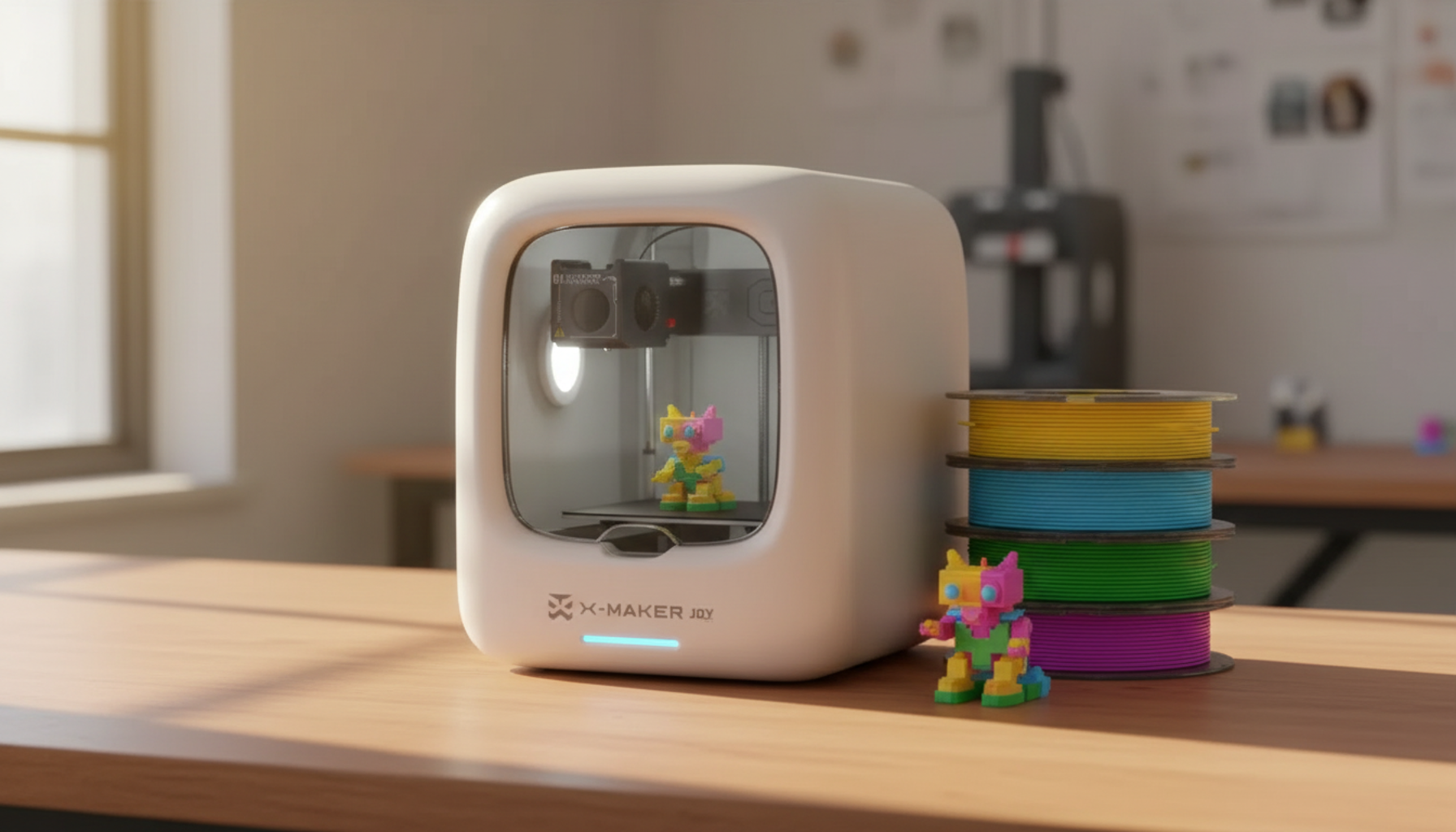
Guide to the Best Hobby 3D Printer for Enthusiasts
Pick the wrong 3D printer and you spend more time troubleshooting than printing. Spec sheets say 600 mm/s. Reviews declare winners without explaining what they won for. The machine topping a speed benchmark might be exactly the wrong choice for the projects you actually want to make.
Most buying guides rank printers by price and speed. Neither tells you whether the machine fits your use case. A tabletop painter needs different hardware than a cosplay builder. A parent buying for a child needs something different again. This guide matches printers to projects. It covers what actually drives print quality, explains the FDM vs resin decision in plain terms, and tells you what each filament needs before you buy.
|
Quick guide path: Know your use case already → jump to Best by Use Case. Comparing FDM and resin → go to FDM vs Resin. Want the filament breakdown → start at Filament Quick Guide. |
What to Look for Before You Buy

Spend ten minutes on spec sheets and everything sounds essential — print speed, layer resolution, nozzle diameter, extruder type. Most of it is noise. Four things actually determine whether a printer works well in a home environment.
Build volume — think in projects, not millimeters
A 220 × 220 mm footprint covers most hobby objects without planning: cable holders, small toys, desk tools, cosplay belt pieces, replacement brackets. A full helmet front splits into two or three sections at that size. Move to 300 × 300 mm and most helmet designs print as a single piece. Large-format machines above 400 mm are niche — buy for the projects you print weekly, not the most ambitious build you might attempt once.
|
Use Case |
Recommended Build Volume |
|
Learning, small toys, desk tools |
150–220 mm |
|
Home repairs, organizers, props |
220–256 mm |
|
Cosplay helmets, armor sections |
300+ mm |
|
Full-scale props, large furniture pieces |
400+ mm |
Auto bed leveling — non-negotiable for beginners
The first layer is where most failed prints begin. Too far from the bed: spaghetti. Too close: the nozzle gouges the coating. Auto bed leveling measures the bed surface before each print and compensates in real time. Mesh leveling — 25 or more measurement points — is more reliable than single-probe systems. On a printer without it, you make that same adjustment manually every session. At the price points where auto leveling is now standard, skipping it is not a budget move — it's a frustration multiplier.For a first hobby 3D printer, auto bed leveling should be a must-have because it removes one of the most common beginner failure points.
Print speed vs print quality
Speed ratings in marketing are measured under ideal conditions with specific filaments and reduced quality presets. The number that matters is the speed at which a printer consistently produces clean results with standard PLA at default settings. A machine reliably handling 200 mm/s is more useful than one claiming 600 mm/s that requires tuning to get there. Input shaping firmware compensates for vibration at higher speeds — check whether the printer has it built in before trusting the headline figure.
Enclosures — who needs them and why
An enclosure keeps heat around the print, reducing warping in ABS, ASA, and high-temp PETG. It also reduces operating noise and keeps children's hands away from the hot nozzle during printing. Not every enclosed printer handles high-temperature materials — some are enclosed only for safety and noise reduction, not for chamber heating. Check the nozzle temperature spec before assuming an enclosed machine handles engineering filaments.
FDM vs Resin — Which Type Fits Your Projects?

FDM melts plastic filament and deposits it layer by layer. Resin cures liquid photopolymers with UV light, one precise layer at a time. Same output category. Completely different workflow, material costs, and cleanup requirements.
|
Factor |
FDM |
Resin MSLA |
|
Surface detail |
Good — layer lines visible at standard settings |
Excellent — near-invisible layers at 0.02–0.05 mm |
|
Build volume |
Large — 220–420 mm typical |
Small — 130–200 mm typical |
|
Cleanup effort |
Easy — remove print, trim supports |
High — wash in IPA, UV cure, clean tools each session |
|
Child / family safety |
Manageable — hot parts only |
Requires adult management; liquid resin is toxic uncured |
|
Material cost |
Lower — PLA from $15–25/kg |
Higher — resin + consumables + disposal |
|
Best for |
Tools, props, toys, functional parts |
Miniatures, display pieces, jewelry masters |
|
First printer? |
Yes — strongly recommended |
Only if miniatures are the main and only goal |
Best Hobby 3D Printer by Use Case
Specs only matter relative to the project. Here is how the decision shifts depending on what you want to build.
Best for beginners
Auto bed leveling, easy filament loading, PLA support, guided setup, and a companion app with a built-in model library. Fully assembled machines outperform kits for first-time users — the goal is a clean print within 20 minutes of unboxing, not a Saturday assembly project before the first layer. For younger users, an enclosed design adds a critical safety layer: no exposed nozzle, less noise, contained particles.
Best for home repairs and tools
PETG over PLA for anything functional. PETG handles 80°C before deflecting under load, survives outdoor exposure, and is less brittle than PLA at thin walls. A hook printed in PETG holds. The same hook in PLA can crack after a week of use. Dimensional accuracy matters more than print speed for repair parts — a bracket 1 mm off doesn't fit. Focus on a rigid frame and good calibration over headline speeds.
Best for cosplay and props
Build volume is the dominant spec. A 300+ mm bed lets most helmet designs print in one piece. Fewer seams mean less filling, less sanding, and a structurally stronger finished prop. PLA works for indoor display pieces and convention props. PETG handles wearable parts that take physical stress. ABS and ASA handle outdoor heat exposure — but need an enclosed printer and a ventilated workspace to print reliably.
|
WHEN A CHILD IS THE ONE PRINTING A child does not want a research session. They want to design something, watch it print, and play with it. One nozzle clog mid-print — with no adult available — breaks that creative loop entirely. Open-frame budget kits tend to become parent troubleshooting sessions by Saturday afternoon. Pre-assembled, enclosed machines designed for family use — like AOSEED’s kid-friendly 3D printers — reduce setup friction and keep the focus on making, not fixing
Pre-assembled enclosed machines designed for family use — like the guided toy-making printer for younger kids in the AOSEED lineup — handle most common issues through the app before they reach the child. Built-in Toy Library, guided app workflow, quick-swap nozzle: the system is built for a child to lead and a parent to step in at specific moments only. See the kid-friendly 3D printer lineup for a full comparison before buying. |

Best for miniatures
Resin for 28 mm tabletop figures, display busts, and detail-scale work. The layer resolution FDM needs to approach resin quality — 0.05 mm or finer — makes print times impractical for small detailed models. An MSLA resin printer at 50–100 mm/h produces a batch of six detailed figures in a single overnight session. The workflow is the obstacle: nitrile gloves, IPA wash, UV cure, ventilated workspace. If those conditions exist, resin is clearly the better tool.
Best for multicolor printing
Four-color systems automate filament swapping during the print. The results — branded logos, educational models, toys with distinct colors — are far more engaging than single-color output. The cost is longer print times and filament purged during color transitions. For hobby projects and family use, the payoff is worth it. For functional parts and home repairs, one color is enough.
Filament Quick Guide

Choosing the wrong filament for a job wastes a print — and sometimes damages the printer. Match material to application before loading the spool.
|
Material |
Nozzle |
Bed |
Enclosure |
Best Use Case |
Avoid |
|
PLA |
190–220°C |
50–60°C |
No |
Toys, display models, light tools |
Hot cars, outdoor summer use, structural load |
|
PETG |
220–240°C |
70–85°C |
No |
Hooks, brackets, outdoor parts, wearables |
Leaving spool open overnight in humidity |
|
ABS |
230–250°C |
100–110°C |
Required |
Tough tools, automotive use |
Printing without enclosure — will warp |
|
ASA |
240–260°C |
90–110°C |
Required |
Outdoor-facing parts, UV exposure |
Same constraints as ABS |
|
TPU |
220–240°C |
30–60°C |
No |
Grips, cases, flexible joints, gaskets |
Bowden setups — prefer direct drive |
|
Resin |
N/A (UV) |
N/A |
No |
Miniatures, jewelry, display sculpture |
Shared spaces; children nearby without supervision |
What a Hobby 3D Printer Actually Costs in Year One

The real cost to run a hobby 3D printer in year one is not just filament or resin; for a long job, failed prints, clogged nozzles, wasted material, and replacement parts can raise the total faster than most beginners expect.
|
Cost Item |
FDM Estimate |
Resin Estimate |
Notes |
|
Printer |
$200–$800 |
$200–$500 |
Entry to mid-tier hobby machines |
|
Filament / Resin |
$60–$200+ |
$80–$300+ |
Resin adds wash solution and curing supplies |
|
Spare parts |
$20–$60 |
$30–$80 |
Nozzles, FEP film, build plate replacements |
|
Finishing tools |
$30–$100 |
$50–$120 |
Cutters, sandpaper, filler primer, paint |
|
Electricity |
$10–$40 |
$10–$30 |
Depends on usage hours and local rate |
Failed prints add cost too — wasted filament, wasted time, occasionally a damaged build plate. The best way to minimize failure cost: dry filament, clean build plate, small calibration test before committing to a six-hour job.
Three Maintenance Habits That Prevent Most Problems

Store filament sealed and dry
Moisture is the most underestimated cause of print failures. PETG absorbs enough water overnight in a humid room to bubble and pop at 230°C. PLA held open for two weeks in summer humidity strings, clogs, and prints with rough surfaces. Use airtight containers with fresh silica gel desiccant. A hygrometer card inside each box tells you when the desiccant needs replacing — anything above 20% relative humidity means it does. Treat open spools the way you treat an open bag of food: seal it after every use.
Clean the nozzle on a schedule, not just after failures
|
When |
Task |
|
After every print |
30-second brass brush wipe on nozzle tip while still warm |
|
Every material change |
Full purge at the higher material's temperature — 100–200 mm of new filament |
|
Every 20–50 print hours |
Cold pull — even if flow looks fine. Nylon or cleaning filament grabs debris PLA leaves behind |
|
Quarterly |
Replace nozzle, check hotend fan, inspect extruder gear, verify belt tension |
Replace the nozzle when cleaning stops working
A brass nozzle printing standard PLA lasts three to six months. Carbon fibre filament causes measurable bore wear after 500 grams — the particles act like sandpaper on the inner bore. The symptom is not always a clog; it shows up as inconsistent line width, rougher walls, and softer detail that cleaning does not fix. When those symptoms persist after a thorough clean, the nozzle is the problem. Keep two spares in the right size. When cleaning stops restoring quality, a five-minute swap gets the printer back to full output — and costs less than the filament wasted across a week of failed prints.
Conclusion
A hobby 3D printer works best when it matches what you want to make. A beginner printing toys and desk tools does not need a 400 mm large-format machine. A cosplay builder printing full helmets does not need a compact enclosed desktop unit. Match the machine to the next three months of projects — not the most ambitious build you might attempt in year two.
PLA covers most beginner use cases. PETG handles most functional parts. An enclosed printer expands material options and reduces noise in shared spaces. Auto bed leveling is not optional. Filament storage is not optional. Nozzle care becomes routine fast — the first clean is the hardest.
The printer is only part of the equation. Dry filament, a clean build plate, and a calibration cube before each new spool prevent more failed prints than any hardware upgrade. Good habits cost nothing and pay off on every single job.
Community support matters too. A printer with an active user base — Reddit threads, slicer profiles, video teardowns — stays useful far longer than a cheaper machine with no ecosystem behind it. When something goes wrong at 2 AM mid-print, a one-sentence forum answer is worth more than a support ticket that takes three days.
For families looking to reduce the maintenance loop entirely, AOSEED’s toy-creation platform — with app-guided workflows, a weekly updated Toy Library, and a quick-swap nozzle system — handles most setup and prevention automatically. See the kid-friendly 3D printer lineup, especially for families starting 3D printing as a hobby, for a full comparison.
FAQs
What is the best 3D printer for hobbyists?
The answer depends entirely on the hobby. For general use — tools, toys, display models, small projects — an FDM printer with auto bed leveling, PLA support, and a 220 × 220 mm build plate covers most use cases under $300. For detailed miniatures and display-scale work, a resin MSLA printer produces better results but requires more hands-on setup and cleanup. For family or beginner use, an enclosed printer with a guided app and built-in model library reduces the technical barrier significantly. Match the printer to the projects you will actually run in the first three months — not the most ambitious project you can imagine.
Practical tip: buy for this month's projects, not next year's dream build.
Is 3D printing a cheap hobby?
The entry cost is low — a capable FDM printer starts under $250. Ongoing cost depends on how much you print. PLA filament runs $15–$25 per kilogram; most small objects use 50–200 grams, putting a typical print at under $3 in material. Resin adds more ongoing cost: wash solution, gloves, UV curing supplies, and FEP film replacements. Multicolor printing and large cosplay props push material costs higher. Failed prints add cost too.
Practical tip: start with one reliable PLA spool and print objects you will actually use. Add materials and features based on what the hobby shows you that you need.
What is the easiest 3D printer for beginners?
Fully assembled enclosed FDM printers with auto bed leveling, a companion app, and a built-in model library are the easiest starting point. They arrive ready to print, handle first-layer calibration automatically, and do not require design software knowledge to get started. For children and families specifically, enclosed machines with guided workflows — where the child leads the creative steps and the parent handles rare maintenance moments — make the learning curve manageable without making it a full-time project.
Practical tip: avoid kit printers that require assembly as a first machine. Build quality varies and assembly errors cause print failures before you understand the machine well enough to diagnose them.
Can you legally sell 3D printed items?
Selling original designs is legal. Selling fan art, branded props, movie replicas, or items based on protected IP creates real legal exposure regardless of how they were produced. STL files downloaded from design platforms carry their own licensing terms — some allow commercial sales, some are personal-use only, some require a paid commercial license.
Practical tip: read the license on any file before listing a print for sale. For a long-term selling operation, build around original designs you own entirely.
What cannot be printed on a 3D printer?
Food-contact surfaces require confirmed food-safe filament and a sealed, food-safe finish — most standard filaments are not food-safe and layer lines trap bacteria even when the material itself is inert. Load-bearing safety parts should not be printed without engineering experience and material testing data behind the design. Items that violate local laws or infringe active IP cannot legally be produced or sold.
Practical tip: before any print, ask — if this part fails, what happens? If the answer involves injury or legal consequence, use a commercially manufactured part instead.
How much does it cost to run a 3D printer for 2 hours?
Most hobby FDM printers draw 150–350 watts during active printing. At a US average of $0.16 per kWh, two hours of printing costs $0.05–$0.11 in electricity. That makes electricity a minor variable. The real cost is filament: two hours of printing typically uses 30–80 grams of material. At $20/kg that is $0.60–$1.60. Failed prints are the expensive line item — wasted filament, wasted time.
Practical tip: run a first-layer adhesion test before committing to any print over 30 minutes.
What is the lifespan of a 3D printer?
The frame and main electronics of a mid-quality FDM printer last five to ten years of regular use. What fails sooner is the wear-part list: nozzles, belts, build plate coatings, and hotend liners. A printer's practical lifespan is mostly determined by part availability and community support. A discontinued machine with no replacement nozzles available and no maintained slicer profiles becomes difficult to keep running even with a working frame. Brands with active communities effectively extend machine lifespan indefinitely through shared repair guides and third-party parts.
What is the holy grail of 3D printing?
No single machine. Experienced hobbyists describe it as a printer that produces the right part, in the right material, reliably, without calibration between jobs. The closest to that in current hardware: multi-material machines with input shaping firmware, load-cell auto leveling, and active filament drying. At the consumer level, those features now exist across a wide price range. The constraint has shifted from hardware capability to operator knowledge.
Practical tip: master one machine and one material before expanding. Depth beats breadth in the early months.
Sources
- Prusa Research — Filament Material Guide.
- Bambu Lab Wiki — Filament Guide Material Table.
- Prusa Research — Regular Printer Maintenance.
- Autodesk — Tinkercad Free 3D Design.





Further reading

Unique Gifts for Kids Who Have Everything: 12 Make and Keep Ideas

Tech Gifts for Kids: 15 Picks Parents Can Set Up in 10 Minutes

Best Christmas Gifts for Kids 2026: 12 Top Picks by Age and Budget


