

How Much is a 3D Printer? A Beginner's Pricing Guide
3D printer prices in 2026 stretch from about $179 to half a million dollars, which is a useless range if you're trying to figure out what to actually buy. The realistic number for most home users is $250 to $700. That's the band where pre-assembled printers from real brands live, and where most beginners end up after doing some research.
Below that you're getting a kit. Above it you're paying for capabilities most home users will never touch (carbon fiber filament, dual extruders, hardened steel nozzles). What's below covers the price tiers, what they actually buy you, and where the smart entry points sit if you're shopping for a kid, a hobby, or a small workshop.
What Is a 3D Printer?

A 3D printer makes plastic objects by melting filament and laying it down in fine lines, one line at a time, until you've got a finished shape. Most home machines work this way. The technology is called FDM, or sometimes FFF. Both terms refer to the same thing.
There's also resin printing, which uses a vat of liquid plastic cured by UV light. The detail quality is sharper than FDM, but you need to wash and post-cure the parts, and uncured resin is mildly toxic, so gloves and ventilation are part of the deal. Then there are industrial machines that fuse nylon powder with lasers. Those are factory equipment. Not really relevant if you're shopping for something to keep at home.
If you bought a printer in 2018 it probably came as a kit. By 2026 most machines above $279 ship pre-built and ready to go.
How Does 3D Printer Pricing Work?
What you pay for as the price climbs is mostly convenience and reliability. The frame gets stiffer, which keeps the printer from wobbling at high speeds. The bed auto-levels itself. The chamber encloses, which matters more than it sounds because open-frame printers warp in cold rooms. The nozzle handles harder materials. By the time you hit $2,000 most of these features are standard.
A $300 printer in 2026 has features that cost $1,500 in 2022. That's the biggest shift in the home market over the past few years. Bambu Lab is mostly responsible for it, and Creality, Anycubic, and others followed. The same money buys substantially more printer now than it used to.
Below $250 you're getting one or two of these features. Above $2,000 you're getting all of them. The middle is where almost every consumer buying decision actually happens.
What Is a 3D Printer Used For?

Four main jobs, roughly.
1. Replacement Parts
This is what surprises most first-time owners. You don't plan to print replacement parts, you just run into a situation. The plastic clip holding the toilet seat hinge breaks. The knob falls off the stove. You've been meaning to buy cable organizers for six months and they suddenly take twenty minutes to print at fifteen cents in filament. After the first few of these, a 3D printer feels less like a hobby and more like an actual household tool. The cost-per-fix is low enough that you stop reaching for Amazon.
2. Custom Toys and Gifts
Kids' figurines, board game replacements (if you've lost the missile piece from your Risk set, you can print one), custom keychains, ornaments, fridge magnets. The math is pretty different from buying these things. A printed toy costs about thirty cents in filament where a comparable plastic toy is $5 to $15 at a store. It takes a couple of hours to print, so you're trading money for time. For a lot of people that's a great deal.
3. Prototypes and Functional Parts
For designers and engineers, a 3D printer collapses the iteration loop from days to hours. You sketch a bracket in CAD, print it, see what's wrong, fix it, print again. Print services like Shapeways and Sculpteo still have their place when you need a one-off in metal or some exotic material, but for fast iteration in plastic, an in-house printer pays for itself quickly. Teams that prototype weekly tend to break even on a $5,000 machine inside six months.
4. Education and STEM
Schools and homeschoolers use 3D printers because the failure modes are actually informative. A kid prints a wobbly rocket, the fin snaps off the build plate, they figure out it needs to be thicker, they print it again. That whole loop is the point. It teaches engineering judgment in a way worksheets don't, partly because the kid has to live with their own design choices.
FDM vs SLA vs SLS: What's the Difference?

Three main technologies, very different price points and use cases.
|
Technology |
Entry Price |
What It's For |
|
FDM (filament) |
$179–$2,000 |
Toys, parts, prototypes, larger pieces. Most home use lives here. |
|
SLA / DLP (resin) |
$300–$3,500 |
Miniatures, jewelry, dental models. Fine detail. Needs wash + cure. |
|
SLS (powder) |
$30,000+ |
Industrial only. Strong parts, complex geometry. |
For a first printer, FDM is almost always the right answer. Resin printers are great if you specifically need fine detail (miniatures, dental work, jewelry), but they require post-processing and protective gear. SLS is industrial only. The cheapest machine starts around $30,000, and you wouldn't buy one as a first printer anyway.3D Printing Technology Comparison
Are 3D Printers Worth It in 2026?
Yes for some people, no for others. That's not a cop-out, the answer genuinely depends on use.
If you'd realistically print at least once a week (replacement parts, kids' toys, gifts, hobby projects, whatever), a 3D printer is one of the better $300 purchases available. Hardware reliability has improved a lot in the past three years, and the entry tier is no longer dominated by frustrating DIY kits.
If you're thinking about it but can't name five things you'd actually want to make, you'll probably use it twice and then leave it on a shelf. In that case an online print service is cheaper. Worth being honest with yourself before spending the money.
Why Would You Need a 3D Printer Today?
Buying a 3D printer rarely starts with planning to buy one. Usually something breaks. You go online to replace it, the plastic part is $14 plus shipping and a three-day wait, and somewhere in that process a friend tells you they could just print one. A week later you're shopping for your own printer.
For adults the use case is mostly fixing things. Replacement clips, custom drawer organizers, mounts and brackets and the small odd parts that don't exist as commercial products. The math is real (fifteen cents in filament against fourteen dollars on Amazon), but what actually changes your mind is realizing how often you reach for the printer once you have it. Once a month becomes once a week.
Kids are a different story. The printer becomes something the child keeps coming back to. They sketch a shape, watch it print, the first version doesn't quite work, they fix it and try again. That's a creative tool, not a household tool. The kind of printer you'd buy for a kid is genuinely different from the one you'd buy for yourself.

|
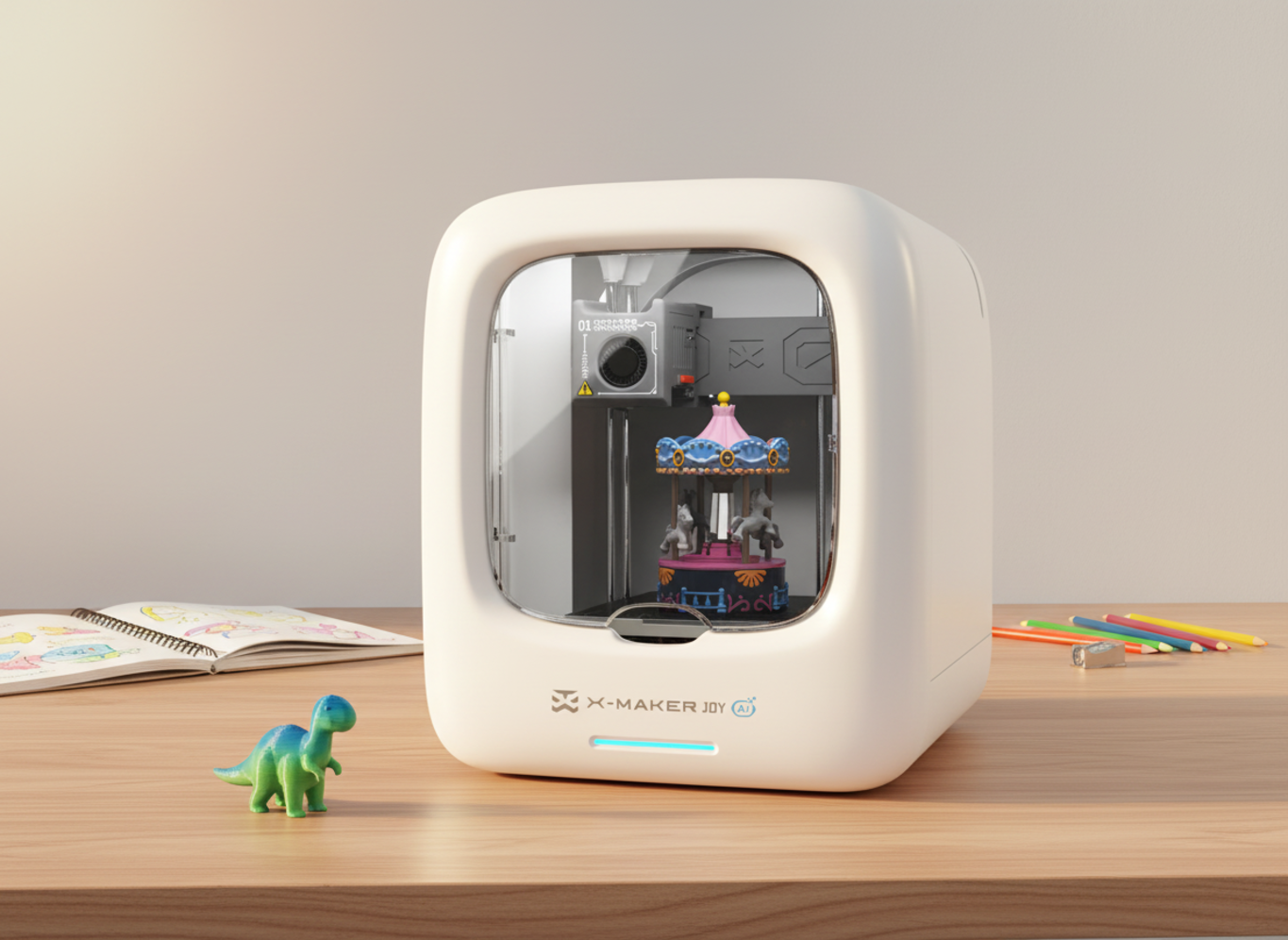
WHERE BUDGET KITS START FALLING SHORT The sub-$200 kits work, but they're slow, finicky, and need periodic maintenance you probably didn't sign up for. For an adult hobbyist with a free afternoon, that's fine. For a kid trying to print something on a Saturday morning, it usually ends with a parent troubleshooting. If a child is the main user, pre-assembled enclosed printers in the $279 to $399 range solve most of the issues. The AOSEED X-MAKER JOY (around $299) was built specifically for ages 4 to 12. Fully enclosed, app-driven, ships with 1,500+ ready-to-print models. Worth the extra hundred bucks if the kid will actually use it. If that's the workflow you're optimizing for, AOSEED's starter toy-making 3D printer is one of the few options engineered around that exact scenario. |
3D Printer vs Print Service vs Used Marketplace
Three ways to get a printed object, depending on how often you actually need one.
|
Option |
Best For |
Watch Out For |
|
Buy a 3D printer |
Weekly prints, kids, ongoing custom needs |
Setup time, learning curve, ongoing maintenance |
|
Online print service |
One-offs, exotic materials you can't print at home |
$50–$150 per part, 5-day wait |
|
Used printer (Marketplace) |
Hobbyists comfortable troubleshooting |
Missing parts, no warranty, calibration issues |
Buy a printer if you'd print weekly. The math works in your favor, and you stop waiting on shipping. A print service like Shapeways or Sculpteo is cheaper for occasional use, especially if you need materials you can't print at home like steel or brass. Used printers on Facebook Marketplace can be a fine middle ground if you don't mind some troubleshooting, though listings are full of barely-used machines from people who jumped into the hobby and bounced out within a year.
For families specifically, AOSEED's kid-friendly 3D printer lineup is built around the weekly home use case. The guided apps, enclosed chamber, and built-in model library handle most of what kids actually want to do without much parent setup time.
How Big Are 3D Printers Build Volumes?
Build volume is the largest single object you can print. It varies more by price than people realize, and it's the spec most beginners overestimate.
|
Tier |
Typical Build Volume |
What It Holds |
|
Entry-level |
120–180mm cubed |
Small toys, brackets, kitchen tools |
|
Mid-range |
220–256mm cubed |
Helmets, large vases, full action figures |
|
Prosumer |
300mm cubed+ |
Furniture parts, large props, multi-color builds |
|
Professional |
400mm cubed+ |
Full prototypes, replacement panels |
A 200mm bed handles probably 90% of what home users actually print. Going bigger means longer prints, more filament per job, and more chances for something to fail halfway through. Unless you're specifically planning to print helmets, large props, or full action figures, paying extra for build volume you won't use is just spending money.
How Fast Are 3D Printers?
Print speed jumped fast between 2022 and 2026. Most consumer printers used to run 50 to 100mm/s. Now even mid-range machines hit 300 to 500mm/s. Bambu Lab is mostly responsible for the shift. They normalized faster speeds in the consumer segment, and the rest of the market followed.
|
Tier |
Typical Speed |
Real-World Use |
|
Entry-level |
80–250mm/s |
Fine for small prints, slow on large ones |
|
Mid-range |
300–500mm/s |
Sweet spot for weekly hobby use |
|
Prosumer |
500–600mm/s |
Production-grade reliability |
|
Industrial |
1,000mm/s+ |
Specialty hardware only |
Speed isn't everything though. A 500mm/s printer that fails one in twenty prints actually moves slower in practice than a steadier 250mm/s machine that finishes everything. Most reviews don't test for this, they just quote the spec sheet's max number. Worth thinking about when comparing models.
|
QUICK BENCHMARK A 50-gram toy prints in about 90 minutes on a 250mm/s entry-level machine. The same toy prints in 30 to 45 minutes on a 500mm/s mid-range printer. For a kid's attention span, that gap is the difference between "this is fun" and "are you sure it's working." |
How to Use a 3D Printer for Beginners
|
# |
What to do |
How it works |
Tip / time |
|
1 |
Plug in & auto-level |
Modern printers self-calibrate after you plug them in. Just wait. |
~15 minutes |
|
2 |
Load filament |
The printer walks you through it with on-screen prompts. |
~2–3 minutes |
|
3 |
Pick a model |
Use the built-in library or download from Printables or Thingiverse. |
Skip designing yet |
|
4 |
Send to print |
App-driven printers: one tap. SD-card printers: slice, transfer, start. |
~1–5 min setup |
|
5 |
Wait for it |
Don't open the lid, don't move the printer, don't peel until the bed cools. |
Flex plate to release |
|
Tip: The whole process takes about 20 minutes of active work, less once you've done it a few times. The waiting is the printer's problem — not yours. |
|||
Are There Reasons to Avoid Buying a 3D Printer?

Not as a category, but there are specific situations where I'd think twice.
1. The Cheapest Kits
Below $200 you're usually buying an unfinished project. The frame's flimsy, the bed levels manually, the firmware sometimes lacks safety features. People who enjoy tinkering can make these work. People who just want to print things usually can't. The Creality Ender 3 V3 SE at around $179 is one of the better-regarded examples, but it still needs an afternoon of setup before it prints reliably.
2. Cloud-Only Printers
Some cheaper machines route everything through the manufacturer's cloud app. If the company shuts down (a few have over the past three years), the printer is bricked. Always check whether a printer works offline before buying.
3. Generic Filament From Unknown Brands
Saves you about $5 per spool. Causes more failed prints than the savings are worth. Stick to a recognized brand for the first year, at least until you can tell the difference between a bad spool and a bad print profile.
4. Vague "AI" Marketing
'AI' is the hot label in 3D printing in 2026. Some implementations actually work, AOSEED has a photo-to-3D feature that's useful for kids, for instance. A lot of others are marketing fluff. Look for actual demo output before paying for the feature.
How Long Do 3D Printers Last?
Most home printers last 3 to 7 years with light maintenance. Pro and industrial models stretch further. The wear parts are nozzles (every 3 to 6 months under heavy use), build plate surfaces (every year or two), and drive belts (every few years). All of them are cheap to replace, twenty bucks each give or take.
The bigger lifespan question is brand support. A printer where you can't get replacement parts in three years isn't really a long-life machine, regardless of how the hardware holds up. Sticking to known brands matters more than it sounds, especially given how many small printer companies have come and gone in the past few years.
Are 3D Printers Safe for Home Use?
Most modern printers are pretty safe. The risks that mattered in 2018 are mostly engineered out by 2026.
Fume Exposure
PLA emits very low amounts of ultrafine particles. ABS emits more, enough that you shouldn't print it in a closed room with people sleeping or working. For most home use stuck to PLA in a normal room, ventilation isn't a serious concern.
Burn Risk
The hot end hits 200 to 300°C. Enclosed printers prevent direct contact. Open-frame kits leave the nozzle exposed, which is fine for adults paying attention and not fine for households with curious toddlers.
Fire Risk
Thermal runaway protection is standard on any reputable printer made after 2021. Older or off-brand machines without it occasionally caught fire when firmware failed. Don't buy a used printer without verifying the firmware has thermal protection built in.
Microplastics
A 2020 study found small amounts of microplastic particles emitted during FDM printing. The health effects are still being studied. The conservative move is to print in a ventilated room, especially with kids around.
How to Choose the Right 3D Printer

Five things to weigh before buying.
|
Criteria |
What to Look For |
|
Use case |
Match it to your projects. Kid use ≠ small business ≠ engineering prototyping. |
|
Build volume |
Match to the size of things you'll actually print, not the things you imagine. |
|
Setup effort |
Pre-assembled if you don't enjoy assembly. Kit if you do. |
|
Material range |
PLA only for most home use. PETG and ABS if you need durability. |
|
Support and warranty |
Brands with responsive support save weekend afternoons. |
The biggest mistake here is buying the cheapest option and assuming it'll perform like the next tier up. A $179 kit and a $299 enclosed printer aren't versions of the same product. They look similar in search results, which is part of why this confusion is so common, but the experience of owning them is wildly different. For families specifically, with kids 4 to 12 and parents who'd rather not troubleshoot, the AOSEED X-MAKER JOY handles most of the failure modes that ruin first-time printer experiences.
Conclusion
3D printers cost anywhere from a couple hundred dollars to half a million, but the right one for any specific buyer is usually a much narrower range. For most home users in 2026, that's $250 to $400. Pre-assembled, enclosed, app-driven, factory-calibrated. That category didn't exist below $1,000 three years ago.
For families with kids in the 4 to 12 range, AOSEED's family-friendly 3D printing platform was built specifically for this use case. Whichever brand you end up choosing, the rule is the same. Match the printer to the actual job, not to the highest specs you can afford.
FAQs
What is the average price of a 3D printer?
Around $400 if you average everything, but that number doesn't mean much because the market splits into tiers with very different prices. Home buyers usually spend $250 to $700. Small businesses run $1,500 to $4,000. Industrial systems start at $10,000 and the high end stretches into seven figures. Decide what tier matches your use case first, then compare within that tier.
Is 3D printing a cheap hobby?
Compared to most hobbies, yes. Filament runs $20 to $30 per kilogram for PLA, and a kilogram is a lot of plastic, about 80 small toys or 8 medium ones. Electricity adds maybe $0.05 to $0.20 an hour. For a casual user printing a few hours a week, expect well under $10 a month after the printer is paid for.
Is it worth getting a 3D printer for home use?
Depends on how much you'll actually use it. If you can name several things you'd want to make, yes, a $300 printer pays back in a year or so on replacement parts and gifts. If you're not sure, a print service is cheaper for occasional needs. For families with kids who'd use it weekly, AOSEED's kid-friendly 3D printer lineup is built for exactly that case.
Can a beginner use a 3D printer?
Yes, if it's pre-assembled. The workflow is basically load filament, pick a model, tap print. Kids as young as 4 can do that with a parent nearby. The AOSEED X-MAKER JOY was designed around that age range specifically. DIY kits are a different story. Those need patience, a free afternoon, and someone who actually enjoys assembly.
How much does 3D printing filament cost?
Standard PLA and PETG run $20 to $30 per kilogram in 2026. Specialty materials like carbon fiber, nylon, and flexible TPU jump to $50 to $150. SLA resin is $30 to $250 per liter depending on the grade. Most beginners only need PLA for the first year or two.
How long do 3D printers last?
Home machines run 3 to 7 years with basic maintenance. Pro and industrial models stretch to 8 to 10 years or more. Wear parts like nozzles, beds, and belts cost $40 to $120 a year for typical home use. Brand support matters here. A great printer from a company that disappears in 18 months isn't really a long-life machine.
Is 3D printing difficult to learn?
The first print takes about 20 minutes of active work on a modern pre-assembled printer. Designing your own models takes longer, but you don't have to design. There are millions of free models online. Most beginners are printing existing models within an hour of unboxing.
How much does it cost to run a 3D printer for 2 hours?
Roughly $0.10 to $1.50 depending on what you're printing. Electricity for a typical FDM printer is $0.02 to $0.05 per hour. Filament for two hours averages 30 to 60 grams, or $0.60 to $1.20 in PLA. Industrial and resin machines cost more per hour because they pull more power and use pricier material.
Sources
- Formlabs, "How Much Does a 3D Printer Cost? Process Cost Comparison and 3D Printer Pricing."
- Fusion3, "How Much Does a 3D Printer Cost?" Updated September 2025.
- Flashforge, "How Much Is a 3D Printer? 2025 Prices Explained."
- UltiMaker, "How much does a 3D printer cost?" May 13, 2023.
- JLC3DP, How Much is a 3D Printer? A Comprehensive Guide for Every Budget.
- Reddit r/3dprinter, "What are some good cost-effective 3D printers for beginners?" Community discussion thread.



Further reading

Graduation Gifts for Kids: Keepsakes for Kindergarten to Fifth Grade

How to Clean a 3D Printer: A Routine for Families

3D Printer Filament Holder: Options, Setup and a Version You Can Print


