


Elementary STEM 3D Printing: Simple Projects Teachers Can Actually Run
This elementary STEM 3D printing guide focuses on fast classroom projects, simple routines, and beginner-friendly builds teachers can run in one class period.
the math most elementary teachers face when a 3D printer shows up in the classroom. The machine arrives with a curriculum nobody finishes reading, and it ends up in the storage closet by week three. The problem isn't the printer. It's the missing structure for using one in a real classroom.
This guide covers the simple projects that finish on time, the safety routines that hold, and the lesson formats that fit a 45-minute block. No CAD wizardry. No 12-hour print times. Just elementary STEM you can run on Tuesday morning.
Why 3D Printing Belongs in Elementary STEM
Elementary STEM 3D printing gives students hands-on ways to practice science, technology, engineering, and math by designing, testing, measuring, and improving real objects they can hold.

How Touching Beats Looking
A second-grader can name the parts of a flower on a worksheet and still struggle to point to them on a real plant. The same gap shows up with cells, gears, and geometric shapes — concepts students “know” on paper but can't manipulate.
Printed models close that gap. A cube in a student's palm makes faces, edges, and vertices obvious in ten seconds. A plant cell with removable organelles turns labeling into a puzzle instead of a fill-in. The learning sticks because it's chasing the object's behavior, not a grade.
The Iteration Loop Kids Already Use
Perfect first prints are rare. A gear binds. A bridge cracks. A keychain hole prints too small for the ring. Each failure pushes students into the same loop scientists run every day — notice, change one thing, try again.
The stakes match the age. No rubric pressure. Just “make it work.” That's problem solving in the wild, and it sounds nothing like a worksheet.
What the Research Shows
Research from the U.S. National Library of Medicine indicates tactile and hands-on learning supports engagement and memory retention during STEM lessons — especially for younger learners still building abstract reasoning skills.
Choosing Projects That Actually Work

Start Simple. It Works.
Detailed moving parts, tiny tolerances, articulated joints — those are the projects that fail first and kill teacher confidence. The right first project is something a class can finish in one block and still learn from. A two-gear set. A simple cube. A flat fossil.
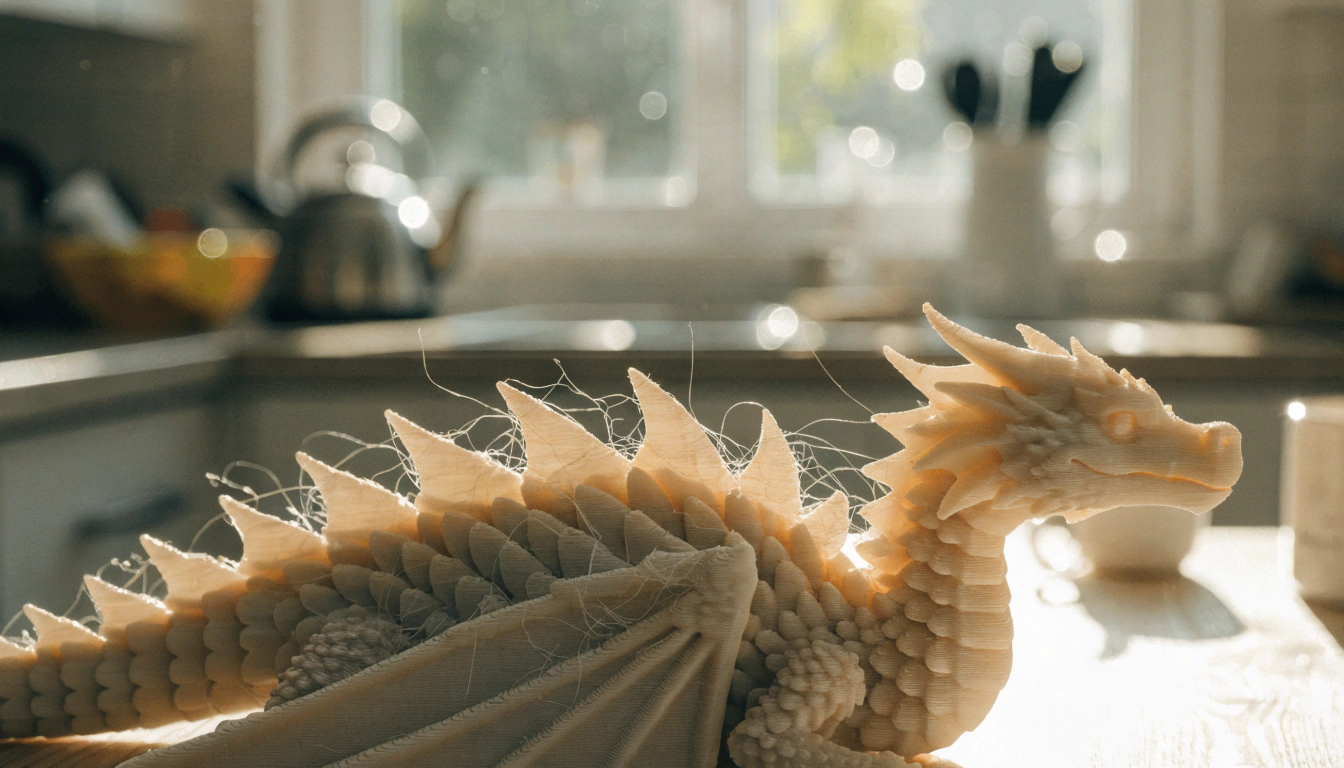
Save articulated dragons and snap-fit puzzles for month two, after the class knows what a “support” is and why it matters.
For K–3 classrooms running guided activities, a guided printer for younger elementary students handles most setup automatically — one-press printing, an app-led Toy Library, and models sorted by age.
Five Projects Under 30 Grams Each

These simple elementary STEM 3D printing projects each use less than 30g of PLA, fit a single lesson block, and help students learn geometric shapes, bridge design, gear ratios, and problem solving through hands-on testing.
|
Project |
STEM Focus |
Print Time |
Best Grades |
|
Spinning gears |
Simple machines, gear ratios |
~25 min each |
3–5 |
|
Geometric shapes |
Geometry, volume, vertices |
~15 min each |
K–5 |
|
Plant cell models |
Life science |
~2 hours per set |
4–5 |
|
Fossil dig site |
Earth science, stratigraphy |
~45 min per fossil |
2–5 |
|
Bridge design |
Engineering, forces |
~1 hour per set |
3–5 |
For upper-elementary classes running deeper engineering challenges, an educational 3D printer for tweens and teens gives students more build volume without losing the safety features younger kids still need.
|
THE 45 DEGREE RULE Most FDM printers handle overhangs up to about 45 degrees without supports. Beyond that, layers droop. Turn it into a design challenge — ask students to redesign any part that leans out too far, instead of adding supports. That second option teaches better design thinking. |
Setting Up Your Classroom Printer
Start with PLA filament, kid-friendly 3D printers for classrooms, and a clear budget plan so teachers can estimate the real cost to run a 3D printer for one hour before the first lesson.

PLA Is the Default for a Reason
PLA prints around 190–220°C, releases very little odor, and handles almost every elementary STEM project. One 1 kg spool runs $20–$25 and yields 30–50 small classroom prints.
PETG is the next step up for active-handling projects like keychains or working gears — slightly fussier print profile, takes two calibration runs to dial in. Skip resin entirely for elementary use. The IPA washing, UV curing, and gloves push it out of K–5 range.
Safety Rules That Stick
|
THREE RULES KIDS REMEMBER Hands stay outside the printer while it's running. Wait for the cool-down light before lifting a print. Filament loading, nozzle work, and bed leveling are adult jobs. Print these on a card. Stick it on the printer. |
The American Academy of Pediatrics recommends active adult supervision whenever children use heated tools in learning spaces. Long hair gets tied back. Filament and small tools live in labeled bins. Most kid-friendly 3D printers for classrooms come fully enclosed with a child-safe door and a clear cool-down indicator.
The Real Cost
Running a desktop 3D printer for one hour costs roughly $0.02 in electricity. Most classroom printers draw 50–150 watts during active printing — similar to a laptop. Filament is the bigger ongoing cost: $0.50–$2.00 per typical small project.
Over a school year, most elementary classrooms spend $100–$150 in filament total. Well below the per-student cost of most lab kits.
Running Your First Lesson

Start With the Concept, Not the Machine
Open the lesson with the STEM idea, not the printer. Students should know whether the day is about gear ratios, geometric volume, or bridge load before anyone touches a tablet. A focused goal also stops the “can we print my dog?” requests that eat through filament.
Use Pre-Made Models First
New teachers do best starting with pre-made files from classroom-safe libraries. Beginner-tagged designs on Printables.com and the Science Buddies STEM activity library deliver consistent first-print results.
Student-designed models come next, once the class understands measurement and basic shapes. Free browser-based tools like Tinkercad work on the Chromebooks most schools already issue. For printer-side setup help and step-by-step teacher tutorials, filament loading and first-layer checks live in plain language — no manual required.
Reflect — Four Questions That Matter
After every print, ask four questions:
- What worked well in your design?
- What failed during testing?
- What would you change next time?
- How does your model solve the original problem?
That's where the lesson sticks. Much more reliably than a multiple-choice quiz on simple machines.
Extending Learning Across Subjects

Geography, History, and Cross-Subject Ideas
3D printing doesn't have to live inside a science block. Flat maps lose elevation; printed terrain models keep it. Run your county's coordinates through a free tool like Touch Mapper and print the local landscape — students recognize the school's hill, the river, the highway home.
A printed pyramid the size of a coffee mug works in a social studies presentation. A constellation viewer with star-shaped pinholes projects a pattern onto a wall when a flashlight shines through. Astronomy at noon in a darkened classroom.
Bridge Stress Tests and Real STEM Questions
Bridge projects work best as a head-to-head challenge. Print three designs — a flat beam, a triangle-truss, an arch. Stack books on each until they fail. The numbers tell the tension-and-compression story without a lecture.
Have students predict which fails first before testing. The prediction is the lesson. The collapse is the proof.
Managing the Classroom Routine

Roles That Keep Group Work Moving
Five roles, rotated weekly:
- Designer — builds or modifies the model in Tinkercad
- Print manager — runs the slicer and starts the print
- Materials organizer — handles filament swaps and tool returns
- Tester — runs post-print checks (fit, strength, function)
- Presenter — explains design choices to the class
Rotation matters more than the specific roles. Every student should end the year having done each job at least once.
The First-Month Roadmap
|
FOUR WEEKS, FOUR STAGES Week 1 — teacher-only calibration prints. Week 2 — pre-made models, whole class watches one print. Week 3 — small group prints with assigned roles. Week 4 — first student-modified file. Resist jumping ahead. The routines are the curriculum. |
Conclusion
Elementary STEM 3D printing isn't about the printer. It's about the loop — design, print, test, reflect, redesign. A spinning top a five-year-old chose the color of will get more daily use than a precision mechanism a teacher picked. Ownership starts at the design screen.
Most printers gather dust because nobody told the teacher that the activity needs structure. Three rules. One concept per lesson. Pre-made files in month one. Student designs by month three. That's it.
AOSEED's family creativity platform is running in over 5,000 schools on exactly that rhythm. The Toy Library updates weekly, so there's always a next project ready. Setup walkthroughs live in plain language — no manual required. A printer earns its shelf space not because of its first print, but because of its tenth. That's when the routine sticks, the questions get better, and the machine stops being a gadget.
Start small. Pick the simplest model in the library. Let your students name it before it exists.
|
THE CLASSROOM 3D MINDSET Concept first. Print second. Reflect third. The printer that earns its shelf space isn't the one with the biggest build volume — it's the one running every Tuesday morning. |
FAQs
What is the best 3D printer for elementary school kids?
A fully enclosed FDM printer running PLA, with a simple touchscreen or paired app and a built-in project library. Speed matters less than safety and a beginner-friendly setup.
Should a 7 year old have a 3D printer?
Yes — with adult supervision and an enclosed machine. Second-graders start with pre-made models and color choices, then move to simple personalization within a few weeks.
What is a good age to start 3D printing?
Ages 7–10 are the sweet spot. Younger kids (4–6) can join fully guided workflows — picking models, choosing colors, watching prints. Upper-elementary students start designing.
What can a 10 year old do with a 3D printer?
Design simple shapes in Tinkercad, modify existing files, and run small engineering tests like bridge load comparisons or gear ratios. Cross-subject projects work well too.
How much does it cost to run a 3D printer for one hour?
Electricity runs $0.02–$0.05 per hour. Filament adds $0.50–$2.00 per typical small project. Most elementary classrooms run a full year on $100–$150 in filament total.
What is the 45 degree rule for 3D printing?
Most FDM printers handle overhangs up to about 45 degrees without supports. Beyond that, layers droop. Ask students to find any part that leans out too far.
Is 3D printing a cheap hobby for schools?
Yes, once the printer is paid for. Filament and electricity stay modest. Most elementary classrooms run a full year on $100–$150 in supplies.
How do you integrate 3D printing into the STEM curriculum?
This elementary STEM 3D printing lesson structure turns one concept into a hands-on STEM experience where students learn key concepts through hands-on models instead of worksheets alone.Pick one concept per lesson — gear ratios, volume, force. Use a pre-made model that demonstrates it. End with the four reflection questions. Repeat weekly.
Sources
- U.S. National Library of Medicine (NIH) — research on tactile and hands-on learning for children
- American Academy of Pediatrics — adult supervision of children using heated tools
- Science Buddies — 3D Printing STEM Activities
- Tinkercad — free browser-based 3D design tool for beginner classrooms
- Printables.com — community-verified STL model library, beginner-tagged designs
- AOSEED Kids 3D Printer Collection



Further reading

Thanksgiving STEM Activities for Kids: Table Projects and Simple Engineering Challenges

Halloween STEM Activities for Kids: Spooky Builds That Teach Real Science

STEM Crafts for Kids: Build, Decorate and Test



