

What Parents Should Know Before Buying a 3D Printer for a Kids
A 3D printer can be one of the most useful creative tools you bring into a home — or it can sit untouched after three weeks. The difference almost always comes down to one choice made before you open the box: whether you matched the machine to your child, or matched it to a price tag.
This guide covers what safety features matter most, how to tell a kid-focused printer from a beginner adult machine, and what the real costs look like past the sticker price. The ten minutes you spend here will save a lot of Saturday troubleshooting later.
Is Your Child Ready for a 3D Printer?

Age matters less than most parents expect. A seven-year-old who stays curious when something fails will get more from a printer than a twelve-year-old who quits at the first jam. The better question isn't how old they are — it's what they do when a project doesn't work on the first try.
Most children are ready around age 8, with a parent nearby for the first few weeks. Here's how the range typically breaks down:
|
Age |
Printer Type |
What the Child Can Do |
Adult Role |
|
6–8 |
Kid-specific, enclosed |
Pick models from a library, watch the print, press start |
Handles setup, print removal, and safety checks |
|
8–12 |
Kid-friendly, enclosed |
Choose files, swap filament colors, basic troubleshooting |
Nearby; child operates independently |
|
12–14 |
Kid-friendly or beginner adult |
Slicer basics, custom file imports, settings adjustments |
Checks in; teen directs the session |
|
14+ |
Beginner adult |
Full design cycle, maintenance, material swaps |
Sets ground rules; teen self-directs |
Three signs a child is ready: they stick with a project after the first try fails; they can follow three safety rules without being reminded; they already have an ongoing interest — LEGO, Minecraft, crafts, robotics — that 3D printing would extend, not replace.
|
WHEN A KID IS THE ONE USING THE 3D PRINTER A child doesn't want a parts catalog. They want to design a shape, watch it print, fix what didn't work, and go again. That loop — design, print, improve — is a creative tool, not a household one, and it asks for a different kind of printer. Open-frame budget kits tend to end with a parent troubleshooting on a Saturday morning. A pre-assembled, enclosed machine built for ages 4 to 12 — like the starter toy-making 3D printer from AOSEED, which ships with 1,500+ ready-to-print models — removes most of that friction. If a child is the main user, it's worth the extra hundred dollars. Before buying anything, give your child 20 minutes on Tinkercad, the free browser-based design tool. If they make one thing and walk away, wait. If they make three and ask how to print them, buy the printer. |

Safety Features That Cannot Be Skipped

|
⚠ Parent warning A 3D printer nozzle runs at 200°C — enough to cause a burn in under a second. For children under 12, safety features are not optional extras. They are the starting requirement for any printer on your list. |
- Fully enclosed build area. A clear door keeps fingers away from the nozzle, belts, and moving parts while letting kids watch the print. Non-negotiable for ages 6–12.
- PLA filament only. PLA prints at lower temperatures than ABS or PETG and produces less odor. NIOSH research confirms that even PLA printing releases fine particles — always print in a ventilated room.
- Auto-pause and door sensors. These stop the machine if the door opens mid-print. A useful backup for the moments when kids forget the rules.
- Quiet operation. A printer running in a family room needs to be quiet. Look for reviews that specifically mention noise levels — enclosed printers are almost always quieter than open-frame machines.
For the science: NIOSH's 2020 report on 3D printer emissions found that enclosed printers with filtration measurably reduce personal exposure to particles and VOCs. A separate NIOSH evaluation confirmed the same for desktop FDM models. Print in a ventilated room regardless of filament type.
Kid-Friendly Printer vs Beginner Adult Printer

This is the choice most parents spend the most time on. Here's a direct comparison:
|
Factor |
Kid-Specific Printer |
Beginner Adult Printer |
|
Best age |
6–11 |
12 and up |
|
Setup time |
Plug and print in minutes |
30–60 min; some assembly required |
|
Software |
App plus model library — no slicer needed |
Full slicer; steeper first-week learning curve |
|
Print quality |
Good for toys and school projects |
Better detail, more material options |
|
Room to grow |
Some models cap out by age 12 |
Grows with the user for years |
|
Safety |
Enclosed, built-in safety limits |
Varies — many popular options are open-frame |
|
Price range |
$250–$400 |
$200–$500 |
For ages 6–11: look for a kid-focused machine with an enclosed design, a model library that works without a slicer, and auto bed leveling. For tweens and teens already curious about designing their own objects: a beginner adult printer gives them the depth to keep growing.
What to Look For Before You Buy
- Auto bed leveling. Manual leveling is the most common reason families give up in month one. If a printer doesn't have it, move it down your list.
- App and software quality. Find a demo video of the actual interface before buying. Good hardware with confusing software will sit unused — check that the app matches your child's age.
- Standard file support (STL + 3MF). Confirms the printer can use school-project files, Tinkercad designs, and models from any public library — not just one locked app ecosystem.
- 150mm minimum build area. Anything smaller limits kids to objects roughly the size of a tennis ball. School models, useful organizers, and most toys need at least 150mm per side.
- Spare parts availability. Confirm the company sells replacement nozzles and build plates separately. A printer without available parts is eventually a broken printer.
Which Material for Which Project?

|
Material |
Best Projects |
Why |
|
PLA |
Toys, organizers, school models, gifts |
Easiest to print; keeps shape well indoors; softens in a hot car or direct sun |
|
PETG |
Kitchen items, functional household parts |
More heat- and water-resistant than PLA; only slightly harder to print |
|
ABS / ASA |
Outdoor parts, repairs near heat sources |
Durable in sun and heat; needs an enclosed printer to print without warping |
|
TPU |
Grips, straps, flexible phone cases |
Rubber-like — bends instead of snapping; takes more patience to dial in |
What Does 3D Printing Actually Cost?
The sticker price is only part of the real number. Plan for all of these before buying:
|
Cost Item |
Typical Range |
Notes |
|
Printer (kid-focused) |
$250–$400 |
Enclosure, app, and model library included |
|
Printer (beginner adult) |
$200–$500 |
Better quality; steeper first-week learning curve |
|
PLA filament (1 kg spool) |
$18–$30 |
~150–300 small toys depending on print size and infill |
|
Electricity per hour |
$0.01–$0.05 |
FDM printers draw 50–250 W; varies by model and settings |
|
Replacement nozzle |
$5–$15 |
Keep one spare — clogs happen, usually at hour four of a six-hour print |
|
Build plate / tools |
$10–$25 |
Flexible plates make print removal much easier; worth buying early |
Electricity barely registers — a few cents an hour. Filament is where the real ongoing cost sits. A $20 spool covers weeks of regular use when kids print with purpose. One habit keeps the budget in line: every print should have a reason before pressing start.
Best First Projects

Good first projects are small, fast, and forgiving when something goes slightly wrong:
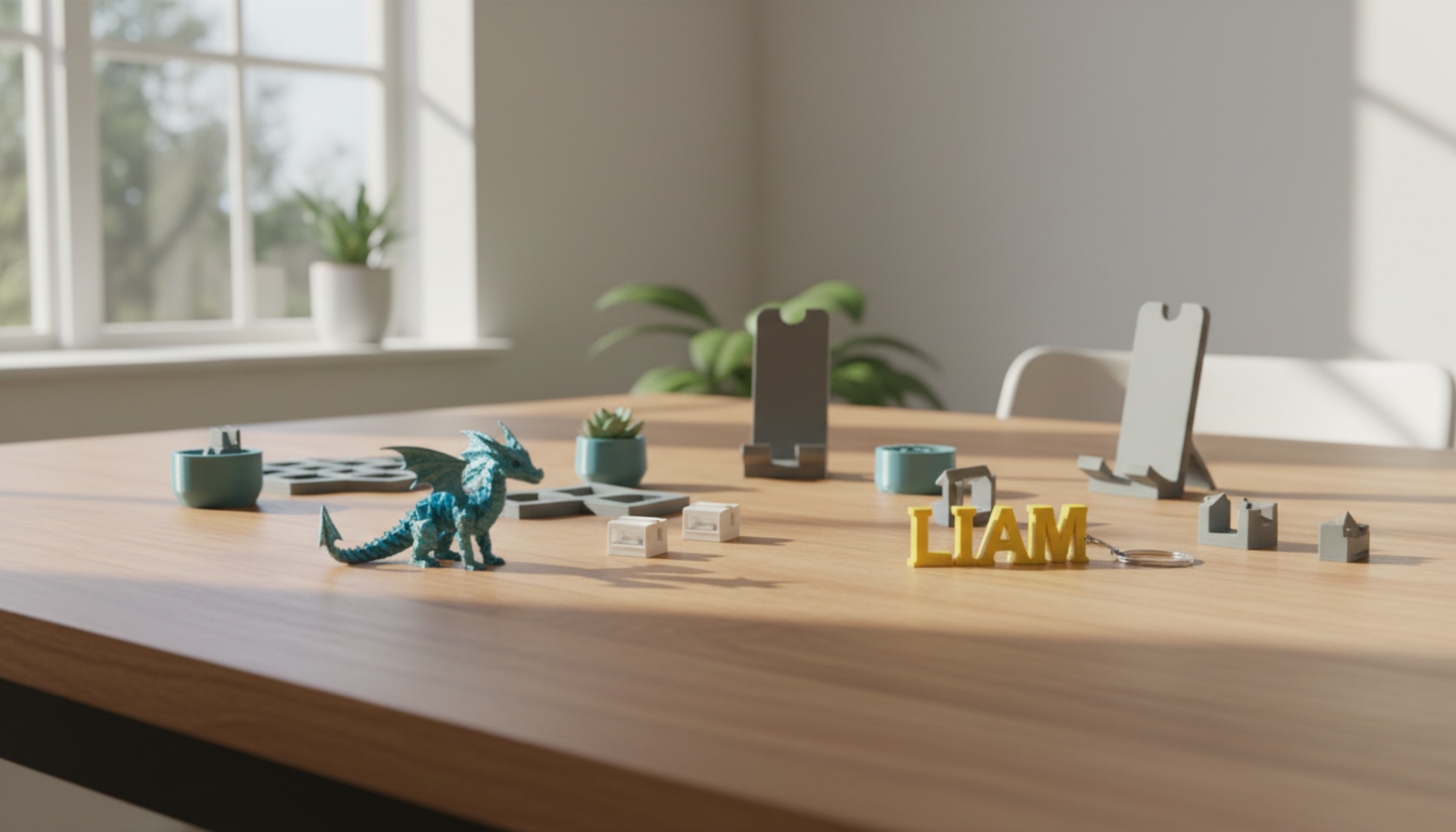
- Name tags and keychains. Flat, fast (under 30 minutes), and customizable with any name or shape. A design decision — font, hole size, outline — turns into a real object. Strong first win.
- Small animals and figurines. The classic hook. Keep them small for first attempts — large figures run 3–4 hours and waste filament if they fail midway.
- Fidgets and print-in-place toys. Gears and flex objects show kids that 3D printing produces things that move, not just solid shapes.
- School models. Bridge designs, landforms, plant cells. Connects the printer to real schoolwork and makes the machine easy to justify to the rest of the family.
- Practical items. Cable clips, hooks, drawer labels. When a print is useful every day, the machine stops feeling like a toy and starts feeling like a tool.
Three Mistakes to Avoid Before the First Print
- Buying on price alone. A $160 open-frame printer with manual leveling and confusing software is not a deal for a child under 12. Safety features and a working app are worth an extra $50–100.
- Skipping the software check. Find a demo video of the actual app before buying. If the first screen requires understanding retraction settings, most kids will give up before their first print completes.
- Open-frame for young kids. Open-frame printers expose the nozzle, belts, and print head. For children under 12 — especially in homes with younger siblings or pets — an enclosed model removes a real hazard for a modest price difference.
|
One more thing about placement Don't put the printer in a child's bedroom. Even a quiet, enclosed machine should run in a shared, supervised space with a window nearby. Print in a ventilated room. This takes five seconds to set up and matters across months and years of use. |
How to Start: Your First Print

|
# |
What to Do |
How It Works |
Tip / Time |
|
1 |
Plug in and auto-level |
Modern printers self-calibrate after you plug them in — just wait for the startup sequence to finish. |
~10–15 minutes |
|
2 |
Load filament |
The printer walks you through it with on-screen prompts or app guidance. No tools needed. |
~2–3 minutes |
|
3 |
Pick a model |
Use the built-in library or download from Printables or Thingiverse. Skip designing for now. |
Skip designing for now |
|
4 |
Send to print |
App-driven printers: one tap. SD-card printers: slice, transfer, start. |
~1–5 min setup |
|
5 |
Wait for it |
Don't open the lid, don't move the printer. Let the bed cool before you flex the plate to release the print. |
Flex the plate to release |
Start with something small and reliable — a phone stand or a drawer clip — before the forty-segment dragon. or any complex articulated model that looks impressive but takes hours to print. If a child is the main user, AOSEED's kid-friendly 3D printer lineup is built around guided apps and a model library, so the first print needs almost no parent setup.
Conclusion
So, what should a parent know before buying a 3D printer for a child? More than most buying guides tell you — and less than the spec sheets make it seem. The machine matters less than the match. A safe, enclosed printer that fits the child's age, with software they can actually use on day one, will get used. A faster, cheaper machine that needs twenty minutes of setup every session mostly won't.
Most families buy a printer for one reason — a kid who wants to print something — and then find the machine quietly becomes a fixture. You stop ordering small plastic things online. You start noticing problems around the house that a fifteen-minute print could fix.
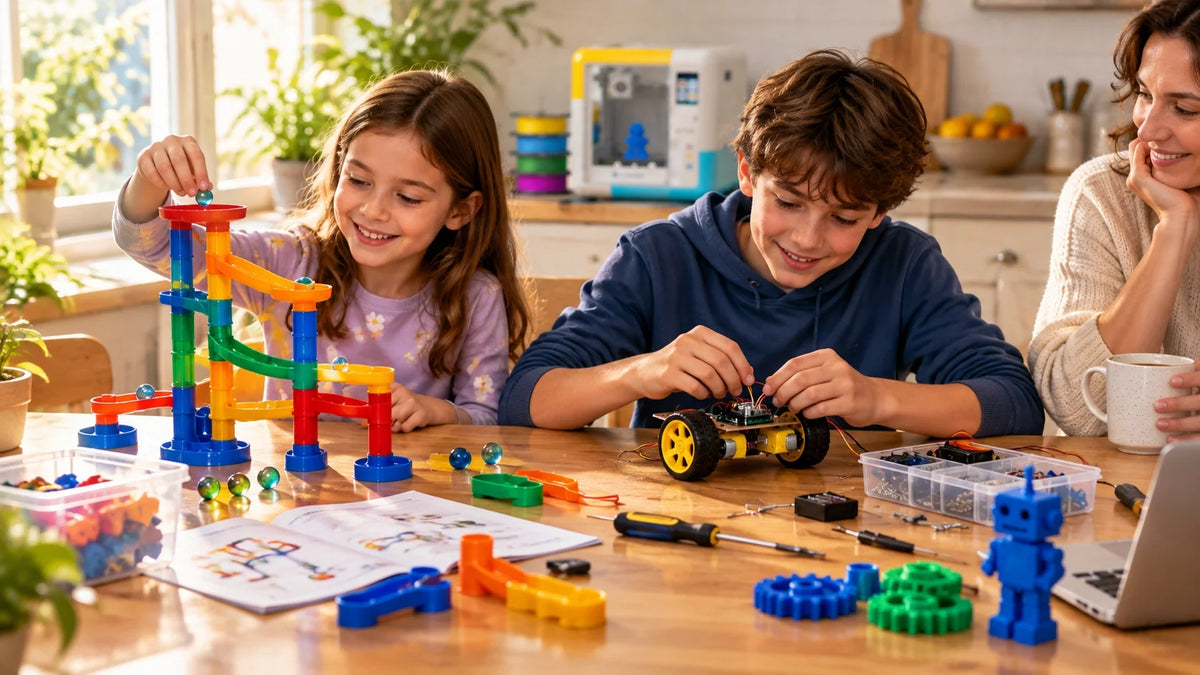
The projects in this guide are just the ones that come up most. Don't try to do all of them in week one. Print something small and genuinely useful first, get a feel for how the machine behaves, then work up to the ambitious stuff. For families with kids between 4 and 12, AOSEED’s family-friendly 3D printing platform is built around the design-it-then-play-with-it loop, where the printed object becomes the point, not the process. Whatever you make first, pick the project, then match the printer to it
FAQs
What is a good starter 3D printer for kids?
Three things matter most: a fully enclosed build area, an app children can use without help, and auto bed leveling so the first print works without a calibration session. For ages 6–11, look for a built-in model library so kids can start the day it arrives. For ages 12 and up, a beginner adult printer with proper slicer access makes more sense. Confirm spare nozzles are available from the manufacturer before buying — a printer without parts is eventually a broken printer.
At what age can a kid use a 3D printer?
Around age 8 with adult help is a reliable starting point. Temperament matters more than age — a child who stays calm when something fails, can follow three safety rules without reminders, and shows genuine curiosity about making things is ready, whether they're 7 or 10. Confirm they know the rules before the first print: don't touch the nozzle, keep hands away while the machine moves, ask before removing a print.
Is a 3D printer suitable for a 10 year old?
Yes — 10 is one of the strongest ages for it. Kids this age are curious enough to experiment, patient enough to wait for a print, and independent enough to operate the machine with light supervision. They still need adult help for filament loading and maintenance. An enclosed printer is still the right choice. Best first projects at 10: name tags, small animals, fidgets, and anything tied to a current interest — a favourite game character, a sport, a pet.
Are kids 3D printers worth it?
They're worth it when the child uses the machine regularly. The value isn't the objects — it's what a child practises while making them: patience, spatial thinking, debugging a problem until it's solved. A printer that runs twice a week for a year teaches more than most toys or apps. Where they're not worth it: the child only wanted the printer because of one video, or no adult has time to help troubleshoot the first few sessions.
How much does it cost to run a 3D printer for 1 hour?
A home or kids 3D printer usually costs about $0.01–$0.05 per hour in electricity, depending on the printer size and heat settings. Electricity is the smallest part of the running cost. Filament, failed prints, clogged nozzles, and replacement parts usually cost much more over time. For families, the best way to control cost is to start with short PLA projects, preview print times, and avoid long prints until the setup is reliable.
Is 3D printing a cheap hobby?
Compared to most hobbies that produce physical objects, yes. A kilogram of PLA is $20 to $30 and lasts weeks of regular use. Where it adds up: filament wasted on failed large prints, specialty colors bought before basic PLA is mastered, and printer upgrades bought too early. One rule that keeps costs low: every print needs a reason before pressing start. Pointed at things you'd actually use, the hobby stays cheap.
Is it okay to 3D print in a cold garage?
Cold garages create real problems for beginners. Cold air causes PLA to cool too fast, which makes the first few layers contract and peel from the build plate — the most common cause of failed prints in cold environments. Enclosed printers handle cool rooms better than open-frame models, but most struggle below 15°C. Garages also have dust, temperature swings, and limited adult visibility. For beginners: a shared indoor room with a window that opens is always the better starting point.
What is the best 3D printer to start off with?
The best starter printer is the one your child can use this week without a troubleshooting marathon. For kids under 12: an enclosed FDM printer with a model library, auto leveling, and an app that works on your existing devices. For teens: a beginner adult printer with real slicer access and a larger build area. Verify the company sells spare parts before buying. A printer with a strong user community will always be easier to maintain than one abandoned when the first small part wears out.
Sources
- CDC/NIOSH,"Characterizing 3D Printing Emissions and Controls in the Workplace."
- Autodesk,"Tinkercad: Free 3D Design App for Kids and Beginners."
- AOSEED,"3D Printer for Kids Collection."
- AOSEED,"X-MAKER JOY 3D Printer for Kids."
- Flashforge,"Do 3D Printers Use a Lot of Electricity? Wattage and Energy Costs."



Further reading

Graduation Gifts for Kids: Keepsakes for Kindergarten to Fifth Grade

How to Clean a 3D Printer: A Routine for Families

3D Printer Filament Holder: Options, Setup and a Version You Can Print


