

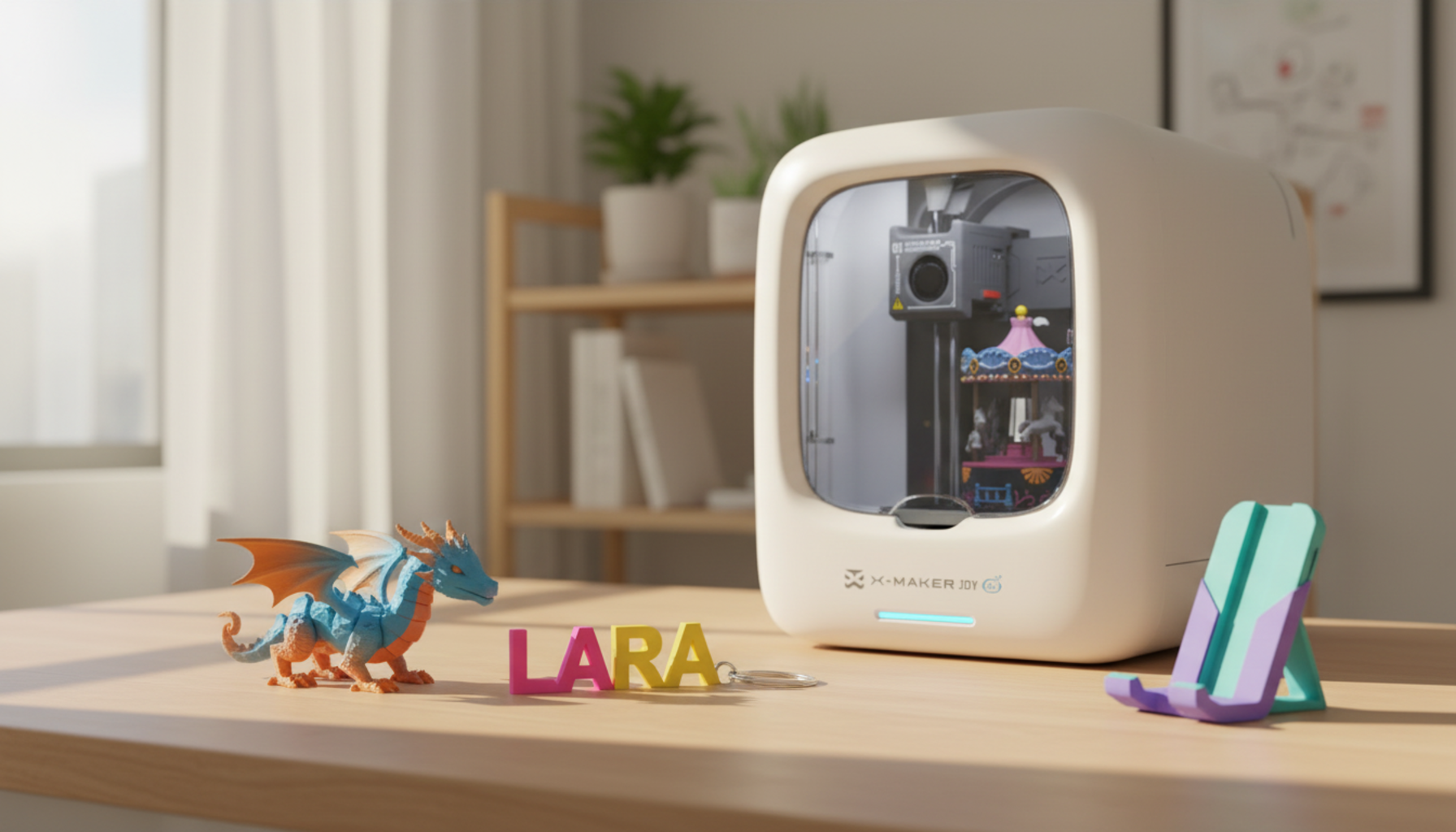
Should I Buy My Kid A 3D Printer? Is a Kids 3D Printer Worth It?
Your kid saw a 3D printer at school, at a friend's house, or on YouTube, and now they want one. Maybe they've been asking for weeks. Maybe it landed in your inbox as a gift idea. Either way, you're trying to answer the same question most parents search for and never get a straight answer to: is this actually worth it — or is it a $300 thing that gets exciting for two weeks and then sits on a shelf?
Here's the honest version. It's worth it for some kids and a waste for others. Age matters less than most guides suggest. The printer brand matters less than the family setup. And the question you should really be asking isn't which printer — it's which child.
Quick Answer: Is a Kids 3D Printer Worth It?
Yes — if three specific things are true. Your child has an existing habit of making things, not just consuming them. You can be present and helpful in the first few weeks without resenting it. And the printer has a real spot in the house with proper airflow, not a closed bedroom shelf.
When those three conditions hold, most families find the printer becomes one of the more consistently used pieces of technology in the house. When they don't, even a good machine ends up unplugged by April. The difference isn't the printer.
What Is FDM Printing?

FDM — fused deposition modeling — is the technology inside almost every home printer on the market. The machine heats a strand of plastic filament, melts it, and draws it out in precise lines, layer by layer, until the shape is built up from nothing. Think of it as a very accurate hot glue gun controlled by a computer — one that can follow a design file down to fractions of a millimeter.
For family use, you'll almost always start with PLA — plant-based plastic, low odor, easy to work with, and the safest option for homes with kids. PETG handles more heat and moisture. Resin printers produce sharper detail but involve toxic liquid resin, protective gloves, and a UV curing station. For everything in this guide, FDM with PLA is the right starting point. The U.S. Department of Energy describes the process plainly: the printer adds material only where the design calls for it, building the object up from the base.
When It Makes Sense

There's a specific kind of child who takes to 3D printing fast, and it's not necessarily the one who asked loudest for the printer. It's the one who already makes things. Not the one who plays with finished toys — the one who modifies them, combines them, breaks them to see inside, or draws variations of them in a notebook.
LEGO sets that get redesigned rather than displayed. Minecraft worlds where the build is the point, not the survival. Cardboard projects that take three iterations to get right. Those behaviors are more predictive of 3D printing success than age, enthusiasm, or how convincingly they make the case over dinner.
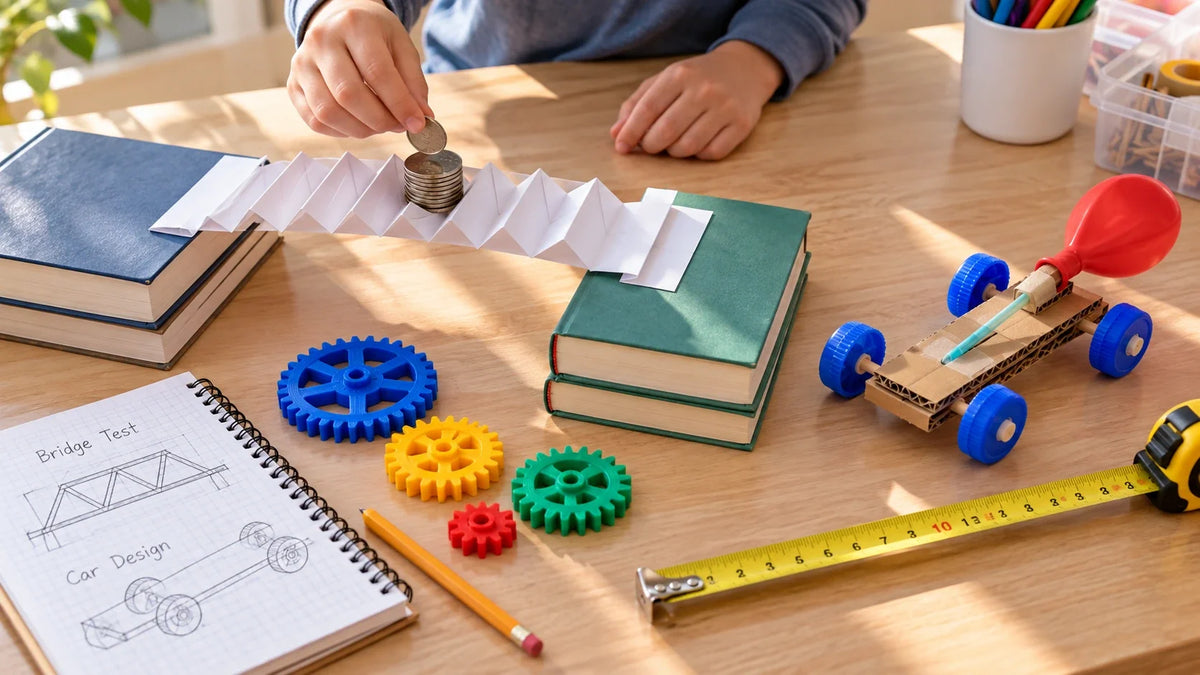
School use accelerates the payoff faster than parents expect. A printed volcano cross-section, a bridge for a physics test, a scale model of the solar system — these cost under a dollar in filament and an afternoon of machine time. Kids who use the printer for school keep using it because the feedback is immediate: the grade, the presentation, the classmates who ask "wait, you made that?"
The economics quietly work in your favor once the printer is running. A kilogram spool of PLA costs $20 to $30 and prints dozens of small objects. That articulated dragon your child wants? About 35 cents in plastic, versus $12 on Amazon. You stop noticing these savings consciously — you just stop ordering as much small plastic stuff online.
When It Doesn't
Two signs you probably aren't there yet, and they're worth knowing before you spend anything.
First: your child has never voluntarily redesigned something that didn't work. If a broken toy means "get a new one" rather than "can we fix it," that instinct isn't going to reverse itself for 3D printing. The hobby is fundamentally iterative — design, print, assess, improve, print again. Kids who skip steps three and four hit a wall in week two and lose interest.
Second: the excitement is about having the printer, not using it. There's a recognizable pattern in 3D printing communities: the printer runs constantly for the first two weeks, then less and less, then the parent starts a thread asking why their kid stopped caring. Usually the child wanted the novelty, not the process. A library session or makerspace visit costs nothing and tells you which type you have before you spend $300 to find out.
|
WHEN A KID IS THE MAIN USER A kid doesn't want a parts catalog. They want to design a shape, watch it come to life on the build plate, figure out why the arm drooped on the first try, fix it, and run the print again. That creative loop is the whole point — and it needs a different setup than the family household machine.
Open-frame budget printers tend to end with a parent troubleshooting on a Saturday morning they didn't plan to spend that way. A fully enclosed, pre-assembled machine built for ages 4 to 12 — like the AOSEED X-MAKER JOY at around $299, which ships with 1,500+ ready-to-print models and a guided design app that doesn't require a computer — removes most of that. If a child is the primary user, a starter toy-making 3D printer is worth the extra hundred dollars. The alternative is a cheap machine that works great for experienced users and frustrates everyone else. |

Age guide — planning tool, not a hard cutoff:
|
Age Range |
Child's Role |
Parent Still Handles |
Best Printer Type |
|
6–8 |
Choose models, pick colors, watch the print, press start on a loaded job |
Setup, filament, removal, all troubleshooting |
Enclosed toy-style + guided app |
|
9–12 |
Load files, start prints, use design apps, remove cooled prints |
Nozzle issues, bed leveling, filament changes |
Enclosed printer with auto-leveling |
|
13+ |
Full workflow — design, slice, print, maintain — after training |
Safety oversight, filament approvals, ventilation check |
Real beginner printer, open software |
What Nobody Tells You Before Buying
Most buying guides skip from "here's why it's great" straight to "here are the printers." The middle part — what the first month actually feels like — gets left out. These are the things that genuinely surprise first-time families.
Month one will have more failed prints than successful ones. That's normal, not a sign the printer is broken or you made a bad choice. First layers don't stick. Models tip over mid-print. Filament jams. Every 3D printing family has a folder of failed prints, and experienced users treat it as tuition — the information you pay for once and don't pay for again.
Your child will be more resilient about failure than you expect. Kids who care about what they're making want to figure out why it didn't work. "The wing snapped off" is not a disappointment — it's a design problem, and design problems have solutions. The iteration cycle that looks frustrating from the outside is often exactly what keeps the hobby alive.
You will become the person who knows how to clear a nozzle jam. It takes about 90 seconds once you've done it twice. The first time takes 20 minutes and a YouTube video. That's fine. These are learnable things, and they stop feeling like technical problems pretty quickly.
The machine needs a table, a power outlet, and airflow. Not a bedroom shelf with the door closed. Not the corner of a closet. Somewhere with circulation, ideally near a window. This catches a surprising number of parents off guard because it limits where the printer can actually go — figure this out before the printer arrives.
|
PARENT PRO TIP — START WITH WHITE PLA Before buying filament in every color available, spend the first month with one spool of white PLA. White shows layer lines clearly, which helps you spot print quality issues at a glance — gaps in layers, stringing between parts, adhesion problems on the first layer. It’s also paintable, so finished objects can be any color you want. For a kids 3D printer, white PLA makes it much easier for parents and children to judge print quality together. Most experienced printers keep a white spool as their go-to diagnostic material even after years in the hobby. Start there, learn what good printing looks like on a neutral surface, then add colors once you know what you're looking for. |
Safety: The Part That Actually Matters

The safety picture on home 3D printing is more nuanced than either "completely fine" or "toxic fumes everywhere." Neither extreme is accurate, and both make it harder to make a good decision.
Research published on PubMed confirmed that FDM printers do emit ultrafine particles and volatile organic compounds (VOCs) during operation. The amounts vary significantly by printer model, filament type, print temperature, and — most importantly — the size and ventilation of the room.
Ventilation is the main variable, not the filament brand. CDC/NIOSH guidance on 3D printing identifies engineering controls and airflow as the most effective mitigations — more than switching filaments alone. The practical version of this: printer in a room with a window you can open during printing, never running it overnight in a small closed space.
The physical hazards are more immediate than the air quality concerns for most families. The nozzle reaches 180–220°C for PLA printing; the heated bed runs at 50–65°C. Teach one rule clearly and early: nothing touches the printer while it's running, and no one removes a print until the bed is fully cooled. An enclosed printer makes this rule easier to keep — it puts a physical barrier between a child's hands and the hot components.
If someone in the house reports headaches when the printer runs, take it seriously. CDC documentation on VOC exposure connects elevated indoor VOC levels with headaches, throat irritation, and eye discomfort. The fix is almost always environmental: move the printer to a larger room, open a window, switch from ABS to PLA if you haven't already. If symptoms continue after those changes, speak with a healthcare professional.
Which filament for which project?

|
Material |
Best Projects |
Why |
|
PLA |
Toys, organizers, school models, gifts |
Easiest to print; plant-based; lower emissions. Softens in a hot car — not for outdoor use. |
|
PETG |
Kitchen tools, outdoor parts, functional items |
Stronger and more heat- and water-resistant than PLA. |
|
ABS / ASA |
Outdoor repairs, parts near a heat source |
Durable in sun and heat; needs an enclosed printer and good ventilation. Not for kids' spaces without both. |
|
TPU |
Grips, straps, phone cases, flexible parts |
Rubber-like — bends instead of snapping. Trickier to print. Great results once dialed in. |
What It Really Costs
The printer price is the number everyone sees. Everything else is what surprises people. These are the costs worth budgeting before the machine arrives:
|
Cost Item |
Typical Range |
Notes |
|
Printer — toy-style |
$200–$350 |
Limited build volume; often proprietary filament and software |
|
Printer — beginner real |
$350–$600 |
Better long-term value; open filament; upgradeable parts |
|
PLA filament (1 kg spool) |
$15–$30 |
~50–100 small objects per spool. Start with 2 colors. |
|
Failed print waste — month 1 |
10–20% of filament |
Drops sharply once first-layer settings are dialed in |
|
Replacement nozzles |
$5–$15 a pack |
Standard brass 0.4mm; replace every 3–6 months of regular use |
|
Accessories (scraper, glue stick) |
$10–$20 total |
Buy only what you discover you need. Don't stock up in advance. |
|
Electricity per hour |
~$0.01–$0.03 |
100W printer at $0.18/kWh ≈ 1.8¢/hr. Not a meaningful expense. |
|
QUICK COST BENCHMARKFOR A KIDS 3D PRINTER A 50-gram toy prints in about 90 minutes on a 250mm/s entry-level machine. The same toy takes 30–45 minutes on a 500mm/s printer. For a child's attention span, that difference is the line between "this is fun" and "are you sure it's working?" Realistic year-one total: printer ($300–$500) + two filament spools ($40–$60) + accessories ($20–$30) + replacement parts ($10–$20) = roughly $370–$610. After year one, ongoing cost is mostly filament — $20–$40/month for a regularly-used family printer, considerably less for occasional use. Most families spend less in year two than they did buying a single console game in year one. |
Toy-Style Printer vs. Real Beginner Printer
Get the category right and almost any decent machine within it will work. Get it wrong and the most expensive printer on the market will disappoint. This is the decision most guides underweight — and the one that generates most of the "we gave up on 3D printing" posts you'll find on Reddit.
|
Feature |
Toy-Style Printer |
Real Beginner Printer |
|
Best age |
6–10 |
9–16+ |
|
Software |
Guided app with curated library |
Standard slicer + open model sources |
|
Build volume |
Smaller — limits project size |
Larger — more creative headroom |
|
Replacement parts |
Often proprietary, harder to source |
Standard 0.4mm sizing; available anywhere |
|
Growth ceiling |
Low — most kids outgrow by middle school |
High — scales with skill through high school |
|
File freedom |
Usually locked to proprietary library |
Download, design, and export freely |
ToyBox gets one thing genuinely right: the first print feels easy. The app is child-appropriate, the model library is curated by parents, and one-tap printing is as simple as the category gets. For a 6- or 7-year-old printing small toys with supervision, it delivers what it promises. The limits show up at the edges — small build area, nozzles classified as warranty components rather than user-replaceable parts, and files locked to the ToyBox ecosystem, meaning the library doesn't follow the child when they outgrow the machine. For families thinking past the first year, a more open system is usually the better starting point.
Best First Projects

The first project sets the tone for the whole hobby. Too ambitious and the child loses interest before the print finishes. Small, fast, and personally meaningful — and they're planning the next one before the first one cools. One rule that holds across ages: pick something the child would actually use or keep, not just something impressive.
|
Project |
Best Age |
Print Time |
Why Start Here |
|
Name tag / keychain |
6+ |
15–30 min |
Immediate ownership. Useful on a backpack the next morning. |
|
Flexi animal / fidget toy |
7+ |
30–60 min |
Moving parts that work without assembly — genuinely surprising the first time. |
|
Room organizer (pencil cup, cable clip) |
9+ |
45–90 min |
Teaches that printing solves real problems, not just makes toys. |
|
School project model |
9+ |
Varies — plan ahead |
Ties the printer to academic value parents can see immediately. |
|
Custom gift (bookmark, ornament, sign) |
8+ |
20–45 min |
Designing for someone else builds intention. Recipients always react well. |
|
Original designed model |
10+ |
90 min–4+ hrs |
The tipping point from consumer to creator. Worth waiting for. |
How to Start: Your First Print

|
# |
What to Do |
How It Works |
Tip / Time |
|
1 |
Plug in & auto-level |
Modern printers self-calibrate on startup. Just wait — touching nothing is the right move here. |
~15 minutes |
|
2 |
Load filament |
The printer walks you through it on-screen. Feed until you see material come out of the nozzle. |
~2–3 minutes |
|
3 |
Pick a model |
Start from the built-in library. Download from Printables or Thingiverse later. Skip designing anything yet. |
Skip designing for now |
|
4 |
Send to print |
App-driven printers: one tap. SD-card machines: slice the file, transfer, press start. |
~1–5 min setup |
|
5 |
Let it run |
Don't open the lid. Don't move the printer. Don't peel the print until the bed is cool — flex the plate to release. |
15 min cooldown after |
Start with something reliable and small — a keychain, a drawer clip — before the forty-segment dragon. For families with kids in the 4 to 12 range, AOSEED's kid-friendly 3D printer lineup is built around guided apps and a ready-to-print model library, so the first print needs almost no parent setup time.
Conclusion
Most people buy their first 3D printer for one reason — a school project, a kid who keeps asking, a broken part that costs $14 plus shipping. And then the thing quietly becomes a fixture. You stop ordering small plastic items online. Problems around the house start looking like twenty-minute print jobs. Your child shows up with a new idea before the last print has finished cooling.
Don't start with the forty-segment dragon. Print something small and genuinely useful first — a keychain, a cable clip, a drawer organizer — and get a feel for how the machine behaves. The families who give up on 3D printing almost always started with something too ambitious and got discouraged before they had any wins.
For families with kids between 4 and 12, AOSEED’s family-friendly 3D printing platform is built around the design-it-then-play-with-it loop, where the printed object becomes the point, not the process. Whatever you make first, pick the project, then match the printer to it. That is the real test of whether a kids 3D printer is worth it: does it help your child make and play more, or does it turn every project into troubleshooting?
FAQs
How old should a child be for a 3D printer?
Around 8 is a good age for semi-independent use. Younger kids (6–7) can participate, but an adult should operate the machine. The real test is behavior: can they follow steps, wait without touching, and respect safety rules? Always start with a supervised session.
Can 3D printers cause headaches?
Not usually when printing PLA in a ventilated room. Poor ventilation—especially with ABS—can lead to headaches or irritation due to VOC exposure. If symptoms occur, improve airflow, switch to PLA, or relocate the printer.
How much does it cost to run a 3D printer per hour?
For a home or kids 3D printer, electricity usually costs only about 1–2 cents per hour, so power is not the main expense. The bigger cost comes from filament, failed prints, clogged nozzles, and replacement parts. A failed long print can waste more money than several hours of electricity. For families, the best way to save is to use PLA, preview print times, choose beginner-friendly models, and start with short projects before running bigger prints.
What are the pros and cons of ToyBox?
Pros: Easy for kids, simple app, safe model library, quick setup.Cons: Small build size, limited repairs (nozzle not user-replaceable), and closed ecosystem (files don’t transfer easily). Good for beginners, not ideal long-term.
Should I get my 7-year-old a 3D printer?
Yes, if it’s a shared activity: the child designs, the parent operates. Use an enclosed printer, stick to PLA, and keep prints short. Gradually give more responsibility as they learn safety.
Is 3D printing bad for health?
Risk is low with proper setup. Use PLA, ensure ventilation, and avoid printing in closed bedrooms. ABS and resin require stricter controls. For sensitive individuals, consider enclosed printers with filters.
Are there any negatives of 3D printing?
Yes. Maintenance is required, and failed prints are common early on. Treat failures as part of the learning process—most issues decrease after the first month.
What is the 45-degree rule in 3D printing?
Overhangs up to about 45° print well without support. Steeper angles need support or will fail. Designing within this limit improves print quality and teaches better modeling habits.
Sources
- PubMed — Emissions of Ultrafine Particles and VOCs from Desktop 3D Printers (2016)
- CDC / NIOSH — 3D Printing Emissions and Controls Bulletin (2018)
- CDC — VOC Exposure Health Effects Guidance (2011)
- Healthline (medically reviewed) — Air Quality and Headaches (2024)
- CDC / NIOSH — Health Hazard Evaluation: 3D Printer Particle and Chemical Emissions (2017)
- PubMed — Characterization of Emissions from Desktop 3D Printers (2016)



Further reading

Graduation Gifts for Kids: Keepsakes for Kindergarten to Fifth Grade

How to Clean a 3D Printer: A Routine for Families

3D Printer Filament Holder: Options, Setup and a Version You Can Print


