


Screen-Light Bonding Activities for Parents and Kids
The classic screen-time problem: parents try screen-free, fail by Wednesday, and slide back to screen-heavy by Saturday. By Sunday, everyone feels worse. The all-or-nothing framing is the reason.
Screen-light bonding activities are the middle ground. The device gets used for a 3-minute video, one map, one photo, or one song. Then it goes face-down while the actual activity happens with hands, voices, and bodies. The screen lights the fuse. The kid lights the room. The screen lights the fuse. The kid lights the room.
This guide covers screen-light bonding activities that fit real homes and real weeknights. Most cost nothing extra. All of them give the device a clearer job than the babysitter role it usually fills.
Why Screen-Light Beats Screen-Free or Screen-Heavy

A parent with no plan is on their phone. So is the kid. Screen-free works in theory and fails in practice — most families burn out by week two. Screen-heavy works the opposite way; the device fills time, kids stop initiating, parents feel guilty by 9pm. Screen-light keeps the device but gives it a job.
The American Academy of Pediatrics dropped the one-size-fits-all rule years ago. Its current guidance tells parents to build a family media plan that fits their child and their household, then adjust as life changes. Screen-light is one version of that plan that actually sticks.
The Difference Between a Screen-Light Moment and a Screen-Heavy One
A screen-light moment has a clear end. Three minutes of origami video, then the device goes face-down. A screen-heavy moment has no exit — autoplay queues up the next thing, the kid keeps watching, parents lose the thread of dinner, homework, or bedtime.
What Hands-On Kids Actually Need
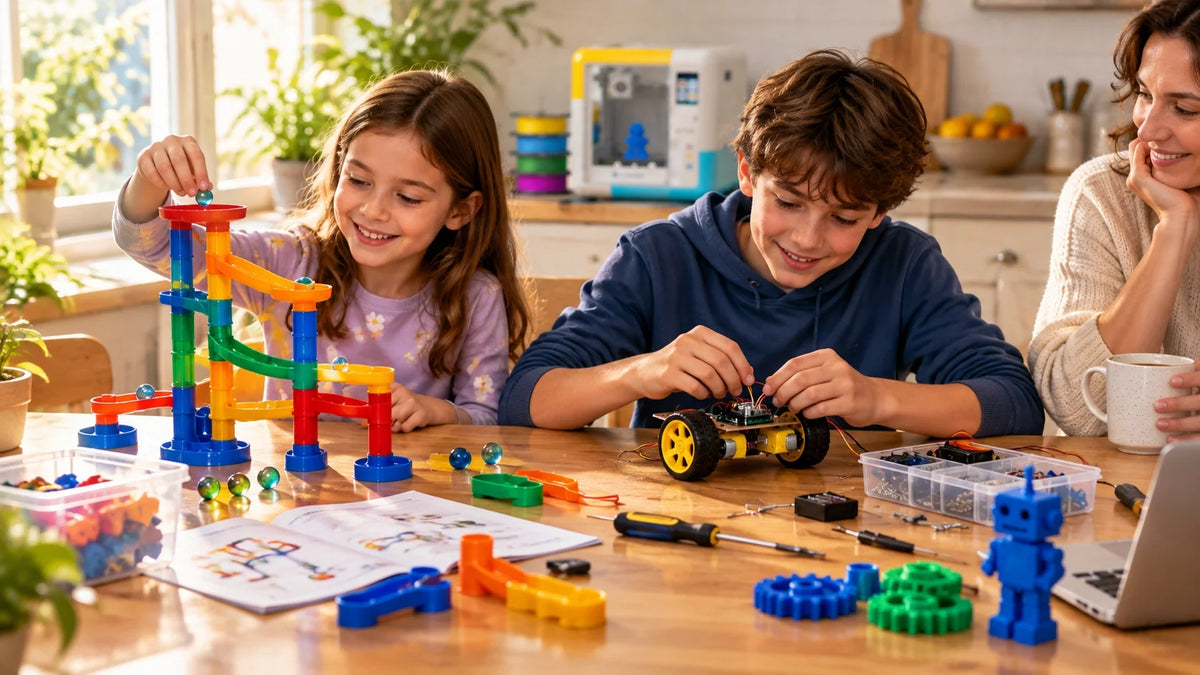
Hands-on kids need three things screens can't give them: tactile feedback (paper tears, glue sticks, dough resists), real-world consequence (the tower falls, the cookie burns), and authorship (this is mine because I made it). A screen-light activity gives them all three in the same hour.
The Screen-Time Cliff
A kid handed a tablet at 4:30pm is calmer at 4:35pm and crankier at 5:30pm than they were at 4:25pm. That's the cliff. Screen-light activities don't have it because the screen step is small and the doing part is what the kid remembers.
Seven Screen-Light Bonding Activities That Earn Their Place

These screen-light bonding activities for hands-on kids and parents use a small screen prompt to start hands-on play activities that continue offline.Seven options, sorted by how long they take and what they unlock. Pick one that fits the kid and the night you actually have — not the kid the activity blog imagines.
|
# |
Activity |
Best Age |
Time |
What Makes It Work |
|
1 |
Watch a 3-minute craft video, then build it |
5–12 |
20–30 min |
Pause early. Copy what you saw, badly. The bad version is the fun one. |
|
2 |
Use a map app, then build the landmark |
6–12 |
30–40 min |
Two minutes of map. Then blocks, paper, or print the landmark to keep. |
|
3 |
Photo prompt story game |
4–10 |
10 min |
Open one old photo. Kid invents the before-and-after story. |
|
4 |
Recipe video, then cook the dish |
6–14 |
30–60 min |
One step at a time. Sneaks in math, sequencing, patience. |
|
5 |
Treasure hunt with phone clues |
4–9 |
15–25 min |
Five clues. Kid runs the route, parent hides the prizes. |
|
6 |
One-song dance with a theme |
3–10 |
5 min |
Play one song. Everyone dances like a robot, a frog, a sleepy bear. |
|
7 |
Gratitude jar with phone prompt |
5+ |
10 min |
One prompt on the phone. Phone goes away. Everyone writes one answer. |
Why These Seven, and Not Another Seven
Each one solves a specific problem screen-light parents run into. Number 1 fixes the blank-supplies-staring-at-them problem. Number 2 turns a flat tour into something a child can hold. Number 4 builds a meal — the rare project a kid can taste afterward. Numbers 5 and 6 burn off pre-dinner energy without a tantrum. Number 7 calms down a hard evening.
Mix them. A weeknight rotation of three of these covers about five out of seven nights — and the other two are fine for a movie.
Why the Watch-Then-Make Pattern Works
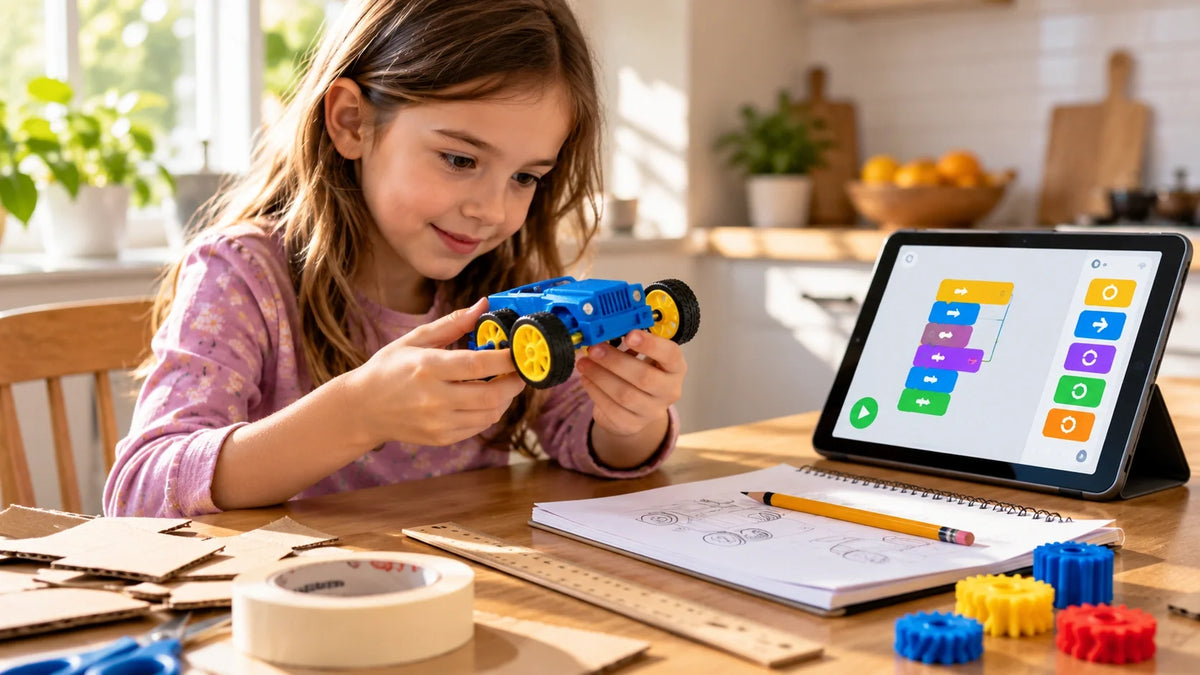
For families building a media plan or simple screen time rules for kids, the watch-then-make pattern works because the screen starts the activity instead of replacing it. Watch-then-make is the screen-light formula. The screen earns a few minutes by showing a kid something they want to try. Then the screen goes away and the trying happens off-device. The kid finishes with something they made — a paper crane, a printed keychain, a smoothie, a story.
This pattern is the one the World Health Organization's 2019 guidance on children under 5 implicitly points to: less sitting, more active play, screens only when they support real-world learning. Watch-then-make does exactly that.
The Spark Moment
There's a specific look a kid gives when an idea catches. It's not the slack-jawed scroll. It's quieter, more focused — they want to try the thing before anyone else gets the materials. That moment is impossible to manufacture with passive viewing alone. It needs a build step right after.
Hands-On Means Hands-On
If the build step turns into another screen — a coloring app, a tablet drawing game — the cliff comes back. The point is to leave the device behind. Paper, blocks, ingredients, scissors, glue, dough. The kid needs to feel something resist their fingers.
Why a Kid-Friendly Tool Helps the Bridge
For families with a hands-on tool already in the home — a paint kit, a craft cutter, a small printer — watch-then-make becomes easier because the gap between idea and object is shorter. A guided toy-making printer for younger kids runs the loop directly: a child taps through the app for under two minutes, picks or tweaks a model, and the printer hands them a real toy in 30–60 minutes. The screen step is small. The made thing is real.

|
SAFETY — CHECK BEFORE STARTING Small parts under 1.25 inches are choking hazards for kids under 3. That applies to printed pieces, beads, dough mix-ins, and craft kit fittings. If younger siblings are in the home, choose chunkier designs and store finished pieces in a closed bin out of reach. |
Matching the Activity to the Age
Age isn't a number on the box — it's a planning tool. The same activity lands very differently at 5, 9, and 13. The CDC's 60-minutes-a-day guideline covers ages 6–17, but the kind of activity that hits 60 minutes changes hard with age.

|
Age Group |
Best Screen-Light Activities |
Watch Out |
|
Under 6 |
Animal walks, dough, sorting games, one-song dances, simple chunky 3D prints made by an adult |
Anything sharp, small parts, screen steps longer than 1–2 minutes |
|
Ages 6–9 |
Treasure hunts, watch-then-build crafts, kid-friendly enclosed 3D printer, recipe videos |
Open-frame printers, multi-step kits without adult setup, autoplay video apps |
|
Ages 10–14 |
Comic strips, map projects, full meal recipes, STEM-focused 3D printing, journal-and-design challenges |
Nothing — almost any thoughtful screen-light activity fits this range |
|
14+ |
Self-directed builds, soldering with a class, mentor-led making sessions, advanced design tools |
— |
Setting Up the Activity So It Actually Happens
Most screen-light plans don't fail because the ideas are bad. They fail because nobody set up the next step. A craft kit sealed in plastic on the kitchen counter for two weeks isn't a screen-light activity — it's a guilt object.
Pick the Activity Before Screen Time Starts
Choose the video, map, or photo before the kid is in the room. Tell them the plan before the screen turns on: "We'll watch one origami idea, then we'll fold paper animals for 20 minutes." The frame removes the meltdown when the screen ends.
Time Block and Workspace
Block the activity into a specific window — 20 minutes after dinner, or Saturday morning before noon. A flat table with an outlet nearby. Keep a single basket of basic supplies in one cupboard: paper, tape, scissors, crayons, glue, a few paper cups. For families adding a longer-running creative tool, beginner 3D printers for families sort cleanly by age band and enclosure type so the device matches the household.

The Hand-Off Ritual
How an activity gets handed over matters as much as the activity itself. Don't put materials in front of a kid and walk back to your phone. Sit down. Open the basket together. Watch the spark with them. Make the first thing together — your version can be even worse than theirs. Then step back. For deeper how-tos, step-by-step project guides cover beginner workflows for families running their first screen-light sessions.
|
THE WATCH-THEN-MAKE MOMENT The quiet 5–10 minutes after the screen turns off and before the build picks up speed is the most engaged a hands-on kid will be all day. Don't fill it with talk. Don't rush them. Hand them the materials and let them stare at the prompt for a beat. |
Beyond Day One — Keeping the Habit
The activity's job isn't to entertain on Monday. It's to still be in the rotation by Friday — and then by next month.
The Weekly Rhythm
Pick a slot. Saturday morning works for most families; weekday after-dinner works for others. One short watch-then-make session a week keeps the habit warm. Skipping a week is fine. Skipping a month is when the habit dies. The point isn't a daily streak — it's a recoverable rhythm.
The "Look What I Made" Wall
A maker kid's pile of finished projects matters. A shelf, a bin, a wall, a folder of photos. When a screen-light activity leaves a visible trail, it stops feeling like a one-off. Every visible build is also a prompt for the next one — the kid sees it and asks what to make this week.

Sharing and Mentoring
The fastest way to extend a screen-light habit is to give the kid an audience. A grandparent on a video call who asks about the newest build. A school show-and-tell. A neighbor's birthday where the kid hand-makes the card. The audience is what turns a routine into part of the kid's identity.
Common Screen-Light Mistakes Parents Make
Most of these are well-meaning. All of them are fixable. The AAP's Family Media Plan tool covers many of the same patterns in checklist form if you want a saved version to print.
|
Mistake |
Why It Fails |
Better Approach |
|
The 5-minute video becomes 45 minutes of scrolling |
Autoplay + decision fatigue |
Pick the video before the kid is in the room. Turn off autoplay. |
|
The activity needs 18 supplies you don't own |
Setup time kills the spark |
Keep one basket: paper, tape, scissors, glue, crayons. That covers 80% of ideas. |
|
You force a child off the screen with no bridge |
Sudden ends feel like punishment |
Give a clear next step before the screen ends: 'One more clip, then we build.' |
|
You pick activities you'd enjoy, not ones the kid would |
Mismatch kills follow-through |
Watch what they ask to do twice on their own. That's the signal. |
|
The screen step is too long for the kid's age |
Cliff hits before the build |
Under 6: 1–2 minutes max. Ages 6–9: 3–5 minutes. Adjust by day, not by chart. |
|
The activity is too messy for a tired weeknight |
Cleanup makes everyone resent it |
Save messy projects for weekends. Weeknight activities stay small and contained. |

Conclusion
The best screen-light bonding activity isn't the cleverest one. It's the one still in your weekly rotation three months from now.
That happens when the activity comes with structure — a clear screen step, a time block, a hand-off moment, a place to display what gets made. Without those, even a great idea collects dust. With them, even a 10-minute paper craft becomes the start of a habit.
For families ready to make watch-then-make a permanent rhythm, AOSEED's family creativity platform builds the pattern in: a guided app step (under 5 minutes), a hands-on print or build (most under an hour), and a Toy Library that adds new ideas weekly so a kid never runs out of next. The same loop runs in over 5,000 schools on exactly this rhythm — short screen, long doing, kid-led the whole way. A guided STEM 3D printer for older kids and tweens isn't a screen-light tool because of its specs. It's a screen-light tool because the time spent on the screen is dwarfed by the time spent making.
Don't pick the activity that will impress on Monday. Pick the one your kid is still doing on a quiet Wednesday in March.
|
THE SCREEN-LIGHT MINDSET Watch. Then make. Then show. The device has a job, the kid has the rest. The screen lights the fuse — and then it gets out of the way. |
FAQs
What is the 3 6 9 12 rule for screen time?
It's a French rule of thumb from psychiatrist Serge Tisseron. No screens until 3, no game consoles until 6, no unsupervised internet until 9, no social media until 12. Nobody enforces it. Take what's useful, ignore what isn't, and adjust the numbers for the kid you actually have.
What are good activities for team bonding?
Anything where everyone gets a real job. Scavenger hunts work. So does cooking together, building a paper tower as a team, or each person picking a phone photo and telling the story behind it. Skip the games where one person does the activity and three others sit and watch.
What are examples of light activities?
Anything that moves a kid without needing a coach or a court. Walks, kitchen dancing, stretching, chalk on the driveway, a five-minute scavenger hunt. The goal isn't fitness. It's just keeping a body from going still for two hours straight.
What are some screen-free activities?
These screen-free activities can also rotate with screen-light bonding activities, so one day starts with a short video prompt and the next starts with a no-screen basket.Forts. Puzzles. Cooking. Cardboard projects. Sock puppets. Reading on the couch. The list isn't short — what trips most parents up is the setup. Keep crayons, tape, scissors, glue, and paper in one basket and the answer to 'what should we do?' lands in about 30 seconds.
What are the 5 C's of screen time?
Child. Content. Calm. Crowding-out. Communication. The AAP's framework for thinking about screens by what they actually do to your kid — not by counting minutes. The questions matter more than the answers: is this kid calmer after? What's this app actually teaching? What got replaced today?
What is the 7 7 7 rule for parents?
It isn't an official anything. Different parenting writers use it for different things — date nights, screen routines, focused-attention windows. For screen-light, you can think of it as seven minutes of your full attention, plus seven of making, plus seven of cleanup. The numbers don't matter. Showing up does.
What is a fun quick ice breaker?
Two truths and one silly lie. Each person shares three statements — two true, one obviously fake ('I once ate a goldfish'). Others guess the lie. Works in the car, at the dinner table, in a waiting room. Only rule: keep the lies dumb.
What is the 20 questions game for team building?
One person thinks of a thing — an animal, a place, an object. Everyone else gets 20 yes-or-no questions to figure out what it is. No equipment, no setup, no app required. For little kids, narrow the category to start ('something in our kitchen'). The fun is in the bad guesses.
Sources
- Michael Yogman, MD, FAAP, Assistant Clinical Professor of Pediatrics,
- Jenny Radesky, MD, FAAP, David G. Dickinson Collegiate Professor of Pediatrics and Director,
- Kathy Hirsh-Pasek, PhD, Stanley and Debra Lefkowitz Distinguished Faculty Fellow in Psychology,
- Roberta Michnick Golinkoff, PhD, Unidel H. Rodney Sharp Chair, School of Education,
- Megan Moreno, MD, MSEd, MPH, Professor of Pediatrics and Vice Chair of Academic Affairs,





Further reading

Graduation Gifts for Kids: Keepsakes for Kindergarten to Fifth Grade

How to Clean a 3D Printer: A Routine for Families

3D Printer Filament Holder: Options, Setup and a Version You Can Print


