

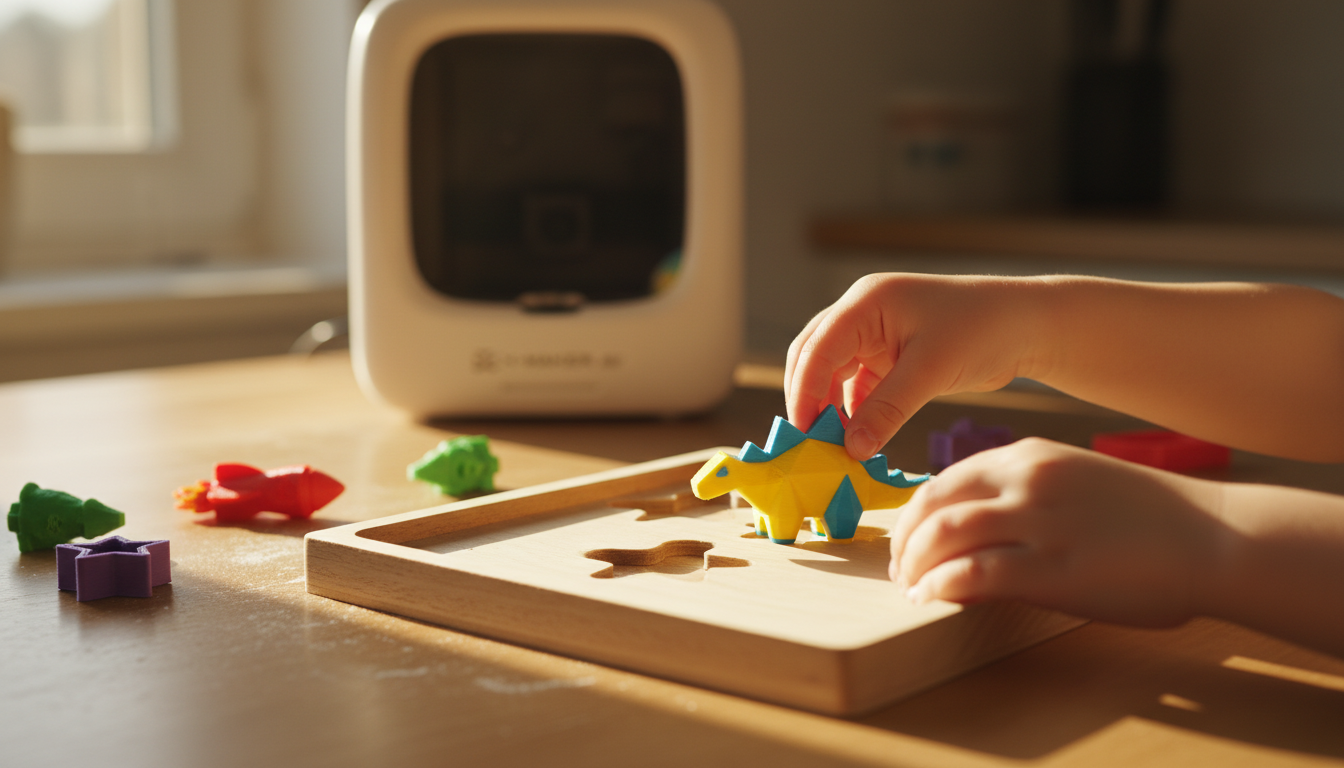
Printable Puzzle Challenges for Kids: Design, Print, Solve, Repeat
Three steps. One printer. A weekend that does not end in screen burnout. These printable puzzle challenges for kids turn a simple design-and-print session into a hands-on problem-solving activity.
Design a puzzle. Print it. Watch a kid figure it out. Then ask what they’d change — and run the whole thing again. That’s the rhythm that turns a 3D printer from a dust-collecting gift into a Saturday habit. Dial in two settings, then pick a model that fits the kid in front of you. A $20 spool of PLA can print about 40 small puzzles before it runs dry, which keeps the cost per puzzle low and easy to repeat.
Here’s what’s in this guide. Which puzzles work at which ages. The print settings that actually matter (most don’t). The safety basics every family and classroom needs before touching a heated nozzle. And how to stretch one printed puzzle into a week of activity.
Why Printable Puzzles Are Worth the Print Time

The Design-Print-Solve Loop
Most toys are finished when they leave the factory. A printed puzzle isn’t. The kid picked the model. The kid picked the colors. Maybe the kid resized a piece in the app, made the elephant twice as big, decided the gear should have nine teeth instead of six. And then — an hour later, when a tab snaps off in their hand — they’re suddenly thinking about wall thickness. They don’t know they’re thinking about wall thickness. They’re just trying to fix their puzzle. Same thing.
Make, print, test, improve. Four steps that nobody writes down. It just happens. A slot fits too loose? The kid widens the tab on the next print. A piece won’t seat? Sand the corner, try again. The fix sticks because they wanted it to stick.
What Kids Pick Up Without Noticing
A cube puzzle teaches rotation. A map puzzle teaches geography — though no one mentions geography. A maze puzzle teaches planning, dead-end recovery, and the bitter little art of going backwards. A packing puzzle builds spatial reasoning plus what might be the rarest skill in childhood: putting something down for ten minutes and coming back to it.
Different puzzle, same pattern. Try. Fail. Adjust. Try again. The American Academy of Pediatrics calls this kind of hands-on, kid-led play one of the strongest drivers of early cognitive and social-emotional development — stronger than nearly any structured screen-based activity.
The Real Cost of Printing Puzzles
PLA runs $20 to $25 for a kilo. A small puzzle eats 15 to 30 grams of that — call it thirty to seventy-five cents. A bigger animal puzzle with a tray and six chunky pieces? Under two bucks. Most printed puzzles cost less than what a coffee shop wants for an oat milk latte.
Electricity adds maybe a dime an hour. Even an ambitious puzzle box — the kind with gears and a hidden compartment for a tiny treasure — rarely crosses three dollars total. The barrier was never the cost. It’s knowing what to print first.
Choosing the Right Puzzle to Print
Start With a Win, Not a Challenge
The first puzzle should finish — both the print and the solve — in under two hours combined. Spinning shape trays. Chunky animal puzzles. Small letter trays. These hit the right target. They print without support, they look right at standard settings, and the kid gets to play before lunch instead of waiting until dinner for an eight-hour build that may or may not work.

A guided machine like a guided toy-making printer for younger kids handles most of the setup automatically — one-press printing, app-led model selection, a Toy Library sorted by age band. For community designs, beginner-tagged puzzles in any large maker library are the safest first pick.
Print-in-Place Designs Hold Attention Longer
Print-in-place puzzles come off the bed already working. Sliders slide. Rings rotate. No assembly, no glue, no “wait a sec, where’s the manual.” A six-year-old plays with whatever moves. A ten-year-old starts asking why the gap is exactly 0.4 millimeters and not, say, 0.6.
Look for the tags: ‘print in place’ or ‘no supports.’ Those are the designs that come off clean. They skip the support-removal stage that ends most beginner sessions early — the moment when a kid sees a finished piece wrapped in white scaffolding and loses interest before the pliers come out.
Match Complexity to the Child
Age is a starting point. Not a verdict. A seven-year-old who’s been building Lego since age three may already be ready for puzzle boxes. A ten-year-old who melts down when something doesn’t click on the first try might need shape trays for a while longer. Use the table below as a default, then move the bar based on the kid in front of you.
|
Age Group |
Suitable Designs |
Avoid |
|
Under 6 |
Shape trays, chunky animals, color-matching puzzles (no small parts) |
Tight mechanisms, small pins, multi-step boxes |
|
Ages 6–9 |
Multi-part animals, letter puzzles, basic packing puzzles |
Long-solve mazes, complex puzzle boxes |
|
Ages 10–12 |
Mazes, slide puzzles, cube puzzles, print-in-place designs |
Multi-step boxes that jam when misprinted |
|
Ages 13+ |
Mechanical boxes, gears, locks, twisty puzzles |
Designs lacking clearance for moving parts |

Setting Up Before the First Print
Filament Picks for Kids’ Puzzles
PLA handles nine out of ten family puzzle projects without issues. When it doesn’t, here’s how the other options stack up:
|
Filament |
Best For |
Watch Out |
Difficulty |
|
PLA |
Trays, animals, letters, first prints |
Cracks under heavy repeated impact |
Beginner |
|
PETG |
Active-play puzzles, vehicles |
Strings without careful retraction tuning |
Intermediate |
|
TPU |
Bendable puzzle pieces, squeezable parts |
Slow print speed needed |
Intermediate |
|
ABS |
Outdoor or rough-play puzzles |
Emits fumes — enclosed printer required |
Advanced |
Two Settings That Control Most of the Quality

In kids' 3D printing projects, these two settings matter because they decide whether puzzle pieces slide together smoothly or frustrate a child during play.
0.2 mm is the goldilocks zone for puzzle prints. Fast enough that a small tray comes off the bed in thirty to forty-five minutes. Detailed enough that animal features and curved letterforms still look right. Drop to 0.16 mm only when something has fine surface detail that matters.
Clearance — the gap between moving parts — wants 0.3 to 0.5 millimeters. Too tight and the pieces fuse on the bed. Too loose and they wobble. Infill at 15 to 20 percent is plenty for flat puzzles and trays. Bump to 30 percent for puzzle boxes and anything with gears that takes real load.
One rule worth following: change one setting per failed print. Tweaking everything at once turns the troubleshoot into a guessing game.
Workspace and Hot-Part Basics
Flat. Stable. Dedicated. Not a folding desk. Not a wheeled cart unless the wheels lock.
PLA prints at 190 to 220 degrees Celsius. The hotend stays hot for a good ten minutes after the screen reads idle — sometimes longer if the room is warm. Kids stay clear of the build area during and right after a print. Adults handle filament loading, stuck prints, and nozzle cleaning. Every time. No exceptions.
Ventilation matters too. EPA research on 3D printing confirms that desktop printers release volatile organic compounds and ultrafine particles during a job, with ABS pumping out more than PLA. Keep the printer out of small closed rooms. Out of bedrooms entirely.
Schools and families comparing enclosed machines can browse beginner 3D printers for families sorted by age band and enclosure type.
The Design-Print-Solve Loop in Action
Step 1 — Design and Decide
Hand the kid the wheel. Let them browse the library, pick the puzzle, choose the colors — green tray, pink tabs, blue base if that’s what they want. For ages eight and up, open the design app and walk through one tweak: resize the puzzle, swap a piece shape, drop the kid’s name across the front.
Keep the session to thirty or forty-five minutes for younger kids. Decision fatigue is real. End with the model queued up, ready to print — the anticipation is part of the activity. AOSEED’s step-by-step project guides cover filament loading and first-layer checks without making anyone sit through a manual.
Step 2 — Print and Watch
Start the print early. Check in every thirty minutes — not to babysit the machine, but because watching a puzzle build itself layer by layer is genuinely interesting. Ask what layer it’s on. Talk about what the extruder is doing. The first time a kid figures out that the printer is building the puzzle from the bottom up, you can see it land.
Let the print cool for twenty minutes before anyone touches it. PLA at 60 degrees still deforms under pressure. Light sanding on rough edges with 220-grit paper — two minutes, no more — and the pieces stop feeling like prototypes.
Step 3 — Solve and Iterate
Don’t show the solution. Don’t fix the misfit pieces. Hand the kid the tray and the parts and walk away. The first solve always takes longer than the parent expects — and that’s where the learning lives.
After they solve it, ask one question: what would make this puzzle better? A harder path. A bigger handle. Smoother corners. One more piece. Then print version two. By version three, the kid isn’t playing with a 3D printer anymore. They’re iterating on a design. Quietly, without anyone calling it that.

|
THE ITERATION MOMENT This is the moment a kid stops seeing a printed object and starts seeing their puzzle. Don’t rush past the first solve. Ten minutes of quiet problem-solving is often the most focused they get all afternoon. |
Extending the Puzzle Beyond One Solve
A good puzzle should not end after one is solved. These printable puzzle challenges for kids can become timed rounds, maze-design days, and swap activities that stretch problem-solving across the whole week.
Timed Solve Challenges
Print one set of puzzles. Hand them around. Time each solve. Low-effort to set up, weirdly competitive once it starts. Shape trays, cube puzzles, and slide puzzles all work for first rounds.
In a classroom, put the leaderboard somewhere everyone can see. Kids start explaining their strategy afterwards — which is when a timing challenge quietly turns into a problem-solving discussion.
Design-a-Maze Day
Hand each kid a blank maze grid. Draw a start. Draw a finish. Connect them somehow. Print the results. Then have everyone try to solve someone else’s design. The original designer learns where the real challenge lands — usually somewhere they didn’t see coming.
Flat mazes first. 3D maze boxes later. Flat ones print fast and forgive design mistakes.
Trade-and-Solve Swaps
Each kid prints one puzzle. Swaps with another kid. Solve theirs. Then gives the designer feedback. “The third piece was hard to flip.” “I got stuck in the corner.” That feedback loop is the gold here — it teaches kids how to receive notes on their own work, which is a skill most adults still struggle to do well.

Caring for Printed Puzzles
Finishing and Storage
Pop off any supports. Hit the rough edges with 220-grit sandpaper — two minutes per puzzle. For gift puzzles or anything heading to a shelf, a primer coat and an hour with acrylic paint turns a layer-line print into something that actually looks made. Most kids over eight can handle the sanding. Painting is fully kid-led.
Store puzzles loose, not stacked. Articulated pieces especially — sustained pressure on PLA joints causes slow deformation over weeks. Once the puzzle collection hits ten sets, start labeling bins.
Quick Inspection Checks
Every few weeks, run a quick check. Look at the corners of slots, the bases of tabs — those are the spots where PLA cracks first. Run a finger along any edge that contacts a hand. A hairline crack on a piece a five-year-old plays with is a real choking hazard if a younger sibling gets hold of it, so catching it early matters.
Reprint cracked pieces. Don’t glue. Super glue on PLA almost never holds under play stress, and a fresh piece prints in twenty minutes anyway.
|
Problem |
Most Likely Cause |
Quick Fix |
Time |
|
Pieces won’t fit together |
Clearance too tight |
Add 0.1 mm to gap, reprint test piece |
15 min |
|
Tab snaps on first use |
Walls too thin |
Increase wall count to 4, reprint |
20 min |
|
Print won’t stick to bed |
Dirty plate or unlevel bed |
IPA wipe + re-level |
5 min |
|
Visible stringing in slots |
Retraction needs tuning |
Increase retraction distance 0.5 mm |
5 min |
Conclusion
A printable puzzle weekend isn’t really about the printer. It’s about the loop — design, print, solve, improve — and the moment a kid asks the question that makes the whole thing work: what should we change next?
That’s the payoff. Not the print quality. Not the layer height. Not the build volume on the spec sheet. The moment a kid stops thinking of the printer as a gadget the parent owns and starts thinking of it as a tool they use — that’s when something shifts.
Most families never get there. They unbox the printer, run one print, set it on a shelf, and call it done. Three steps fixes that. Pick a puzzle Saturday. Print it Sunday morning. Solve it Sunday afternoon. Talk about how to make a harder version Monday over breakfast. The routine sticks because the kid wants the next puzzle.
AOSEED’s family creativity platform is running in over 5,000 schools on exactly that rhythm. The Toy Library updates every week, so there’s always a next puzzle waiting. A guided STEM 3D printer for older kids and tweens isn’t valuable because of its first puzzle. It’s valuable because of its tenth. That’s when the design questions get better and the printer earns its shelf space.
Pick the simplest puzzle in the library this weekend. Let your kid name it before it exists.
|
THE THREE-STEP MINDSET Design it. Print it. Solve it. Then change one thing and print version two. The printer that earns its shelf space isn’t the one with the fastest nozzle. It’s the one used every weekend. |
FAQs
Are 3D puzzles good for kids?
Yes — when matched to the kid’s age and patience. 3D puzzles work on depth, rotation, and how parts lock together. Flat jigsaws can’t. The thinking is just different.
Practical tip: aim for a 10 to 20 minute solve on the first try. Short wins build the habit.
Is a 3D printer appropriate for a 7 year old?
Yes — with an adult on the hot parts and setup. A seven-year-old can pick the model, watch from a safe distance, help with sanding, and put the puzzle together.
Practical tip: keep the printer in a shared family room, not the kid’s bedroom. Supervision and ventilation both get easier.
Are 3D puzzles harder than regular puzzles?
They can be. Three-dimensional puzzles ask for depth and rotation thinking, not just edge matching. That said, a six-piece printed puzzle is usually easier than a 100-piece jigsaw.
Is it legal to 3D print Legos?
Printing generic interlocking bricks for personal use is fine. Reproducing the LEGO brand, logos, or protected brick designs — especially for resale — isn’t. U.S. trademark law protects the brand identity.
Practical tip: stick to original designs or community models clearly licensed for personal use.
Is 3D printing a cheap hobby?
For home or classroom printable puzzle challenges for kids, that low cost makes it easy to print a full set, test it, and replace pieces without worrying about waste.
What is the most kid friendly 3D printer?
One that’s fully enclosed, runs quiet, prints with one press, and ships with a beginner app full of ready-made models. Specs come second to those four things.
Do 3D printers give off toxins?
Yes — they release ultrafine particles and VOCs during printing. EPA research and a peer-reviewed NCBI study both confirm it, with ABS putting out more than PLA.
What are the most popular 3D puzzle brands?
Store-bought favorites — Ravensburger, CubicFun, Robotime, Ugears, Wrebbit. For printed puzzles, most families skip brands and pull community designs to customize at home.
Sources
- U.S. Consumer Product Safety Commission —federal small-parts ban and choking-hazard standards for children's toys
- American Academy of Pediatrics —choking prevention guidance for babies and young children
- American Academy of Pediatrics (Pediatrics journal) —peer-reviewed research on hands-on play and early childhood development
- U.S. Environmental Protection Agency —federal research on 3D printer VOC and ultrafine particle emissions
- NCBI —peer-reviewed study on volatile and particulate emissions from desktop 3D printers




Further reading

Graduation Gifts for Kids: Keepsakes for Kindergarten to Fifth Grade

How to Clean a 3D Printer: A Routine for Families

3D Printer Filament Holder: Options, Setup and a Version You Can Print


