





About Us

BLOG
Where Learning Meets Play
#3d printer
#aoseed
#classroom
#edu
#education
#schools
#stem
#xkit
Show All


News.
Latest press from AOSEED
How STEM Toys Help Kids Develop Math and Spatial Skills
It’s no secret that kids learn best when they’re engaged, curious, and having fun. That’s exactly why STEM toys—and especially kids 3D printers—are transforming the way children learn math and problem-solving.
Through hands-on projects, kids 3D printers blend creativity with logic. They help children visualize shapes, understand measurements, and grasp geometric concepts—all while making real objects they can hold and proudly show off.
In this article, we’ll explore how 3D printing for kids strengthens math and spatial reasoning skills, why it’s such an effective learning tool, and how parents and teachers can integrate it into play and education.
Why Math and Spatial Skills Matter

Before diving into how 3D printing helps, it’s important to understand what these skills are.
Math Skills:
Math isn’t just numbers—it’s logic, patterns, and precision. When kids calculate dimensions, angles, or symmetry in their designs, they’re practicing real-world math without even realizing it.
Spatial Reasoning:
Spatial skills help kids imagine and manipulate objects in 3D space. It’s what allows them to picture how a toy looks from different angles or how parts fit together—skills essential for STEM fields like architecture, engineering, and robotics.
Research consistently shows that strong spatial reasoning predicts success in math and science—and 3D printing is a fun, direct way to strengthen both.
How 3D Printing for Kids Builds Math and Spatial Reasoning

Visualizing Geometry in Action
When kids design and print models, they naturally explore shapes, symmetry, and angles. A cube, a bridge, or even a toy car introduces geometric terms like faces, vertices, and edges in real-world context.
For instance, designing a 3D-printed pyramid teaches kids:
- Triangular sides = geometry
- Equal lengths = measurement
- Angles = degrees and slope awareness
It’s geometry class—without the boredom.
Measuring and Scaling Objects
3D printing teaches measurement and proportion intuitively. Children must think about height, width, and depth, converting mental ideas into precise numbers.
Example learning moments:
- Adjusting size from 50mm to 75mm—proportion and scale.
- Doubling print size—understanding multiplication and ratios.
- Estimating filament use—introducing units of mass and volume.
The process naturally integrates math vocabulary: dimensions, millimeters, volume, scaling, and area.
Understanding Fractions and Ratios
When kids change print settings (like reducing infill to 50%), they’re applying fractional thinking. Each adjustment—half size, quarter volume—turns abstract math into something visible.
Printing smaller or larger models teaches them how scaling affects volume and surface area, building real-world intuition for fractions and ratios.
Building 3D Spatial Awareness
A 3D printer for kids lets children turn 2D ideas into 3D reality. This transition from flat to form helps them understand perspective, rotation, and visualization.
They learn to ask questions like:
- “What happens if I rotate this part 90°?”
- “Will this base support the top piece?”
- “How do these shapes connect in space?”
These thought processes mirror the mental rotation exercises used to train engineers, pilots, and designers.
Encouraging Logical and Sequential Thinking
3D printing follows a step-by-step workflow: design → slice → print → test → improve.
Kids quickly learn that skipping a step can lead to a failed print.
This repetition teaches:
- Logic: cause and effect (e.g., what happens when you change layer height).
- Sequencing: understanding order and timing.
- Organization: saving files, labeling designs, tracking progress.
It’s math’s structural side made tangible.
Integrating Math with Creativity
Math often feels abstract—but 3D printing makes it expressive. A child who once struggled with numbers might now calculate precise angles to design a spaceship or figure out dimensions for a toy bridge.
By merging logic and imagination, 3D printing shows that math isn’t just about getting answers—it’s about building something amazing from them.
AOSEED 3D Printers: Designed for Learning Through Play

AOSEED printers are built to make STEM learning accessible and enjoyable for children of all ages.
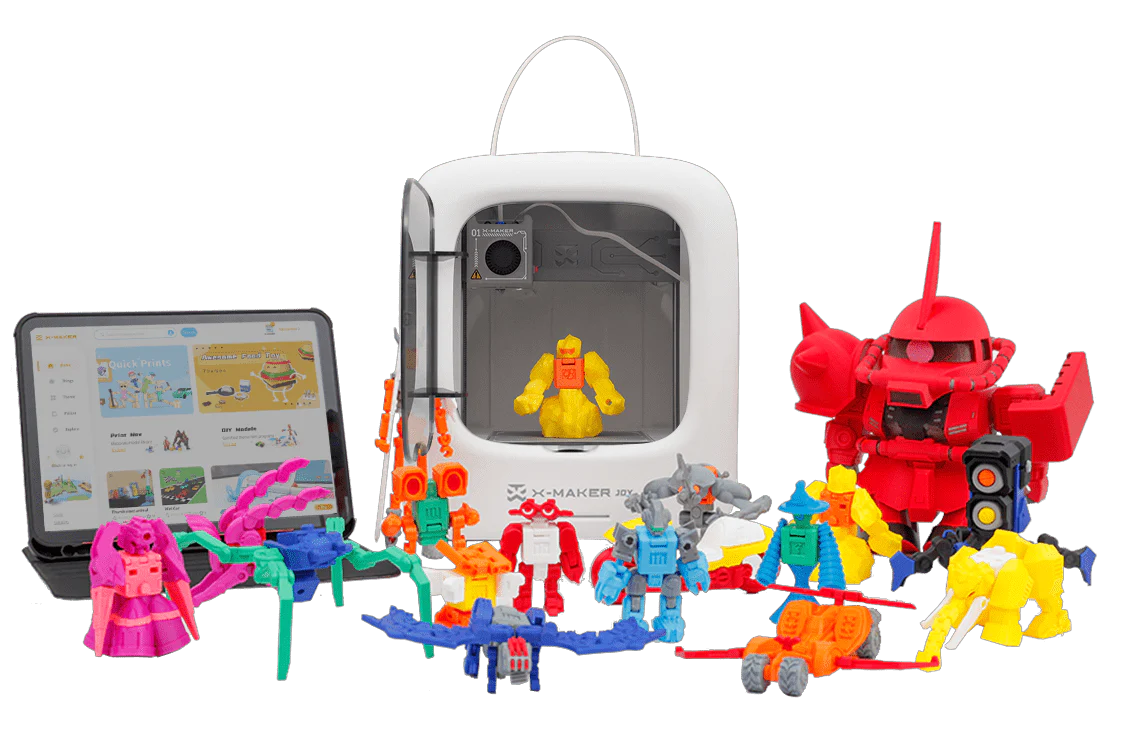
AOSEED X-MAKER JOY (Ages 4–9)
- Simplified interface and colorful icons for younger users.
- One-touch printing and safe PLA filament for stress-free creativity.
- Encourages early math through shapes and symmetry-based templates.
AOSEED X-MAKER JOY AI+
- AI-powered 3D modeling via AI MiniMe & AI Doodle (turn images or prompts into custom toys).
- Toy editor feature for designing personalized toys.
- Built-in camera automatically generates 15-second timelapse videos of prints for sharing.
- Gamified 3D design apps make learning interactive and fun.
- One-press AI printing for easy operation by young children.
AOSEED X-MAKER (Ages 9–16)
- Adds adjustable settings and print previews for advanced learners.
- Supports PLA and ABS filaments for more complex projects.
- Great for geometry lessons, model design, and STEM competitions.
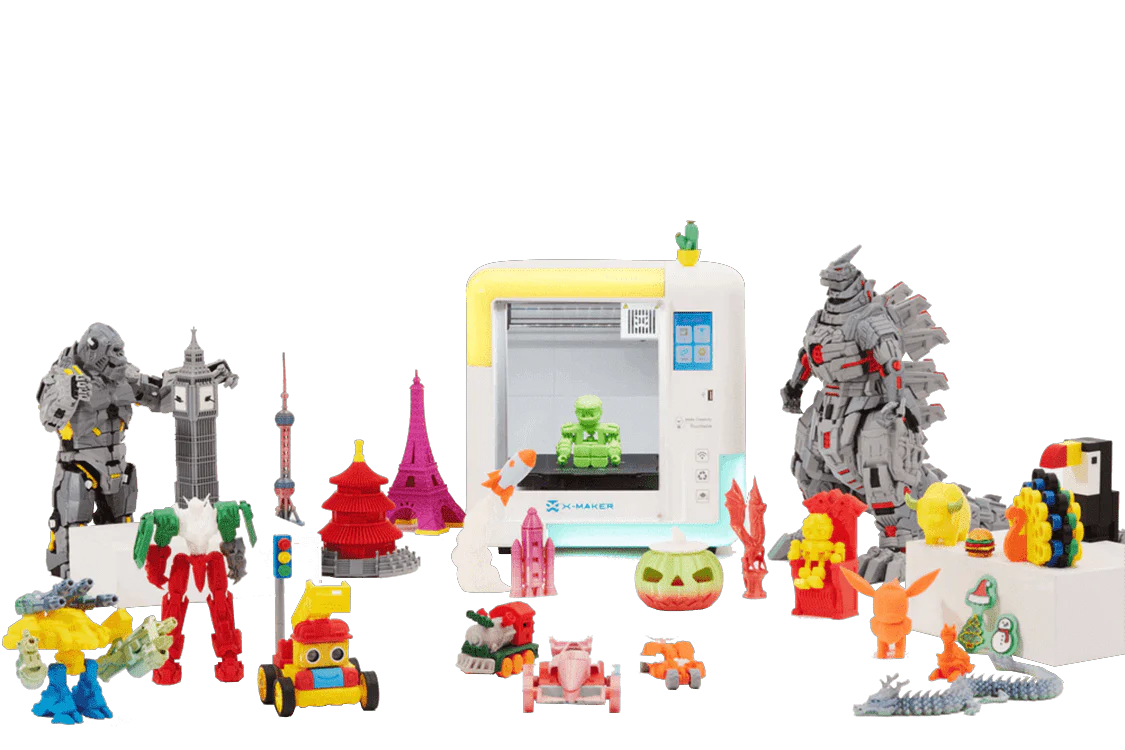
AOSEED X-MAKER AI+
- Gamified 3D design apps to engage older children in STEM challenges.
- AI-powered single-button printing, lowering technical barriers for kids 9–16.
Both printers connect to the AOSEED App, which includes a library of learning projects and design tutorials—perfect for home or classroom use.
Explore AOSEED’s ecosystem:
Fun 3D Printing Projects That Teach Math and Spatial Skills
Here are some age-appropriate 3D printing projects for kids that strengthen both creativity and numeracy:
1. Build-a-Bridge Challenge
Kids design and print a small bridge, testing how shape affects strength.
- Skills: geometry, proportion, angles, weight distribution.
- Math connection: calculating load-bearing symmetry.
2. Custom Dice or Spinners
Printing dice teaches equal surface distribution and probability.
- Skills: 3D symmetry, edges, fair balance.
- Math connection: understanding statistics and chance.
3. Mini Architecture Models
Children can design and print simple houses or towers.
- Skills: scaling, measurement, visual proportion.
- Math connection: converting 2D blueprints into 3D models.
4. Toy Car or Rocket Design
Kids calculate dimensions to ensure all parts (wheels, body, axles) fit perfectly.
- Skills: geometry, fractions, symmetry.
- Math connection: problem-solving and proportional design.
5. 3D Clock Face or Number Puzzle
Designing clocks and puzzles improves number sequencing and spacing.
- Skills: visual organization, ratio awareness.
- Math connection: arithmetic and geometry combined.
These projects blend math practice with tactile creation, helping children retain concepts longer than through worksheets alone.
Educational Advantages for Teachers and Parents

In Classrooms:
Teachers can integrate 3D printing into math or STEM lessons:
- Geometry: printing pyramids, prisms, and spheres.
- Measurement: comparing printed models to their 2D designs.
- Data collection: calculating print times or material volume.
At Home:
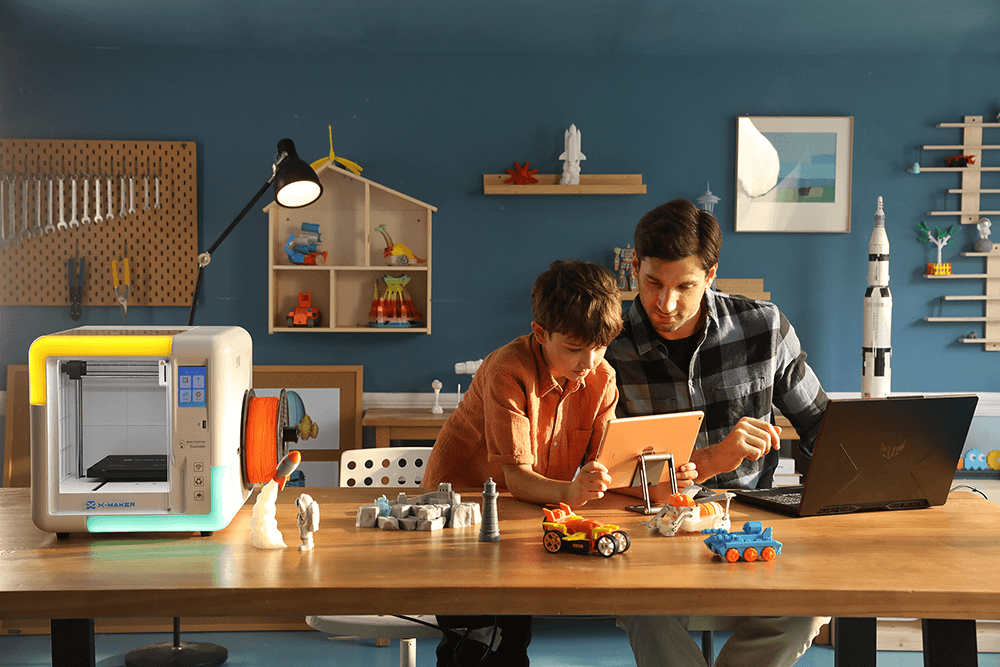
Parents can encourage kids to explore math through creativity—printing family nameplates, puzzles, or themed ornaments. Kids apply measurement, area, and scale concepts naturally.
In STEM Clubs or Competitions:
Group projects promote collaboration and problem-solving, showing how math connects to teamwork and innovation.
Advantages and Disadvantages of 3D Printing for Learning
Advantages
- Makes abstract math visual and hands-on.
- Encourages curiosity and logical reasoning.
- Builds spatial and mechanical understanding.
- Teaches patience, precision, and iteration.
- Inspires long-term interest in STEM.
Disadvantages
- Requires time and supervision for setup.
- Some early prints may fail (valuable for learning!).
- Filament costs can add up for frequent printing.
Even these challenges reinforce real-world problem-solving—kids learn persistence and troubleshooting along the way.
Real-World Application: From Playtime to STEM Careers
Early exposure to 3D printing for kids builds a foundation for future success in STEM. Skills developed through creative projects translate into:
- Engineering: understanding structure and proportion.
- Architecture: designing spatially accurate models.
- Mathematics: mastering measurement and ratio reasoning.
- Design & Innovation: turning abstract ideas into functional solutions.
Today’s playful exploration can become tomorrow’s professional confidence.
Frequently Asked Questions
How does 3D printing teach math to kids?
Through measuring, scaling, and geometry-based design. Each print requires math concepts like volume, area, proportion, and symmetry to succeed.
What age is suitable for 3D printing?
With guided help, children as young as 4 can start using kid-friendly printers like the AOSEED X-MAKER JOY. By age 8–10, most can handle design and setup independently.
Are kids 3D printers safe to use?
Yes. Modern kid-focused printers use enclosed builds, low-heat PLA filament, and intuitive touch screens for a safe, supervised experience.
Can 3D printing improve academic performance?
Yes—by making abstract math concepts concrete and visual. Children learn faster when they see how math applies to real objects.
What are some simple math-based projects to start with?
Try printing dice, cubes, pyramids, or nameplates—projects that involve measuring, symmetry, and spatial planning.
Final Thoughts
Math doesn’t have to be memorized—it can be built, tested, and held. That’s the magic of kids 3D printers. Through creative design and hands-on exploration, children develop not only math fluency but also critical spatial awareness that supports their lifelong learning.
When a child measures, adjusts, and prints their first model, they’re doing more than playing—they’re thinking like an engineer.
The Educational Value of STEM Toys: Why Every Kid Should Have a STEM 3D Printer
STEM education—Science, Technology, Engineering, and Math—isn’t just about classroom lessons anymore. Today, it’s about experiencing how things work through creativity and play. Few tools capture that spirit better than a 3D printer for kids.
While traditional toys entertain, STEM toys like 3D printers teach how ideas become real. They inspire curiosity, build problem-solving skills, and prepare kids for the future of innovation—all while having fun.
In this article, we’ll explore the educational value of STEM toys, why a 3D printer for kids stands out as one of the most powerful learning tools, and how families can use it to make learning fun again.
Why STEM Toys Matter More Than Ever
As technology evolves, so does the need for creative problem-solvers. STEM toys fill the gap between learning and play—helping children explore how science and technology shape the world around them.
Key Benefits of STEM Toys:
- Encourage hands-on experimentation instead of passive screen time.
- Teach critical thinking, logic, and creativity.
- Build confidence through project completion.
- Make abstract STEM subjects tangible and engaging.
A STEM 3D printer takes these advantages further by turning kids into makers—transforming their ideas into real objects.
How a 3D Printer for Kids Reinvents Learning

A kid-friendly 3D printer blends the thrill of technology with real-world skills. Here’s what makes it one of the most effective STEM tools for home and school.
1. It Brings STEM to Life
Children don’t just read about engineering—they build it. With 3D printing, they understand how math, design, and technology work together.
- Science: Learn melting points, materials, and physics.
- Technology: Explore slicing software and print mechanics.
- Engineering: Design durable structures and test ideas.
- Math: Measure, scale, and calculate proportions.
This active approach turns abstract classroom lessons into memorable, hands-on experiences.
2. It Fosters Problem-Solving
When a design doesn’t print perfectly, kids must analyze what went wrong and fix it. This iterative process teaches resilience, critical thinking, and patience—skills essential for both school and life.
3. It Nurtures Creativity
A 3D printer for kids gives them freedom to design anything—from animal figurines to rocket models. They’re not limited to pre-made toys—they become inventors.
4. It Encourages Collaboration
Kids can work in groups to plan, print, and assemble projects. They learn teamwork, communication, and compromise—turning creative play into social learning.
5. It Connects Digital and Physical Worlds
3D printing teaches kids that technology is more than screens. It shows how digital designs can have real-world impact, bridging imagination and engineering.
The Educational Value of 3D Printing for Kids
|
Learning Area |
Skill Developed |
Example Activity |
|
Science |
Understanding materials & heat |
Print and test different shapes for strength |
|
Technology |
Using design software |
Create 3D models with AOSEED’s app |
|
Engineering |
Building stable structures |
Design a bridge that supports weight |
|
Math |
Measuring and scaling |
Adjust a model’s dimensions to fit |
|
Creativity |
Designing unique objects |
Create keychains, figurines, or tools |
|
Teamwork |
Communication & collaboration |
Group print challenges or school projects |
Every print becomes a mini lesson—blending creativity with logic and discovery.
Why the Best 3D Printer for Kids Is More Than a Toy
A 3D printer for kids does more than make cool gadgets—it builds a mindset.
Teaches Design Thinking
Kids learn to think like engineers: define a problem, design a solution, test, and improve. This process develops analytical skills early on.
Builds Persistence
3D printing projects rarely succeed on the first try. By troubleshooting, kids learn that mistakes aren’t failures—they’re part of the learning process.
Inspires Career Curiosity
3D printing introduces children to fields like robotics, architecture, product design, and coding—helping them discover what excites them before high school.
Boosts Confidence Through Creation
Holding something they designed themselves—a toy, bracelet, or robot part—gives children a sense of accomplishment no video game can match.
The AOSEED Approach: Safe, Smart, and Inspiring

AOSEED’s 3D printers are specifically built to make STEM learning safe, intuitive, and fun for children of all ages.
AOSEED X-MAKER JOY (Ages 4–9)
- One-touch operation with preset print modes.
- Uses eco-friendly PLA filament (non-toxic, low-odor).
- Enclosed design for safety and quiet printing.
- Perfect for introducing young learners to 3D creation.
AOSEED X-MAKER JOY AI+
- AI-powered 3D modeling (AI MiniMe & AI Doodle)
- Toy editor for custom toy creation
- Built-in camera automatically generates 15-second time-lapse videos of prints
- One-press printing powered by AI
- Gamified 3D design apps to make learning playful
AOSEED X-MAKER (Ages 9–16)
- Includes advanced settings and print preview screen.
- Supports PLA and ABS filaments for more durable designs.
- Ideal for older kids, classrooms, and STEM clubs.
- Compatible with the AOSEED Learning App, featuring 3D tutorials, challenges, and printable models.
AOSEED X-MAKER AI+
- AI-powered one-press printing for easy 3D printing
- Gamified 3D design apps to engage kids in learning
- Supports advanced modeling for older children
Together, these models create a learning path that grows with your child—from early creativity to advanced design thinking.
Example 3D Printing Projects That Teach While They Play
1. Mini Bridge Engineering Challenge
Kids design bridges of different shapes and test which one supports the most weight—learning structural integrity and geometry.
2. Personalized Keychains or Name Tags
Encourages artistic design and spatial awareness while teaching measurement and customization.
3. Solar System Models
Combine science and art by printing planets, stands, and labels—great for school projects.
4. Puzzle Pieces
Have kids print interlocking parts that must fit together—perfect for teaching tolerance and precision.
5. 3D Printed Toys or Vehicles
Design cars, boats, or rockets to explore motion, balance, and creativity in one project.
These 3D prints for kids turn curiosity into achievement—one layer at a time.
Advantages and Disadvantages
Advantages
- Encourages active, hands-on learning.
- Builds real STEM and life skills.
- Enhances creativity, patience, and problem-solving.
- Safe for home and classroom environments.
- Endless project possibilities keep kids engaged.
Disadvantages
- Initial setup requires adult guidance.
- Prints take time—teaching patience, but testing it too.
- Occasional maintenance (nozzle cleaning, filament refills).
Even these “challenges” reinforce responsibility and self-reliance—skills that last long beyond childhood.
Why Parents and Teachers Love 3D Printing
“My son used to get bored of traditional STEM kits, but his 3D printer keeps him creating. He’s learning without realizing it.”
— Michael B., Parent
“In our STEM club, 3D printing turned shy students into leaders. They take ownership of their designs and proudly show their work.”
— Corina J., Educator
Stories like these show how the best 3D printer for kids doesn’t just entertain—it empowers.
Frequently Asked Questions
Is a 3D printer safe for kids to use?
Yes. Kid-focused models like AOSEED’s include enclosed chambers, low-heat PLA filament, and simple interfaces designed for safety and supervision.
What’s the best 3D printer for kids?
The AOSEED X-MAKER JOY is perfect for beginners (ages 4–9), while the X-MAKER suits older kids (ages 9–16) ready for more advanced creativity.
How do 3D printers support STEM learning?
They blend science, math, and engineering through hands-on design. Kids learn by experimenting, testing, and improving—just like real engineers.
Are 3D printers expensive to maintain?
No. PLA filament is affordable, and one spool can produce dozens of small models. AOSEED printers are designed for easy maintenance.
Can 3D printers replace traditional STEM kits?
They can complement or even enhance them. 3D printers offer endless design possibilities—so kids never outgrow the experience.
Final Thoughts
Every child learns differently—but all kids learn best when they’re engaged, curious, and having fun. That’s what a 3D printer for kids delivers: real learning through play.
By merging creativity and STEM, 3D printing helps children think critically, solve problems, and express themselves—all while preparing them for the technology-driven world ahead.
How to Choose the Best 3D Printer for Your Child: A Parent’s Buying Guide
3D printing is no longer just for engineers or hobbyists—it’s now a fun, educational tool for kids to create, learn, and explore. But if you’re a parent trying to pick the best 3D printer for kids, you might wonder:
- Which models are safe?
- How complicated are they to use?
- Can you find one under $300 that’s reliable and educational?
This guide breaks it all down for you. You’ll learn what to look for in a kid-friendly 3D printer, which features matter most, and why models like AOSEED X-MAKER JOY and X-MAKER are among the top-rated options for families.
Why a 3D Printer Is the Perfect Educational Tool
A 3D printer doesn’t just print toys—it teaches design thinking, patience, creativity, and STEM fundamentals.
Educational Value
- STEM integration: Science (materials), Technology (printing), Engineering (design), Math (measurement).
- Hands-on learning: Kids build real objects from digital ideas.
- Problem-solving: If a print fails, they learn to troubleshoot and improve.
- Creativity unleashed: From keychains to rockets, the possibilities are endless.
A 3D printer is both a toy and a teaching tool—making it one of the best gifts for kids who love to learn by doing.
AI 3D Modeling & Gamification Features
- X-MAKER AI+ and X-MAKER JOY AI+ AI-powered 3D modeling (replace AI voice interaction with AI modeling)
- AI MiniMe – turn a photo/drawing into a 3D toy
- AI Doodle – type a line/word to generate a toy
- Gamified 3D design apps
- One-press printing for simpler operation
Creation Kits / Toy Factory Ecosystem
- X-KIT / Creation Kits (X-Racer, X-Auto, X-Music, X-Fun themes)
- Expands creative play beyond the printer
- “Best mate to 3D printer” concept for long-term engagement
Step 1: Understand What Makes a 3D Printer “Kid-Friendly”
Not every 3D printer is suitable for children. Look for features that make it safe, simple, and engaging.
Safety Features
- Fully enclosed design: Prevents contact with hot components.
- Non-toxic materials: Use PLA filament, a biodegradable and low-odor option.
- Quiet operation: Keeps noise minimal for home or classroom use.
Ease of Use
- Touchscreen or app-based controls.
- Preloaded templates for easy first projects.
- Auto-leveling print beds to reduce manual calibration.
- One-touch start or “plug-and-print” setup.
Educational Integration
A printer that includes an educational app or model library helps guide kids through creative challenges and projects. AOSEED’s printers, for example, pair with the AOSEED Learning App, which includes tutorials, games, and print-ready 3D models.
Step 2: Consider Age and Skill Level
Choosing the right 3D printer depends on your child’s age, patience, and curiosity level.
|
Age |
Recommended Printer Type |
Key Features |
|
4–8 years |
Beginner-friendly, enclosed printer (like AOSEED X-MAKER JOY) |
Simplified app, preset print settings, safety-first design |
|
9–12 years |
Intermediate, customizable printer (like AOSEED X-MAKER) |
Adjustable print speed, print preview, more creative control |
|
13+ years |
Advanced or hobby-grade printer |
Larger build volume, more materials supported |
If your child is new to 3D printing, start with a beginner model. You can always upgrade as their skills grow.
Step 3: Set Your Budget — Great Options Under $300

You don’t have to spend a fortune to give your child a high-quality STEM experience. Several 3D printers under $300 deliver safety, simplicity, and fun without compromise.
Here’s what to expect at different price levels:
|
Price Range |
What You Get |
Example Models |
|
Under $300 |
Compact, kid-safe printers with PLA-only support |
AOSEED X-MAKER JOY, FlashForge Adventurer 3 Lite |
|
$300–$500 |
Larger build area, print preview screen, advanced customization |
AOSEED X-MAKER, Creality Ender 3 V3 KE |
|
$500+ |
Professional-level speed, multi-material options |
Prusa Mini+, Bambu Lab A1 |
For most families, the under $300 range offers the perfect balance of safety, learning, and affordability.
Step 4: Evaluate Key Technical Specs
You don’t need to be an engineer to understand 3D printer specs—just focus on the ones that affect usability for kids.
|
Feature |
What It Means |
Why It Matters for Kids |
|
Build Volume |
Max print size (e.g., 120×120×120 mm) |
Smaller printers are easier and safer for beginners. |
|
Filament Type |
PLA, ABS, PETG, etc. |
PLA is safest for children—low odor and eco-friendly. |
|
Layer Resolution |
Print smoothness (0.1–0.3 mm) |
Finer resolution = smoother models. |
|
Speed |
Printing speed in mm/s |
Medium speed (~50 mm/s) avoids print errors. |
|
Connectivity |
Wi-Fi, USB, SD card |
Wireless options make it simpler for families. |
AOSEED printers check all these boxes while keeping setup simple enough for young learners.
Step 5: Prioritize Safety and Support
When buying a 3D printer for your child, peace of mind matters just as much as print quality.
Choose Models With:
- Enclosed, rounded designs (no exposed hot nozzles).
- Non-toxic PLA filament certification.
- Auto shut-off features after prints complete.
- Clear customer support and warranty options.
AOSEED’s printers include all of the above, plus a 30-day free trial and child-safe PLA guaranteed.

Step 6: Look for Long-Term Learning Potential
A 3D printer shouldn’t just print one or two fun toys—it should grow with your child’s interests.
What to Look For:
- Educational resources: Built-in apps, tutorials, and challenges.
- Community connection: Online sharing spaces for kids’ creations.
- Upgradeable models: As children mature, more advanced settings help them expand creativity.
The AOSEED ecosystem supports this growth perfectly—X-MAKER JOY for younger kids and X-MAKER for pre-teens and teens. Both integrate seamlessly with the same learning app.
AOSEED X-MAKER JOY – Best Beginner 3D Printer for Kids (Under $300)

Why Parents Love It:
- Perfect for ages 4–9.
- Plug-and-print simplicity.
- Fully enclosed for maximum safety.
- Uses eco-friendly PLA filament.
- Comes with AOSEED’s educational app and templates.
Pros:
- Safe, quiet, and beginner-friendly.
- Teaches STEM skills through fun.
- Compact and easy to maintain.
Cons:
- Smaller build size (ideal for toys and trinkets).
- Limited to PLA material.
AI 3D Modeling
- AI-powered 3D modeling tools (replace “AI voice” with AI MiniMe and AI Doodle)
- Gamified 3D design apps
- One-press printing for simpler use
Technical Specs / Key Features (8 Icons)
- 3.5-inch touchscreen
- Super noise control (ultra-quiet operation)
- Leveling-free (automatic leveling system)
- 400mm/s high-speed printing capability
- Power-loss recovery
- Build volume: 150×150×150 mm
AOSEED X-MAKER – Best Educational 3D Printer for Tweens & Teens

Why It Stands Out:
- Designed for ages 9–16.
- Supports PLA and ABS filaments.
- Includes a print preview screen and detailed settings for older learners.
- Combines classroom-level precision with family-friendly usability.
Pros:
- Encourages advanced learning.
- Quiet, safe, and durable.
- Compatible with both kids’ and pro-level projects.
Cons:
- Slightly higher price than entry-level models (still under $400).
AI 3D Modeling & Gamification
- AI MiniMe and AI Doodle support
- Gamified 3D design apps
- One-press printing
- Toy library integration
Technical Specs / Key Features (8 Icons)
- 3.5-inch touchscreen interface
- Noise control (quiet operation)
- Leveling-free (auto-calibration)
- 400mm/s printing speed
- Power-loss recovery
- Build volume: 150×150×150 mm
- Quick-swap nozzle system (QS Nozzle)
- Built-in time-lapse camera
AOSEED vs Competitors
|
Brand |
Safety |
Ease of Use |
Educational App |
Price Range |
Best For |
|
AOSEED X-MAKER JOY |
Fully enclosed |
One-touch print |
Yes |
<$300 |
Ages 4–9 |
|
AOSEED X-MAKER |
Enclosed & quiet |
Guided UI |
Yes |
<$400 |
Ages 9–16 |
|
FlashForge Finder |
Enclosed |
Moderate setup |
No |
$300–$400 |
10+ |
|
Creality Ender 3 |
Open design |
Manual calibration |
No |
$250–$350 |
Teens (supervised) |
AOSEED models consistently score highest for safety, simplicity, and educational value—the three features parents care about most.

Quick Checklist Before You Buy
- Safe for children (enclosed, PLA-only).
- Easy to set up and operate.
- Educational tools or learning app included.
- Compact and quiet.
- Fits your budget (ideally under $300).
- Backed by responsive customer support.
If a printer checks all these boxes, you’ve found a great fit for your family.
Frequently Asked Questions
What’s the best 3D printer for kids overall?
For beginners, the AOSEED X-MAKER JOY offers the best blend of safety, ease, and affordability (under $300). For older kids ready for more complexity, go with the AOSEED X-MAKER.
Are 3D printers safe for children?
Yes—kid-specific models like AOSEED’s are fully enclosed and use non-toxic PLA material, making them safe for supervised use.
How much should I spend on a kids’ 3D printer?
A solid, safe beginner printer typically costs between $250–$400. Spending under $300 is ideal for most families.
What can kids make with a 3D printer?
Everything from toys, animals, and puzzles to keychains, jewelry, and school models. AOSEED’s app library includes hundreds of ready-to-print ideas.
Do kids need special software or coding skills?
No! AOSEED’s app uses visual icons and drag-and-drop design tools, making it intuitive even for first-timers.
Final Thoughts
Choosing the best 3D printer for kids doesn’t have to be intimidating. Focus on safety, simplicity, educational value, and budget—and you’ll find a printer that both delights and teaches.
For families seeking a budget-friendly, STEM-certified option under $300, AOSEED’s X-MAKER JOY is a clear winner. For older creators, the X-MAKER offers more creative freedom while maintaining kid-safe design.
How STEM 3D Printers Can Help Your Kids Improve Teamwork and Problem-Solving Skills
When kids learn to design, build, and create together, they develop more than technical skills—they learn how to think, communicate, and collaborate. Among modern STEM tools, 3D printing projects for kids stand out as one of the most engaging ways to teach teamwork and problem-solving in a fun, hands-on way.
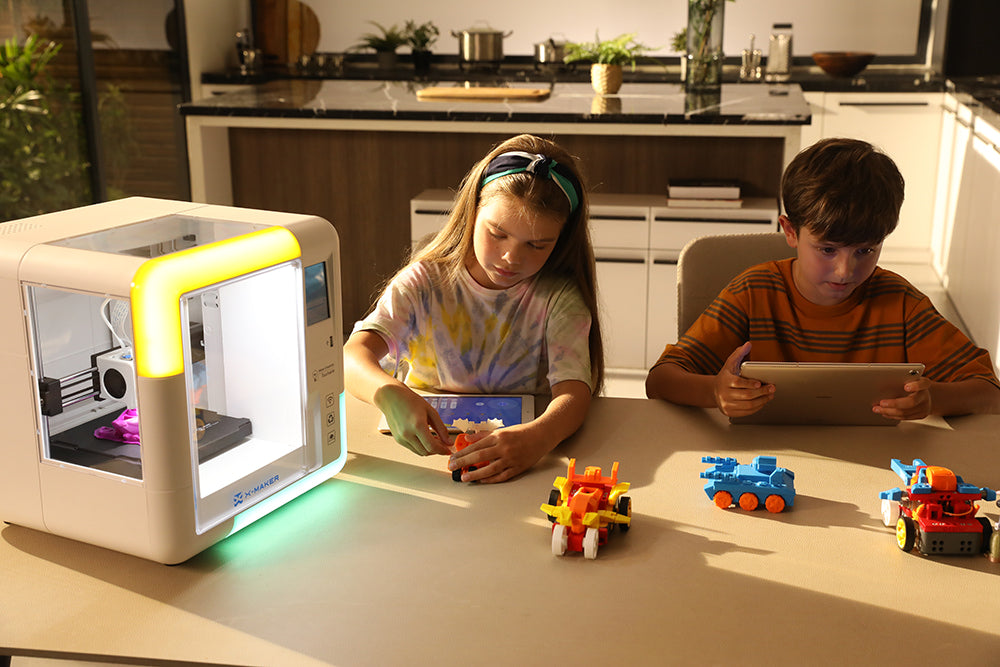
Instead of passive screen time, these projects encourage children to plan, test, and iterate—all while working together toward a shared goal. Whether in classrooms, after-school programs, or at home, a kid-friendly 3D printer can transform how children collaborate and learn.
Why Teamwork and Problem-Solving Matter in Childhood Learning

Kids today grow up surrounded by technology—but often in isolated, individual experiences. Team-based STEM learning brings back collaboration. Through group design projects, children learn to:
- Share ideas respectfully and listen to others.
- Distribute tasks according to strengths.
- Negotiate differences and compromise when needed.
- Solve challenges together rather than give up alone.
3D printing encourages this naturally because every project involves planning, testing, and refining—steps that thrive on cooperation.
AI 3D Modeling & Gamification Features
-
AOSEED’s AI-powered 3D modeling tools (replace AI voice interaction with AI modeling)
- AI MiniMe – turn a drawing/photo into a 3D toy
-
AI Doodle – type a word or line to generate a toy
- Gamified 3D design apps for kids
- One-press printing functionality for easier teamwork projects
Why 3D Printing Is Perfect for Team-Based Learning
Encourages Joint Problem-Solving
When kids design something together, they brainstorm, test, and fix issues collectively. If a part doesn’t fit or a print fails, they must analyze the cause and re-strategize—real-world teamwork in action.
Turns Abstract Ideas Into Shared Projects
Unlike many digital games, 3D printing gives children something tangible to discuss and improve together. It turns teamwork into a physical outcome they can hold, decorate, or showcase.
Builds Critical Thinking Through Collaboration
Each design choice affects the result. Kids learn to debate ideas, predict outcomes, and think critically—skills vital for both academic and real-life challenges.
Fosters Iteration and Adaptability
Group projects rarely work perfectly the first time. Through trial and error, children learn that failure is feedback, and teamwork helps them bounce back faster.
Strengthens Communication
Whether planning shapes or discussing material choices, teamwork in 3D printing requires clear communication and listening, helping kids build emotional intelligence alongside technical ability.
Creation Kits / Toy Factory Ecosystem
- X-KIT / Creation Kits with themed sets: X-Racer, X-Auto, X-Music, X-Fun
- Expands creativity beyond printing
- Emphasize “Best mate to 3D printer” concept
Fun 3D Printing Projects for Kids That Encourage Teamwork

Here are simple, age-appropriate ideas that combine creativity, STEM learning, and collaboration:
Design a Mini City (Team Urban Builders)
Each child designs one element—houses, roads, bridges, cars—and together they assemble a miniature city.
- Skills learned: spatial planning, scale consistency, coordination.
- Bonus: Kids see how individual parts form a whole—an ideal teamwork metaphor.
Create Custom Board Game Pieces
Have one group design the board, another create tokens, and a third handle decorations or packaging.
- Skills learned: creativity, consistency, shared vision.
- Team reflection: How do different contributions make the game fun and balanced?
STEM Bridge-Building Challenge
Teams print bridges or structures, then test which supports the most weight.
- Skills learned: engineering, testing, resilience.
- Encourages: critical thinking and fair competition.
Collaborative Puzzle Project
Each child prints one interlocking puzzle piece that must fit with others.
- Skills learned: geometry, precision, communication.
- Encourages: attention to detail and coordination.
3D-Printed Classroom Mascot or Emblem
Teams vote on a mascot concept, divide parts (base, head, logo), print separately, and combine.
- Skills learned: group creativity, aesthetic design, democratic teamwork.
- Bonus: Permanent symbol of unity for the class or club.
Inside the Learning Process: What Kids Actually Practice
Planning Together
Before printing, groups sketch or digitally model designs, dividing roles like designer, slicer, or printer operator.
Testing Hypotheses
When something fails, the team experiments with size, material, or structure changes, learning real-world scientific testing.
Communicating Feedback
They present ideas, defend design decisions, and learn how to give constructive feedback—a lifelong skill.
Documenting and Reflecting
Many teachers use 3D printing journals so students record challenges and improvements, reinforcing reflective learning.
Educational Benefits of Group 3D Printing Projects
|
Skill Category |
Benefits for Kids |
Real-World Impact |
|
STEM Mastery |
Learn geometry, design, physics |
Builds foundation for engineering & design fields |
|
Communication |
Express ideas, listen actively |
Prepares for teamwork in school & future jobs |
|
Creativity |
Turn ideas into reality |
Encourages innovation & confidence |
|
Leadership |
Assign tasks & guide peers |
Develops responsibility & decision-making |
|
Perseverance |
Solve problems collaboratively |
Builds emotional intelligence & patience |
Why 3D Printing Is Ideal for Schools and Families

Unlike many single-user toys, 3D printing naturally invites collaboration. In classrooms, small groups can work on parts of larger models—robots, maps, ecosystems, or architectural sets.
At home, siblings can divide creative roles: one designs, one manages printing, and another paints the final product. It’s a perfect way to replace competitive play with shared accomplishment.
The AOSEED Advantage: Safe and Educational for Team Learning
AOSEED’s 3D printers are designed with teamwork and child safety in mind.
AOSEED X-MAKER JOY (Ages 4–9)
- Simplified interface with big icons and pre-set modes.
- Ideal for younger children to collaborate safely.
- Uses non-toxic, eco-friendly PLA filament.
AOSEED X-MAKER (Ages 9–16)
- Offers print preview and advanced controls for older creators.
- Supports both PLA and ABS filaments.
- Encourages group design challenges and school projects.
Both integrate with the AOSEED App, a learning hub filled with tutorials, design templates, and creative challenges perfect for classrooms and family makerspaces.
Advantages and Disadvantages of Team 3D Printing Projects

Advantages
- Promotes real collaboration and shared responsibility.
- Strengthens problem-solving through iterative teamwork.
- Combines creative and analytical learning.
- Produces tangible, lasting results.
- Builds social and communication confidence.
Disadvantages
- May require adult or teacher facilitation at first.
- Group disagreements can occur—also part of the learning process!
- Prints take time, so projects require patience and planning.
Even these “drawbacks” help kids practice adaptability and compromise—key teamwork skills.
Practical Tips for Parents and Teachers
- Form small teams: 3–4 kids per project works best.
- Assign rotating roles: Designer, printer operator, quality checker, documenter.
- Celebrate every milestone: Even small wins boost motivation.
- Encourage reflection: Ask “What did we learn?” instead of only “What did we make?”.
- Connect to subjects: Link prints to science, math, or art lessons.
Real Stories: Collaboration in Action
“Our students worked in teams to design bridges and test them. They learned to discuss, redesign, and not give up after failures. The 3D printer made science real.”
— Corina J., STEM Educator
“My kids built a mini town together with the X-MAKER JOY. It’s on our shelf—a reminder that teamwork can be creative fun.”
— Michael B., Parent
Such experiences prove that 3D printing projects for kids teach more than design—they build resilience, empathy, and cooperative problem-solving.
Frequently Asked Questions
How does 3D printing improve teamwork skills?
Each project requires planning, communication, and cooperation. Kids must assign roles, solve problems together, and agree on design decisions, building trust and teamwork naturally.
What age is best for collaborative 3D printing?
Children as young as 4 can participate with guidance using AOSEED X-MAKER JOY, while ages 9+ can independently manage complex group projects with the X-MAKER.
Are group 3D printing projects safe?
Yes. AOSEED printers feature enclosed designs, non-toxic PLA filament, and beginner-friendly apps—safe for homes and classrooms alike.
Can 3D printing fit into school teamwork programs?
Absolutely. Teachers can integrate 3D printing into STEM clubs, science fairs, or collaborative art classes—it aligns perfectly with project-based learning.
What’s a simple group project to start with?
Try a puzzle or keychain series where each child designs one piece. It’s fast, fun, and teaches how collaboration creates something greater than individual effort.
Final Thoughts
A 3D printer for kids is more than a tech gadget—it’s a bridge between creativity and collaboration. Through shared projects, children learn to solve problems, communicate clearly, and work as a team, gaining life skills that go far beyond the classroom.
Whether they’re building a model city or printing a class mascot, teamwork transforms every print into a lesson in unity, patience, and pride.
Screen Time Alternatives: How STEM Toys Can Help Reduce Your Child’s Dependence on Screens
In the digital age, it’s easy for children to spend hours glued to tablets, phones, and gaming consoles. While technology offers great educational content, too much screen time can limit imagination, physical activity, and hands-on learning.
That’s where STEM toys—especially a 3D printer for kids—can make a meaningful difference. Unlike passive screen use, 3D printing lets children create, experiment, and learn by doing. It transforms them from content consumers into creators, encouraging patience, problem-solving, and curiosity in the real world.
In this guide, we’ll explore how 3D printing serves as a screen-free creative outlet, the key benefits of kid-friendly 3D printers, and how parents can use these tools to help children rediscover the joy of making.
The Screen Time Struggle
Between online classes, mobile games, and streaming, kids spend an average of 4–7 hours a day on screens. While screens can entertain and educate, too much exposure can lead to:
- Shorter attention spans
- Lower motivation for hands-on activities
- Difficulty focusing without stimulation
- Reduced creativity and problem-solving skills
- Sleep disruption from blue light exposure
The goal isn’t to eliminate technology—it’s to redirect it. A 3D printer for kids keeps the tech element but transforms it into something productive, tactile, and inspiring.
Why 3D Printing Is the Perfect Screen-Free Alternative
![]()

It’s Creative and Interactive
3D printing allows kids to design and build real-world objects from scratch. Instead of watching endless YouTube videos, they can print their own cars, figures, keychains, or science projects.
They’re still using technology—but with purpose. Every project demands imagination, design decisions, and real-world problem-solving.
It Teaches STEM Through Play
A kid-friendly 3D printer brings STEM to life:
- Science: How materials melt and solidify.
- Technology: How a printer turns code into motion.
- Engineering: How structures hold shape.
- Math: How scaling and geometry affect the result.
This turns screen time into STEM time, where every print teaches something new.
It Develops Hands-On and Motor Skills
From loading filament to removing finished prints, kids learn coordination and focus. Designing in 3D also builds spatial awareness—an essential skill for engineering, art, and even everyday problem-solving.
It Promotes Patience and Problem-Solving
Unlike instant digital rewards, 3D printing takes time. A small toy might take an hour to print—but watching layers form and seeing an idea become reality teaches persistence and delayed gratification.
It Encourages Collaboration and Communication
3D printing can be a family or classroom activity. Kids can brainstorm ideas, divide design tasks, and celebrate the final result together—replacing solo screen sessions with real interaction.

Printing vs. Screen Time: What’s the Difference?
|
Habit |
Screen-Based Play |
3D Printing for Kids |
|
Activity Type |
Passive consumption |
Active creation |
|
Learning Value |
Entertainment-focused |
STEM-based education |
|
Skills Developed |
Reflex, quick rewards |
Patience, problem-solving |
|
Outcome |
Temporary digital satisfaction |
Tangible creations & confidence |
|
Parental Involvement |
Low |
Moderate—shared projects |
|
Emotional Reward |
Short-lived |
Lasting pride in creation |
When kids engage with a 3D printer, they don’t just watch—they build. This transformation from passive to active learning helps develop deeper understanding and stronger self-esteem.
Introducing Kid-Friendly 3D Printers
Not every 3D printer is safe or simple enough for children. A kid-friendly 3D printer combines easy operation, durable design, and strict safety features.
Features to Look For:
- Fully enclosed design: Keeps hot components out of reach.
- PLA filament only: Non-toxic, biodegradable, and low-odor.
- One-touch printing: Simplifies operation for young users.
- Preloaded models: Gives beginners instant projects to try.
- Quiet operation: Suitable for home and classroom use.
- Educational app: Connects design and learning in one platform.
Educational Benefits of 3D Printing for Kids
Reinforces STEM Learning
Each project reinforces lessons from school in a practical, fun way. Kids who print bridges or geometric shapes begin to understand engineering, design logic, and math relationships naturally.
Connects Digital and Physical Worlds
Rather than disconnecting from technology, kids learn to use it meaningfully. They see how digital design translates into a physical object—turning the virtual into reality.
Builds Problem-Solving Mindsets
Every misprint becomes a lesson. Adjusting filament flow or redesigning a structure teaches iteration and adaptability—key future-ready skills.
Boosts Confidence and Ownership
When a child holds something they designed and printed, it’s more than a toy—it’s a trophy of effort. That sense of ownership builds self-belief and pride.
Supports Emotional Regulation
3D printing’s steady, step-by-step nature encourages focus and calm. It’s almost meditative—a healthy contrast to the overstimulation of fast-paced media.
Ideas for Screen-Free 3D Printing Projects
Want to help your child ease away from screens? Start with small, achievable projects that connect to their interests:
- Customized Name Tags – Personalize backpacks or desks.
- Miniature Animals – Great for story-building or decoration.
- Puzzle Pieces – Challenge them to create interlocking designs.
- Toy Vehicles – Build cars, boats, or rockets with simple shapes.
- Holiday Ornaments or Gifts – Perfect seasonal creative projects.
AOSEED’s app library includes beginner templates like these, making it easy for any child to start creating within minutes.
Balancing Tech Use: Integrating 3D Printing into Daily Life
Here’s how parents can use 3D printing as a healthy technology balance tool:
- Set “creative tech time”—for example, 1 hour of 3D design equals 1 hour of printing.
- Encourage journaling: Have kids draw or write about their project before printing.
- Share the process: Print together on weekends as a family project.
- Reward patience: Celebrate every successful print, even small ones.
- Display results: Showcase prints in their room to reinforce achievement.
Replacing some screen time with 3D printing not only reduces dependence but reshapes how kids view technology—as a tool for making, not just consuming.
Advantages and Disadvantages
Advantages
- Encourages creativity and independent thinking.
- Teaches real-world STEM and design skills.
- Builds patience and focus.
- Strengthens family engagement.
- Produces lasting, tangible results.
Disadvantages
- Prints take time; results aren’t instant.
- Early prints may fail and need adjustments.
- Requires some parental supervision for setup and maintenance.
But unlike the fleeting excitement of digital games, 3D printing rewards effort with real creations—a valuable life lesson.
AI 3D Modeling & Gamification Features
- AI MiniMe: Turn a photo or drawing into a 3D toy
- AI Doodle: Type a word or line to generate a toy
- Gamified 3D design apps for kids
- One-press printing functionality
Creation Kits / Toy Factory Ecosystem
- X-KIT / Creation Kits: X-Racer, X-Auto, X-Music, X-Fun themes
- Expands creativity and play beyond the printer
- Integration with printer hardware: “Best mate to 3D printer”
Global Certifications & Awards
- CE, FC, RoHS, CPC
- iF DESIGN AWARD 2025
Comparing AOSEED X-MAKER & X-MAKER JOY
|
Feature |
X-MAKER JOY |
X-MAKER |
|
Age Range |
4–9 |
9–16 |
|
Print Material |
PLA only |
PLA / ABS |
|
Interface |
Simplified icons |
Advanced controls |
|
Learning Level |
Beginner |
Intermediate–Advanced |
|
Print Preview |
No |
Yes |
|
Noise Level |
Ultra-quiet |
Quiet |
|
Setup |
Plug & Print |
Plug & Print + Customizable |
Both options share AOSEED’s focus on safe, creative learning and are ideal for classrooms, homeschool setups, or family makerspaces.
Frequently Asked Questions
How does a 3D printer reduce screen time?
It replaces passive screen entertainment with active, hands-on creativity. Kids still use digital tools, but for designing and problem-solving instead of watching or gaming.
Is 3D printing safe for children?
Yes—kid-friendly 3D printers like AOSEED’s models use enclosed designs, non-toxic PLA filament, and simple touch interfaces for safe operation.
Can 3D printing be educational and fun at the same time?
Absolutely! Children naturally learn math, science, and engineering concepts while creating toys, puzzles, or models that excite them.
What’s a good age to start 3D printing?
Kids as young as 4 can start with guided help using simplified models like the X-MAKER JOY, while ages 8+ can independently design and print with the X-MAKER.
How much does it cost to maintain a 3D printer for kids?
Maintenance is low. PLA filament is affordable and one spool can print dozens of small projects. Regular cleaning and basic care keep it running smoothly.
Final Thoughts
As parents search for healthy screen-time alternatives, 3D printing for kids offers a solution that balances creativity, technology, and learning. It turns passive consumption into purposeful creation, teaching children the value of patience, innovation, and imagination.
Instead of staring at screens, kids can spend their time building the world they imagine—layer by layer.
STEM Toys and Education: How Creative Toys Foster Engineering Thinking in Kids
When children build, tinker, or experiment, they’re not just playing—they’re developing engineering thinking. In a world shaped by innovation, STEM toys and 3D printing have become powerful tools to teach kids how things work, why designs matter, and how imagination can lead to invention.
In this article, we’ll explore how 3D printing for kids cultivates problem-solving and engineering skills, and review the best 3D printer for teens—perfect for taking creativity and STEM learning to the next level.
The Connection Between Play and Engineering Thinking
Children are natural engineers. Every time they build a tower, fold paper into shapes, or wonder how a machine works, they’re engaging in engineering-based thinking: asking questions, testing ideas, and improving on results.
STEM toys amplify this instinct. They encourage kids to:
- Break problems into parts.
- Predict outcomes and test hypotheses.
- Learn through trial and error.
- Design, build, and iterate—just like real engineers.
When supported by hands-on technology like 3D printing for kids, playtime becomes a foundation for lifelong curiosity and innovation.
How 3D Printing Builds Engineering Thinking
A 3D printer teaches more than just creativity—it mirrors the engineering design process used by professionals:
|
Engineering Step |
3D Printing Equivalent |
What Kids Learn |
|
Conceptualize |
Brainstorm ideas for models |
Creative thinking & planning |
|
Design |
Use modeling software or apps |
Visualization & spatial awareness |
|
Prototype |
Print first model |
Testing and iteration |
|
Refine |
Adjust settings, reprint |
Problem-solving & persistence |
|
Present |
Share finished design |
Communication & pride in work |
This step-by-step approach transforms children into mini-engineers, teaching them that mistakes are part of progress—and every failed print is just another prototype.
Why STEM Toys Like 3D Printers Stand Out
1. Creativity Meets Logic
3D printing combines art and engineering. Kids design imaginative shapes, then see how structure and material strength influence the outcome.
2. Real-World Application
From building bridges to gears and figurines, 3D printing introduces physics, design constraints, and mechanical problem-solving—all in a fun, visual way.
3. Project Ownership
Every print gives kids a sense of achievement. They’re not following instructions—they’re creating something uniquely theirs.
4. Early Exposure to Technology
3D printing for kids introduces core STEM skills like CAD (Computer-Aided Design), materials science, and digital manufacturing—skills essential for modern engineering fields.
The Best 3D Printer for Teens: AOSEED X-MAKER

When it comes to blending safety, simplicity, and advanced features, the AOSEED X-MAKER stands out as the best 3D printer for teens in 2025. It offers the perfect balance of ease for beginners and depth for young engineers ready to explore design in greater detail.
Key Features
- Age range: Ideal for ages 9–16.
- Design freedom: Supports both beginner-friendly templates and advanced modeling tools.
- Materials: Compatible with PLA and ABS filaments (for stronger prints).
- Print preview screen: Lets users visualize the design before printing.
- Safety first: Enclosed build chamber with low-noise operation.
- Educational app: The AOSEED App includes model libraries, step-by-step lessons, and creative challenges.
Why It’s Perfect for Teens
Teens can design, test, and refine their ideas independently—whether it’s a phone stand, robot part, or art piece. The printer helps them practice precision thinking, a skill at the core of all engineering disciplines.
For Younger Engineers: AOSEED X-MAKER JOY
For children just beginning their STEM journey (ages 4–9), the X-MAKER JOY offers simplified controls, colorful guidance, and preset printing options.
Highlights
- One-click printing for instant results.
- Uses only eco-friendly, child-safe PLA filament.
- App-guided creativity with preloaded models.
- Enclosed, quiet, and classroom-friendly.
It’s the perfect stepping stone before transitioning to the X-MAKER model as kids grow more confident.
How Teens Learn Engineering Principles Through 3D Printing

1. Understanding Design Constraints
Teens quickly learn that not every design works the first time. They adjust wall thickness, supports, and print speed—just like professional engineers refining blueprints.
2. Experimenting with Materials
By testing different filaments (like PLA vs. ABS), they understand material science—how temperature, density, and flexibility affect real-world performance.
3. Precision & Measurement
Printing accurate parts requires calculation and scaling, teaching math in an engaging, applied way.
4. Problem Solving
When a print fails, teens learn to troubleshoot: re-level the bed, adjust nozzle settings, or redesign their model. Each challenge strengthens analytical skills.
5. Iterative Thinking
3D printing rewards patience. Teens discover that improvement comes through small, deliberate tweaks—an essential mindset for engineering success.
The Role of STEM Education in the Future
STEM education isn’t just about careers—it’s about preparing kids for a world that rewards curiosity and innovation.
By integrating 3D printing into learning, children develop both left-brain logic and right-brain creativity, equipping them for diverse fields—from robotics and architecture to medicine and product design.
According to the U.S. Bureau of Labor Statistics, STEM jobs are projected to grow twice as fast as non-STEM roles over the next decade. Helping kids master design and engineering concepts early gives them a real advantage.
Creative STEM Projects That Foster Engineering Thinking
Here are some engaging 3D printing ideas that make learning fun and functional:
- Bridge-Building Challenge – Design and print a bridge that holds the most weight.
- Wind-Powered Car – Combine 3D-printed parts with simple motors or fans.
- Custom Puzzle Set – Teach precision fitting and pattern design.
- Mechanical Gear Set – Explore motion, torque, and interlocking parts.
- Home Tool Organizer – Create practical designs that solve everyday problems.
- Robot Shell or Arm – Design lightweight casings for DIY robotics kits.
Each project reinforces design, testing, and iteration—the same process real engineers follow.
Advantages and Disadvantages of 3D Printing as a STEM Toy

Advantages
- Hands-on STEM experience at home or school.
- Encourages design, planning, and analytical reasoning.
- Turns abstract engineering concepts into visual, tangible lessons.
- Boosts self-confidence through real-world results.
- Safe, eco-friendly models like AOSEED make it accessible to all ages.
Disadvantages
- Prints require patience (1–4 hours depending on size).
- Filament costs add up over time (though low per project).
- Occasional supervision needed for younger users.
Still, these challenges teach responsibility and persistence—both key traits of successful engineers.
Comparing the Best 3D Printers for Teens
|
Feature |
AOSEED X-MAKER |
X-MAKER JOY |
Other Brands |
|
Age Range |
9–16 |
4–9 |
10+ (varies) |
|
Filament Type |
PLA / ABS |
PLA only |
PLA |
|
App Integration |
Full AOSEED App |
Simplified |
Limited |
|
Safety Design |
Enclosed, low-noise |
Enclosed, kid-safe |
Often open-frame |
|
Education Focus |
Engineering & Design |
Creative Exploration |
Basic 3D printing |
|
Ease of Setup |
Plug-and-play |
One-click |
Moderate |
|
Best For |
Teens & young makers |
Early learners |
Hobbyists |
The AOSEED system leads in safety, learning integration, and design growth, making it the ideal ecosystem for families and educators alike.
How Parents and Teachers Can Support Engineering Thinking
- Ask open-ended questions: “What problem are you trying to solve?”
- Celebrate progress, not perfection: Every failed print is an opportunity to learn.
- Encourage iteration: Print version 2.0, 3.0, and beyond—it’s how innovation works.
- Integrate storytelling: Have kids explain their design’s purpose and function.
- Share creations: Upload photos or join online communities for peer feedback.
When adults act as guides—not fixers—children develop ownership and confidence in their problem-solving process.
Frequently Asked Questions
1. What’s the best 3D printer for teens?
The AOSEED X-MAKER is the best choice for teens. It’s powerful enough for serious projects yet safe and simple to use, bridging the gap between kid-friendly fun and real engineering practice.
2. Can younger kids learn 3D printing too?
Absolutely. The X-MAKER JOY was made for ages 4–9, offering one-click printing and safe PLA-only materials—ideal for early STEM learning.
3. How does 3D printing help develop engineering skills?
It teaches design, testing, problem-solving, and precision—the same skills professional engineers use daily.
4. Is 3D printing expensive for families?
Not really. Once you have a printer, filament refills are affordable, and each spool can make dozens of small projects.
5. What if prints fail?
Failure is part of the learning process! Kids learn troubleshooting, patience, and how to improve design—essential elements of engineering thinking.
Final Thoughts
STEM education thrives when learning feels like play. A 3D printer for kids transforms curiosity into creativity—and the best 3D printer for teens, like the AOSEED X-MAKER, helps young minds think like engineers while having fun.
Whether they’re printing bridges, gadgets, or their next invention, every project teaches problem-solving, design thinking, and persistence—the foundation of innovation.
Turn Your Child’s Drawings into Playable Toys with a STEM 3D Printer
Every parent has seen it—a child proudly holding up a crayon drawing of a wild robot, spaceship, or unicorn. What if you could turn that drawing into a real, playable toy?
Thanks to modern technology, that dream is now possible with a 3D printer for toys. Using a kids 3D printer, families can bring imagination to life—creating customized, tangible versions of their child’s designs in just a few hours.
In this guide, we’ll walk you through how the process works, the benefits of turning 2D art into 3D creations, what tools to use, and why this hands-on activity is one of the most powerful ways to inspire creativity and STEM learning at home.
From Imagination to Reality: What a 3D Printer for Toys Can Do
A 3D printer for toys is a small, family-friendly machine that builds objects layer by layer using a safe plastic filament (usually PLA, made from cornstarch).
For kids, it’s magic in motion. They draw a character, scan or recreate it in an app, and watch it come to life in 3D form—right before their eyes.
This process is fun, educational, and empowering. It connects drawing, digital modeling, and engineering in one creative loop that kids never forget.
Why Transforming Drawings into Toys Boosts Creativity
Turnin drawings into toys isn’t just entertaining—it builds essential developmental skills:
-
Creative Confidence: Kids realize their ideas can exist in the real world.
-
Problem-Solving: They learn cause and effect—how design affects structure.
-
Fine Motor & Spatial Skills: Visualizing how flat drawings become 3D objects sharpens understanding.
- STEM Learning: Concepts like geometry, layering, and materials become second nature.
- Emotional Connection: Kids treasure toys they designed themselves far more than store-bought ones.
Step-by-Step: Turning Drawings into 3D Printed Toys

You don’t need to be an engineer or artist to make this work. With the right kid-friendly 3D printer and app, the process is surprisingly simple.
1. Start with a Drawing
Encourage your child to sketch their favorite animal, superhero, robot, or character. Keep lines bold and shapes simple—think coloring-book style.
2. Digitize the Drawing
Use a smartphone or tablet to photograph or scan the picture. Many apps (like AOSEED’s X-MAKER App) allow you to import or trace drawings directly into the 3D workspace.
3. Turn It Into 3D
With guided templates and “extrude” tools, kids can add depth to flat shapes. The app helps smooth edges and adjust height or proportions.
4. Add Color & Details
Choose colors, add textures, or layer parts. This stage teaches kids about material thickness, stability, and aesthetics.
5. Print & Play!
Once your model is ready, connect to your printer and let it build. Watching the design emerge layer by layer is mesmerizing—and deeply rewarding.
In an hour or two, your child’s once-flat doodle becomes a real toy they can hold, decorate, or play with.
Best Practices for Parents
If this is your family’s first foray into 3D printing, a few guidelines will make the experience smoother and more enjoyable.
- Start simple. Choose basic designs first—like animals or vehicles—before moving to multi-part prints.
- Celebrate imperfection. The first few prints may be bumpy or uneven. Treat them as fun “prototypes.”
- Teach design thinking. Ask your child, “Why do you think this leg didn’t print evenly?” or “How could we make the base stronger?”
-
Encourage ownership. Let kids lead the design and color decisions—it strengthens creative independence.
Display success. Create a “design shelf” at home where finished prints live proudly.
Why a Kids 3D Printer Is the Perfect STEM Tool

Beyond creativity, a kids 3D printer teaches practical life skills in the most fun way possible.
Real STEM Learning in Action
Each print introduces children to:
- Science: How materials melt and harden.
- Technology: Understanding machines and software.
- Engineering: Designing structures that function.
- Math: Measuring scale and symmetry.
Encourages Focus and Patience
3D printing isn’t instant—it requires setup, waiting, and iteration. This helps kids practice patience, perseverance, and attention to detail.
Builds Future-Ready Skills
The same design principles learned through 3D printing apply to fields like robotics, architecture, and digital art. Your child gains early exposure to real-world creativity.
AOSEED: The Kid-Friendly Way to Start 3D Printing
AOSEED is one of the few companies building a complete child-safe 3D printing ecosystem—perfect for families and schools.
AOSEED X-MAKER JOY (Ages 4–9)
- Designed for beginners.
- Uses only PLA (non-toxic, biodegradable).
- Simple app with preloaded templates and one-click print.
- Enclosed build for safety and quiet operation.
AOSEED X-MAKER (Ages 9–16)
- Adds more creative control for older kids.
- Supports PLA & ABS filaments.
- Offers print preview and advanced customization.
- Perfect for design projects or STEM classrooms.
Both printers integrate with the AOSEED App, where children can choose models, trace drawings, and follow guided challenges.
Ideas: Turn These Drawings into 3D Toys

Need inspiration? Here are fun ways kids can transform their artwork into physical toys:
- Superhero Characters: Draw and print your child’s own action figure.
- Fantasy Animals: A dragon-cat hybrid? Why not! Let imagination lead.
- Personal Keychains or Badges: Add names, initials, or logos.
- Toy Cars or Robots: Kids can print bodies, wheels, or accessories.
- Holiday Ornaments: Turn seasonal art into family keepsakes.
- Mini Board Game Pieces: Replace pawns with unique 3D versions.
The process builds storytelling too—kids love making backstories for their custom toys.
Advantages and Disadvantages
Advantages
- Encourages creativity, innovation, and STEM learning.
- Provides productive screen time and meaningful play.
- Fosters confidence by turning ideas into real objects.
- Promotes bonding between parent and child.
- Develops patience and focus.
Disadvantages
- Initial prints may fail while learning.
- Supervision required for younger users.
- Prints take time (1–3 hours on average).
- Requires regular filament refills.
Still, most families agree: the joy of seeing a child hold their own invention far outweighs the learning curve.
Safety and Maintenance Tips
When printing with kids:
- Always use PLA filament, which is non-toxic and low odor.
- Keep the printer on a flat, ventilated surface.
- Teach “hot part” awareness—don’t touch during or right after printing.
- Store filaments in a dry box.
- Encourage gentle removal of finished prints.
AOSEED printers are enclosed and quiet—making them ideal for bedrooms, classrooms, and family workspaces.
Comparing AOSEED with Other Kids 3D Printers
|
Feature |
AOSEED X-MAKER JOY |
AOSEED X-MAKER |
Other Brands |
|
Age Group |
4–9 |
9–16 |
10+ (varies) |
|
App Integration |
Guided AOSEED App |
Full AOSEED App |
Often separate software |
|
Safety Design |
Enclosed & child-safe |
Enclosed |
Open frames |
|
Supported Materials |
PLA |
PLA / ABS |
PLA only (usually) |
|
Ease of Use |
One-click |
Advanced settings available |
Mixed |
|
Education Focus |
STEM + Art |
STEM + Engineering |
Varies |
AOSEED’s all-in-one ecosystem makes it easier for kids to learn safely and grow their skills over time, without complicated setup or technical frustration.
Frequently Asked Questions
1. How does a 3D printer turn drawings into toys?
After scanning or tracing a drawing, kids use modeling software (like the AOSEED App) to give it depth and shape. The 3D printer then builds it layer by layer using melted filament—creating a solid toy from their imagination.
2. Is it safe for kids to use 3D printers?
Yes, with child-friendly models like AOSEED JOY and X-MAKER. They’re enclosed, quiet, and use PLA, a non-toxic, biodegradable filament.
3. How long does it take to print a toy?
Small toys may take 45–90 minutes, while larger ones can take up to 3–4 hours. The process teaches patience and planning.
4. What can my child create besides toys?
Kids can make name tags, jewelry, keychains, model cars, animals, board game pieces, and even gifts for family and friends.
5. Do kids need to know 3D design software first?
No. AOSEED’s apps provide easy templates and step-by-step tutorials, so beginners can start printing in minutes.
Final Thoughts
A 3D printer for toys turns your child’s imagination into something tangible—and priceless. It’s a bridge between art and engineering, creativity and STEM learning, fun and focus.
By transforming simple drawings into real toys, you give your child the tools to invent, explore, and express themselves in new ways.
Holiday Gift Guide: The Best STEM Toys for Kids Aged 8–12
The holidays are the perfect time to give gifts that inspire curiosity, creativity, and confidence—and STEM toys (Science, Technology, Engineering, and Math) do exactly that.
Among the many smart gifts available this year, 3D printers for kids stand out as one of the most exciting. These innovative machines transform imagination into real objects, combining fun and education in one unforgettable experience.
This 2025 gift guide highlights the best kids’ 3D printer options, plus other engaging STEM toys that help children aged 8–12 explore science, design, coding, and hands-on creativity—all while having fun away from screens.
Why STEM Toys Make the Perfect Holiday Gift
Between fast-moving gadgets and endless video games, it’s hard to find a gift that’s both entertaining and genuinely enriching. STEM toys strike that balance—they make learning feel like play.
Here’s why parents and educators love them:
- They build critical thinking and creativity.
- They teach problem-solving through hands-on discovery.
- They bridge digital and physical learning, keeping kids engaged.
- They spark long-term interests in science, design, and engineering.
And unlike many “trendy” toys, a high-quality STEM toy keeps delivering value all year round.
The Best 3D Printer for Kids (Our Top Pick for 2025)
AOSEED X-MAKER — The Best 3D Printer for Kids Aged 9–16

If you’re looking for a safe, reliable, and fun 3D printer designed] specifically for kids, the AOSEED X-MAKER is our top recommendation for this year’s holiday season.
Why it stands out:
-
Kid-friendly interface: Simple setup, colorful icons, and step-by-step guidance.
- Educational app: Comes with the AOSEED X-MAKER App, offering 3D tutorials, printable models, and creativity challenges.
- Smart design: Enclosed printing area and quiet operation for home or classroom use.
- STEM-certified fun: Encourages hands-on learning, creativity, and perseverance.
- Supports PLA & ABS filaments: For flexible printing materials and durability.
Best for: Ages 9–16, homeschool projects, and creative learners who love building.
Price range: Around $400–$450 USD (holiday discounts available).
AOSEED X-MAKER JOY — Best Beginner 3D Printer for Younger Kids

For children aged 4–9, the X-MAKER JOY offers an even more simplified experience. It focuses on instant creativity and safety, with preloaded models and minimal setup—perfect for families new to 3D printing.
Key Features:
-
Simple, colorful interface designed for little learners.
Uses eco-friendly PLA filament only (non-toxic and low odor). - Guided printing with one-touch operation.
- Compact, quiet, and safe for desktops.
Best for: Young creators exploring art and technology for the first time.
Why 3D Printing Makes an Incredible Gift
3D printers combine art, engineering, and imagination—a rare mix that captivates kids for hours.
Benefits of a Kids 3D Printer:
- Encourages STEM thinking through design and experimentation.
- Turns abstract ideas into real, touchable creations.
- Builds patience, planning, and problem-solving skills.
- Inspires teamwork when used by siblings or friends.
- Creates lasting keepsakes and custom toys.
When a child designs and prints their first toy car, animal figurine, or keychain, they’re not just playing—they’re inventing.
How Kids 3D Printers Work (Simple Overview for Parents)
-
Design: Kids use an app like AOSEED’s to pick or create a model.
- Slice: The software converts the design into printable layers.
- Print: The printer builds the object layer by layer with PLA filament.
- Enjoy: Once cooled, the model is ready to use, decorate, or display.
The process teaches both technical and creative skills—a fun, real-world alternative to passive screen time.
More STEM Toys to Pair With a Kids 3D Printer
If you’re planning a complete STEM-themed holiday surprise, here are other toys that complement a 3D printer beautifully.
LEGO Education SPIKE Essential Kit
A fun entry point for coding and robotics. Kids build motorized LEGO creations and program them using simple block coding.
Best for: Ages 8–11
Skills: Engineering, logic, coding basics.
Sphero BOLT Coding Robot
A spherical robot kids program through challenges and games using an app. It teaches problem-solving and logical sequencing in a gamified way.
Best for: Ages 8–12
Skills: Coding, math, cause-and-effect reasoning.
Snap Circuits Electronics Exploration Kit
This hands-on kit teaches electricity and circuitry through easy snap-together components. Kids can build alarms, radios, or light displays safely.
Best for: Ages 8–12
Skills: Electronics, critical thinking, experimentation.
National Geographic STEM Crystal Growing Lab
Perfect for curious scientists. Kids grow colorful crystals while learning about molecular structures.
Best for: Ages 8–10
Skills: Chemistry, patience, observation.
Tinkering Labs Electric Motors Catalyst Kit
A creative engineering kit that lets kids build machines and vehicles powered by real electric motors—no fixed instructions, just imagination.
Best for: Ages 10–12
Skills: Engineering, design thinking, problem-solving.
3Doodler Start+ 3D Pen Set
A handheld version of 3D printing! Kids draw in 3D space with low-temperature plastic that hardens instantly.
Best for: Ages 8–12
Skills: Creativity, spatial awareness, artistic design.
Comparing the Best STEM Toys (At a Glance)
|
Toy |
Age Range |
Focus |
Parent Involvement |
Skill Type |
|
AOSEED X-MAKER |
9–16 |
Design & Engineering |
Low |
STEM + Creativity |
|
AOSEED X-MAKER JOY |
4–9 |
Beginner 3D Printing |
Medium |
Design + Fine Motor |
|
LEGO SPIKE Essential |
8–11 |
Coding + Robotics |
Medium |
Engineering + Logic |
|
Sphero BOLT |
8–12 |
Coding + Games |
Low |
Programming + Math |
|
Snap Circuits Kit |
8–12 |
Electronics |
Medium |
Science + Logic |
|
NatGeo Crystal Lab |
8–10 |
Science + Observation |
Medium |
Chemistry + Patience |
|
3Doodler Start+ |
8–12 |
Art + 3D Drawing |
Low |
Creativity + Design |
How to Pick the Perfect STEM Gift
Choosing the right STEM toy depends on your child’s personality and interests.
Creative Dreamers:
Choose toys that let them make something tangible—like a kids 3D printer or a 3D pen.
Problem Solvers:
Opt for coding robots or engineering kits that challenge them to build and test.
Curious Scientists:
Chemistry and crystal-growing sets provide satisfying real-world experiments.
Tech Explorers:
Robotics kits or programmable toys are ideal for developing early coding skills.
The AOSEED Ecosystem: Designed for Creative Kids
AOSEED has reimagined 3D printing for families—combining hardware, software, and creativity in one kid-friendly ecosystem.
Key Advantages:
- Safe design: Non-toxic PLA, enclosed build, low noise.
- Educational resources: In-app tutorials and creative challenges.
- Age-tiered options: X-MAKER JOY for young beginners, X-MAKER for advanced creators.
- Community connection: Kids can share creations and learn from others.
Holiday Shopping Tips for STEM Toys
- Shop early: Popular STEM kits often sell out in November–December.
- Look for learning lifespan: Choose gifts that grow with your child (like 3D printers).
- Prioritize quality: Safe materials, clear instructions, and strong brand reputation.
- Bundle learning themes: Pair science and design toys for balanced learning.
- Encourage family participation: The best learning happens together.
A kids 3D printer checks every box—it’s safe, engaging, and grows with your child’s imagination.
Frequently asked questions
1. What’s the best 3D printer for kids aged 8–12?
The AOSEED X-MAKER is the best choice for this age range. It offers advanced yet child-safe features, educational content, and compatibility with both PLA and ABS materials—ideal for growing skills.
2. Are 3D printers safe for children to use?
Yes, when designed specifically for kids. AOSEED printers use non-toxic PLA, enclosed designs, and guided apps to make printing safe and easy.
3. How hard is it for kids to learn 3D printing?
Not hard at all! With visual apps and built-in templates, most kids start printing within 30 minutes of setup. The process builds patience and confidence.
4. Do 3D printers for kids require adult supervision?
Younger kids should have light supervision during the first few prints. Older children (10+) can operate safely with minimal help once they understand the basics.
5. How does 3D printing compare to other STEM toys?
Unlike coding or chemistry sets, 3D printing produces real objects—toys, jewelry, nameplates, or inventions. It’s a complete creative experience that combines art, design, and engineering.
Final Thoughts
This holiday season, go beyond the usual gadgets and give your child something that grows their imagination. The best 3D printer for kids isn’t just a cool toy—it’s a creative classroom in disguise.
Pair it with other STEM toys that teach coding, science, and problem-solving, and you’ll have a gift that lasts long after the wrapping paper is gone
How STEM 3D Printers Can Improve Your Child’s Hands-On Skills
In a world filled with screens, many parents are looking for ways to help their kids learn by doing. One of the most exciting tools for that is the 3D printer for kids—a device that turns imagination into real, tangible creations.
This guide explores how 3D printing encourages hands-on learning, enhances problem-solving and creative thinking, and supports the development of STEM skills (science, technology, engineering, and math). Whether you’re a parent, teacher, or homeschooler, you’ll learn how a kid-friendly 3D printer can unlock curiosity and confidence in every child.
The Power of Hands-On Learning
Hands-on learning is when kids learn through experience rather than memorization. It’s the difference between reading about a bridge and actually building one.
A 3D printer for kids brings that approach into the home. Instead of only seeing ideas on a screen, children can:
- Design something on a tablet or app.
- Print it layer by layer.
- Touch it, test it, and improve it.
This simple process transforms learning from passive to interactive and multisensory—which research shows leads to stronger understanding and longer memory retention.
What Makes a 3D Printer Kid-Friendly?
Not all 3D printers are suitable for children. A kid-friendly 3D printer simplifies the process, adds safety features, and provides creative support.
Key features include:
- Enclosed or guarded printing areas to protect small hands.
- Eco-friendly PLA filament, which is safe and low-odor.
- User-friendly apps with large icons, templates, and guided lessons.
- Automatic leveling and presets to avoid calibration frustration.
- Quiet operation, so it can run in classrooms or bedrooms without disturbance.
AOSEED’s X-MAKER JOY is designed specifically for early learners, while X-MAKER offers more advanced control for older kids and teens.
From Curiosity to Creation: How Kids Engage with 3D Printing

A child’s first print is often a moment of pure wonder—watching an idea take shape layer by layer. That wonder quickly turns into exploration.
Here’s how the learning cycle works:
- Imagine – Kids dream up an object (a car, badge, or animal).
- Design – They use simple modeling apps to visualize their idea.
- Print – The printer brings it to life with colorful PLA filament.
- Evaluate – They hold, test, and adjust the design.
- Refine – They reprint and see their improvements in action.
Each cycle builds creativity, patience, and logical thinking—all essential 21st-century skills.
Real Skills 3D Printing Builds
1. Problem-Solving & Critical Thinking
When a print doesn’t come out right, kids don’t quit—they troubleshoot. They ask, “What went wrong?” and learn cause-and-effect thinking. Over time, they develop resilience and analytical reasoning.
2. Fine Motor Skills & Spatial Awareness
Designing, measuring, and assembling parts teach hand-eye coordination and spatial visualization—skills often linked to success in engineering and architecture.
3. Creativity & Imagination
3D printing encourages kids to think like inventors. They can build custom toys, replacement parts, or artistic sculptures. Each project is a blend of art and science.
4. STEM Integration
Math (scale, geometry), science (materials, heat), and technology (software, slicing) blend naturally. It’s STEM disguised as play.
5. Communication & Teamwork
When used in classrooms or family projects, 3D printing teaches collaboration—sharing ideas, assigning roles, and celebrating outcomes together.
Example Projects That Build Hands-On Skills
- Toy Car Chassis – Teaches measurement and motion mechanics.
- Personalized Keychain – Combines design and practical use.
- Animal Figurine Series – Encourages pattern, symmetry, and color play.
- Mini Bridge or Tower – Demonstrates structural engineering basics.
- Name Badge or Desk Sign – Teaches lettering, layering, and finishing.
- Holiday Ornament Set – Combines design, math, and seasonal fun.
AOSEED’s X-MAKER App and Learning Center provide many ready-to-print templates and tutorials—perfect for guided exploration.
Advantages of a 3D Printer for Kids

Advantages
- Builds confidence through visible results.
- Merges play with educational value.
- Promotes creative independence.
- Fosters early interest in STEM careers.
- Encourages family or classroom collaboration.
Disadvantages
- Prints take time—patience is part of the learning curve.
- Filament refills add small recurring costs.
- Some troubleshooting requires adult help early on.
Over time, the pros far outweigh the cons as children learn self-reliance and problem-solving.
The STEM Connection: Turning Curiosity Into Future Skills

STEM 3D printing connects multiple disciplines:
- Science: Understanding materials and melting points.
- Technology: Using digital tools and slicing software.
- Engineering: Designing structures that actually work.
- Math: Measuring, scaling, and calculating print time.
This multi-skill overlap gives kids a natural head start on fields like robotics, product design, and digital fabrication—fields growing rapidly worldwide.
Cost, Setup, and Maintenance
Cost:
Kid-friendly printers generally range from $250–$450, depending on features. AOSEED’s lineup fits in this range while offering long-term educational value.
Setup:
Plug in, connect to Wi-Fi or USB, load filament, and open the companion app. Most models (like X-MAKER JOY) offer guided tutorials and pre-calibrated beds.
Maintenance:
Keep the nozzle clean, use quality filament, and store spools in a dry place. AOSEED provides easy access to spare parts and customer support, making upkeep simple even for beginners.
Safety First: How to Keep It Fun and Worry-Free
- Use only PLA filament for home use—non-toxic and low odor.
- Keep an eye on the first few prints to ensure proper adhesion.
- Wait until parts cool before touching them.
- Choose enclosed models to prevent burns or accidents.
- Teach respect for tools: Just like cooking, learning safety is part of growing up.
AOSEED emphasizes child safety with fully enclosed systems, eco-friendly materials, and easy-to-read status displays—ideal for families and schools.
When Is the Right Age to Start?
Kids as young as four or five can begin exploring guided prints (like animals or shapes). Around eight to ten, most children can start designing their own creations. By twelve and up, many can handle advanced modeling and experiment with support structures and precision parts.
Comparing AOSEED X-MAKER and X-MAKER JOY
|
Feature |
X-MAKER JOY |
X-MAKER |
|
Age Range |
4–9 |
9–16 |
|
Interface |
Ultra-simplified |
Advanced design tools |
|
Filament |
PLA only |
PLA & ABS |
|
Screen |
No (app-based) |
Built-in print preview |
|
Print Settings |
Presets |
Adjustable |
|
Learning Level |
Beginner |
Intermediate–Advanced |
Both models emphasize creativity, safety, and learning-by-doing, making them ideal for schools or home learning centers.
Frequently Asked Questions
How does a 3D printer help develop hands-on skills in kids?
By transforming ideas into physical models, kids learn through trial and error—building coordination, spatial awareness, and confidence. Every project teaches them to use their hands and mind together.
What’s the difference between a normal and kid-friendly 3D printer?
Kid-friendly models simplify setup, include safety guards, and use eco-safe PLA. They focus on learning and fun, not complex technical tweaking.
Do I need to supervise my child every time?
Younger kids should always have supervision, especially during printing. As they learn safety habits, older children can operate printers more independently.
How long does it take to print a toy?
Small models can take 30–60 minutes, while detailed or multi-part toys may run 2–4 hours. The process teaches patience and planning.
Are 3D printers expensive to maintain?
Not really. PLA filament is affordable and lasts for many prints. Routine care—like cleaning the nozzle or bed—is simple and rarely time-consuming.
Final Thoughts
A 3D printer for kids isn’t just a gadget—it’s a gateway to hands-on creativity and STEM mastery. It helps children understand that ideas can take shape through effort and curiosity.
By encouraging them to design, print, and problem-solve, you’re equipping them with real-world skills that last a lifetime.
Beginner's Guide to STEM 3D Printers: How Kids Can Design and Print Their Own Toys
If your child loves building, drawing, or asking “how does this work?”, a kids 3D printer can turn curiosity into real-world creativity. This beginner’s guide explains what 3D printing is, how kids design and print their own toys, the setup steps parents should know, and the pros, cons, specifications, and benefits to consider—so you can choose the best 3D printer for kids with confidence.
Throughout, we’ll reference the AOSEED ecosystem—because it’s designed for children and families—while keeping guidance brand-agnostic so you can compare options. If you want to see a child-friendly printer lineup, check out:
What Is 3D Printing—In Kid-Friendly Terms?
3D printing is like drawing with plastic in thin layers. The printer heats a spool of filament—most commonly PLA, a plant-based plastic that’s popular for home and school use—and deposits it layer by layer until the shape is complete. Kids choose a ready-made model or create their own in an app, press Print, and watch a toy appear over minutes to hours (depending on size and quality settings).
Key ideas kids can grasp quickly:
- Layering: The printer builds from the bottom up, one layer at a time.
- Slicing: The app “slices” a 3D shape into printable layers.
- Filament: Think of it like a long, colorful pasta strand the printer melts and redraws as a toy.
- Settings: Quality vs. speed—higher quality takes longer.
Why 3D Printing Fits STEM Learning
A kids 3D printer naturally teaches:
- Design thinking: Imagine → design → test → iterate.
- Geometry & measurement: Scale, symmetry, angles, volume.
- Problem-solving: Why did it fail? How can we fix it?
- Project ownership: “I made this!” boosts confidence and persistence.
When the process is guided by a family-friendly app and safety-first hardware, kids build lasting skills while having fun.
Ages, Readiness, and Supervision
- Ages 4–8: Choose a printer with very simple controls, pictorial interfaces, and curated models. Expect close parental supervision.
- Ages 9–12: Look for more design freedom and mild customization of print settings; supervision is still important.
- Teens: They may explore advanced features like support structures, infill tuning, and multi-part assemblies, with light oversight.
Child-safe printers typically use PLA filament, include enclosed or guarded hot parts, and provide clear on-screen or in-app guidance
Quick Start: From Box to First Toy in 7 Steps

- Unbox & place the printer on a stable, ventilated surface away from tiny hands and pets.
- Load PLA filament following on-screen or printed instructions.
- Connect the app (Wi-Fi or cable) and ensure firmware/software are up to date.
- Pick a model from the built-in library (e.g., a car, animal, or keychain).
- Preview & slice: The app converts the model to printable layers.
- Press Print: Watch the first layer—if it sticks cleanly, you’re on track.
- Remove & celebrate: Once cool, remove the print and do a gentle victory dance.
For a ready-to-go family setup, browse AOSEED X-MAKER JOY for younger kids and AOSEED X-MAKER for older makers.
Designing Toys: Three Child-Friendly Paths

-
Start with Templates
Many kid-oriented apps include pre-designed toys (cars, figures, animals). Kids can tweak colors, scale, or simple add-ons—perfect for early wins. -
Block-Style Builders (Beginner CAD)
Tools with block, shape, and snap-to-grid functions let kids combine cubes, spheres, and wedges into robots, badges, or toy accessories. It’s digital LEGO for 3D printing. -
Guided Challenges & Learning Tracks
Look for an in-app learning center or challenges that teach concepts step-by-step: symmetry today, interlocking parts tomorrow. This is ideal for homeschool or weekend projects.
Tip for parents: keep a folder of “Ready to Print” models your child loves. Save time, grow confidence.
Safety Essentials for Families
- Use PLA filament (low odor, widely recommended for home/education).
- Teach “hot parts” rules: No touching the nozzle/bed when printing or right after.
- Ventilation: Normal room ventilation is usually fine for PLA; avoid tiny, sealed spaces.
- Cable & cord safety: Secure cables to avoid entanglement.
- Supervision: Especially for younger children—treat it like an oven: wonderful results, but respect the heat.
AOSEED’s ecosystem emphasizes child-safe PLA and family-friendly guidance, which is why many parents choose it as a first printer.
Choosing the Best 3D Printer for Kids: What to Look For

- Age-appropriate interface: Big icons, simple steps, curated models for younger kids; more control for older ones.
- Reliable first layer: Auto or assisted bed leveling improves print success.
- Enclosure/guards: Help keep fingers away from hot parts.
- Filament compatibility: PLA required; optional ABS for advanced users/older kids (with proper safety and ventilation).
- App & model library: A growing library nudges kids from “print” to “design.”
- Support & warranty: Clear instructions, responsive support, and easy replacement parts.
- Noise & size: Consider where the printer will live and how loud it is during prints.
Explore AOSEED’s two age-tiered options to see how features scale:
- Younger makers: X-MAKER JOY (simple presets, kid-centric tools).
- Older kids/teens: X-MAKER (more design tools, print preview, fine-tuning).
Pros and Cons of Kids 3D Printers
Pros
- Creativity to reality: Kids see ideas become objects they can hold.
- STEM learning at home: Geometry, design, logic—built into playtime.
- Project-based learning: Great for homeschool and weekend build clubs.
- Personalized toys & gifts: Nameplates, mini figures, keychains, game pieces.
- Long-term engagement: New models and challenges keep interest alive.
Cons
- Learning curve: Early prints may fail; that’s part of the process.
- Time & patience: Quality prints take time (often 30–180 minutes+).
- Consumable costs: Filament and occasional parts (nozzles, bed sheets).
- Supervision needed: Especially for younger ages and first few weeks.
Specifications That Actually Matter (Without the Jargon)
- Build Volume: How big a toy you can print (e.g., ~120–200 mm in each dimension is typical for kids’ models).
- Layer Height: Lower numbers = finer detail (e.g., 0.12–0.28 mm common).
- Nozzle Diameter: 0.4 mm is standard; good balance of detail and speed.
- Filament Type: PLA is the family default; it’s easy, lower odor, widely available.
- Bed Leveling & Adhesion: Auto/assisted leveling and good first-layer adhesion boost success.
- Connectivity & App: Wi-Fi/cloud print from a safe interface simplifies family use.
- Safety Features: Guards/enclosures, filament sensors, runout detection, and clear status displays.
For parents comparing models, AOSEED’s X-MAKER includes a print preview screen and supports PLA/ABS (for older makers), while X-MAKER JOY prioritizes simplified presets and PLA-only safety for younger kids.
Advantages vs. Disadvantages—At a Glance
Advantages
- Inspires creativity and engineering habits early.
- Teaches resilience: test, fail, improve.
- Custom toys feel special—kids design for themselves.
- Scales with your child’s age and skill.
Disadvantages
- Requires setup, occasional calibration, and adult oversight.
- Prints can fail from time to time—expect gentle troubleshooting.
- Larger or finer prints take patience.
- Not all models are equally “kid ready”—curation helps.
Smart Parent Tips for Early Success
- Start small: Choose 30–60 minute prints for the first week.
- Celebrate “failures”: Keep a shelf of “prototypes”—part of the story!
- Make it social: Print gifts for friends or siblings; design name tags for school supplies.
- Set routines: “Design on Saturday, print on Sunday” turns it into a ritual.
- Create a making corner: Keep filament, tools, and a “Ready to Print” folder handy.
- Add themes: Cars, animals, badges, holiday ornaments—kids love series.
Simple Project Ideas Kids Love
- Personal name tag for a backpack or pencil box.
- Keychain creature with initials.
- Mini car or racer body to snap onto toy wheels.
- Chess/checkers set with custom icons.
- Room sign (e.g., “Ava’s Lab”).
- Holiday ornament designed from basic shapes.
When to Move Up a Level
If your child starts asking about stronger parts, moving joints, or finer details, it might be time to:
- Introduce infill patterns (honeycomb, grid).
- Teach supports for overhangs.
- Explore basic CAD (still kid-friendly).
- Consider a printer with more adjustable setting
Cost of Ownership—What to Expect
- Printer: Entry-level kid models are typically a few hundred dollars.
- Filament: One 1-kg spool of PLA can make dozens of small toys.
- Accessories: Replacement nozzles, stick sheets, or bed adhesive over time.
- Time: The most valuable input—prints take time, but that’s where learning happens.
Where AOSEED Fits
AOSEED offers a two-printer, one-ecosystem approach:
- X-MAKER JOY targets very young creators with super simple controls and PLA-only safety.
- X-MAKER grows with your child, adding print preview, PLA/ABS support, and deeper design tools.
Pros, Cons & “Fit Check” Summary
Best for your family if you want:
- Hands-on STEM at home, creative confidence, and a guided path from “print a template” to “design my own.”
Consider carefully if:
- You prefer instant results (3D printing rewards patience), or you cannot supervise younger children during prints.
Frequently Asked Questions
Is a kids 3D printer safe to use at home?
Yes—when you choose a child-friendly model, use PLA filament, and supervise appropriately. Treat it like a kitchen appliance with heat: incredibly useful, but respect the hot nozzle and bed. Child-oriented printers add guards/enclosures and family-friendly instructions to simplify safe use.
How long does it take to print a toy?
Small items like keychains may take 30–60 minutes; larger toys can take 2–4 hours or more. Speed vs. quality is a trade-off—faster prints show more layer lines, slower prints look smoother. Starting with shorter prints helps kids stay engaged.
What’s the best 3D printer for kids—how do I choose?
Look for age-appropriate software, reliable first-layer features, PLA compatibility, and a kid-oriented model library. Younger kids do best with preset-driven printers; older kids benefit from more control and print previews. AOSEED’s JOY (younger) and X-MAKER (older) reflect this split.
How much does filament cost and how long does it last?
A 1-kg spool of PLA typically costs modestly and can produce dozens of small toys. Track usage in your app; when prints start failing mid-job, it might be time for a fresh spool or a filament path check.
Do kids need to learn complex 3D software?
Not at first. Kid-centric apps offer templates and block-style design so children can create quickly. As they gain confidence, they can explore intro CAD and more advanced settings. The goal is to grow skills gradually without overwhelming them.
Final Thoughts
A kids 3D printer brings STEM learning to life. It turns ideas into objects, teaches design and problem-solving, and gives kids a healthy sense of “I made this.”
Start simple with curated models, celebrate the first few “perfectly imperfect” prints, and let your child’s confidence grow. When you’re ready to compare child-friendly options built for family life, explore.
Best STEM Gifts for Creative Kids (7–12)
If you’re shopping for stem gifts for 7–12 or generally hunting for gifts for kids who love to invent, you’re really looking for more than toys—you’re looking for tools that unlock a kid’s ideas. The best choices don’t just entertain; they build confidence, curiosity, and real skills in science, technology, engineering, math (and often art).
This guide breaks down what to look for, how to match gifts to personality, and why certain picks—especially kid-safe 3D printers—can become the centerpiece of a young inventor’s world.
What makes a great STEM gift for ages 7–12?

At this age, kids move from “copying an example” to creating their own versions. The ideal gift nudges them from instruction-following to tinkering, remixing, and iterating. Look for:
- Open-ended play: Reusable parts, modifiable designs, and plenty of “what if…?” moments.
- Visible results: Kids should see and hold their work (not just watch a screen).
- Scaffolding: Gentle guidance at first, but room to grow into more advanced challenges.
- Safe, durable materials: Hands-on shouldn’t mean risky or fragile.
- A content ecosystem: Projects, lessons, and challenges that keep ideas flowing long after unboxing.
The standout “inventor” gift: a kid-safe 3D printer

If you want one hero gift that keeps paying dividends all year, consider a kid-friendly 3D printer. It turns a child’s sketch, word, or photo into a real object—and it never runs out of project ideas because the ideas come from the child.
Two to look at:
-
AOSEED X-MAKER JOY: AI-Powered ToyMaker 3D Printer for Kids – A gentle on-ramp for younger creators. The companion app uses icons, voice prompts, and AI Word/Image Design to turn simple inputs into printable models. It’s built for safety, one-click wireless printing, and “I made this!” wins that fuel confidence.

-
AOSEED X-MAKER: Kid-Friendly AI-Powered 3D Printing Revolution – A step up for older kids ready for deeper design. Curriculum-aligned modules, bigger build volume, multi-user readiness, and support for more advanced projects make it great for home makerspaces and classrooms alike.
Why 3D printers belong on any “gifts for kids who love to invent” list: they move kids from assembling someone else’s parts to designing their own parts. That shift—from user to creator—is the hallmark of real STEM growth.
Matching gifts to inventor “profiles”
Different kids invent in different ways. Use these profiles to narrow choices.
The Builder–Engineer
If your child loves structures, vehicles, and mechanisms, prioritize modular sets and design tools that reward iteration. A 3D printer becomes the “missing parts” machine that solves every design snag: print stronger axles, custom brackets, or snap-fit joints to make fantasy builds work.
The Artist–Designer
Some kids invent through aesthetics—color, form, and storytelling. Pair a 3D printer with paint pens, decals, and a photo lightbox so they can finish, photograph, and “exhibit” their creations. The X-MAKER JOY’s AI tools are especially motivating here: type “dolphin charm,” customize it, print, paint, share.
The Scientist–Tester
Kids who love experiments need repeatable prototypes. 3D printing lets them change one variable at a time (wall thickness, fin angle, gear ratio) and see what happens. Add a small notebook and stopwatch to turn play into proper experiments.
The Coder–Roboticist
For kids fascinated by motion and logic, combine a kid-friendly printer with simple motors, wheels, and sensors. Print mounts and linkages, then prototype robots, rovers, and gadgets. This is where the X-MAKER shines as projects scale up.
Why 3D printing beats “just one more kit”
Traditional building kits are wonderful—but they end when you reach Step 142. A kid-safe 3D printer never truly ends, because the supply of ideas is infinite. Today it’s a personalized keychain. Tomorrow it’s a glider with better wings. Next week it’s a custom board-game piece, a nameplate, a violin shoulder rest, or a replacement hinge for a cardboard fort. Each project reinforces the same creative loop: imagine → design → test → improve.
How to evaluate a kid-friendly 3D printer
When you compare options, focus on learning experience first:
- Ease of creation: Can kids design without prior CAD experience (icons, voice, AI prompts)?
- One-click reliability: How quickly can they go from idea to print without adult rescue?
- Safety & materials: Enclosure, guided temperatures, and PLA (kid-safe, low-odor).
- Content & curriculum: Libraries, weekly project updates, and age-appropriate lessons.
- Room to grow: Can it scale from charm trinkets to mechanical parts and class projects?
The X-MAKER JOY and X-MAKER check these boxes with an app layer that starts playful and grows more technical with the child.
Gift bundles that land perfectly
If you choose a 3D printer, round it out with:
- Filament starter colors: Let kids match their ideas (neon wheels, metallic badges, pastel charms).
- Finishing kit: Fine-grit sandpaper, acrylic paints/markers, clear water-based sealant.
- Project prompts: A “30-day maker challenge” list on card stock; each card = one print idea.
- Maker journal: Sketch ideas, log print settings, note what worked (and what didn’t).
- Photo corner: A mini lightbox and phone holder so they can document and share their work.
Other thoughtful STEM gift categories (that pair well with a printer)
Even if the 3D printer is your centerpiece, a few complementary gifts multiply its impact:
- Electronics starters: Snap-together LEDs and switches; print a case to turn it into a lantern.
- Math manipulatives: Print custom fraction bars, tessellation tiles, or geometry solids.
- Outdoor science: Pair with a pocket microscope; print labeled sample trays and specimen tags.
- Board-game design kit: Blank boards and dice; print custom tokens and terrain.
- Mini robotics pack: Simple motors and wheels; print brackets, arms, and sensor mounts.
How to present the gift so it “clicks” on day one
Wrap the printer with three printed “tickets”:
- Print Me First: a small, fast-success model (name tag, charm).
- Remix Me: an accessory that invites variation (badge, bookmark, gear coaster).
- Invent Me: a prompt card—“Design a marble that rolls straighter than yesterday’s,” or “Make a rover wheel with more grip.”
That first afternoon becomes a memory, not an instruction slog.
Quick tips for parents and educators
- Celebrate prototypes, not perfection. Ask, “What will you try next?”
- Model curiosity. Print something that you want to fix or improve around the house.
- Mix art and science. Let kids paint, label, and stage their prints for a mini “exhibit.”
- Keep it screen-light. Use the app to design, then step away while the printer hums and hands-on begins.
Frequently Asked Questions
What’s the best way to choose stem gifts for 7–12?
Start with your child’s creative mode. Builders love modular systems; artists love customizable canvases; testers love experiments; coders love motion and logic. If you want one gift that covers all four, a kid-safe 3D printer is a strong choice because it flexes to any project a child imagines.
Why give a 3D printer instead of another building kit?
Kits are wonderful, but they’re finite. A 3D printer is open-ended—it becomes the tool for every idea. Kids design their own parts, fix what breaks, and keep exploring for months (and years) without waiting for a new kit to arrive.
Is a 3D printer really appropriate for ages 7–12?
With the right model, yes. The AOSEED X-MAKER JOY is designed for younger creators with one-click wireless printing and a kid-friendly app (icons, AI Word/Image Design, voice interaction). Older kids who want bigger, more technical builds can step up to the AOSEED X-MAKER.
Do kids need CAD or coding experience to use these printers?
No. AOSEED’s ecosystem removes the intimidation factor. Kids can speak, type, or sketch an idea and turn it into a model with AI assistance. As they grow, they can explore more advanced design modules at their own pace.
Is 3D printing “screen-free”?
Mostly. Kids use a tablet or laptop briefly to design and start the job, then the experience shifts to hands-on: removing supports, sanding, painting, testing, and iterating. The output (a real object) replaces screen time with maker time.
What materials are safe for kids?
Look for PLA filament—it’s low-odor and made from renewable resources. AOSEED’s printers are built around child-safe PLA and enclosed, quiet operation, so they’re comfortable for living rooms, classrooms, and makerspaces.
How long does a typical print take?
Small accessories can finish in under an hour; larger designs may take a few hours. Choose a first project that’s quick and successful (a name tag or charm) to hook attention, then graduate to bigger builds like vehicles, gliders, or desk organizers.
Can a 3D printer fit into school projects?
Absolutely. The X-MAKER includes modules that map to common STEM standards and supports multi-user setups. Students can model geometric solids, design simple machines, prototype inventions for fairs, or create artifacts for history/science presentations.
What if a print fails?
Great! Failure is data. Kids learn to adjust wall thickness, infill, scale, or geometry and try again—the heart of the scientific method. A quick tweak often turns a failed print into a celebrated success on the next try.
Are there ongoing costs or complicated upkeep?
Beyond filament and occasional nozzles or build surfaces, maintenance is light—especially with printers designed for kids. AOSEED’s ecosystem focuses on reliability and one-click workflows, so adults aren’t constantly troubleshooting.
What are good accessories to gift with a printer?
A finishing kit (fine sandpaper, paint pens), extra PLA colors, a maker journal, and a mini lightbox for photos. If your child loves robotics, add small motors and wheels—print brackets and frames to bring ideas to life.
What if my child prefers drawing or storytelling over “engineering”?
Perfect—3D printing marries art and engineering. They can create characters from stories, print jewelry or props for stop-motion films, or design custom game pieces. The X-MAKER JOY is especially friendly for the art-first pathway.
How can I keep motivation high after the holidays?
Schedule a weekly maker hour with rotating prompts: “Make something that floats better,” “Design a desk tool we’ll use this week,” or “Improve last week’s rover wheel.” AOSEED’s app provides new models and challenges to keep momentum rolling.
Bottom line
For gifts for kids who love to invent, aim for tools, not just toys. Combine creativity, safety, and room to grow—and you’ll give a child more than entertainment. You’ll give them a launchpad.
STEM 3D Printer vs Building Kits: Which Sparks More Creativity?
For decades, building kits for kids—from LEGO sets to robotic assembly boxes—have introduced children to the fundamentals of engineering. They offer structure, safety, and the instant satisfaction of putting something together. But a new kind of STEM learning toy is changing the game: 3D printers designed for kids.
So, what’s the real difference between STEM toys vs building kits? Let’s explore how these two paths to learning compare, and which one might fit your child’s imagination best.
The Core Difference: Fixed Results vs Infinite Possibilities

STEM building kits are designed around pre-defined outcomes. You follow instructions, use provided parts, and end up with a finished product—say, a motorized robot or bridge model. They’re guided and reassuring for first-time learners.
STEM 3D printers, on the other hand, remove the ceiling on creativity. Instead of just assembling someone else’s design, children design and manufacture their own—a fundamental leap from user to creator.
In short:
- Building kits teach how things fit together.
- 3D printers teach how things come to be.
Both are valuable, but their educational outcomes are different.
How Building Kits Support Early STEM Learning
Building kits remain excellent introductory STEM toys. They provide a clear framework and help kids visualize mechanical relationships. Young builders develop:
- Fine motor coordination (through small part assembly)
- Sequential logic (following instructions step by step)
- Pattern recognition (understanding how components relate)
However, once the project is complete, the learning journey often ends. Kits are finite experiences—great for early exposure but limited for sustained exploration.
Many educators note that after 5–10 builds, children start craving freedom: “Can I make my own version?” That’s exactly where STEM 3D printers for kids come in.
Why 3D Printing Is the Next Evolution in STEM Play

Unlike a building kit, a 3D printer is not the project itself—it’s the tool for infinite projects. With a printer, every idea can become a new hands-on experiment.
The AOSEED X-MAKER JOY (ages 4–12) and AOSEED X-MAKER (ages 9–16) demonstrate this shift beautifully. These aren’t intimidating technical machines—they’re safe, guided “mini toy factories” built for creativity.
Kids can draw, type, or speak an idea—and print it in minutes. Through AI Word Design (“turn the word ‘Rocket’ into a rocket toy”) and AI Image Design (transform a photo into a 3D model), imagination instantly becomes reality.
That difference—between building what’s given and building what you imagine—is the heart of modern STEM education.
The Hands-On Learning Connection
Both building kits and STEM 3D printers engage tactile learning, but at different depths.
- Building Kits → Learn how to assemble known parts.
- 3D Printers → Learn why each part exists, and how to design your own.
For instance, in AOSEED’s creative app, children modify shapes, adjust structures, and observe what happens when they change thickness or scale—developing true engineering intuition.
They don’t just follow steps; they test hypotheses, fix errors, and iterate—mirroring the scientific method. That’s powerful STEM learning disguised as play.
Key Comparison Table
|
Feature |
STEM Building Kits |
STEM 3D Printers (e.g. AOSEED X-MAKER Series) |
|
Learning Style |
Guided, step-by-step |
Open-ended, design-driven |
|
Creativity Level |
Moderate—limited to kit design |
Infinite—kids design from scratch |
|
Duration of Engagement |
Short-term (one project) |
Long-term (unlimited projects) |
|
Skills Developed |
Assembly, logic, patterning |
Design thinking, problem-solving, innovation |
|
STEM Depth |
Mechanical understanding |
Full STEM integration (science, tech, engineering, math) |
|
Reusability |
Fixed pieces |
Reprint, remix, reuse |
|
Customization |
Minimal |
Fully customizable |
|
Eco Impact |
Plastic parts, often discarded |
Uses recyclable PLA filament |
|
Age Range |
5–12 (varies) |
4–16 (varies by model) |
From Toy Builder to Young Engineer

When children use STEM building kits, they get a snapshot of engineering—constructing within boundaries. But when they move to 3D printing, they start thinking like engineers and designers.
AOSEED’s Toy Customizer and Creative Curriculum extend beyond assembly: kids design, test, and iterate their own toy inventions. Each month, they can join new design challenges and courses that nurture independence, problem-solving, and aesthetic sensibility.
This shift—from consumer to creator—builds confidence and prepares kids for the future of innovation.
Classroom Impact: Structure Meets Imagination
Many educators now use both: structured kits for early familiarity and 3D printing for open-ended mastery.
The AOSEED X-MAKER is particularly suited for classrooms. It integrates with STEM curriculum standards, supports multi-user management, and runs safely with ultra-quiet operation (below 50 dB).
Students can work in small teams, printing everything from gears and models of DNA strands to architectural miniatures. Teachers can track progress and map projects directly to math, physics, or art outcomes.
Real-World Skills That Go Beyond Play
3D printing introduces concepts no building kit can fully teach:
- Material science (understanding PLA vs ABS and print temperature)
- Digital design (modeling, scaling, and precision)
- Iterative testing (trial and error in real time)
- Spatial reasoning and geometry (3D space visualization)
- Sustainability awareness (reusing and recycling filament)
These are career-relevant skills for future engineers, designers, and innovators. By using tools like AOSEED’s printers early, children learn the language of creation that industries already use today.
Parental Ease and Safety
One reason some families hesitate to move from kits to 3D printers is fear of complexity. AOSEED’s printers resolve that concern.
Both models are ready to use out of the box, with one-click printing, automatic leveling, and child-safe enclosures. There are no exposed hot surfaces, no complicated calibration steps, and the materials are non-toxic and odorless.
The result: even five-year-olds can print safely under light supervision.
For parents, the app simplifies everything—designs, wireless printing, and time-lapse video recordings to share creative progress.
Frequently Asked Questions
What are STEM learning toys?
STEM toys are educational tools that introduce concepts in Science, Technology, Engineering, and Math through play. They encourage critical thinking, logic, and creativity while keeping children engaged hands-on rather than passively watching screens.
Are building kits considered STEM toys?
Yes. Building kits for kids—like robotics sets, construction kits, or mechanical puzzles—fall under STEM toys because they teach structure, motion, and logic. However, they usually provide fixed outcomes, meaning kids follow instructions instead of creating original designs.
How is a STEM 3D printer different from a building kit?
A STEM 3D printer is an open platform. Instead of assembling pre-made parts, children design and print their own components. Building kits focus on replication; 3D printers focus on innovation. One teaches “how to follow,” the other teaches “how to invent.”
What ages are best for STEM 3D printers?
AOSEED offers two levels:
- X-MAKER JOY for ages 4–12 – playful, guided design with AI help.
-
X-MAKER for ages 9–16 – advanced, curriculum-ready projects.
Both provide progressive learning experiences suited for each developmental stage.
Can 3D printers replace building kits completely?
Not necessarily. Building kits remain a wonderful starting point for young learners who need clear guidance. However, 3D printers extend the journey, allowing continuous exploration and creation once basic mechanical understanding is achieved.
Are 3D printers safe for kids to use at home?
Yes, when purpose-built for children. AOSEED printers use enclosed chambers, low-heat nozzles, and child-safe PLA materials. There are no toxic fumes or exposed parts, and everything is guided through an intuitive app interface.
How do 3D printers encourage STEM learning?
Through hands-on experimentation. Kids learn geometry while scaling models, physics while testing weight balance, and technology while adjusting print settings. Each print is a mini science project in motion—testing cause and effect in real time.
Do STEM 3D printers require coding knowledge?
No. AOSEED’s ecosystem is AI-assisted and visual. Kids can draw, speak, or type their ideas—no coding needed. As they grow, they can explore more advanced design tools integrated within the same ecosystem.
What can kids create with AOSEED 3D printers?
Thousands of options: cars, jewelry, animals, science models, game pieces, name tags, learning manipulatives, and more. The AOSEED app library includes 2,000+ customizable models and monthly toy design challenges to keep creativity flowing.
What materials do STEM 3D printers use?
AOSEED uses eco-friendly PLA filament, made from renewable cornstarch. It’s odorless, recyclable, and safe for home or classroom use. The X-MAKER also supports ABS filament for more advanced, heat-resistant projects.
Do 3D printers help reduce screen time?
Yes. Ironically, 3D printing is a screen-free STEM experience once printing begins. Kids design digitally, then interact physically—removing attention from screens and engaging real-world focus through assembly, painting, or creative display.
How long does a typical 3D print take?
Small models can print in under 20 minutes. Larger designs might take a few hours. Both AOSEED printers feature high-speed performance (up to 300 mm/s) with detailed accuracy, allowing quick results for young attention spans.
Can teachers use 3D printers in classrooms?
Absolutely. The AOSEED X-MAKER is classroom-ready, with multi-user management, curriculum-aligned modules, and quiet operation. It’s designed for project-based learning in STEM labs, makerspaces, and home-school environments.
How does 3D printing build problem-solving skills?
Each print teaches kids to predict, test, and refine. If a design fails, they adjust parameters and try again. This process cultivates perseverance, analytical thinking, and self-directed learning—core STEM attributes for life.
Is 3D printing the future of STEM education?
Many educators believe so. As industries adopt additive manufacturing, early exposure gives students an advantage. 3D printing nurtures design literacy, technical fluency, and a mindset of inventing rather than consuming—key skills for tomorrow’s innovators.
The Verdict: Structured Kits or Limitless Creation?
There’s no wrong choice—both STEM building kits and STEM 3D printers play vital roles in developing curiosity.
- Choose building kits to introduce core mechanical logic.
- Choose 3D printers to unlock creative independence and deeper technical understanding.
Together, they form a complete pathway: Learn the rules first—then learn how to rewrite them.
And for families ready to take that next step, AOSEED’s X-MAKER JOY and X-MAKER series provide the perfect bridge between play and purpose—where imagination doesn’t stop at the last instruction step.
Screen-Free STEM: 25 Print-and-Play Projects
Screen-free doesn’t have to mean learning-free. With a few printable templates and everyday materials, you can set up a month’s worth of screen-free STEM activities that spark curiosity, creativity, and confidence. This guide includes 25 print-and-play projects you can run at home (or in a classroom), plus optional 3D-print twists for families using a kid-friendly printer such as the X-MAKER JOY or X-MAKER. For AOSEED’s full ecosystem,.
Inspiration note: classic, at-home, screen-free ideas often include sensory play, paper crafts, balloon-powered builds, and marble mazes—formats parents love because they’re easy to prep and genuinely engaging.
Why Screen-Free STEM Works (and How to Use This Guide)
Screen-free projects build the same skills we want from tech—problem-solving, design thinking, iteration—without the overstimulation. Print your templates, gather simple supplies (paper, tape, string, cardboard, balloons, binder clips), and let kids cut, fold, test, and tweak. You’ll find each activity described below in plain language; wherever helpful, we add an optional 3D-print upgrade that extends the play (for example, snapping 3D-printed wheels onto a paper car).
Benefits (in a nutshell): more focus, rich hands-on practice, social collaboration, and an easy on-ramp to maker skills. Lists from kid-maker brands show how simple materials (paper circuits, cardboard gliders, bubble wands) can deliver real STEM learning.
How to Set Up a Screen-Free STEM Corner at Home
Create a “maker tray”: scissors, tape, glue stick, markers, a ruler, binder clips, straws, rubber bands, cardboard offcuts, and balloons. Put printed templates in a labeled folder. Keep a small “test zone” (hallway or table) for launches and races. Families who want deeper variety can browse big compilations of STEM prompts from trusted kid sites for fresh weekend ideas.
25 Print-and-Play Projects (with 3D-Print Upgrades)
Below are 25 projects written as short, parent-friendly paragraphs. Use them straight away; add the 3D-print ideas when you’re ready.
-
Balloon-Powered Car

Print a simple chassis template, tape on straw axles, add round paper wheels, and power it with a balloon on a straw. Kids learn thrust and friction—then optimize wheel size. 3D-print upgrade: swap in snap-fit PLA wheels or a lightweight spoiler for better stability. (Balloon cars are perennial kid favorites in screen-free lists.)
2. Egg-Carton Glider

Trace a large wing from a carton lid, clip a binder clip to the nose for balance, and launch through a hoop target. 3D-print upgrade: print clip-on winglets to test lift and drag. (Home gliders are commonly recommended for DIY STEM.)
3. Marble Maze in a Shoebox
Glue craft sticks inside a box to create a maze; time each run and iterate. 3D-print upgrade: print interchangeable barriers to change the course geometry on demand. (Marble mazes are a staple of kid STEM roundups.)
4. Paper Bridge Challenge
Print a bridge deck grid, supply only paper and tape, and test with coins until collapse. 3D-print upgrade: print modular piers to explore span lengths and load paths.
5. Straw Rocket Lab
Roll a paper rocket around a straw, tape fins, and launch with a wider “launcher” straw. Measure distance, adjust fin angle. 3D-print upgrade: a reusable mouth-safe launcher tip and fin jigs. (Straw rockets appear in many maker lists.)
6. Rubber-Band Helicopter
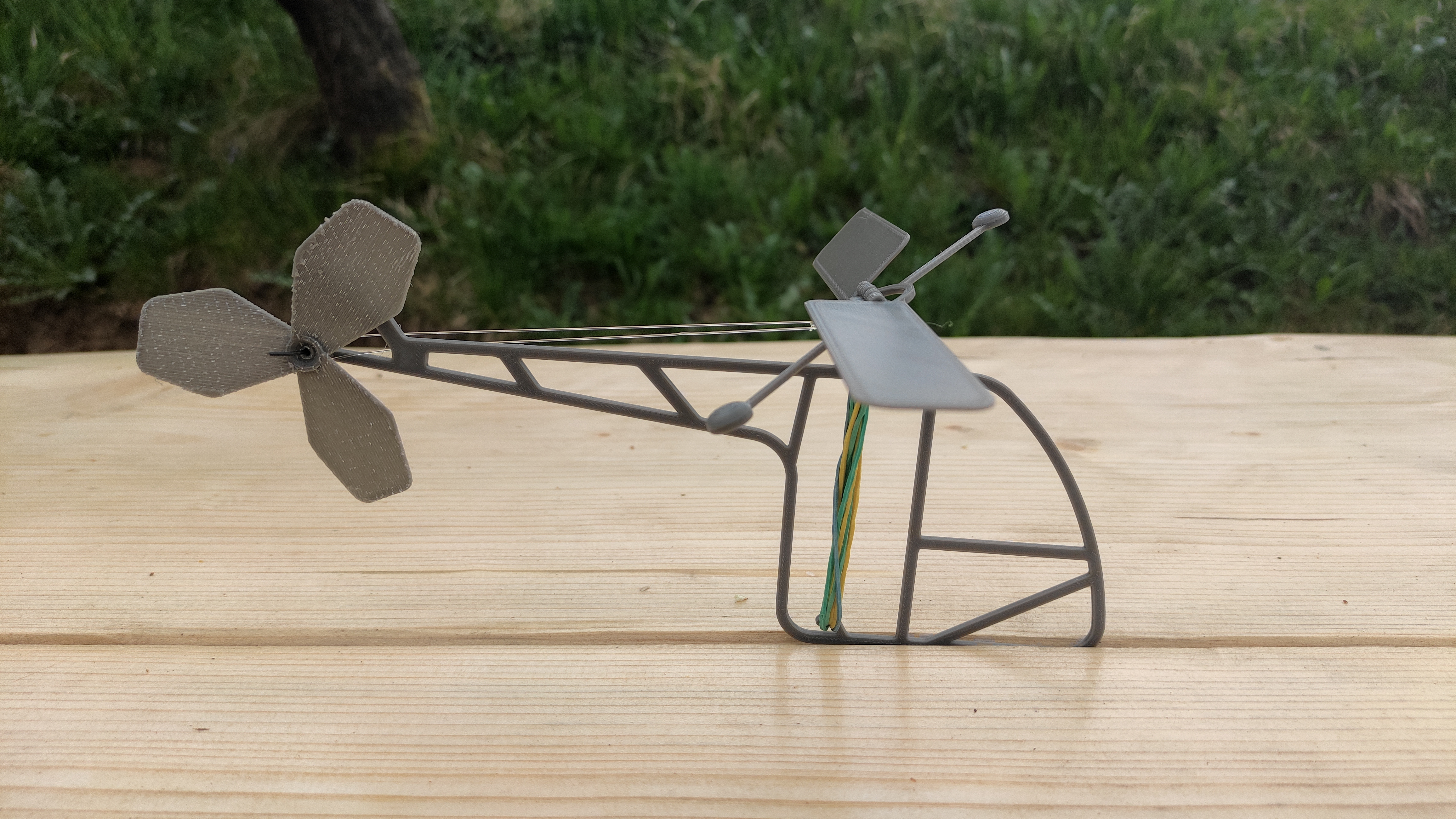
Print a rotor template, wind with a rubber band, and release to see energy transfer. 3D-print upgrade: reinforced rotor hubs and consistent pitch spacers.
7. Domino Chain Reactions

Lay patterns and add simple “trigger” ramps cut from card. 3D-print upgrade: small hinge gates and ball-release towers for reliable Rube Goldberg steps.
8. Bubble-Wand Geometry
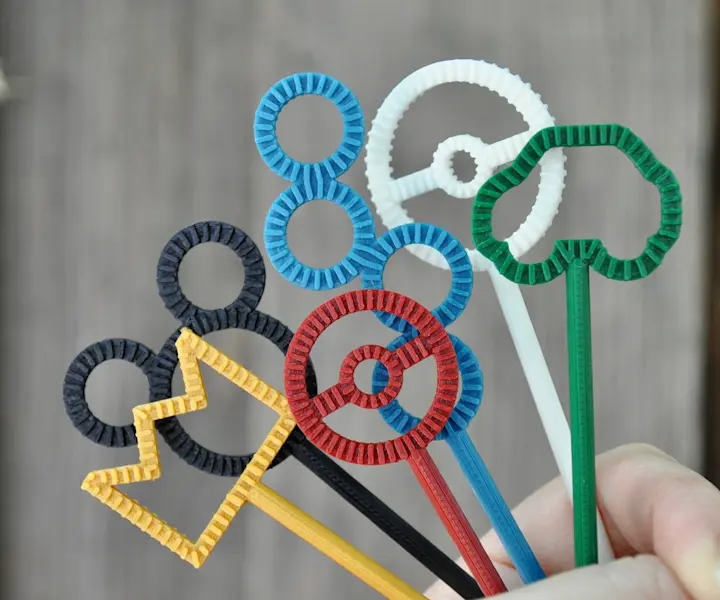
Bend pipe cleaners into triangles, squares, hexagons, and blow bubbles; discuss minimal surfaces. 3D-print upgrade: rigid polygon wands labeled by side length. (Bubble builds show up in “fun at home” STEM lists.)
9. Paper Circuit Greeting Card

Print a circuit path, stick copper tape, add an LED and coin cell, and close the loop with a paper switch. 3D-print upgrade: a tiny snap-in LED bezel for clean alignment.
10. Parachute Payload Drop
Cut a plastic-bag canopy, tie strings, and drop a small payload. 3D-print upgrade: a lightweight capsule to test mass and drag.
11. Catapult from Craft Sticks
Stack and lash sticks with rubber bands, test angles, and measure range. 3D-print upgrade: a calibrated launch cup and angle guide. (Simple catapults are frequently recommended kid builds.)
12. Cardboard Gears
Print gear teeth templates, glue to cereal box card, and mesh them on pushpins. 3D-print upgrade: smooth, precise PLA gear set to explore ratios.
13. Spirograph-Style Drawing Robot (Hand-Powered)
Use printed disks with offset holes and a pen to draw epicycloids. 3D-print upgrade: durable disks that don’t warp with use.
14. Paper Roller Coaster
Fold printed track strips, tape to supports, and test marble speed and safety walls. 3D-print upgrade: snap-fit pillars and joiners for fast rebuilds. (Marble/roller builds are common screen-free challenges.)
15. Balance Scale from a Hanger
Hang two cups on a hanger, measure pennies vs. beans, and discuss mass vs. weight. 3D-print upgrade: clip-on gram markers.
16. DIY Kerplunk-Style Game
Poke skewers through a colander or box, pile pom-poms, and remove sticks without dropping. 3D-print upgrade: reusable stick caps to prevent pokes. (DIY family games are typical in screen-free roundups.)
17. Sensory Bottle Physics
Fill a clear bottle with water, oil, glitter, and beads; watch separation and terminal velocity. Add night-light beads for calming routines. (Sensory bottles are often suggested as soothing, screen-free play.)
18. Paper Plate Anemometer
Cut and assemble cups and straws to measure wind rotations; estimate speed with timing. 3D-print upgrade: a balanced hub for smoother spin.
19. Toilet-Roll Train
Paint and link cardboard rolls with yarn, add bottle-cap wheels, and build stations from boxes. 3D-print upgrade: snap-on couplers and sturdy wheels. (Cardboard trains pop up in many family craft lists.)
20. Rainbow Pasta Bin (Sensory + Sorting)

Dye pasta, sort by size/shape/color, and design “towers.” Add tongs for fine-motor practice. (A classic screen-free activity for early years.)
21. Paper Doll Engineering
Print jointed paper characters with brads; test different limb lengths for balance and pose-ability. 3D-print upgrade: tiny hinge joints for stop-motion play.
22. Cardboard Fort + Simple Circuits
Build a fort and route a single LED “lantern” using coin cell + copper tape. 3D-print upgrade: safe lantern shell with diffuser.
23. Mop-Sock Physics (Friction Race)
Wear microfiber socks, “skate” across smooth floors, and compare friction with different fabrics. (Yes—household chores can double as STEM play.)
24. Paint-Chip Monster Puzzles
Cut paint-chip cards into interlocking shapes and reassemble. Explore symmetry and tessellation. (Great for travel or quiet tables.)
25. Dart-with-Straws Game (Air Pressure Play)
Blow Q-tips through straws to knock stacked cups, then iterate distance and angle. (A beloved party-friendly, screen-free game.)
3D-Print Extensions: Make Projects Modular and Reusable
If your family is ready to expand beyond paper and cardboard, 3D-printing adds durability and easy iteration. With a kid-friendly machine like AOSEED X-MAKER JOY (ages ~4–9) or AOSEED X-MAKER (ages ~9–16), you can print wheels, gears, joint parts, and connectors that upgrade the activities above—without changing the core, screen-free spirit. Families tend to start with safe, low-odor PLA accessories, then remix designs as skills grow. Roundups from STEM educators show that simple add-ons (e.g., hubs, spacers, pillars) dramatically increase project longevity.
Pros, Cons, and Safety Notes
Advantages: printable STEM uses cheap materials, short prep, and repeatable tests. Kids get rapid feedback (Did it roll farther? Did the bridge hold more?). Lists from kid-maker brands consistently highlight how constraint fuels creativity.
Considerations: supervise cutting tools, avoid swallowable parts for younger children, and round sharp corners. For 3D-printed parts, stick with PLA for indoor builds and keep small detachable pieces away from toddlers. If a design breaks, treat it as data—reprint thicker walls or add ribs.
Quick “Spec” Guide for a Kid-Friendly 3D Printer
When you’re ready to add 3D-print upgrades, look for: guided presets, enclosed or guarded hot areas, PLA compatibility, reliable first layers, and a robust content library for cool things to 3D print for kids. AOSEED’s lineup is built around those criteria and integrates with a creative app to keep ideas flowing. Browse the full AOSEED.
Frequently Asked Questions
How much prep time do these take?
Most prints and paper builds take 10–30 minutes of prep; testing and iteration can run as long as kids are engaged.
How often should we rotate activities?
Two or three projects a week works well—repeat favorites with small tweaks (heavier nose on the glider, different track curves on the roller coaster).
Do I need special paper or tools?
Regular printer paper, light cardstock, basic craft supplies, and a handful of household items will cover nearly everything seen in popular screen-free lists.
Where can I find more ideas?
Large, curated collections of hands-on STEM projects are updated frequently by kid-education blogs and maker brands; they’re great for fresh variations.
What’s the best “first” 3D-print add-on?
Wheels. Swapping paper wheels for PLA wheels instantly boosts reliability across cars, trains, and marble-coaster carts.
The Big Idea
Screen-free STEM is about turning kitchen-table time into discovery time. Print a template, gather a few supplies, and let your child steer the build. When they’re ready for more, bolt on a 3D-printed part and keep iterating. That’s the maker mindset—and it starts right at home with print-and-play projects and a child-friendly toolset from AOSEED.
Mini 3D Printers Creating Maximum Joy: Compact 5 Options Reviewed
Here’s a quick breakdown of 5 top options to help you choose:
-
AOSEED X-MAKER JOY ($259): Best for kids aged 4–9, with safety features like a magnetic acrylic door, passcode touchscreen lock, and 2000+ free models for fun, educational projects.
-
AOSEED X-MAKER ($399): Great for older kids and teens, offering advanced tools, USB connectivity, and free slicing software for more complex designs.
-
Toybox 3D Printer ($299): Compact and simple with a focus on ease of use, ideal for younger creators with a smaller build volume.
-
Bambu Lab A1 Mini ($299): Prioritizes speed and precision with a larger build volume and optional multicolor printing upgrade.
-
Prusa Mini+ ($369): A reliable option for beginners or experienced users, featuring advanced temperature controls and a DIY kit for hands-on assembly.
Quick Comparison
|
Feature
|
AOSEED X-MAKER JOY
|
AOSEED X-MAKER
|
Toybox 3D Printer
|
Bambu Lab A1 Mini
|
Prusa Mini+
|
|
Price
|
$259
|
$399
|
$299
|
$299
|
$369
|
|
Safety Features
|
Fully enclosed, touchscreen lock
|
Enclosed, filament sensor
|
Shielded extruder
|
Filament detection, camera cover
|
Thermistors, regulated temps
|
|
Build Volume
|
120×120×120 mm
|
150×150×150 mm
|
70×80×90 mm
|
180×180×180 mm
|
180×180×180 mm
|
|
Best For
|
Ages 4–9
|
Ages 10+
|
Younger kids
|
Speed & precision
|
DIY learning
|
These printers combine safety, ease of use, and educational tools, making STEM learning fun and engaging for young makers. Read on for detailed reviews of each option.
Joy vs. X-MAKER 3D Printer: Which is the Best 3D Printer for

1. AOSEED X-MAKER JOY

The AOSEED X-MAKER JOY, available for $259, is designed for young creators aged 4–9. This compact 3D printer combines safety-focused features with easy-to-use functionality, making it a great way to introduce kids to 3D printing.
Safety is a top priority. A magnetic acrylic door keeps kids away from hot or moving parts, while a magnetic build plate and hidden extruder prevent pinches. Parents can set a passcode to lock the touchscreen, ensuring children can't access printing controls without supervision. This thoughtful design encourages safe, hands-on STEM learning.
Despite its small size, the printer offers solid performance: a build volume of 120 × 120 × 120 mm (6 × 6 × 6 in), speeds 300 mm/s, and support for PLA, PETG, and ABS materials up to 265 °C.
The AOSEED desktop and mobile apps make creativity simple with toy-builder templates, 3D drawing tools, and one-touch printing. Kids can explore over 1,500 free, ad-free models, keeping their focus on creating. For more advanced projects, the printer also supports USB and G-code inputs.
2. AOSEED X‑MAKER
The $399 X‑MAKER is designed for older kids and teens, taking what the X‑MAKER JOY offers and stepping it up a notch. While the JOY focuses on teaching the basics of 3D printing, the X‑MAKER adds features that grow with your child's abilities. It’s fully enclosed for safety but flexible enough to handle more advanced projects.
Safety remains a priority with a passcode-protected touchscreen, and it includes a filament runout sensor to prevent print interruptions. The printer features a 150×150×150 mm build volume, supports PLA, PETG, and ABS up to 265 °F, connects via Wi‑Fi or USB, and weighs 24 lbs.
Its software suite is versatile and user-friendly, offering mobile and desktop options along with a one-click Windows app. Kids can start with pre-sliced templates via USB or experiment with advanced slicing tools - all without subscription fees. Denise Bertacchi from Tom's Hardware highlights this versatility:
This printer strikes a balance between encouraging STEM learning and maintaining user-friendly controls, making it a great choice for families.
3. Toybox 3D Printer
The Toybox 3D Printer, priced at $249, is a great entry-level option for young creators. With a compact build volume of 70×80×90 mm and a kid-friendly design, it focuses on safety and ease of use.
This printer comes fully assembled - just unbox it and start printing. Its simple three-button touchscreen makes it easy for kids to operate.
Safety features like a shielded extruder, active cooling, and a magnetic build plate make removing prints straightforward and tool-free.
Key Features:
-
Print speed: 60 mm/s
-
Build volume: 70×80×90 mm
-
Connectivity: Wireless
-
Auto-leveling: Yes
-
Included: Filament, holder, power cable, calibration keys
The Toybox platform offers a library of free models and a Creator Space for importing STL, OBJ, 3MF, or Gcode files. Kids can share designs and explore collaborative projects, aligning perfectly with STEM education goals. As their skills improve, they can move from pre-made templates to creating custom designs.
Print quality is reliable, delivering clean results ideal for toys and simple projects. While more complex builds can take extra time, maintaining adhesion is easy - just wipe the print bed before starting. The app and wireless connectivity make printing from a phone or PC straightforward.
4. Bambu Lab A1 Mini
The Bambu Lab A1 Mini shifts focus from Toybox's playful approach to a printer that emphasizes speed and precision. It combines performance with safety features, similar to AOSEED printers. Priced at $299, it offers a 180×180×180 mm build volume.
Performance and Quality
The A1 Mini stands out with its speed and print quality. It completes a standard Benchy in just 44 minutes and produces nearly flawless results on XYZ calibration cubes and vase-mode tests. Key details include:
-
Build volume: 180×180×180 mm
-
Setup time: 11 minutes
-
Price: $299 (or $459 with AMS Lite)
-
Max speed: 200 mm/s
Safety and Ease of Use
The printer is equipped with features to make printing safer and more user-friendly. It detects filament problems, prevents nozzle clogs, and checks the build-plate level before starting a print. For privacy, it includes a sliding camera cover. Its guided touchscreen interface scored an impressive 8.8/10 for ease of use ([3]).
Educational Value
The A1 Mini includes a mystery-box project that introduces users to MakerWorld, Bambu Lab's cloud-based library and slicer. Models can be sent directly from a PC or mobile device. For those interested in multicolor printing, the optional AMS Lite upgrade is available for $459.
5. Prusa Mini+
The Prusa Mini+ combines dependable performance with thoughtful safety features and educational tools. Available as a semi-assembled unit or a DIY kit, it caters to those seeking convenience or a hands-on building experience.
Safety and Build Quality
The Mini+ prioritizes safety with three thermistors and a reliable power supply. It strictly regulates temperatures - up to 536°F (280°C) at the nozzle and 212°F (100°C) on the heated bed - to ensure smooth and controlled printing.
"Every Mini+ unit undergoes in-house testing to ensure consistent safety and reliability."
User Experience and Setup
This printer is designed to accommodate both beginners and seasoned creators:
-
Automatic mesh bed leveling ensures flawless first layers.
-
One-click USB printing simplifies the process.
-
PrusaSlicer integration offers pre-configured profiles for optimal results.
-
A free online beginner course is included with the semi-assembled option.
While the Mini+ shines in ease of use and durability, the AOSEED X-MAKER series provides comparable safety features, including a child-lock touchscreen, at a lower price.
Educational Value

The semi-assembled Mini+ includes access to the free online course, "3D Printing and Modeling for Beginners," making it a great learning tool. The DIY kit version adds an extra layer of educational value by teaching users assembly skills and reinforcing STEM concepts.
Performance Metrics
The Mini+ stands out with its:
-
Print Quality: High-level detail and consistent output.
-
Hardware Durability: A sturdy metal bed and durable components.
-
Software Integration: Smooth compatibility with PrusaSlicer.
-
Documentation: Clear, detailed guides and robust support resources.
Thanks to its balance of safety, learning opportunities, and reliability, the Mini+ is an excellent choice for both home and classroom environments.
Up next, compare these compact printers side by side to find the ideal option for your budding maker.
Key Features Comparison

|
Feature
|
AOSEED X‑MAKER JOY
|
AOSEED X‑MAKER
|
Toybox 3D Printer
|
Bambu Lab A1 Mini
|
Prusa Mini+
|
|
Price
|
≈ $259
|
$299
|
|||
|
Safety Features
|
Fully enclosed print area; non‑toxic PLA
|
Shielded extruder; active cooling
|
Auto-leveling; filament detection; sliding camera cover
|
Three thermistors; regulated temperatures
|
|
|
Ease of Setup
|
Fully assembled; factory calibrated
|
Fully assembled
|
11-minute setup; guided interface
|
Semi-assembled or DIY kit options
|
|
|
Educational Tools
|
One‑click printing; advanced design tools; 2000+ pre‑designed model
|
Subscription‑based content
|
MakerWorld library; cloud-based slicer
|
Online beginner course; PrusaSlicer integration
|
AOSEED printers stand out with their all-in-one approach to safety, ease of use, and educational resources. With these comparisons laid out, let's move on to the final recommendations.
Final Recommendations
Here's a breakdown of our top picks based on age and use case:
-
For Young Children (Ages 4–9) The AOSEED X‑MAKER JOY (around $259) is a great option. It features a fully enclosed build area, one-click printing, and a curated toy library. Its easy setup and safety features make it ideal for supervised creative play.
-
For Older Kids & Teens (Ages 10+) The AOSEED X‑MAKER (around $399) offers a balance of simplicity and advanced tools. It comes with a graphical touchscreen, free design apps, a full-featured slicer, and USB connectivity, making it a versatile choice for this age group.
-
For Classroom & STEM Programs The AOSEED X‑MAKER stands out for educational settings. Its enclosed design ensures safe, filtered printing, while the 2500+ ready-to-print models and free educational software make it a cost-effective choice for group learning.
-
For Budget-Conscious Buyers Priced at $259, the X‑MAKER JOY is more affordable than the Toybox ($299) and includes unlimited, subscription-free printing along with a large model library.
-
For most families, we suggest the AOSEED X‑MAKER. Its enclosed build area, extensive safety features, and optional expandability make it a solid all-around choice.
3D Print Shop vs. Home Printer: Which is More Cost-Effective for Making Kids' Toys?
Want to save money while making creative toys for your kids? Here’s the answer: If you plan to print kids' toys frequently, investing in a cost-effective home printer like the AOSEED X‑MAKER ($399.99) is the smarter long-term choice. For occasional, complex, or one-off projects, a 3D print shop may be more suitable.
Key Takeaways: Which is more cost-effective?
-
Home 3D Printing: Higher upfront cost ($259.99–$399.99), but lower per-toy costs over time. Ideal for frequent toy-making and hands-on STEM learning.
-
3D Print Shops: No initial investment, but each toy costs $5–$20. Best for infrequent or intricate designs where flexibility and customization are limited.
Quick Comparison:
|
Feature
|
AOSEED X‑MAKER Home Printer
|
Print Shop Services
|
|
Initial Cost
|
$259.99–$399.99
|
None
|
|
Per-Toy Cost
|
$1–$3 (PLA filament)
|
$5–$20 per toy
|
|
Learning Value
|
Hands-on STEM experience
|
Limited
|
|
Design Flexibility
|
Real-time tweaks possible
|
Requires finalized files
|
|
Best For
|
Frequent toy-making
|
Occasional prints
|
For regular toy-making and STEM education, the AOSEED X‑MAKER is a cost-effective and engaging option. Choose print shops for rare, complex, or larger projects.
Revealing the TRUE Costs of 3D Printing!![]()

Discover the Toy Library: 2000+ Models Included
One of the biggest advantages of choosing an AOSEED home printer is free access to the exclusive AOSEED Toy Library, which features over 2000 ready-to-print 3D models. From dinosaurs and animals to logic puzzles, mini vehicles, and educational STEAM projects, there’s something for every age group and interest.
Unlike 3D print shops where custom files often come with extra charges or licensing limitations, AOSEED Toy Library is included with every printer purchase. This means you can start printing immediately—without hunting for STL files or paying additional design fees.
Whether you're building a collection of action figures or exploring wind-up mechanical toys, the Toy Library offers a rich, ever-expanding playground for creativity and learning.
Growing C![]() ommunity, Lifetime Updates
ommunity, Lifetime Updates
![]()
![]()
![]()
AOSEED isn’t just a printer it’s a full ecosystem. When you invest in a home 3D printer like ![]() the X-MAKER or X-MAKER JOY, you’re joining a vibrant, family-friendly maker community.
the X-MAKER or X-MAKER JOY, you’re joining a vibrant, family-friendly maker community.
The AOSEED team regularly pushes firmware and software updates, expanding features and toy categories over time. You’ll also have access to a support community where parents and educators share print ideas, tips, and new designs.
In contrast, print shops offer no community, limited engagement, and static one-time services. With AOSEED, the printer grows with your child—offering lasting value beyond the initial purchase.
Cost Breakdown: 6-Month Toy-Making Showdown
Let’s break down the real costs of making one toy per week over 6 months.
|
Scenario
|
Initial Cost
|
24 Toys (Avg $ per toy)
|
Total Cost
|
|
AOSEED X-MAKER
|
$399.99
|
~$48 (filament)
|
$447.99
|
|
Print Shop
|
$0
|
~$288 ($12 avg per toy)
|
$288
|
Cost Analysis
Let's break down the costs of AOSEED home printers versus print shops for creating kids' toys.
Home Printer Costs
The AOSEED X‑MAKER costs $399.99, while the more affordable X‑MAKER JOY is priced at $259.99. Beyond the initial purchase, you'll need to account for ongoing expenses like:
-
PLA filament: $20–$40 per kilogram
-
Replacement parts (e.g., hotend): Around $30
This setup requires an upfront investment, but the per-print cost drops significantly over time, especially when producing multiple items.
Print Shop Costs
Print shops charge per item based on size, material, and complexity. Here's a typical breakdown for desktop models:
-
Small toys (2–3″): $5–$8
-
Medium toys (4–6″): $10–$15
-
Large toys (7″+): $15–$20
Additional expenses can include custom design work, post-processing, packaging, and shipping. While print shops eliminate the need for an upfront investment, the per-item fees can add up quickly. For example, printing 10 medium-sized toys at $12 each will cost $120, not including design or shipping fees.
If you're planning to produce multiple items, home printing can quickly become the more economical choice.
Next, we'll explore design options and accessibility.
Design Options and Access
When it comes to creating custom toys, design flexibility plays a huge role in fostering creativity and learning. Home 3D printers and print shops offer different experiences: home printers allow for real-time design tweaks and hands-on experimentation, while print shops require pre-finalized files and often involve waiting times. Let’s break down the features of each option.
Home Printer Features
![]()
The AOSEED X-MAKER is packed with tools to make toy creation easy and fun. It offers 14 different toy-building apps, including options for creating dolls, flexible models, vehicles, wind-up toys, and even 3D drawings. It also features:
-
One-touch printing for quick projects
-
A mobile app slicer for intermediate users
-
Advanced Cura-based slicing software for full control over print settings
-
Access to a library of 2000+ free models to jumpstart your creativity
This setup allows users to experiment and refine designs right away, making it ideal for learning and reducing material waste.
Print Shop Limitations
Print shops, on the other hand, operate differently. They require finalized STL files for printing. If changes are needed, you’ll have to resubmit the file and go through the queue again, which can take several days. Unlike home printers, print shops don’t offer interactive design tools. This makes it harder to test and improve designs on the fly, which can lead to wasted time and materials.
With a home printer, you get the freedom to tweak and test designs instantly, offering a more hands-on and efficient way to learn and create.
Return on Investment
Priced at $399.99, the AOSEED X‑MAKER offers an upfront cost balanced by long-term savings and a hands-on approach to STEM learning.
Learning at Home
Home printing with the AOSEED X‑MAKER is designed for safe and enclosed use, offering a learning path that grows with the user. It transitions smoothly from beginner-friendly features to more advanced controls:
-
Beginner: Simple one-click printing introduces basic concepts.
-
Intermediate: Kid-friendly apps encourage creativity and spatial thinking.
-
Advanced: Full slicer control helps develop technical problem-solving skills.
Print Shop Benefits
Print shops can be a great alternative when home printers fall short:
-
Complex Projects: Ideal for intricate designs or larger toys that go beyond the X‑MAKER 150 × 150 × 150 mm build capacity.
-
One-Off Prints: Perfect for occasional projects without the need for ongoing maintenance.
-
High-Detail Items: Best for models requiring industrial-level precision or specialized materials.
For families who prioritize frequent toy creation and STEM education, the AOSEED X‑MAKER stands out with its safety features, user-friendly design, and potential for skill development. Up next, we'll break down these options side by side to help you decide what works best for your family.
Side-by-Side Comparison
Here’s a breakdown of how the AOSEED X‑MAKER home printer stacks up against typical print shop services:
|
Feature
|
AOSEED X‑MAKER Home Printing
|
Print Shop Services
|
|
Initial Investment
|
$399.99 for the printer, toolkit, and starter PLA roll
|
No upfront equipment cost
|
|
Ongoing Costs
|
PLA filament ($20–$40/kg), tool-head replacement ($30)
|
Costs vary per print
|
|
Build Volume
|
150 × 150 × 150 mm
|
Usually supports larger volumes
|
|
Materials
|
Works with PLA, PETG, ABS
|
Offers a wider range of industrial-grade materials
|
|
Design Options
|
- Access to 2000+ models - Toy-building apps - Full slicer support via USB
|
Dependent on shop software and equipment
|
|
Learning Value
|
- Hands-on STEM experience - Three difficulty levels in X‑Print slicer
|
Limited skill-building opportunities
|
Making the Choice

When Home Printing Makes Sense
The AOSEED X-MAKER, priced at $399.99, is a smart choice for families who plan to print toys regularly. Here’s why:
-
Frequent STEM Projects: With access to a library of over 2000 models, three slicer difficulty levels, and an easy one-touch setup, it’s perfect for weekly toy-making without added expenses.
-
Growing With Your Child: Features like a USB port and full slicer support mean the X-MAKER can keep up as your child’s skills improve over time.
When to Use Print Shops
Print shops are better suited for specific scenarios:
-
Occasional Prints: Ideal for families who only need a toy or model every now and then, with pay-per-item pricing.
-
Specialized Models: Great for accessing industrial-grade materials or handling more complex designs.
-
Infrequent Use: Perfect for those who don’t print often and prefer per-project costs.
For hands-on STEM learning and frequent use, home printing with the AOSEED X-MAKER is a cost-effective option. On the other hand, print shops are better for one-time, intricate, or larger-scale projects.
Conclusion
At $399.99, the AOSEED X‑MAKER offers a cost-effective way to combine toy-making with hands-on STEM learning for kids. It can save money on per-item print-shop fees if you're producing toys regularly. The printer features beginner-to-advanced print modes, over 2000 pre-designed models, 14 design apps, a 150×150×150 mm build volume with a print speed of 300 mm/s, and supports PLA, PETG, and ABS materials - all within a fully enclosed, child-safe design.
While print shops are great for occasional or highly complex projects, the X-MAKER is ideal for families who want a safer, more educational, and versatile option for frequent toy-making and STEM activities. Interested in unlocking your child’s creativity while keeping costs down? Visit AOSEED to learn more about the X‑MAKER and its extensive model library.
Goodbye Ordinary Toys! Create Unique Birthday Surprises for 10-Year-Old Girls with a Beginner 3D Printer.
Looking for the perfect birthday gift for a 10-year-old girl? With the AOSEED X-MAKER beginner 3D printer, you can create custom, fun, and safe gifts at home for just $399. This family-friendly printer is easy to use, encourages hands-on learning, and comes with built-in safety features.
Key Features:
-
Safe and Kid-Friendly: Fully enclosed frame, magnetic door, and child-lock touchscreen.
-
Easy Setup: One-touch printing with preloaded designs and a gamified app.
-
Creative Projects: Make toys, accessories, and décor with non-toxic PLA filament.
-
Learning and Fun: Includes guided programs and tools to teach 3D modeling basics.
Tired of the same store-bought toys that every kid already has? Say hello to the magic of 3D printing! With a beginner 3D printer like the AOSEED X-MAKER, you can create unique birthday surprises and personalized toys right at home—no design experience needed. Whether it’s for your daughter, niece, or a young creator in your life, these custom-made gifts are the perfect blend of fun, learning, and creativity for 10-year-old girls.
Powered by safe, kid-friendly technology, the AOSEED 3D printer for kids transforms your home into a creative toy lab—ideal for families who want to make birthdays extra special without the hassle of shopping.
Start crafting gifts like poseable figures, keychains, or wind-up toys in just a few hours. The AOSEED X-MAKER makes gift-making simple, safe, and educational for the whole family.
With the AOSEED X-MAKER beginner 3D printer, you can create custom, fun, and safe gifts at home—no shopping stress needed! For just $399, this award-winning printer gives you the power to make real toys and personal accessories from scratch.
Real 3D Printed Projects Made with AOSEED X-MAKER:
-
Movable Unicorn Figurine
-
Rainbow Keychains
-
DIY Hair Clip Set
-
Mini Toy Car
-
Wind-Up Bear
Each project can be completed in just 1–2 hours, using colorful, non-toxic PLA filament—perfect for birthday surprises!
Why Choose a Beginner 3D Printer for Birthday Gifts?
The AOSEED X-MAKER isn’t just a tool it’s a creative toy factory for kids and families:
|
Features
|
Details
|
|
Kid-Safe Design
|
Fully enclosed frame, magnetic door, child-lock screen
|
|
One-Touch Printing
|
Preloaded library of toy models
|
|
Creative Freedom
|
Print figures, jewelry, décor, and more
|
|
Learning Fun
|
Teaches design, STEM skills, and mechanical basics
|
|
Award-Winning
|
iF Design Award 2022
|
Step-by-Step: How to 3D Print a Birthday Gift
1. Choose a Project:
Start with the X-Print App. Options include:
-
HingeX (poseable figures)
-
Winder (wind-up toys)
-
Simple Accessories (keychains, clips)
2. Prepare the Printer:
-
Load colorful PLA filament.
-
Select a design on the touchscreen.
-
Press "Print" and watch the magic happen!
3. Post-Print Finishing:

- Remove supports with included side cutters.
-
Snap joints together for movable toys.
Example:
Gift Idea: Print a sparkling Unicorn Figure (takes ~2 hours) and personalize it with glitter filament for an unforgettable birthday present.
Creative 3D Printed Gift Ideas for 10-Year-Old Girls
|
Project
|
Print Time
|
Description
|
|
Poseable Unicorn
|
~2 hrs
|
Moveable head and legs
|
|
Charm Bracelet
|
~45 min
|
Add initials and charms
|
|
Mini Racer Car
|
~1.5 hrs
|
Functional wheels
|
|
Gift Box Set
|
~1 hr
|
Store jewelry or notes
|
|
Rainbow Wall Art
|
~1 hr
|
Bedroom decoration
|
Safety First: Built-In Protection for Kids
-
Fully Enclosed Printing Chamber: Keeps fingers safe.
-
Magnetic Build Plate: Easy print removal without burns.
-
Password-Protected Touchscreen: Only adults can change settings.
Parental Tip: Supervise younger users during loading/unloading filament, but let them take control during the creative design phase!
Why AOSEED Beginner 3D Printers Are a Smarter Gift
|
Benefit
|
AOSEED Advantage
|
|
Learning Opportunity
|
Introduces 3D modeling, problem-solving
|
|
Creativity Boost
|
Kids design their own toys and accessories
|
|
Family Bonding
|
Print together and build memories
|
|
Reusable Fun
|
New projects all year round
|
|
Safe and Simple
|
Designed specifically for kids
|
Start Your Creative Journey Today!
-
AOSEED X-MAKER ($399) — For serious makers ages 8–16.
-
AOSEED X-MAKER JOY ($259) — For beginner creators ages 4–12.
Explore more at AOSEED 3D Printers for Kids and discover a world where birthday surprises are truly unique!
Why Choose a Beginner 3D Printer for Making Toys?

The AOSEED X-MAKER is more than just a machine—it’s a creative tool designed to spark imagination and teach essential STEM skills while making customized toys. Here’s why it’s the perfect fit for families looking to create unique birthday surprises:
-
Kid-Safe Design: The X-MAKER features a fully enclosed frame, magnetic door, and child-lock touchscreen—ensuring a worry-free experience while kids explore their creativity.
-
One-Touch Printing: With a library of preloaded models and an intuitive touchscreen interface, even beginners can start printing in minutes.
-
Creative Freedom: From figurines and keychains to accessories and room décor, this beginner 3D printer lets kids design and print just about anything.
-
Fun + Learning: Printing gifts at home helps 10-year-old girls learn basic engineering and design concepts while having fun.
-
Award-Winning Quality: The AOSEED X-MAKER earned the 2022 iF Design Award for combining performance, safety, and ease of use in one sleek package.
Whether you're printing a unicorn toy or a custom bracelet, AOSEED gives families the tools to turn everyday birthdays into extraordinary moments.
Benefits of Beginner 3D Printers for Gifts


Built-in Safety Features
The X-MAKER comes with a fully enclosed frame and clear acrylic windows, keeping kids safely away from moving parts. Its magnetic door and soft-magnetic build plate ensure proper alignment, while a touchscreen passcode adds an extra layer of security to prevent unauthorized use.
Easy for Parents to Use
No complicated setup here. Simply load the filament, press a button, and you're ready to print gifts from the onboard model library. The Windows app offers one-touch printing with preset settings for popular toy designs. With a library of ready-to-print models built in, creating a custom gift takes just seconds.
Hands-On Learning for Kids

The Doll Maker app introduces children to designing poseable figures, using printed or injection-molded joints to teach basic mechanical movement concepts. These skills help kids create more personalized and imaginative birthday gifts. As they grow more confident, the printer’s advanced slicer and USB port allow them to import and print their own designs, transforming it from a fun toy into a practical tool for the whole family.
Next, we’ll guide you through picking your first gift project and setting up your X-MAKER.
3D Printer for Kids: 3D Printing Toys | AOSEED X-MAKER

Step-by-Step Gift Creation Guide
The X-MAKER makes printing simple. Here's how to pick a project and start crafting.
Choosing Your First Project
For poseable figures, go with HingeX. Want wind-up toys? Try Winder. If jointed stick characters are your thing, choose Posable Figures. Select designs that take about two hours to print with default settings. The X-Print app ensures smooth lines right out of the box.
Setting Up the Printer
The X-MAKER comes ready to use. Here's how to set it up:
-
Connect the printer to a power source and insert the USB drive containing the slicing software.
-
Attach the PLA spool, guide the filament into the runout sensor, and tap Filament > Load on the touchscreen.
Preparing Your Final Gift
Once printing is done, use the included side cutters to remove any supports. The enclosed frame keeps prints clean and dust-free.
Gift Ideas for 10-Year-Old Girls


If you’ve got your X-MAKER set up and ready to go, here are some fun and creative gift projects to try. All designs use non-toxic PLA, and the enclosed frame ensures little hands stay safe during the process.
Movable Toys and Figures

With the X-Print app's HingeX tool, you can create figures with movable joints. For instance, you could print a sparkly rainbow unicorn in about two hours.
Other ideas include:
-
Poseable stick-figure characters
-
Mini wind-up toys
-
Small toy cars or trucks
Personal Accessories and Décor
Get creative with freeform tools to design unique items like keychains, hair clips, charm bracelets, desk nameplates, or wall art. These projects are quick and easy, with most printing in under an hour using standard settings.
Safety Guidelines and Family Participation
Safety Rules and Adult Oversight
The AOSEED X-MAKER is designed with safety in mind. Its fully enclosed structure keeps fingers away from moving parts, while the soft-magnetic plate helps prevent pinches. To ensure a safe experience when making birthday gifts:
-
Supervise the process: The child-lock feature secures settings but doesn’t restrict the toolhead.
-
Avoid contact with hot components: Always keep hands away from the hot end during operation.
Making Projects Together
Turn gift-making into a fun family activity. The X-MAKER’s intuitive graphical touch-screen makes it easy for everyone to participate. Here’s how to make the most of your time together:
-
Plan your designs: Use the phone app to explore pre-sliced gift models as a family.
-
Add a personal touch: Customize designs with simple, kid-friendly tools.
-
Enjoy the process safely: Watch the printing progress through the enclosed design.
Using AOSEED Learning Tools
AOSEED offers a variety of resources to help families create meaningful gifts. These include:
-
A carefully selected collection of birthday-themed content.
-
Pre-sliced gift models that are ready to print right away.
-
Skill-building menus to help users progress over time.
These tools make it easy to get started with simple designs and gradually move on to more detailed projects as your skills improve.
Why a Beginner 3D Printer Is a Smart Gift That Keeps Giving
When it comes to finding meaningful birthday surprises for 10-year-old girls, most store-bought toys are used once and forgotten. But with abeginner 3D printer like the AOSEED X-MAKER or X-MAKER JOY, you’re not just giving a toy—you’re giving a tool for creativity, learning, and family bonding.
Learning Beyond the Birthday

From 3D modeling basics to mechanical movement, AOSEED printers introduce STEM concepts in a hands-on way. Kids explore:
-
Design thinking
-
Problem-solving
-
Artistic expression
It’s the kind of fun that builds skills for the future.
Family Creativity Time
These printers make it easy for the whole family to get involved. Whether it’s printing classroom gifts, party favors, or decorations, each project becomes a shared experience. With AOSEED safe, intuitive platform, even parents new to 3D printing can join in.
Endless Custom Gifts
Birthdays, holidays, or rainy weekends—you’ll never run out of ideas. Print new accessories, figurines, or decorations any time, right from home.
Invest in an AOSEED beginner 3D printer and say goodbye to short-lived toys. Say hello to a lifetime of making, learning, and meaningful memories.
Start 3D Printing with AOSEED
AOSEED offers a great way to dive into 3D printing, blending safety, creativity, and family-friendly fun. Priced at $399, the X-MAKER combines high-quality performance with a kid-friendly design, earning the 2022 iF Design Award]. For a more budget-friendly option, theX-MAKER JOY starts at $259, making it accessible without compromising on features.
From creating movable toys to crafting room décor, AOSEED printers turn ideas into reality. They also provide hands-on STEM learning opportunities through detailed tutorials and an active community.
Whether you go for the full-size X-MAKER or the compact JOY, AOSEED has everything you need to kickstart your family's 3D printing journey. Visit their website to learn more and get started.
Future of Toys_ How 3D Printing is Changing Children's Play
3D printing is transforming how kids create and play with toys, blending creativity with STEM learning at home. The AOSEEDX-MAKER and X-MAKER JOY printers make it safe and easy for children to design and print their own toys. Here’s what you need to know:
-
Kid-Friendly Features: Enclosed design, touchscreen interface, and safe PLA materials ensure safety and ease of use.
-
Hands-On Learning: Kids can create flexible models, poseable figures, and custom toys while developing problem-solving and technical skills.
-
Cost and Waste Savings: Print toys on demand, reduce packaging waste, and repair broken toys instead of replacing them.
-
Affordable Options: The X-MAKER ($399) and X-MAKER JOY ($259) cater to different age groups with varying features.
With access to over 2000 pre-designed models and user-friendly apps, these printers make 3D printing accessible for kids while encouraging creativity and STEM exploration.
3D Printer for Kids: 3D Printing Toys | AOSEED X-MAKER
3D Printing Benefits for Kids

The X-MAKER printer, with its enclosed design and touchscreen interface, makes it easy for kids to create custom toys while diving into hands-on STEM activities.
Custom Toy Creation
Using the HingeX app, kids can design their own flexible models or modify existing toys with movable hinges. For instance, they can create a unicorn with flexible joints or add fun clip-art accessories - all within three hours using materials like PLA or ABS.
Learning Through Making
The Doll Maker app allows children to craft poseable figures using different filaments, teaching them how material choices impact a toy's strength and appearance. The printer offers three slicer options: a mobile app for beginners, the X-Print desktop software for intermediate users, and an advanced interface for more experienced creators. It even supports G-code for greater customization and skill development.
Safety and Materials Guide
Choosing the right materials plays a big role in ensuring both the quality and safety of 3D-printed toys. Let’s dive into safe filament options and age-appropriate design tips.
Kid-Friendly Materials
PLA, a filament made from cornstarch, is a safer choice compared to petroleum-based options like ABS or Nylon. For example, ABS emits up to 30 times more fumes than PLA, making it less suitable for kids' environments.
The AOSEED X-MAKER JOY printer is designed with safety in mind. Its enclosed chamber and lower-temperature PLA settings keep little hands safe and reduce exposure to fumes, all while maintaining high print quality.
To create a healthier printing environment:
-
Work in a well-ventilated area
-
Use an air purifier with HEPA and VOC filters
-
Stick to PLA filaments with minimal additives
-
Clean prints and workspaces using a damp cloth and a HEPA-filtered vacuum.
Designing Toys for Different Ages
Matching the complexity of toy designs to a child’s age helps them learn safely while having fun. The X-MAKER JOY printer supports parents and educators with user-friendly features and built-in guidance.
|
Age Group
|
Suggested Project
|
Supervision Needed
|
|
4–12 years
|
Print ready-made models
|
Full adult supervision
|
|
9–16 years
|
Edit simple designs in TinkerCAD
|
Parental guidance
|
|
11–13 years
|
Work with basic CAD software
|
Assisted exploration
|
To ensure the final product is safe:
-
Check that all parts are sturdy and won’t break into small pieces
-
Smooth out sharp edges by sanding or rounding them off
-
Use the X-MAKER JOY built-in viewing tools to monitor prints remotely
Bringing 3D Printing to Libraries: Expanding Access to Future-Ready Toys
As 3D printing becomes more mainstream, forward-thinking libraries are evolving beyond books and offering access to innovative technologies like 3D printers. For families and educators without a home setup, this opens the door to hands-on STEM learning and toy creation using printers like the AOSEED X-MAKER and X-MAKER JOY.
Libraries as Innovation Hubs for Kids
Modern libraries have transformed into makerspaces creative tech labs where children can explore digital tools. AOSEED printers are a perfect match for these environments. With their plug-and-play design, child-safe enclosures, and intuitive interfaces, X-MAKER printers allow even first-time users to jump into 3D design with minimal supervision.
By introducing 3D printing through libraries, kids gain access to:
-
Free, hands-on STEM learning
-
Creative exploration without a high upfront cost
-
A collaborative space to share ideas and designs with peers
This aligns perfectly with AOSEED mission to make 3D printing educational, approachable, and accessible.
AOSEED X-MAKER in Public Makerspaces

The AOSEED X-MAKER, designed for ages 9+, is built for shared environments like libraries, classrooms, and STEM labs. It features Wi-Fi and USB connectivity, remote monitoring, and a fully enclosed chamber—perfect for safe use in public spaces.
Libraries that install AOSEED printers can offer:
-
Toy design workshops for different age groups
-
Introductory CAD classes using apps like TinkerCAD or AOSEED HingeX and Doll Maker
-
Toy repair clinics, where children bring broken toys and learn to design and print replacements
These programs help reduce plastic waste and foster creativity, responsibility, and community problem-solving.
Thumb Sized Animal

Tiny animal friends you can print by the dozen!
-
Great for trading or collecting
-
Easy prints with minimal filament
-
Encourages imaginative mini play
Thumb Wars Lightsabers

Challenge a friend to a tiny duel!
-
Print a pair and let the battles begin
-
Fun for Star Wars fans
-
Simple, silly, and perfect for play
Car Track

Race into fun with your mini car creations.
-
Custom track sections for printed vehicles
-
Expandable and reconfigurable
-
Great STEM activity with friends
Spiral Christmas Tree

Twisty and festive for the holiday season.
-
Fun holiday decoration with a unique design
-
Easy to print in green, gold, or rainbow filament
-
Perfect for table settings or gifts
Surprise Egg Tiny Car Carrier

A toy within a toy—what’s not to love?
-
Opens to reveal a mini car inside
-
Great for Easter or party gifts
-
Encourages surprise-based imaginative play
3D Model Libraries at Your Fingertips
One of the biggest barriers to entry in 3D printing is knowing what to create. AOSEED eliminates that hurdle with access to over 2000 pre-designed models, all searchable and printable using the AOSEED ecosystem.
Public libraries can:
-
Curate themed 3D model collections (e.g., dinosaurs, holiday toys, historical artifacts)
-
Help kids remix existing models using AOSEED beginner-friendly apps
-
Promote monthly challenges (e.g., design a custom keychain or print a working fidget toy)
This encourages return visits to the library and keeps kids engaged with new design goals.
Making the Future of Toys Equitable
By partnering with libraries, AOSEED supports educational equity. Not every family can invest in a home 3D printer, but local access empowers all children to participate in the future of toys—where creativity and custom play are just a print away.
Whether you're exploring from home or at your neighborhood library, AOSEED kid-friendly 3D printers are paving the way toward a future where children don’t just play with toys—they create them.
Start 3D Printing at Home
Once you've ensured material safety and chosen designs suitable for your child's age, it's time to pick a printer and create your first toy.
Choose Your First Printer
AOSEED offers models designed to spark creativity and encourage hands-on STEM activities, all while prioritizing safety. For $399, the X-MAKER provides a 150×150×150 mm build area, prints at 300 mm/s, and features one-click printing with Wi-Fi/USB connectivity. For younger kids (ages 4–9), the X-MAKER JOY is a more affordable option at $259, with a smaller build plate and simplified settings.
Create Your First Toy

AOSEED guided software makes it easy to design items like posable stick figures, custom vehicles, wind-up toys, or 3D drawings. Once your design is ready, use the X-Print slicer in basic, intermediate, or expert mode to prepare it for printing.
3D-Printed Toys vs. Store-Bought Options
3D-printed toys let you customize designs and engage in STEM learning, while store-bought toys stick to fixed designs and offer more passive play experiences.
Cost and Waste Reduction
Less Waste, More Play
Home 3D printing reduces packaging waste by letting you create toys on demand, using just the material you need.
If a toy breaks, there's no need to throw it away - simply print a replacement part. The AOSEED X‑MAKER slicer optimizes support structures and infill density to use less material, while its modular toolhead can be repaired or rebuilt to extend the printer's lifespan. The X‑Print slicer, built on Cura, offers settings for beginners and experts alike, so you can adjust as your skills grow.
Print Toys for Less
With a single spool of PLA, you can produce dozens of figures at a fraction of what they'd cost in stores. The AOSEED X‑MAKER comes with a built-in model library and kid-friendly software - no subscription required.
Want to save money, reduce waste, and spark creativity? Up next, see how AOSEED equips your family with the perfect printer and projects.
Next Steps with AOSEED
The AOSEED X‑MAKER arrives fully assembled and ready to go. It includes 14 toy‑building apps and a flash drive loaded with pre‑sliced models, so you can start printing right away.
Here’s how to dive in:
-
Start with pre‑sliced models: Use the flash drive to print your first designs immediately.
-
Try the design apps: Create posable figures, vehicles, and wind‑up toys with the included Windows apps.
-
Use One‑Press Printing: Enjoy instant, one-click prints for quick results.
These steps make it easy to print on demand, reduce material waste, and keep playtime exciting. As you get comfortable, you can move from simple projects to custom designs using X‑Print's three difficulty levels.
Want more inspiration? Check out AOSEED website, where you’ll find over 1,500 models, tutorials, and community projects to spark your child’s creativity - and save on toy expenses.
52 Free 3D Models_ Favorites for Girls Aged 6-8
Looking for fun and creative 3D models for girls aged 6–8? You’ve come to the right place! Whether you're printing with the AOSEED X-MAKER or the AOSEED X-MAKER JOY, this curated list of 52 free 3D models is packed with favorites that will inspire imagination and hands-on learning. From adorable animals to playful accessories and mini worlds to design, these models are perfect for beginners—especially young girls in early elementary school.
With kid-friendly 3D printers and access to the AOSEED Toy Library, families can download and print these models right from home—no design experience needed. Best of all? They're all free.
In this guide, you’ll discover:
-
52 free 3D printable favorites for girls aged 6–8
-
How the AOSEED X-MAKER and X-MAKER JOY make toy printing easy and safe
-
Other kid-friendly 3D printers that support creative learning
-
Tips for choosing the right models based on your child’s interests
Whether you’re a parent, teacher, or curious creator, this list is your go-to resource for starting (or expanding) your child’s 3D printing adventure.
52 Free 3D Models for Girls Aged 6–8
The AOSEED Toy Library offers a delightful collection of 52 free 3D models specifically curated for girls aged 6–8. These models are designed to spark creativity, encourage hands-on learning, and provide endless fun. With the AOSEED X-MAKER and X-MAKER JOY 3D printers, children can bring these models to life, enhancing their playtime with personalized creations.
Articulated Mini Dragon

A flexible, fun dragon model perfect for imaginative kids.
-
Easy to print with no assembly needed
-
Joints move freely for play and posing
-
Great for storytelling and display
Baby Dragon

Small in size, big on charm — a must for fantasy lovers.
-
Adorable design fits in little hands
-
Ideal for younger kids and quick prints
-
Can be painted or customized for personality
Articulated Crystal Dragon

Elegant, shimmering, and ready for adventure.
-
Sleek, scale-like design with moving joints
-
Perfect for fantasy-themed play or decor
-
Eye-catching on any toy shelf
Shardscale Dragon Egg

The perfect prop for pretend dragon hatching.
-
Textured, detailed surface mimics dragon scales
-
Easy to open and close for playtime surprises
-
Pairs perfectly with Shardscale Dragons
Articulated Shardscale Dragon

A mystical dragon with layered textures and flexible joints.
-
Realistic scaling effect enhances the look
-
Designed for smooth articulation
-
Inspires creative play and storytelling
Toothless

From How to Train Your Dragon, now ready to print at home.
-
Instantly recognizable and loved by fans
-
Kid-safe design with rounded edges
-
Perfect for themed birthday gifts
Dancing Toothless

Toothless with a twist—he moves and grooves!
-
Poseable for dancing action
-
Combines fan-favorite design with fun mechanics
-
Makes a great desk toy or animation prop
Charizard + Ekans (Pokémon)

A powerful and playful Pokémon combo.
-
Two creatures in one fun print set
-
Ideal for beginner collectors and Pokémon fans
-
Print in vibrant colors for game-style fun
Charizard
This fierce flying Pokémon makes any collection cooler.
-
Bold, winged design with dynamic pose
-
Kids can paint and customize their version
-
A classic choice for Pokémon 3D prints
Spiraled Dragon Egg

A magical, twisting dragon egg from a fantasy world.
-
Unique spiral shell design
-
Fun to open, hide treasures inside
-
Great as a surprise gift container
Cute Animals & Pets
Sitting Shiba Inu

A lovable dog model with signature Shiba charm.
-
Expressive ears and face bring it to life
-
Great for animal lovers and pet-themed prints
-
Simple to print and fun to display
Fat Hamster

Round, cuddly, and totally adorable.
-
Easy beginner project for young makers
-
Fun shape that’s easy to paint
-
Makes a cute desktop buddy
Articulated Chameleon

Articulated Turtle

This little turtle is big on personality!
-
Flexible legs and a sturdy shell
-
Kids can paint the shell with their favorite patterns
-
Great for storytelling and pretend play
Otter Floating Bath Toy

Silly, splashy fun for water-loving kids.
-
Designed to float during bath time
-
Smooth edges and compact size for little hands
-
Can be printed in waterproof filament for longer use
Articulated Capybara

Everyone’s favorite chill animal, now in 3D!
-
Relaxed pose and jointed limbs
-
Fun to pose or fidget with
-
Pairs perfectly with jungle or zoo-themed prints
Spring Capybara

A joyful capybara with a surprise bounce!
-
Spring-style body gives it a fun wobble
-
Adds movement to your 3D print collection
-
Unique design that stands out
Sitting Golden Retriever
This golden pup is loyal, happy, and ready to play.
-
Realistic yet cartoonish for younger kids
-
Easy print with minimal supports
-
Great gift for dog lovers
Elephant

Strong, sweet, and ready to stomp into playtime.
-
Big ears and curved trunk for realistic style
-
Makes a sturdy display piece or toy
-
Great for jungle or safari-themed projects
Flexible Fox
A playful fox that bends and moves with ease.
-
Poseable for imaginative storytelling
-
Kids love the cute expression and tail
-
Fun for fidgeting or play scenes
Creative Crafts & Accessories
Crocs Charm CandyToy
Print your own charms to decorate shoes!
-
Tiny, fun shapes that snap into Crocs
-
Easy to customize with colors and initials
-
Great for DIY-loving kids and gift-making
Constellation Symbol Ring
Simple jewelry with a magical twist.
-
Features zodiac or constellation symbols
-
Lightweight and easy to size for kids
-
Fun intro to 3D-printed accessories
Tactile Fidget Rings

Keep little hands busy with spinning rings.
-
Quiet, smooth movement great for focus
-
Easy to assemble with no glue
-
Ideal school desk fidget
Gear Fidget
A mini machine that teaches and entertains.
-
Moving gears demonstrate mechanical motion
-
Combines play with STEM learning
-
Great for hands-on curious minds
Clicky Macaron Spinner
A dessert-shaped toy with a clicky twist.
-
Fun to spin, fidget, and share
-
Looks like a sweet treat, feels like a fidget toy
-
Colorful and quick to print
Fidget Garden Carrot Carrot
A silly sensory toy disguised as a veggie.
-
Pull and push motion keeps hands busy
-
Cute design encourages pretend gardening
-
Fun addition to the “Fidget Garden” collection
Rainbow Spring
A bouncy classic with 3D printed flair.
-
Spiraled design jumps and flexes
-
Prints in bright colors for extra joy
-
Great for movement-based play
Fidget Garden Mushroom
A soft-looking, sensory-friendly mushroom.
-
Perfect for fidgeting and desk play
-
Easy to print in multiple pieces or colors
-
Complements other garden-themed toys
Manual Gear Shift Fidget
Teach mechanics while having fun.
-
Realistic shifting motion kids can operate
-
Encourages curiosity in engineering
-
Cool, interactive desk toy
Rubber Band Crossbow Arrow
A silly, safe launcher that inspires giggles.
-
Shoots soft rubber band arrows
-
Easy to assemble and load
-
Great for friendly indoor target games
Characters & Pop Culture


Minions Bob
A goofy, grinning Minion from Despicable Me.
-
Instantly recognizable and fun to paint
-
Great for movie fans and quick prints
-
Brings laughter to any toy shelf
Pikachu
Everyone’s favorite electric Pokémon, now printable!
-
Kid-friendly model with smooth edges
-
Ideal for Pokémon fans and first-time printers
-
Great for painting and collecting
Bobblehead Pikachu
Pikachu with a head that wobbles with joy.
-
Adds motion and personality to your prints
-
Combines collectible fun with fidget appeal
-
Fun to display on desks or bookshelves


Spider-Man
Your friendly neighborhood superhero in mini form.
-
Dynamic pose ready for action scenes
-
Easy to customize with red and blue filament
-
Fun for Marvel fans and superhero lovers
Mini 13 Darth Vader
A cute and compact take on the Star Wars villain.
-
Great for sci-fi lovers and intergalactic adventures
-
Easy to print with no supports needed
Mario Phone Holder
Let Mario support your screen with style!
-
Combines function with fandom
-
Holds phones upright for games or videos
-
A practical print with playful design
Stitch Sliding Puzzle
A puzzle and print in one—featuring Stitch!
-
Move pieces to complete the picture
-
Encourages problem-solving and fine motor skills
-
Great for fans of Lilo & Stitch
Harry Potter Bookmark
A magical reading companion for every wizard.
-
Slim, fun, and functional
-
Features house themes or wizard icons
-
Perfect for kids who love books and spells
Harry Potter Telescopic Wand
Print your own wand and cast some creativity!
-
Telescopes out for extra fun
-
Great for costume play and magical adventures
-
Encourages storytelling and pretend play
Golden Snitch
Fast, magical, and fun for Quidditch fans.
-
Detailed wings and spherical design
-
Makes a cool collectible or gift
-
Quick to print and easy to paint
Fun Toys & Room Decor


Little Cube Guy
A quirky cube-shaped figure with charm!
-
Fun as a desk buddy or collectible
-
Easy print for beginners
-
Kids can customize with paint or accessories
Mini Car
Simple, speedy fun that fits in your pocket.
-
Perfect starter print for vehicle lovers
-
Works with 1:64 scale car tracks
-
Great for sandbox or tabletop races
Mini Ship
Set sail for adventure—anywhere!
-
Ideal for bath time or beach play
-
Compact and quick to print
-
Easy to customize with different colors
Luna Cat Coaster
A magical coaster with a feline twist.
-
Keeps tables clean during tea time
-
Inspired by whimsical characters
-
Fun gift or décor item for cat lovers
Candy Box
Sweet on the outside, sweet on the inside.
-
Stores small toys, candy, or treasures
-
Great for party favors or surprises
-
Customizable lid and body design
Totoro Storage Box
Anime-inspired storage with big personality.
-
Cute, functional design for desks or shelves
-
Holds paperclips, toys, or secret notes
-
Beloved by My Neighbor Totoro fans
Thumb Sized Animal
Tiny animal friends you can print by the dozen!
-
Great for trading or collecting
-
Easy prints with minimal filament
-
Encourages imaginative mini play
Thumb Wars Lightsabers

Challenge a friend to a tiny duel!
-
Print a pair and let the battles begin
-
Fun for Star Wars fans
-
Simple, silly, and perfect for play
Car Track
Race into fun with your mini car creations.
-
Custom track sections for printed vehicles
-
Expandable and reconfigurable
-
Great STEM activity with friends
Spiral Christmas Tree
Twisty and festive for the holiday season.
-
Fun holiday decoration with a unique design
-
Easy to print in green, gold, or rainbow filament
-
Perfect for table settings or gifts
Surprise Egg Tiny Car Carrier
A toy within a toy—what’s not to love?
-
Opens to reveal a mini car inside
-
Great for Easter or party gifts
-
Encourages surprise-based imaginative play
Christmas Ball

Print and decorate your own holiday ornament.
-
Personalize with names or patterns
-
Great for family crafts and tree trimming
-
Lightweight and safe for little helpers
Highlights of the Collection
The curated selection includes a variety of themes to cater to different interests:
-
Adorable Animals: From cuddly kittens to playful puppies, these models are perfect for animal lovers.
-
Fantasy Figures: Unicorns, fairies, and other magical creatures to inspire imaginative play.
-
Everyday Accessories: Designs like bracelets, hair clips, and keychains that girls can customize and wear.
-
Educational Toys: Puzzles and building blocks that combine fun with learning.
-
Seasonal Decorations: Festive models for holidays and special occasions, allowing kids to participate in celebrations with their creations.
Easy Access and Printing
Accessing and printing these models is straightforward:
-
Visit the AOSEED Toy Library: Navigate to the AOSEED Toy Library to browse the collection.
-
Select Your Favorite Models: Choose from the 52 free models that appeal to your child's interests.
-
Download and Print: Use the AOSEED X-MAKER or X-MAKER JOY to print the selected models.
These printers are designed with children in mind, featuring user-friendly interfaces and safety features to ensure a smooth printing experience.
Encouraging Creativity and Learning
By engaging with these free 3D models, girls aged 6–8 can:
-
Develop Fine Motor Skills: Handling and assembling printed models enhances dexterity.AOSEED
-
Foster Creativity: Customizing and painting models allows for personal expression.
-
Learn Basic Engineering Concepts: Understanding how models are constructed introduces foundational STEM principles.
-
Build Confidence: Completing a project from start to finish instills a sense of accomplishment.
The AOSEED Toy Library's collection of free 3D models offers a unique opportunity for young girls to explore the world of 3D printing, combining play with education in an engaging and accessible way.
Why These Free 3D Models Are Perfect for Girls Aged 6–8
When choosing 3D printable models for young children, it’s important to focus on more than just fun. The 52 free 3D models listed above aren’t just adorable—they’re also designed to align with the interests, abilities, and developmental needs of girls aged 6 to 8. Here’s why they’re the perfect pick:
1. Kid-Friendly Designs
Every model is curated for small hands and short attention spans. With minimal assembly and low complexity, these models help children feel successful with each print.
2. Creative Expression
From colorful animals to fantasy creatures, these prints let kids express themselves and dive into imaginative worlds. Whether your child wants to create her own pet zoo or magical dragon lair, these models support storytelling and make-believe play.
3. STEAM Learning Through Play
These favorites introduce essential STEAM skills (Science, Technology, Engineering, Art, and Math). Printing a flexi-frog or a spinning gear toy turns a fun activity into a hands-on learning experience.
4. Perfect Match for AOSEED Printers
Each model prints beautifully with the AOSEED X-MAKER and X-MAKER JOY, which are designed for children. With smart auto-leveling, enclosed chambers, and one-click print options, even a 6-year-old can get creative safely.
5. No Cost = More Play
All models are free—so your child can explore without limits. No subscription, no hidden fees—just pure creative freedom. Browse the full library on AOSEED’s Toy Library.
Best 3D Printers to Bring These Models to Life
To get the most out of these 52 free 3D models for girls aged 6–8, choosing the right printer is key. Whether you're a parent, teacher, or hobbyist, these 3D printers make printing fun, safe, and educational.
AOSEED X-MAKER – The Smartest 3D Printer for Creative Kids (Ages
9–16)
The AOSEED X-MAKER is a game-changer for young makers. With kid-safe features, built-in design software, and one-touch printing, it’s built for success.
Why it’s perfect:
-
Fully enclosed and ultra-safe
-
Plug-and-play setup—great for beginners
-
Built-in design tools for creating custom models
-
One-click printing from AOSEED model library
-
Works with AOSEED free Toy Library
Best for: Kids ready to level up from toy to tool.
AOSEED X-MAKER JOY – Ideal for Younger Creators (Ages 4–12)
Designed with extra simplicity for younger kids, the JOY version brings all the fun in a more compact, friendly package.
Why it’s perfect:
-
Designed for ages 4 and up
-
Bright, cute design kids love
-
Pre-loaded models, ready to print
-
Safe touch, low-heat nozzle
-
Fun model-building experience, no computer needed
Best for: Younger girls making their first 3D masterpieces.
FlashForge Adventurer 3
FlashForge brings ease of use and decent print quality for entry-level families.
Why it’s good:
-
Closed design for safety
-
Auto-bed leveling
-
Quiet printing
-
Cloud printing support
-
WiFi connectivity
Good for: Parents helping kids print under supervision.
Toybox 3D Printer
Built specifically for children, Toybox focuses on app-based printing and hundreds of kid-friendly models.
Why it’s good:
-
One-touch printing from app
-
No slicing needed
-
Compact and portable
-
Kid-safe PLA filament
-
Includes a large model library
Good for: Younger kids who want instant gratification.
Monoprice Voxel
A strong beginner pick, the Voxel provides reliable prints and easy setup.
Why it’s good:
-
Fully enclosed for safety
-
Heated bed and auto-leveling
-
Beginner-friendly UI
-
Touchscreen control
-
Removable, flexible print bed
Good for: Families with tech-savvy kids.
Tips for 3D Printing with Girls Aged 6–8
3D printing with young kids is all about creating magical, hands-on experiences while keeping things simple and safe. Whether it’s your child’s first dragon or a birthday project, here are tips to make the journey joyful:
1. Start with Pre-Tested Models
Use free models from trusted sources like AOSEED’s Toy Library. These are optimized for easy, successful prints.
2. Use Kid-Friendly Filaments
PLA filament is non-toxic, low-temperature, and safe to use around children. Plus, it comes in bright colors girls love—like pastel pinks, purples, and sparkly shades.
3. Supervise and Collaborate
At this age, kids need adult support. Turn print sessions into bonding time—help with setup, discuss model ideas, and watch the printer together as it works.
4. Encourage Creativity, Not Perfection
Sometimes prints might warp or break—and that’s okay! Let kids learn through experimentation and celebrate each creation, perfect or not.
5. Make It Part of Playtime
Once printed, models like baby dragons, frogs, or mini disc shooters become awesome toys for pretend play, storytelling, and even show-and-tell.
First 3D Printer_ Print These 10 Things for a 4-Year-Old Girl
Want to spark creativity and learning for your 4-year-old? A kid-friendly 3D printer like theAOSEEDX-MAKER orX-MAKER JOY can turn playtime into a fun, hands-on STEM activity. These printers are designed with safety in mind and are perfect for beginners. Here’s a quick list of the best 3D printing projects for young creators:
-
Custom Name Puzzles: Teach letters and fine motor skills.
-
Moving Animal Toys: Fun, poseable figures to introduce basic mechanics.
-
Basic Building Blocks: Develop spatial awareness with safe, interlocking designs.
-
Kid-Safe Jewelry: Create wearable accessories with non-toxic materials.
-
Toy House Furniture: Print dollhouse-sized tables, chairs, and beds.
-
Color Learning Sets: Help kids recognize and sort colors through play.
-
Play Tea Party Set: Mini teapots and cups for imaginative role-play.
-
Simple Story Characters: Design poseable figures for storytelling.
-
Basic Shape Puzzles: Boost spatial reasoning with custom shapes.
-
LED Light Covers: Personalize their room while learning about light diffusion.
Why AOSEED? Both the X-MAKER ($399) and X-MAKER JOY ($259) offer enclosed chambers, child-lock screens, non-toxic PLA compatibility, and easy-to-use apps. These features ensure safety and simplicity, making 3D printing accessible for kids ages 4–9. Ready to start creating? Check out these project ideas and bring your child’s imagination to life.
Getting a first 3D printer for your child is an exciting step—especially for a curious and creative 4-year-old girl. Whether it’s for birthdays, bonding time, or just everyday fun, the joy of turning digital models into real toys is magical. But what should you print first? We've handpicked 10 things from AOSEED'sToy Library that are safe, simple, and totally adorable—perfect for tiny hands and big imaginations.
And if you haven’t yet picked out your child’s first printer, theAOSEED X-MAKER JOY is made just for young creators aged 4–12. Explore more kid-friendly options in our3D Printer for Kids Collection.
Choosing Safe 3D Prints for Preschoolers
When picking 3D printing projects for your 4-year-old, safety is the most important factor. The AOSEED X-MAKER is designed with this in mind, featuring a fully enclosed chamber that keeps little hands away from moving parts while allowing a clear view through its LED-lit observation window.
Here are some essential safety tips to follow before you start printing:
-
Choose organic, non-toxic PLA: It's safe in case of accidental ingestion. Also, ensure all printed parts are larger than 1 inch to avoid choking hazards.
-
Use pre-verified models: AOSEED offers a curated library of models and toy-custom apps designed for children aged 4-12.
The AOSEED X-MAKER includes multiple safety-focused features:
-
Fully enclosed chamber: Contains fumes and blocks access to hot or moving parts.
-
Low-temperature mode: Reduces the risk of burns.
-
Magnetic build plate: Makes removing prints easier and safer.
-
Child-lock screen: Prevents accidental changes to settings.
With these safety features in place, you can confidently explore the 10 fun project ideas below, all designed to meet these guidelines.
1. Wobble Mouse Toy

This playful mouse wiggles when you push it—super fun and safe for toddlers. No sharp edges, no complicated parts. Skills Gained: Fine motor development, sensory reaction
2. JOY DIY Pikachu

This adorable Pikachu can be snapped together and decorated with colors or stickers. Great for imaginative girls who love characters! Skills Gained: Creativity, color recognition
3. Spring Capybara

Soft-sprung and flexible, this bouncy capybara is a cute desk toy or playtime companion. Skills Gained: Cause and effect, observation
4. Cat Phone Holder

Let your child feel helpful by printing a mini cat phone stand for video time or music. Skills Gained: Functional thinking, object recognition
5. Flexible Fox

Easy to bend and pose, this fox model is simple to print and super cute to play with or display. Skills Gained: Tactile learning, pretend play
6. Stitch Sliding Puzzle

Turn playtime into brain time! This sliding puzzle features Stitch and helps improve focus. Skills Gained: Problem-solving, logic
7. Fidget Garden Mushroom

A calming little fidget toy shaped like a mushroom—ideal for relaxing sensory play. Skills Gained: Focus, calming behavior
8. Little Lion Dance

Inspired by the festive lion dances, this print brings cultural fun into your home. Skills Gained: Cultural awareness, storytelling
9. Mini Car

Simple and smooth, this tiny car can roll and race. Easy to print and fun to decorate. Skills Gained: Coordination, motion awareness
10. 3D Bookmark

A cute, colorful bookmark that your little one can use for storybooks—because reading and printing go hand in hand. Skills Gained: Reading interest, learning routine
Recommended Print Settings for Light Diffusion:
-
Layer height: 0.2 mm
-
Infill: 10-20%
-
Wall thickness: 1.5-2 mm
Design Suggestions:
-
Use built-in design apps or browse the printer's model library
-
Try fun shapes like stars, moons, or cartoon characters for a playful touch
Why the First 3D Printer Matters for a 4-Year-Old Girl

Choosing the first 3D printer isn’t just about picking the cutest machine. It’s about starting a journey of hands-on learning, creativity, and confidence-building. For a 4-year-old girl, early exposure to technology through simple, joyful 3D printing projects can shape how she thinks, plays, and even solves problems later in life.
A kid-friendly printer like the AOSEED X-MAKER JOY is specially designed to meet the needs of beginners. It features:
-
A fully enclosed build space for safety
-
Intuitive touchscreen controls
-
One-click model loading
-
Quiet operation for home use
-
Bright, colorful design that kids love
When you pair the right printer with the right projects like the 10 things to print we’ve listed above—you create an environment where your little maker feels empowered and inspired.
Want to see more options? Visit our 3D Printer for Kids Collection to compare models designed just for young creators.
AOSEED 3D Printers for Kids
After picking a project, you'll need the right 3D printer. To create the 10 projects mentioned earlier, AOSEED offers two models designed specifically for kids.
When introducing a 4-year-old to 3D printing, having the right tools is essential. AOSEED provides budget-friendly printers that prioritize safety and ease of use, making them ideal for young learners.
The X-MAKER JOY, perfect for ages 4–9, features one-click printing and a fully enclosed build area. For families looking for more functionality, the X-MAKER includes additional toy-building apps while keeping its child-friendly design intact.
Key Features of Both Models:
-
Build volume: 150 × 150 × 150 mm
-
Print speeds: 300 mm/s
-
Pre-loaded models: Over 2000 options
-
Kid-friendly design tools
-
Comprehensive safety features
With features like a graphical touchscreen, a library of pre-sliced toy designs, and built-in safety locks, AOSEED printers allow preschoolers to print with confidence while parents maintain control. These printers make it easy to bring educational tools and toys to life in just minutes.
Safety Guide for Kid's 3D Printing
Now that you're familiar with project ideas, let's focus on keeping the 3D printing process safe for kids.
Safe Materials and Environment
To ensure a secure printing setup:
-
Place the AOSEED printer in a well-ventilated area, away from places where people frequently pass by.
-
Use a filtered vent or keep windows open to improve air circulation.
-
Avoid eating or drinking near the printer to prevent contamination.
Important: The printer's hot end can reach temperatures over 200°C (400°F). Make sure kids never touch the printer while it's in operation.
Supervision Guidelines
Always keep an eye on your child during printing:
-
Maintain constant visual supervision - especially for younger children like 4-year-olds.
-
Be alert to any signs of discomfort, such as coughing or sneezing.
-
Take advantage of AOSEED's webcam to monitor prints remotely.
Once your child has printed puzzles, toys, or light covers, they’re set to dive into a world of creativity. 3D printing offers a fun and educational way for preschoolers to learn and explore - especially with AOSEED X-MAKER. This printer comes with six toy-design apps, pre-sliced models, and free software, making it easy to move from simple projects to more complex ones.
Combined with the 10 projects mentioned earlier, the X-MAKER lets kids engage with STEM concepts through hands-on play. Ready to turn your child’s ideas into reality? Check out AOSEED's kid-friendly 3D printers and start printing today.
FAQ: First 3D Printer for a 4-Year-Old Girl
1. What is the best first 3D printer for a 4-year-old girl? The AOSEED X-MAKER JOY is one of the best first 3D printers for a 4-year-old girl. It’s fully enclosed for safety, quiet during operation, and features simple touchscreen controls—making it perfect for young beginners.
2. Are 3D printers safe for young kids like 4-year-olds? Yes, as long as you're using a kid-friendly model like the X-MAKER JOY. It includes built-in safety features, uses non-toxic PLA filament, and is designed for supervised use by children ages 4 and up.
3. What can I print for a 4-year-old girl using her first 3D printer? You can print toys like articulated animals, cartoon bookmarks, mini puzzles, or cute home decor. Check out our curated list of 10 fun models that are safe, colorful, and perfect for sparking creativity.
4. Does my child need design skills to use a 3D printer? Not at all! AOSEED printers come with a huge free Toy Library full of ready-to-print models. Your 4-year-old can simply choose a design and print it with one click (with adult help, of course).
5. Where can I find more 3D printer models for girls aged 4–6? Explore AOSEED’s Toy Library for hundreds of fun, age-appropriate models, or visit the full 3D Printer for Kids Collection to discover the best tools for young makers.
Instant Surprise_ 3D Printed Gifts for 7-Year-Olds in Under an Hour
Want to make a custom gift for a 7-year-old in less than an hour? The AOSEED X-MAKER 3D printer is designed for quick, safe, and creative projects. With a fully enclosed frame, kid-friendly software, and preloaded toy designs, it’s perfect for hands-on learning and fun. Here’s what you need to know:
-
Safety Features: Enclosed frame, magnetic print bed, and passcode-protected touchscreen.
-
Quick Prints: Most projects take 30–60 minutes using PLA filament.
-
Kid-Friendly Tools: Easy design software and preloaded models for simple, one-tap printing.
-
Affordable: $399 for the printer, with replaceable parts like a $30 hotend module.
To surprising a 7-year-old, timing and creativity are everything. That’s where 3D printed gifts come in—they’re fast, fun, and can be personalized in minutes. With a beginner-friendly machine like the AOSEED X-MAKER JOY, even young creators (or their parents!) can craft colorful, durable toys and keepsakes that wow on the spot.
Whether it’s for a birthday, a reward, or just a “just because” moment, 3D printed gifts deliver that instant surprise kids love. Best of all, many prints can be finished in under an hour, giving you the power to whip up something wonderful—without the wait.
8 Awesome 3D Printed Gifts Ready in Under an Hour

Need a quick but meaningful gift for a 7-year-old? These 3D printed surprises are not only adorable—they’re fast. Each one takes less than 60 minutes to print using your AOSEED X-MAKER or X-MAKER JOY.
1. Articulated Mini Dragon

-
A cute, flexible dragon that’s fun to play with and instantly lovable.
-
Print Time: ~45 mins
-
Bonus: Kids can wiggle its tiny tail and limbs.
-
2. Mini Car

-
Tiny, speedy, and perfect for playroom races.
-
Print Time: ~30 mins
-
Add different colors to make a full garage set.
-
3. Fat Hamster

-
A round, squishy-looking hamster that’s pure joy.
-
Print Time: ~35 mins
-
Looks adorable on a desk or shelf.
-
4. Toothless (Mini Version)

-
Inspired by How to Train Your Dragon, this one’s a hit with movie fans.
-
Print Time: ~50 mins
-
Smooth articulation and great detailing.
-
5. Thumb-Sized Animal Set

-
Tiny jungle or farm friends that are safe and collectible.
-
Print Time: ~20–30 mins each
-
Fits perfectly in small hands or backpacks.
-
6. Luna Cat Coaster

-
Cute and functional—great for snack time or juice cups.
-
Print Time: ~40 mins
-
A fun gift for cat lovers.
-
7. Fidget Garden Mushroom

-
A soft-spinning, tactile toy that’s calming and fun.
-
Print Time: ~25 mins
-
Add pastel filament for a magical effect.
-
8. Mini Disc Shooter

-
Simple and safe launcher that offers hours of play.
-
Print Time: ~50 mins
-
No small or sharp parts—great for younger kids.
-
Top 3D Printers That Make Quick Gifts Easy
Speed matters when you’re creating gifts that delight 7-year-olds on the fly. These two AOSEED 3D printers are designed with young makers and busy parents in mind—quick, safe, and super simple to use.
AOSEED X-MAKER (Ages 9–16)
Perfect for slightly older siblings or tech-savvy families, the X-MAKER offers a high level of precision and speed. With built-in design apps and a fast auto-leveling system, it’s a smart pick for whipping up high-quality gifts quickly
-
Print time for many models: under 60 minutes
-
Built-in educational tools for extended fun
-
Safe enclosed design—no hot parts exposed
AOSEED X-MAKER JOY (Ages 4–12)
This beginner-friendly 3D printer is ideal for younger kids. With simple touchscreen controls and a colorful, enclosed build, the JOY makes printing safe and engaging—even for first-timers.
-
Designed for quick, kid-safe prints
-
Pre-loaded fun models
-
Zero setup hassle—ready right out of the box
Both printers are available in the AOSEED 3D Printer for Kids, giving you options that grow with your child’s skills.
AOSEED Features for Kids

The AOSEED X-MAKER is built to ensure young creators stay safe while exploring their creativity. Its enclosed frame, featuring clear acrylic windows, allows kids to watch their creations come to life without putting their hands near the moving parts.
Safety-Focused Design
-
Fully enclosed frame with a magnetic door and sealed panels to keep little hands safe.
-
Soft magnetic build plate reduces the chance of pinched fingers.
-
Touchscreen lock with a parent-set passcode for added security.
-
Built-in LED lights provide great visibility of the printing process.
Easy-to-Use Software
The software suite is designed with kids in mind. It includes a Windows desktop app for creating custom designs, a mobile library with one-click printing options, and the X-Print slicer (based on Cura), which offers modes for beginners and advanced users.
Print Specifications
The printer has a 150 mm³ build volume, perfect for most child-friendly projects. Many designs can be completed in under an hour, keeping kids engaged.
Flexible Ecosystem
With a USB port and G-code compatibility, families can go beyond the preloaded models without any extra fees, opening up endless possibilities for creativity.
Follow a few simple safety tips to make every 3D printing session both fun and secure.
Safety Tips for 3D Printing with Kids

The AOSEED X‑MAKER enclosed design and passcode-protected touchscreen help reduce risks during quick printing sessions with kids.
Choosing the Right Material
Stick to PLA filament - it’s a safer and widely used option for children. The X-MAKER is specifically designed to work well with PLA, ensuring better results..
Best Print Settings
The X‑Print slicer’s Basic Mode offers preset profiles like Fast, Standard, and Fine Quality. For small toys, using Basic Mode with a raft usually finishes prints in about 30–45 minutes.
Supervision Tips
-
Remove potential hazards or limit children's exposure to them.
-
Keep kids within arm’s reach while the printer is running.
-
Make sure the print area is well-ventilated.
-
Check the printer for any damage before each use.
-
Keep food and drinks away from the printer.
-
Use safety goggles when handling finished prints.
Take advantage of the X‑MAKER enclosed frame and screen lock to add an extra layer of safety..
Once safety is covered, you’re ready to dive into five fun, quick gift ideas your child can print in less than an hour!
AOSEED vs Standard 3D Printers
Here’s how the AOSEED X-MAKER stacks up against standard open‑frame printers, making it a standout choice for quick and safe gift-making.
Safety-Focused Features
-
Fully enclosed frame and magnetic build plate ensure safe, pinch-free operation.
-
Child-lock touchscreen prevents unsupervised use.
-
Factory-tested safety measures protect young users during the printing process.
Easy-to-Use Software
-
Simple interface designed for kids, featuring preloaded models for one-tap prints in under an hour.
-
A curated library of age-appropriate projects keeps things engaging.
-
Advanced settings are secured with a parent passcode, allowing for more customization when needed.
Practical Benefits
-
Pre-leveled at the factory, so you can start printing right away - no calibration needed.
-
Prints at speeds 300 mm/s, making sub-hour projects possible.
-
Compact 6″×6″×6″ build volume, perfect for small toys and models.
-
Safe operation with its enclosed design and child-lock touchscreen.
-
Affordable at $399, with a replaceable hotend module priced at just $30.
Kid-Friendly Project Ideas
The X‑MAKER is perfect for fun, age-appropriate creations like:
-
Posable figures
-
Wind-up toys
-
Vehicle models
-
3D drawings
Consistent Quality and Speed
With layer thickness options ranging from 100 to 300 microns, the X‑MAKER ensures clean, reliable results every time. Thanks to its factory-leveled setup and preconfigured settings, prints are ready without hassle. Plus, maintenance is simple, with the hotend module easily replaceable for just $30.
These features combine to deliver quick, safe, and dependable results for your child’s creative projects.
Got your gift ideas ready? Here's how to start printing in under an hour. Head over to AOSEED to explore over 1,500 ready-to-use designs and begin your project right away.
If you're planning to make items like keychains or game pieces, the X-MAKER is a great choice. It arrives fully assembled and factory-leveled - just unpack it and you're good to go. For $399, it comes with a touchscreen interface, easy-to-use design software for kids, 14 toy-building apps, and non-toxic PLA filament. You can order directly fromAOSEED or through select online retailers.
Want to connect with others? Join the AOSEED community to share your creations and get inspired by what others are making. For younger creators, check out the X-MAKER JOY for $259. It's built for kids aged 4-9 and features one-click printing, making it perfect for beginners.
3D Printing Safety: Materials Safe for Children's Toys Explained
Creating safe 3D-printed toys involves choosing non-toxic materials, ensuring proper ventilation during printing, and checking for hazards like sharp edges or small parts. PLA, PETG, and TPU are the most recommended materials for kid-friendly projects. Here's a quick breakdown of each:
-
PLA: Non-toxic, biodegradable, and easy to print. Great for general toys.
-
PETG: Strong, food-safe, and durable. Perfect for outdoor or stress-bearing toys.
-
TPU: Flexible and resilient. Ideal for bendable or shock-absorbing items.
Key Safety Tips:
-
Use enclosed printers with HEPA filters for safe indoor printing.
-
Smooth edges and inspect finished toys for choking hazards.
-
Supervise children during the printing process.
Want a family-friendly 3D printer? Check out AOSEED X-MAKER, designed with safety features like enclosed chambers and touchscreen locks.
|
Feature
|
PLA
|
PETG
|
TPU
|
|
Non-Toxicity
|
High
|
High (food-safe)
|
Moderate
|
|
Durability
|
Moderate
|
High
|
High
|
|
Flexibility
|
Low
|
Moderate
|
High
|
|
Ease of Printing
|
Very Easy
|
Moderate
|
Moderate
|
|
Best Use Case
|
General toys
|
Durable parts
|
Flexible items
|
|
Environmental Impact
|
Biodegradable
|
Recyclable
|
Non-biodegradable
|
Safety first. Creativity second. Follow these guidelines and enjoy safe, fun 3D printing with your family!
Common 3D Printing Hazards and How to Avoid Them
Even with kid-friendly materials like PLA, PETG, and TPU, it’s important to recognize that 3D printing safety isn’t just about what you print—it’s about how you print too. Here’s a breakdown of typical risks and easy ways to manage them at home:
-
Exposure to Fumes and Particles
Even "safe" materials release tiny particles (UFPs—ultrafine particles) when melted. Solution:
-
Always print in a well-ventilated room.
-
Prefer enclosed printers with HEPA and carbon filters (like the AOSEED X-MAKER).
-
Avoid standing too close to the printer during operation.
-
Hot Surfaces and Moving Parts
Nozzles can reach 200°C or more—easily causing burns if touched accidentally. Solution:
-
Choose a 3D printer with a fully enclosed chamber (like the X-MAKER JOY).
-
Teach kids never to open the printer while it’s running.
-
Sharp or Brittle Toy Parts
Some designs could accidentally print small or sharp parts, creating injury or choking hazards. Solution:
-
Design carefully: Avoid small detachable parts under 3 cm.
-
Post-process: Sand down any sharp edges and stress-test movable sections before handing the toy to a child.
-
Electrical Safety
3D printers are electrical devices that require safe handling to avoid short circuits or fires. Solution:
-
Use certified power supplies.
-
Never leave the printer running unsupervised overnight.
When printing for kids, safety setups are as important as the toy designs themselves! Choosing a trusted, kid-safe printer like AOSEED’s collection minimizes risks while maximizing fun.
Cleaning and Maintaining 3D Printed Toys for Long-Term Safety
Printing a toy is just the beginning! If you want to keep it safe, hygienic, and durable for long-term play, proper cleaning and maintenance are crucial—especially for toys handled frequently by young children.
How to Safely Clean 3D Printed Toys:
-
Use mild soap and warm water: Gently scrub toys to remove dirt, oils, or germs.
-
Avoid harsh chemicals: Solvents can degrade materials like PLA or PETG, making toys brittle over time.
-
Dry completely: Prevent moisture buildup, which could weaken the structure of some materials.
Special Care Tips by Material:
|
Material
|
Cleaning Tip
|
Warning
|
|
PLA
|
Hand wash only
|
Avoid soaking for long periods (can warp in water)
|
|
PETG
|
Wipe with warm water
|
Strong but may scratch if scrubbed harshly
|
|
TPU
|
Quick rinse
|
Flexible items can trap water—squeeze gently to dry
|
When to Retire a 3D Printed Toy:
-
Cracks or deep scratches appear
-
Loose parts that could become choking hazards
-
Material softens or weakens after repeated use
Proactive tip: Regularly inspect 3D-printed toys and replace them as needed to maintain safety.
By cleaning properly and monitoring wear and tear, your child’s 3D-printed creations can stay safe, strong, and ready for adventure for months or even years!
Exploring the Risks and Safety Measures in 3D Printing:

Understanding 3D Printing Safety: Materials for Children's Toys Explained
When it comes to 3D printing safety, understanding the role of materials is essential—especially for families designing children’s toys at home. Not all filaments are created equal, and choosing the right one can make the difference between a safe, durable toy and a risky design.
Why Material Choice Matters in 3D Printing for Kids
-
The material you use directly impacts non-toxicity, durability, flexibility, and environmental safety.
-
Kid-safe materials like PLA, PETG, and TPU are preferred because they emit fewer fumes, are less brittle, and are often derived from biocompatible or food-safe sources.
Common Safe Materials Explained:
-
PLA (Polylactic Acid): A biodegradable plastic made from cornstarch. It’s the most beginner-friendly filament, known for its low emission of VOCs and suitability for indoor use.
-
PETG (Polyethylene Terephthalate Glycol): Known for strength and chemical resistance. A great option for toys that might undergo rough play or get wet.
-
TPU (Thermoplastic Polyurethane): Offers rubber-like flexibility. Ideal for toys that bend, twist, or need shock absorption.
Choosing any of these materials with a kid-friendly 3D printer, such as the AOSEED X-MAKER or X-MAKER JOY, ensures both fun and function—without compromising on safety.
Safe Materials for 3D Printed Toys

Choosing the right material is crucial for ensuring both the safety and durability of 3D-printed toys. Here are three popular filaments that meet safety standards and perform well.
PLA: A Safe and Biodegradable Choice
PLA, made from cornstarch, is biodegradable and melts at temperatures between 200–220 °C. It emits very low levels of VOCs (volatile organic compounds) and particles during printing, making it a safer option for indoor use. Once solidified, PLA is non-toxic, making it safe for toys that might end up in a child’s mouth.
PETG: Durable and Food-Safe
PETG stands out for its impressive tensile strength, allowing it to withstand stress without breaking. When printed correctly and handled properly after printing, PETG is considered food-safe, which is an added benefit for toys that may come into contact with skin or food ([3]).
Best suited for:
-
Construction toys
-
Outdoor play items
-
Snap-fit parts
TPU: Flexible and Resilient
Thermoplastic Polyurethane (TPU) is known for its flexibility and durability. It’s perfect for creating:
-
Bendable action figures
-
Flexible connectors
-
Shock-absorbing components
Material Comparison Chart
|
Feature
|
PLA
|
PETG
|
TPU
|
|
Non-Toxicity
|
High
|
High (food-safe)
|
Moderate
|
|
Durability
|
Moderate
|
High
|
High
|
|
Flexibility
|
Low
|
Moderate
|
High
|
|
Ease of Printing
|
Very Easy
|
Moderate
|
Moderate
|
|
Best Use Case
|
General toys
|
Durable parts
|
Flexible items
|
|
Environmental Impact
|
Biodegradable
|
Recyclable
|
Non-biodegradable
|
PLA is also a safer choice compared to ABS, as it emits 30 times fewer toxic fumes during printing.
Up next, we’ll go over safety tips for selecting, handling, and finishing 3D-printed toys.
Safety Guidelines for 3D Printing Toys
When creating toys with 3D printing, it's crucial to establish safe processes and conduct thorough finishing checks to ensure they are suitable for children.
How to Select Safe Materials
Choose non-toxic filaments from trusted suppliers. Steer clear of designs with small detachable parts that could pose a choking hazard.
Important Printer Safety Features
To reduce risks while printing, make sure your printer has the following features:
-
Fully enclosed build chamber to prevent access to hot nozzles and moving parts.
-
HEPA and activated carbon filters to capture harmful particles and fumes.
-
Thermal safety interlocks or low-temperature printing modes to avoid overheating.
-
Always use the printer in a well-ventilated area and keep children under supervision.
Toy Finishing and Safety Checks
After printing, complete these steps to ensure the toy is safe:
-
Smooth sharp edges: Sand or file any rough or sharp areas until smooth.
-
Check structural strength: Apply gentle pressure to joints and thin sections to confirm they are sturdy.
-
Review for choking hazards: Verify that no parts are small enough to be swallowed.
Clean the toy by wiping away dust with a damp cloth or using a HEPA vacuum. Allow it to dry completely before use.
AOSEED: Child-Safe 3D Printing Solutions

AOSEED X‑MAKER is designed with kids in mind, offering thoughtful safety features and user-friendly tools.
Safety Features You Can Trust
-
Fully enclosed build chamber: Keeps little hands away from hot or moving parts.
-
Soft-magnetic build plate: Prevents accidental pinching during use.
-
Touchscreen safety lock: Blocks unauthorized prints with ease.
-
Compact build volume: 150 × 150 × 150 mm (6 × 6 × 6 in), perfect for creating toys and small projects.
These features align with best practices for ensuring safety, including enclosures, proper ventilation, and user locks.
Easy-to-Use Design Apps for Kids
The X-MAKER comes with six exclusive design apps, including Doll Maker, HingeX, and Winder. These apps are available on both desktop and mobile, making it simple for kids to create toys and start printing with just a tap.
Pricing and What’s Included
Priced at $399, the X‑MAKER package includes all six design apps, a model library, and three slicers. Financing options start at $8/month, with no hidden software fees.
Making Safe 3D Printed Toys
Creating safe 3D-printed toys begins with using non-toxic PLA filament, ensuring proper ventilation, and supervising the printing process. When paired with careful quality checks, families can enjoy 3D printing safely together.
The AOSEED X-MAKER combines these safety features into one user-friendly device. Its fully enclosed 150×150×150 mm (6×6×6 in) chamber, soft-magnetic build plate, and passcode-locked touchscreen make it a secure and creative option for $399 .
Key safety tips for 3D printing toys include choosing PLA for its non-toxic nature, providing adequate ventilation, keeping an eye on children during printing, and inspecting finished toys for sharp edges or small parts .
Indoor 3D Printing Safety: Creating a Child-Friendly Setup at Home
Even with safe materials, true 3D printing safety starts with the right environment—especially when printing children’s toys indoors. Let’s break down how to build a safe, kid-friendly 3D printing space.
Key Safety Considerations Explained
-
Ventilation: Even low-emission materials like PLA can release small particles. Use your 3D printer in a well-ventilated room, preferably near an open window or under a fume hood.
-
Enclosure: An enclosed printer helps contain heat, fumes, and moving parts—reducing burn and injury risks.
-
Supervision: Children should always be supervised while printing. While AOSEED printers are designed for kids, adult guidance ensures safe interaction.
-
Stable Surface: Place the printer on a flat, stable surface away from flammable materials or heavy traffic zones.
Recommended Safety Features for Home Use
-
Fully enclosed build chambers
-
Touchscreen locks or passcodes
-
HEPA and carbon filtration systems
-
Auto shut-off features
AOSEED vs Other Kids 3D Printer Brand: Which one Wins for Kids Ages 8-12?
Looking for the best 3D printer for kids aged 8–12? Here's a quick comparison of the Other Brand 3D Printer and AOSEED X‑MAKER:
- AOSEED X‑MAKER: Offers a larger print area (150×150×150 mm), free design tools, and advanced features for STEM learning. It's priced at $399 with no subscription fees and includes safety features like an enclosed design and passcode protection.
- Other Brand 3D Printer: Focuses on simplicity with a mobile app and fast setup. However, it has a smaller build volume and many advanced features are locked behind a subscription.
Quick Comparison Table
|
Feature |
AOSEED X‑MAKER |
Other Brand 3D Printer |
|
Price |
$399 (no subscription) |
Subscribe to unlock more content |
|
Build Volume |
150×150×150 mm |
Smaller, unspecified |
|
Safety |
Enclosed design, secure |
Open frame, less secure |
|
Learning Tools |
STEM-focused apps, slicer |
Basic toy-making interface |
|
Setup |
Pre-assembled, easy |
Plug-and-play, very fast |
|
Print Speed |
300 mm/s |
Not specified |
Verdict: If you want a printer that grows with your child's skills and supports educational projects, the AOSEED X‑MAKER is the better choice. For quick, simple toy-making, the other brand may suffice.
Joy vs. X-MAKER 3D Printer: Which is the Best 3D Printer for
Basic Features: Other Brand and AOSEED
Other brand focuses on ease of use, while AOSEED offers tools that grow with the user's skills.
Other Brand: Toy‑Making Features
The other brand 3D printer is controlled through a mobile app and provides a straightforward interface for creating toys. It has a small build volume, and many advanced features are locked behind a subscription or paywall.
AOSEED: Learning and Design Tools
AOSEED expands on basic toy-making by including tools that introduce STEM concepts and adapt as users become more skilled. The printer comes pre-assembled and includes:
- Build volume: 150 × 150 × 150 mm
- Print speed: 300 mm/s
- Design apps: Compatible with Windows, Android, and iOS
- Model library: Over 1,500 kid-friendly designs
- Fully enclosed construction: Safe and secure for kids
- Six toy-design apps: Create posable figures, vehicles, wind-ups, and 3D sketches, designed for ages 4–12
- Award-winning design: Recognized with an iF Design Award for its enclosed design
- Open slicer support: USB and G-code compatibility for advanced users
The included free software and optional G-code support provide opportunities to explore beyond simple toy creation. These features pave the way for examining how each printer performs in setup and daily use, helping families decide which fits their needs best.
Setup and Operation
These printers are designed with kids in mind, offering straightforward workflows for quick setup and easy operation. This ensures children can focus more on creating and printing than on troubleshooting.
Other Brand: Simple and Straightforward
Other brand keeps things easy with a fast setup process that takes less than five minutes. There’s no need for assembly or calibration.
|
Setup Step |
Description |
|
Initial Setup |
Plug in the printer and power it on |
|
Filament Loading |
Use the accessible holder with touchscreen controls for "insert" and "eject" |
|
Connectivity |
Connect via the app or browser using the on-screen code |
The touchscreen interface features just three clearly labeled buttons, making it simple enough for kids to navigate.
AOSEED: Flexible and User-Friendly
The X‑MAKER comes ready to use, with a pre-leveled print bed and a variety of kid-friendly features:
|
Feature |
Description |
|
Graphical Touchscreen |
Easy-to-use interface with icons |
|
Three Slicers |
Options for beginners, intermediate users, and advanced users |
|
Safety Lock |
Locks the screen for added protection |
|
Soft Magnet Build Plate |
Makes removing prints hassle-free |
|
USB Port |
Supports standard G-code file uploads |
Tom's Hardware highlights the X‑MAKER intuitive touchscreen, open-platform design, and pre-set print configurations like slow speeds, fine layers, and rafts, which help ensure consistent results.
Up next, we’ll look at the safety features these printers offer to keep young creators protected during use.
Child Safety Features
Let's take a look at the safety features of each model to ensure a worry-free printing experience for kids.
Other Brand: Basic Safety Measures
The Other Brand printer has an open frame design, allowing kids to watch their prints in progress. However, this design leaves hot parts and moving components exposed, meaning adult supervision is a must.
AOSEED: Advanced Safety Features
AOSEED takes safety a step further, combining hands-on STEM learning with protective measures that allow for more independent use:
- Fully enclosed acrylic door with a magnetic latch keeps small fingers away from moving parts and hot surfaces.
- Passcode-protected touchscreen ensures settings can't be changed accidentally.
- Soft-magnet build plate eliminates the risk of pinched fingers during use.
- Hidden Bowden toolhead and recommended use of non-toxic PLA ensure hot components and materials stay out of reach.
These built-in safety measures let kids focus on their projects without unnecessary risks. Up next, we'll explore how these printers stack up in terms of educational benefits.
Learning Benefits
Now that safety features are addressed, let’s dive into the educational strengths of each printer.
Other Brand: Introductory Design Skills
Other brand features a user-friendly interface, making it easy for beginners to get started. However, its limited build volume and the need to pay for premium tools restrict the range of projects users can create.
AOSEED: Advanced STEM Learning
AOSEED X‑MAKER stands out by combining design apps with a three-tier slicer, offering a more comprehensive learning experience in STEM. The included tools and apps encourage step-by-step learning and creativity:
|
Educational Tool |
Learning Focus |
|
Doll App |
Teaches joint mechanics and character design |
|
HingeX App |
Builds spatial reasoning with hinge-based structures |
|
Winder App |
Introduces mechanical concepts through wind-up toy creation |
|
X‑Print Slicer |
Provides three skill levels: basic, intermediate, and expert |
The X‑Print slicer allows users to progress from simple to advanced skills, making it ideal for learners at different levels. Tom's Hardware highlights that the X‑MAKER supports gradual development, starting with presliced models and advancing to fully customized designs. Additionally, its closed ecosystem and compatibility with USB and G-code give older kids the chance to experiment with third-party software and more complex workflows - without extra costs.
Price Comparison
Other Brand: Costs and Materials
Other brand operates on a subscription model. While basic tools are free, access to advanced features and model libraries comes with additional fees [1]. Be sure to factor these subscription costs into your overall budget.
AOSEED: Price and Materials
AOSEED offers two models with straightforward pricing and no hidden fees:
|
Model |
Initial Cost |
Filament Compatibility |
|
X‑MAKER |
~$399 |
Works with standard PLA filament |
|
X‑MAKER JOY |
~$259 |
Works with standard PLA filament |
All design tools and model libraries are included with no subscription fees. Additionally, open filament compatibility ensures ongoing costs remain manageable, with hotend modules priced at $30 each.
Now that the pricing is clear, let’s look at how these printers perform in real-world projects.
Internal comparison of ecosystem models
AOSEED replacement hotend pricing
Common Uses
Examples from real-world projects showcase the unique strengths and applications of each printer.
Other Brand: Small Toy Projects
Other brand shines when it comes to small, personalized toy creations, thanks to its user-friendly interface. One heartwarming story involves a parent with blindness who used other brand to let her child experience their own drawings in 3D for the first time.
Kids often use other brand for:
- Custom figurines: Like Block Buddies and character models
- Holiday decorations: Seasonal ornaments and festive items
- Accessibility tools: Transforming drawings into tactile 3D objects
- Creative play sets: Designing themed collections for imaginative play
AOSEED: Education Projects
The AOSEED X-MAKER is perfect for STEM-focused projects, featuring creative design apps and ready-to-print files that bring ideas to life.
|
Project Type |
Description |
Typical Print Time |
|
Poseable Figures |
Articulated characters made with the doll app |
About 8 hours 25 minutes (three color batches) |
|
Flexible Creatures |
Hinged models created through the HingeX app |
|
|
Wind-up Toys |
Mechanical models with moving parts via the Winder app |
The printer supports pre-sliced, age-friendly models that can be loaded directly from a flash drive. Its enclosed design ensures kids can safely and easily dive into projects. These STEM and creative activities highlight AOSEED's ability to combine education and fun seamlessly.
Conclusion
The AOSEED X‑MAKER stands out as an excellent choice for kids aged 8–12, combining safety features with a platform that supports STEM learning and creative growth.
- Enclosed build chamber with a passcode-protected door for added safety.
- Free design software and mobile apps compatible with Windows, Android, and iOS, plus USB/G-code support and a full-featured slicer.
- Spacious 150×150×150 mm build plate, perfect for larger, more ambitious projects.
The X‑MAKER is designed to nurture young learners' skills, offering tools and features that adapt as their abilities grow. Its ecosystem includes design apps tailored for beginners and more advanced users, removing unnecessary hurdles as kids progress.
At $399, the X‑MAKER transitions seamlessly from simple kid-friendly creations to complex family projects, making it a smart long-term choice for STEM learning.
Explore the X‑MAKER model library and tools to see how it can inspire hands-on creativity - visit AOSEED for more details.
Introducing Our New WiKi Website: Your Go-To for All AOSEED 3D Printer Questions
Hello, AOSEED Community!
We’re excited to share some great news with you. We know that with any new piece of technology—especially something as creative and innovative as a 3D printer—there can be times when you have questions or run into small issues. That’s why we’ve been working hard to create a resource just for you: our brand-new AOSEED WiKi !
Why Check Out the WiKi First?
Our WiKi is filled with solutions to the most common questions and challenges our customers experience with AOSEED 3D printers. From troubleshooting printing issues to learning new tips and tricks, this is your one-stop resource for everything related to the X-MAKER and X-MAKER JOY. Whether you’re a beginner or a seasoned user, we’ve got guides, tutorials, and step-by-step instructions to help you make the most out of your 3D printing experience.
Before Reaching Out to Support
We kindly encourage you to visit the WiKi website before submitting a claim or reaching out to our support team. We’ve made sure to cover the most frequently asked questions, so there’s a good chance you’ll find the answers you need without any wait time. Plus, it’s always nice to have everything you need at your fingertips!
Always Here to Help
Of course, if you still need assistance after exploring the WiKi, our support team is here to help. We’re committed to ensuring you have the best possible experience with your AOSEED 3D printer, and we’ll be happy to assist you in any way we can.
Thank you for being part of our community. Happy printing, and we hope you enjoy the new WiKi!
Check it out here: http://wiki.aoseed.com/en/home
Warm regards,
AOSEED Team
Learning Games for Kids: Boost Your Kids Creativity
Do your kids think learning is boring? Are they tired of gaining knowledge about a new thing in the same old-fashioned manner? Well, not anymore. Revolutionize the entire learning concept with engaging games that will instantly spark creativity and curiosity.
Traditional learning methods are outdated with a structure that doesn’t appeal to anyone. Rather than feeling excited, kids tend to get burnt down when they try to learn.
With the help of modern technology, learning has become interactive and engaging. The playful elements of this technology make kids enjoy their time rather than feel tired. In this article, we will discuss everything you need to know about learning games for kids so that they can unleash their creativity
Why Learning Games Truly Matter?
The best thing you can do to make your children learn something is to make them feel like they are playing a game. This way, they will feel excited and much more willing to participate.
Free learning games for kids help in achieving just that. These interactive games aid in the overall development process of the children. They begin to think more creatively, solve problems, and think about the world around them.
Understanding Learning Games
There are a bunch of kid's games for toddlers that can give your kids a huge boost in their thinking capability. There are board games like Ludo and Chess. Ludo is a more probability-based game that is a fun way to introduce the concept of risk to your kids. On the other hand, Chess is much more critical and it can help them realize how to think critically.
There are also interactive learning games for kids online where they can learn to solve a particular problem or even learn new things. These video games are highly colorful so that they instantly attract them.
There are also physical games like building blocks. Brands like Lego and Mega Blocks have a wide range of building blocks that kids can play with. These learning games for kids help them think creatively and get the joy of completing a particular construction.
Criteria for selecting the Best Learning Games
Each of the learning games has a specific target audience. Before thinking of giving your children a learning game for kids, it's best to consider a few factors.
- Educational Value: Think for a second what your children need at the moment. Do you think that your children need to learn about team building and improve communication? Give them a Lego set. Do you think they are lacking concentration? You can give them an interactive video game that increases their attention span. Bingo is great at encouraging kids to learn fast.
- Age Appropriateness: Learning games that are suited for kids of ages 4-6 won’t be effective for older kids. They will need something a bit more complex that forces them to think critically. There are many educational games for students that they can play to solve complex problems. These games can even enable them to delve deeper into science or any related fields.
- Engagement and fun: This is a must. The number one criterion of a learning game is to be fun and engaging. This way the kids will keep on coming back to it and learn through playing. One of the best games for a 5-year-old is the AOSEED Kid's 3D printer. They will be super engaged in printing their toys with the touch of a button.
One of the most engaging and exploring games is a Scavenger hunt where the kids can go on a mission to find hidden treasures. There are also online games that are highly interactive. Two of the best free online games for kids are coloring books and Chu Choo Cake.
Looking for the best learning games for kids? We got you covered. Here are the best learning games for kids that will increase their attention span, and make them learn new things. Most importantly, they will have lots of fun and learning will become exciting.
Top 5 Learning Games for Kids
1. AOSEED Kids 3D Printer: The Ultimate Tool for Hands-On Learning
Where Your kids Fantasies Become Reality: AOSEED X-MAKER Kids 3D Printer

When you are young, you have all these exciting thoughts roaming in your mind. You always dream if there is any way to make these thoughts come alive. Well, there is. With the AOSEED X-MAKER Kids 3D printer, your kids will be able to create a wide range of toys, accessories, and many more.
AOSEED X-MAKER Kids 3D printer is extremely user-friendly and can work even on your kid’s voice. So no need for any unnecessary typing. With a wide range of models and highly customizable options, your kids can print anything. With the AOSEED X-MAKER Kids 3d printer, your kids will always have a smooth printing experience with just a push of a button. They will learn new things, solve problems, and learn to work as a team.
App Support:
- Android,IOS, Windows.
Pros:
- Easy to use with voice command
- Smooth printing experience with no more clogged nozzles.
- Highly customizable
- Completely noise-free
- A wide range of programs and models
Cons:
- limited connectivity
- Not suitable for kids of a bit older age
Images:


Click on the link to buy your own AOSEED Kids 3D Printer
2. Osmo Genius Starter Kit
A magical experience for your kid
The Osmo Genius starter kit takes a unique approach to making kids learn exciting things. Your kids interact with a wide range of handheld pieces and an iPad. This way, each action they take becomes real. There are over 100+ puzzles and pieces enabling your kids creative ability. They can also learn to draw anything and even begin their journey into mathematics. Seems a bit too complicated for your toddlers? Well, Osmo has games designed for each age.
Pros
- Suitable for all ages
- A wide variety of puzzles and designs
- No wifi necessary for playing
- Children can learn equations, vocabulary and even drawing.
Cons:
- Only accessible with an iPad
- Maybe a bit overwhelming
3. LEGO Education SPIKE Prime
Let your kid build their dreams
The SPIKE prime is going to test your kid's true creativity and will enable them to think critically. With these Lego bricks, they can build a wide range of constructions. SPIKE Prime is great if you want to challenge your kids and prepare them for the real world. It is also amazing for team bonding and enhances their ability to communicate.
Pros:
- Limitless creative design
- Enables high thinking ability
- Familiarize them with real-world problems
- Lots of guides to get them started
Cons:
- High learning curve
- Lack of input ports
4. ThinkFun Zingo! Bingo with a Zing
Your kids will play again and again!
Want your kids to learn their first sight words while having fun? Then ThinkFun Zingo is your perfect choice. Your kids will love to play it again and again. It's a great concept full of interactive elements that they can play alone or in a group. Each of the materials is highly durable and completely safe. It also improves their motor skill as they learn to think fast and recognize objects.
Pros:
- Very user-friendly with clear instructions
- Leveled for different ages
- Can be played alone or with groups
- Very engaging and enables kids to recognize and match objects
Cons:
- Low variation in cards
5. National Geographic Kids Rock and Mineral Kit
Introduce your kids to the wonderful world of rocks
If you are thinking of shaping a future geologist, this is the game to give to your kids. It has a wonderful collection of rocks and minerals that will pique their interest in mother nature. Each of the rocks is glistening and highly attractive. There is a wide range of collections including a magnifying glass to identify each rock. Geology has never been this interesting with the help of this amazing kit.
Pros:
- Wide range of collections
- The thrill of finding crystal treasure
- High-quality toys
- Piques kid's interest in science
Cons:
- Too many gravel-like pieces
Here is a detailed comparison between the top learning games for kids so that you can easily find out which is perfect for your kid.
|
Name of the game |
User-friendliness |
Educational Value |
Skill development |
Price vs Value |
Engagement |
AOSEED X-MAKER Kids 3D Printer |
Highly user-friendly with voice command and one-click printing |
Kids begin to widen their creativity and learn to expand their thoughts |
Enhances their creativity and boosts their critical thinking |
Great value for money |
Highly engaging with a wide range of programs and models |
Osmo Genius Starter Kit |
A bit complicated with pieces and iPad |
Great for kindergarteners |
Introduces kids to equations, vocabulary and even drawing |
A bit expensive |
Quite engaging |
LEGO Education SPIKE Prime |
More oriented towards students |
Suitable for school projects, science fairs |
Enhances their critical ability with problems with real-life relatedness |
Not suitable for younger kids |
Less engaging because of the high learning curve |
ThinkFun Zingo! Bingo with a Zing |
Very user-friendly with clear instructions |
Being able to recognize animals, shapes and structures |
Improves motor skills, enhances their recognition ability, and team communication |
Great value for money |
Very engaging and thrilling |
National Geographic Kids Rock and Mineral Kit |
Can be hard to keep track of the rocks |
Makes them interested in geology |
Piques their interest in science and also enables them to recognize different types of rocks |
High-quality toys with a bit expensive cost |
High engagement because of finding new rocks |
How to Maximize the Benefits of Learning Games
Having the best learning games for kids isn’t enough if your kids can’t make the best use of it. Here are some techniques you can use to increase the benefits of free learning games for kids.
Parental Involvement
When kids do something new, they always like to tell their parents. So when they are playing with the learning games, make sure to motivate them. You can encourage them when they are failing to complete the puzzle. You can also reward them so that they will be more focused and determined.
Combining games for enhanced learning
Each of the games serves a specific purpose. You can try to use multiple games together to teach your kids different learnings. For example, AOSEED 3D kids printers can enable your kid’s creativity by creating toys. Now, they can use these toys to envision their adventures in their Lego sets.
Incorporating learning games into daily activities
To make sure what they learn is remembered, you need to integrate these games into your kids’ daily lives. If your kid is just learning to recognize animals, you can tell them which animal it is by showing them to dogs or cats on the streets.
Success Stories and Testimonials
- Parents’ Experiences
“Very fun and durable game. My toddler loves to play with it”
“My 5-year-old loves this game!”
“Good educational game for kids, I wish they existed when I was a kid. ”
- Expert Opinions
“I love how easy it is to teach my students with this game”
Conclusion
Gone are the days when kids had to sit for hours to learn a particular thing. Even when they studied for hours, the learnings didn’t stick with them for long. They quickly forgot everything. With the learning games, learning has become fun and memorable. Children are now deliberately spending hours on these games learning new aspects, solving problems and even increasing their motor skills. The best thing about the learning games is that they are suitable for kids of all ages.
In the world of learning games, AOSEED 3D printer shines the most. With its highly customizable features and user-friendliness, children’s creativity has gone to a new height. They are now thinking differently and bringing their thoughts to life.
With just a click of a button, they can print their desired models. The voice command mode has made things extremely easy. The best thing is the excitement of them when the printing is done. When they finally see the models in front of them, a sense of accomplishment hits them. This feeling drives them to be more creative.
Let your kids explore the exciting world of educational games and boost their learning journey with AOSEED 3D printer. Get yours now.
5 Engineers Pick Best Stem Toys for Kids
STEM education is necessary for kids because it prepares them to be the innovators of tomorrow. Your child is a future scientist, engineer, and tech leader; this natural curiosity is at the heart of STEM education. As a parent, your job is to support their curiosity and accept the mess that comes with it.
A study shows that many kids find STEM subjects hard and boring. This is because they involve complex ideas and little hands-on learning. It's really important to get kids interested in STEM subjects like science, technology, engineering, and math. But how can we make these subjects both informative and fun?
This is where STEM toys are important. It can be a fun and excellent solution to this challenge. Some might think these toys are just for fun, but they're tools for learning through play, creating, and thinking. These toys teach STEAM subjects directly, which helps kids ask questions and find answers naturally.
Games like LEGO Boost and K’NEX are popular because kids can use them to build things like houses and cars, which is interesting and fun. Some toys, like Dash and Dot and Lego Mindstorm, teach coding and problem-solving. Kids can program robots to perform tasks and solve challenges. Science experiment kits are materials that help kids explore the world around them. These toys help kids learn STEM skills like problem-solving and critical thinking.
In this article, we have discussed 5 engineers pick best STEM toys for kids. From a cool robot factory to STEM science kits, our recommendations are for everyone.
Why STEM Toys Matter
STEM toys are crucial in fostering a love for learning and critical thinking from an early age. For children, these toys transform complex concepts in science, technology, engineering, and mathematics into engaging, hands-on experiences, making them fun and educational. These learning toys for children encourage problem-solving, creativity, and perseverance, which leads them to success in the future.
As parents, we all want the best for our children. STEM toys provide an opportunity for parents to participate actively in their children's education. They build a solid foundation for future academic and career success while nurturing curiosity and a lifelong passion for discovery.
Benefits of STEM Learning:
- Develop Critical Thinking Skills
- Promotes curiosity at a young age
- Encourage Problem-Solving and Innovation
- Boost Creativity and Imagination
- Provides practical skills for everyday life
- Foster Confidence and a Growth Mindset
STEM Toys: Making Learning Fun:
- Hands-on Exploration
- Experiential Learning
- Age-Appropriate Challenges
- Critical Thinking
- Improve motor skills
Top 5 Best Stem Toys for Kids
1. AOSEED X-MAKER JOY: Kids 3D Printer:

AOSEED X-MAKER JOY: Bringing your Ideas into Life
Suitable for: Ages 4-12
Key Feature:
- Easy to use on phones, tablets, and computers
- Wireless printing and a single button press
- Kids can use the printer using voice commands
- High-quality prints with high printing speed
- Prints without making any noise
Learning Objectives: Problem-solving, creativity, and introducing kids to 3D printing.
App Support:
- Android, IOS, Windows.

We also recommend AOSEED X-KIT Unlimited Robot Creation Kit
2. BabaBit
BabaBit: 3 Robots in 1
Suitable for: Age (6-12+)
Key Features:
- 3 unique models and customize them further with real nuts and bolts
- Teaches STEAM that's fun and easy
- Safe and enjoyable assembly
- Provides STEAM learning across a wide age range
- A creative and educational gift for kids
Learning Objectives: Teaches (STEM) through building, problem-solving, improve fine motor skills

3. Coding Subscription Box
Code Like a Genius, Play Like a Kid: #1 STEM Box
Suitable for: Ages 6-12
Key Features:
- Top choice for children's STEM learning
- No prior coding experience is needed.
- Provides practical coding projects to teach fundamental programming skills.
- New coding projects are delivered each month
- Kids learn actual coding skills that will benefit them in the future
Learning Objectives: Coding, programming, and logic

4. Educational Building Blocks Kit :
Build, Learn, Play: 42 Designs for Young Learners
Suitable for: Ages 5+ years old
Key Features:
- More pieces for more fun and teamwork.
- Includes a book with 42 design ideas
- Non-toxic, colorful, and easy to wash
- Perfect for boys and girls 5+ years old
Learning Objectives: Creativity, construction skills, fine motor skills

5. UNGLINGA Science Lab Experiments :
50+ Experiments for Young Scientists
Suitable for: Ages 4-12
Key Features:
- Over 50 fun science experiments
- Ages 4-12: Perfect for young scientists
- Builds critical thinking, problem-solving, and STEM skills
- Detailed learning guide manual included
Learning Objectives: Scientific inquiry and experiments

Detailed Comparison
Here's a breakdown comparing the educational value, engagement level, skill development, and price vs. value of each option:
Please Organize five product tables
Educational Value Comparison
|
Product |
Educational Value |
|
Introduces kids to 3D printing. It teaches how to design and create objects and helps them understand the process from digital design to making physical models. |
|
|
BabaBit |
Focuses on engineering and mechanics |
|
The Coding Subscription Box |
Teaches about programming and logic. |
|
Educational Building Block Kits |
Encourage creativity and construction skills |
|
UNGLINGA Science Lab Experiments set |
Introduces scientific inquiry and experiments. |
Engagement Level
|
Product |
Engagement Level |
|
High and engaging. It uses a creative approach to teaching and building things, making them engaging and educative |
|
|
BabaBit |
The process of assembling and personalizing parts can still be engaging |
|
The Coding Subscription Box |
have varying engagement levels depending on the project |
|
Educational Building Block Kits |
Moderate, engaging for those who like creative building activities |
|
UNGLINGA Science Lab Experiments set |
uses hands-on scientific experiments, keeping users curious and engaged. |
Skill Development
|
Product |
Skill Development |
|
Technology, creativity, fine motor skills |
|
|
BabaBit |
Robotics, Engineering |
|
The Coding Subscription Box |
Coding, logic |
|
Educational Building Block Kits |
Engineering, Creativity |
|
UNGLINGA Science Lab Experiments set |
Scientific research and experiments |
Price vs. Value
|
Product |
Price VS Value |
|
Moderate price, good value for features like Wi-Fi printing and ease of use. |
|
|
BabaBit |
Reasonably priced for a versatile kit |
|
The Coding Subscription Box |
Higher cost due to subscription |
|
Educational Building Block Kits |
Affordable and versatile |
|
UNGLINGA Science Lab Experiments set |
Hands-on experiments on budget |
Choosing educational toys for toddlers depends on the child's interests and the specific skills you want to develop. Out of all these options, the AOSEED X-MAKER JOY Kids 3D Printer is a standout choice. It helps your child learn about modern technology and engineering through hands-on creativity. This can give them a better understanding of how things are created. If your kid loves hands-on building and mechanical engineering, the BabaBit can be an engaging experience. The Coding Subscription Box gives practical learning for developing coding skills. The Educational Building Blocks Kit is ideal if your little one is creative and loves LEGO. Lastly, for an introduction to scientific concepts, the UNGLINGA Science Lab Experiments kit offers a variety of experiments to stimulate curiosity and learning.
How to Maximize the Benefits of STEM Toys?
To maximize the benefits of these top engineering toys for kids, we recommend:
Parental Involvement
Get involved in playing with STEM learning toys with your child. It's a fun way to get closer and help them understand complex scientific ideas. Encourage them to think critically by asking questions like, "What do you think will happen if...?" or "What is the reason behind it?" Show your excitement as you discover new things with your toddler.
Help your child set small, achievable goals during playtime. This will give them direction and a sense of accomplishment. Praise their effort and persistence and encourage a growth mindset. Take the time to explain the science, technology, engineering, or math principles behind how the learning toys for kids work.
Create a specific area for STEM toys where your child can play and experiment freely. Keep related books, videos, and other educational materials nearby for easy access whenever needed.
Combining Toys for Enhanced Learning
Mix building sets like LEGO with electronic kits such as Snap Circuits to create cool and complex projects. For example, you can build a LEGO house and light it up with an electronic kit. Combine toys from different STEM fields to make play sessions more fun and engaging.
Add art supplies to science kits to make science experiments colorful. Draw the moon's phases or create bright chemical reactions. Use math tools with engineering toys to teach geometry, measurement, and symmetry hands-on. Use household items to show your kids real-life experiments. For example, combine baking soda and vinegar for a volcano eruption.
Team up with family and friends. This makes the activities more enjoyable and teaches teamwork and communication. Assign different roles, like designer, builder, or tester, to show how important each job is in completing a project.
Incorporating STEM Toys into Daily Activities
Combine math and chemistry to make learning fun. Let your child measure ingredients while you explain the science behind cooking. You can also teach biology and environmental science by starting a garden together, letting your child plant seeds, and caring for the plants.
Set up daily STEM challenges like coding a simple game. Try easy science experiments with things you have at home, such as a sink-or-float activity to learn about buoyancy. Use educational apps and websites focused on STEM to make learning interactive and fun. Online tutorials and videos can help with more details.
Turn learning into a game by playing math-related board games or using a coding robot to solve a maze. Create stories with STEM ideas, like a space adventure where your child learns about planets, stars, and rockets.
AOSEED Choices
Ready to Make a Difference? Join the AOSEED Affiliate Program Today! Sign Up Now!
Discover a curated selection of the best STEM toys for all ages. Shop Now!
Get inspiration for Artists, Engineers, and Makers. Buy Now!
Play with your family or friends Discover more!
Check out the perfect creation kit for budding car enthusiasts. Buy Now!
Download Our Free STEM Activities Guide
Want your child to fall in love with science and innovation? Give STEM toys a try! They're not only educative but also super fun. These toys turn complex ideas into exciting experiences that spark curiosity and make learning enjoyable. At a young age, creativity starts to bloom and let the creativity flourish!
When choosing STEM toys for teens, the AOSEED X-MAKER JOY stands out as it covers many STEM subjects. This 3D printer is not just about using advanced technology; it also helps kids learn how to solve problems and understand space and shapes from a young age. It's easy to put together and lets children create 3D objects exactly as they imagine them.
Investing in the STEM toy means investing in your child's future. It's a gateway for them to succeed by being innovative. This toy lets them explore and be creative in science, technology, engineering, and math. By empowering them now, you're setting them up to lead in the future.
FAQs
How do STEM toys benefit children’s learning?
Ans: STEM toys make learning fun by letting kids explore and try things out. When they build, code, or do science experiments, it provides a fun and interactive way to understand STEM ideas.
What is the best STEM toy for a young child?
Ans: AOSEED X-MAKER JOY: A Smart 3D Printer for Kids can be the best STEM toy for a young child. It is easy to use and can help children create 3D objects from their own designs.
How do I choose the right STEM toy for my child?
Ans: First, understand your child’s interest and passion, then choose a STEM toy that aligns with their passion.
Are STEM toys only for children interested in science and technology?
Ans: No, STEM toys aren't just for science and math lovers. They're made to be fun and interesting for all kinds of kids.
Can adults play STEM toys?
Ans: Yes. Numerous STEM toys are made for both kids and adults, such as the AOSEED X-MAKER JOY, X-MAKER JOY Family Pack, X-Auto: Mini Remote Control, and the AOSEED X-KIT Unlimited Robot Creation Kit.
Budget 3D printer under $300: Everything You Need To Know!
Tired of working on long and boring project? You can make your projects exciting by bringing your creative visions to life with the help of a 3D printer. The best part? You can achieve this monumental feat just under 300$.
With the help of the best budget 3D printer, you can not only make things interesting but also bring your wildest imagination to life. Your creativity will find a new home once you try out the best price 3D printer. Experience the thrill of printing 3D objects with an affordable budget. With affordable 3D printers, everyone can access the the joy of printing 3 dimensional object and making full use of their creative potential.
You can benefit from 3D printing no matter what your profession is. If you are a student, 3D printing can help you make the most wonderful school projects to get you excellent marks. For creative people who have a hobby, you can bring your thoughts and imaginations to life. You can design and print the things that have been roaming in your mind with ease.
For small businesses, the best budget 3D printer can be a lifesaver. You can create prototypes of your products with a click of a button. You can take your business to the next level with your best price 3D printer without putting much effort. In this article, we are going to focus everything about 3D printers for beginners and people with a budget. So without further ado, let's dive into the nitty gritties of affordable 3D printing so that you can make the best choice.
Understanding 3D printers: The Idea Behind The Magic
3D printers are what make the miracle come true. It's a tool in which you can input your digital design and the output is the physical version of that design. The main mechanism behind the best budget 3D printers is that they print thin layers of material and then fuse them to make the ultimate object. After selecting your design, all you need to do is click the button or nudge and wait for the magic to happen.
Common features of a budget 3D printer
There is a common misconception that 3D printers are way too expensive and they are mainly designed to be operated by large businesses with high capital. That's far from the truth. You can easily get a budget 3D printer under $300 with various useful features to get the job done. You can easily get a beginner-level 3D printer with a wide range of features and a user-friendly interface and software within a price of 100$-400$. Here are some of the most common features you can expect in the best budget 3D printer.
-
Moderate build volume: A budget 3D printer under $300 is designed mainly for personal use or printing in small to medium businesses. The more the build volume, the larger you can make your 3D object.

-
Fused deposition modeling (FDM) technology: This kind of technology builds the objects by putting the layers one after another. FDM is the cheapest type of 3D printing because of its low machine price, lower maintenance costs, and less expensive filaments. This is the technology that creates your 3D model. When the printing begins, the FDM technology releases the materials to create the entire structure.

- User-friendly interface: The entire user interface of the printer for navigating is quite straightforward. You can typically operate with only a single button.
- Filament compatibility: Budget 3D printers are compatible with a wide range of filament types such as ABS, PLA, and PETG. ABS filaments are much more lightweight and durable ensuring your printer runs for a long time. On the other hand, PLA filaments are much easier to use in 3D printing.
- Design software: To optimize the design settings according to your needs, each of the budget 3D printers has basic software. With the help of a design software, the users can select the exact models that they want to print. Its best to have a simple software for easy navigation.
- A cooling system: While printing, the machine can get pretty hot. That's why most 3D printers have a cooling fan to keep the temperature at an optimum level. It also helps with the print quality.
Typical limitations
While budget 3D printers give you a lot of benefits, there are some limitations to them as well. It's best to be aware of them before making your choice.
- Low build quality: The materials of the budget 3D printers can lead to problems with the durability of the machine. Some of the parts may need maintenance and even replacements as you use them.
- Resolution problem: 3D printers can make some amazing prints at a low price. But the resolution may not be up to standards all the time. If you have a complex or high-resolution design, you will run into problems in a budget 3D primer.
- Slow printing: Budget 3D printers take relatively more time to print especially when the digital design is a bit more sophisticated.
- Noise: This is a common problem for most budget printers irrespective of whether they are 2d or 3D. When the layers are put on top of one another, the machine tends to get a bit more noisy than the higher-end models.
Key features to look for In Best 3D Printer Under 300 For Beginners
You may be getting ready to buy the best 3D printer under 300 dollars. But if you make your decision without a bit of research, you may regret it later. We want you to experience the best of what budget 3D printers have to offer. So, here are the key features you need to look out for while buying the best price 3D printer so that you make the right choice.
One of the most important features that you need to look out for is the build volume. The build volume is the physical size of a part that you want to be printed. If you want to be a bit more technical, the build volume is the dimension of the space into which the 3 printers print the designs. For industrial uses, you typically want to opt for a printer with a larger build volume. But if you are seeking the best 3D printer for a small business or personal use, small to moderate build volume is the way to go.
You want your designs to be of high quality. The quality and resolution depend on the printing technology. Currently, there are two standard printing technologies in best budget 3D printers. FDM (Fused deposition modeling) uses semi-liquid plastic to create the objects whereas SLA (Stereolithography) uses a UV light source. While SLA is excellent for high-resolution prints, FDM takes the crown because of cost-effectiveness, quick turnaround, and low material wastage.
You don’t want the best 3D printer under 300 to have complicated user interfaces that take hours to just get the instructions right. You want to choose a printer that is intuitive with a simple user interface and software where you can easily optimize your designs.
While choosing a budget 3D printer, you may need to sacrifice some features. But print quality is not one of them. Remember, if the resolution is low and you can’t understand any of the details, there is no point in the 3D print.
Always look for a durable budget 3D printer. If you buy a 3D printer without caring much about reliability and durability, you will have maintenance issues. After some days, you will need to repair and even replace the parts which is a huge hassle and also requires a lot of money.
There are way too many brands out there that just want to sell you a 3D printer and then disappear. Don’t fall for such brands. You have to select a brand that helps you with your needs and a supporting community.
Are you ready to experience the state of the technology of 3D printing to reinvent your creative thinking without spending your arm and a leg? Well, you are in luck. We are all intrigued by the concept of 3D printing and want to get our hands on the printers as soon as possible to unleash our creative prowess. But we often hesitate to think about the price.
There is good news for you. There is a wide range of best price 3D printers that you can choose from. These affordable printers are well within your budget and they get the job done effortlessly. But beware. You need to choose the best 3D budget printer for beginners without sacrificing much of your specifications. Otherwise, it's a total waste. To help you choose the right printer within your price range, here is our comprehensive buying guide.
Choosing the Right 3D Printer Under $300
There are a lot of factors that you need to consider to make an educated choice when it comes to the best 3D printer under $300. Here are some of the factors that you should keep in mind:
- Print quality: You want your print quality to be smooth and accurate. Resolution plays an integral role in this. The resolution of a 3D printer means the level of detail and accuracy of creating an object from the digital design. The resolution is typically measured in microns or millimeters. The higher the resolution the more solid and crisp the outcome is.
One of the key factors that influence the resolution of the best 3D printer under 300 is the layer height. Usually, it refers to the thickness of each layer that makes the ultimate object. When you are choosing a 3D printer, you should select the one with smaller layer heights as it can increase the total number of layers learning to boost printing quality.
- Build volume: Before you think of buying the cheap price 3D printer, you should think about what kind of object you will create. If you buy a printer with a small build volume, you can’t expect to print out large objects. So, think wisely.
- Ease of use: It can’t be said enough just how important the user-friendliness of a 3D print is. A 3D printer with simple control and software will make your life significantly easier. If you need to look over the instructions a thousand times before using it, you will surely become frustrated. Another aspect that you should consider is automatic bed leveling which improves the quality of printing by adjusting the bed surface and movement. Filament detection is another important factor that prevents errors from happening during the printing stage.
- Connectivity: You need to share your files with the 3D printer to print any of your designs. That’s why connectivity is crucial. Make sure that your 3D primer has a range of options including wifi and USB.
- Print speed: It's frustrating to wait. If you have to wait for an hour just to get your object printer then you will get tired of your 3D printer after some time. Especially, if you are running a business, you need your prototypes to be designed fast. That’s why, a printer with fast printing is the way to go. But make sure, you don’t emphasize too much on print speed, completely neglecting the quality. You need a proper balance between the two.
- Durability and maintenance: While buying a budget 3D printer under 300, we often tend to overlook the durability of the printer. While it may seem less important, you will suffer greatly in the long run if you don’t consider it. A solid build can ensure that you don’t have to replace any of the parts in the future, saving you a lot of money.
- Customer support and community: No matter how intuitive and ergonomic your printer is, there will be a time when you will have some troubleshooting problems. Make sure your 3D printer has ready customer support that is willing to guide you in your trouble,
Top 5 Best 3D Printers Under $300
Here is the moment you have been waiting for. Now that you know everything about the best 3D printers under $300, let's dive into the list of the top 5 best price 3D printers.
1. AOSEED-X MAKER (Top Pick)
Unlock Innovation: AOSEED X-MAKER
If you are looking for a safe and easy-to-use 3D printer with excellent print quality then there isn’t a better option out there than the AOSEED X-MAKER. This budget 3D printer ensures up to 0.05 mm precision leading to crisp prints every use. With its excellent value for money and intuitive features, it's safe to say that AOSEED X-MAKER is the best 3D printer for under 300 dollars.
You don’t need to spend hours to install the printer. With the minimal setup and a library of ready-to-print models, all you need is the click of a button to unleash your creative potential. The AOSEED X MAKER has a strong build with no design issues. This means you don’t have to worry about maintenance or repair. With the range of features and benefits that the AOSEED X MAKER has to offer, the price is unbelievably reasonable. With an affordable budget, you are getting a simple, silent, highly customizable, and superior-quality printer that will make your imagination come alive.
Pros:
- High-quality prints every use
- Extremely user-friendly with one-click printing
- Easy to set up
- Thousands of in-built designs that you can quickly access and print
- A quiet experience with a designed motor that runs under 50 dB
- 15 mini apps with gamification and interactive features
- One-touch wireless printing technology
Cons:
- Not suitable for industrial use
- The build volume can be small for larger objects.
Reasons To Buy:
- Effortless 3D printing
- 1500+ designer models unleashing your creativity
- Super polished prints with high precision
- Enjoy silent, smooth print every time
Images:


Where to Buy: Here is the link to buy your AOSEED X-MAKER
2. Anycubic Cobra 2
Experience the thrill of lightning-fast printing
Time is money. You want your 3D printer to be fast so that you can always stay ahead of your competitors and use your creativity best. With the Anycubic Cobra 2, you can print at an astounding rate of 250 millimeters per second. You may be wondering if the print quality would be up to the mark with such speed. With the help of bed leveling and filament runout sensors, the resolution is also optimum. There is truly no other printer on the market that provides such a printing speed with an affordable budget.
Pros:
- Save time with lightning-fast printing
- LCD user interface with a wide range of printing options for a better experience
- Customer service is always at your disposal
- Cooling fan with a speed up to 7,000 rpm ensuring high-quality prints without error.
Cons:
- Print issues when you download your own models
- Clogging problem after repetitive use
Reasons To Buy:
- Much faster than the other products
- Energy efficient
- Versatile printing experience
3. AOSEED X- MAKER JOY
The Most Creative Printer For Your Kid!
If you are looking for a smart and precise 3D printer with just $269.99 then look no further than the AOSEED X MAKER JOY. It's the ultimate printer that your kids will love to play with. There are 15 interactive built-in apps. The best part is that there is an AI voice interaction that will make your kid feel like they are talking with their beloved friend. There are a wide range of models available. You also have the option to customize your kit to your own preference. If you want your children to unleash their true potential, get the AOSEED X MAKER JOY. Your kids will gradually learn everything for their future through playing with the AOSEED X MAKER JOY.
Pros:
- The motor runs at 50 dB ensuring a quiet operation in every use
- A printing speed of 160mm/s and precision of 0.05 mm resulting in sharp and fast prints.
- Easy to use with one-click printing
- Highly interactive with a wide range of models and apps
- Customizable with an AI voice interaction
- Uses a PLA biodegradable filament suitable for children
- No hassle of downloading
Cons:
- Only recommended for kids with an age range of 4-12
- Small build volume only suitable for printing miniatures and toys
Reasons To Buy:
- Great value for money
- Easy to use
- Highly customizable with DIY appearance kits
- Perfect for piquing your kid’s curiosity
Images:


Where to Buy: Here is the link to buy your AOSEED X-MAKER JOY.
4. Creality Ender 3
Enjoy High-Quality Prints With Zero Effort
Creality has been making some excellent 3D printers in an affordable range and this one is no different. With a maximum printing speed of 250mm/s, you can print high-quality designs within no time. Creality Ender 3 has a much more powerful extruder that ensures there is no slipping or errors during the feeding and discharging of elements. It supports almost all the filaments available on the market. The entire process of printing is quite easy with barely any manual control required. Enjoy high-quality prints with the bare minimum effort.
Pros:
- Takes only 3 steps and 30 minutes to completely assemble the printer
- High printing accuracy
- Includes CR touch sensor and strain sensor making the printer easy to use.
- Fast Printing with low errors
Cons:
- No built-in wifi
- May not be suitable for industrial use
Reasons To Buy:
- Stable printing with minimum errors
- Long-lasting printing experience
- Smooth and noise-free
5. Elegoo Neptune 4 Pro
Where Precision Meets Speed
Elegoo Neptune 4 has been making headlines in the 3D printing world for its high printing speed and optimum resolution. Furthermore, the 3D printer has very low vibration making it satisfying to use. The movements are precise and the build is quite strong ensuring that the printer will be functional for a long time. Clogging can be a headache for anyone who prints daily. Elegoo Neptune 4 pro has state-of-the-art technology that reduces nozzle clogging. Print your imagination without the slightest interruptions.
Pros:
- Reduced vibration ensures a smoother experience
- Multiple independent heat areas for reduced power consumption
- Low nozzle clogging
- Fast filament melting and extruding
Cons:
- The customer support is not quite unsatisfactory getting late and unspecific feedback from the community
- Not beginner friendly
Reasons To Buy:
- More Affordable compared to other brands
- Easy operation
- Larger printing volume
Overall Comparison Of The Printers
Here’s a quick rundown of the main differences in the features of the top-budget 3d printers.
|
Features |
AOSEED X-MAKER |
Anycubic Cobra 2 |
AOSEED X-MAKER JOY |
Creality Ender 3 |
Elegoo Neptune 4 Pro |
|
Print Volume |
150 x 150 x 150 mm |
250 x 220 x 220 mm |
120 x 120 x 120 mm |
220 x 220 x 250 mm |
225 x 225 x 265 mm |
|
User Friendliness |
Touchscreen LCD, Cross-device kid friendly |
A Bit more complicated |
Simplified LED Indicator, Powerfully simple app |
Hassle-free loading and unloading |
Easy To Assemble |
|
Printing Speed |
120 - 300 mm/s |
300mm/s |
120 - 300 mm/s |
70mm/s for larger objects |
500mm/s |
|
Noise Level |
<50db |
60db |
<50db |
<50db |
<50db |
|
Filament Compatibility |
PLA, ABS |
PLA, ABS, PETG or TPU |
PLA only |
PLA, ABS, and PETg |
PLA, PETG, ABS, TPU, and nylon |
|
Layer Resolution |
50 - 300 microns |
100 microns. |
50 - 300 microns |
50- to 350-micron |
130 microns. |
|
Target Users |
Families, hobbyists, educators |
Students and educators |
Kids (ages 4-12) |
Small business owners and entrepreneurs |
Intermediate to a bit more advanced users |
Best 3D Printers for Different Needs
Everyone has a purpose for buying 3D printers. Either it's for your small business or just for unleashing your creativity. It's best to choose your 3D printer based on your needs. Here are some of the best options for each specific purpose
- For beginners: If you are a beginner, you need something with a user-friendly interface and one-click operation. AOSEED X MAKER is perfect for those who are just starting. Even your kids will be able to enjoy the printing experience with the easy setup and intuitive printer. It is currently the best kids 3D printer on the market
- For Advanced Users: If you are looking for something a bit more sophisticated than you can try out affordable printers from the Anycubic series. With the FDM technology and high positioning accuracy, these 3D printers can handle pretty much any design. It also has options for resume print so you can begin from where you ended.
- For Educational Purposes: There is nothing better than the AOSEED X MAKER if you are looking for a budget printer for educational purposes. The printers have amazing educational features. Students can easily print out their objects for projects with the thousands of in-built models. It is easy to set up as well.
- For Small Businesses: For small business owners, a budget 3D printer can be a blessing. With an upgraded hotbed and frame, the Anet A8 Plus can be the budget printer you need for your business. It can handle printing prototypes quite well with its short-circuit protection.
How to Choose the Right Budget 3D Printer
Choosing the right budget 3D printer for you isn’t a mystery. You need to carefully consider a few factors before making your decision. Here are the things that you need to think before you act:
- Consider Your Goals: Why are you buying a 3D printer? Is it for creative purposes or running a business? The technique to buying the right budget 3D printer lies in what you want to do with it.
- Evaluate Specifications: you need to read the specifications of each of the 3D printers that come across you. Does it match your specifications? Only choose the ones that do.
- Read Reviews and Community Feedback: While there may be a handful of reviews that are either paid or manipulated, reading reviews is still the best way to understand how good the product is. Notice how many 5-star reviews the 3D printer has.
- Budget Considerations: Always keep your budget in mind. You have to understand that you may not find a printer with a lot of attractive features with a limited budget. But it doesn’t mean that the printer will have nothing to offer. It is best to keep a good balance between features and cost.
Tips for Getting the Most Out of Your Budget 3D Printer
We often hear many people complain about how their budget 3D printers have stopped functioning after some time. It may not be the fault of the model or brand. A large portion of budget 3D printers don’t function for a long time because of neglect. So, here are some things that you need to do to get the most out of your cheap 3D printer.
- Proper Setup and Maintenance: Make sure you set up the printer properly. Sometimes, we haste to set up and the entire assembly is wrong leading to errors in the printing. You also need to clean the printer after a few months so that there is no dust or mold.
- Optimizing Print Settings: You don’t have to print your designs with the default settings. Each model is different and needs proper optimization for the best results.
- Using Quality Filament: The key to ensuring high-quality prints is by providing high-quality materials. When you have high-quality materials, the design feels smooth and highly detailed.
- Leveraging Online Resources: Take use of the vast resources available online. There are countless people giving away lessons, and tutorials for free. You can easily check them out to fix your issues with your cheap 3D printer. AOSEED X MAKER has some excellent resources online that you can check out to understand more about 3D printing.
3D Printing Troubleshooting: Common Issues and Their Solutions
While printing, you can run into some issues. Here are some of the key issues and their solutions.
- Over extrusion: Sometimes the printer extrudes way too much material than it was intended resulting in a complete mess. To solve this problem, you need to make sure that the extrusion settings are configured properly.\
- Layer Shifting: Pretty much, all the 3d printers have an open-loop control system meaning they have no feedback about the location of the tool head. Sometimes, the toolhead may move to an unintended location leading to misaligned layers in the print. One of the common reasons for layer shifting is because the printer is running too fast. Try reducing the printing speed by 50% to notice any change.
- Clogged Extruder: For proper printing, all the materials must be extruded through a tiny hole. However, sometimes the extrusion can get clogged. The best way to deal with this is by manually pushing the filament into the extruder or reloading the filament.
Benefits of Budget 3D Printers: Are They Truly Worth It?
The benefits of 3D printing on a budget are numerous. Let’s take a quick look at some of them:
- Accessibility: As 3D printers are much more affordable, it is attracting a much wider spectrum of people. What was once only for the super-rich is now becoming accessible to the masses with the help of cheap 3D printers.
- Innovation and Learning: Enhancing your creativity can be tough. It's even tougher to build a new skill. But with the 3D printer, you can easily understand the core concepts of a new subject by printing exciting objects and truly making the best use of your creativity.
- Cost-Effectiveness: If you are running a small business, you probably don’t have much capital to invest. The 3D printers can bring you a lot of return on a very small amount of investment.
Gone are the days when 3d printing was accessible to only the rich. In modern times, you can enjoy printing your imagination and unleashing your creativity with just under 300. In this article, we have provided everything you need to choose the best 3d printer under 300. Make your fascination alive with the magic of budget 3d printers.
Order Now To Get Your Very Own 3D printer.
Extra Point
Case Studies and Testimonials
Let’s take a look at what people are saying about 3D printers
Sarah: “The printer was easy to set up and very simple to use. My 9-year-old had no problems at all. Once everything is aligned we have no problems.”
Jacob: “Just started in 3D printing with this amazing machine, and I have to say it gets the job done well. I've never printed anything before, but I found it extremely quick and easy to get up and running in no time. Rather than go with something easy, like the included files, for my first prints, I went with the objects you see in the photos. Talk about trial by fire--but I learned a lot about how to do support that way. The very first print I made on this machine was the cat. I was very pleased with the overall quality of the print produced”
Emily: “My creativity found a new home”
Here’s what experts are saying:
Peter Diamandis: “3D printing will massively reduce the cost of certain products as the cost of labor is removed.” ~Peter Diamandis
Avi Reichental: “3D printing will change the world by allowing for mass customization and on-demand production.
Troubleshooting & FAQ for X-MAKER
Part I NOZZLE
Problem 1: Clogged Nozzle
- User is able to load the filament, but when user taps on “Load” or “Print”, no filaments coming out of the nozzle head
- Extruder has “clicking” noise
- Filaments damaged badly, even get broken
- Extruder slips all the time
Solution A:
Go to your display, tap “Filament” - “Unload”, to unload the filament, remove the material first. Then tap on “Setting” - “Preheat”, set the temperature to 230℃, don’t forget to tap on “Start”, otherwise it will be set back to zero. Now wait until the temperature reaches 230℃, user can use the needle from the toolkit to clean the poke through the print head from bottom up to the top. Repeat this process 2-3 times, then re-load the filament to print again.
Here is how to remove the residual from the tube:
http://wiki.aoseed.com/en/X-MAKER/tube
Attention - Be careful and don’t burn yourself!
Solution B:
Go to your display, tap “Setting” - “Move”, use “Z” and “-” to move the Nozzle Unit (white box) to the lowest position. Go back to display, tap “Setting” - “Preheat”, according to the filament brand and type, user can set the PLA to 230℃ or ABS to 260℃. When the temperature reaches, turn off the 3d printer and remove the blue buckle, press the white fixing buckle really hard to pull out the Bowden tube. Please be noted that you can only operate this after powering off the 3d printer. After pulling out the tube, please check the FFC cable nearby, make sure the metal part is correctly put in, if not, user needs to pull it out and re-install it again correctly.
Now turn on the 3d printer, go to display, tap “Setting” - “Preheat”, according to the filament brand and type, user can set the PLA to 230℃ or ABS to 260℃. When the temperature reaches, use the 1.5 hexagonal screwdriver to clean the Nozzle Unit (white box) upside down until the filament residues sticking on the hexagonal screwdriver. Power off the 3d printer again to install the Bowden tube back and power on to try printing.
Attention - Solution B is not recommended due to the difficulty of operation, the lack of tools for beginners, and the possibility of damage caused by operation!
Problem 2: Bad print quality
http://wiki.aoseed.com/en/X-MAKER/poor
- Illusory layer
- filament not coming out
- printing faults occur
- machine stops in the middle of a printing work

Situation A:
- Filament twisted together
- Filament might be stuck too tight
Reason:
Filament Detection failed to be triggered, this causes printing ends normally, but the model is only partially or has obvious faults and broken/illusory layers.
Solution: re-arrange the filament, then try again
Situation B:
Filament Loading is normal, but when printing starts, there is no filament coming out of the nozzle.
Reason:
Forgot to adjust the print temperature and the bed temperature when using the non-AOSEED filament. Filament Detection failed to be triggered, this causes: printing ends normally, but the model is only partially or has obvious faults and broken/illusory layers.
Solution:
Step 1: Clean the nozzle using the needle from the toolkit.
https://www.youtube.com/watch?v=2CE2l9SD9dQ
Step 2: Adjust according to the recommended temperature range on the filament package. By non-AOSEED filaments, generally have the recommended temperature set to the highest of their recommended temperatures. This is supported by both X-MAKER App and X-PRINT slicer.
https://drive.google.com/file/d/1zyqz9EWrgXTSM18SlnPZ6oo5lAmqdn-R/view?usp=drivesdk
Problem 3: Filament Load / Unload/Stuck issues
Situation A:
- No filament in the tube
- No filament coming out during the Printing or Loading
- A “clicking” or "squeaking " noise coming from the extruder.

Reason:
Filament cannot reach the tube, failed to load and stuck at the metal connector point.
Solution: Use a scissor to cut the filament to a diagonal slit in the front part, straighten it a little bit, and then after passing through the Filament Detection part, lift the handle of the extruder upward, and tip the filament upward, if you feel resistance, you can rotate and shake and gently pull the filament to adjust the angle, so that the filament enters into the tube, and then forcefully push it to the bottom, and then re-load the filament after that.
After pulling the clogged filament out, have a look at its front part to see if the front part has melted. This is used to determine if the filament has reached the nozzle heating block or it’s just been stuck in the middle of the tube.
Situation B: Fail to load/unload the filament
Reason:
- Users forget to remove the rest of the filament from their last printing.
- Filament get broken/stuck in the middle of the tube or in the extruder.
Solution:
- When the filament breaks in the extruder, you need to unscrew the metal connector on the extruder that holds the white tube, and then you will see the melted filament leaking out of it. Now go to your display, tap Setting - Preheat, according to the brand of filament used and its packaging instructions to set the preheat temperature: e.g. PLA 230 ℃, ABS 260 ℃. Once the temperature reaches, hold the filament top part and push it first into the tube and drag it out very quickly. Now screw the metal connector back.
- When the filament breaks inside the tube, first go to your display - Setting- Move - Reset - Z minus, this is to lower the Nozzle Unit (white box). Go back to Setting - Preheat, according to the brand of filament used and its packaging instructions to set the preheat temperature: e.g. PLA 230 ℃, ABS 260 ℃. When the temperature reaches, turn off the 3d printer and remove the blue buckle, press the white ring really hard to pull out the Bowden tube. Please be noted that this needs to do after powering off the 3d printer. After pulling out the tube, please check the FFC cable nearby, make sure the metal part isn’t seen.
If the filament is still left in the nozzle after pulling out the tube, then go to Display - Setting - Preheat, according to the using brand of filament, PLA 230 ℃, ABS 260 ℃, when the temperature arrives, stuff it inside for a little bit, and then quickly pull it out, now install the tube back in the original place after removing the left filament.
If the filament can be pulled out with the Bowden tube, you can try removing it by reaching in through the other end of the tube with any auxiliary tool to eject the remaining filament and then put the tube back in place; if it cannot be removed, then need to be replaced it.
It is recommended to unscrew the metal fitting at the extruder, so as not to cause damage after pulling out the tube, that is the thing to fix the tube.
http://wiki.aoseed.com/en/X-MAKER/pneumatic
Situation C:
1) filament can't be removed manually,
2) a burnt odor can be smelled.
Reason: damaged cooling fan/cooling fan broken/low fan power
The filament doesn’t get cooled in time and expand or gets twisted when heated, this causes stuck inside the nozzle/guide tube.
Solution: Change the nozzle including the cooling fan (the whole Nozzle Unit, the white box)
Problem 4: Nozzle and Bed Temperature
Situation:
- Error message keeps popping.
- Nozzle heating fails

Reason A: FFC cable detached, loosened
Solution: First turn off your 3d printer, wait at least 30 seconds, then pull out the nozzle FFC cable. Re-install it into the correct position very dentally, make sure the metal part isn’t seen.
https://docs.google.com/document/d/1bJ088LbwWoCVgQIxWoXI_FHZuOhBZjZOYu5oYz5lkaQ/edit?usp=drive_link
Please note that you can only operate this after powering off the 3d printer.
Reason B: heater failure
Solution: Re-install or Change the Quick Swap Nozzle (the black part, 24V) and FFC cable
https://docs.google.com/document/d/1bJ088LbwWoCVgQIxWoXI_FHZuOhBZjZOYu5oYz5lkaQ/edit?usp=drive_link
Reason C: Thermistor failure, nozzle temperature shows “ -15℃”, cannot be heated.

Solution: Re-install or Change the Quick Swap Nozzle (the black part, 24V) and FFC cable
https://docs.google.com/document/d/1bJ088LbwWoCVgQIxWoXI_FHZuOhBZjZOYu5oYz5lkaQ/edit?usp=drive_link
Reason D: Nozzle FFC cable is short circuit (electrical), preheat temperature shows “160℃/190℃”, nozzle cannot be heated.
Solution: Re-install or Change the Quick Swap Nozzle (the black part, 24V) and FFC cable
https://docs.google.com/document/d/1bJ088LbwWoCVgQIxWoXI_FHZuOhBZjZOYu5oYz5lkaQ/edit?usp=drive_link
Problem 5: Power on/Display

Situation:
- Fail to power on
- Succeed to power on, but display shows nothing
Reason: Cooling fan from the Nozzle is short circuit (electrical).
Solution: First turn off your 3d printer, wait at least 30 seconds, then pull out the nozzle FFC cable. If display functions when you turn on your 3d printer, you can return it and request a new one if it’s bought within one year.
Problem 6: filament leaks inside the silicon cap

Reason:
- Silicon cap detached, loose and lower than nozzle
- Scraping due to model displacement
Solution:
First remove the silicon cap, and then heat the nozzle to 200 ℃, use an auxiliary tool to remove the melted filament from the nozzle and clean up. Pay attention not to break the nozzle heater and thermistor. Go to Display, tap on Preheat - Cool, to reduce the temperature, when it drops to 40 ℃, put the silicon cap back to the nozzle. Pay attention to the orientation of it: the notched side is to the left of the nozzle, make sure it stays above the nozzle. If the model displaced before, you need to calibrate again before printing. Attention - Be careful and don’t burn yourself!
Part II Extruder/Filament Detection Device
Problem 7: Filament coming out not smoothly/Skidding Extruder/Prints with holes
Reason: Extruder gears are worn; it is usually caused by the hardness of the filament.
Solution: Replace the extruder. https://youtu.be/9Y-GrgRyrJo
Problem 8: Bowden tube detached, loosened

Reason: Metal fitting fails to fix the tube, it gets loose, the filament cannot load correctly, this causes bad prints.
http://wiki.aoseed.com/en/xmakerjoy/filamenttube
Solution: Replace the broken metal fitting, so that the tube can be fixed.
http://wiki.aoseed.com/en/X-MAKER/pneumatic
Problem 9: Filament Detection message keeps popping up during normal correct printing

Reason: Filament residuals inside the Filament Detection device. This causes erroneous assumption.
Solution A: Directly
Go to Display, Setting - Control - Page 2, find Filament Detect, and disable it. But to be noted, after disabling the Filament Detection function, you won’t be notified when the printer runs out of the filaments.
Solution B: Replace the Filament Detection Device
First to do the Unload, go to Display, Filament - Unload, remove the filament roll, power off, unscrew the Filament Detection device to loose, then pull it out a little, remove it from the connecting wire, and install the new Filament Detection device to the wire, find the instruction arrow on the device to place it correctly to the printer, now you can screw to make it fix.
Solution C: Repair the Filament Detection Device
First to do the Unload, go to Display, Filament - Unload, remove the filament roll, power off, unscrew the Filament Detection device to loosen, then pull it out a little, remove it from the connecting wire, open the device case, you can see the filament residuals inside case, clean it with the pliers or other tool and re-install it.
Part III Motherboard / Mainboard
Problem 10: 3D printer out of control/Lights off/Heating fails (160℃/190℃)
Reason: Motherboard is short circuit (electrical), go to Display, Setting - About - Version number - blank (no number). This is usually caused by careless handling of nozzle FFC cable, such as detached, displaced or the metal parts of the cable are broken.
Solution: Replace the motherboard. https://youtu.be/RtG0XO03mek
Tip: better is to replace the FFC cable and the Nozzle Unit together with the mainboard, this happens quite often that at least 2 out of 3 things are broken together.
Don’t forget to check it after the replacement.
Power on, go to Display - Setting - Preheat; Setting - Move; Setting - About - Version number, etc.
It's better to replace the Motherboard together with "Nozzle Unit (white box)" and "nozzle FFC cable", they usually get damaged together!
Part IV Problems in the use of products
Problem 11: First layer wavy and curved/Poor adhesion of prints
http://wiki.aoseed.com/en/xmakerjoy/printhead
Reason: Calibration problem: all printers have been calibrated at the factory and can be used directly when they arrive, theoretically, but it might be necessary to re-calibrate it with our calibration card due to the influence of transportation and other factors.
Solution: Re-calibrate.
http://wiki.aoseed.com/en/xmakerjoy/bed
Step 1: Clean the nozzle and platform before calibration to make sure there is no consumable residue; then place the calibration card in the middle of the platform (or use A4 paper instead).
Step 2: Got to Display, Setting - Calibration, tap on OK after the dialog box pops up, wait the printer get started.
Step 3: After the nozzle reaches the certain point, move the calibration card between the nozzle and the platform, press and hold the card to move back and forth, and at the same time, use “-” and “+” on the screen to adjusted the distance: " -" is for the nozzle to go lower, "+" is for it to go higher; stop moving until there is a slight friction feeling, then save the "Z offset".
Step 4: Calibrate the rest 9 points using the STEP 3, make sure they’ve got the same adjustment. Save when all calibrations are done.
Attention! Error message may appear during the calibration progress, when it occurs, turn off the printer and wait for at least 10 seconds to turn it back on, then re-try the calibration.
Problem 12: Prints are warped / displaced

Reason A: Calibration problem: The distance between nozzle and platform is too big.
Solution: Re-calibrate. The same as the solution to Problem 11.
Reason B: Room temperature too low, this makes the cooling of bed temperature drop way too fast.
Solution: Go to Display, Setting - Control - ES Mode, disable it. If the dialog box pops up in the Slicing App when slicing, click on Advanced - Bed Temp, increase 10℃, disable ES Mode - Save Profile, continue slicing.
Problem 13: no Wi-Fi connection/Connecting failure
Reason: None-2.4Wi-Fi connection or Mixing Wi-Fi Connection.
Solution A: Change to the 2.4Wi-Fi or use cell phone hotspot to connect.
Solution B: Set the router to a Dual Frequency Differentiation
Problem 14: no 3d printer found under the same Wi-Fi connection
Reason: too far away from the router/Unstable Wi-Fi signal/too many connected devices
Solution: Use IP to connect the printer.
For Connection Problem you can also troubleshoot by following the instruction here:
https://docs.google.com/document/d/18bxACU4vL54E3PkJGKpMu6FcwBwYUqY-5-QNs1VJgUI/edit?usp=drive_link
Problem 15: Cooling Fan too laud
Reason: Cooling fan of the nozzle is displaced.

Solution: Generally, this occurs when powering on, after it’s completed, the noise will be controlled; if the noise remains after the power-on completion, you can use finger gently press the middle of the cooling fan, so that it will be corrected, this can be repeated a few more times.
Problem 16: Misaligned/deformed Prints
Reason: Problem with X/Y/Z-axis.
Solution: Check the belt see if it’s too loose or too tight.

Adjust the X-axis
Find the “adjusting knob” on left, turn clockwise upwards to lose the belt, turn counterclockwise downwards to tighten it.
Adjust the Y-axis
First turn off the power, remove the FFC cable from the nozzle by following the path of the nozzle FFC cable. Turn the 3d printer over with the bottom facing up, use a Phillips screwdriver to unscrew the 8 screws on the bottom, grab the bottom corner of the black rubber to lift the bottom plate, put it aside, follow the Y-axis to find its fixed seat, Y-axis adjusting knob is in the back. Turn counterclockwise(left) to lose the belt and turn clockwise(right) to tighten it. You’ll need a screwdriver to assist you. https://youtu.be/PIms3R6x-co
Troubleshooting & FAQ for X-MAKER JOY
Network Configuration Issue
Question 1: I have a 5Ghz Wi-Fi network, what should I do?
Solution: Please note the X-MAKER JOY 3d printer only supports 2.4Ghz Wi-Fi, the general router supports dual-band, you just need to manually set up the router, divided it into a 2.4Ghz Wi-Fi band.
https://drive.google.com/file/d/1XENRuO9-kc8wGejV-oUhQP8TgKZgMaN_/view
Question 2: Wi-Fi password input error
Answer: Wi-Fi password input error leads to network failure, please long press the red reset button on the back of the 3d printer, wait until the indicator light turns yellow, and at this time you'll hear a beep, then you can re-do the network configuration.
Please be noted that the yellow indicator light is always on!
Question 3: The app can't control the 3d printer, or after connecting to the 3d printer, I don't have internet to access the app.
Answer: There is an error in the network configuration process, the X-MAKER JOY hotspot is only used as a network allocation, you can't connect the hotspot directly to use the app.
- Please go to the Settings screen, tap on WLAN to land on Wi-Fi screen, delete the X-MAKER JOY hotspot connection, and choose the 2.4G Wi-Fi network to connect.
- Now open the X-MAKER App, tap on "OK" button to confirm joining the hotspot X-MAKER JOY for the network configuration.
- Next is to enter the Wi-Fi name and password and tap on "Connect" to let the network configuration begin.
Question 4: Various reasons cause frozen screen; the network configuration can't proceed.
Answer: Networking is not completed, please open the X-MAKER App, go to Explore - Guide, find the tutorial video called "Unboxing X-MAKER JOY", or scan the QR code on the top of the product and follow the instruction steps to re-do the network configuration.
Question 5: The indicator light is yellow and has kept blinking for a long time.
Answer: The hotspot and its services haven't finished the startup, please wait until the yellow indicator light stops blinking and on as normal to re-do the network configuration. Another way is to restart the X-MAKER JOY and try again!
Please note that the indicator light must be yellow and keeps on without blinking before the network configuration re-starts.
Question 6: X-MAKER JOY not founded
Answer:
1) Check if the Wi-Fi connection of the Android/iOS/Windows device is the same as the network configured for the X-MAKER JOY.
2) Restart the app/router/3d printer to re-connect.
3) Make sure the Wi-Fi connection is not guest mode (due to the restricted network access)
4) Local Network on your device is enabled.
Question 7: X-MAKER JOY founded, but failed to be connected
Answer: The network configuration has been succeeded, just restart the app/router/3d printer to re-connect.
Question 8: Connected to the 3d printer successfully, but got stuck at the guide screen
Answer: Restart the app, tap on "skip" button on the upper right corner to skip the guide screen, return to PRINTER screen, tap on "Add a printer" to try again.
Question 9: The printer indicator light is blinking blue.
Answer: This means the 3d printer is configuring the network, please wait a few seconds until the blue indicator light on as normal before the connecting.
For Connecting Issues, you can troubleshoot by following the instruction here:
https://docs.google.com/document/d/1hYwL4xHxu9b18Agzdwh__MvOg9TMoMMjuUW4u5qJywo/edit?usp=drive_link
X-MAKER JOY 3d printer First Layer Issue
http://wiki.aoseed.com/en/xmakerjoy/printhead
Question 10: I am experiencing wavy and curved first layers when using the X-MAKER JOY. Why this happened? What should I do?
Answer: This issue typically occurs when the nozzle is positioned too far from the baseplate/hotbed, resulting in inadequate adhesion between the first layer and the baseplate.
As a consequence, this can lead to poor print quality. This could happen for example during transportation, so the nozzle module set may have been displaced from its correct position.
The initial step is to verify if this occurred similarly to what is depicted in the pictures (P1 and P2).


Then realign the nozzle module set to its correct position following our detailed instructions:
1) Tool Preparation: one 2.5mm hexagonal screwdriver.
2) Loosen the Fixing Screws: Loosen the two fixing screws located as in the P3 point 1 and 2 with a normal screwdriver. As indicated in the illustration.

3) Adjust Nozzle Position: Once the screws are loosened, carefully realign the clips on the bottom of the nozzle and fully insert them into the slots on the fixing base (refer to P4) to ensure the nozzle is vertically and securely centered.

- Tighten the Screws: After realignment, securely tighten the two screws that were previously loosened to firmly fix the nozzle in its correct position (as depicted in P5).

5) Review and Test: Once the adjustment is complete, restart the X-MAKER JOY and conduct a basic print test to confirm that the print quality on the baseplate has returned to normal.
Calibration and Leveling instruction
Please visit https://youtu.be/r2RebVlAOfw and follow the instruction steps.
Best 5 Kids Friendly 3D Printer 2024
Can you imagine the delight in your child's eyes when they see their very own creations moving? This is the magic of 3d printing and now more easily than ever, kids can gain access to it. The industry, as a whole, will become more accessible and kid-friendly which is expected to be reflected in the increasing number of beginner-version printers by 2024 that are all designed to inspire young creators.
So today we are going to talk about the 5 best things for budding school engineers and artists of all ages. These printers cover the full spectrum of user-friendly interfaces to safe, durable design - letting kids around the globe know their wildest ideas are within reach. Whether your child decides to print toys, gadgets, or perhaps even something functional for the house, this high-quality 3D printer company is a solution that can keep children engaged and teach them at the same time
So get set to unleash an infinite number of wonders, and see the imagination of your child reach the skies. The future of 3D printing is now, and it's never been more fun for the youngest generation.
What is a 3D Printer?
Before we dive into the details of the best 05 printers for your kids, it’s necessary for you to know the basics of a 3D printer. Such as the best purposes of a 3D printer, how it works, what it is made of etc.
3D printers can teach children a lot about technology, design, creativity, and problem-solving through practical applications. So you can’t measure its worthiness by money.
A 3D printer builds three-dimensional items layer by layer from a digital model, in contrast to traditional printers that print flat, two-dimensional images on paper.
The way we make things has been completely transformed by the innovative 3D printer.
Numerous industries, including consumer products, architecture, healthcare, automotive, and aerospace, have benefited from the adaptability of 3D printing technology. It makes on-demand manufacturing, customized production, and quick prototyping possible, which cuts production costs, waste, and time-to-market.
Teaching children about 3D printing has several educational advantages. Enabling users to convert digital concepts into actual products, encourages creativity and develops problem-solving and innovative abilities.
Children acquire knowledge in geometry, spatial thinking, and engineering principles through practical experience.
In addition, 3D printing promotes cooperation and teamwork since users come up with ideas and solve problems as a group. When students see their designs come to life, it gives them a sense of success that increases drive and self-assurance.
The majority of 3D printers are built from a mix of plastic, metal, and electronic parts. Below is a summary of the primary materials that are usually used:
Kids can operate 3D printers that are intended for novice users and have easy-to-use interfaces, basic controls, and safety measures. printing da Vinci Mini and FlashForge Finder models are good examples.
Metal: Metal is frequently used in the construction of several 3D printer structural parts, including the heated build platform, gantry, and frame, to offer accuracy, stability, and longevity during printing. Because of their machinability and strength-to-weight ratio, steel and aluminum are frequently utilized.
Electronic Parts: A 3D printer's electronic parts include wire, circuit boards, sensors, motors, and power supplies. These parts read digital instructions, manage the printer's general operation, control the movement of the print head, and control temperature. PCBs, or printed circuit boards, are usually composed of fiberglass strengthened with epoxy resin; on the other hand, motors and sensors are composed of both plastic and metal components.
Plastic: A variety of plastic kinds are used in 3D printers, mostly for filament spools, casings, and non-structural parts. Because of their affordability, accessibility, and ease of usage, PLA (polylactic acid) and ABS (acrylonitrile butadiene styrene) are commonly used as filament materials.
Glass: To provide a level, solid printing surface and to help the printed object stick to the heated build platform, certain 3D printers have glass build platforms.
Ultimate Buying Guide
The best 3D printer for kids needs to be carefully chosen in the modern environment when technology is easily incorporated into play and education. The important components listed in this shopping advice will guarantee young creators a smooth and fulfilling experience.
We'll go over important factors that put enjoyment and education first, from security measures to intuitive user interfaces. Choosing the ideal 3D printer for your child will be made easier if you are aware of these characteristics, whether you are a parent, teacher, or just interested in encouraging creativity in kids.
Key Considerations for Choosing a Kids 3D Printer:
Safety: It is crucial to protect children's safety when they are near 3D printers. To reduce potential risks during printing sessions, look for printers with features like enclosed printing areas and low-temperature materials.
Furthermore, give preference to models that have the necessary safety certificates to ensure that they comply with industry requirements. Although these precautions lay the groundwork for safety, it is crucial to keep a close eye on kids while they are using the printer.
Ease of Use: For kids, it's all about simplicity. Look for printers with easy-to-use software interfaces, pre-loaded designs, and straightforward controls. Children can use the printer more independently and with less frustration if it has features like automatic bed leveling and filament detection.
Affordability: It's critical to strike a balance between price and quality when choosing a 3D printer for kids. Select models that are functional without being extremely expensive. Recall that the goal is to give kids a cost-effective instrument for learning and creative expression.
Durability and Build Quality: In light of kids' tendency for harsh handling, durability must come first. Seek for printers made of durable materials that can resist the rough use of small children. To make sure the printer's parts are durable and resistant to deterioration, evaluate their dependability.
Print Quality and Speed: Considering children's limited attention spans, it's crucial to strike a balance between speed and quality, even if excellent prints are preferred. Choose printers that print at a respectable pace with respectable quality to keep users interested and cut down on wait times.
Cost and Value: Consider the total cost of ownership, which includes not just the original purchase price but also recurring costs such as replacement components and filament. Look for printers that maximize the investment in kids' education and creativity by providing high long-term value without sacrificing quality.
Educational Features: Prioritize printers that provide instructional materials like lesson plans, design challenges, and tutorials over those with only the most basic printing capabilities. Partnerships with academic institutions can enhance the educational process and help kids develop their creativity and skills.
Support and Community: Take into consideration the customer support services that are offered and the existence of a community that is supportive of the printer brand. For kids, having access to help and direction can make the process of 3D printing easier and more pleasurable.
Best 5 Kids Friendly 3D Printer 2024
Now that you know all the basic and common facts about 3D printers and the ultimate buying guide, let's dive into the detailed list of the best 05 printers for kids in 2024.
AOSEED X-MAKER 3D PRINTER
The AOSEED X-MAKER 3D Printer is the best option if you're a beginner who wants to stay safe. When properly supervised by an adult, they are simple to operate.
AOSEED X-MAKER 3D Printer is an amazing combination that combines price, convenience of use, and safety. Its enclosed construction, low-temperature PLA filament, and simple controls make printing worry-free, and its pre-loaded designs make use a breeze. It also provides outstanding print quality at a cost-effective pricing range.
Because of its enclosed design, the AOSEED X-MAKER 3D Printer places a high priority on safety, making printing effective and safe for users of all skill levels.
With its easy-to-use controls, the AOSEED X-MAKER 3D Printer simplifies printing and is built for simplicity. Regardless of your level of experience, using its menu and changing its settings is simple.
The AOSEED X-MAKER 3D PRINTER’s cost without sacrificing print quality is one of its most alluring features. It ensures that your designs are recreated with astounding accuracy by delivering remarkable precision and detail.
Specifications :
- Build Volume: 150 x 150 x 150 mm (5.9 x 5.9 x 5.9 inches)
- Material: PLA, PETG, ABS (up to 265 degrees)
- Extruder Type: Bowden
- Nozzle: .4 (MK8)
- Build Platform: Soft PC Magnet, heated
- Bed Leveling: Factory Set (Semi-Auto)
- Filament Runout Sensor: Yes
- Connectivity: WiFi, USB
- Interface: 3.5 Inch Touch Screen
- Machine Footprint: 360 x 370 x 370 mm (14.7 x 14.5 x 14.5 inches)
- Machine Weight: 10.9 KG (24 lbs)
- 3.5″ touch screen
- Easy to use
- Flexible & magnetic baseplate
- Resume printing
- Kids friendly design
- Leveling-free bed
App Support:
Kid 3D Design App:
- 15 Fun Mini-Programs
- 2 Free Design Apps
- Huge Toy Library
- One-Click Printing
Pros :
- Enclosed design
- low-temperature PLA filament
- intuitive controls
- pre-loaded designs
- affordability
- excellent print quality.
Cons:
- limited filament color options

Happy Parents Review: “Such an amazing 3D printer, it’s very easy to use and to set up although I’m a total noob in 3D printing… high-quality prints and I don’t even have to worry about my children getting near it, it’s very secure.” (Kenneth)
FLASHFORGE FINDER 3D PRINTER
This FLASHFORGE FINDER provides the ideal balance of dependability and simplicity. It's a great option for young, aspiring designers because of its simple setup, silent functioning, and built-in camera for monitoring.
Specifications :
- Dimensions: 42 x 42 x 42 cm (including cables)
- Weight: 20kg
- Technology: FDM
- Print heads: Single Extruder
- Maximum creation size: 14 x 14 x 14 cm
- Nozzle diameter: 0.4mm
- Compatible material: PLA
- Filament diameter: 1.75mm
- Heated Print surface: no
- Enclosed build chamber: no
- Print speed: 10-200mm/sec
- Positioning Resolution (x/y/z): 11 µm (0.011mm) / 11 µm (0.011mm) / 2.5 µm (0.0025mm)
- Layer thickness: 0.1 – 0.5mm
- Wired: USB & Wi-Fi
- Software Description: FlashPrint
- File Types: STL, .OBJ
- System Requirements: Windows 7 / 8 / Vista +, Mac OS X
App Support:
Kid 3D Design App:
Pros :
- Simple setup
- silent operation,
- monitoring-ready built-in camera,
- reasonable price.
Cons:
- limited compatibility with filaments.
- No Kid-Frinedly App support

Parents Review For The FLASHFORGE FINDER: “ As a parent, I could not ask any more from the FLASHFORGE FINDER 3D Printer; it has always delivered beyond my expectations each time my kid has used it, The simplicity of the design and safety measures provided eases my concern, and this has been a wonderful purchase for any 3D printer lover.” (Michelle)
CREALITY ENDER 3 V2
The pricing and usefulness of the CREALITY ENDER 3 V2 are perfectly balanced. It's a great option for youthful enthusiasts because of its durable design, large build capacity, and open-source software.
Specifications :
- Materials: PLA, TPU, PETG
- Material system: Open material system
- Print size metric: 220 x 220 x 250 mm
- Print size imperial: 8.6 x 8.6 x 9.8 inches
- Diameter: 1.75 mm
- Layer thickness: 100 - 400 Microns
- Closed print chamber: No
- Feeder system: Direct
- Extruder: Single
- Print bed details: Heated bed
- Display: 4.3" LCD
- Connectivity: SD card
- Camera: No
- Slicing: Cura, Simplify3D
- Dimensions metric: 490 x 455 x 625 mm
- Dimensions Imperial: 19.3 x 17.9 x 24.6 inches
- Weight metric: 7.8 kg
- Weight imperial: 17.1 pounds

App Support:
Kid 3D Design App:
Pros:
- Large build volume
- strong design
- free software
- good value
Cons:
- Assembly is required
- Needs upgrades for best results.
Review From Google: “I would like to note that the experience described here applies to only CREALITY ENDER 3 V2 3D printer as a hobbyist 3D printer: easy to use for my kids yet packed with great features that allow for reliable high-quality 3D printing,”(Mary)
XYZPRINTING DA VINCI JR. 1.0 PRO
The DA VINCI JR. 1.0 3D PRINTER from XYZprinting has the potential to become a huge hit in the consumer market. Comfort being the top priority, it requires no calibration and is incredibly simple to set up and operate. It has an unheated print bed and an enclosed print area as safety precautions, and its build capacity is small but not microscopic.
Specifications :
- Build Volume: 200 x 200 x 200 mm (7.8 x 7.8 x 7.8 in.)
- Layer Resolution Low: 400 microns (0.016 in.)
- Layer Resolution High: 100 microns (0.004 in.)
- Nozzle Diameter: 0.4 mm
- Filament Diameter: 1.75 mm
- Print Speed Min.: 50 mm/s
- Print Speed Max.:150 mm/s
- Brand: XYZPrinting
- Machine type: 3D Printer
- Technology: FDM (Fused Deposition Modeling)
- Materials: PLA, ABS, Nylon, HIPS, PET, FLEX (Elastic TPE), Wood PLA, PETT (T-glass), Rubber-like (TPU), PETG, Z-HIPS, Z-PETG, wood fill - PLA/PHA + fine pinewood
App Support:
Kid 3D Design App:
Reason To Buy:
- Larger interior
- Steel nozzle
- Supercharged printer
- 9-point auto-calibration system
Pros:
- Wi-Fi connectivity,
- filament identification,
- auto-calibration,
- and a variety of filament selections.
Cons:
- Limited software features
- occasional issues with calibration.

Parents Review About The 3D Printer: “I have to state that the Da Vinci Jr. 1. 0 3D Printer is a great pick for beginners for many reasons starting with the fact it is easy to set up and control. The safety options gave me peace of mind and comforted me when it comes to the little hands of children.“ (Patricia)
TOYBOX 3D PRINTER
As a kid-friendly model, the TOYBOX 3D PRINTER performs admirably, providing dependable printing from a browser or mobile device, a few thousand toys for printing, and artistic choices for producing drawings or images. Just be mindful of the small construction area.
Add Specifications :
- 3D-Printing Technology: Fused Filament Fabrication (FFF)
- Materials Supported: PLA
- Number of Print Colors: 1
- Number of Extruders: 1
- Frame Design: Open
- Maximum Build Area (HWD): 3.5 by 3.1 by 2.8 inches
- Top Print Resolution: 200 microns
- LCD Screen: yes
- Primary Interface(s): Wi-Fi
- Built-In 3D Scanner: No
- Dimensions (HWD): 9.1 by 7.4 by 7.4 inches
- Weight: 6.6 lbs
- Warranty (Parts/Labor): 1 year(s)
App Support:
Kid 3D Design App:
Reason To Buy:
- Low weight
- Easy to use
- One Touch Operation
- Reliable
- Well composed
Pros:
- bright filament colors,
- user-friendly software,
- kid-friendly design,
- instructional materials.
Cons:
- Build volume restriction for bigger projects.
- App Paid Subscription Required.

Some Good Words About The Printer: “We absolutely adore our Toybox 3D Printer! It has become one of our favorite things in our home as it lets the creativity inside our children come out; besides, the setup process is quite easy and the interface of the printing device makes the process truly enjoyable even for a beginner like me. (Nancy)
Comparison of Specifications
According to the build quality, reliability, user experience, and reviews, the AOSEED X-MAKER 3D PRINTER has become one of the top picks for kids in 2024.
Here are some common comparison factors which make this 3D printer remarkably best in the marketplace.
-
Printing Speed: The AOSEED X-MAKER 3D PRINTER usually prints at a good clip when compared to other printers in its class, especially considering its price range. Comes with Kid Friendly design apps.
-
Larger Build Volume: Larger projects can benefit from its flexibility and superior print quality because of its build volume, which is frequently higher than that of certain competitors in the same price range.
-
Resolution: comparable to other printers in its class, providing good resolution for models that are both visually appealing and useful prototypes.
-
Filament Compatibility: Its flexibility in terms of filament compatibility is frequently complimented, enabling users to explore materials other than the standard PLA and ABS.
Educational Value of a 3D Printer
At every educational level, from primary schools to colleges and beyond, a 3D printer is incredibly valuable.
These are some of the main ways that it helps with education:
STEM Education: STEM education integrates theoretical knowledge with real-world application to build skills in Science, Technology, Engineering, and Mathematics (STEM).
As they develop and debug prints, students gain creativity, critical thinking, and problem-solving skills. As a beginner 12-year-olds can use 3D printers with proper guidance and supervision. There are models specifically designed for beginners that are safe and straightforward to operate.
Creativity and Innovation: By creating original items, students can let their imaginations run wild. Through hands-on exploration of novel concepts and solutions, they learn to invent and explore.
Practical Learning: By allowing students to design, build, and refine tangible objects through iterative processes, 3D printing facilitates practical learning experiences.
Understanding of concepts in engineering, design, mathematics, and other subjects is improved by this tactile connection.
Problem-Based Learning: It encourages problem-based learning approaches where students identify challenges, brainstorm solutions, and iterate designs to achieve desired outcomes. This iterative process reinforces resilience and adaptability in tackling real-world problems.
Budget Considerations While Buying a 3D Printer
Budgeting for a 3D printer requires striking a balance between price and your unique requirements and goals. Here are some crucial things to remember:
Inexpensive Options: Seek out printers that are reasonably priced without compromising on quality.
Value for Money: Take into account the long-term investment, which includes recurring costs such as maintenance and filament.
Long-term Investment: Pick a printer that will develop together with the abilities and passions of your youngster.
Support & Maintenance
Replacement Parts and Upgrades: The availability and cost of replacement parts should be taken into consideration for long-term maintenance.
Customer Service: Prompt help is essential for addressing any problems that may occur.
To sum up, a kids' 3D printer is more than just a toy; it's a tool for encouraging learning, letting imagination run wild, and igniting inventive enthusiasm.
Parents can enable their children to engage in unprecedented exploration, experimentation, and creation by selecting a printer that considers safety, usability, cost, and educational value.
So why hold off? Get your kids interested in 3D printing now, and you'll see how much their imagination grows!
Verdict
When looking for the best 3D printer for kids in 2024, the AOSEED X-MAKER 3D Printer stands out as an exceptional option. Its enclosed design prioritizes safety, while its user-friendly controls and reliable print quality make it perfect for young creators.
Whether your child is interested in printing toys, gadgets, or educational models, the AOSEED X-MAKER offers a seamless blend of affordability and functionality. It's designed to nurture creativity and provide a rewarding 3D printing experience that grows with their skills.
After Printing
After Printing
Short Course 3D printing/assembly
This video talks about what to do after printing completed, including some common steps and further prints processing, which can show the advantages of prints.
- Tools - Pliers, markers, accessories, LEGO parts, etc.
- Design Software - Spinner

Connectivity
This video is a guide to help improve printing connectivity and enhance your printing experience. First, connect to your printer. Ensure your phone and the printer are on the same network and a 2.4GHz network connection is required for your printer. You can also connect to the printer directly using its IP address (go to printer screen, Setting-About-IP). Unable to upload the model? Consider enhancing the Wi-Fi signal or moving the printer to a place with strong signal. Watch the video below. You’ll find it out!
Child Lock
This video is a guide to set up and use the child lock on your 3D printer. This feature prevents children or other unauthorized individuals from accidentally operating the screen and potentially affecting your prints.
Simply go to Setting-Control-Child Lock-Input 4 digit password.
Watch the video below. You’ll find it out!
Filament Detection
This video is a guide to the filament detection and how to unload and load filaments. Pliers are needed in this demonstration.
Filament Detect function allows the printer to detect when the filament runs out. Click OK. Setting-Filament-Unload. Use pliers to cut the filament first while the nozzle is heating up, then pull the rest out of the detector and wait for auto unloading.
Once the auto unloading begins, pull the filament aside to facilitate unloading.
Then load the filament. Click Load.
Note that Filament Detect is turned on by default.
Watch the video below. You’ll find it out!
Calibration
This video is a guide to calibrate by using a qualified certificate that goes with the printer.
When you find that the filaments cannot be flattened on the base plate, or the nozzle rubs against the base plate and cannot discharge, it is time to calibrate your 3D printer.
Before calibration, make sure there are no models on the base plate and no filament residues on the nozzle.
Go to Setting-Calibration-OK.
The nozzle positions. Put the card. Move the card. Feel some resistance. Save.
Watch the video below. You’ll find it out!
Leveling
This video is a guide to nine-point leveling. When you find that the nozzle discharges unevenly on the base plate during printing, it is necessary to level it. Before leveling, you must complete the calibration. Then start nine-point leveling. Just follow the automatic steps to level it. Note, the point in the middle is the reference point and does not need to be leveled. And the printer is leveled at the factory. No leveling is required unless a leveling problem occurs. Watch the video below. You’ll find it out!
Trusted by Educators and Parents Worldwide:
IME3D education products:
Used by over a million students in over 5,000 schools and training institutions!
AOSEED X-MAKER series:
Bestselling smart 3D printers for kids in over 30 countries, empowering them to design and print their own creations.
We focus on quality and safety:
Our products are internationally certified (CE, ROHS, FCC)
Award-winning! We've received prestigious honors like the German iF Product Design Award.