

3D Printing Projects for Kids That Turn Into Real Playtime

Most families go through what I call the junk-drawer phase of 3D printing. A shelf fills up with tiny plastic animals, a few name tags, a test cube from the first print session. Cute. But nobody touches them.
The novelty of watching an object appear layer by layer is real. It lasts about a week. What lasts longer is having a printer that makes things kids actually use, play with, and ask to print again.
This guide is about that second category. Not the coolest-looking prints. The ones that survive the trip from the build plate to the toy box and stay there.
At AOSEED, the question behind every model in the Toy Library is the same one we use to filter this list: will a child still want this next Tuesday? If the answer is yes, it belongs here.
Why 3D Printing Projects for Kids Work Best When They Lead to Real Play

This article is not a list of cute prints. It is a guide to projects that stay useful after the printer stops. The difference matters more than most parents expect when they buy their first printer.
The difference between a quick print and a repeat-play project
A quick print is usually a static model — a small animal, a figurine, a keychain tag. Fun to watch appear. Less fun the next day. A repeat-play project has what toy designers call 'play value.' The object does something. It bends, stacks, rolls, solves, or invites another person in.
An articulated dragon whose tail bends when you hold it. A set of stackable bricks that expands what the child already owns. A spinning top the child can race against their sibling. These objects get picked up again. The static animal on the shelf does not.
|
Type |
What It Is |
What Happens After the First Day |
|
Quick print |
Static model — animal, figurine, keychain |
Usually forgotten within a week |
|
Repeat-play print |
Moving, stacking, solving, or sparking imaginative play |
Gets picked up repeatedly, improved, gifted, or reprinted |
|
Functional print |
Something the child uses in daily life — holder, tool, tag |
Stays in use as long as the function is needed |
Why parents care about safety, setup, and boredom
Three things stop parents from using a 3D printer after the first month. Safety concerns, usually because the setup involved an open-frame machine with an exposed nozzle near younger children. Complexity, because the software requires a laptop and adult involvement every single session. And boredom, because the child ran out of ideas.
All three problems have the same solution: the right ecosystem. A fully enclosed printer in a shared family space. A guided app a child can operate independently. A content library that refreshes before the child exhausts it.
How hands-on play makes 3D printing more meaningful for kids
When a child realizes they can print a replacement part for a broken toy, a prop for a game they invented, or a custom token for the board game they play every weekend — 3D printing stops being a machine and starts being a tool they own. That shift from passive observer to active creator is the whole point.
It also transfers to other thinking. A child who iterates on a design — printing it, testing it, noticing what's wrong, reprinting it — is practicing the same cycle that engineers use professionally. The learning is in the making, not in a lesson.
What Makes a Good 3D Printing Project for Kids?

Before the ideas list, here is the four-question filter parents can use. Every project in this guide passes all four.
|
Criterion |
What to Look For |
Why It Matters |
|
Age-appropriate size and shape |
Chunky geometries for young children — no small parts that could break off |
Matches fine motor development and meets safety requirements for the age group |
|
Easy printing, low-frustration assembly |
Print-in-place models or single-piece designs — no glue or tiny parts |
Eliminates the assembly frustration that discourages children after a first attempt |
|
Motion, stacking, solving, or play |
Objects that bend, roll, stack, or fit together |
Play value sustains interest beyond the novelty of the first print |
|
Personalization potential |
The child chose the color, added their name, or picked the design themselves |
Ownership of the creation increases the chance it stays out of the junk drawer |
Age-appropriate size, shape, and complexity
For children aged 4 to 7, the rule is simple: chunky and smooth. Models with thick walls, rounded edges, and no pieces smaller than a marble. As children grow, they can handle finer details and multi-part builds. But for a first print, the goal is success — something that comes off the build plate looking like the picture and survives being dropped on a playroom floor.
Easy printing with low-frustration assembly
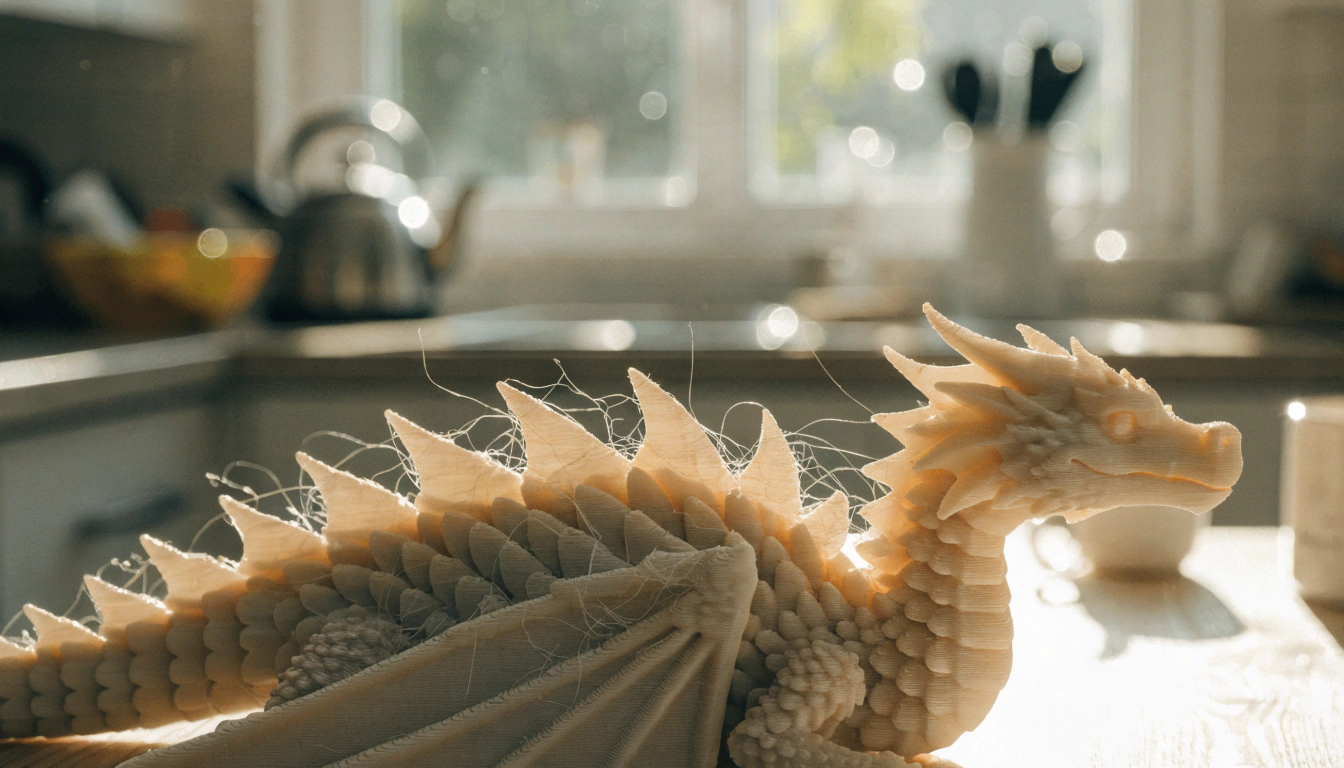
Print-in-place designs are the gold standard for kid-friendly printing. The model comes off the build plate already working — a dragon whose tail bends, a ring whose inner band spins, a jointed caterpillar that moves. No assembly, no frustration, no 'can you help me glue this.' The child picks it up and starts playing.
Projects that move, stack, solve, or spark pretend play
Objects with play value fall into five categories. They move. They stack or connect to something else. They solve a puzzle or challenge. They serve as a prop in a game or story the child already plays. Or they are genuinely useful in daily life. Any one of these is enough. A print that does none of them is a display piece, and display pieces collect dust.
Designs kids can personalize and feel proud to keep
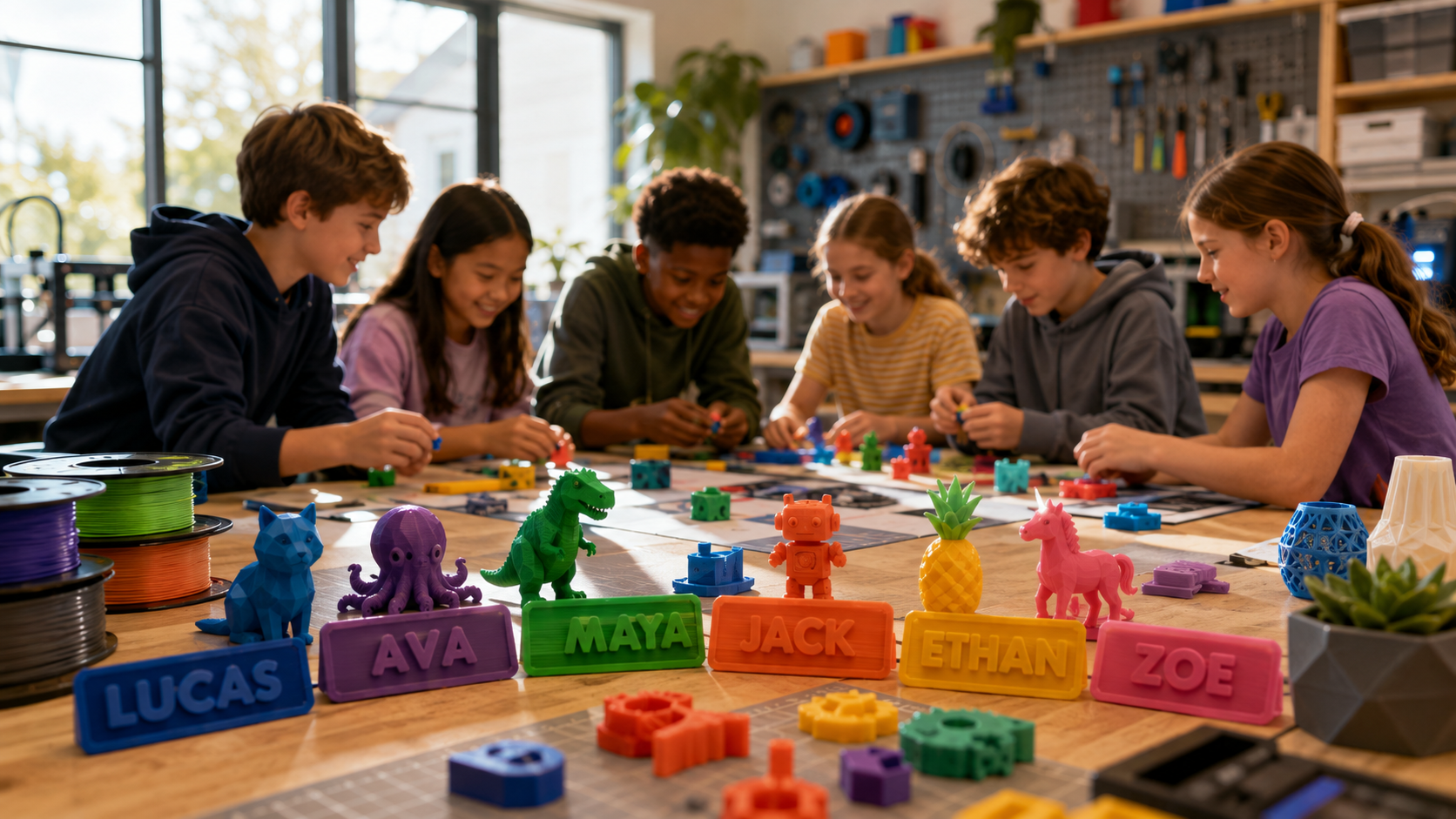
A bookmark with the child's name on it. A keychain in their favorite color. A game piece designed for their specific character. When a child has a say in the design — even just the color selection — they feel ownership of the result. That ownership is the difference between a print that goes into a box and a print that goes into a pocket.
Best Types of 3D Printing Projects for Kids That Turn Into Real Playtime

Instead of a long random list, here are the five categories that consistently produce the highest play value across age groups.
Articulated Animals and Moving Creatures

|
Articulated Animals — The Print-in-Place Favorite |
|
Articulated models — flexi dragons, segmented sharks, jointed axolotls, caterpillars with working legs — are the most consistently played-with 3D prints for children aged 5 to 12. They come off the build plate already moving, no assembly required. The first time a child picks one up and the tail bends in their hand is the moment that convinces most families that 3D printing is genuinely worth it. These toys are durable, tactilely satisfying, and genuinely surprising every time. |
|
Examples: Flexi rex, articulated dragon, jointed snake, caterpillar, shark, axolotl, fidget slug Play value: Immediate movement and surprise — the toy works before the child puts it down the first time |
Puzzles, Matching Games, and Brain-Play Prints

|
Puzzles and Games — Play That Comes Back |
|
3D-printed puzzles get played with repeatedly because the challenge never disappears. A tangram set, a sliding tile puzzle, or a set of custom shape-sorting blocks invites the child to engage again and again. Educational models like fraction blocks — where a child stacks halves and quarters to see that they are equal — also belong here. These prints work as standalone toys and as tools for learning at home or in class. |
|
Examples: Tangrams, sliding puzzles, fraction blocks, shape sorters, matching games, brain teasers Play value: Repeatable challenge — the puzzle resets every time, so the toy never runs out of value |
Pretend-Play Accessories and Role-Play Sets

|
Pretend-Play Props — Building the Story Around the Print |
|
Toy kitchen sets, miniature furniture, treasure coins, magic wands, custom play food — these prints extend the imaginative worlds children already live in. A child who loves pirates prints the coins. A child who loves cooking prints the plates. The object does not have to do anything mechanical. Its job is to exist inside the story, and it does that very well. Print in matching colors to make sets that feel cohesive. |
|
Examples: Play food, treasure coins, fairy doors, wands, dollhouse furniture, miniature kitchen sets Play value: Deepens existing imaginative play — the child writes the story around what they made |
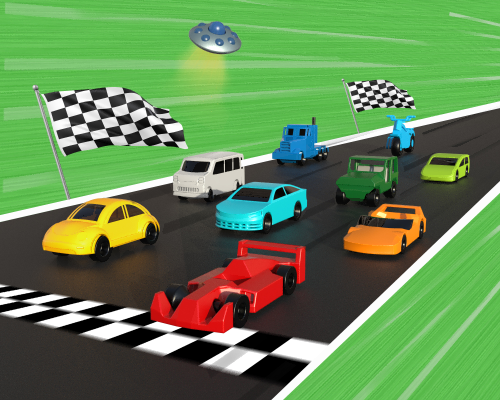
Cars, Ramps, and Other Motion-Based Toys

|
Motion Toys — If It Rolls, It Gets Played With |
|
Wheeled vehicles, gravity ramps, spinning tops, and balloon-powered cars all generate the same response from children: they want to race them, improve them, and race again. Simple cars with snap-on wheels are a natural starting point. Spinning tops open up a physics experiment without anyone calling it one. A child who prints two tops with different proportions and races them is doing design iteration without realizing it. |
|
Examples: Rolling cars, spinning tops, gravity ramps, balloon-powered vehicles, wheeled animals Play value: Motion creates competition — the child naturally wants to improve and repeat |
Small Useful Prints Kids Enjoy Using Every Day

|
Functional Prints — When Practicality Becomes Pride |
|
The most underrated category. When a child uses something they made every day — a bookmark with their name, a hook for their school bag, a holder for their favorite pencil — they are reminded of what they can make. This category builds the habit of thinking 'I could print that' rather than 'I need to buy that.' Practical items stay in daily use far longer than decorative ones. |
|
Examples: Name bookmarks, backpack hooks, pencil holders, desk organizers, plant pot labels, keychains Play value: Daily use means daily reminder — the printer becomes part of how the child sees the world |
How to Choose Projects by Age and Interest

The right project for a 5-year-old is different from the right project for a 10-year-old. Here is the practical breakdown, with the most important distinction being complexity and assembly.
|
Ages 4–6 |
Best Project Types |
Skills Built |
Approach |
|
Chunky animals, simple coins, playdough stamps, basic shapes |
Fine motor, color recognition, sensory play, cause and effect |
Adult selects model — child picks color and taps print — adult removes print |
|
Ages 7–9 |
Best Project Types |
Skills Built |
Approach |
|
Flexi animals, spinning tops, puzzles, pretend-play sets, vehicles |
Mechanical curiosity, problem-solving, imaginative play |
Child browses library, selects model, and taps print independently |
|
Ages 10–12 |
Best Project Types |
Skills Built |
Approach |
|
Custom designs, gear sets, multi-part builds, creation kits |
Design thinking, engineering principles, iterative improvement |
Child designs or modifies models, manages print settings with guidance |
Ages 4 to 6: Simple Shapes, Snap-Together Fun, and Guided Play
For this age group, instant gratification is the goal. Choose models with thick walls, no small parts, and no assembly. A chunky dinosaur figurine in bright red PLA takes 25 minutes. The child holds a warm object they watched appear out of nothing. That is enough for day one. Build on it from there.
Let them choose the color. Let them press the final button. Let them carry the finished print around the house for the rest of the afternoon. These three things are more important than which specific model you print.
Ages 7 to 9: Moving Toys, Puzzles, and Themed Characters
Children in this range have the patience for prints up to 90 minutes and the fine motor skills to interact with more complex moving parts. This is the prime age for articulated flexi toys, print-in-place mechanisms, and themed sets they can expand over multiple sessions. A child who printed a flexi dragon this week wants to add a castle wall next week. Keep the next project chosen and ready.
Ages 10 to 12: More Customization, Design Input, and STEM-Style Builds
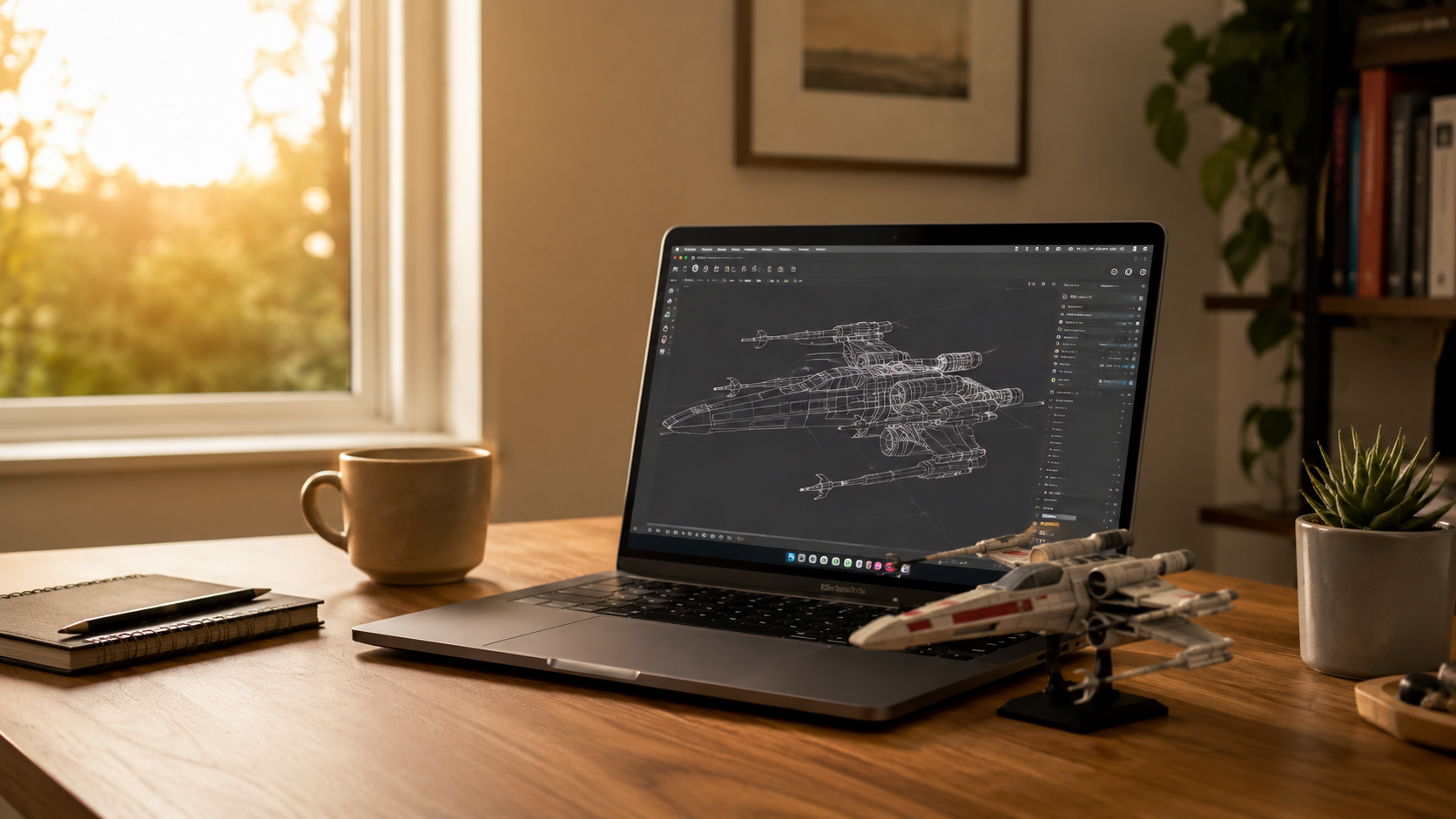
Older children are ready to move from 'choosing from a library' to 'tweaking the design.' Guided apps that let them adjust the size of a name tag or add a custom detail are the natural next step. For children who want to go further, free tools like Tinkercad introduce basic CAD modeling in a browser window. The AOSEED X-MAKER is designed for exactly this transition — supporting the creation kits and precision needed for STEM builds that actually work mechanically.
Picking Projects by Interest: Animals, Vehicles, Gifts, Games, or Classroom Fun
Always follow the child's current obsession. If they are into space, print a modular rocket. If they love horses, print a poseable horse figurine. If they are working on a school project, print a model that supports it. The fastest way to lose a child's interest in 3D printing is to decide what they should print rather than asking what they want to make.
|
Child's Interest |
Starting Project |
Why It Works |
|
Animals |
Flexi articulated animal in favorite species |
Immediate movement and personalization by species choice |
|
Vehicles |
Rolling car or gravity ramp |
Motion creates racing, competition, and iteration naturally |
|
Giving gifts |
Name bookmark or personalized keychain |
Child experiences the pride of giving something they made |
|
Puzzles / games |
Tangram set or spinning top pair |
Replayable challenge — the toy doesn't run out |
|
Classroom use |
Fraction blocks or planet scale model |
Connects to learning without feeling like homework |
How to Start 3D Printing with Kids Safely at Home

Safety is the first question most parents ask, and the good news is that modern family printers have already solved the main issues. Here is what to look for and what to know.
Why Enclosed Designs Matter for Family Use
The nozzle on a 3D printer reaches above 200°C during printing. An open-frame printer leaves that nozzle and the moving build plate fully accessible. In a home with young children, this is a real hazard. A fully enclosed printer puts all hot components behind a closed chamber — children watch through the window, not through open air. The U.S. Consumer Product Safety Commission's toy safety guidelines are a useful reference when evaluating whether any product, printed or purchased, is appropriate for the age group in your home.
The AOSEED X-MAKER JOY is specifically designed for family home use — fully enclosed with a door sensor that pauses the print if the chamber is opened mid-session. This means a curious younger sibling wandering in during a print does not create a safety incident.
|
Safety Feature |
What It Does |
Who Benefits |
|
Fully enclosed build area |
All hot parts sealed inside — children cannot reach the nozzle |
Essential for any home with children under 12 |
|
Door-open sensor |
Print pauses automatically if the chamber opens mid-print |
Prevents accidents when younger children approach |
|
Non-toxic PLA filament |
Plant-based, biodegradable, low odor at normal temperatures |
Safe as the primary material for all children's projects |
|
Silent mode |
Reduced operating noise during long print sessions |
Comfortable in shared bedrooms and living rooms |
|
Child-lock screen |
Prevents accidental changes to settings mid-print |
Useful in households with younger children |
Is PLA a Practical Choice for Kid-Friendly Projects?
PLA (polylactic acid) is made from renewable plant materials — typically corn starch. It is non-toxic, biodegradable, and does not produce significant chemical fumes at standard printing temperatures. NatureWorks, the primary global PLA producer, publishes full safety data sheets confirming these properties. For children's toy-quality prints that get handled regularly, PLA is the correct default choice. It handles the full range of projects in this guide and is the standard filament for every family-oriented printer on the market.
How Noisy Is a 3D Printer in a Home Setting?
This question comes up a lot, and the honest answer is: quieter than you probably expect. A 2022 NIST study on desktop 3D printers found average sound pressure levels around 12 decibels above background when multiple printers were running simultaneously. A single family printer in a bedroom or living room typically operates at under 50 decibels — similar to a refrigerator hum or a quiet conversation.
|
Decibel Level |
Equivalent Sound |
3D Printer Context |
|
30–40 dB |
Quiet library, soft whisper |
Silent mode on family-oriented printers |
|
45–50 dB |
Quiet conversation, background fan |
Typical family printer during a standard print |
|
55–60 dB |
Normal conversation in a room |
Some older or open-frame machines at standard settings |
|
65+ dB |
Vacuum cleaner, busy office |
Not typical for modern family printers |
Most parents find that after the first week they stop noticing the printer is running. The printing sound blends into background household noise. Running a print during homework time or before bed is rarely an issue.
How to Keep First Projects Calm, Simple, and Low-Frustration
The single best thing you can do for a first session is choose the project before the session starts. Do not leave the child browsing for 20 minutes feeling overwhelmed by choice. Pick one print — something under 45 minutes — and have it ready.
- Let the child choose the filament color. That small decision creates ownership.
- Let the child press the final button to start the print. 'I started this' matters.
- Stay nearby but do not hover. Let the child watch, walk away, check on it. This is normal printing behavior.
- Have the next project decided before the first one finishes. The gap between prints is when enthusiasm can drop.
- If the first print fails, treat it as information rather than a problem. 'What do you think happened?' is the most useful question.
Why Some Kids Keep Using 3D Printing After Week One

The difference between a printer that collects dust and one that stays on a child's desk is not the hardware. It is what comes after the first successful print.
A Toy Library Gives Kids a Next Project to Look Forward To
The most common reason a 3D printer stops being used is blank-page boredom. The child has printed the obvious first-tier projects and does not know what comes next. A regularly updated Toy Library solves this. The AOSEED Toy Library holds thousands of models and adds new ones every week — animals, vehicles, seasonal builds, puzzles, gift ideas, and game pieces. A child who browses it on a Saturday morning finds three things they want to print. That question — 'what should I make next?' — is what keeps 3D printing part of family life rather than a holiday novelty.
App-Led Workflows Help Kids Do More with Less Adult Help
Children stay engaged with tools they can operate independently. An app that handles the technical steps — model selection, slicing, file transfer — allows a child to go from 'I want to make this' to 'it is printing' without a parent's laptop. The more independently a child can run a session, the more sessions they run. The educational research around 3D printing in K–12 settings consistently finds that student ownership of the design-and-print process is the most significant predictor of sustained engagement.
Creation Kits Turn Printed Parts Into Toys Kids Can Actually Use
Some of the most engaging 3D printing projects for kids combine printed components with physical kits — motors, gears, winding mechanisms — that turn the object into something functional. Print the body of an RC car, add the motor and electronics, and drive it around the kitchen. Print the casing of a music box mechanism, assemble it, and hear what it plays. These creation kit builds are what convert 'I made a thing' into 'I made a thing that works,' which is a genuinely different experience.
Why Repeatable Projects Matter More Than Flashy One-Off Prints
A print that can be improved is a print that gets printed again. If a spinning top loses a race, the child already understands how to print a better one. If a friend wants the same animal bookmark, another session happens naturally. The repeatability of good projects — and the ecosystem of fresh ideas around them — is what makes a 3D printer a lasting creative tool rather than a single-use appliance.
Real Project Ideas Families Can Start With First

Here are practical starting directions organized by what the family is actually looking for on a given afternoon.
Best First Prints for Imaginative Play
|
Project |
Age |
Print Time |
Why It Works |
|
Articulated flexi dragon |
5+ |
60–90 min |
Moves immediately — no assembly, instant play value |
|
Finger puppets (set of 4) |
4+ |
20–30 min each |
Storytelling props — the child writes the play |
|
Custom play food set |
4+ |
15–25 min each |
Extends pretend kitchen — new pieces = new play scenarios |
|
Miniature treasure chest with lid |
6+ |
30–45 min |
Opens and closes — becomes the prop for many games |
|
Poseable animal figurine |
5+ |
20–45 min |
Child picks the species — personalization creates ownership |
Best First Prints for Calm, Screen-Light Creative Time
|
Project |
Age |
Print Time |
Why It Works |
|
Geometric tangram set (7 pieces) |
6+ |
30–45 min |
Quiet spatial challenge — rearranges into hundreds of shapes |
|
Watercolor palette holder |
7+ |
25–35 min |
Practical creative tool — the child painted something they use |
|
3D coloring blank animal figure |
5+ |
20–40 min |
Printed white, painted with markers — creative second layer |
|
Fidget ring (print-in-place) |
6+ |
20–30 min |
Immediate sensory satisfaction — carries well in a pocket |
|
Personalized bookmark with character |
5+ |
15–25 min |
Goes straight into the book they are reading this week |
Best First Prints for Sibling Play or Family Game Time
|
Project |
Age |
Print Time |
Why It Works |
|
Spinning top pair — race format |
6+ |
15–25 min each |
Sibling competition built in — print one per player |
|
Tic-tac-toe set with carrying case |
6+ |
45–60 min total |
Classic game, custom made — travel-sized and personal |
|
Mini bowling pins and ball |
5+ |
60–90 min total |
Hallway bowling tournament — everyone plays |
|
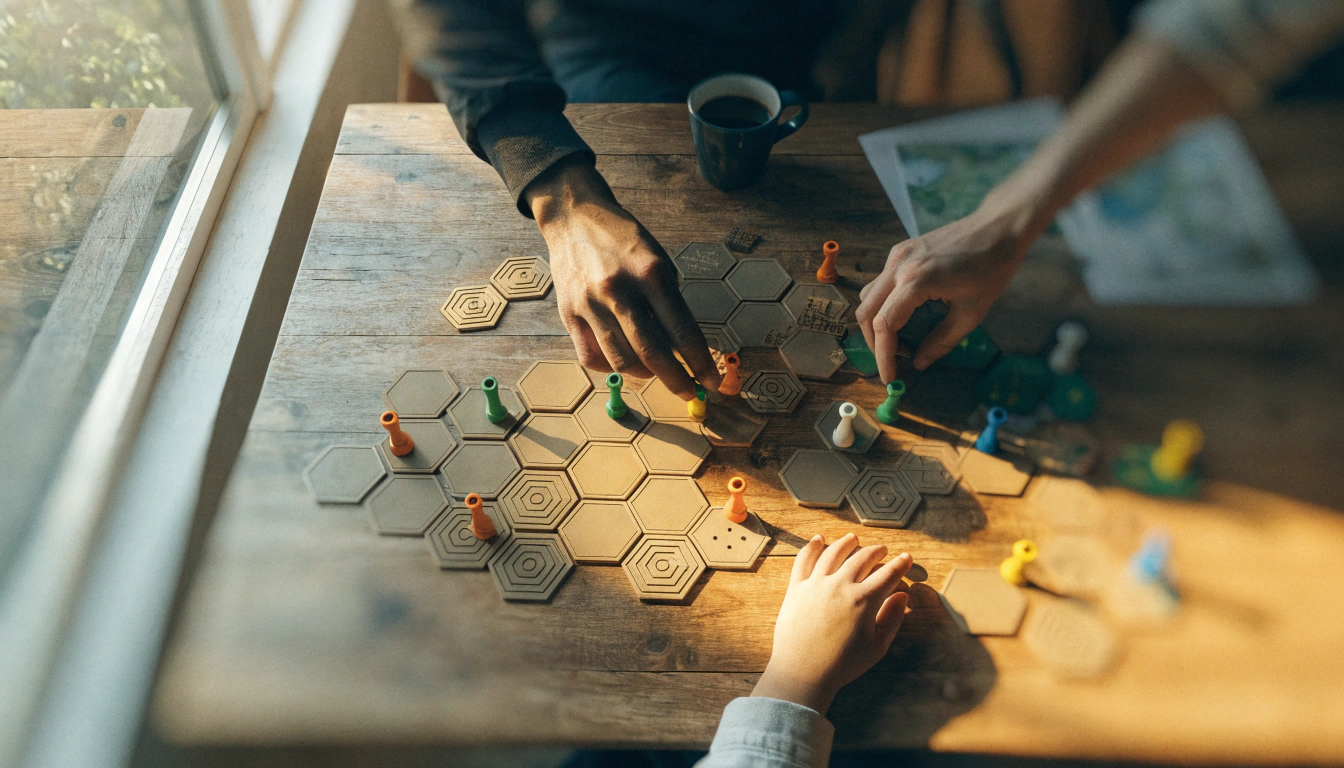
Custom board game tokens |
7+ |
20–30 min per set |
Replaces the generic pieces with characters the family chose |
|
Marble run sections |
7+ |
30–60 min per section |
Build it together — then race marbles through it |
Best First Prints for Gifts, Classrooms, or Rainy Afternoons
|
Project |
Age |
Print Time |
Why It Works |
|
Name keychain in recipient's favorite color |
5+ |
15–25 min |
Low cost, high personal value — the gift is the personalization |
|
Seasonal decoration or ornament |
5+ |
30–60 min |
Goes somewhere specific — the print has an immediate home |
|
Photo frame sized for a family photo |
6+ |
45–75 min |
Works as a gift for grandparents — personal and practical |
|
Classroom shape-sorting set |
6+ |
20–30 min per piece |
Made by the student, used in class — STEM without a lesson |
|
Custom pencil topper |
6+ |
15–20 min |
Used every school day — the child shows it to their friends |
Conclusion
The best 3D printing projects for kids are not the most impressive ones. They are the ones that survive the trip from the build plate to the toy box and stay there.
Focus on play value over novelty. Articulated animals, motion toys, puzzles, pretend-play accessories, and functional daily items all pass the test. Static display models almost never do.
Choose the first project based on the child, not the printer's capabilities. A 5-year-old who holds a warm flexi dragon 20 minutes after pressing start is more invested in 3D printing than a 5-year-old who waited 6 hours for a complex model that failed.
When the first session goes well, the questions that follow — what can I make next? can I design my own? can I make one for my friend? — are the ones that matter. Start with those in mind, and the AOSEED 3D printers for kids range shows the options that support that journey from first print to confident creator.
FAQs
Can a 7-year-old use a 3D printer?
Yes, with adult supervision and the right printer. A 7-year-old can browse a model library, select something they want, and tap print — the complete experience is achievable with a fully enclosed, app-led printer. The adult handles filament loading and print removal for the first few sessions. By session three or four, most 7-year-olds can manage the full browsing and printing process independently. The key is a printer designed for children, not one designed for adult hobbyists.
What can a 3D printer make for kids?
A wider range than most parents expect. Moving toys like articulated animals and fidget mechanisms. Educational tools like tangram sets, fraction blocks, and planet models. Pretend-play props like treasure coins, play food, and miniature furniture. Practical daily items like bookmarks, pencil toppers, and bag hooks. With creation kits: working RC cars, robots, and music box mechanisms. The right library and a bit of direction keep the ideas coming for years.
Should a 12-year-old have a 3D printer?
Absolutely. By 12, most children are ready for the full creative potential of a 3D printer — designing their own models, working through multi-part builds, and using the printer for school STEM projects. The jump from browsing a library to modifying a design is natural at this age, and tools like guided design apps and simple browser-based CAD software make the transition accessible. A 12-year-old who has used a family printer for a year is often ready to take on creation kit builds that require real engineering thinking.
Is PLA safe for kids' toys?
Yes. PLA (polylactic acid) is derived from renewable plant materials, is non-toxic, biodegradable, and does not produce significant chemical fumes at standard printing temperatures. It is the default filament for every family-oriented 3D printer on the market. For children's toys, the practical rule is to print with good-quality PLA, ensure all pieces are large enough not to present a choking hazard for very young children, and sand any sharp layer edges smooth before handing the print to a child under 4.
How noisy is a 3D printer?
Much quieter than most people expect. Modern family-oriented printers typically operate at 45 to 50 decibels — roughly the level of a quiet conversation or a running refrigerator. NIST research on desktop 3D printer noise found average levels around 12 decibels above background when multiple printers ran simultaneously. A single family printer in silent mode is unlikely to be disruptive in a bedroom or living room during normal household activity.
What is a good first 3D printing project for kids?
An articulated flexi animal — a dragon, axolotl, or caterpillar — is the most consistently recommended first project for children aged 5 to 10. It is a print-in-place design that comes off the build plate already moving, with no assembly required. The child picks it up and it works. That immediate interaction creates the strongest possible positive first impression of 3D printing. For children aged 4 to 5, a chunky animal figurine or a simple playdough stamp is a better starting point — faster to print and no small moving parts.
How do I choose age-appropriate 3D printing projects for kids?
Use four filters. Does the model have small parts that could break off? Is the print time under an hour for a first session? Does the finished object do something or serve a purpose? And can the child have some input in the design or color? For ages 4 to 6, choose single-piece models with thick geometry and no parts smaller than a marble. For ages 7 to 9, add articulated mechanisms and simple multi-piece sets. For ages 10 to 12, introduce designs the child can modify or expand over multiple sessions.
Sources
- Printables — Toys and Games 3D Models, Toys and Games 3D Models, 2026.
- Reddit — Fun Quick Print Maybe for Kids, Fun Quick Print for Kids — Community Suggestions, 2026.
- CPSC — Toy Safety Business Guidance, Toy Safety Business Guidance, 2026.
- ASTM — F963 Standard Consumer Safety Specification for Toy Safety, F963 Consumer Safety Specification for Toys, 2023.
- NatureWorks — PLA Regulatory Affairs and Safety Data Sheets, Ingeo PLA Regulatory Affairs — Safety Data Sheets, 2026.
- NIST — Occupational Exposure from Operating Multiple Desktop 3D Printers, Indoor Environmental Quality Evaluation from Desktop 3D Printers, 2022.
- TeachEngineering — A Little Bit of Everything About 3D Printing, A Little Bit of Everything About 3D Printing, 2023.
- NIH 3D — 3D Printable Human Heart Model for K–12 Education, 3D Printable Human Heart Model for K–12, 2025.


Further reading

Thanksgiving STEM Activities for Kids: Table Projects and Simple Engineering Challenges

Halloween STEM Activities for Kids: Spooky Builds That Teach Real Science

STEM Crafts for Kids: Build, Decorate and Test



