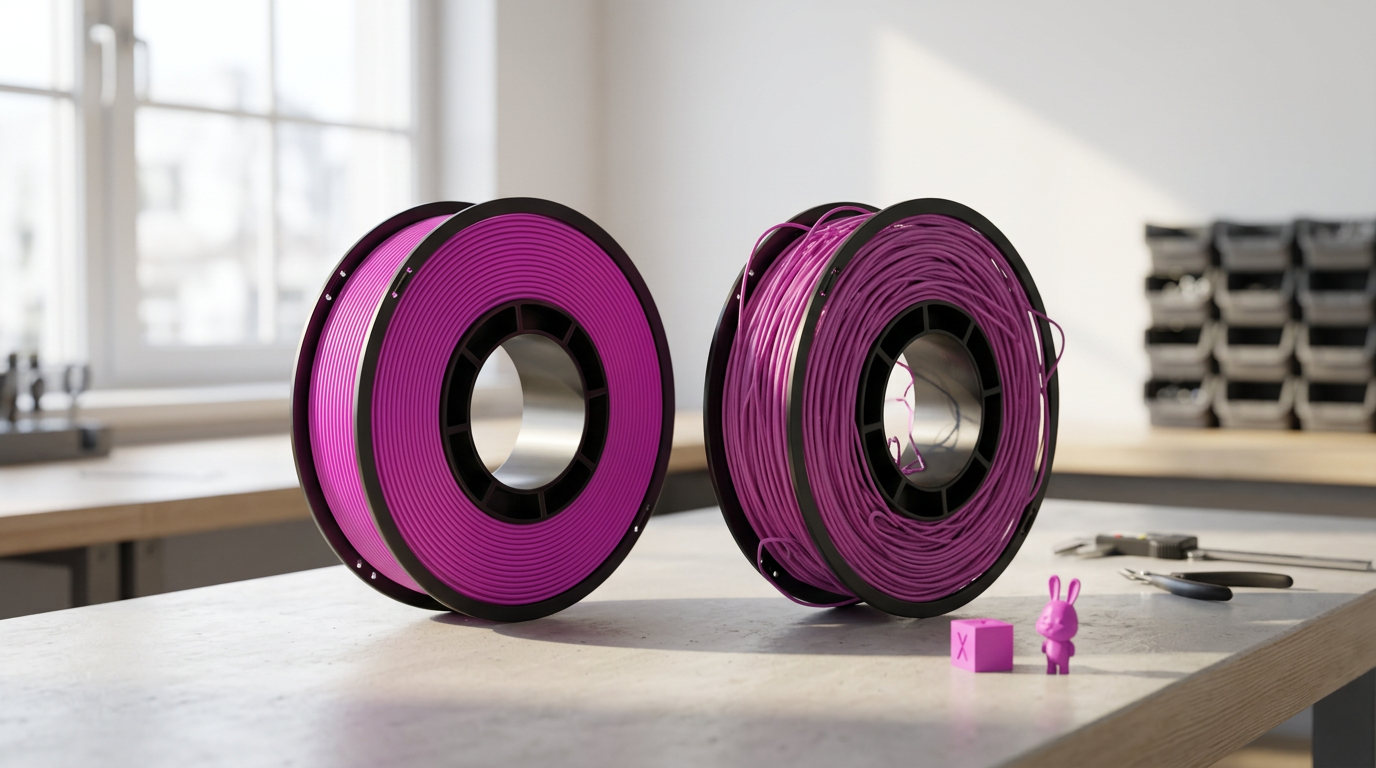
Good vs Bad 3D Filament: 8 Signs to Check Before Printing
Many failed prints are blamed on the printer when the filament is the real cause. Good filament feeds smoothly, lays down even lines, and creates strong layers, while bad filament may clog, bubble, snap, or mimic a machine problem. This guide explains how to check good vs bad 3D filament before printing so you can decide whether a spool needs drying, troubleshooting, or replacement.
A problem spool is not always scrap. Moisture can often be removed through proper drying, but inconsistent diameter, contamination, and physical damage may make the filament unusable. Identifying the issue early can save the spool and prevent another failed print.
Quick 3D Filament Quality Check: Good vs Bad Signs

|
What you see or hear |
Most likely cause |
Do this first |
|
Popping, steam, fine strings |
Moisture |
Dry it, then reprint the same file |
|
Snaps while loading |
Age, heat, or damage |
Bend-test two sections, then replace if both fail |
|
Walls thin here, thick there |
Diameter drift |
Measure several points with calipers |
|
Feed stalls mid-print |
Tangled winding |
Free the loop, rewind a few turns |
|
Grinding, repeat clogs |
Oversized strand or debris |
Check nozzle and drive gears before blaming filament |
|
Bubbles inside the raw strand |
Manufacturing void |
Dry once. If voids remain, return it |
What Makes Filament Good or Bad
Diameter that holds across the whole spool
Buy 1.75 mm and you want 1.75 mm throughout. Small swings matter. They change how much plastic reaches the hotend, which is where thin walls in one spot and over-extrusion in another come from. Most makers work to about ±0.05 mm, and a few publish tighter figures on specific lines. A good number on the box helps. Consistency across the full roll helps more. Measure in a few places. Not just the loose end.
A round strand, not an oval one
Roundness matters. More than it sounds. An oval strand reads correctly one way and wrong a quarter turn later, and the extruder needs a steady grip depth to feed predictably. Use your hands. Slide a short length between your fingers and dents, ridges, and flat spots turn up fast. Some specialty filaments are matte by design. Check the maker's photos first. Prusa tracks ovality on its Prusament line, alongside diameter and weight.
Clean material, batch to batch
Color, stiffness, and melt behavior should stay steady from the first layers to the last turns. Purity is not virgin resin. The two get confused constantly. Recycled filament prints well. It just needs a maker who controls the source and tests each batch. Specks, hard particles, oily patches, a sharp color jump. Those are the flags. Stop the print if they start causing clogs.
Winding that feeds without fighting you
Filament should leave the spool without binding or dragging on nearby loops. A crossing pattern is not a knot. Tangles usually start when the loose end slips under another loop in storage. Clip the free end every time the spool comes off. Spin it by hand before a long job.
Packaging that actually kept moisture out
A sealed bag with desiccant slows moisture during shipping. It proves nothing about the inside. Loose bag, broken seal, spent desiccant. Worth noting, not fatal, since damp spools often recover. Dry boxes keep new moisture out. They will not pull water back out of a wet spool unless the box actively heats. UltiMaker makes that distinction clearly.
How to Inspect Filament Before You Buy
Read the stated tolerance, not just the headline number
The nominal diameter and tolerance belong on the product page, box, or label. Around ±0.05 mm is normal. Watch for silence. Be careful with a seller who lists no tolerance, no test data, and no measuring method. Do not chase the smallest number either. A realistic figure from a brand that tracks batches beats an unsupported claim from a stranger.
Check the seal, spool, and desiccant in the photos
Recent customer images tell you more than product shots. Look for intact bags, undamaged spools, desiccant in frame. Bent rims rub against holders. Broken sides are worse. They let filament slide off mid-print. Vacuum pressure shifts in transit, so a bag that is not shrink-tight proves nothing on its own. Photograph damage before opening.
Look for real material data
A trustworthy listing should name the base material and major additives. It should also provide print temperatures, drying guidance, storage advice, and recommended hardware. Filled filaments need extra detail because carbon fiber, glass fiber, wood, and metal additives can change flow, nozzle wear, and printing requirements. When these details are available, you can choose a spool that fits your printer and avoid preventable failures.
Read certifications for what they cover
ISO 9001 covers a quality management system, not the diameter of your specific spool. REACH and RoHS deal with chemical restrictions. Useful. Just no substitute for measuring, drying, and test printing. Specific claims are worth more. Batch tracking, spool-level measurements, published tolerances, a clear replacement policy.
Visible Signs of a Bad Spool

Uneven thickness, bumps, flat spots
Thick sections jam a tight filament path. Thin ones slip. They skate through the drive gears and leave gaps up top. Hard bumps come from poor mixing or contamination; flat spots from storage pressure or a pinch. Measure before deciding. Confirm with calipers before you write it off. Measure the suspect area from two directions and compare against normal-looking sections.
Brittleness that shows up during loading
PLA snapping while you load it deserves attention. Age, heat, moisture damage, and weak formulation all contribute. The bend test screens. It does not convict, because PLA, TPU, nylon, and filled materials flex differently. Try one strand from the outside and one from deeper in. Both snap? Replace it, assuming drying already failed.
Dust, dull color, rough surface
Dust on an open spool rides into the extruder. A little wipes off. Heavy buildup adds friction and carries debris. Faded color can come from sunlight and heat, or it can just be how the product looks. Recycled and naturally pigmented filament varies. Check deeper. Return it if sticky residue, oily film, or deep pitting runs through several layers.
Bubbles and voids inside the strand

Hold translucent filament to a bright light. Small internal holes usually mean moisture or gas trapped during manufacturing, and those voids cut how much plastic reaches the nozzle. Dry it first. Then run a controlled test. If the gaps are still there afterward, contact the seller, because drying cannot replace material that is missing.
|
One failed print proves nothing. A worn nozzle, a cold setting, or the wrong profile will fail perfectly good filament. Run the same file with a spool you trust before you condemn anything. |
Printing Symptoms and What They Actually Mean
Reading the symptom before changing anything
Print faults expose bad spools. They also come from temperature, hardware, and slicer settings. Work the table left to right. Rule out the cheap causes first.
|
Symptom |
Filament cause |
Rule out first |
|
Popping, sizzling, steam |
Absorbed moisture turning to vapor |
Residue from the previous material. Purge, retest |
|
Missing layers, uneven flow |
Diameter drift or moisture |
Partial clog, loose gear, low temp, wrong flow |
|
Repeat clogs, skipping |
Oversized strand, hard particles |
Cold nozzle, high speed, blocked heatbreak |
|
Stringing, blobs, rough tops |
Moisture increasing ooze |
High temp, weak retraction, slow travel |
|
Weak layers, brittle parts |
Wet or degraded material |
Low temp, heavy cooling, part orientation |
|
Warping, size drift |
Off batch, less common |
Bed contamination, drafts, cold chamber |
Mark the filament at the extruder and watch it move. A section that jams at the same visible bump every time is about as clear as filament evidence gets. Trust that one.
Seven Checks That Settle It

Run them in order, stop when you have your answer
None is conclusive alone. Together they are.
- Bend and snap. Cut a short piece, bend slowly. PLA should resist a little first. Skip this for flexibles and filled composites.
- Calipers next. Close the jaws gently. Soft material gives a false reading otherwise. Several points, rotating a quarter turn at each.
- Sample the whole roll. Outer turns, then several feet in, then again if trouble returns.
- Feel for ovality while unspooling. Rotate as you go, because oval filament feels fine from one side.
- Listen at the nozzle. Steady melt is the goal. Repeated pops mean moisture. Purge the last material first.
- Print something small. A temperature tower or calibration cube surfaces plenty without wasting plastic. Write the settings down.
- Compare across a dry cycle. Same file, nothing else changed. Improvement means moisture. No change? Look elsewhere.
Filament Problem or Printer Problem
Change one thing at a time
Swap several parts at once and the real cause disappears. Change one thing. Load a spool that has printed cleanly on the same machine, same material class, and run the exact file that failed. Clean result means the first spool is suspect. Both failing in the same place points at the printer or the profile instead.
Temperatures, flow, and the feed path
Check the label for suggested ranges and do not assume every PLA wants the same numbers. Too cold gives weak flow and clicking. Too hot gives ooze and breakdown. Confirm the slicer has the right filament diameter before touching flow. Then look at hardware. Worn nozzle, clogged heatbreak, loose gear, cracked idler, a spool holder that will not turn. Clean the drive gears, since ground plastic kills grip.
Drying a Wet Spool, and Knowing When Not to Bother
Wet versus permanently degraded
Popping, steam, bubbles, and new stringing point to moisture, and the strand can look perfectly normal while water sits inside it. The worse case looks different. Lasting brittleness, burnt-looking particles, odd discoloration, or melt behavior that stays unstable after a full dry cycle. Drying removes water. It does not rebuild polymer chains that already broke.
Temperatures by material
Follow the maker's numbers. Prusa publishes a drying table by material and warns against overdrying, which is a real failure mode.
|
Material |
Typical temp |
Typical time |
|
PLA and rPLA |
45 °C |
6 hours |
|
PETG |
55 °C |
6 hours |
|
TPU |
60 °C |
4 to 6 hours |
|
ASA |
80 °C |
4 hours |
|
PC blend |
85 °C |
5 hours |
|
Nylon |
70 to 90 °C |
6 hours or more |
A dedicated dryer gives controlled heat and airflow. A food dehydrator works if its temperature holds. A sealed box with desiccant is storage, not drying. Never guess the temperature. Too much heat welds turns together and warps the spool. Home ovens swing either side of the display, so add a thermometer and check halfway through the first cycle.
|
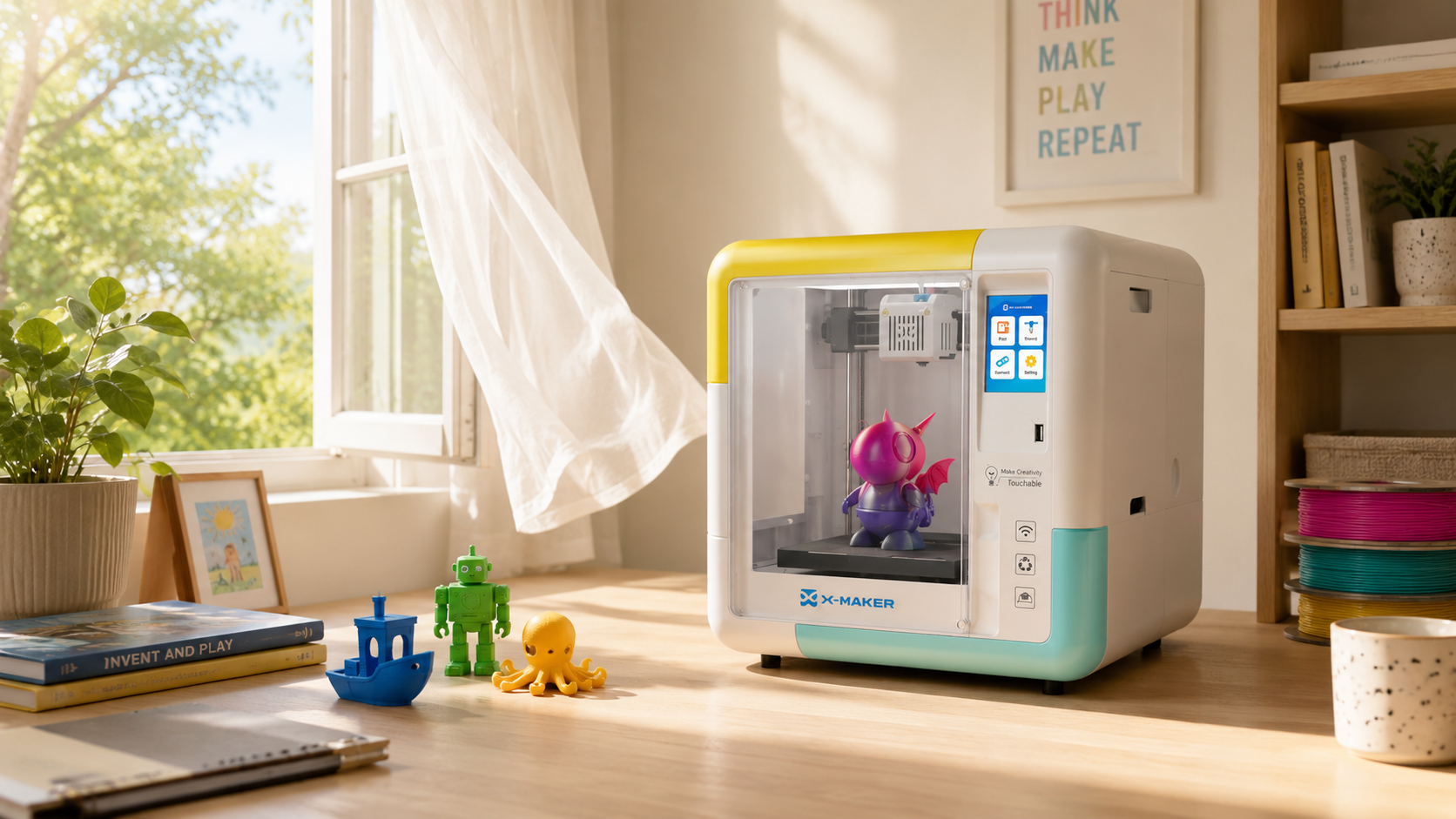
When printer design reduces common filament problems Half of these failures start with the wrong material for the machine. A PLA-only, fully enclosed machine cuts out warping-prone ABS, moisture-hungry nylon, and abrasive composites before they reach the nozzle. AOSEED's kid-safe 3D printers take that approach on purpose, which is why first prints tend to succeed and troubleshooting stays short. |

How Filament Type Changes the Check

PLA, PETG, and the everyday materials
Judge a spool against its own material, not one universal standard. PLA is stiff and easy to feed, and it goes brittle after heat or bad storage. PETG is tougher but strings more. Often that stringing is tuning rather than a bad spool. This is exactly why a starter printer that only runs PLA makes early troubleshooting so much easier. One material, one set of symptoms, far less guessing.
The demanding materials
ABS and ASA shrink as they cool, so warping often comes from drafts and a cold chamber rather than the filament. TPU bends by design, which makes the snap test useless. Check instead for pinched areas and feeding resistance. Nylon drinks moisture fast and often needs drying before every session. Filled composites are matte by design. They also chew through brass, so a hardened nozzle is standard there.
Storage That Prevents the Next Problem

Four habits that do the work
Most repeat moisture problems start between prints. Storage is the fix.
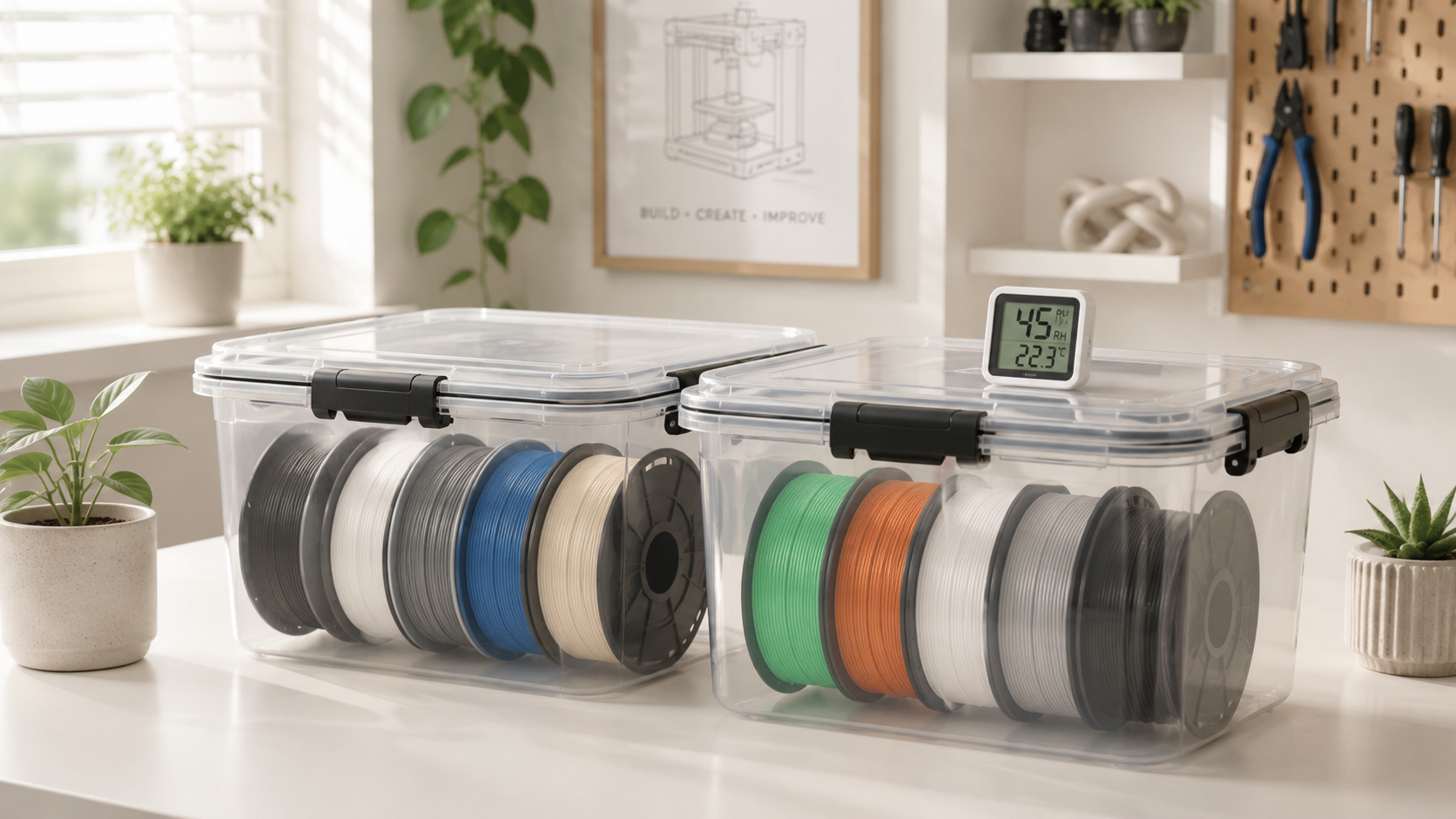
- Seal it. Gasket boxes or vacuum bags, air squeezed out. Pre-dry anything damp first.
- Fresh desiccant plus a humidity indicator tells you whether the box is actually working. Regenerate the silica gel when it saturates.
- Away from heat and sun. Windows, heaters, warm enclosures. Cabinets beat open racks.
- Label the spool with material, batch, working profile, and each drying date. Write the actual symptom on problem spools, not just the word bad.
When to Keep It and When to Let It Go
Two lists, one decision
Sort the spool into one list and act.
Keep or dry it when:
- Diameter holds across several points. The strand feeds freely.
- Symptoms are moisture-shaped. Popping, new stringing, and bubbles after humid storage all respond to a dry cycle.
- The test print came out stable. Small temperature or flow tweaks are fine.
- Cosmetic quirks only. Save it for drafts, supports, and fit checks, labelled as test stock.
Return or bin it when:
- A new spool shows oversized sections, severe ovality, embedded contamination, or visible internal voids.
- Drying changed nothing. Still brittle, still unstable, still clogging after the printer checks came back clean.
- The spool is cracked, or wound so badly it cannot feed safely.
- Photograph the packaging, label, batch number, and failed print before you contact the seller. Keep the box until it is resolved.
Conclusion
Good filament holds its diameter, stays round, stays clean, winds neatly, and flows the same way every time. Bad filament announces itself. Drift, bumps, snapping, tangles, popping, and layers that will not bond. Learn the checks once and you stop guessing.
One bad print is evidence, not a verdict. Test against a known good spool, change a single variable, and let the result tell you where the fault sits. Wet filament usually comes back. Contamination, severe ovality, and permanent brittleness do not.
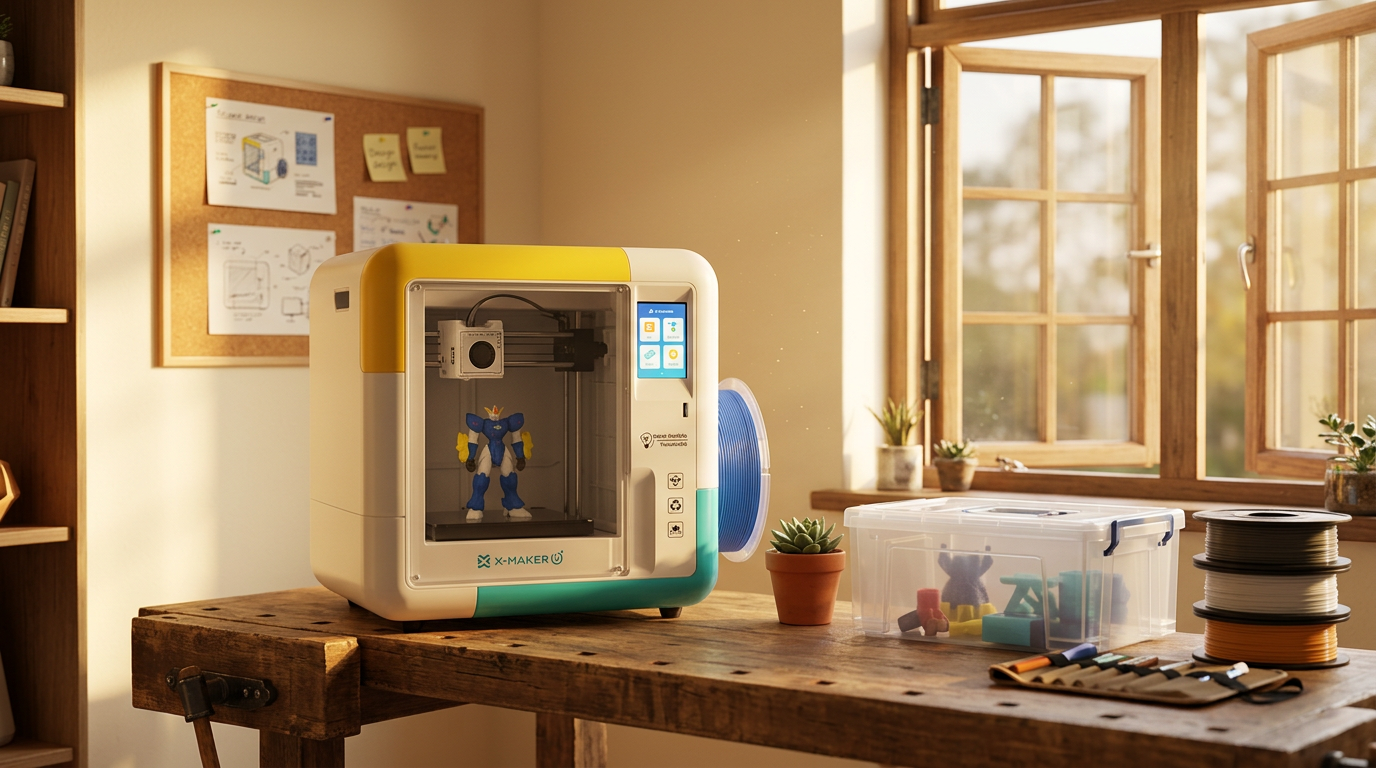
Setting up for a child or a first-time maker? Hardware that runs one forgiving material avoids half of this. The X-MAKER JOY prints PLA in a fully enclosed body and currently sells for $259, down from $339. Fewer variables. Fewer failed prints, and a shorter path from spool to something worth keeping. Worth a look if you want to start with a printer built for families.
FAQs
How can you tell if your 3D filament is bad?
Physical flaws first. Snapping while loading, drifting diameter, hard bumps, tangled winding, popping at the nozzle, bubbles in the extrusion. Measure several points with calipers, rotating a quarter turn each time to catch ovality. Then extrude and listen. Still unsure? Dry it and rerun the same test print before deciding.
Is five-year-old PLA filament still good?
Possibly. The calendar tells you little. Storage, packaging, heat, and humidity matter far more than the date. PLA handles damp air better than nylon or TPU, though years of exposure still leave it brittle. A sealed five-year-old spool often beats a one-year-old spool left by a window. Print a short draft before trusting it with anything that matters.
How do you avoid the blob of death?
Adhesion. A blob forms when the part lets go, sticks to the moving nozzle, and keeps collecting hot plastic. Clean the sheet the way its maker recommends, confirm the nozzle is not riding high, and watch the skirt and first layers for lifted corners. Socks do not help here. A silicone sock makes cleanup easier but fixes nothing about adhesion. Stay nearby until those first layers lock in.
Is PLA or PETG better?
Depends on the part. PLA suits beginners, display pieces, and fine detail, and it needs almost no tuning. It softens near heat though. PETG is less brittle and handles moisture and moderate heat better, at the cost of more stringing and a fierce grip on some build sheets. Decorative work goes to PLA. Working parts go to PETG.
Is it toxic to 3D print?
Not emission-free. Treat it accordingly. Printing releases ultrafine particles and volatile organic compounds, with the amount shifting by printer, material, temperature, and ventilation. CDC and NIOSH research found both PLA and ABS printers emit airborne particles, ABS generally more, and recommends ventilation and enclosures. Ventilate the room. Keep the machine out of a bedroom or small sealed space.
What is the 45-degree rule in 3D printing?
A design guideline, nothing stricter. Many FDM printers manage an overhang near 45 degrees unsupported, because each layer still overlaps enough of the one beneath. Treat it as a starting point. Not a limit. Good cooling and a tuned profile push steeper; a hot material with weak cooling struggles earlier. Angles get measured differently by slicers and modeling tools. Check the sliced preview.
What is the thinnest you can 3D print?
Roughly one extrusion line. With a 0.4 mm nozzle that lands near 0.4 to 0.5 mm for a reliable single wall. Slicers can adapt paths around thin features but cannot invent detail below the physical extrusion width. Smaller nozzles buy finer detail. They cost time and add clog risk. Design important walls at two or more lines rather than betting on a single fragile perimeter.
Is anything illegal to 3D print?
Yes, some things. It depends on the object, its function, your location, and whose rights the design touches. ATF guidance on privately made firearms states they are not automatically illegal federally but must meet federal requirements and can face stricter state limits, while machinegun conversion devices are illegal to possess. Copyright protection covers creative designs too. A downloadable file settles nothing. Check the law and the licence first.
Sources
- Prusa Research, “Drying Filament”
- Prusa Research, “Filament Material Guide”
- Prusa Research, “Extruder Blob”
- UltiMaker, “3D Printer Filament Storage: Essential Tips and Ideas”
- CDC / NIOSH, “Characterizing 3D Printing Emissions and Controls in an Office Environment”
- CDC / NIOSH, “Safe 3D Printing Guide for Makerspaces, Schools, and Libraries”
- ATF, “Privately Made Firearms”
- U.S. Copyright Office, “Copyright in General”



Further reading
AI vs CAD for Kids: Which Design Path Fits Each Age?

AI-Generated 3D Models for Kids: 9 Printability Checks Before You Print

How to Fund a Classroom 3D Printer: Grant Budget and Proposal Checklist